


BigCommerce Vs. Squarespace: Comparison and Expert Reviews for 2026

We review tools independently, and commissions help fund our testing. See our transparency policy, our methodology, or suggest a tool.
If you’re weighing between BigCommerce and Squarespace, you’re likely deciding between deep customization and operational power versus ease of use and creative control. BigCommerce offers your team advanced ecommerce platform tools for scaling complex catalogs and multi-channel sales, while Squarespace offers a design-driven ecommerce platform that makes launching a visually polished store simple, even if you aren’t a tech expert. This article covers how each ecommerce platform handles product management, integrations, payments, and growth; so you can confidently choose the right fit for your business goals, team skills, and customer experience ambitions.
BigCommerce
4.3/5
- 15-day free trial
- From $39/month
Squarespace
4.6/5
- 14-day free trial
- From $19/month (billed annually)
Why Trust Our Software Recommendations
6,700+
Reviews
20
Industry experts
16+
Evaluation factors
14
Years
Our team has been testing and reviewing software since 2012. As retail leaders ourselves, we know how difficult—and important—it is to choose the right software.
For this guide, we evaluated tools using hands-on testing and independent research, scoring tools using our selection criteria.
Our reviews reflect our independent judgment—not a sales pitch.
| BigCommerce | Squarespace | |
|---|---|---|
| Free Trial | 15-day free trial | 14-day free trial |
| Pricing | From $39/month | From $19/month (billed annually) |
BigCommerce Vs. Squarespace Pricing & Hidden Costs
BigCommerce uses a tiered subscription model based on your store’s annual sales volume, with higher tiers unlocking more advanced features and support. You might also encounter extra costs for premium apps, payment processing, and third-party integrations. Squarespace offers flat-rate plans with ecommerce features included, but some advanced selling tools, transaction fees, and add-ons can increase your total spend as your store grows.
To choose the right pricing model, look beyond the monthly subscription and consider your projected sales, the features you’ll actually use, and any third-party tools you’ll need to connect. Review each platform’s upgrade triggers, transaction fees, and integration costs to avoid surprises. It helps to map out your growth plans and estimate total costs over time, and not just at launch.
BigCommerce supports your daily operations with advanced product catalog management and built-in multi-channel selling, making it easier to handle large inventories and sync sales across platforms. Squarespace focuses on intuitive drag-and-drop design and built-in marketing tools, helping you quickly update your storefront and launch campaigns without technical hurdles.
| BigCommerce | Squarespace | |
|---|---|---|
| A/B Testing | No | No |
| API | Yes | Yes |
| Data Export | Yes | Yes |
| Data Import | Yes | Yes |
| External Integrations | Yes | Yes |
| Multi-User | Yes | Yes |
| Third-Party Plugins/Add-Ons | Yes | Yes |
| Factor | BigCommerce | Squarespace |
|---|---|---|
| FactorPayPal | BigCommerce✅ | Squarespace✅ |
| FactorStripe | BigCommerce✅ | Squarespace✅ |
| FactorAmazon Pay | BigCommerce✅ | Squarespace❌ |
| FactoreBay | BigCommerce❌ | Squarespace❌ |
| FactorMailchimp | BigCommerce✅ | Squarespace✅ |
| FactorQuickBooks Online | BigCommerce✅ | Squarespace✅ |
| FactorShipStation | BigCommerce✅ | Squarespace✅ |
| FactorInstagram Shopping | BigCommerce❌ | Squarespace❌ |
| FactorAPI | BigCommerce✅ | Squarespace✅ |
| FactorZapier | BigCommerce✅ | Squarespace✅ |
BigCommerce offers a broader range of direct integrations, especially for payment options and accounting features, while Squarespace covers the basics and relies more on its API for advanced connections. If your business depends on marketplace selling or accounting integrations, BigCommerce is likely to meet more of your needs out of the box, but both platforms support flexible workflows through API and Zapier.
| Factor | BigCommerce | Squarespace |
|---|---|---|
| FactorPCI Compliance | BigCommercePCI DSS 4.0 Level 1 certified, supporting secure payment processing out of the box. | SquarespacePCI compliant for online payments, with secure checkout for customers. |
| FactorSSL Encryption | BigCommerceProvides free SSL certificates for all stores, ensuring encrypted data transfer. | SquarespaceIncludes SSL certificates on all plans for secure browsing and checkout. |
| FactorUptime Guarantee | BigCommerce99.99% uptime real-time monitoring and incident response, although they don’t have an official SLA. | Squarespace99.9% uptime with automated monitoring and regular infrastructure updates, though they lack an SLA. |
| FactorData Privacy | BigCommerceOffers GDPR tools, privacy policy templates, and data export features. | SquarespaceSupports GDPR compliance with privacy controls and data request tools. |
| FactorFraud Protection | BigCommerceIntegrates with third-party fraud detection tools and offers built-in controls. | SquarespaceIncludes basic fraud protection and integrates with select payment providers. |
BigCommerce and Squarespace are fairly similar in security and reliability, with both covering essential protections for online stores. BigCommerce leans slightly more toward enterprise-grade features, while Squarespace focuses on delivering straightforward, secure ecommerce built for simplicity.
| Factor | BigCommerce | Squarespace |
|---|---|---|
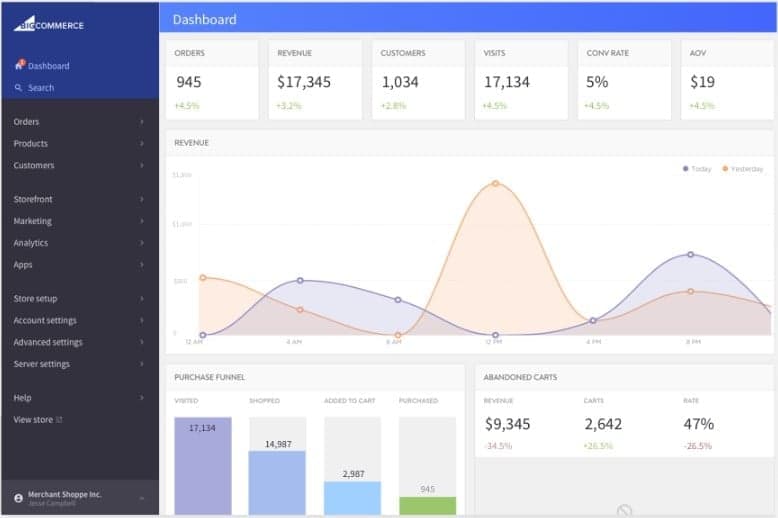
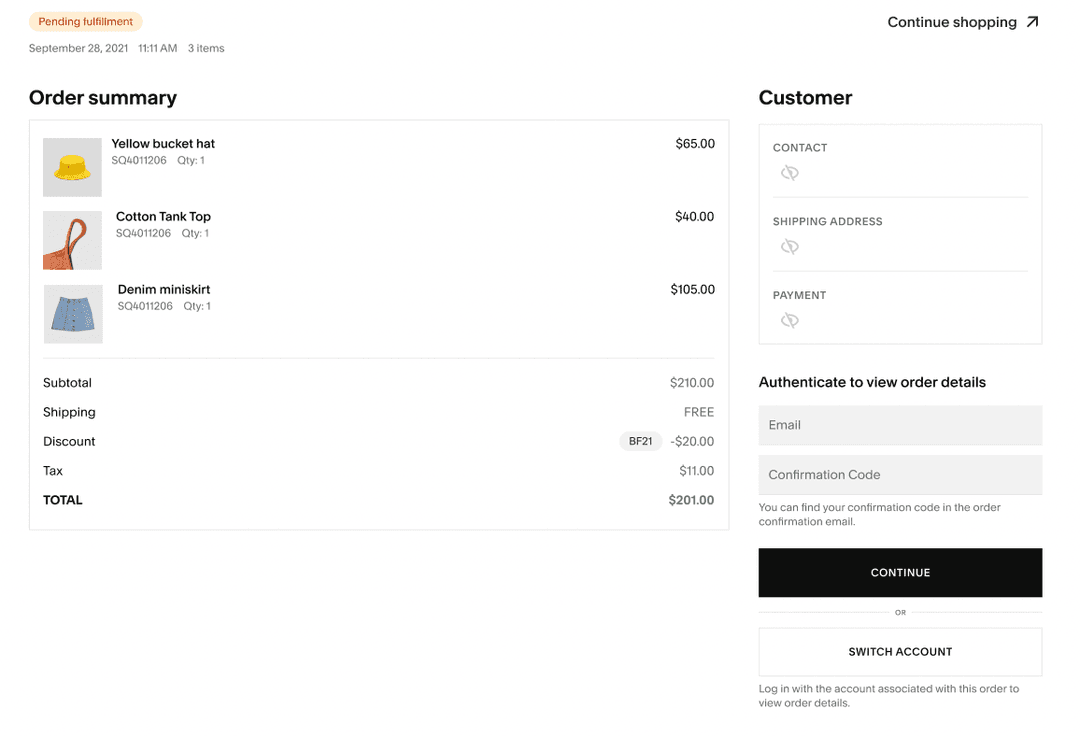
| FactorUser Interface | BigCommerceDashboard is feature-rich but can feel complex for new users managing large catalogs. | SquarespaceClean, intuitive interface with drag-and-drop editing for quick site changes. |
| FactorOnboarding | BigCommerceGuided setup walks users through key steps, but advanced options may require extra learning. | SquarespaceSimple onboarding with step-by-step prompts and helpful tooltips. |
| FactorStore Setup | BigCommerceOffers detailed product and channel setup, which can be time-consuming for small teams. | SquarespaceFast store launch with pre-built templates and minimal configuration. |
| FactorSupport | BigCommerce24/7 support via chat, email, and phone, plus a large help center. | SquarespaceEmail and live chat support, paid access to a Squarespace Expert, with a searchable knowledge base. |
| FactorCustomization | BigCommerceExtensive customization through code and integrations, best for users with technical skills. | SquarespaceVisual customization is easy, but advanced changes are more limited. |
Squarespace is easier for most users to pick up and run with, while BigCommerce offers more depth for those willing to navigate a steeper learning curve. Squarespace shines for its approachable design and quick setup, while BigCommerce’s usability strength is in its flexibility and control for experienced users.
BigCommerce
- You can easily customize your store with its flexible design tools.
- Your team benefits from strong SEO features that boost visibility.
- You get reliable performance with fast loading times.
- Your team might find the learning curve a bit steep.
- You could encounter limitations with multi-language support.
- You might need more advanced reporting tools for detailed insights.
Squarespace
- You can create stunning websites with its beautiful design templates.
- It's easy to use, even if you're not tech-savvy.
- The drag-and-drop interface makes site customization simple.
- Your site customization options are limited compared to some competitors.
- The customer support can be slow and less responsive.
- You might find the onboarding process a bit challenging if you're new to ecommerce.
BigCommerce
- Fashion RetailersBigCommerce’s flexible design tools let you create visually appealing stores that attract fashion-savvy customers.
- Electronics StoresIts strong SEO features help your tech products reach a wider audience, boosting your online presence.
- Mid-Sized BusinessesBigCommerce supports scalability, allowing your business to grow without hitting platform limitations.
- Marketing TeamsThe SEO capabilities enable your team to enhance your brand’s visibility and drive more traffic.
- Home Goods RetailersYou can benefit from reliable performance and fast loading times, ensuring a smooth shopping experience for your customers.
- Digital AgenciesBigCommerce’s customizable design options let your agency craft unique, branded experiences for clients.
Squarespace
- Creative professionalsShow portfolios with visually appealing templates.
- Small business ownersSet up an online store quickly with user-friendly tools.
- PhotographersPresent work beautifully using built-in gallery options.
- ArtistsCreate a sleek online gallery to sell artwork.
- DesignersBuild a professional site with modern, clean aesthetics.
- BloggersEasily craft and manage content with built-in blogging features.
Who Should Use BigCommerce, And Who Should Use Squarespace?
BigCommerce is best for established retailers, fast-growing brands, and teams managing complex catalogs or multi-channel sales who need advanced integrations and customization. Squarespace is a fit for creative entrepreneurs, small businesses, and teams that value design, simplicity, and a quick launch over deep operational control. If your business relies on marketplace selling, custom workflows, or scaling up, BigCommerce is the stronger choice. If you want to get online fast with an aesthetically pleasing storefront and minimal technical overhead, Squarespace is the way to go.
| BigCommerce | Squarespace | |
|---|---|---|
| Catalog Complexity | BigCommerce Handles large, complex product catalogs with advanced filtering and variants. | Squarespace Best for smaller catalogs with straightforward product options. |
| Customization | BigCommerce Extensive code access and developer tools for deep customization. | Squarespace Visual editor with limited backend customization options. |
| Multi-Channel Sales | BigCommerce Built-in integrations for direct marketplaces and sales channels. | Squarespace Limited direct marketplace integrations; focuses on website sales. |
| Pricing Model | BigCommerce Tiered pricing based on sales volume and feature access. | Squarespace Flat-rate plans with features bundled by plan type. |
| Built-In Analytics | Both provide built-in analytics dashboards to track sales, traffic, and customer behavior, though BigCommerce’s reporting is more advanced. |
|---|---|
| Hosted Platform | Both are fully hosted solutions, so you don’t need to manage servers or security updates; each handles maintenance and uptime for your storefront. |
| Mobile Responsiveness | Both offer mobile-optimized templates and storefronts, so your site looks and works well on any device. |
| Payment Gateways | Both support major payment processors like PayPal and Stripe, letting you accept credit cards and digital wallets at checkout. |
| SSL Security | Both include SSL certificates on all plans, ensuring secure browsing and checkout for your customers. |