


Shopify versus WooCommerce: Vergelijking & beoordelingen door experts voor 2026

We review tools independently, and commissions help fund our testing. See our transparency policy, our methodology, or suggest a tool.
Kiezen tussen Shopify en WooCommerce kan overweldigend voelen wanneer je je bedrijf wilt laten groeien en je klanten tevreden wilt houden. Je wilt een e-commerceplatform dat gebruiksvriendelijk is, binnen je budget past en je niet in de steek laat wanneer je ondersteuning nodig hebt. Of je nu je eerste winkel lanceert of opschaalt, beide opties beloven flexibiliteit—maar welke biedt daadwerkelijk wat jij nodig hebt?
In dit artikel krijg je een duidelijke vergelijking van Shopify en WooCommerce naast elkaar. Ik bespreek hun voor- en nadelen, beste gebruikssituaties, prijzen, beveiliging en gebruiksvriendelijkheid, zodat je de juiste keuze voor je bedrijf kunt maken.
Shopify
4.5/5
- 3-day free trial
- From $29/month (billed annually)
WooCommerce
4.4/5
- Free plan available
- From $0 platform fee; extensions from $29/year
Waarom u onze softwareaanbevelingen kunt vertrouwen
6,700+
Reviews
20
Industry experts
16+
Evaluation factors
14
Years
Ons team test en beoordeelt software sinds 2012. Als retailleiders weten we zelf hoe moeilijk — en belangrijk — het is om de juiste software te kiezen.
Voor deze gids hebben we tools geëvalueerd met behulp van praktijktests en onafhankelijk onderzoek, waarbij we tools beoordeelden aan de hand van onze selectiecriteria.
Onze reviews weerspiegelen ons onafhankelijke oordeel — geen verkooppraatje.
| Shopify | WooCommerce | |
|---|---|---|
| Free Trial | 3-day free trial | Free plan available |
| Pricing | From $29/month (billed annually) | From $0 platform fee; extensions from $29/year |
Prijzen en verborgen kosten van Shopify versus WooCommerce
Shopify hanteert een abonnementsmodel met verschillende prijsniveaus waarin hosting, beveiliging en ondersteuning zijn samengevoegd in één maandelijkse vergoeding. Je betaalt ook transactiekosten als je een externe betalingsprovider gebruikt in plaats van hun eigen betalingsverwerker, Shopify Payments, plus extra kosten voor premiumthema’s, apps of geavanceerde functies.
WooCommerce zelf is gratis en open source, zonder maandelijkse platformkosten of een aandeel in de omzet. Je moet echter wel betalen voor hosting, plus eventuele extensies, thema’s en betalingsverwerkingskosten die je kiest toe te voegen.
Om het juiste prijsmodel te kiezen, breng je de functies die je absoluut nodig hebt in kaart en schat je de totale eigendomskosten in de loop der tijd, inclusief uitbreidingen en infrastructuur. Bedenk hoeveel controle je wilt hebben over je technologiestack en houd rekening met de tijd en middelen die nodig zijn voor de installatie en het voortdurende onderhoud. Zo kijk je verder dan alleen de aanschafprijs en vind je het platform dat echt bij je bedrijfsdoelen past.
Zowel Shopify als WooCommerce bieden de essentiële functies die je nodig hebt om een onlinewinkel te runnen, waaronder productbeheer, verkoop via meerdere kanalen, ordertracking, betalingsverwerking en aanpasbare winkelpuien via winkelbouwers. Elk platform ondersteunt ook kortingscodes, voorraadbeheer en integraties met populaire verzend- en marketingtools.
Het verschil zit in de manier waarop deze functies worden aangeboden. Shopify onderscheidt zich met een volledig gehoste alles-in-éénervaring—met ingebouwde hosting, beveiliging en tools zoals POS voor verkopen op locatie—waardoor je snel en eenvoudig kunt starten en opschalen zonder technische overhead. De grootste onderscheidende factor van WooCommerce is ondertussen de flexibiliteit van open source: het draait op WordPress en geeft je volledige controle over aanpassingen, SEO en je technologiestack, zodat je sterk op maat gemaakte winkels kunt bouwen die niet worden beperkt door platformrestricties.
| Shopify | WooCommerce | |
|---|---|---|
| 2-Factor Authentication | Yes | Yes |
| A/B Testing | No | No |
| Analytics | Yes | Yes |
| API | Yes | Yes |
| BitCoin | No | No |
| Conversion Tracking | Yes | Yes |
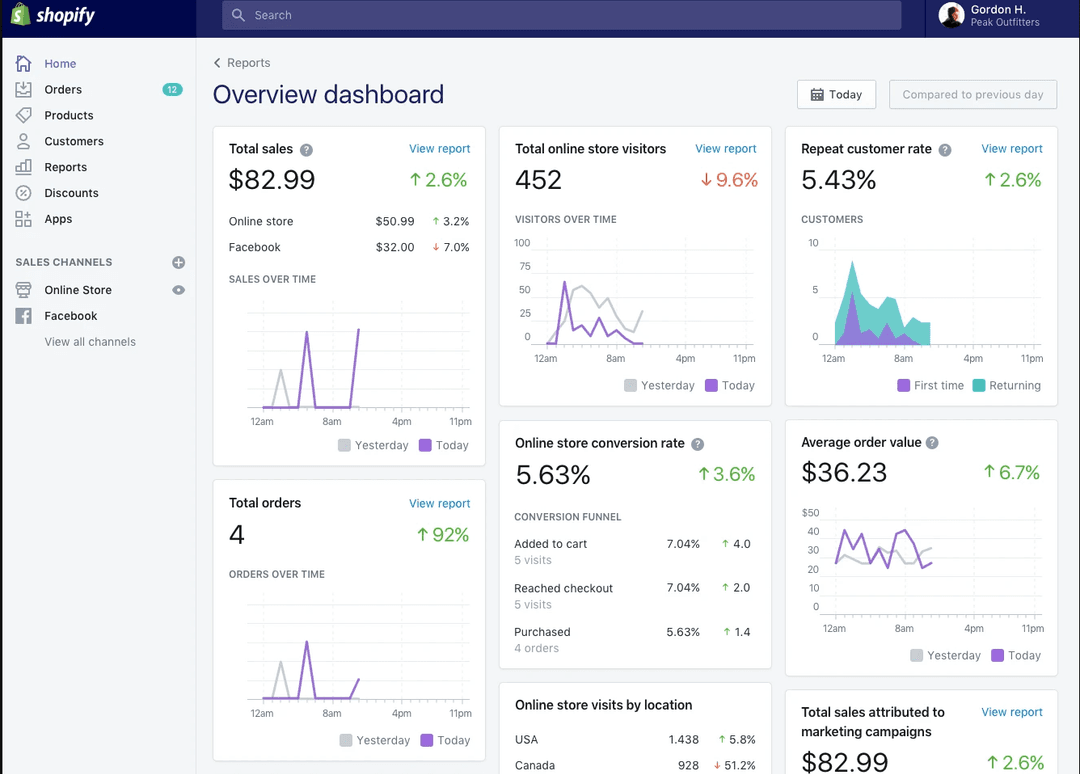
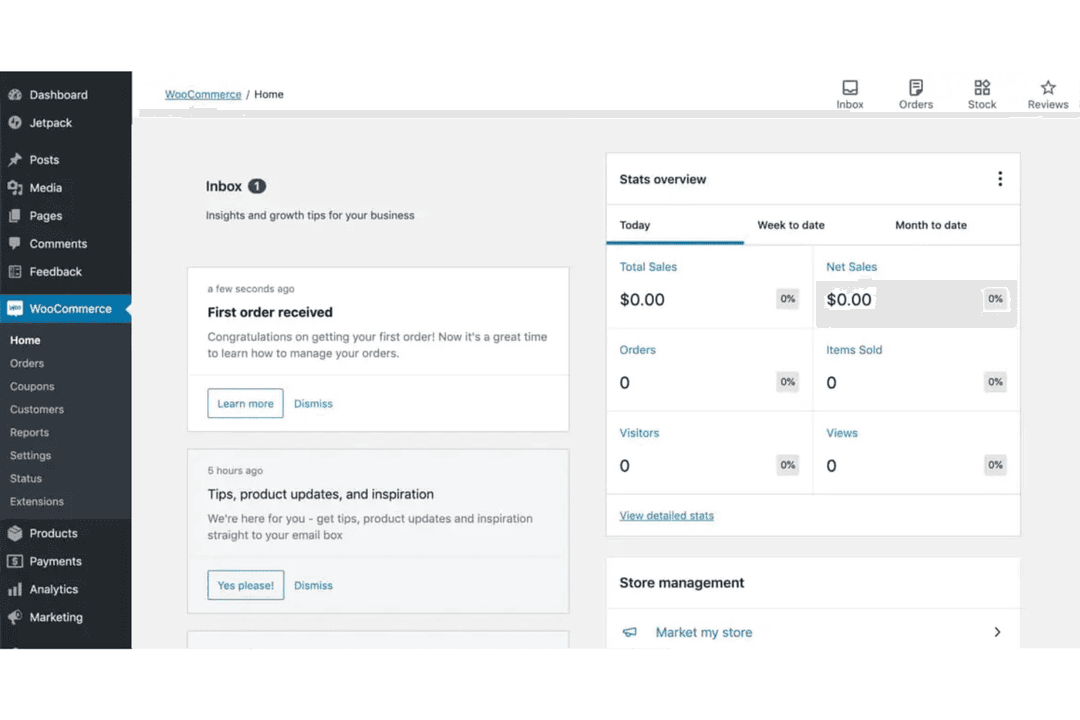
| Dashboard | Yes | Yes |
| Data Export | Yes | Yes |
| Data Import | Yes | Yes |
| Data Visualization | No | Yes |
| Design Templates | Yes | Yes |
| External Integrations | Yes | Yes |
| Inventory Tracking | Yes | Yes |
| Keyword Tracking | Yes | No |
| Marketing Automation | Yes | Yes |
| Multi-User | No | Yes |
| Notifications | Yes | Yes |
| Order Management | Yes | Yes |
| Payment Gateway Integration | Yes | Yes |
| Payment Processor | No | No |
| PayPal | Yes | Yes |
| Product Catalog | Yes | Yes |
| Review Monitoring | Yes | No |
| SAP Integration | No | No |
| Scheduling | No | Yes |
| Stripe | No | Yes |
| Third-Party Plugins/Add-Ons | No | Yes |
| Integratie | Shopify | WooCommerce |
| Mailchimp | ✅ | ✅ |
| QuickBooks | ✅ | ✅ |
| ✅ | ✅ | |
| Google Analytics | ✅ | ✅ |
| Amazon | ✅ | ✅ |
| Xero | ✅ | ✅ |
| Klaviyo | ✅ | ✅ |
| Shopify POS | ✅ | ❌ |
| WooCommerce Subscriptions | ❌ | ✅ |
| Square | ✅ | ❌ |
| API | ✅ | ✅ |
| Zapier | ✅ | ✅ |
Shopify en WooCommerce bieden allebei een breed aanbod aan populaire integraties die in de meeste behoeften van e-commercebedrijven voorzien. Elk platform ondersteunt ook API- en Zapier-koppelingen, zodat je verbinding kunt maken met vrijwel elke tool. Daardoor zijn beide sterke keuzes als het gaat om flexibiliteit bij integraties.
| Factor | Shopify | WooCommerce |
| PCI-naleving | Standaard PCI DSS-conform en verwerkt alle vereisten voor betalingsbeveiliging. | Vereist handmatige configuratie en plug-ins van derden voor PCI-naleving. |
| SSL-versleuteling | SSL-certificaten zijn inbegrepen en worden automatisch beheerd voor alle winkels. | SSL moet via je hostingprovider worden ingesteld. |
| Gegevensprivacy | Ingebouwde AVG-tools en sjablonen voor privacybeleid. | AVG-naleving is afhankelijk van plug-ins en handmatige configuratie. |
| Beschikbaarheid & hosting | Volledig gehost met een hoge beschikbaarheid. | De betrouwbaarheid is afhankelijk van de gekozen hostingprovider. |
| Automatische updates | Beveiligingspatches en updates worden automatisch uitgevoerd. | Updates moeten door de winkeleigenaar of hostingprovider worden beheerd. |
Shopify biedt een meer zorgeloze en veilige ervaring met ingebouwde naleving en automatische updates, terwijl WooCommerce je flexibiliteit biedt maar meer handmatige inspanning vereist om veilig te blijven. De sterke punten van Shopify zijn het beheerde beveiligingsniveau en de betrouwbaarheid, terwijl WooCommerce uitblinkt voor gebruikers die volledige controle willen over de configuratie en naleving van hun winkel.
| Factor | Shopify | WooCommerce |
| Gebruikersinterface | Een overzichtelijk, intuïtief dashboard met bewerking via slepen en neerzetten. | Een vertrouwde WordPress-interface, maar met complexere navigatie. |
| Winkel instellen | Begeleide configuratie met stapsgewijze instructies en ingebouwde hosting. | Vereist handmatige configuratie, hosting en installatie van plug-ins. |
| Introductie | Interactieve introductie en nuttige handleidingen voor nieuwe gebruikers. | Minimale introductie; vertrouwt op WordPress-documentatie. |
| Klantenondersteuning | 24/7 livechat-, e-mail- en telefonische ondersteuning. | Communityforums en ondersteuning via tickets, vaak specifiek voor plug-ins. |
| Aanpassing | Eenvoudige themawijzigingen en installatie van apps uit de Shopify App Store. | Uitgebreide aanpassingsmogelijkheden, maar technische vaardigheden of hulp van een ontwikkelaar zijn vereist. |
Shopify is veel eenvoudiger voor beginners en drukke teams, terwijl WooCommerce aantrekkelijk is voor mensen die volledige controle willen en een leercurve geen probleem vinden. De sterke punten van Shopify zijn de begeleide configuratie en persoonlijke ondersteuning, waardoor de tijd en technische inspanning die nodig zijn om een winkel te lanceren en te beheren, worden beperkt. WooCommerce biedt daarentegen meer flexibiliteit en aanpassingsmogelijkheden, maar die vrijheid brengt extra complexiteit met zich mee op het gebied van configuratie, onderhoud en probleemoplossing naarmate je winkel groeit.
Shopify
- You can easily customize your store with a wide range of themes.
- Shopify's app store offers tools to boost your store's functionality.
- It provides reliable security to protect your customers' data.
- You might find transaction fees if not using Shopify Payments.
- Shopify's blogging feature is less robust than others.
- It can be challenging to manage multiple currencies.
WooCommerce
- WooCommerce provides extensive customization capabilities.
- The platform allows for a rich variety of plugins.
- WooCommerce benefits from strong community support and resources.
- Technical knowledge is needed for setup and customization.
- Extensive plugins and high traffic can affect site speed and performance.
- There's a lack of advanced SEO features.
Shopify
- Boutique RetailersShopify’s customizable themes help your store stand out in a crowded market.
- Artisan ShopsYou can easily showcase and sell unique products with Shopify’s flexible product listings.
- StartupsShopify’s user-friendly interface allows you to set up quickly and focus on growth.
- Small BusinessesIts app store provides tools to expand your store’s capabilities as your business grows.
- Online MarketplacesShopify’s secure checkout process builds trust with your customers.
- Subscription ServicesYou can manage recurring payments and customer subscriptions efficiently with Shopify’s built-in tools.
WooCommerce
- In-House DevelopersOpen-source codebase allows developers to build custom features and workflows.
- International SellersMulti-currency and multilingual plugins help reach global customers.
- NonprofitsCustom donation and fundraising plugins make WooCommerce a fit for nonprofits.
- Content CreatorsSeamless WordPress integration lets bloggers and publishers sell products directly.
- Subscription Box BrandsBuilt-in and third-party plugins support recurring billing and membership models.
- Small RetailersWooCommerce’s low upfront costs and flexibility suit small shops with limited budgets.
Wie zou Shopify moeten gebruiken en wie WooCommerce?
Shopify is het meest geschikt voor bedrijfseigenaren, kleine bedrijven en groeiende merken die een alles-in-één e-commerceoplossing willen zonder zich bezig te houden met technische configuratie. Het is bijzonder geschikt voor teams die waarde hechten aan snelheid, betrouwbaarheid en ingebouwde ondersteuning, evenals voor bedrijven die via meerdere kanalen verkopen, zoals sociale media, marktplaatsen en fysieke verkooppunten met POS. Als je snel wilt lanceren en je wilt richten op verkopen — niet op het beheren van infrastructuur — dan past Shopify beter bij je.
WooCommerce is ideaal voor gebruikers die al WordPress gebruiken of volledige controle willen over de functionaliteit, het ontwerp en de hostingomgeving van hun winkel. Het is een sterke keuze voor ontwikkelaars, contentgerichte bedrijven of ondernemingen met specifieke behoeften op het gebied van aanpassingen of SEO die verder gaan dan wat gehoste platforms doorgaans toestaan. Als je vertrouwd bent met het uitvoeren van configuratie en onderhoud (of toegang hebt tot technische expertise), biedt WooCommerce veel flexibiliteit en langdurige controle.
| Shopify | WooCommerce | |
|---|---|---|
| Customization | Shopify Customizable, but limited to available themes and apps. Easy-to-use store builder and theme customizer. | WooCommerce Highly customizable with plugins and code, but requires technical skill. |
| Payment Flexibility | Shopify Native Shopify Payments plus third-party gateways with additional fees. | WooCommerce No restrictions—use any payment gateway with no platform penalties. |
| Pricing Model | Shopify Subscription-based with bundled features. | WooCommerce Free core plugin, pay for hosting, extensions, and add-ons. |
| User Interface | Shopify Streamlined, beginner-friendly dashboard. | WooCommerce WordPress-based, more complex and less intuitive for newcomers. |
| Web Hosting | Shopify Fully hosted, no separate hosting needed. | WooCommerce Self-hosted, you choose and manage your own hosting. |
| Inventory Tracking | Both platforms offer inventory management tools to help you monitor stock levels and avoid overselling. |
|---|---|
| Marketing Tools | Shopify and WooCommerce provide built-in discount codes, email marketing integrations, and SEO features. |
| Mobile Responsiveness | Both offer mobile-friendly themes and dashboards so you can manage your store and serve customers on any device. |
| Multichannel Selling | Both support selling across multiple channels, including social media, marketplaces, and in-person sales with the right integrations. |
| Product Management | Both let you add, edit, and organize products with images, descriptions, and variants for easy catalog control. |