

Recensione di WooCommerce: pro, contro, funzionalità e prezzi
WooCommerce integra la gestione dell’e-commerce in WordPress, dagli elenchi dei prodotti e dai pagamenti fino all’inventario, alle spedizioni e alla personalizzazione del negozio per le attività online.

Recensiamo gli strumenti in modo indipendente, e le commissioni aiutano a finanziare i nostri test. Consulta la nostra politica sulla trasparenza, la nostra metodologia o suggerisci uno strumento.
WooCommerce is an open-source ecommerce platform built as a WordPress plugin, giving you full control over your store's code, design, and data. It's worth considering if you're already running WordPress and want to add ecommerce without switching to an entirely new platform. I'd choose WooCommerce over Shopify when customization depth and ownership of your tech stack matter more to you than a fully managed, hosted setup.
WooCommerce Evaluation Summary
4.4/5
- From $0 platform fee; extensions from $29/year
- Free plan available
Perché fidarsi dei nostri consigli sui software
6,700+
Reviews
20
Industry experts
16+
Evaluation factors
14
Years
Il nostro team testa e recensisce software dal 2012. In quanto leader del retail noi stessi, sappiamo quanto sia difficile — e importante — scegliere il software giusto.
Per questa guida, abbiamo valutato gli strumenti attraverso test pratici e ricerche indipendenti, assegnando un punteggio agli strumenti in base ai nostri criteri di selezione.
Le nostre recensioni riflettono il nostro giudizio indipendente, non un discorso di vendita.
WooCommerce Overview
If you’re judging open-source ecommerce platforms on flexibility and cost, WooCommerce is tough to beat. You get deep customization, a huge plugin library, and no monthly fees—just pay for what you use. The interface feels familiar if you know WordPress, but onboarding can be tricky for non-technical teams. Support is mostly community-driven, so you’ll need to be comfortable troubleshooting.
I think WooCommerce is best for retailers who want to control every aspect of their store and don’t mind rolling up their sleeves, especially if you’re already invested in the WordPress ecosystem.
Pros
- WooCommerce provides extensive customization capabilities.
- The platform allows for a rich variety of plugins.
- WooCommerce benefits from strong community support and resources.
Cons
- Technical knowledge is needed for setup and customization.
- Extensive plugins and high traffic can affect site speed and performance.
- There's a lack of advanced SEO features.
Is WooCommerce Right For Your Needs?
Who Would be a Good Fit for WooCommerce?
WooCommerce is a strong choice for businesses that want full control over their online store, especially if they already use WordPress or need deep customization. I think it’s best for teams with technical resources, niche retailers, and those who want to avoid monthly platform fees. Its plugin ecosystem and open-source flexibility make it ideal for unique product types, content-driven brands, and companies that want to own their data and customer experience.
- In-House DevelopersOpen-source codebase allows developers to build custom features and workflows.
- International SellersMulti-currency and multilingual plugins help reach global customers.
- NonprofitsCustom donation and fundraising plugins make WooCommerce a fit for nonprofits.
- Content CreatorsSeamless WordPress integration lets bloggers and publishers sell products directly.
- Subscription Box BrandsBuilt-in and third-party plugins support recurring billing and membership models.
- Small RetailersWooCommerce’s low upfront costs and flexibility suit small shops with limited budgets.
Who Would be a Bad Fit for WooCommerce?
WooCommerce isn’t the best choice for teams that need hands-off management, rapid scaling, or enterprise-level support. If you want a platform that handles hosting, security, and updates for you, or if you’re running a high-volume operation with complex inventory needs, you’ll likely run into limitations. WooCommerce also isn’t ideal for teams without technical skills or those who need guaranteed, fast support.
- Large EnterprisesScaling WooCommerce for thousands of SKUs can strain performance and resources.
- High-Growth StartupsFast-scaling brands may outgrow WooCommerce’s hosting and support model.
- B2B WholesalersComplex pricing, quoting, and account management features are limited.
- Non-Technical TeamsOngoing maintenance and troubleshooting require technical skills and WordPress knowledge.
- Regulated IndustriesWooCommerce lacks built-in compliance tools for industries like healthcare or finance.
- Drop Shipping AggregatorsManaging multiple suppliers and automated fulfillment is less streamlined than with some alternatives.
La Nostra Metodologia di Recensione
Come Testiamo e Valutiamo gli Strumenti
Abbiamo trascorso anni a costruire, perfezionare e migliorare il nostro sistema di test e valutazione dei software. Il nostro schema di valutazione è progettato per cogliere le sfumature della selezione dei software e per comprendere cosa rende uno strumento efficace, concentrandosi su aspetti critici del processo decisionale. Qui sotto puoi vedere esattamente come funzionano i nostri test e valutazioni attraverso sette criteri. Questo ci permette di fornire una valutazione imparziale del software basata su funzionalità principali, caratteristiche distintive, facilità d’uso, onboarding, supporto clienti, integrazioni, recensioni dei clienti e rapporto qualità-prezzo.
Funzionalità di base (25% della valutazione finale)
Il punto di partenza della nostra valutazione è sempre la funzionalità principale dello strumento. Ha le funzioni e le caratteristiche di base che un utente si aspetterebbe? Alcune di queste funzionalità sono bloccate a piani tariffari di livello superiore? Alla base, ci aspettiamo che uno strumento regga il confronto con le capacità minime dei suoi concorrenti.
Caratteristiche distintive (25% della valutazione finale)
Successivamente valutiamo caratteristiche distintive e non comuni che vadano oltre la normale funzionalità presente in strumenti simili. Un punteggio alto riflette funzionalità specializzate o uniche che rendono il prodotto più veloce, efficiente o che offrano valore aggiunto all’utente. Valutiamo anche quanto sia facile integrare il software con altri strumenti della consueta infrastruttura tecnologica per espanderne la funzionalità e l’utilità. Gli strumenti che offrono molte integrazioni native, connessioni di terze parti e accesso API per costruire integrazioni personalizzate ottengono il punteggio più alto.
Facilità d’uso (10% della valutazione finale)
Consideriamo quanto sia rapido e semplice eseguire le attività definite nelle funzionalità di base utilizzando lo strumento. I software che ottengono un punteggio alto sono ben progettati, intuitivi, offrono app mobili, modelli pronti e rendono compiti complessi relativamente semplici.
Onboarding (10% della valutazione finale)
Sappiamo quanto sia importante una rapida adozione da parte del team per una nuova piattaforma, quindi valutiamo quanto sia facile imparare a usare uno strumento con una formazione minima. Esaminiamo quanto tempo impiega un membro del team a configurarsi e iniziare a utilizzare lo strumento senza esperienza. Le soluzioni con punteggi elevati richiedono poco o nessun supporto.
Supporto clienti (10% della valutazione finale)
Valutiamo quanto sia rapido e facile ricevere assistenza e trovare aiuto tramite telefono, live chat o base di conoscenza. Gli strumenti e le aziende che forniscono un supporto in tempo reale ottengono i punteggi migliori, mentre i chatbot hanno i punteggi più bassi.
Recensioni dei clienti (10% della valutazione finale)
Oltre ai nostri test e valutazioni, consideriamo il net promoter score dei clienti attuali e passati. Esaminiamo la loro propensione, data la possibilità, a scegliere nuovamente lo strumento per le sue funzionalità di base. Un punteggio elevato riflette un alto net promoter score da clienti attuali o passati.
Rapporto qualità-prezzo (10% della valutazione finale)
Infine, considerando tutti gli altri criteri, valutiamo il prezzo medio dei piani base rispetto alle funzionalità fondamentali e teniamo in considerazione il valore degli altri criteri di valutazione. Il software che offre di più, a meno, ottiene punteggi più alti.
Core Features
Product Management
Add, edit, and organize unlimited products with custom attributes and categories. Bulk editing and inventory tracking help you stay on top of stock.
Flexible Checkout
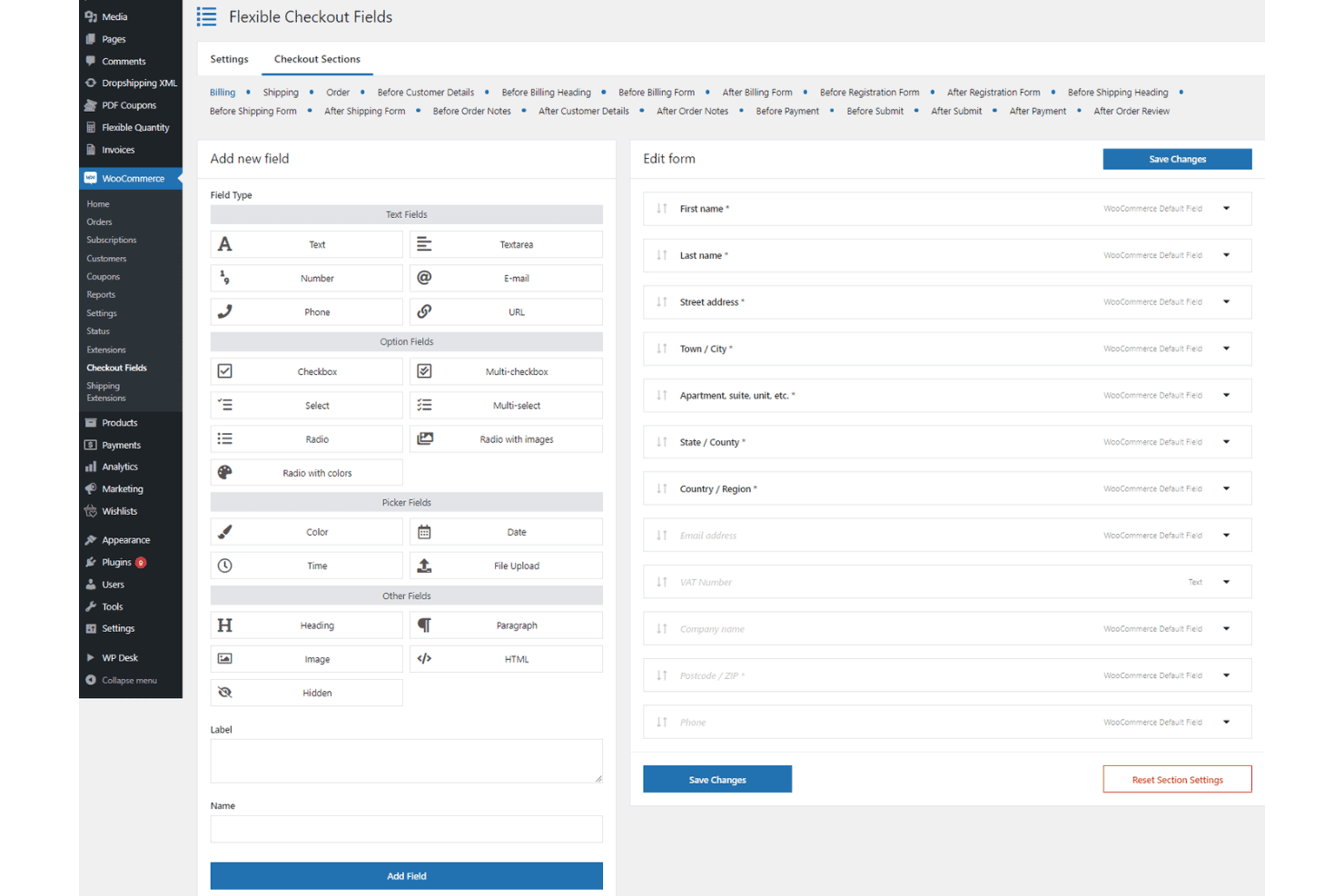
Customize checkout fields, enable guest checkout, and offer multiple payment options. Built-in support for coupons and discounts drives conversions.
Order and Customer Management
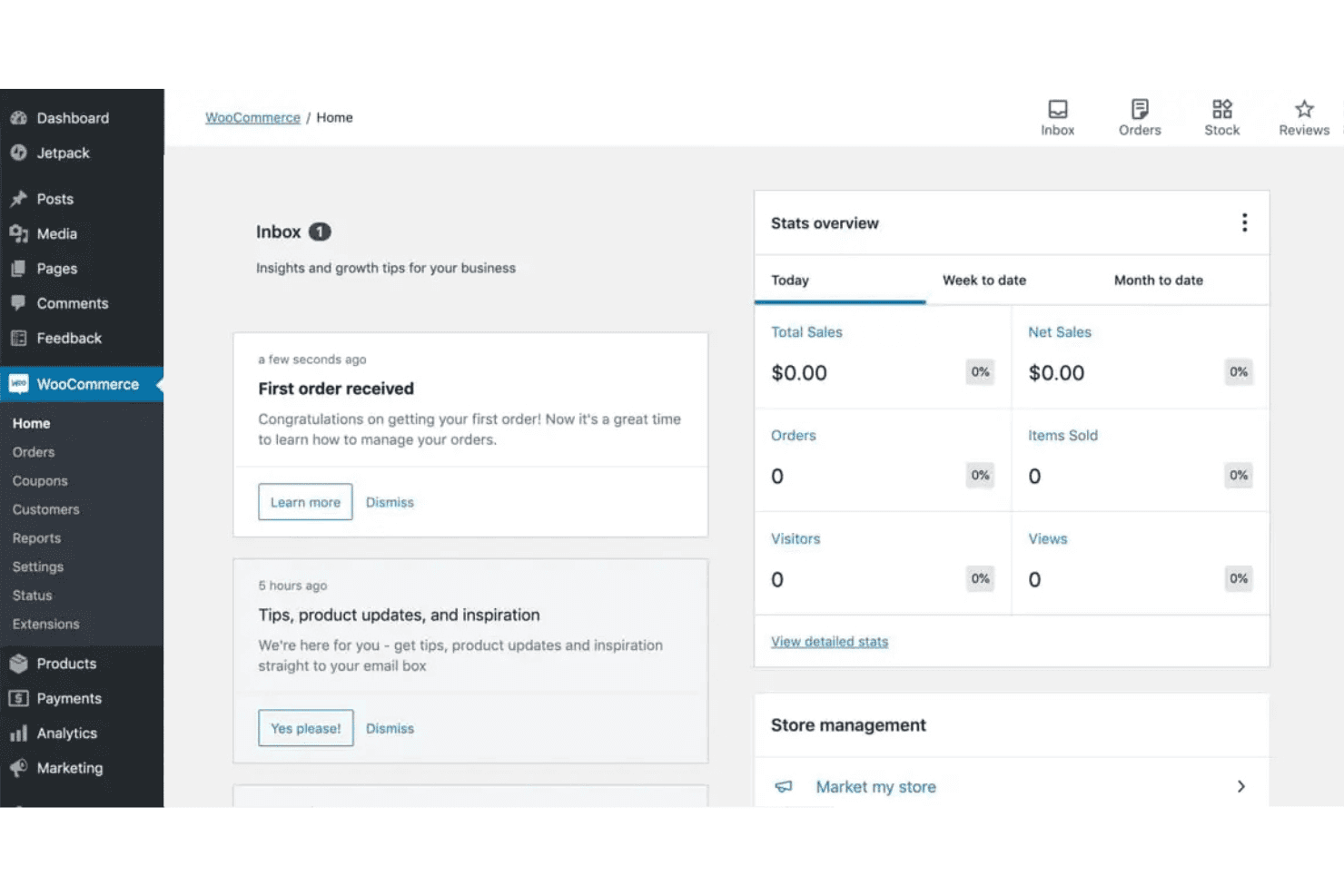
View, update, and manage orders from a central dashboard. Track customer details, order history, and communication in one place.
Shipping Options
Set flat rates, free shipping, or real-time carrier rates for different zones. Automate shipping calculations based on location and product weight.
Reporting and Analytics
Access sales, customer, and inventory reports from your dashboard. Export data or connect to analytics plugins for deeper insights.
Mobile-Friendly Storefronts
All themes are responsive, so your store looks great on any device. Customers can browse and buy from smartphones or tablets without issues.
Ease of Use
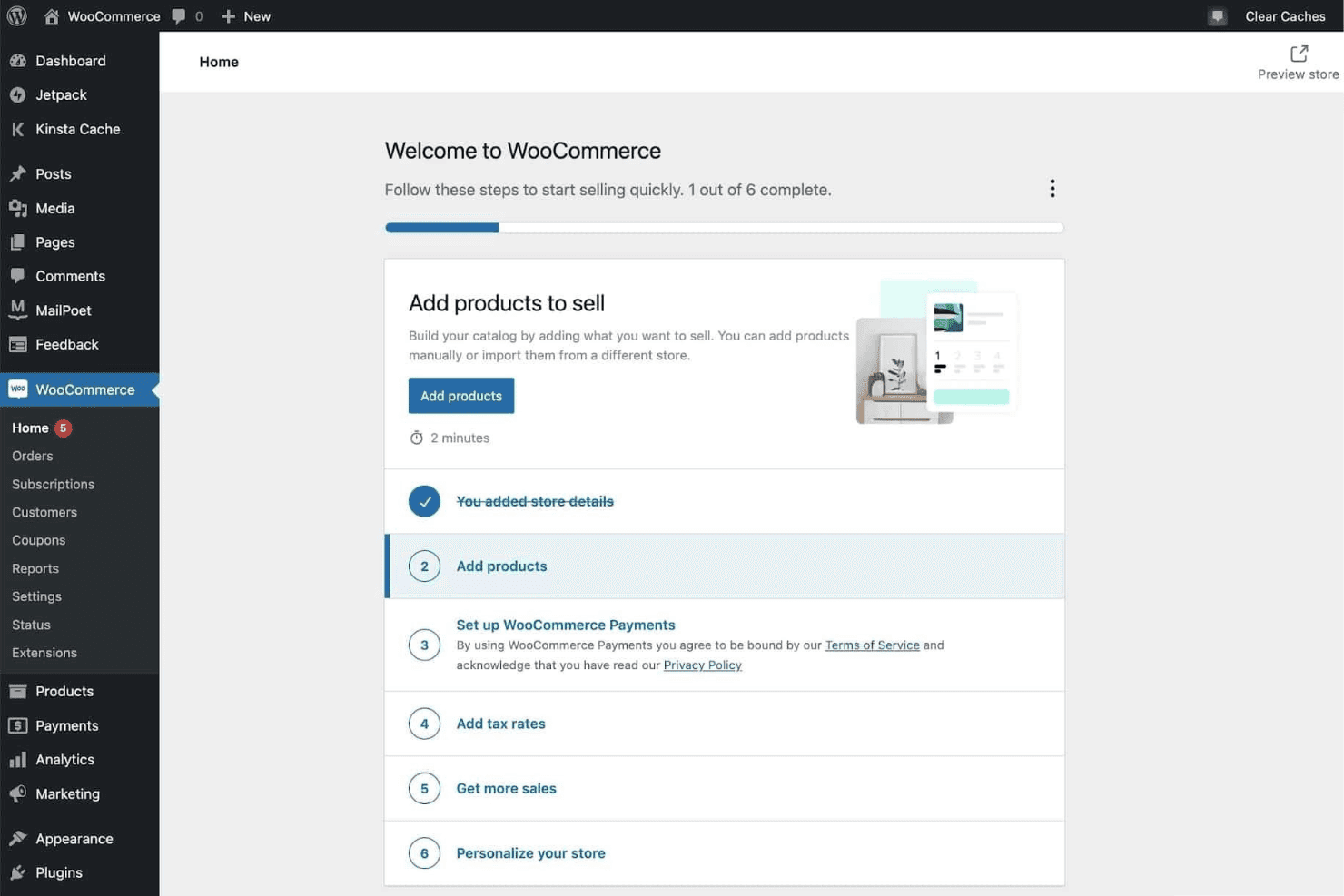
WooCommerce feels intuitive if you’re already comfortable with WordPress, but it’s less beginner-friendly than some open-source ecommerce options. Setting up products, payments, and shipping takes time, and you’ll often need to configure plugins for advanced features.
Many users say the dashboard is clear, but troubleshooting and updates require technical know-how. I think WooCommerce is best for teams with some web experience who want control over every detail.
Integrations
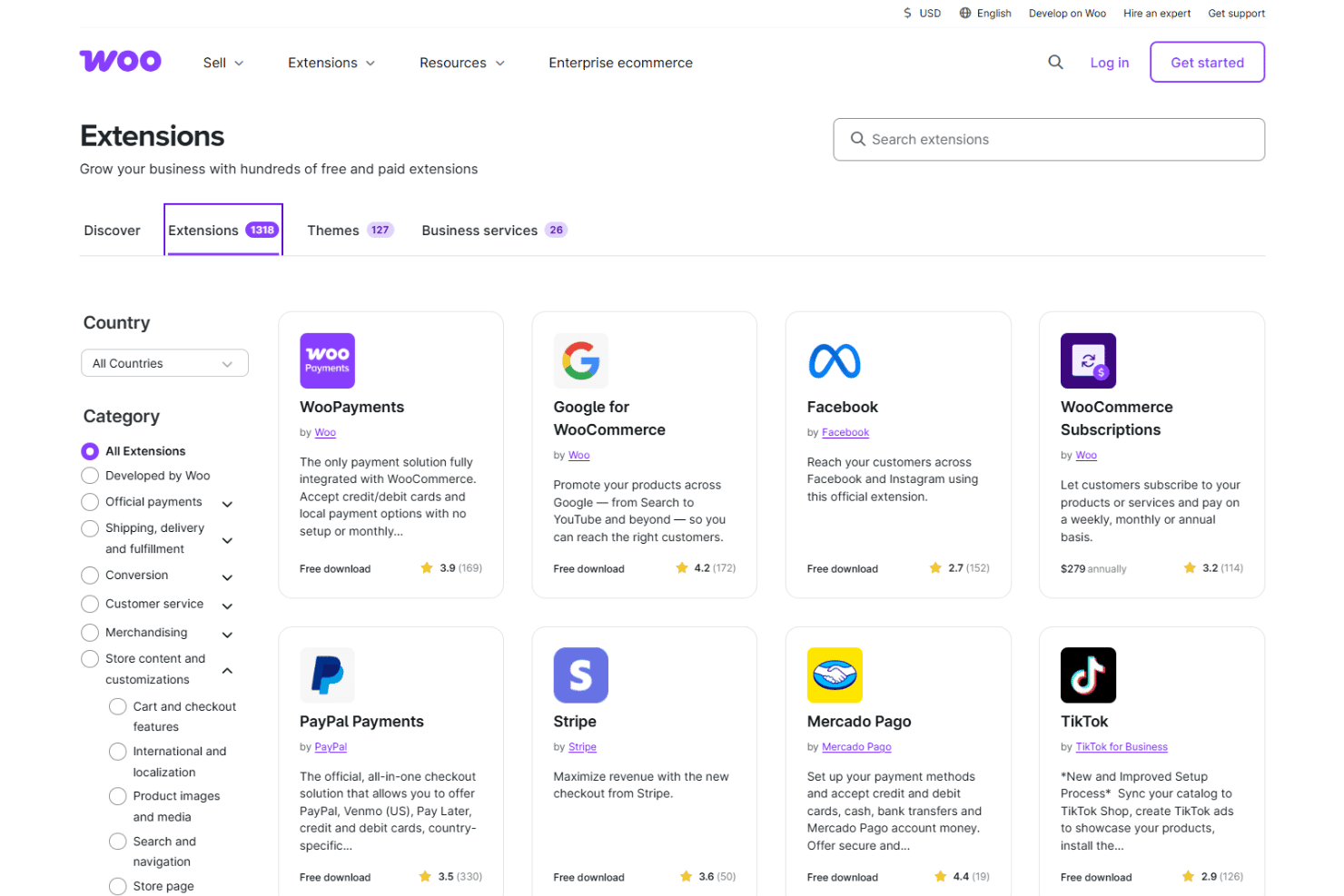
WooCommerce integrates with WooPayments, Stripe, PayPal, Mailchimp, Google Analytics, Facebook, ShipStation, USPS, Zapier, and QuickBooks, among others.
WooCommerce also offers a REST API and connects with third-party integration tools for custom workflows and automation.
WooCommerce Specs
- 2-Factor Authentication: Yes
- A/B Testing: No
- Analytics: Yes
- API: Yes
- BitCoin: No
- Conversion Tracking: Yes
- Dashboard: Yes
- Data Export: Yes
- Data Import: Yes
- Data Visualization: Yes
- Design Templates: Yes
- External Integrations: Yes
- Inventory Tracking: Yes
- Keyword Tracking: No
- Marketing Automation: Yes
- Multi-User: Yes
- Notifications: Yes
- Order Management: Yes
- Payment Gateway Integration: Yes
- Payment Processor: No
- PayPal: Yes
- Product Catalog: Yes
- Review Monitoring: No
- SAP Integration: No
- Scheduling: Yes
- Stripe: Yes
- Third-Party Plugins/Add-Ons: Yes


