

Recensione di Squarespace: Pro, Contro, Funzionalità e Prezzi
Squarespace è una piattaforma di commercio elettronico pensata per creativi e piccole imprese che desiderano un negozio bello da vedere, in tempi rapidi. Si distingue per i suoi modelli dal design raffinato e per il suo creatore intuitivo, ma sacrifica una parte della flessibilità del backend e della profondità delle integrazioni.

Recensiamo gli strumenti in modo indipendente, e le commissioni aiutano a finanziare i nostri test. Consulta la nostra politica sulla trasparenza, la nostra metodologia o suggerisci uno strumento.
Squarespace is an ecommerce platform built for brands that want a polished, design-forward storefront without needing a developer. I'd consider it especially if you're a small business or creative brand that wants a strong online presence and ecommerce functionality in one place. Where Shopify goes deep on ecommerce and leans on third-party apps to extend it, Squarespace keeps everything tighter and more visual-first out of the box—making it the better fit if your brand's look matters as much as your store's performance.
Squarespace Evaluation Summary
4.6/5
- From $19/month (billed annually)
- 14-day free trial
Perché fidarsi dei nostri consigli sui software
6,700+
Reviews
20
Industry experts
16+
Evaluation factors
14
Years
Il nostro team testa e recensisce software dal 2012. In quanto leader del retail noi stessi, sappiamo quanto sia difficile — e importante — scegliere il software giusto.
Per questa guida, abbiamo valutato gli strumenti attraverso test pratici e ricerche indipendenti, assegnando un punteggio agli strumenti in base ai nostri criteri di selezione.
Le nostre recensioni riflettono il nostro giudizio indipendente, non un discorso di vendita.
Squarespace Overview
In my opinion, Squarespace is built for small businesses and creatives who care more about web design than backend tinkering.
As an all-in-one ecommerce platform and website builder, it delivers standout templates, easy drag-and-drop tools, and just enough ecommerce features for a basic online store.
But if you need advanced ecommerce functionality, deep third-party integrations, or enterprise-grade automation, Squarespace can feel limiting. Customer support is passable—don’t expect phone support or in-depth tutorials.
For most users looking for a beautiful, user-friendly site, though, Squarespace remains a top pick—especially at its price point.
Pros
- You can create stunning websites with its beautiful design templates.
- It's easy to use, even if you're not tech-savvy.
- The drag-and-drop interface makes site customization simple.
Cons
- Your site customization options are limited compared to some competitors.
- The customer support can be slow and less responsive.
- You might find the onboarding process a bit challenging if you're new to ecommerce.


Is Squarespace Right For Your Needs?
Who Would be a Good Fit for Squarespace?
If you’re a photographer, designer, or business owner who values aesthetics over deep customization, Squarespace will feel like home.
It’s built for people who want to launch an online store or portfolio fast, without learning code or hiring a web agency. If you’re a blogger, artist, or creative looking for beautiful templates, a user-friendly builder, and simple pricing, you’ll appreciate the focus on clean design and step-by-step site setup.
For small businesses and anyone who’d rather spend time on content and marketing—not wrestling with plugins or backend fixes—Squarespace delivers what you need, minus the headaches.
- Creative professionalsShow portfolios with visually appealing templates.
- Small business ownersSet up an online store quickly with user-friendly tools.
- PhotographersPresent work beautifully using built-in gallery options.
- ArtistsCreate a sleek online gallery to sell artwork.
- DesignersBuild a professional site with modern, clean aesthetics.
- BloggersEasily craft and manage content with built-in blogging features.
Who Would be a Bad Fit for Squarespace?
Need advanced ecommerce functionality, custom workflows, or deep integration with third-party tools? You’ll find Squarespace frustrating.
Large ecommerce stores with complex inventory, wholesale operations, or multichannel automation are better off elsewhere. If your team expects granular control over plugins, checkout, or backend automation—think Shopify, WooCommerce, or even Wix—Squarespace will feel restrictive.
It’s also not for those who need hands-on customer support, in-person training, or extensive developer access. If flexibility and power matter more than beautiful templates, this isn’t your platform.
- Large enterprisesComplex integration and customization needs aren’t met.
- Tech-savvy teamsAdvanced custom coding isn’t supported.
- Ecommerce giantsVast inventory and complex transactions need more than basic tools.
- Wholesale distributorsBulk order management is cumbersome.
- Advanced developersBackend customization isn’t feasible.
- Multichannel retailersSeamless integration across multiple sales channels is lacking.
La Nostra Metodologia di Recensione
Come Testiamo e Valutiamo gli Strumenti
Abbiamo trascorso anni a costruire, perfezionare e migliorare il nostro sistema di test e valutazione dei software. Il nostro schema di valutazione è progettato per cogliere le sfumature della selezione dei software e per comprendere cosa rende uno strumento efficace, concentrandosi su aspetti critici del processo decisionale. Qui sotto puoi vedere esattamente come funzionano i nostri test e valutazioni attraverso sette criteri. Questo ci permette di fornire una valutazione imparziale del software basata su funzionalità principali, caratteristiche distintive, facilità d’uso, onboarding, supporto clienti, integrazioni, recensioni dei clienti e rapporto qualità-prezzo.
Funzionalità di base (25% della valutazione finale)
Il punto di partenza della nostra valutazione è sempre la funzionalità principale dello strumento. Ha le funzioni e le caratteristiche di base che un utente si aspetterebbe? Alcune di queste funzionalità sono bloccate a piani tariffari di livello superiore? Alla base, ci aspettiamo che uno strumento regga il confronto con le capacità minime dei suoi concorrenti.
Caratteristiche distintive (25% della valutazione finale)
Successivamente valutiamo caratteristiche distintive e non comuni che vadano oltre la normale funzionalità presente in strumenti simili. Un punteggio alto riflette funzionalità specializzate o uniche che rendono il prodotto più veloce, efficiente o che offrano valore aggiunto all’utente. Valutiamo anche quanto sia facile integrare il software con altri strumenti della consueta infrastruttura tecnologica per espanderne la funzionalità e l’utilità. Gli strumenti che offrono molte integrazioni native, connessioni di terze parti e accesso API per costruire integrazioni personalizzate ottengono il punteggio più alto.
Facilità d’uso (10% della valutazione finale)
Consideriamo quanto sia rapido e semplice eseguire le attività definite nelle funzionalità di base utilizzando lo strumento. I software che ottengono un punteggio alto sono ben progettati, intuitivi, offrono app mobili, modelli pronti e rendono compiti complessi relativamente semplici.
Onboarding (10% della valutazione finale)
Sappiamo quanto sia importante una rapida adozione da parte del team per una nuova piattaforma, quindi valutiamo quanto sia facile imparare a usare uno strumento con una formazione minima. Esaminiamo quanto tempo impiega un membro del team a configurarsi e iniziare a utilizzare lo strumento senza esperienza. Le soluzioni con punteggi elevati richiedono poco o nessun supporto.
Supporto clienti (10% della valutazione finale)
Valutiamo quanto sia rapido e facile ricevere assistenza e trovare aiuto tramite telefono, live chat o base di conoscenza. Gli strumenti e le aziende che forniscono un supporto in tempo reale ottengono i punteggi migliori, mentre i chatbot hanno i punteggi più bassi.
Recensioni dei clienti (10% della valutazione finale)
Oltre ai nostri test e valutazioni, consideriamo il net promoter score dei clienti attuali e passati. Esaminiamo la loro propensione, data la possibilità, a scegliere nuovamente lo strumento per le sue funzionalità di base. Un punteggio elevato riflette un alto net promoter score da clienti attuali o passati.
Rapporto qualità-prezzo (10% della valutazione finale)
Infine, considerando tutti gli altri criteri, valutiamo il prezzo medio dei piani base rispetto alle funzionalità fondamentali e teniamo in considerazione il valore degli altri criteri di valutazione. Il software che offre di più, a meno, ottiene punteggi più alti.
Core Features
Drag-and-drop editor
Build your Squarespace website with a user-friendly interface that makes web design accessible for beginners.
Responsive design
Your online store and every page look great on mobile, tablet, and desktop without extra work.
Built-in SEO tools
Improve search engine optimization for your Squarespace site and track your SEO progress with helpful guidance.
Analytics dashboard
Get in-depth insights into site performance, traffic sources, and marketing campaigns, all from one dashboard.
Ecommerce capabilities
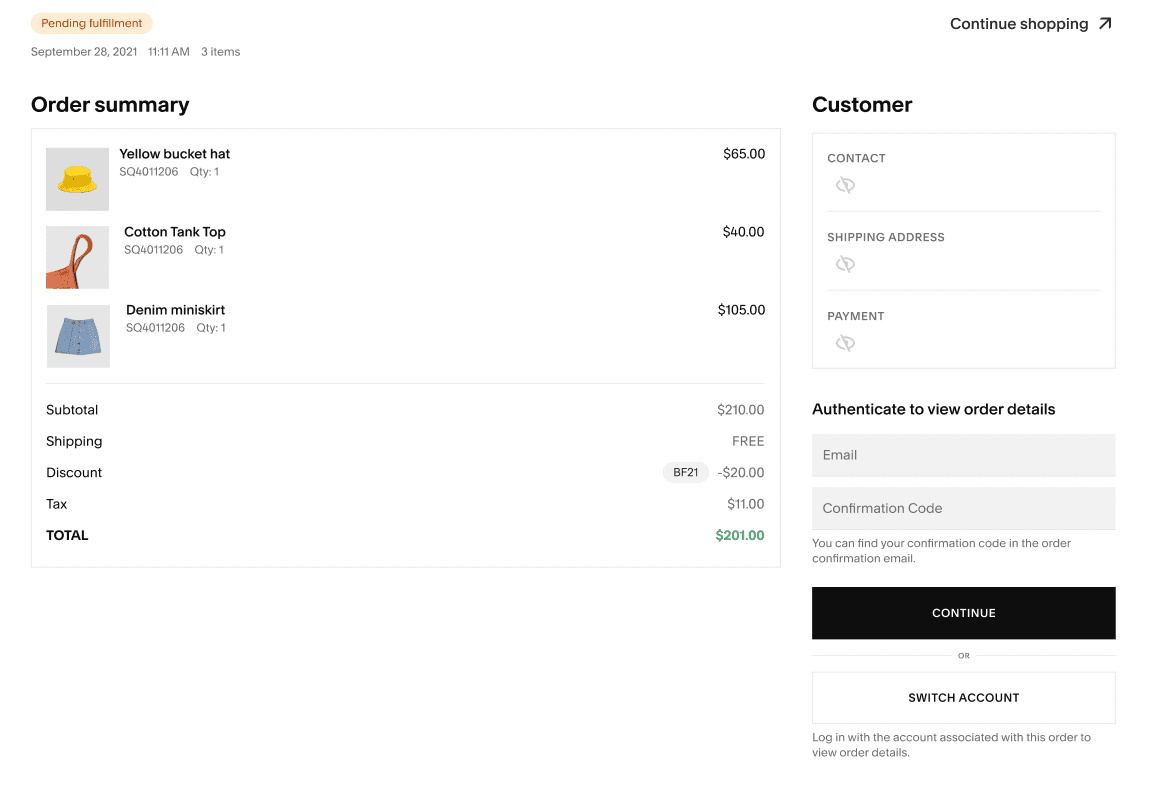
Manage products, checkout, inventory, and transaction fees—Squarespace offers core ecommerce tools for selling online.
Blogging platform
Easily publish posts, manage content, and connect with your audience—perfect for bloggers and business owners.
Ease of Use
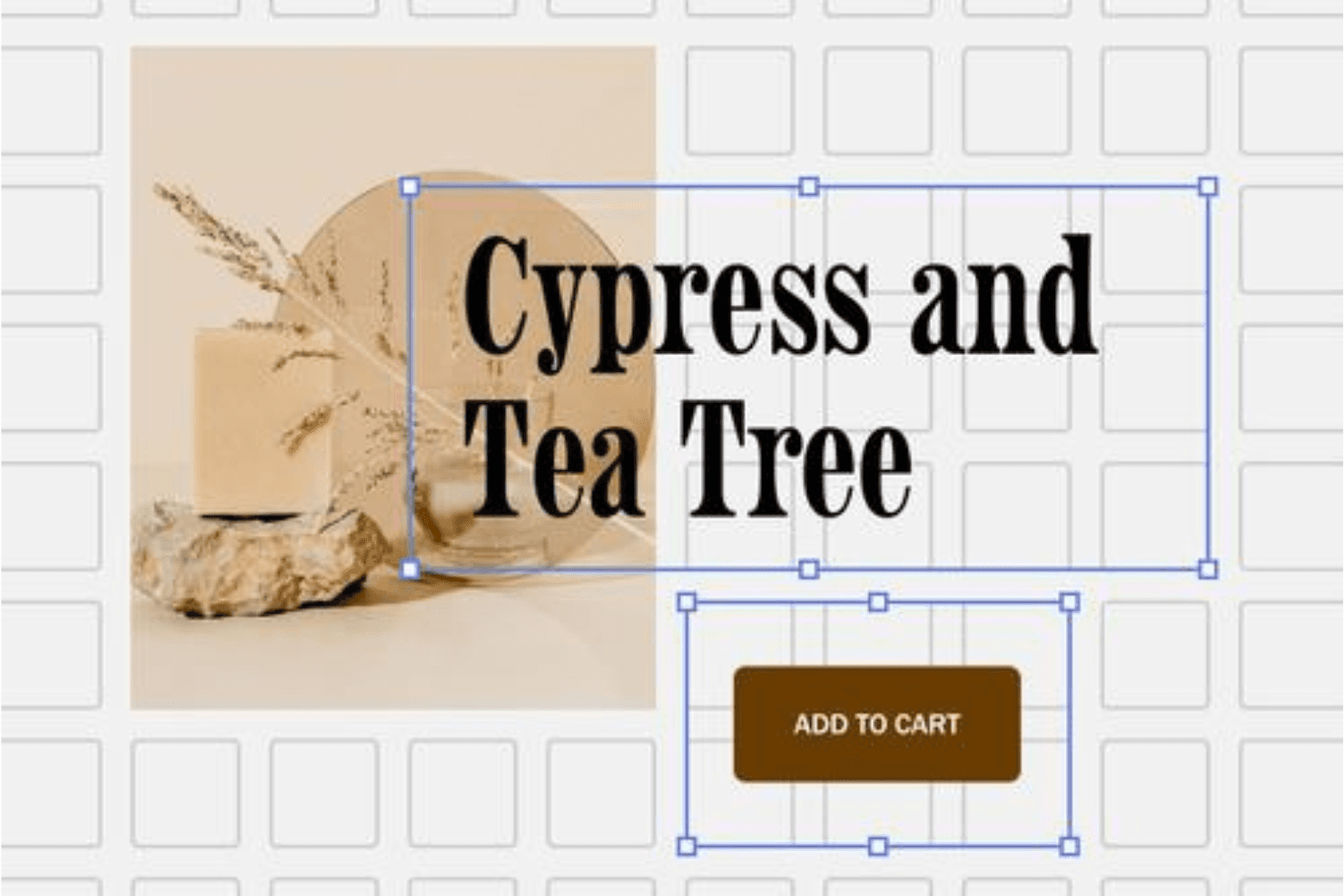
Squarespace is genuinely user-friendly, even for beginners with zero coding experience.
The drag-and-drop site builder makes creating a professional Squarespace website feel straightforward, and most users can launch an online store or portfolio in an afternoon.
Compared to WordPress or Wix, the learning curve is much smoother for small businesses that want simple, beautiful results fast. If you want an all-in-one solution with intuitive navigation and step-by-step tutorials, Squarespace delivers.

Squarespace Specs
- A/B Testing: No
- API: Yes
- Data Export: Yes
- Data Import: Yes
- External Integrations: Yes
- Landing Pages: Yes
- Multi-User: Yes
- Third-Party Plugins/Add-Ons: Yes


