


Recensione di Shipstation: vantaggi, svantaggi, funzionalità e prezzi



Shipstation is an ecommerce shipping software built for operators who know the grind of packing slips, mismatched shipping rates, and customer emails asking “where’s my order?”
It’s designed to help small businesses and ecommerce teams tame the chaos of multichannel fulfillment—whether you’re juggling Shopify, Amazon, eBay, or your own checkout.
The real value is time. Instead of manually printing labels, reconciling USPS vs FedEx rates, or trying to make sense of scattered workflows, you use Shipstation to centralize and automate.
In this review, I’ll cover Shipstation’s features, pricing, pros and cons, and where it fits best (and worst) in a retail operation.
ShipStation Evaluation Summary
- From $14.99/month
- 30-day free trial
Perché fidarsi dei nostri consigli sui software
Il nostro team testa e recensisce software dal 2012. In quanto leader del retail noi stessi, sappiamo quanto sia difficile — e importante — scegliere il software giusto.
Per questa guida, abbiamo valutato gli strumenti attraverso test pratici e ricerche indipendenti, assegnando un punteggio agli strumenti in base ai nostri criteri di selezione.
Le nostre recensioni riflettono il nostro giudizio indipendente, non un discorso di vendita.
ShipStation Overview
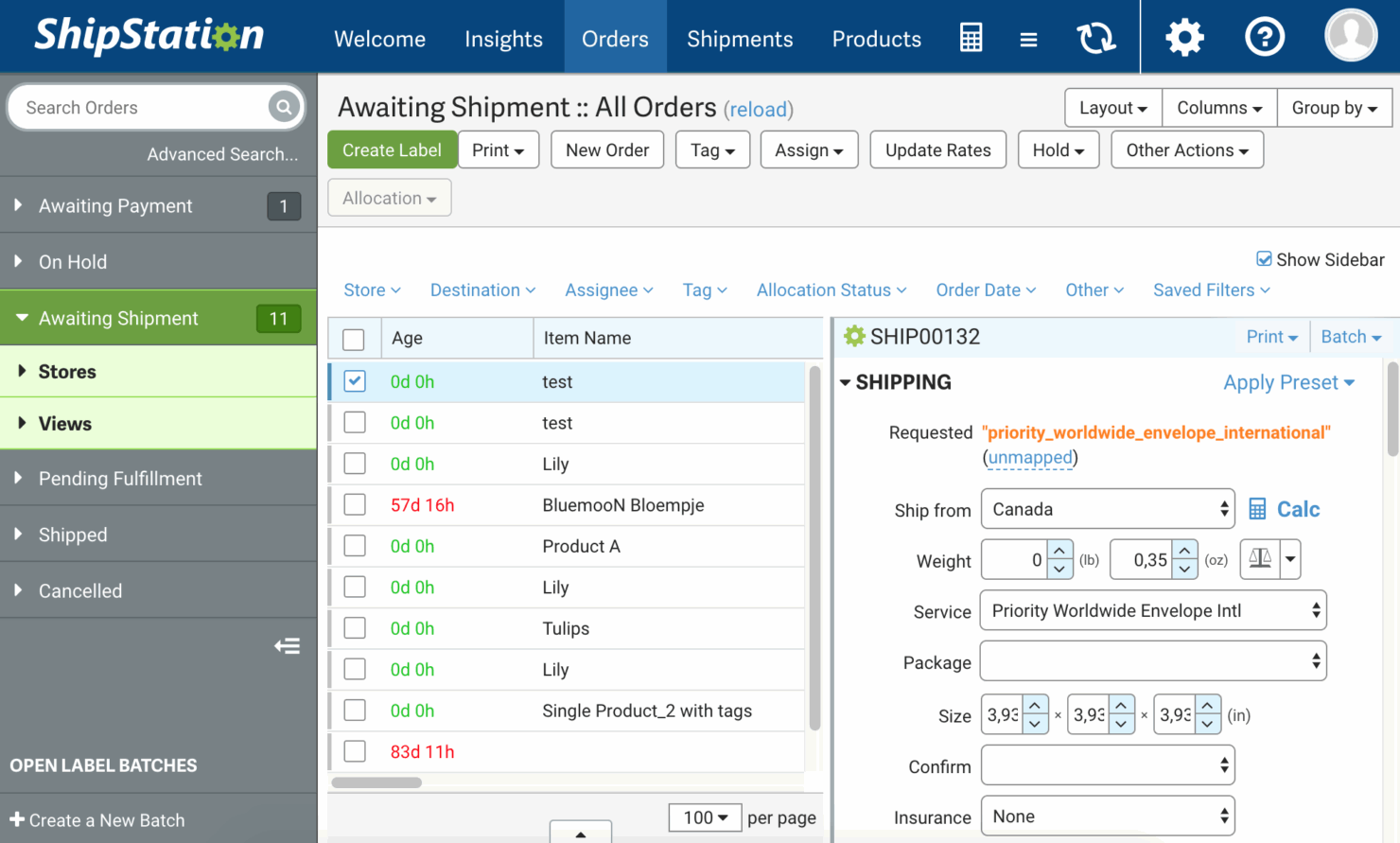
In my opinion, Shipstation is one of those tools that quietly does the heavy lifting for ecommerce operators without much fanfare.
It’s not the flashiest shipping software on the market, but it integrates with just about every sales channel that matters—Shopify, Amazon, eBay, Etsy, WooCommerce—and gives small businesses the ability to ship orders at scale without hiring an army.
pros
-
Smooth integrations. Works seamlessly with platforms like Shopify, Amazon, eBay, and Etsy so you can manage all orders in one place.
-
Time-saving automation. Cuts down repetitive shipping tasks, letting you focus on fulfillment instead of button-clicking.
-
Solid tracking and reporting. Gives you visibility into shipments and performance without pulling manual spreadsheets.
cons
-
Clunky interface. The navigation isn’t intuitive, which can slow down teams until they get comfortable.
-
Slow onboarding. Setup and training take longer than they should, especially for less technical users.
-
Inconsistent support. Help is available, but responses can be delayed when you’re under pressure.
-

Veeqo
Visit WebsiteThis rating combines scores from multiple user review sites to reflect overall customer sentiment about the product.4.2 -
Pirate Ship
Visit WebsiteThis rating combines scores from multiple user review sites to reflect overall customer sentiment about the product.4.9 -
Wix
Visit WebsiteThis rating combines scores from multiple user review sites to reflect overall customer sentiment about the product.4.4




La Nostra Metodologia di Recensione
Come Testiamo e Valutiamo gli Strumenti
Abbiamo trascorso anni a costruire, perfezionare e migliorare il nostro sistema di test e valutazione dei software. Il nostro schema di valutazione è progettato per cogliere le sfumature della selezione dei software e per comprendere cosa rende uno strumento efficace, concentrandosi su aspetti critici del processo decisionale. Qui sotto puoi vedere esattamente come funzionano i nostri test e valutazioni attraverso sette criteri. Questo ci permette di fornire una valutazione imparziale del software basata su funzionalità principali, caratteristiche distintive, facilità d’uso, onboarding, supporto clienti, integrazioni, recensioni dei clienti e rapporto qualità-prezzo.
Funzionalità di base (25% della valutazione finale)
Il punto di partenza della nostra valutazione è sempre la funzionalità principale dello strumento. Ha le funzioni e le caratteristiche di base che un utente si aspetterebbe? Alcune di queste funzionalità sono bloccate a piani tariffari di livello superiore? Alla base, ci aspettiamo che uno strumento regga il confronto con le capacità minime dei suoi concorrenti.
Caratteristiche distintive (25% della valutazione finale)
Successivamente valutiamo caratteristiche distintive e non comuni che vadano oltre la normale funzionalità presente in strumenti simili. Un punteggio alto riflette funzionalità specializzate o uniche che rendono il prodotto più veloce, efficiente o che offrano valore aggiunto all’utente. Valutiamo anche quanto sia facile integrare il software con altri strumenti della consueta infrastruttura tecnologica per espanderne la funzionalità e l’utilità. Gli strumenti che offrono molte integrazioni native, connessioni di terze parti e accesso API per costruire integrazioni personalizzate ottengono il punteggio più alto.
Facilità d’uso (10% della valutazione finale)
Consideriamo quanto sia rapido e semplice eseguire le attività definite nelle funzionalità di base utilizzando lo strumento. I software che ottengono un punteggio alto sono ben progettati, intuitivi, offrono app mobili, modelli pronti e rendono compiti complessi relativamente semplici.
Onboarding (10% della valutazione finale)
Sappiamo quanto sia importante una rapida adozione da parte del team per una nuova piattaforma, quindi valutiamo quanto sia facile imparare a usare uno strumento con una formazione minima. Esaminiamo quanto tempo impiega un membro del team a configurarsi e iniziare a utilizzare lo strumento senza esperienza. Le soluzioni con punteggi elevati richiedono poco o nessun supporto.
Supporto clienti (10% della valutazione finale)
Valutiamo quanto sia rapido e facile ricevere assistenza e trovare aiuto tramite telefono, live chat o base di conoscenza. Gli strumenti e le aziende che forniscono un supporto in tempo reale ottengono i punteggi migliori, mentre i chatbot hanno i punteggi più bassi.
Recensioni dei clienti (10% della valutazione finale)
Oltre ai nostri test e valutazioni, consideriamo il net promoter score dei clienti attuali e passati. Esaminiamo la loro propensione, data la possibilità, a scegliere nuovamente lo strumento per le sue funzionalità di base. Un punteggio elevato riflette un alto net promoter score da clienti attuali o passati.
Rapporto qualità-prezzo (10% della valutazione finale)
Infine, considerando tutti gli altri criteri, valutiamo il prezzo medio dei piani base rispetto alle funzionalità fondamentali e teniamo in considerazione il valore degli altri criteri di valutazione. Il software che offre di più, a meno, ottiene punteggi più alti.
Core Features
Order management
Consolidates orders from multiple sales channels—Shopify, Amazon, eBay, WooCommerce, and Etsy—into one dashboard. This streamlines your workflow and simplifies order fulfillment.
Shipping labels
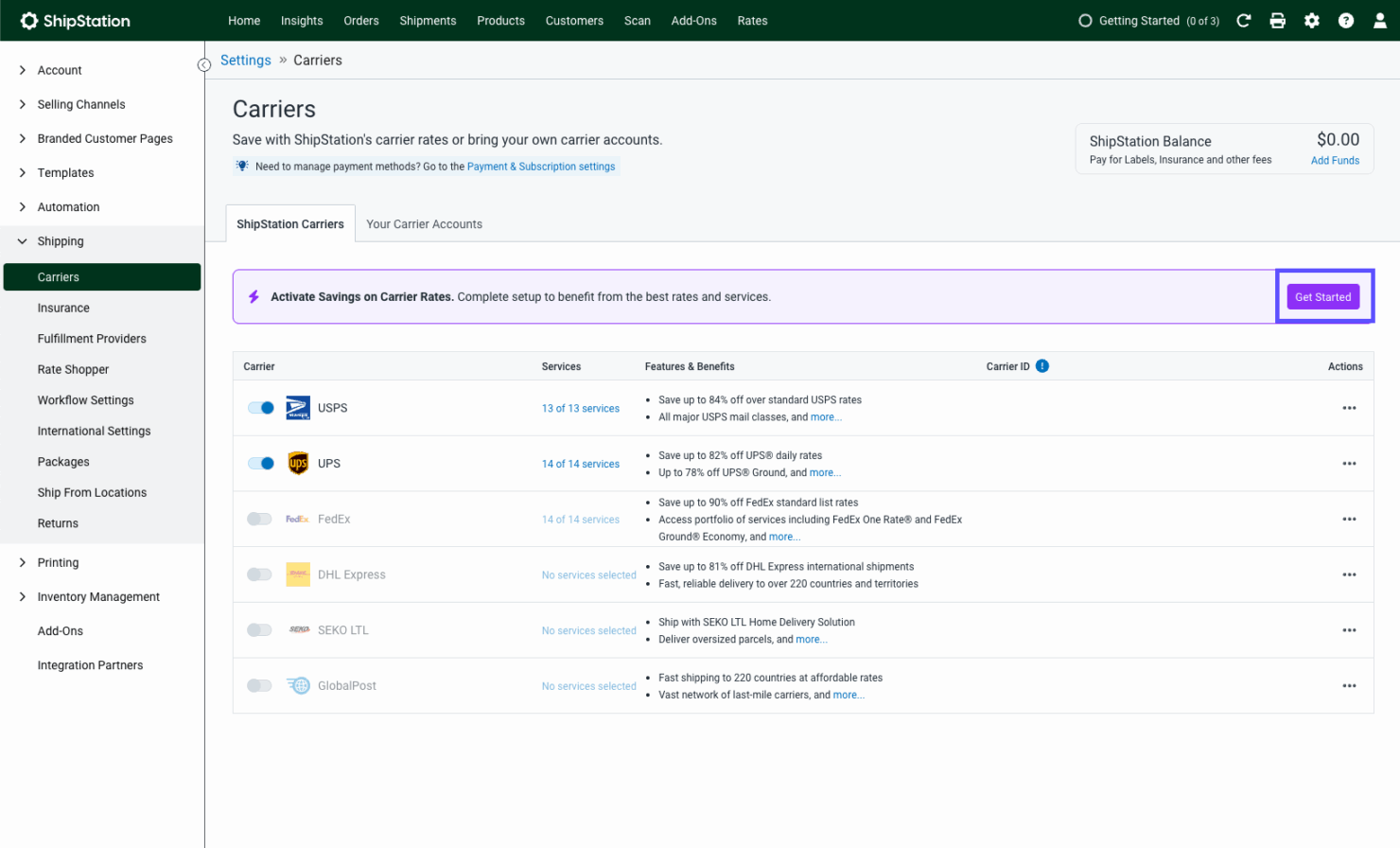
Create and print labels for USPS, FedEx, DHL, and other carriers directly in Shipstation. Fewer errors, faster processing, and less wasted time at checkout.
Automation rules
Use Shipstation’s automation to assign carriers, apply shipping services, or notify customers without manual steps. It’s a huge time-saving win for small businesses.
Reporting tools
Track shipping costs, carrier performance, and delivery times. These reports help optimize your shipping management strategy and reduce unnecessary spend.
Return management
Generate return labels and packing slips with minimal effort. This keeps returns painless for both customers and your customer service team.
Batch processing
Process hundreds of orders and print labels at once. Perfect for ecommerce operators who need to ship products quickly without bogging down workflows.
Ease of Use
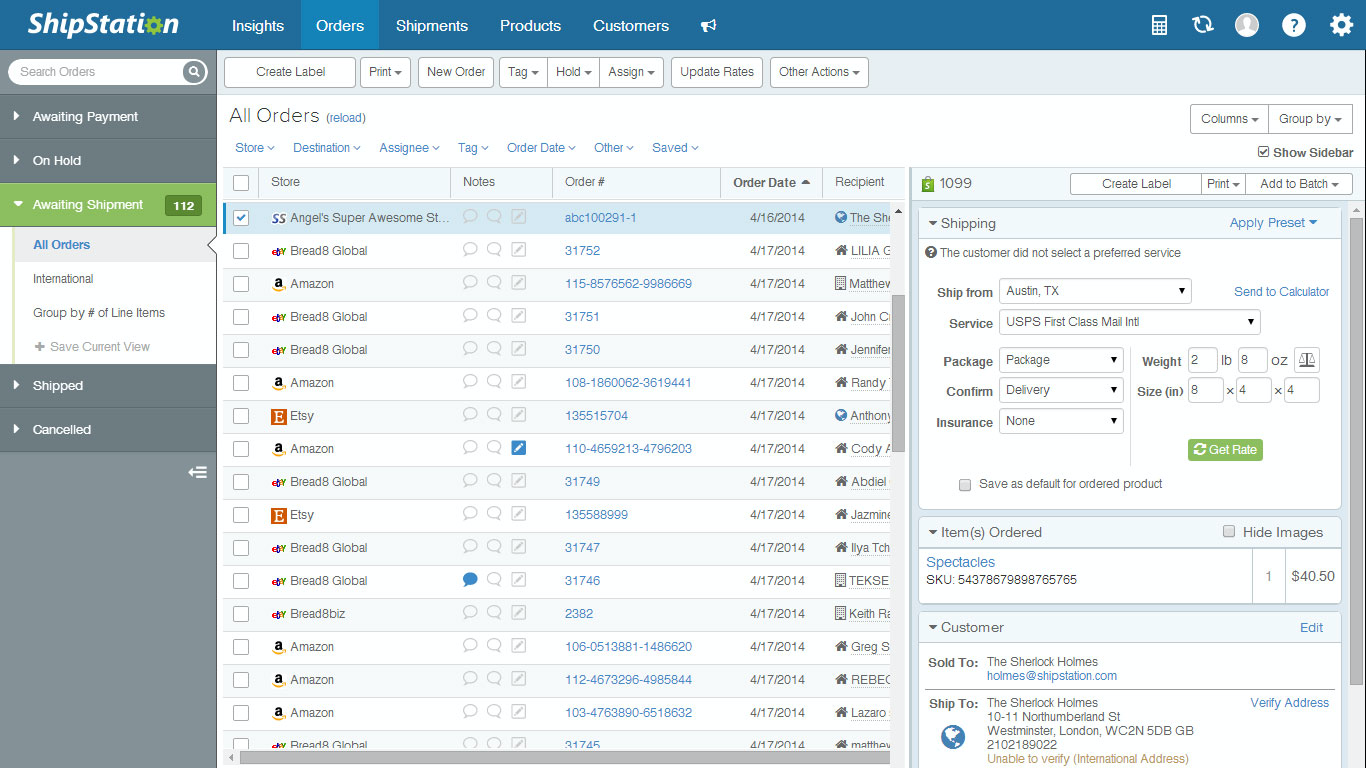
Shipstation isn’t the most user-friendly shipping software out of the gate. The interface feels dated and navigating between workflows takes some trial and error, especially for small businesses new to shipping management.
Onboarding can be a bit of a slog, which isn’t ideal for fast-paced dropshipping teams that need to ship products quickly.
That said, once you’ve invested the time in setup and optimization, the automation rules, batch processing, and label printing features save hours each week.
For ecommerce operators running Shopify, Amazon, or eBay stores, the time-saving payoff eventually outweighs the initial learning curve.
ShipStation Specs
- 2-Factor Authentication
- A/B Testing
- Analytics
- API
- BitCoin
- Conversion Tracking
- Dashboard
- Data Export
- Data Import
- Data Visualization
- Design Templates
- External Integrations
- Inventory Tracking
- Keyword Tracking
- Marketing Automation
- Multi-User
- Notifications
- Order Management
- Payment Gateway Integration
- Payment Processor
- PayPal
- Product Catalog
- Review Monitoring
- SAP Integration
- Scheduling
- Stripe
- Third-Party Plugins/Add-Ons
Alternatives to ShipStation




ShipStation FAQs
How does Shipstation handle data security?
Can Shipstation manage international shipping?
Does Shipstation have a mobile app?
How does Shipstation simplify returns?
What kind of customer support does Shipstation offer?
Can Shipstation handle batch processing?
Does Shipstation integrate with marketplaces?
Qual è il prossimo passo?
Il commercio al dettaglio non si ferma mai e nemmeno tu dovresti farlo. Iscriviti alla nostra newsletter per ricevere gli ultimi approfondimenti, strategie e risorse professionali dai principali leader del commercio al dettaglio che stanno plasmando il settore.