

10 meilleures alternatives à Hotjar pour l’enregistrement des sessions en 2026

Liste restreinte des alternatives à Hotjar


Une alternative performante à Hotjar vous fournit des analyses comportementales détaillées, des enregistrements de sessions, des cartes thermiques et des informations importantes pour comprendre comment les utilisateurs interagissent avec votre site ou votre application. Si vous recherchez des alternatives à Hotjar — ou si vous comparez Hotjar à d’autres plateformes — vous cherchez probablement des outils offrant des fonctionnalités similaires ou plus étendues, comme des analyses plus avancées, un accès à l’API, de meilleures intégrations ou un modèle tarifaire différent. Avec autant d’options disponibles, il est essentiel de comparer les principales plateformes côte à côte. Cette liste vous aidera à identifier rapidement les solutions les mieux adaptées aux objectifs de votre équipe en matière d’analyse, d’optimisation et d’expérience utilisateur.
Qu’est-ce que Hotjar ?
Hotjar est un outil d’analyse comportementale convivial qui suit et visualise la manière dont les utilisateurs interagissent avec les sites web et les applications web. Il combine de puissantes fonctionnalités d’analyse, telles que les cartes thermiques, les enregistrements de sessions et les sondages de satisfaction, afin d’aider les équipes à comprendre les parcours des utilisateurs et à identifier les points de friction. Grâce à une interface utilisateur intuitive, Hotjar aide les équipes de développement produit, de commerce électronique et de marketing à optimiser la conception des sites, à améliorer les taux de conversion et à perfectionner l’expérience utilisateur globale.
Pourquoi faire confiance à nos recommandations de logiciels
Notre équipe teste et évalue des logiciels depuis 2012. En tant que dirigeants du commerce de détail nous-mêmes, nous savons à quel point il est difficile — et important — de choisir le bon logiciel.
Pour ce guide, nous avons évalué les outils grâce à des tests pratiques et une recherche indépendante, en notant les outils selon nos critères de sélection.
Nos avis reflètent notre jugement indépendant — et non un argumentaire de vente.
Résumé des meilleures alternatives à Hotjar
\u003cspan style=\u0022font-weight: 400\u0022\u003eCe tableau comparatif récapitule les détails tarifaires de mes principales alternatives à Hotjar afin de vous aider à trouver celle qui convient le mieux à votre budget et aux besoins de votre entreprise.\u003c/span\u003e
| Tool | Best For | Trial Info | Price | ||
|---|---|---|---|---|---|
| 1 | Idéal pour analyser les entonnoirs afin d’améliorer les conversions | Essai gratuit de 14 jours + forfait gratuit + démonstration gratuite disponible | À partir de $25/mois (facturé annuellement) | Website | |
| 2 | Idéal pour l’analyse produit en temps réel | Formule gratuite disponible | Tarification sur demande | Website | |
| 3 | Idéal pour découvrir les problèmes liés à l’expérience numérique | Formule gratuite + démonstration gratuite disponibles | Tarification sur demande | Website | |
| 4 | Idéal pour les analyses d’applications mobiles avec suivi des flux gestuels | Forfait gratuit disponible | Tarification sur demande | Website | |
| 5 | Idéal pour l’engagement des utilisateurs mobiles et l’analyse de la fidélisation | Essai gratuit de 30 jours + démo gratuite disponible | À partir de $75/mois | Website | |
| 6 | Idéal pour les tests d’utilisabilité à distance avec des retours utilisateurs basés sur la vidéo | Démo gratuite disponible | À partir de $699/mois (facturé annuellement) | Website | |
| 7 | Idéal pour combiner l’accompagnement intégré à l’application avec l’analyse de l’utilisation du produit | Offre gratuite + essai gratuit de 30 jours + démo gratuite disponible | Tarifs sur demande | Website | |
| 8 | Idéal pour les tests A/B simples visant à optimiser les sites web | Essai gratuit de 30 jours disponible | À partir de $29/mois | Website | |
| 9 | Idéal pour obtenir des informations fondées sur l’AI concernant les parcours clients | Essai gratuit de 15 jours + formule gratuite + démonstration gratuite disponibles | À partir de $39/mois (facturé annuellement) | Website | |
| 10 | Idéal pour les visites guidées de produits et les parcours d’intégration des utilisateurs sans code | Essai gratuit de 14 jours + démonstration gratuite disponible | À partir de $174/mois (facturé annuellement) | Website |
Avis sur les alternatives à Hotjar
\u003cspan style=\u0022font-weight: 400\u0022\u003eVous trouverez ci-dessous mes résumés détaillés des alternatives à Hotjar qui ont été retenues dans ma liste restreinte. Mes avis présentent en détail les fonctionnalités, les capacités et les intégrations de chaque plateforme afin de vous aider à trouver celle qui vous convient le mieux.\u003c/span\u003e

Idéal pour analyser les entonnoirs afin d’améliorer les conversions
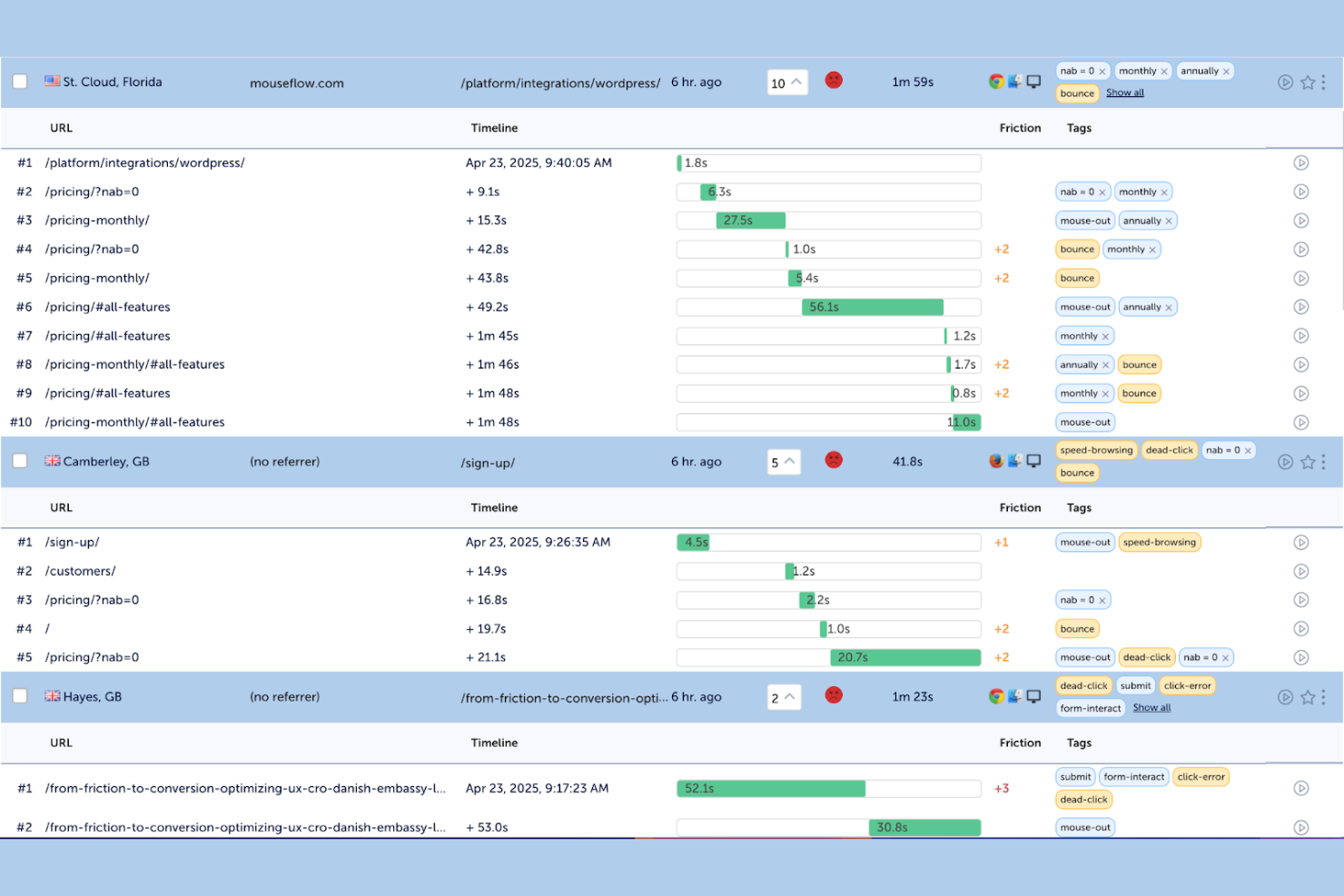
Pour les équipes e-commerce et numériques axées sur l’optimisation des conversions, Mouseflow propose des outils de relecture de sessions et d’analyse des frictions conçus pour révéler les points où les utilisateurs rencontrent des difficultés. Il est particulièrement utile aux spécialistes du marketing, aux experts UX, aux professionnels de l’optimisation du taux de conversion et aux petites entreprises qui ont besoin d’une analyse claire du comportement des utilisateurs sans configuration complexe. En tant qu’outil complet de cartes thermiques, Mouseflow combine les relectures de sessions avec la détection automatisée des frictions, un filtrage détaillé des sessions et des fonctionnalités de collecte de retours clients pour vous aider à identifier précisément les abandons et les goulots d’étranglement du parcours client. Contrairement à Hotjar, il met davantage l’accent sur les informations automatisées qui vous aident à hiérarchiser les corrections produisant des résultats mesurables.
Pourquoi Mouseflow est une bonne alternative à Hotjar
Si vous recherchez un outil qui va au-delà des cartes thermiques de base, Mouseflow se distingue par ses fonctionnalités de relecture de sessions et d’analyse des frictions. J’apprécie le fait que Mouseflow détecte automatiquement les événements de friction — comme les clics frénétiques, l’abandon des formulaires et les demi-tours — afin que vous puissiez rapidement repérer les points où les utilisateurs restent bloqués. La fonctionnalité de relecture des sessions vous permet de regarder les parcours de vrais utilisateurs et de filtrer les enregistrements selon des comportements ou des problèmes spécifiques. Pour les équipes axées sur l’optimisation des conversions, Mouseflow offre une analyse plus détaillée des difficultés rencontrées par les utilisateurs que Hotjar.
Fonctionnalités clés de Mouseflow
Voici quelques autres fonctionnalités de Mouseflow que les acheteurs de solutions d’analyse comportementale pourraient vouloir connaître :
- Cartes thermiques : Visualisez les clics, les défilements et les schémas de déplacement sur vos pages.
- Entonnoirs : Suivez les abandons des utilisateurs à chaque étape de vos parcours de conversion.
- Analyse des formulaires : Analysez la manière dont les utilisateurs interagissent avec les formulaires, notamment les abandons de champs et les taux de complétion.
- Retours des utilisateurs : Lancez des enquêtes sur le site et des widgets de retours pour recueillir directement l’avis des visiteurs.
Intégrations de Mouseflow
Les intégrations incluent Adobe Analytics, Google Analytics, AB Tasty, Shopify, Google Ads, Salesforce, Slack, Microsoft Teams, WooCommerce et bien d’autres.
Pros and Cons
Pros:
- L’analyse des formulaires suit les taux d’abandon
- Les cartes thermiques montrent les schémas de clics et de défilement
- Les widgets sur site recueillent les retours des utilisateurs
Cons:
- Les enregistrements peuvent ne pas capturer le contenu dynamique
- L’échantillonnage des données limite les sessions à fort trafic

Mixpanel
Idéal pour l’analyse produit en temps réel

Mixpanel est une plateforme d’analyse produit conçue pour les équipes qui ont besoin d’informations approfondies et en temps réel sur le comportement des utilisateurs sur les sites web et les applications mobiles. Elle convient particulièrement aux équipes du commerce électronique, du SaaS et des produits numériques qui souhaitent suivre les actions détaillées des utilisateurs et créer des rapports personnalisés sans coder. Mixpanel se distingue de Hotjar en proposant un suivi avancé des événements, une analyse des cohortes et de puissants outils de segmentation pour prendre des décisions fondées sur les données.
Pourquoi Mixpanel est une bonne alternative à Hotjar
Mixpanel se distingue par son analyse produit avancée et son suivi des données en temps réel, qui vont au-delà des enregistrements de sessions et des cartes thermiques proposés par Hotjar. J’ai choisi Mixpanel parce qu’il permet de définir et de suivre des événements personnalisés, afin d’analyser les actions spécifiques des utilisateurs qui comptent pour votre entreprise. Sa fonctionnalité d’analyse des cohortes vous aide à segmenter les utilisateurs en fonction de leur comportement au fil du temps, ce qui facilite l’identification des tendances et des facteurs de rétention. Si vous avez besoin d’informations détaillées et pertinentes sur la manière dont les utilisateurs interagissent avec votre produit, Mixpanel est un excellent choix.
Principales fonctionnalités de Mixpanel
Parmi les autres fonctionnalités de Mixpanel susceptibles d’intéresser les acheteurs de solutions d’analyse comportementale figurent notamment :
- Suivi des tests A/B : Suivez et comparez le comportement des utilisateurs dans le cadre de différentes expérimentations produit afin de déterminer quelles modifications stimulent l’engagement.
- Tableaux de bord de visualisation des données : Créez des tableaux de bord personnalisés avec des graphiques pour visualiser les indicateurs clés en temps réel.
- Analyse des parcours utilisateurs : Cartographiez les parcours suivis par les utilisateurs sur votre site ou dans votre application afin d’identifier les points d’abandon et d’optimiser leur expérience.
- Alertes et rapports automatisés : Configurez des alertes en cas de changements importants du comportement des utilisateurs et planifiez des rapports automatisés pour votre équipe.
Intégrations de Mixpanel
Les intégrations incluent Iterable, Netmera, Fivetran, Userflow, Apptimize, Kochava, Intercom, Freshpaint, AWS, Rivery, Eppo, Hightouch, et bien d’autres.
Pros and Cons
Pros:
- L’analyse des cohortes révèle les tendances de rétention
- Les tableaux de bord personnalisables adaptent les vues des données
- Le suivi A/B accompagne les expérimentations produit
Cons:
- Aucune carte thermique ni aucun enregistrement de session intégré
- La configuration avancée nécessite des ressources techniques

Idéal pour découvrir les problèmes liés à l’expérience numérique

Si vous recherchez un outil d’analyse comportementale spécialisé dans la relecture de sessions et l’analyse de l’expérience numérique, Fullstory mérite d’être pris en considération. Il est conçu pour les équipes e-commerce, produit et UX qui ont besoin de comprendre exactement comment les utilisateurs interagissent avec les expériences web et mobiles. Fullstory se distingue de Hotjar en capturant automatiquement chaque interaction utilisateur, ce qui facilite l’identification des points de friction, des erreurs et des possibilités d’optimisation.
Pourquoi Fullstory est une bonne alternative à Hotjar
Ce qui distingue Fullstory en tant qu’alternative à Hotjar, c’est l’importance accordée à la relecture de sessions et à l’analyse de l’expérience numérique, sur le web comme sur mobile. J’apprécie le fait que Fullstory capture automatiquement chaque interaction utilisateur : vous n’avez donc pas besoin de prédéfinir les événements ni de deviner ce qu’il faut suivre. Sa fonctionnalité de relecture de sessions vous permet d’observer en détail les parcours réels des utilisateurs, afin de repérer les points de friction et les erreurs qui ont un impact sur les conversions. Pour les équipes qui souhaitent disposer d’un historique complet et consultable du comportement des utilisateurs, Fullstory offre un niveau de visibilité supérieur à celui de Hotjar.
Principales fonctionnalités de Fullstory
Voici quelques autres fonctionnalités de Fullstory que les acheteurs de solutions d’analyse comportementale pourraient souhaiter connaître :
- Entonnoirs de conversion : Suivez et visualisez la progression des utilisateurs à travers des processus en plusieurs étapes afin d’identifier les endroits où ils abandonnent.
- Détection des clics rageurs : Signale automatiquement les clics répétés et rapides qui indiquent la frustration des utilisateurs ou la présence d’éléments défectueux.
- Suivi des événements personnalisés : Définissez et surveillez les actions spécifiques des utilisateurs qui sont importantes pour vos objectifs commerciaux.
- Contrôles de confidentialité : Masquez les données sensibles et configurez les paramètres de confidentialité afin de protéger les informations des utilisateurs pendant la capture des sessions.
Intégrations de Fullstory
Les intégrations comprennent AB Tasty, Adobe, BigCommerce, Fivetran, Google Cloud, Google Analytics, Hightouch, Intercom, Formsort, et bien plus encore.
Pros and Cons
Pros:
- Les signaux de frustration détectent les clics rageurs
- Le suivi des entonnoirs montre les abandons à plusieurs étapes
- Filtres de données consultables pour les sessions utilisateur
Cons:
- Impact sur les performances des sites à fort trafic
- Les exportations de données brutes sont limitées ou complexes

UXCam
Idéal pour les analyses d’applications mobiles avec suivi des flux gestuels
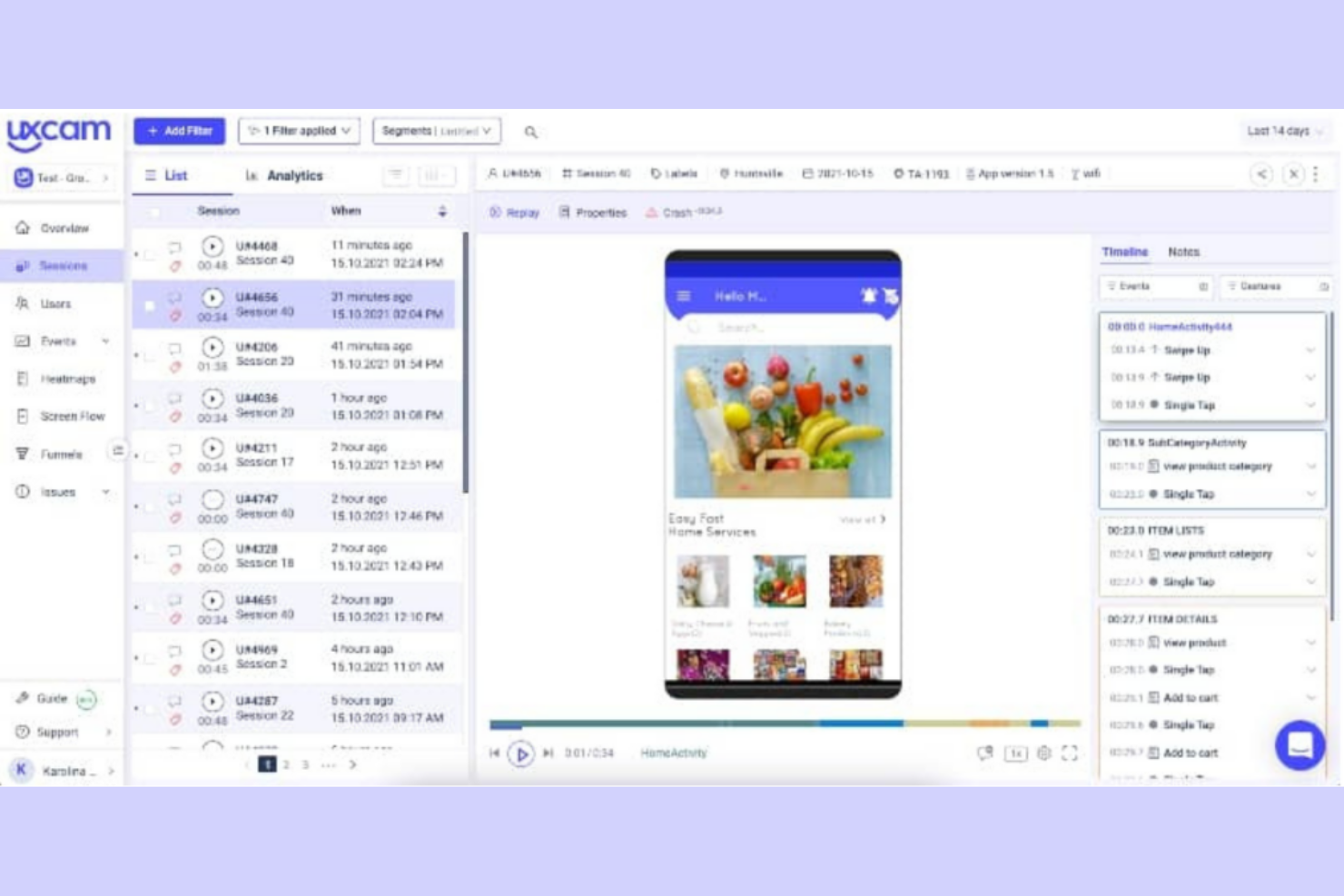
Si vous vous concentrez sur l’optimisation des expériences dans les applications mobiles, UXCam propose des analyses spécialisées conçues pour les équipes produit mobiles et les chercheurs en expérience utilisateur. La plateforme capture des relectures de sessions, des enregistrements d’écran, des cartes thermiques des touchers, des cartes de défilement et des cartes des clics afin de vous aider à comprendre exactement comment les utilisateurs interagissent avec votre application. Contrairement à Hotjar, UXCam est spécialement conçu pour les appareils mobiles, ce qui en fait un choix pertinent pour les entreprises qui ont besoin d’informations comportementales approfondies sur les applications iOS et Android.
Pourquoi UXCam est une bonne alternative à Hotjar
Pour les équipes qui ont besoin d’une visibilité approfondie sur le comportement des utilisateurs d’applications mobiles, UXCam fournit des analyses qui vont au-delà de ce que Hotjar propose pour les appareils mobiles. J’ai choisi UXCam parce qu’il fournit des relectures de sessions, des cartes thermiques des touchers et un suivi des gestes, spécifiquement pour les applications iOS et Android. Ces fonctionnalités vous permettent de voir exactement où les utilisateurs touchent, balaient l’écran ou restent bloqués, ce qui vous aide à identifier les points de friction propres aux expériences mobiles. Si votre entreprise dépend des applications mobiles, l’accent mis par UXCam sur les analyses mobiles en fait une alternative solide à l’approche d’abord orientée vers le Web de Hotjar.
Fonctionnalités principales d’UXCam
Voici quelques autres fonctionnalités d’UXCam que les acheteurs de solutions d’analyse comportementale pourraient vouloir connaître :
- Analyse des parcours utilisateurs : Cartographiez les chemins empruntés par les utilisateurs dans votre application afin d’identifier les parcours courants et les points d’abandon.
- Analyse des plantages et des problèmes : Détectez automatiquement les plantages et les problèmes techniques, puis associez-les à des sessions utilisateur précises pour faciliter le dépannage.
- Analyse des événements : Suivez les événements personnalisés et les actions des utilisateurs afin de mesurer leur engagement envers des fonctionnalités ou des écrans spécifiques.
- Segmentation des utilisateurs : Filtrez et analysez les données selon les caractéristiques des utilisateurs, leurs comportements ou les types d’appareils afin de découvrir les tendances propres aux différents segments d’audience.
Intégrations UXCam
Les intégrations ne sont pas répertoriées publiquement.
Pros and Cons
Pros:
- La relecture des sessions capture les gestes et les écrans
- Les cartes thermiques des touchers montrent le comportement lors des appuis
- Les analyses des plantages associent les problèmes aux sessions
Cons:
- La configuration des événements nécessite des ressources techniques
- Aucun outil intégré d’enquêtes dans l’application

Idéal pour l’engagement des utilisateurs mobiles et l’analyse de la fidélisation
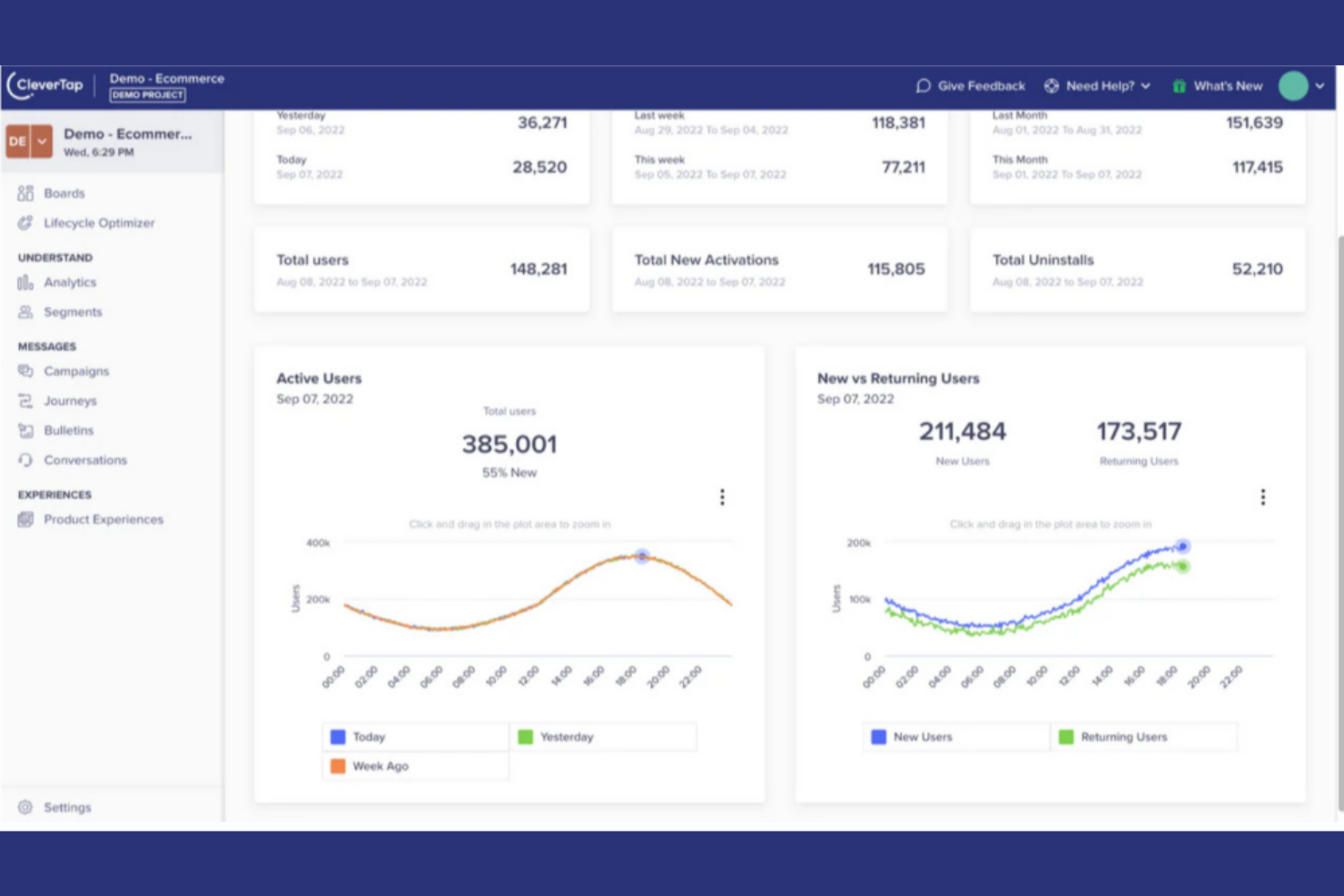
Les marques axées sur le mobile qui cherchent à combiner l’analyse comportementale à l’engagement automatisé se tournent souvent vers CleverTap. Cette plateforme est conçue pour les équipes chargées de la croissance et de la fidélisation dans les secteurs du commerce électronique, des médias et des applications mobiles, qui souhaitent analyser les actions des utilisateurs, suivre les pages vues et déclencher des campagnes personnalisées en temps réel. Contrairement à Hotjar, CleverTap utilise l’IA pour segmenter les audiences et envoyer des notifications push, des messages intégrés à l’application et des e-mails ciblés en fonction de données comportementales en temps réel. Bien qu’il ne s’agisse pas d’une solution open source, elle offre des fonctionnalités d’entreprise robustes aux équipes qui se concentrent sur l’engagement client à grande échelle.
Pourquoi CleverTap est une bonne alternative à Hotjar
CleverTap se distingue par son analyse comportementale pilotée par l’IA et ses capacités d’engagement en temps réel, qui vont au-delà de ce que Hotjar propose pour les applications mobiles. J’ai choisi CleverTap parce qu’il permet de segmenter automatiquement les utilisateurs en fonction de leurs actions dans l’application et de déclencher des notifications push, des e-mails ou des messages intégrés à l’application personnalisés au fur et à mesure que les comportements se produisent. Les modèles d’IA de la plateforme vous aident à prédire le désabonnement et à identifier les segments à forte valeur, afin que vous puissiez agir immédiatement sur les informations obtenues. CleverTap constitue donc un choix pertinent pour les équipes qui souhaitent relier l’analyse à un engagement automatisé et ciblé sur mobile.
Principales fonctionnalités de CleverTap
Voici quelques autres fonctionnalités de CleverTap que les acheteurs de solutions d’analyse comportementale pourraient vouloir connaître :
- Entonnoirs et analyse de cohortes : Visualisez les parcours des utilisateurs et comparez la fidélisation entre différents groupes d’utilisateurs.
- Tests A/B : Testez plusieurs variantes de messages ou d’expériences dans l’application afin d’optimiser l’engagement.
- Enrichissement des profils utilisateurs : Créez des profils utilisateurs détaillés en regroupant des données comportementales, démographiques et relatives aux appareils.
- Automatisation des campagnes : Configurez des campagnes multicanales qui se déclenchent en fonction des actions des utilisateurs ou de leur étape dans le cycle de vie.
Intégrations de CleverTap
Les intégrations ne sont pas répertoriées publiquement.
Pros and Cons
Pros:
- La messagerie multicanale prend en charge les notifications push et les SMS
- L’analyse de cohortes suit la fidélisation et la conversion
- Les modèles prédictifs identifient les risques de désabonnement
Cons:
- Intégrations limitées avec le commerce électronique et les outils d’analyse
- Les analyses web sont moins avancées que les analyses mobiles

Idéal pour les tests d’utilisabilité à distance avec des retours utilisateurs basés sur la vidéo
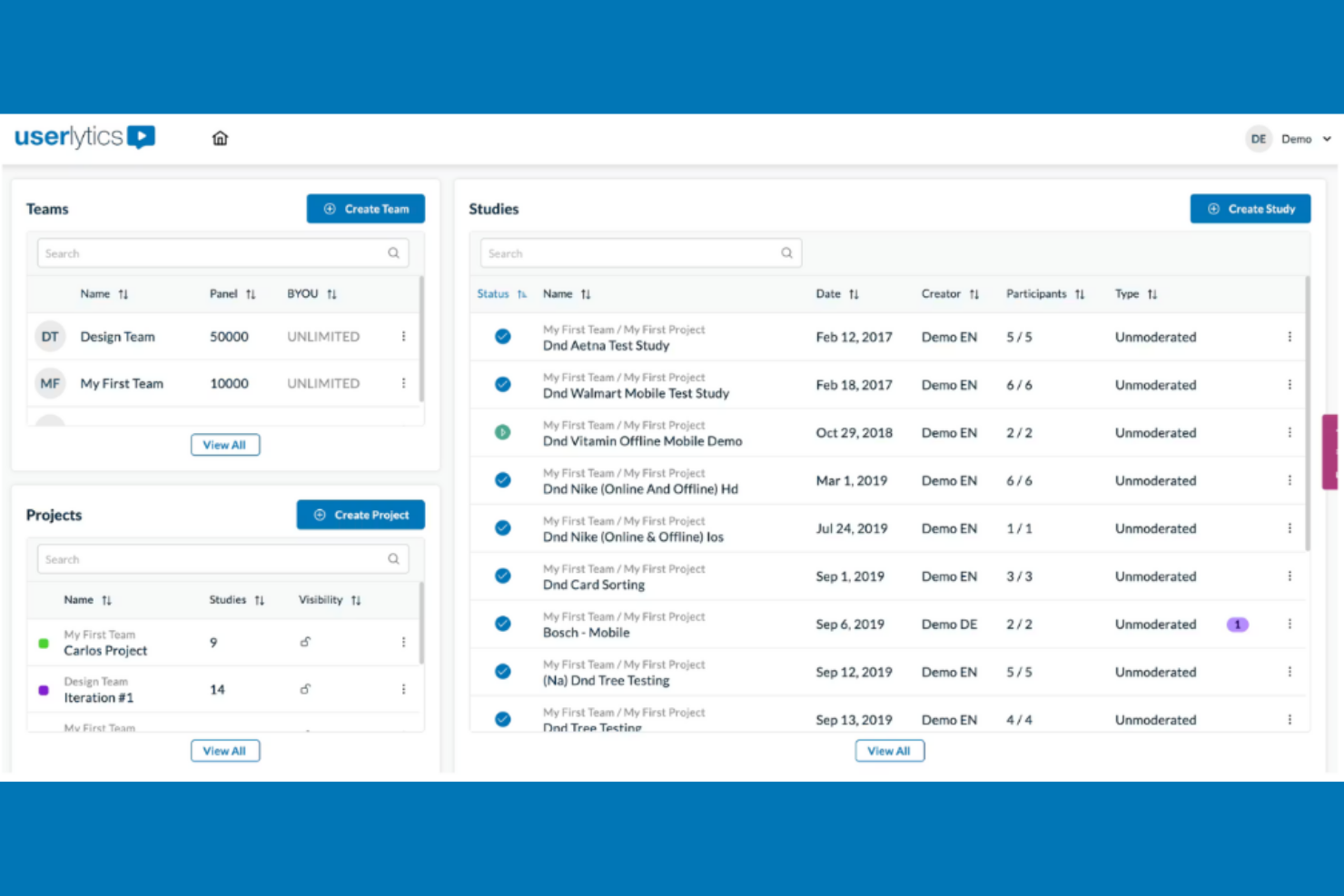
Si vous devez réaliser des tests d’utilisabilité à distance avec de vrais utilisateurs, Userlytics propose une plateforme flexible pour recueillir des données vidéo, issues d’enquêtes et comportementales. Cet outil est particulièrement utile aux chercheurs en UX, aux équipes produit et aux entreprises de commerce électronique qui souhaitent observer la manière dont les participants interagissent avec des produits numériques dans leur propre environnement. Contrairement à Hotjar, Userlytics vous permet de cibler des catégories démographiques spécifiques, d’enregistrer les écrans et les visages des participants, et de combiner les retours qualitatifs avec des analyses quantitatives.
Pourquoi Userlytics est une bonne alternative à Hotjar
Ce qui distingue Userlytics est l’accent mis sur les tests d’utilisabilité à distance avec vidéos, enquêtes et ciblage avancé des participants. J’ai choisi Userlytics parce qu’il vous permet d’observer de vrais utilisateurs lorsqu’ils interagissent avec votre site web ou votre application, en enregistrant à la fois leur écran et leurs expressions faciales pour obtenir des informations comportementales plus approfondies. Le ciblage avancé des participants de la plateforme vous permet de recruter des testeurs en fonction de caractéristiques démographiques ou de critères utilisateurs spécifiques, ce que Hotjar ne propose pas. Vous pouvez également combiner les retours vidéo avec les réponses aux enquêtes afin d’obtenir une vision plus complète de l’expérience utilisateur et de la prise de décision.
Fonctionnalités principales de Userlytics
Voici quelques autres fonctionnalités de Userlytics que les acheteurs de solutions d’analyse comportementale pourraient vouloir connaître :
- Test d’arborescence : Évaluez la manière dont les utilisateurs naviguent dans l’architecture de l’information de votre site en testant les structures de menus et leur libellé.
- Tri de cartes : Demandez aux participants d’organiser les sujets en catégories afin d’optimiser la navigation et la structure de contenu de votre site.
- Logique conditionnelle dans les enquêtes : Personnalisez les questions des enquêtes en fonction des réponses précédentes afin de recueillir des retours plus pertinents.
- Transcriptions automatisées : Générez des transcriptions consultables des sessions utilisateurs pour faciliter l’analyse et la création de rapports.
Intégrations de Userlytics
Les intégrations ne sont pas répertoriées publiquement.
Pros and Cons
Pros:
- Ciblage démographique avancé des participants
- Tri de cartes et test d’arborescence inclus
- Les transcriptions automatisées simplifient la révision
Cons:
- La configuration des tests et le recrutement prennent beaucoup de temps
- Les rapports manquent de visualisations avancées

Pendo
Idéal pour combiner l’accompagnement intégré à l’application avec l’analyse de l’utilisation du produit
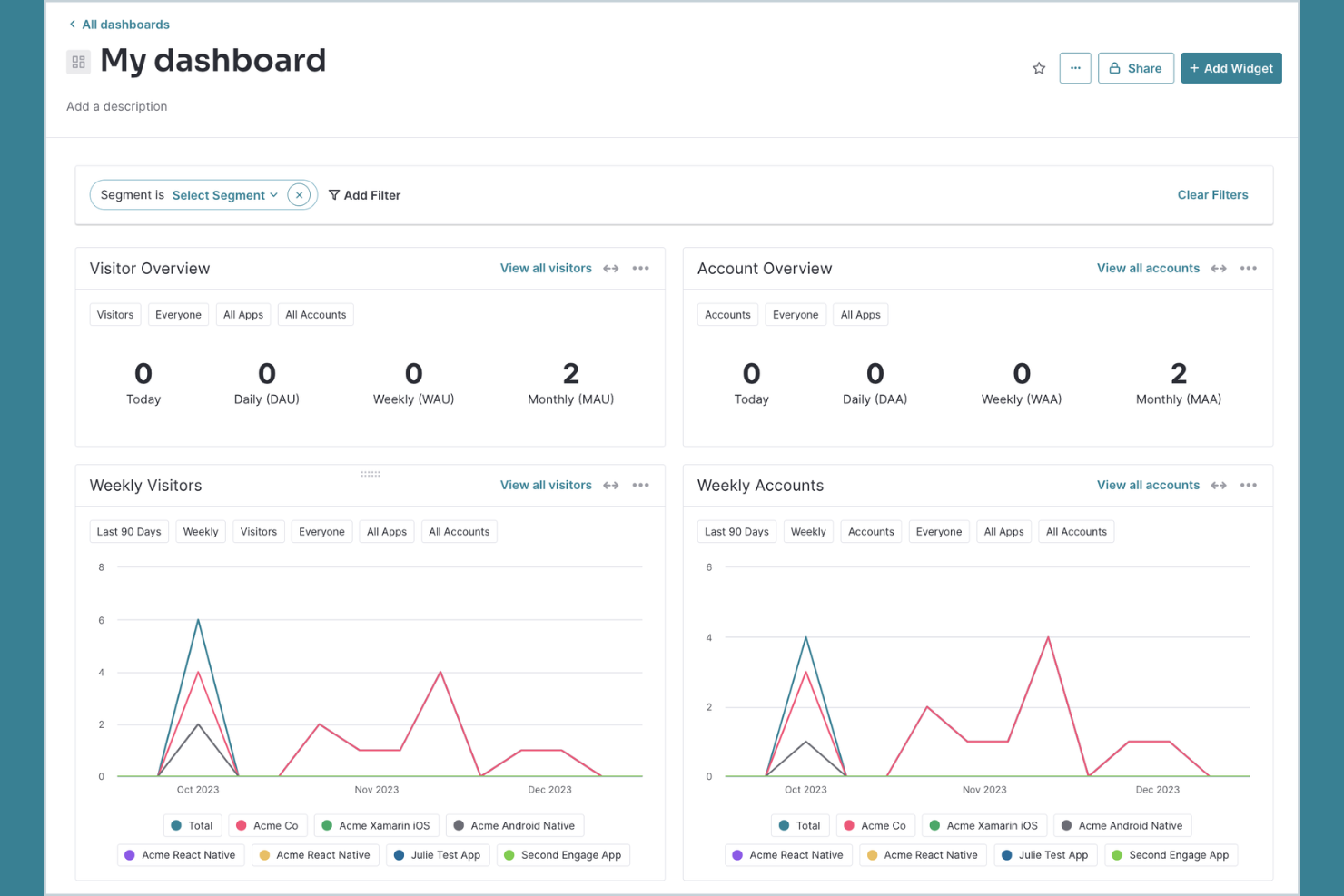
Pour les équipes qui souhaitent combiner l’analyse produit avec l’accompagnement des utilisateurs dans l’application, Pendo réunit ces deux fonctionnalités au sein d’une même plateforme. Les responsables produit, les responsables UX et les entreprises SaaS utilisent Pendo pour suivre l’adoption des fonctionnalités, recueillir les retours des utilisateurs et diffuser des parcours d’intégration ou des annonces ciblés directement dans leurs applications. Contrairement à Hotjar, Pendo propose des outils intégrés pour créer des visites guidées et des sondages dans l’application, ainsi que des analyses détaillées pour les produits web et mobiles.
Pourquoi Pendo est une bonne alternative à Hotjar
Pendo se distingue par sa capacité à combiner l’analyse produit avec l’accompagnement intégré pour les applications web et mobiles. J’ai choisi Pendo parce qu’il permet de suivre le comportement des utilisateurs et l’adoption des fonctionnalités, puis d’agir immédiatement sur ces informations en lançant des visites guidées, des infobulles ou des sondages dans l’application. Cette approche aide les équipes produit et UX non seulement à comprendre ce que font les utilisateurs, mais aussi à les guider vers des actions clés ou à recueillir leurs retours en temps réel. Contrairement à Hotjar, les outils de messagerie et d’intégration de Pendo sont directement intégrés à la plateforme d’analyse, ce qui facilite la mise en place d’une boucle complète entre les informations recueillies et l’action.
Fonctionnalités clés de Pendo
Voici quelques autres fonctionnalités de Pendo que les acheteurs de solutions d’analyse comportementale peuvent souhaiter connaître :
- Analyse des parcours : Visualisez les parcours utilisateurs les plus fréquents dans votre produit afin d’identifier les points de décrochage et les tendances d’engagement.
- NPS et sondages : Lancez des sondages Net Promoter Score et des sondages personnalisés directement dans votre application afin de recueillir l’opinion des utilisateurs.
- Centre de ressources : Créez un espace d’aide intégré à l’application où les utilisateurs peuvent accéder à des guides, des annonces et des ressources d’assistance.
- Analyse des applications mobiles : Suivez le comportement des utilisateurs, l’utilisation des fonctionnalités et les retours sur les applications natives iOS et Android.
Intégrations de Pendo
Les intégrations comprennent Jira, Intercom, Marketo, Okta, Salesforce, Zendesk, Segment et bien d’autres.
Pros and Cons
Pros:
- Outils NPS et de retours intégrés
- Le Centre de ressources facilite l’intégration dans l’application
- L’analyse des parcours montre les itinéraires et les décrochages
Cons:
- Pas de relecture des sessions ni de cartes thermiques
- Les rapports avancés nécessitent des forfaits supérieurs

Idéal pour les tests A/B simples visant à optimiser les sites web
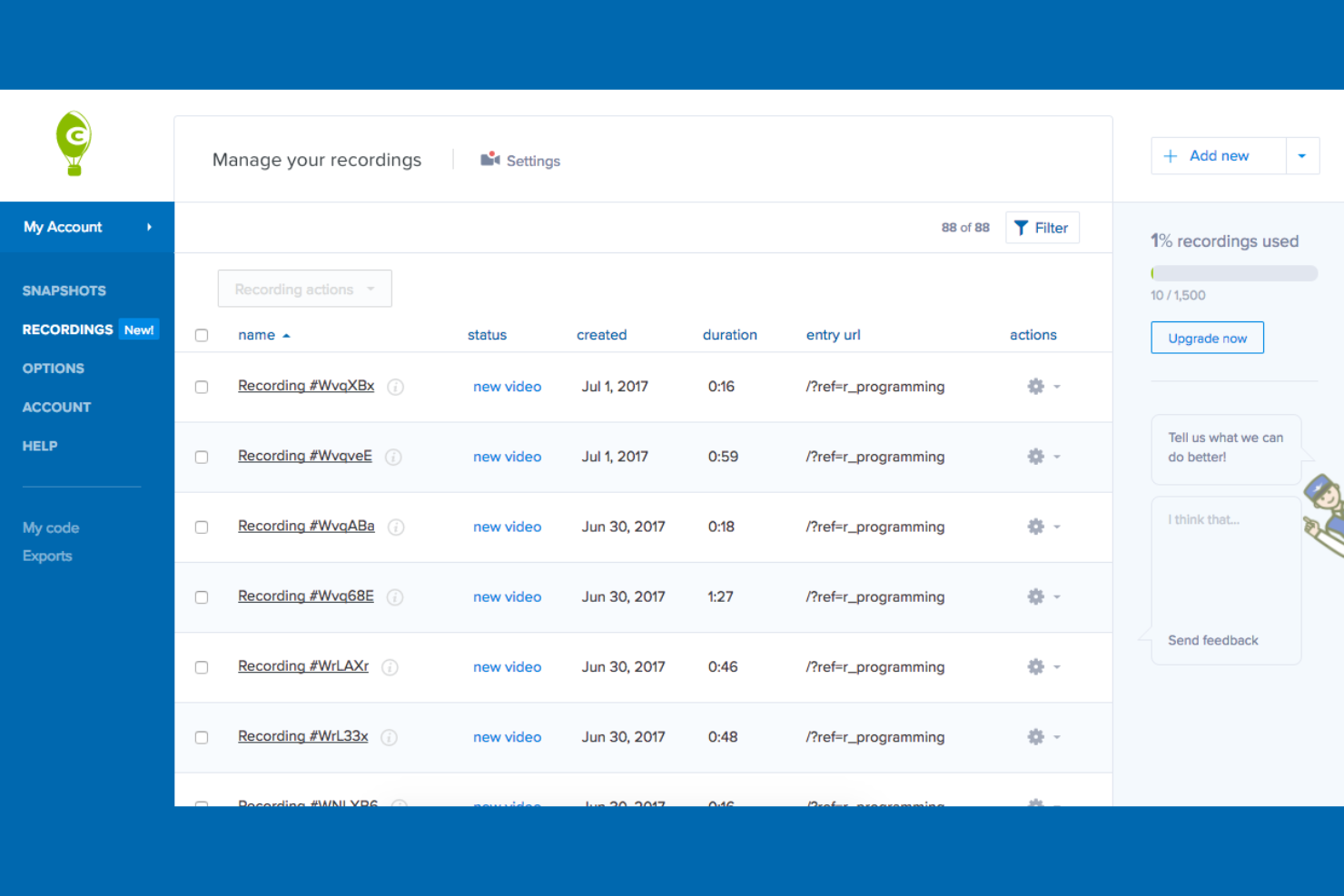
Si vous recherchez un outil d’analyse comportementale tout-en-un mettant fortement l’accent sur les rapports visuels, Crazy Egg propose des cartes de chaleur détaillées et des tests A/B sur une seule plateforme. Il convient parfaitement aux responsables e-commerce, aux spécialistes du marketing et aux équipes UX qui souhaitent obtenir des informations claires sur les utilisateurs et analyser leur comportement afin de voir rapidement comment les visiteurs interagissent avec les éléments d’un site et de tester des modifications sans l’aide d’un développeur. Contrairement à Hotjar, Crazy Egg met l’accent sur le suivi visuel des clics et les outils d’expérimentation intégrés pour vous aider à générer des informations précieuses et à optimiser plus rapidement les pages web.
Pourquoi Crazy Egg est une bonne alternative à Hotjar
Pour les équipes qui souhaitent combiner analyse visuelle et expérimentation, Crazy Egg réunit les cartes de chaleur et les tests A/B sur une seule plateforme. J’apprécie la possibilité d’utiliser ses cartes de chaleur des clics, du défilement et en confettis pour identifier précisément les endroits où les utilisateurs interagissent ou quittent votre site. L’outil de test A/B intégré vous permet de lancer et de mesurer des variantes de pages sans avoir besoin d’un développeur. Si vous recherchez une alternative à Hotjar qui met l’accent à la fois sur les informations visuelles et l’optimisation rapide, Crazy Egg mérite d’être envisagé.
Fonctionnalités clés de Crazy Egg
Voici quelques autres fonctionnalités de Crazy Egg que les acheteurs de solutions d’analyse comportementale pourraient souhaiter connaître :
- Enregistrements des utilisateurs : Regardez les sessions de visiteurs réels pour voir comment les utilisateurs naviguent sur votre site.
- Rapports superposés : Consultez les données détaillées sur les clics pour chaque élément cliquable d’une page.
- Rapports sous forme de liste : Accédez à une liste triable de tous les éléments avec lesquels les utilisateurs interagissent sur chaque page.
- Analyse du trafic : Analysez le comportement des utilisateurs selon la source de trafic, l’appareil ou la campagne.
Intégrations de Crazy Egg
Les intégrations comprennent WordPress, AWeber, Shopify, Wix et bien d’autres.
Pros and Cons
Pros:
- Expérimentations de tests A/B intégrées sur les pages
- Les enregistrements des utilisateurs permettent de revoir les sessions des visiteurs
- Les rapports superposés détaillent les clics sur les éléments
Cons:
- Les enregistrements peuvent manquer certaines interactions dynamiques
- Cartes de chaleur limitées sur les pages à faible trafic

Idéal pour obtenir des informations fondées sur l’AI concernant les parcours clients
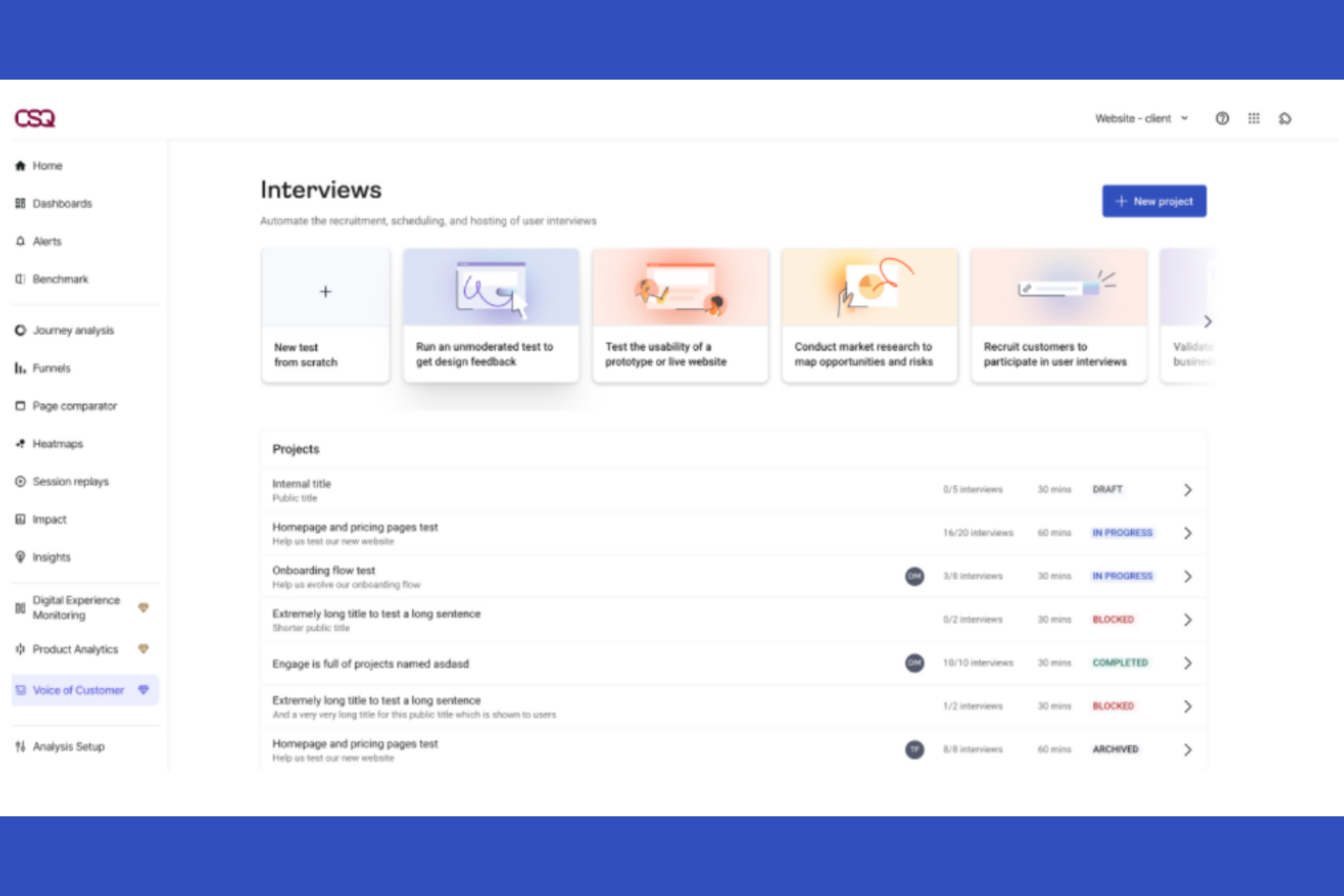
Pour les équipes numériques à la recherche d’une analyse avancée des parcours et de cartes thermiques, Contentsquare propose une approche unique de l’analyse comportementale. C’est particulièrement utile pour les équipes e-commerce, UX et produit qui souhaitent visualiser l’engagement des utilisateurs à un niveau granulaire, basé sur les zones. Contrairement à Hotjar, Contentsquare utilise l’AI pour faire émerger des informations exploitables à partir de parcours et d’interactions complexes sur votre site.
Pourquoi Contentsquare est une bonne alternative à Hotjar
Contrairement à de nombreux outils d’analyse comportementale, Contentsquare se distingue par son analyse des parcours optimisée par l’AI et ses cartes thermiques basées sur les zones. J’apprécie la façon dont son analyse des parcours cartographie chaque étape suivie par les utilisateurs, vous aidant à découvrir les points d’abandon cachés et à optimiser les parcours de conversion. Les cartes thermiques basées sur les zones vous permettent de voir exactement quelles parties d’une page génèrent de l’engagement, plutôt que de simplement suivre les clics ou défilements génériques. Pour les équipes qui souhaitent obtenir des informations plus approfondies et exploitables sur le comportement des utilisateurs, au-delà de ce que propose Hotjar, les analyses avancées de Contentsquare en font une alternative solide.
Fonctionnalités clés de Contentsquare
Voici quelques autres fonctionnalités de Contentsquare que les acheteurs d’outils d’analyse comportementale pourraient vouloir connaître :
- Relecture de session : Regardez des enregistrements anonymisés de sessions réelles d’utilisateurs pour comprendre les comportements individuels.
- Analyse des erreurs : Identifiez et quantifiez les erreurs techniques qui affectent l’expérience utilisateur et les conversions.
- Quantification de l’impact : Mesurez l’impact commercial de comportements spécifiques des utilisateurs ou de modifications du site.
- Outils de segmentation : Filtrez et analysez les données utilisateurs par segments d’audience, types d’appareils ou sources de trafic.
Intégrations de Contentsquare
Les intégrations incluent Shopify, AWS, Microsoft Azure, Snowflake et bien d’autres.
Pros and Cons
Pros:
- Les cartes thermiques des zones montrent l’engagement envers les éléments
- La relecture de session inclut des contrôles de confidentialité
- L’analyse des erreurs met en évidence les problèmes techniques
Cons:
- Mise en œuvre complexe pour les petites équipes
- Options limitées de personnalisation des tableaux de bord

UserGuiding
Idéal pour les visites guidées de produits et les parcours d’intégration des utilisateurs sans code
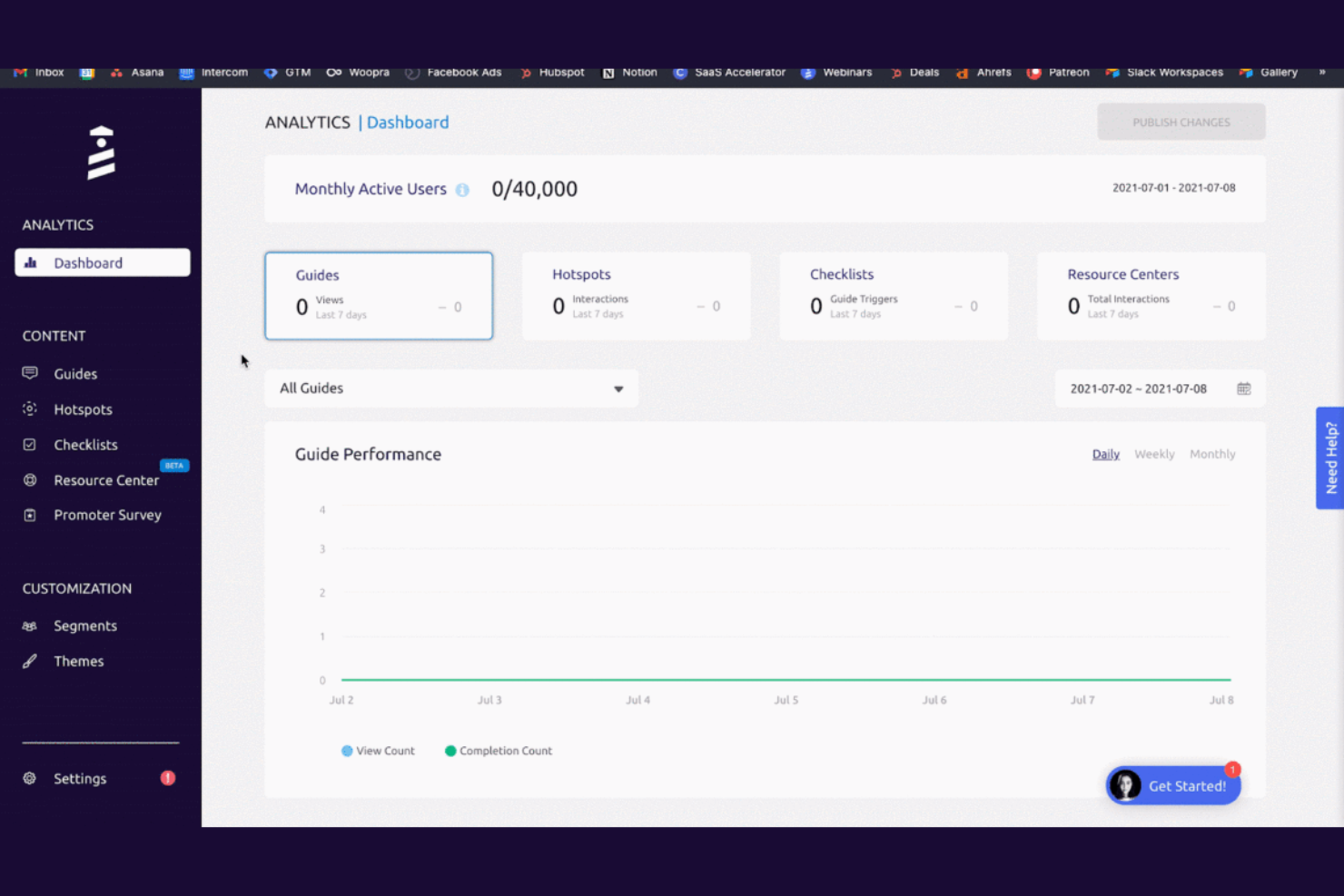
Si vous cherchez un moyen sans code d’analyser et d’améliorer l’intégration des utilisateurs, UserGuiding propose des guides intégrés à l’application et un suivi des comportements conçus pour les équipes produit et croissance. Cet outil est particulièrement utile pour les entreprises SaaS et les plateformes de commerce électronique qui souhaitent créer des parcours interactifs et mesurer l’engagement des utilisateurs sans mobiliser de ressources de développement. Contrairement à Hotjar, UserGuiding vous permet de concevoir des parcours d’intégration et des infobulles directement dans votre produit, puis de suivre la manière dont les utilisateurs interagissent avec chaque étape.
Pourquoi UserGuiding est une bonne alternative à Hotjar
Contrairement aux outils d’analyse traditionnels, UserGuiding se concentre sur les parcours d’intégration sans code et les guides intégrés à l’application, qui vous aident à comprendre et à influencer le comportement des utilisateurs en temps réel. J’ai choisi UserGuiding parce qu’il vous permet de créer des visites guidées interactives du produit, des listes de contrôle et des infobulles sans avoir besoin de l’aide de développeurs. Vous pouvez suivre la manière dont les utilisateurs interagissent avec chaque élément d’intégration et voir où ils abandonnent ou réussissent. Cette approche donne aux équipes produit et croissance un contrôle direct à la fois sur l’expérience utilisateur et sur les analyses qui la sous-tendent, ce qui en fait une solide alternative à Hotjar pour l’analyse des comportements axée sur l’intégration.
Principales fonctionnalités de UserGuiding
Voici quelques autres fonctionnalités de UserGuiding que les acheteurs d’outils d’analyse des comportements pourraient vouloir connaître :
- Segmentation : Ciblez le contenu d’intégration et les analyses sur des groupes d’utilisateurs ou des profils spécifiques.
- Enquêtes NPS : Recueillez les retours liés au Net Promoter Score directement dans votre produit.
- Centres de ressources : Ajoutez un widget d’aide permanent avec des guides, des FAQ et des annonces.
- Tableau de bord analytique : Consultez les indicateurs d’engagement des utilisateurs et les performances de l’intégration dans un tableau de bord centralisé.
Intégrations UserGuiding
Les intégrations comprennent Mixpanel, Salesforce, Webhook, Amplitude, Intercom, Segment, Slack, Google Analytics, Woopra, HubSpot, Google Tag Manager, et bien d’autres.
Pros and Cons
Pros:
- La segmentation cible des cohortes d’utilisateurs spécifiques
- Le centre de ressources offre une aide permanente
- Les analyses suivent l’engagement lors de l’intégration
Cons:
- La configuration multilingue nécessite un travail manuel
- Les rapports sont moins détaillés que ceux des concurrents
Autres alternatives à Hotjar
\u003cspan style=\u0022font-weight: 400\u0022\u003eVoici quelques alternatives supplémentaires à Hotjar qui n’ont pas été retenues dans ma liste restreinte, mais qui méritent tout de même d’être découvertes :\u003c/span\u003e


Comment j’évalue les alternatives à Hotjar
J’évalue ces outils sur deux niveaux : une base essentielle — cartes thermiques, enregistrements de sessions et analyses des entonnoirs — ainsi que des éléments différenciateurs comme la segmentation des acheteurs et les intégrations e-commerce.
Fonctionnalités essentielles (indispensables pour cette liste)
Lorsque je sélectionne les outils de ma liste, j’attribue à chacun une note sur une échelle de 0 (la fonctionnalité n’est pas proposée) à 5 (excellent dans ce domaine) pour chaque fonctionnalité essentielle indiquée ci-dessous. Je convertis ensuite le score total de l’outil en pourcentage. Chaque outil doit obtenir un score total minimum de 65 % pour être retenu.
- Visualisation par carte thermique : Je recherche des cartes thermiques des clics, du défilement et des mouvements qui permettent de voir exactement où les acheteurs interagissent sur les pages produits, les grilles de collections et les bannières promotionnelles.
- Enregistrement et relecture des sessions : Chaque outil doit capturer les sessions complètes des acheteurs afin que vous puissiez observer un utilisateur réel naviguer d’une page de catégorie jusqu’au paiement et repérer les points de friction.
- Analyse de l’entonnoir de conversion : J’évalue la possibilité de créer des entonnoirs à plusieurs étapes — par exemple de la consultation d’un produit à l’ajout au panier, puis au paiement — et de voir clairement où les abandons se produisent.
- Sondages et retours sur site : Les outils doivent permettre de déclencher des sondages ou des micro-enquêtes en fonction du comportement, par exemple pour demander à un acheteur pourquoi il abandonne son panier.
- Analyses des formulaires et du paiement : Je vérifie la présence d’un suivi au niveau des champs, indiquant quels champs du paiement provoquent de l’hésitation, des erreurs ou des abandons, sur ordinateur comme sur mobile.
- Intégrations aux plateformes e-commerce : Les connecteurs natifs avec des plateformes comme Shopify, Magento, BigCommerce et WooCommerce sont importants, tout comme la prise en charge de GA4 et des gestionnaires de balises.
Une fois que j’ai établi une liste d’outils répondant à ces critères, j’examine ce qui distingue chaque plateforme.
Facteurs différenciateurs (ce qui distingue les fournisseurs)
Voici comment je compare les différents fournisseurs :
Fonctionnalités remarquables
Les informations basées sur l’IA font une réelle différence lorsque vous examinez des milliers de sessions : les outils qui signalent automatiquement les clics frénétiques ou les clics sans effet permettent d’économiser des heures d’analyse manuelle. Je recherche également des analyses au niveau des produits qui associent le comportement à des références ou à des collections spécifiques, ce qui aide les équipes de merchandising à décider quels éléments mettre en avant ou repositionner. La segmentation par cohorte d’acheteurs est également importante ; le filtrage entre les visiteurs nouveaux et récurrents, ou selon la valeur du panier, permet de concentrer l’attention sur les comportements ayant le plus d’impact. L’intégration native aux tests A/B permet de valider les changements sans passer d’une plateforme à l’autre.
Au-delà des fonctionnalités
La capacité de la tarification à évoluer est un élément que j’évalue toujours : le trafic de détail peut augmenter fortement pendant les promotions saisonnières, et les frais de dépassement s’accumulent rapidement si le forfait n’est pas conçu pour y faire face. La confidentialité des données est tout aussi importante ; je vérifie la présence du masquage automatique des informations personnelles identifiables ainsi que la conformité au RGPD et au CCPA, en particulier lorsque les enregistrements de sessions capturent les champs du paiement. La rapidité de mise en œuvre compte également. Un outil qui nécessite peu de travail de développement et propose des tableaux de bord e-commerce prédéfinis permet à votre équipe d’obtenir des informations exploitables bien plus rapidement.
Pourquoi chercher une alternative à Hotjar ?
Bien que Hotjar soit un bon choix d’outil d’analyse comportementale, plusieurs raisons peuvent pousser certains utilisateurs à rechercher d’autres solutions. Vous recherchez peut-être une alternative à Hotjar parce que…
- Vous avez besoin d’analyses avancées du comportement des employés ou des utilisateurs internes
- Vous souhaitez disposer de contrôles plus précis en matière de confidentialité des données et de conformité
- Vous avez besoin d’intégrations avec des outils professionnels ou de productivité spécifiques
- Vous avez besoin d’analyses pour les applications mobiles au-delà du suivi sur le web
- Vous souhaitez bénéficier de fonctionnalités de surveillance et d’alerte en temps réel
Si l’un de ces points vous concerne, vous êtes au bon endroit. Ma liste comprend plusieurs outils d’analyse comportementale mieux adaptés aux équipes confrontées à ces difficultés avec Hotjar et à la recherche de solutions alternatives.
Principales fonctionnalités de Hotjar
Voici quelques-unes des principales fonctionnalités de Hotjar, afin de vous aider à comparer les offres des solutions alternatives :
- Enregistrements de sessions d’interactions réelles des utilisateurs sur votre site
- Cartes thermiques des clics, déplacements et défilements pour analyser visuellement les comportements
- Enquêtes sur site et sondages de satisfaction pour recueillir directement les avis des utilisateurs
- Analyse des entonnoirs pour identifier les points d’abandon dans les parcours utilisateurs
- Segmentation et filtrage des utilisateurs pour une analyse ciblée
- Widget de collecte des commentaires entrants pour recueillir les remarques des utilisateurs en temps réel
- Suivi des événements pour surveiller des actions ou conversions spécifiques
- Faits marquants et notes pour permettre à l’équipe de collaborer sur les informations recueillies
- Tableau de bord avec rapports et visualisations personnalisables
Quelle est la suite :
Si vous êtes en train d’étudier des alternatives à Hotjar, contactez gratuitement un conseiller SoftwareSelect pour obtenir des recommandations.
Vous remplissez un formulaire et avez un bref échange au cours duquel vos besoins spécifiques sont examinés. Vous recevrez ensuite une liste restreinte de logiciels à étudier. Les conseillers vous accompagneront même tout au long du processus d’achat, y compris lors des négociations tarifaires.