

Avis sur Acumatica : avantages, inconvénients, fonctionnalités & tarifs
Acumatica se distingue comme une solution ERP infonuagique offrant un accès illimité aux utilisateurs — idéale pour les entreprises de taille moyenne qui ont besoin de fonctionnalités solides, et non d'un simple engouement pour le SaaS. Si l'évolutivité et la flexibilité sont importantes, cette solution mérite qu'on s'y intéresse.

Nous évaluons les outils de façon indépendante, et les commissions contribuent à financer nos tests. Consultez notre politique de transparence, notre méthodologie, ou suggérez un outil.
Acumatica is a cloud-based order management system software built for mid-market businesses that need to manage orders, inventory, fulfillment, and customer data within a single ERP. I'd consider it a strong alternative to NetSuite if your team is growing—Acumatica prices by computing resources, not per user, so adding seats doesn't drive up costs the way it tends to with NetSuite.
Acumatica Evaluation Summary
4.4/5
- Pricing upon request
- Free demo available
Pourquoi faire confiance à nos recommandations de logiciels
6,700+
Reviews
20
Industry experts
16+
Evaluation factors
14
Years
Notre équipe teste et évalue des logiciels depuis 2012. En tant que dirigeants du commerce de détail nous-mêmes, nous savons à quel point il est difficile — et important — de choisir le bon logiciel.
Pour ce guide, nous avons évalué les outils grâce à des tests pratiques et une recherche indépendante, en notant les outils selon nos critères de sélection.
Nos avis reflètent notre jugement indépendant — et non un argumentaire de vente.
Acumatica Overview
In my opinion, Acumatica is the rare ERP system that actually delivers on the promise of streamlining business operations—if you’re willing to put in the work.
Customization and scalability are real strengths here, not just marketing fluff, and unlimited user access means you’re not nickel-and-dimed as your business grows.
Integration options are robust, with most of the major retail, accounting, and ecommerce platforms supported right out of the box.
That said, Acumatica doesn’t pretend to be a turnkey solution for every small shop. The learning curve is real, the interface could use a bit of work, and you’ll need to invest in setup and training if you want to see the platform’s true value.
But for mid-sized and growing companies—especially those with complex inventory, finance, or multichannel needs—it’s a legitimate contender in a space full of half-baked “cloud ERP” promises.
Pros
- Customization is actually possible. You can shape the system to fit your business, not the other way around.
- Unlimited user access, no gotchas. Add as many people as you want without getting dinged for every login.
- Support that answers the phone. When you hit a wall, you’re not left yelling into the void.
Cons
- Interface isn’t exactly intuitive. Some screens feel designed by accountants, for accountants.
- Expect a real learning curve. Onboarding isn’t “set it and forget it”—you’ll need to invest time.
- Occasional performance hiccups. Especially if you push the system hard or over-customize.


Is Acumatica Right For Your Needs?
Who Would be a Good Fit for Acumatica?
Acumatica is best suited for mid-sized manufacturers, distributors, and retail operations that need a true ERP system to wrangle complex business operations.
If your finance and inventory teams demand robust reporting, and your business is growing fast enough to outpace most off-the-shelf software, you’ll actually benefit from Acumatica’s scalability and unlimited user access.
Companies planning for growth—or sick of being nickel-and-dimed every time they add a new seat—will find real long-term value here.
- Manufacturing companiesHandles complex production processes and inventory management without missing a beat.
- Distribution businessesAdvanced supply chain features keep your operation running smoothly.
- Retail operationsReal-time data insights let you actually track sales and inventory.
- Finance departmentsRobust financial reporting tools streamline your day-to-day.
- Growing enterprisesScalability and unlimited users mean you’re set for expansion.
- Inventory managersDetailed tracking keeps you out of trouble with overstock or shortages.
Who Would be a Bad Fit for Acumatica?
If you’re a small business with a tight budget, or a startup that needs a simple, user-friendly solution out of the box, Acumatica probably isn’t for you.
The interface can be less intuitive than you’d like, and the upfront complexity isn’t worth it unless you truly need deep ERP capabilities.
Budget-conscious teams, freelancers, or anyone just looking for basic inventory or order management will likely find the system overkill for their needs.
- Small startupsComplexity and cost will swamp you.
- FreelancersWay more system than you’ll ever need.
- Non-technical teamsLess intuitive interface and setup can frustrate.
- Budget-conscious companiesPricing won’t work if you’re counting every penny.
- Simple retail shopsAdvanced features are wasted on basic inventory needs.
- Temporary projectsNo need to roll out a full ERP for a short-term gig.
Core Features
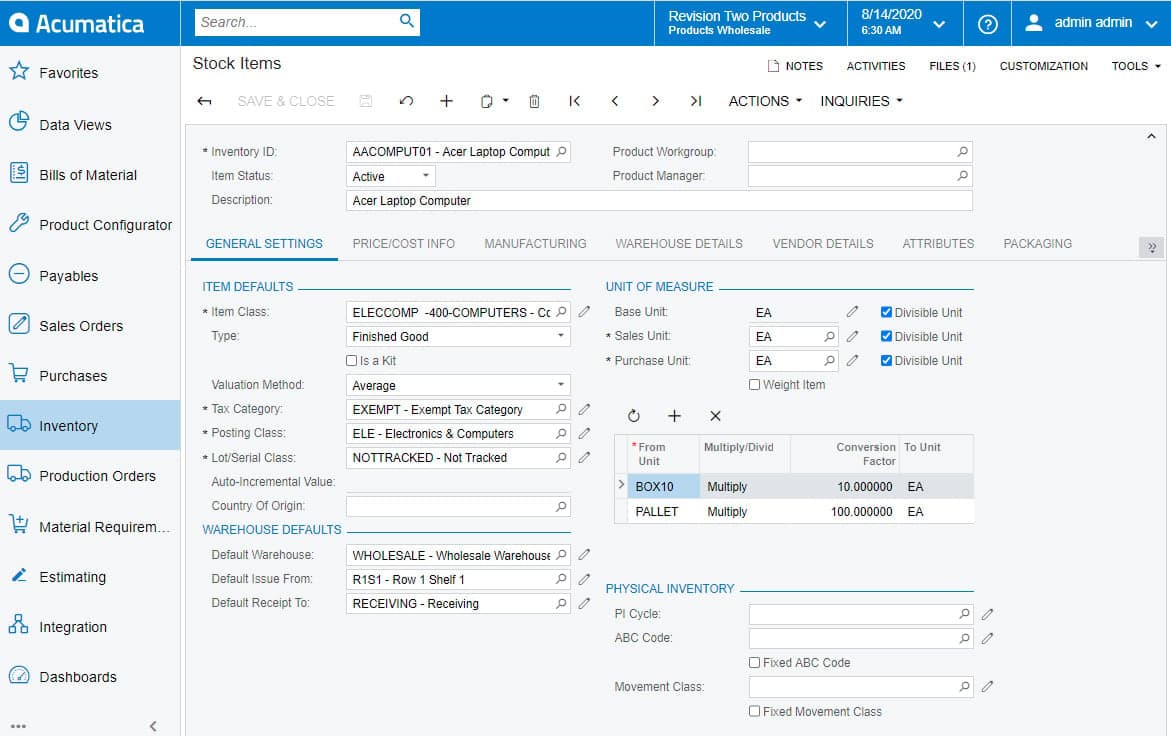
- Inventory management. Track inventory in real time and avoid costly overstock with cloud-based tools built for retail and distribution.
- Order processing. Streamline every step from order entry to fulfillment, so your team spends less time chasing paperwork and more time driving business operations.
- Financial management. Keep your general ledger, financial reports, and accounting in check with ERP software made for growing businesses.
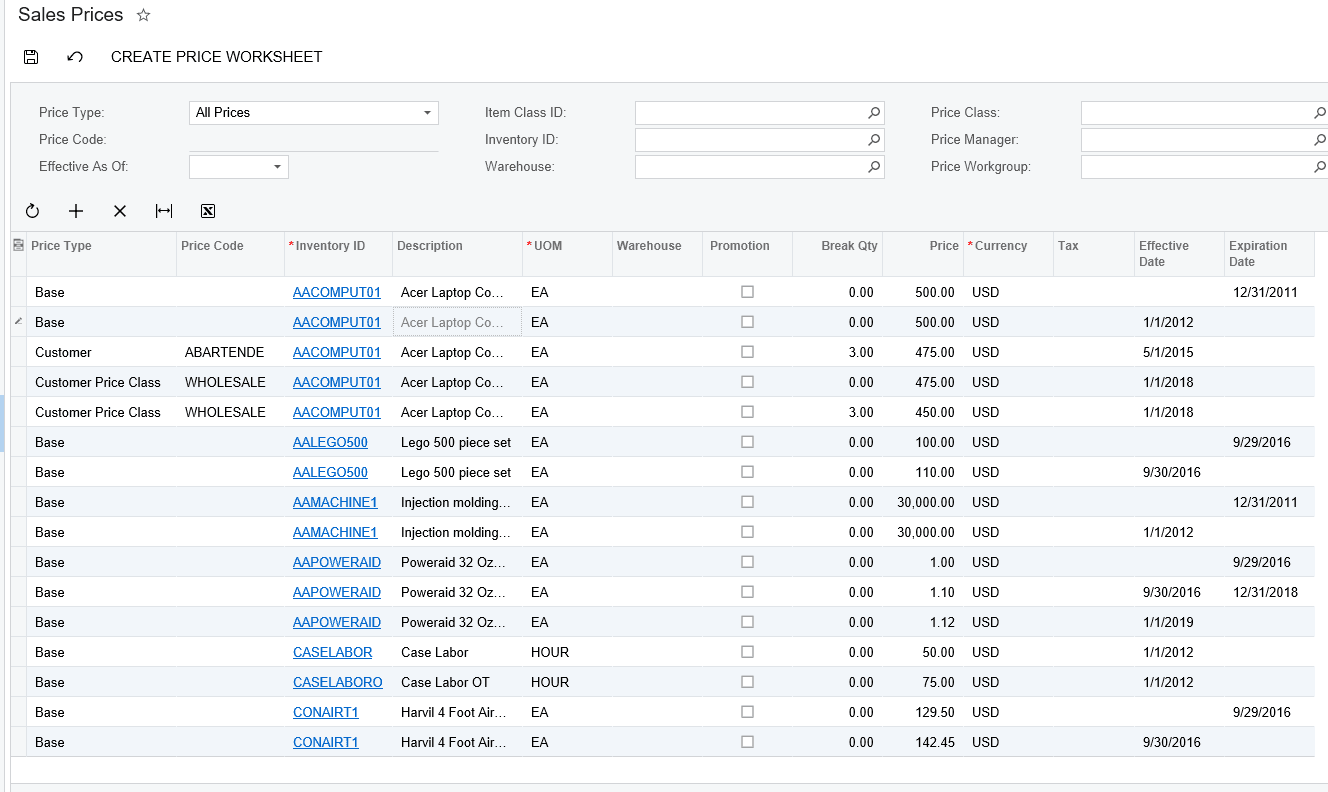
- Customer management. Centralize your CRM and customer data, so your sales team isn’t digging through spreadsheets to get the full story.
- Purchasing automation. Automate procurement and keep supply chain hiccups from slowing you down—across all your modules.
- Sales management. Monitor sales activity and performance in real time, with dashboards that actually support decision-making.
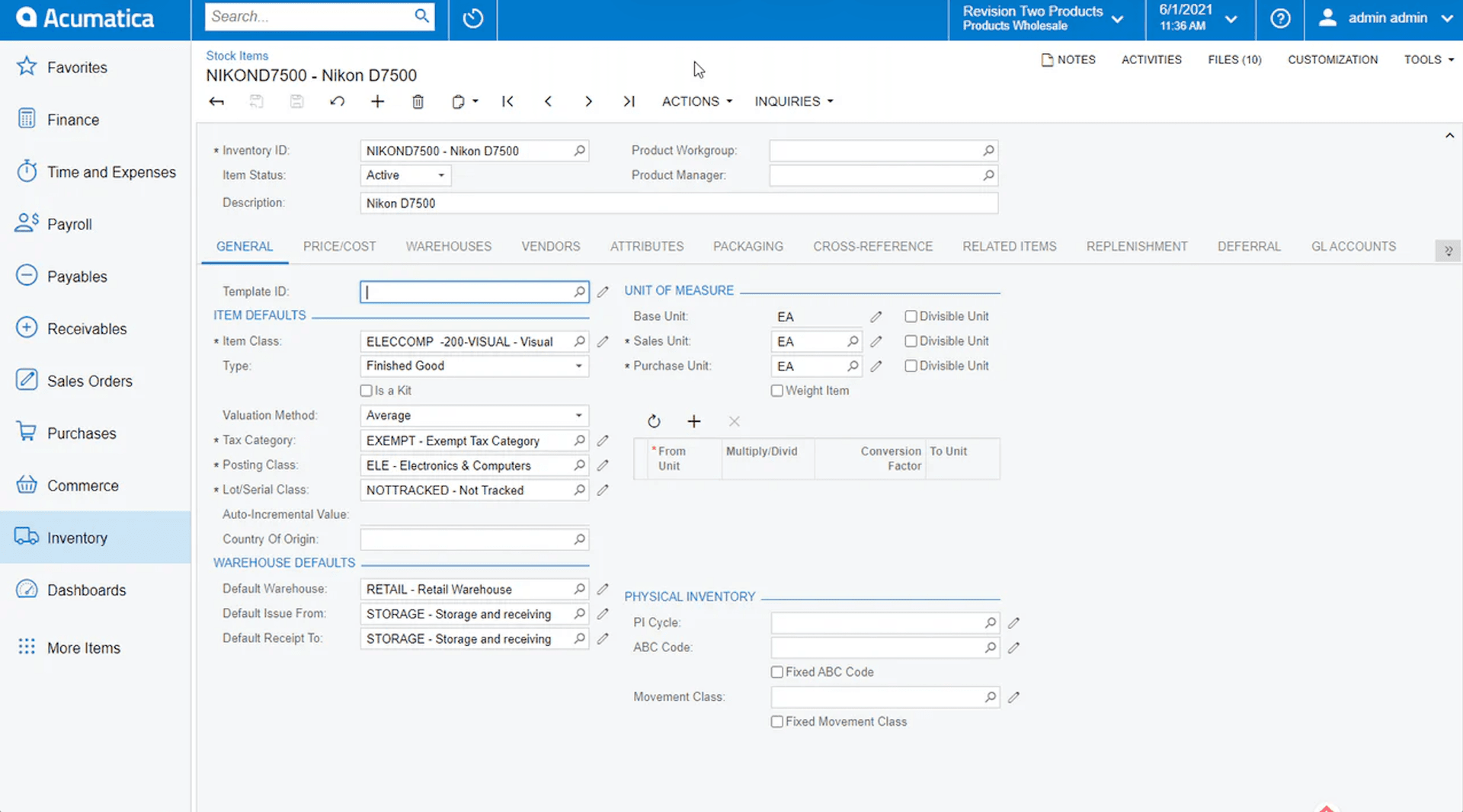
Ease of Use
Acumatica isn’t winning any awards for being the most user-friendly ERP system out of the box.
If you’re used to consumer apps or simpler order management systems, the interface can feel a bit clunky—especially for non-technical end users. The navigation is functional but not exactly intuitive, and finding the right modules or dashboards can take some getting used to.
That said, once your team pushes through the initial learning curve, Acumatica starts to make more sense.
The flexibility and depth of the cloud-based platform give growing businesses real control over workflow and reporting. It’s a classic case of “powerful, but time-consuming”—you get the features, but you’ll need to train up.
Acumatica Specs
- Accounts Payable: Yes
- Accounts Receivable: Yes
- API: Yes
- Budgeting: Yes
- Calendar Management: Yes
- Compliance Tracking: No
- Customer Management: Yes
- Dashboard: Yes
- Data Export: Yes
- Data Import: Yes
- Data Visualization: Yes
- Expense Tracking: Yes
- External Integrations: Yes
- Financial Analysis: No
- Forecasting: Yes
- Inventory Tracking: Yes
- Multi-Currency: Yes
- Multi-User: Yes
- Notifications: Yes
- Order Management: Yes
- Payroll: Yes
- Project Management: Yes
- Purchase Orders: Yes
- Resource Management: Yes
- Scheduling: Yes
- Supplier Management: Yes
- Task Scheduling/Tracking: Yes
- Third-Party Plugins/Add-Ons: Yes
- Warehouse Management: Yes
- Workflow Management: Yes
Alternatives to Acumatica


Acumatica FAQs
Quelle est la prochaine étape ?
Le commerce de détail ne s'arrête jamais — et vous ne devriez pas non plus. Abonnez-vous à notre newsletter pour découvrir les dernières informations, stratégies et ressources professionnelles proposées par les principaux dirigeants du commerce de détail qui façonnent le secteur.