

Adobe Commerce Bewertung: Vor- und Nachteile, Funktionen und Preise erklärt
Adobe Commerce zeichnet sich durch umfangreiche Anpassungsmöglichkeiten und Skalierbarkeit aus und ist damit ideal für komplexe, wachsende Unternehmen – für kleinere Shops, die Einfachheit suchen, könnte es jedoch zu umfangreich sein.

Wir bewerten Tools unabhängig und Provisionen helfen, unsere Tests zu finanzieren. Siehe unsere transparente Richtlinie, unsere Methodik oder schlagen Sie ein Tool vor.
Adobe Commerce is an ecommerce platform built for mid-market and enterprise retailers that run complex catalogs, multi-site storefronts, or B2B sales channels. I'd consider it if your business has grown past what Shopify Plus can handle natively—especially if you need granular control over pricing rules, product configurations, and customer segmentation without piecing together third-party apps to fill the gaps.
Adobe Commerce Evaluation Summary
4.5/5
- Pricing upon request
- Free demo available
Warum Sie unseren Software-Empfehlungen vertrauen können
6,700+
Reviews
20
Industry experts
16+
Evaluation factors
14
Years
Unser Team testet und bewertet Software seit 2012. Als Führungskräfte im Einzelhandel selbst wissen wir, wie schwierig – und wichtig – es ist, die richtige Software auszuwählen.
Für diesen Leitfaden haben wir Tools mithilfe von praktischen Tests und unabhängiger Recherche bewertet und dabei die Tools anhand unserer Bewertungskriterien bewertet.
Unsere Bewertungen spiegeln unser unabhängiges Urteilsvermögen wider – keine Verkaufsstrategie.
Adobe Commerce Overview
If you’re judging ecommerce platforms on customization, scalability, and integration options, Adobe Commerce is a top contender. I think its flexible architecture and deep feature set make it a strong choice for retailers with complex needs or multi-store operations. The interface can feel overwhelming at first, and pricing is on the higher end, but the ability to tailor workflows and connect with third-party systems is unmatched.
I’d suggest it’s best for teams with technical resources who want full control over their online experience, rather than those seeking a plug-and-play solution.
Pros
- You can customize your store to fit unique business needs.
- The platform scales well for growing businesses.
- It offers strong security features to protect your data.
Cons
- Your team might find the learning curve steep.
- It's not the most intuitive platform for beginners.
- You might need technical support for complex customizations.
Is Adobe Commerce Right For Your Needs?
Who Would be a Good Fit for Adobe Commerce?
Large enterprises and B2B sectors are well-suited for Adobe Commerce due to its scalability and customization options. If your business needs to handle complex catalogs or requires unique shopping experiences, Adobe Commerce’s robust features will support your vision. Industries like fashion and electronics, where customer experience and security are vital, will find it especially beneficial.
- Large RetailersYour team can manage vast product catalogs with Adobe Commerce’s scalability and flexibility.
- B2B CompaniesYou can customize pricing and catalogs for different clients, enhancing your business relationships.
- Fashion BrandsYour work will benefit from tailored shopping experiences, showcasing your products in unique ways.
- Electronics SellersYou can ensure secure transactions and manage complex product specifications easily.
- Tech DepartmentsYour tech team can utilize Adobe Commerce’s extensive customization options for tailored solutions.
- International BusinessesYou can manage multiple stores across regions with Adobe Commerce’s multi-site capabilities.
Who Would be a Bad Fit for Adobe Commerce?
Small businesses or startups with limited budgets and resources might not be the best fit for Adobe Commerce. Its complexity and the need for technical expertise can be overwhelming if your team lacks the necessary skills. If you’re looking for a quick and easy setup without extensive customization, Adobe Commerce’s robust features could feel excessive.
- Small StartupsYou might find the platform too complex and resource-intensive for your needs.
- Non-Tech TeamsYour team could struggle with Adobe Commerce’s technical demands and customization options.
- Budget-Conscious CompaniesYou might find the costs associated with Adobe Commerce’s implementation and maintenance too high.
- Simple RetailIf your business requires a straightforward, no-frills online store, Adobe Commerce might be overkill.
- Quick Launch ProjectsYou might need a faster setup than Adobe Commerce offers due to its comprehensive feature set.
- FreelancersYou might not need the extensive functionalities that Adobe Commerce provides for larger operations.
Unsere Bewertungsmethodik
Wie Wir Tools Testen & Bewerten
Wir haben über Jahre hinweg unser System zur Softwarebewertung und -testung entwickelt, verfeinert und verbessert. Die Bewertungsmatrix ist darauf ausgelegt, die Feinheiten der Softwareauswahl und die Effektivität eines Tools einzufangen, wobei der Fokus auf entscheidende Aspekte des Auswahlprozesses liegt. Nachfolgend sehen Sie genau, wie unser Test- und Bewertungssystem anhand von sieben Kriterien funktioniert. Dies ermöglicht uns, eine unvoreingenommene Bewertung der Software basierend auf Kernfunktionen, besonderen Merkmalen, Benutzerfreundlichkeit, Einarbeitung, Kundensupport, Integrationen, Kundenrezensionen und Preis-Leistungs-Verhältnis anzubieten.
Kernfunktionen (25% der Gesamtnote)
Der Ausgangspunkt unserer Bewertung ist immer die Kernfunktionalität des Tools. Verfügt es über die grundlegenden Funktionen, die ein Nutzer erwarten würde? Sind wichtige Kernfunktionen eventuell nur in höherpreisigen Tarifen enthalten? Ein Tool sollte im Kern mindestens mit den Basisfunktionen der Wettbewerber mithalten können.
Besondere Funktionen (25% der Gesamtnote)
Anschließend bewerten wir außergewöhnliche Funktionen, die über die normalen Kernfunktionen vergleichbarer Tools hinausgehen. Ein hoher Score spiegelt spezialisierte oder einzigartige Funktionen wider, die das Produkt schneller, effizienter oder wertvoller für die Nutzer machen. Wir bewerten außerdem, wie einfach sich das Tool mit anderen Programmen, die typischerweise zum Technologie-Stack gehören, integrieren lässt, um dessen Funktionalität und Nutzwert zu erweitern. Tools mit zahlreichen nativen Integrationen, Drittanbieteranbindungen und API-Zugang für eigene Entwicklungen schneiden hier am besten ab.
Benutzerfreundlichkeit (10% der Gesamtnote)
Wir betrachten, wie schnell und einfach es ist, die Kernaufgaben mit dem Tool zu erledigen. Software, die gut gestaltet und intuitiv zu bedienen ist, mobile Apps bietet, Vorlagen zur Verfügung stellt und komplexe Aufgaben einfach erscheinen lässt, erzielt die besten Werte.
Einarbeitung (10% der Gesamtnote)
Wir wissen, wie wichtig die schnelle Einführung eines neuen Tools im Team ist. Daher evaluieren wir, wie einfach es mit minimalem Training ist, das Tool kennenzulernen. Wir ermitteln, wie schnell ein Teammitglied ohne Vorerfahrung startklar ist. Lösungen, die kaum oder gar keine Unterstützung benötigen, erhalten die höchste Punktzahl.
Kundensupport (10% der Gesamtnote)
Wir überprüfen, wie schnell und einfach man Hilfe per Telefon, Live-Chat oder Wissensdatenbank erhält. Tools und Anbieter, die Echtzeit-Support bieten, schneiden am besten ab; Chatbots liegen am unteren Ende.
Kundenrezensionen (10% der Gesamtnote)
Zusätzlich zu unseren eigenen Tests ziehen wir den Net-Promoter-Score bestehender und früherer Kunden heran. Wir überprüfen, wie wahrscheinlich sie das Tool erneut für die Kernfunktionen wählen würden. Ein hoher Score spiegelt einen hohen Net-Promoter-Score wider.
Preis-Leistungs-Verhältnis (10% der Gesamtnote)
Schließlich bewerten wir im Kontext aller anderen Kriterien den Durchschnittspreis von Einstiegsplänen im Verhältnis zu den Kernfunktionen und betrachten den Wert der übrigen Kriterien. Software, die mehr zu geringeren Kosten bietet, schneidet hier besser ab.
Core Features
Digital Storefronts
Create high-performing online stores with prebuilt templates, visual editors, and AI-powered content tools.
Personalized Commerce
Deliver AI-driven product recommendations, search, and merchandising tailored to each shopper’s behavior.
Composable Platform
Use an API-first architecture that lets you add, extend, or update features without disrupting your store.
Scalable Operations
Handle millions of SKUs, thousands of prices per SKU, and over 200,000 orders per hour with auto-scaling infrastructure.
B2B Commerce Suite
Support company accounts, custom catalogs, quoting, and self-service portals for complex B2B sales.
Multi-Site Management
Run multiple brands, storefronts, and regions from a single admin interface with built-in localization and catalog sharing.
Ease of Use
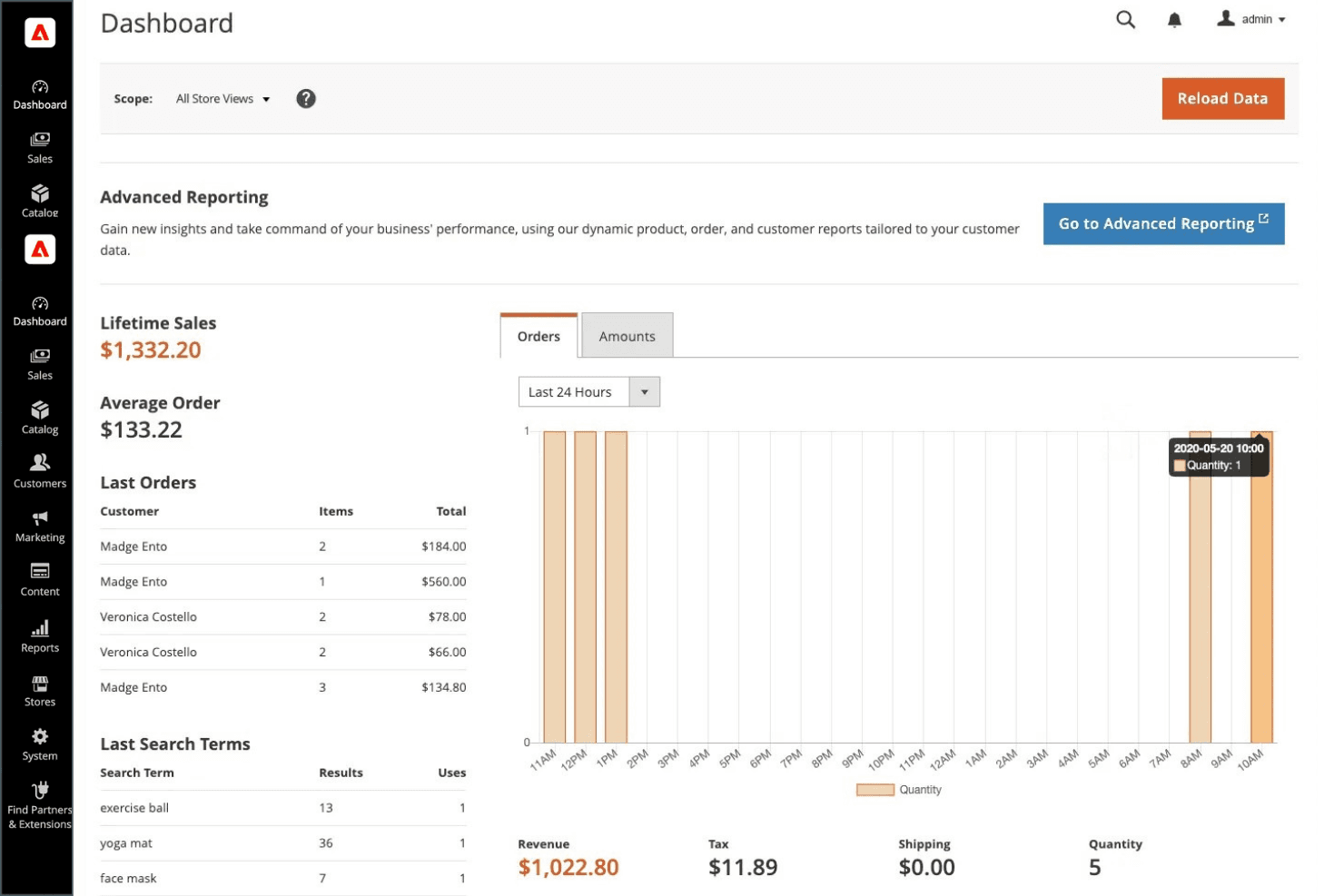
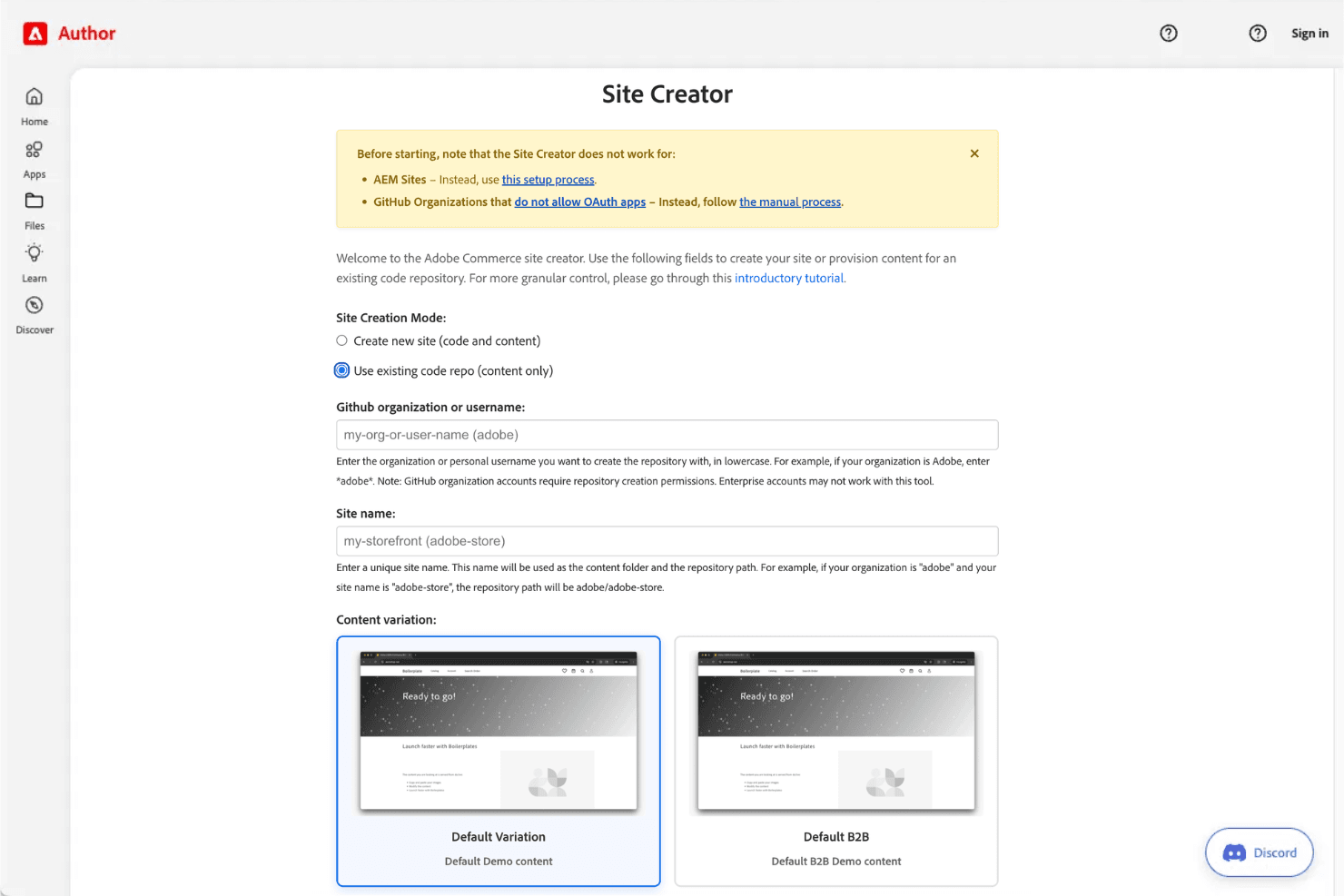
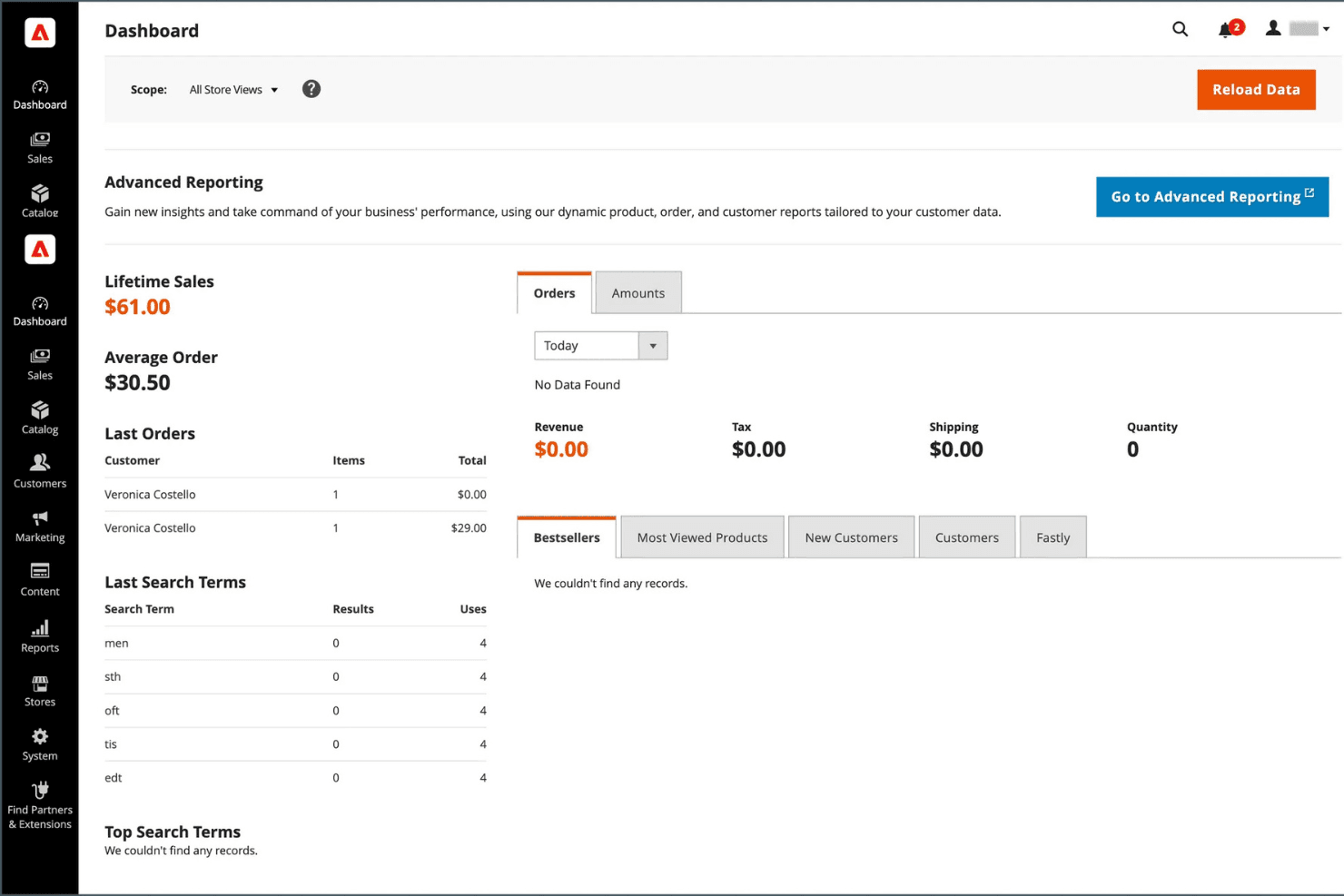
Adobe Commerce isn’t the most user-friendly ecommerce platform, especially for teams without technical expertise. The admin interface is powerful but can feel overwhelming due to the sheer number of options and settings. Many users mention that setup, customization, and ongoing management require developer support.
However, for businesses with in-house IT or agency partners, the flexibility and control offered by Adobe Commerce can outweigh the steeper learning curve.
Integrations
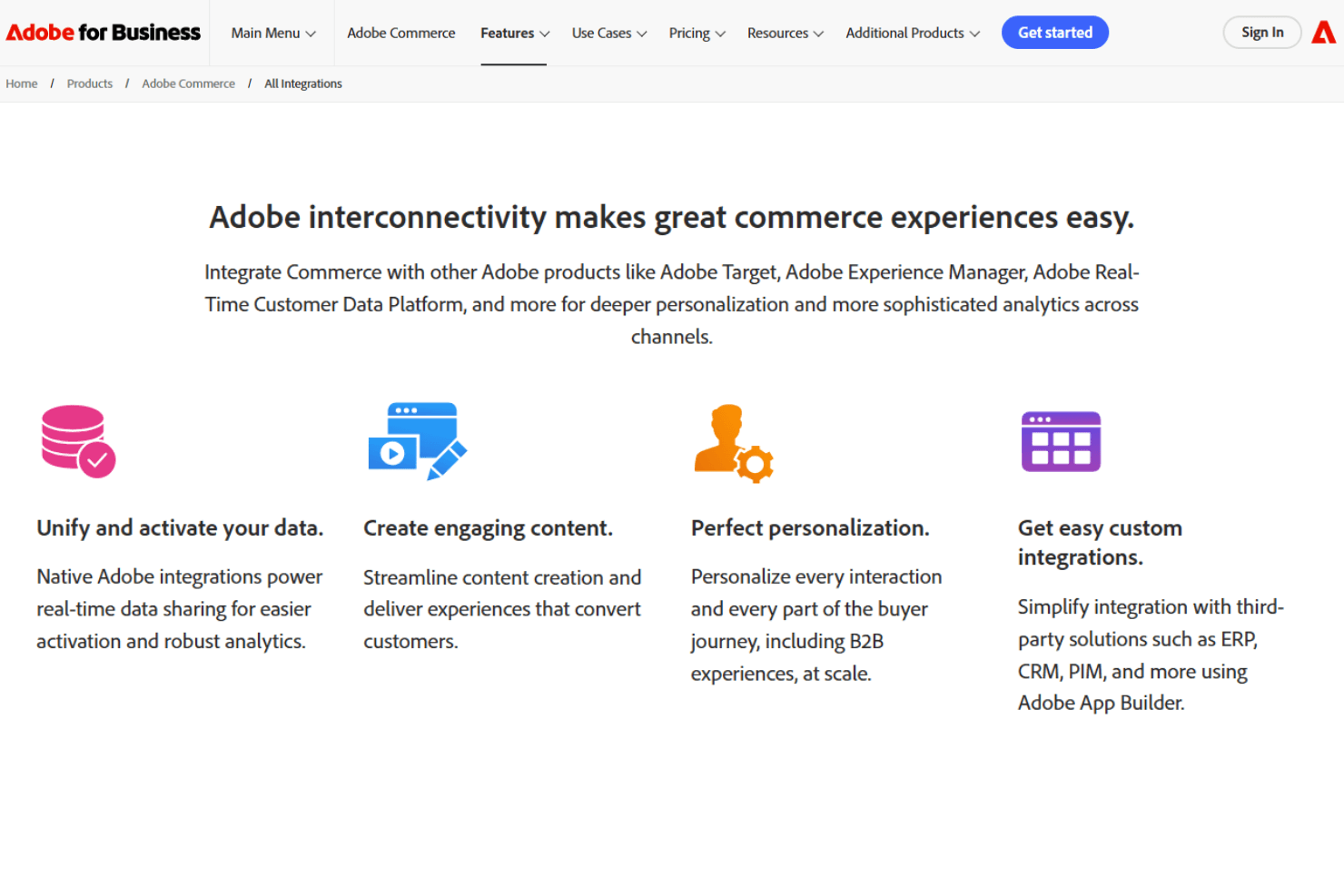
Adobe Commerce integrates with Adobe Analytics, Adobe Real-Time CDP, Adobe Journey Optimizer, Marketo Engage, Microsoft Dynamics 365 ERP, SAP S4/HANA ERP, IBM Sterling Order Management, Adobe Experience Manager, Adobe Workfront, and Adobe Creative Cloud, among others.
Adobe Commerce also offers a comprehensive API and connects with third-party integration tools for custom workflows and system connections.
Adobe Commerce Specs
- 2-Factor Authentication: No
- A/B Testing: No
- Analytics: Yes
- API: Yes
- BitCoin: No
- Conversion Tracking: Yes
- Dashboard: Yes
- Data Export: Yes
- Data Import: Yes
- Data Visualization: No
- Design Templates: Yes
- External Integrations: Yes
- Inventory Tracking: Yes
- Keyword Tracking: Yes
- Marketing Automation: Yes
- Multi-User: No
- Notifications: Yes
- Order Management: Yes
- Payment Gateway Integration: Yes
- Payment Processor: Yes
- PayPal: Yes
- Product Catalog: Yes
- Review Monitoring: Yes
- SAP Integration: No
- Scheduling: No
- Stripe: No
- Third-Party Plugins/Add-Ons: Yes


