

Acumatica-Bewertung: Vor- und Nachteile, Funktionen & Preise
Acumatica hebt sich als cloudbasierte ERP-Lösung mit unbegrenztem Benutzerzugang hervor – ideal für mittelständische Unternehmen, die ernstzunehmende Funktionalität statt SaaS-Hype benötigen. Wenn Skalierbarkeit und Flexibilität wichtig sind, lohnt sich ein genauerer Blick.

Wir bewerten Tools unabhängig und Provisionen helfen, unsere Tests zu finanzieren. Siehe unsere transparente Richtlinie, unsere Methodik oder schlagen Sie ein Tool vor.
Acumatica is a cloud-based order management system software built for mid-market businesses that need to manage orders, inventory, fulfillment, and customer data within a single ERP. I'd consider it a strong alternative to NetSuite if your team is growing—Acumatica prices by computing resources, not per user, so adding seats doesn't drive up costs the way it tends to with NetSuite.
Acumatica Evaluation Summary
4.4/5
- Pricing upon request
- Free demo available
Warum Sie unseren Software-Empfehlungen vertrauen können
6,700+
Reviews
20
Industry experts
16+
Evaluation factors
14
Years
Unser Team testet und bewertet Software seit 2012. Als Führungskräfte im Einzelhandel selbst wissen wir, wie schwierig – und wichtig – es ist, die richtige Software auszuwählen.
Für diesen Leitfaden haben wir Tools mithilfe von praktischen Tests und unabhängiger Recherche bewertet und dabei die Tools anhand unserer Bewertungskriterien bewertet.
Unsere Bewertungen spiegeln unser unabhängiges Urteilsvermögen wider – keine Verkaufsstrategie.
Acumatica Overview
In my opinion, Acumatica is the rare ERP system that actually delivers on the promise of streamlining business operations—if you’re willing to put in the work.
Customization and scalability are real strengths here, not just marketing fluff, and unlimited user access means you’re not nickel-and-dimed as your business grows.
Integration options are robust, with most of the major retail, accounting, and ecommerce platforms supported right out of the box.
That said, Acumatica doesn’t pretend to be a turnkey solution for every small shop. The learning curve is real, the interface could use a bit of work, and you’ll need to invest in setup and training if you want to see the platform’s true value.
But for mid-sized and growing companies—especially those with complex inventory, finance, or multichannel needs—it’s a legitimate contender in a space full of half-baked “cloud ERP” promises.
Pros
- Customization is actually possible. You can shape the system to fit your business, not the other way around.
- Unlimited user access, no gotchas. Add as many people as you want without getting dinged for every login.
- Support that answers the phone. When you hit a wall, you’re not left yelling into the void.
Cons
- Interface isn’t exactly intuitive. Some screens feel designed by accountants, for accountants.
- Expect a real learning curve. Onboarding isn’t “set it and forget it”—you’ll need to invest time.
- Occasional performance hiccups. Especially if you push the system hard or over-customize.


Is Acumatica Right For Your Needs?
Who Would be a Good Fit for Acumatica?
Acumatica is best suited for mid-sized manufacturers, distributors, and retail operations that need a true ERP system to wrangle complex business operations.
If your finance and inventory teams demand robust reporting, and your business is growing fast enough to outpace most off-the-shelf software, you’ll actually benefit from Acumatica’s scalability and unlimited user access.
Companies planning for growth—or sick of being nickel-and-dimed every time they add a new seat—will find real long-term value here.
- Manufacturing companiesHandles complex production processes and inventory management without missing a beat.
- Distribution businessesAdvanced supply chain features keep your operation running smoothly.
- Retail operationsReal-time data insights let you actually track sales and inventory.
- Finance departmentsRobust financial reporting tools streamline your day-to-day.
- Growing enterprisesScalability and unlimited users mean you’re set for expansion.
- Inventory managersDetailed tracking keeps you out of trouble with overstock or shortages.
Who Would be a Bad Fit for Acumatica?
If you’re a small business with a tight budget, or a startup that needs a simple, user-friendly solution out of the box, Acumatica probably isn’t for you.
The interface can be less intuitive than you’d like, and the upfront complexity isn’t worth it unless you truly need deep ERP capabilities.
Budget-conscious teams, freelancers, or anyone just looking for basic inventory or order management will likely find the system overkill for their needs.
- Small startupsComplexity and cost will swamp you.
- FreelancersWay more system than you’ll ever need.
- Non-technical teamsLess intuitive interface and setup can frustrate.
- Budget-conscious companiesPricing won’t work if you’re counting every penny.
- Simple retail shopsAdvanced features are wasted on basic inventory needs.
- Temporary projectsNo need to roll out a full ERP for a short-term gig.
Unsere Bewertungsmethodik
Wie Wir Tools Testen & Bewerten
Wir haben über Jahre hinweg unser System zur Softwarebewertung und -testung entwickelt, verfeinert und verbessert. Die Bewertungsmatrix ist darauf ausgelegt, die Feinheiten der Softwareauswahl und die Effektivität eines Tools einzufangen, wobei der Fokus auf entscheidende Aspekte des Auswahlprozesses liegt. Nachfolgend sehen Sie genau, wie unser Test- und Bewertungssystem anhand von sieben Kriterien funktioniert. Dies ermöglicht uns, eine unvoreingenommene Bewertung der Software basierend auf Kernfunktionen, besonderen Merkmalen, Benutzerfreundlichkeit, Einarbeitung, Kundensupport, Integrationen, Kundenrezensionen und Preis-Leistungs-Verhältnis anzubieten.
Kernfunktionen (25% der Gesamtnote)
Der Ausgangspunkt unserer Bewertung ist immer die Kernfunktionalität des Tools. Verfügt es über die grundlegenden Funktionen, die ein Nutzer erwarten würde? Sind wichtige Kernfunktionen eventuell nur in höherpreisigen Tarifen enthalten? Ein Tool sollte im Kern mindestens mit den Basisfunktionen der Wettbewerber mithalten können.
Besondere Funktionen (25% der Gesamtnote)
Anschließend bewerten wir außergewöhnliche Funktionen, die über die normalen Kernfunktionen vergleichbarer Tools hinausgehen. Ein hoher Score spiegelt spezialisierte oder einzigartige Funktionen wider, die das Produkt schneller, effizienter oder wertvoller für die Nutzer machen. Wir bewerten außerdem, wie einfach sich das Tool mit anderen Programmen, die typischerweise zum Technologie-Stack gehören, integrieren lässt, um dessen Funktionalität und Nutzwert zu erweitern. Tools mit zahlreichen nativen Integrationen, Drittanbieteranbindungen und API-Zugang für eigene Entwicklungen schneiden hier am besten ab.
Benutzerfreundlichkeit (10% der Gesamtnote)
Wir betrachten, wie schnell und einfach es ist, die Kernaufgaben mit dem Tool zu erledigen. Software, die gut gestaltet und intuitiv zu bedienen ist, mobile Apps bietet, Vorlagen zur Verfügung stellt und komplexe Aufgaben einfach erscheinen lässt, erzielt die besten Werte.
Einarbeitung (10% der Gesamtnote)
Wir wissen, wie wichtig die schnelle Einführung eines neuen Tools im Team ist. Daher evaluieren wir, wie einfach es mit minimalem Training ist, das Tool kennenzulernen. Wir ermitteln, wie schnell ein Teammitglied ohne Vorerfahrung startklar ist. Lösungen, die kaum oder gar keine Unterstützung benötigen, erhalten die höchste Punktzahl.
Kundensupport (10% der Gesamtnote)
Wir überprüfen, wie schnell und einfach man Hilfe per Telefon, Live-Chat oder Wissensdatenbank erhält. Tools und Anbieter, die Echtzeit-Support bieten, schneiden am besten ab; Chatbots liegen am unteren Ende.
Kundenrezensionen (10% der Gesamtnote)
Zusätzlich zu unseren eigenen Tests ziehen wir den Net-Promoter-Score bestehender und früherer Kunden heran. Wir überprüfen, wie wahrscheinlich sie das Tool erneut für die Kernfunktionen wählen würden. Ein hoher Score spiegelt einen hohen Net-Promoter-Score wider.
Preis-Leistungs-Verhältnis (10% der Gesamtnote)
Schließlich bewerten wir im Kontext aller anderen Kriterien den Durchschnittspreis von Einstiegsplänen im Verhältnis zu den Kernfunktionen und betrachten den Wert der übrigen Kriterien. Software, die mehr zu geringeren Kosten bietet, schneidet hier besser ab.
Core Features
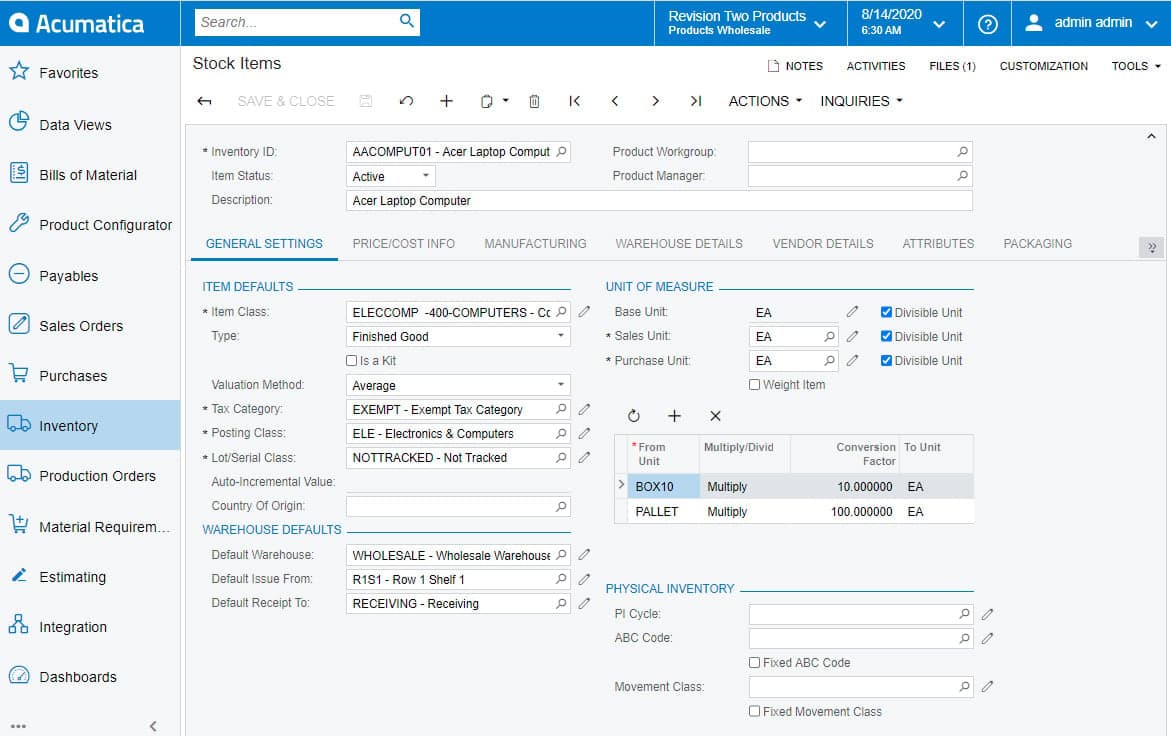
- Inventory management. Track inventory in real time and avoid costly overstock with cloud-based tools built for retail and distribution.
- Order processing. Streamline every step from order entry to fulfillment, so your team spends less time chasing paperwork and more time driving business operations.
- Financial management. Keep your general ledger, financial reports, and accounting in check with ERP software made for growing businesses.
- Customer management. Centralize your CRM and customer data, so your sales team isn’t digging through spreadsheets to get the full story.
- Purchasing automation. Automate procurement and keep supply chain hiccups from slowing you down—across all your modules.
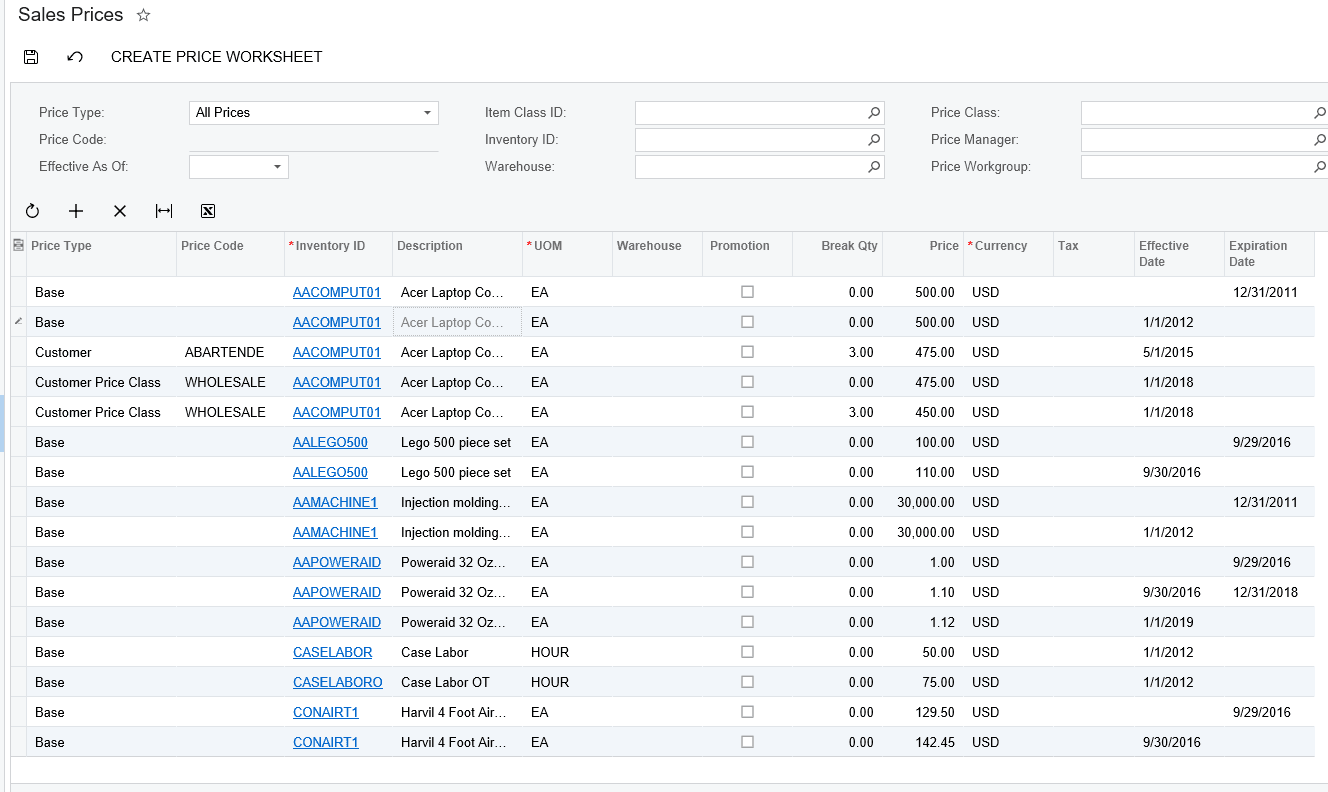
- Sales management. Monitor sales activity and performance in real time, with dashboards that actually support decision-making.
Ease of Use
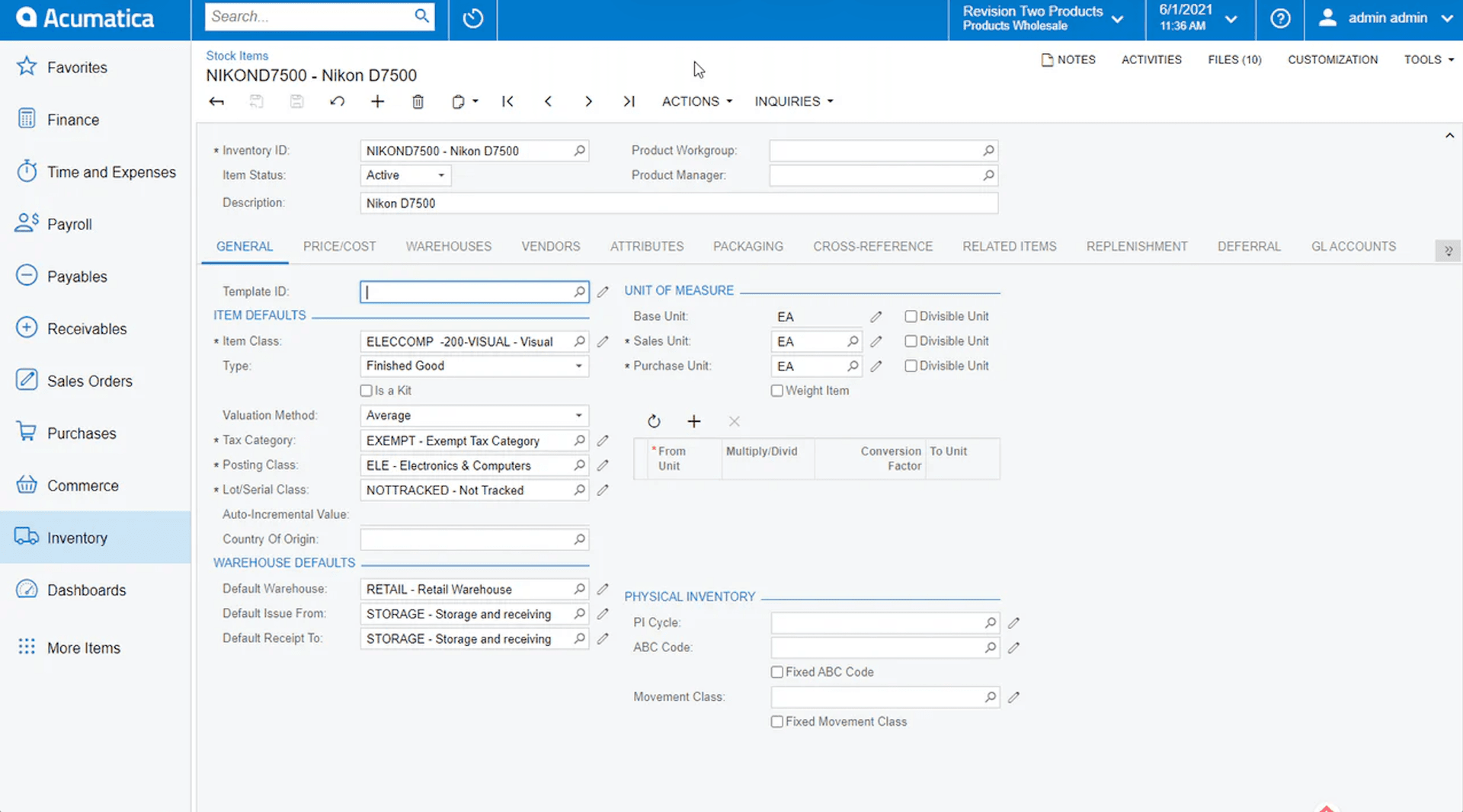
Acumatica isn’t winning any awards for being the most user-friendly ERP system out of the box.
If you’re used to consumer apps or simpler order management systems, the interface can feel a bit clunky—especially for non-technical end users. The navigation is functional but not exactly intuitive, and finding the right modules or dashboards can take some getting used to.
That said, once your team pushes through the initial learning curve, Acumatica starts to make more sense.
The flexibility and depth of the cloud-based platform give growing businesses real control over workflow and reporting. It’s a classic case of “powerful, but time-consuming”—you get the features, but you’ll need to train up.
Acumatica Specs
- Accounts Payable: Yes
- Accounts Receivable: Yes
- API: Yes
- Budgeting: Yes
- Calendar Management: Yes
- Compliance Tracking: No
- Customer Management: Yes
- Dashboard: Yes
- Data Export: Yes
- Data Import: Yes
- Data Visualization: Yes
- Expense Tracking: Yes
- External Integrations: Yes
- Financial Analysis: No
- Forecasting: Yes
- Inventory Tracking: Yes
- Multi-Currency: Yes
- Multi-User: Yes
- Notifications: Yes
- Order Management: Yes
- Payroll: Yes
- Project Management: Yes
- Purchase Orders: Yes
- Resource Management: Yes
- Scheduling: Yes
- Supplier Management: Yes
- Task Scheduling/Tracking: Yes
- Third-Party Plugins/Add-Ons: Yes
- Warehouse Management: Yes
- Workflow Management: Yes
Alternatives to Acumatica


Acumatica FAQs
Wie geht es weiter?
Der Einzelhandel steht niemals still—und Sie sollten es auch nicht. Abonnieren Sie unseren Newsletter für die neuesten Einblicke, Strategien und Karriere-Ressourcen von führenden Einzelhandelsmanagern, die die Branche prägen.