

Wrike Review: Pros, Cons, Features and Pricing
Wrike excels with its intuitive interface and versatile project management features, making it a top choice for ecommerce ERP solutions.

We review tools independently, and commissions help fund our testing. See our transparency policy, our methodology, or suggest a tool.
Wrike is an ecommerce ERP software for retail and ecommerce teams that need to manage projects, operations, and cross-departmental workflows in one place. I'd consider it if you want more adaptability and a shorter implementation timeline than a traditional ERP like NetSuite, while still getting the centralized visibility that larger or fast-scaling operations need.
Wrike Evaluation Summary
4.3/5
- From $10/user/month (billed annually)
- Free plan available; 14-day free trial
Why Trust Our Software Recommendations
6,700+
Reviews
20
Industry experts
16+
Evaluation factors
14
Years
Our team has been testing and reviewing software since 2012. As retail leaders ourselves, we know how difficult—and important—it is to choose the right software.
For this guide, we evaluated tools using hands-on testing and independent research, scoring tools using our selection criteria.
Our reviews reflect our independent judgment—not a sales pitch.
Wrike Overview
In my opinion, Wrike is a solid choice for teams needing a flexible ecommerce ERP tool. Its standout features like customizable dashboards and strong integration capabilities make it appealing. However, its pricing might be a downside for budget-conscious businesses. Wrike excels in project management for marketing and creative teams, thanks to its robust task management and collaboration features. It might not be the best fit for small businesses with simple needs due to its complexity. When compared to other tools, like Asana, Trello, or Clickup, Wrike's interface and integrations give it an edge, although onboarding can be smoother. Overall, it's a worthy consideration if your team values flexibility and detailed project tracking.
Pros
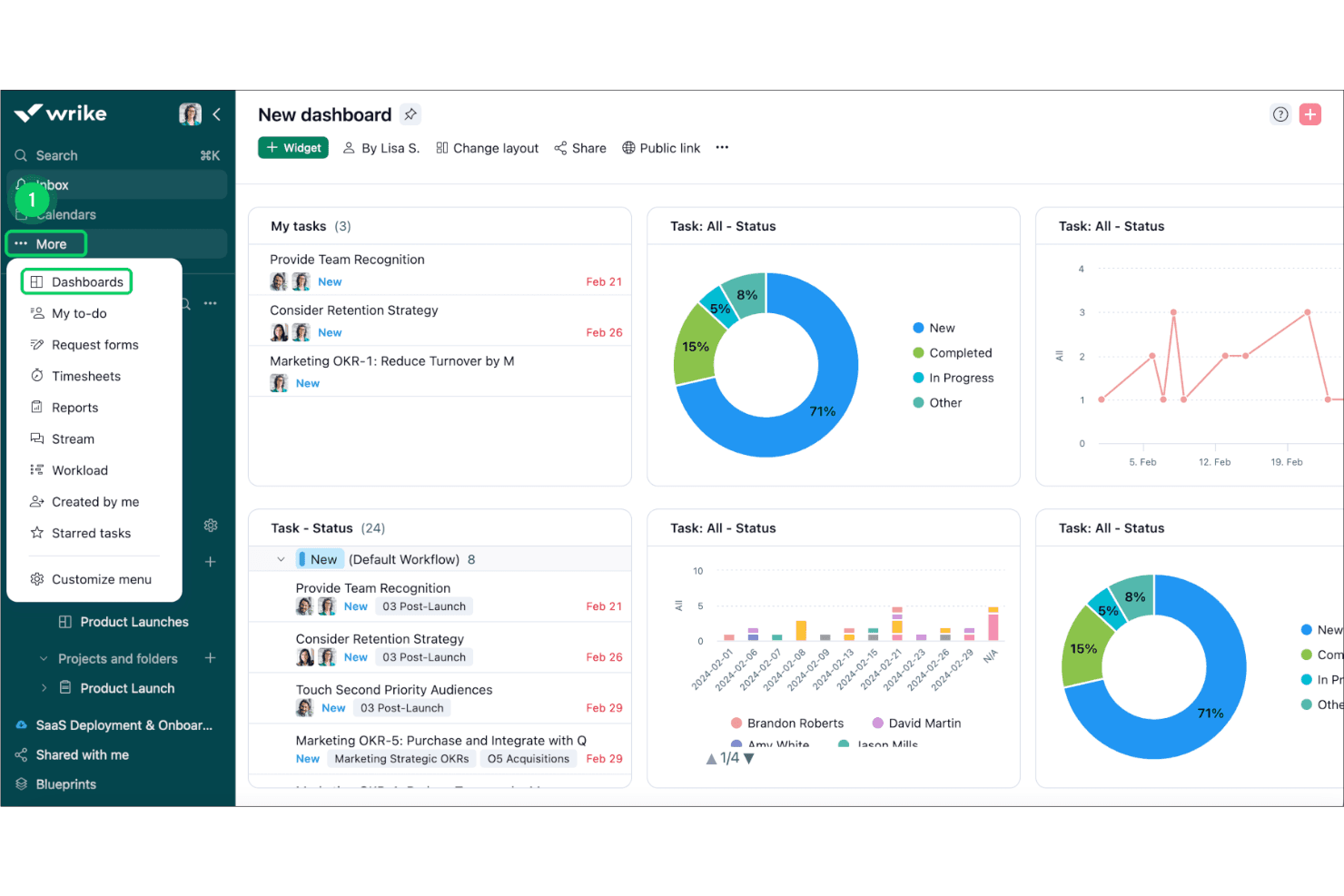
- You can customize dashboards to fit your team's workflow.
- Task management tools simplify tracking your projects.
- Collaboration features improve team communication.
Cons
- The interface might feel overwhelming at first.
- Learning all features can take time.
- Some users find customer support response times slow.
Is Wrike Right For Your Needs?
Who Would be a Good Fit for Wrike?
Wrike is ideal for marketing teams and creative agencies that need detailed project tracking. Its customizable dashboards and strong task management features help your team stay organized. If you're in a fast-paced environment, Wrike's collaboration tools ensure everyone stays in the loop. For departments handling multiple projects, Wrike's ability to manage tasks and timelines is invaluable. If you need to integrate various workflows, Wrike's flexibility makes it a strong choice.
- Marketing TeamsWrike's task management and collaboration tools keep your campaigns on track and your team aligned.
- Creative AgenciesIts customizable dashboards help you manage multiple client projects efficiently and keep everyone informed.
- Project ManagersWrike simplifies project tracking with its intuitive interface and detailed task management capabilities.
- Large EnterprisesThe software’s robust features and scalability make it suitable for managing complex projects across departments.
- Remote TeamsWrike's collaboration features make communication seamless, ensuring everyone stays connected and productive.
- Product DevelopmentIts detailed project timelines and task management tools help streamline your product launch processes.
Who Would be a Bad Fit for Wrike?
Wrike might not suit small businesses or startups with straightforward project needs. Its robust features can be overwhelming if your team doesn't require complex project management tools. If you have limited resources for training, Wrike's learning curve could be a challenge. For teams that prefer a simple interface and quick setup, Wrike's detailed features may feel excessive. Additionally, if immediate customer support is crucial, you might find Wrike's response times lacking.
- Small StartupsThe complexity of Wrike's features can overwhelm small teams with basic project management needs.
- FreelancersWrike's extensive capabilities might be more than necessary for managing individual projects.
- Non-Technical TeamsIf your team struggles with tech, Wrike's interface could pose a challenge.
- Budget-Conscious CompaniesThe cost of Wrike might not justify its features for those looking to minimize expenses.
- Simple Task ManagementFor managing basic tasks, Wrike's detailed features can feel unnecessary.
- Immediate Support NeedsIf quick customer support is a priority, Wrike's response times might not meet your expectations.
Our Review Methodology
How We Test & Score Tools
We’ve spent years building, refining, and improving our software testing and scoring system. The rubric is designed to capture the nuances of software selection and what makes a tool effective, focusing on critical aspects of the decision-making process.
Below, you can see exactly how our testing and scoring works across seven criteria. It allows us to provide an unbiased evaluation of the software based on core functionality, standout features, ease of use, onboarding, customer support, integrations, customer reviews, and value for money.
Core Functionality (25% of final scoring)
The starting point of our evaluation is always the core functionality of the tool. Does it have the basic features and functions that a user would expect to see? Are any of those core features locked to higher-tiered pricing plans? At its core, we expect a tool to stand up against the baseline capabilities of its competitors.
Standout Features (25% of final scoring)
Next, we evaluate uncommon standout features that go above and beyond the core functionality typically found in tools of its kind. A high score reflects specialized or unique features that make the product faster, more efficient, or offer additional value to the user.
We also evaluate how easy it is to integrate with other tools typically found in the tech stack to expand the functionality and utility of the software. Tools offering plentiful native integrations, 3rd party connections, and API access to build custom integrations score best.
Ease of Use (10% of final scoring)
We consider how quick and easy it is to execute the tasks defined in the core functionality using the tool. High scoring software is well designed, intuitive to use, offers mobile apps, provides templates, and makes relatively complex tasks seem simple.
Onboarding (10% of final scoring)
We know how important rapid team adoption is for a new platform, so we evaluate how easy it is to learn and use a tool with minimal training. We evaluate how quickly a team member can get set up and start using the tool with no experience. High scoring solutions indicate little or no support is required.
Customer Support (10% of final scoring)
We review how quick and easy it is to get unstuck and find help by phone, live chat, or knowledge base. Tools and companies that provide real-time support score best, while chatbots score worst.
Customer Reviews (10% of final scoring)
Beyond our own testing and evaluation, we consider the net promoter score from current and past customers. We review their likelihood, given the option, to choose the tool again for the core functionality. A high scoring software reflects a high net promoter score from current or past customers.
Value for Money (10% of final scoring)
Lastly, in consideration of all the other criteria, we review the average price of entry level plans against the core features and consider the value of the other evaluation criteria. Software that delivers more, for less, will score higher.
Core Features
Task Management
Easily create, assign, and use list or kanban views track tasks to keep your projects organized. Your team can see progress at a glance.
Custom Workflows
Tailor workflows to match your team's specific needs, ensuring everyone follows the right process. This flexibility boosts productivity.
Time Tracking
Monitor how much time your team spends on tasks to better manage resources. It helps identify areas for efficiency improvements.
Collaboration Tools
Share files, communicate within tasks, and receive notifications to keep your team aligned. It reduces email clutter and enhances teamwork.
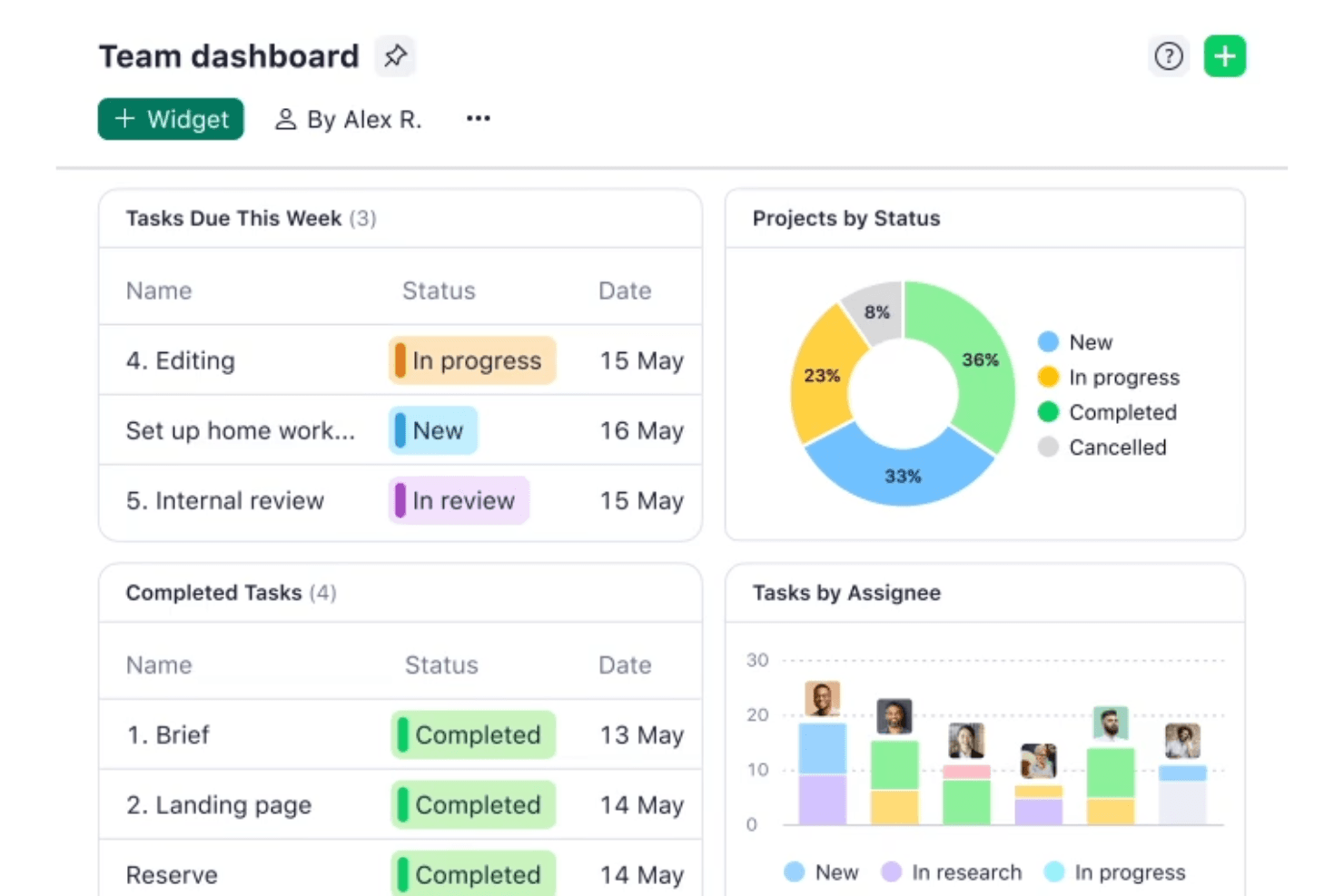
Dashboard Customization
Design dashboards that highlight the most important data for your team. This feature allows you to focus on what matters most.
Reporting and Analytics
Generate real-time reports to understand project performance and make informed decisions. These insights help you improve future projects.
Standout Features
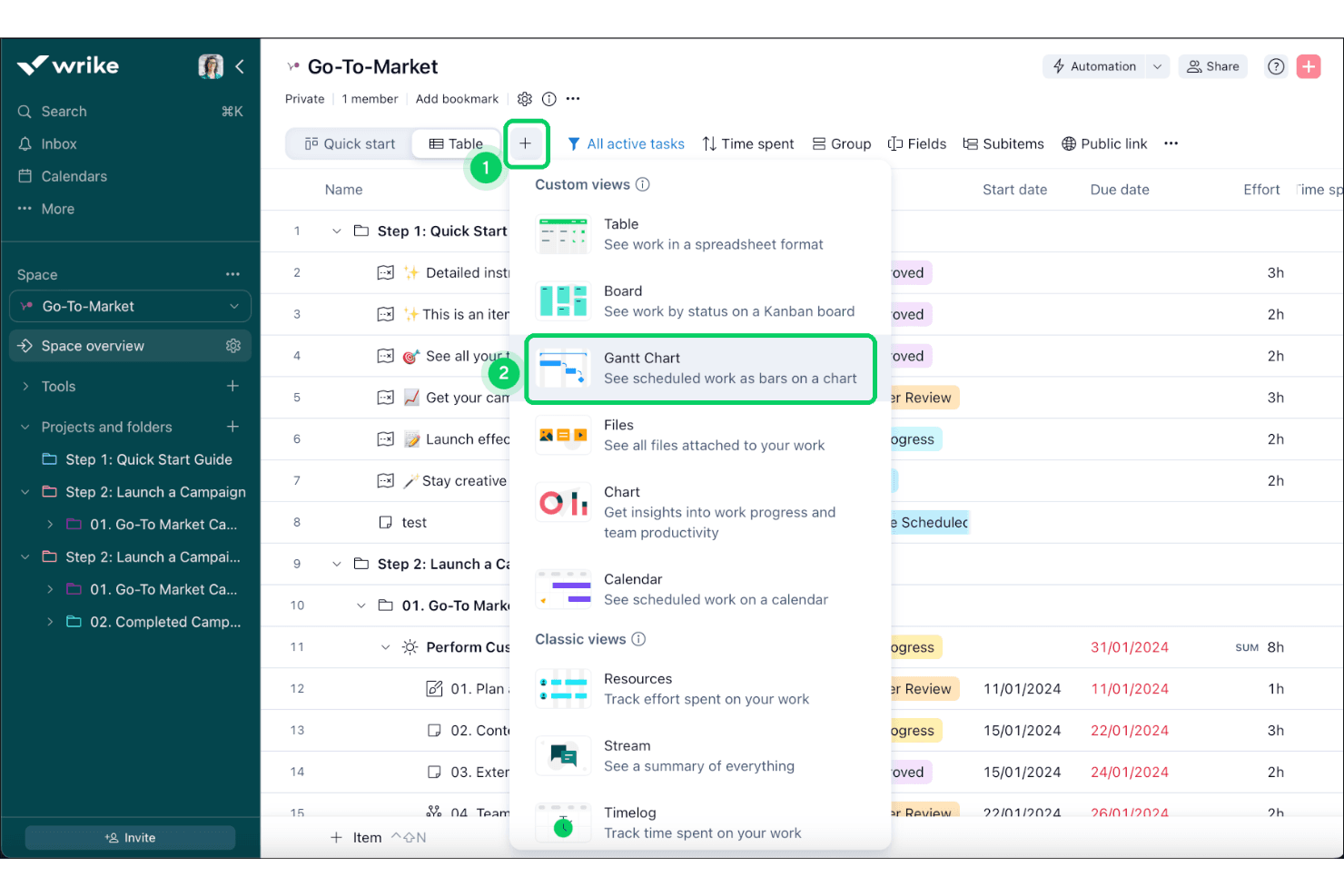
Gantt Charts
Visualize project timelines and dependencies to better manage complex projects. This feature makes planning more intuitive and effective.
Request Forms
Standardize how you receive work requests to ensure all necessary information is captured. It streamlines the intake process and reduces back-and-forth communication.
Ease of Use
Wrike's user interface is intuitive, but it can feel overwhelming for newcomers due to its extensive features. Once you get the hang of it, navigating through tasks and customizing dashboards becomes straightforward. The drag-and-drop functionality in Gantt charts simplifies project planning. However, if your team isn’t tech-savvy, the learning curve might be a hurdle. Overall, Wrike offers a solid balance between functionality and usability, making it a viable option for teams willing to invest time in learning.
Onboarding
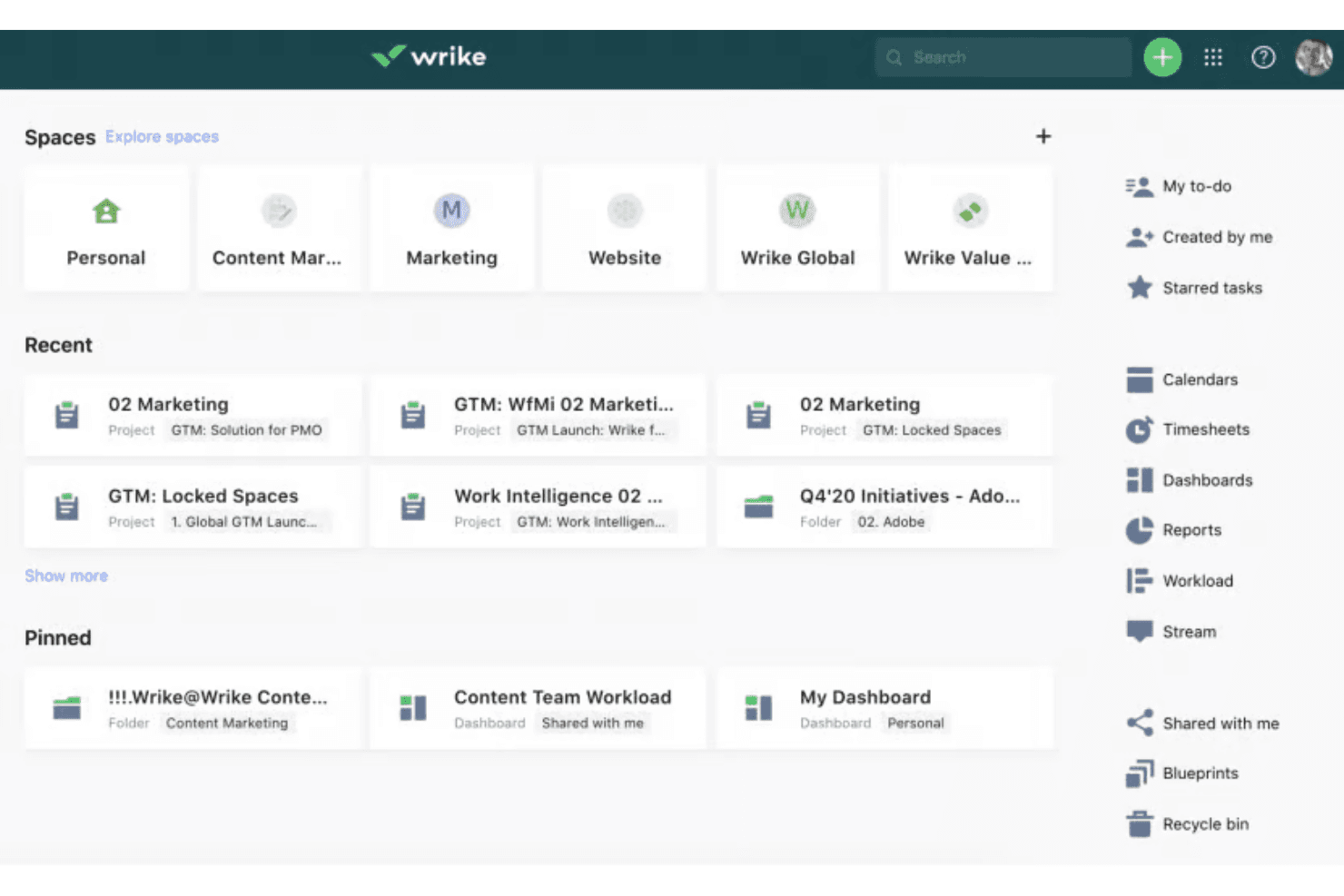
Wrike offers a structured onboarding experience with tutorials and guides to help new users get started. However, the comprehensive feature set can make the onboarding process feel lengthy. The available resources, such as webinars and community forums, are valuable for learning. If your team is new to complex software, expect a learning curve. Despite this, the support provided ensures that you can gradually unlock Wrike's full potential, making it worth the initial effort.
Customer Support
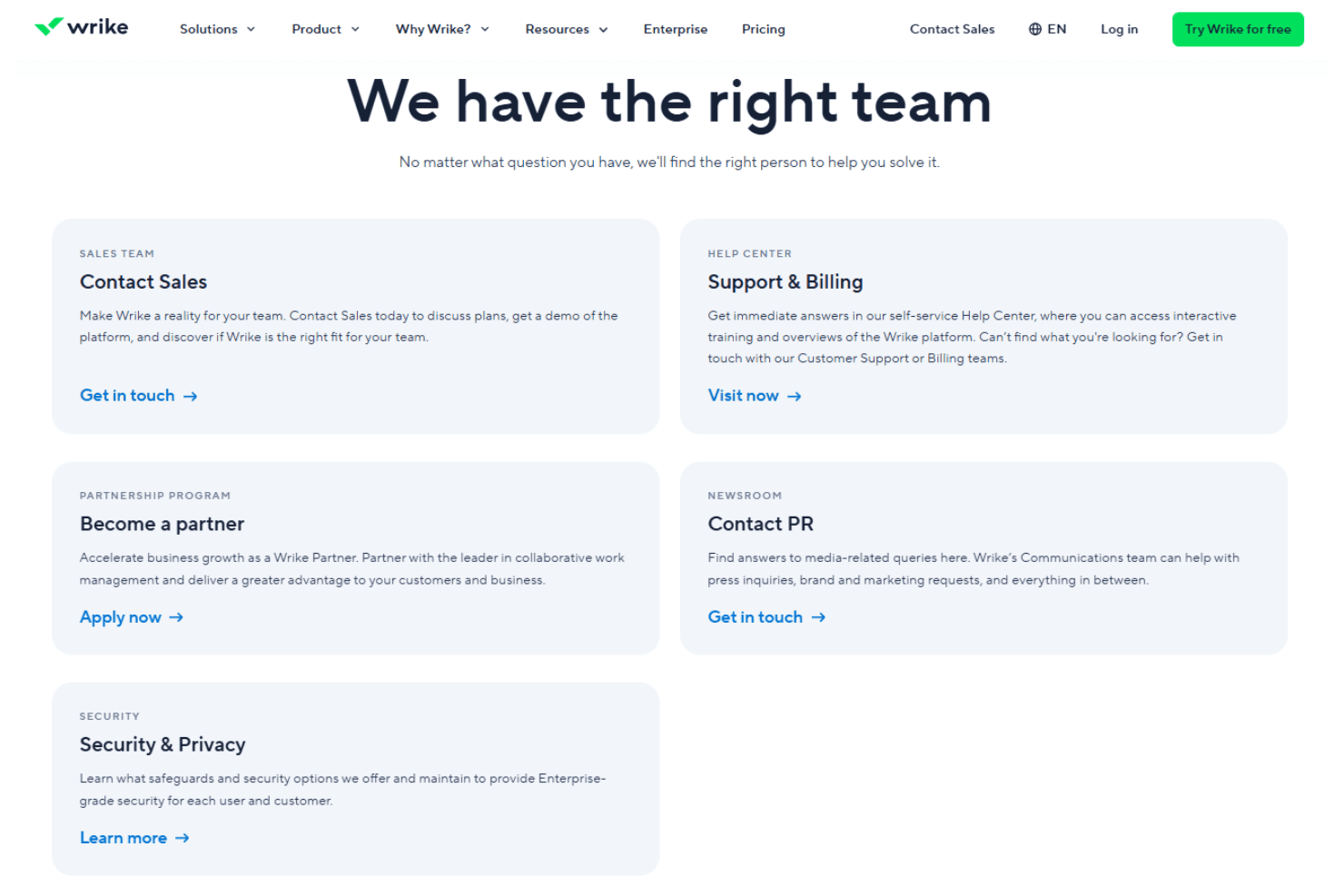
Wrike provides multiple support options, including email and live chat, but some users find response times slower than expected. The help center and community forums offer valuable self-service resources. If your team requires immediate assistance, the delay might be frustrating. However, once connected, the support team is knowledgeable and helpful. Overall, while support is reliable, it could be more prompt to better meet your team's needs.
Integrations
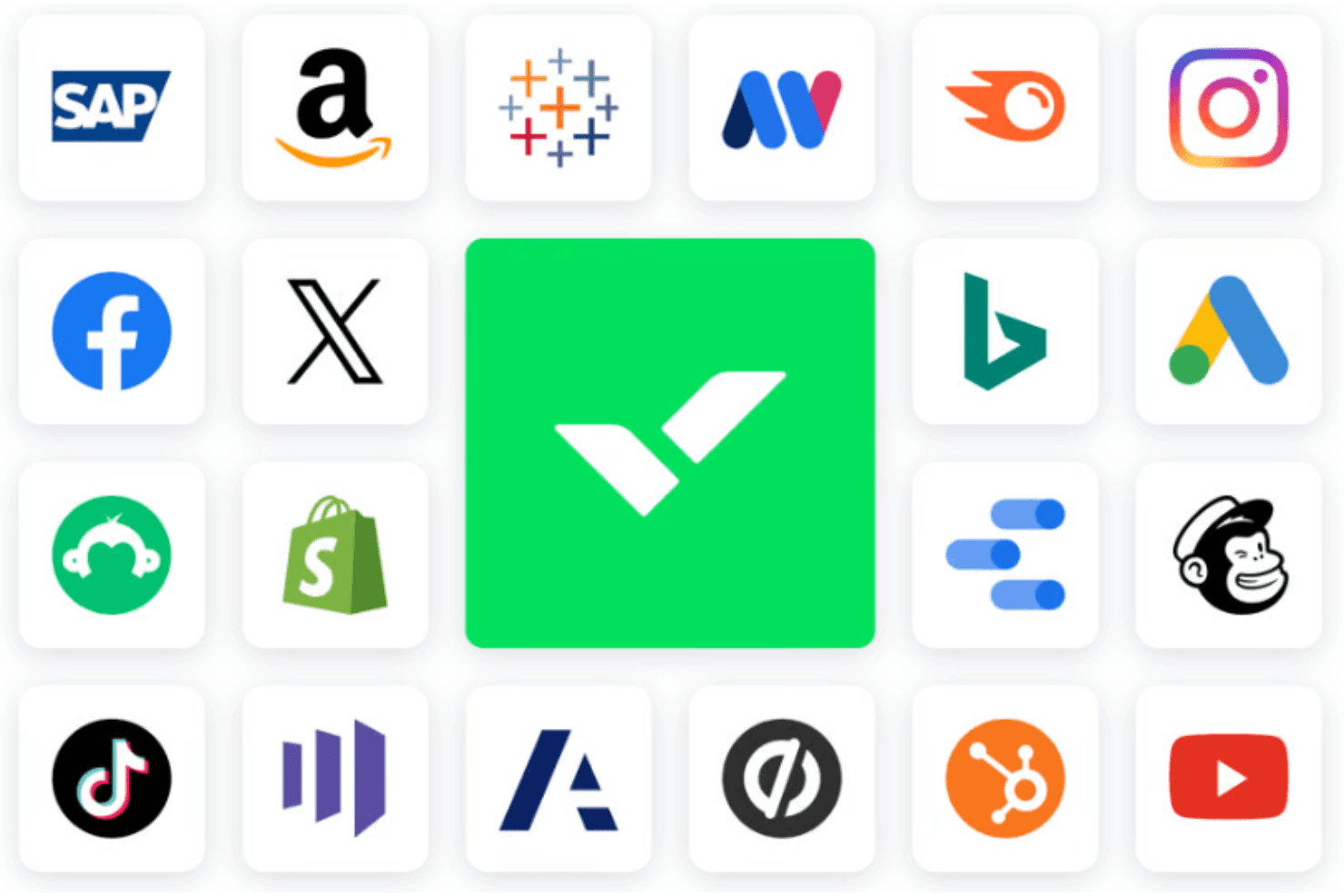
Wrike integrates with Microsoft Teams, Slack, Adobe Creative Cloud, Salesforce, Google Workspace, Dropbox, Microsoft Outlook, HubSpot, Jira, and Zendesk. Wrike also offers an API and connects with third-party integration tools.
Value for Money
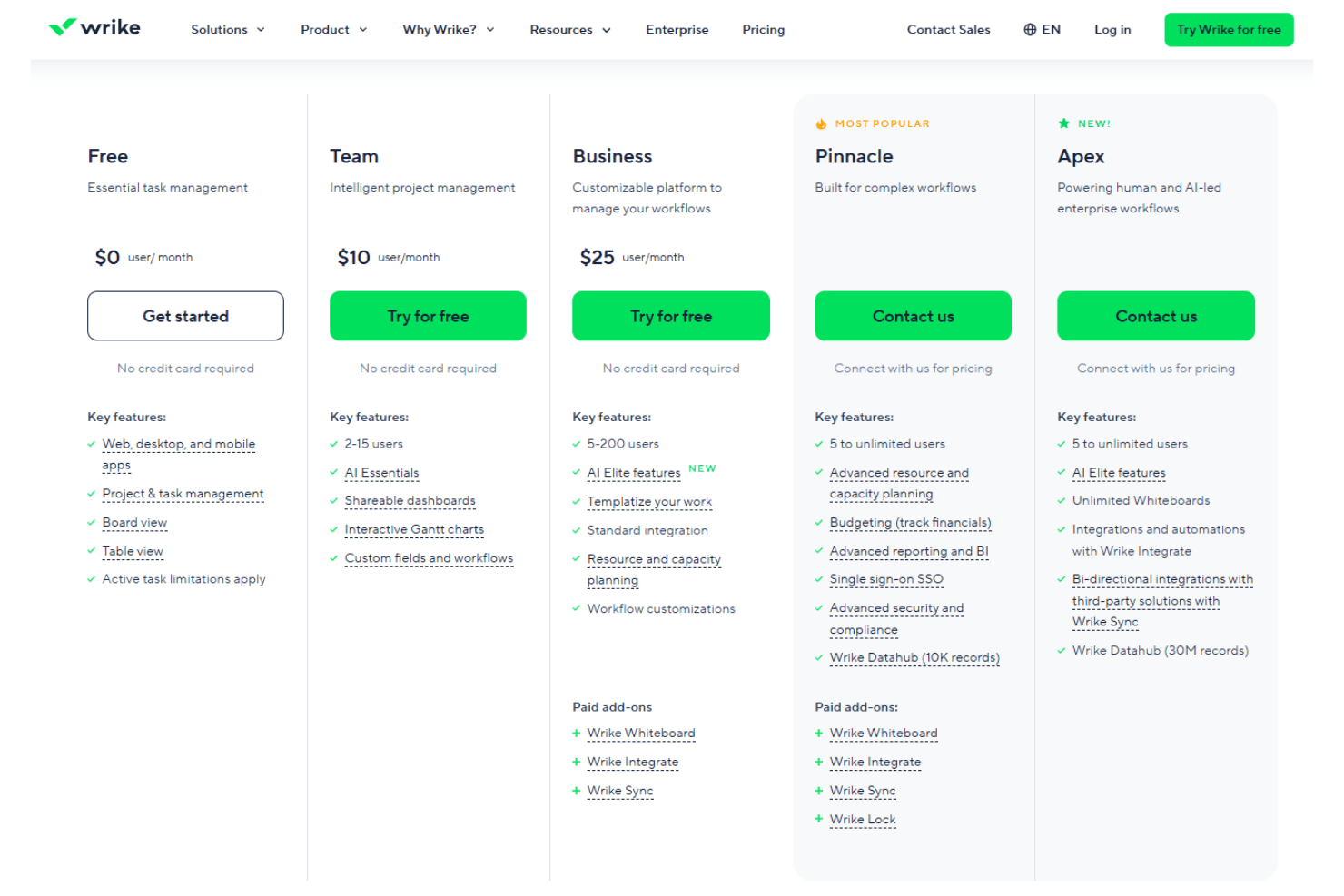
Wrike gives solid work and project management value for teams that need structure, and users often like that you can start with a free plan and a free 14-day trial to test before buying. Wrike’s pricing feel justified as you get more features and automation tailored to your team’s work complexity with each tier, and the newer Apex tier brings advanced workflows and analytics for big teams while pricing stays custom.
- Free: $0 per user/month. Basic task and project tools to start organizing work.
- Team: $10 per user/month. Adds dashboards, Gantt charts, and enhanced project views.
- Business: $25 per user/month. Includes advanced workflows, resource planning, and deeper customization.
- Pinnacle: Contact sales. Adds advanced reporting, BI, and expanded enterprise features.
- Apex: Contact sales. Top-tier plan with enterprise-grade workflows, AI tools, and integrations.
Wrike Specs
- API: Yes
- Batch Permissions & Access: Yes
- Budgeting: Yes
- Calendar Management: Yes
- Collaboration Support: Yes
- Contact Management: Yes
- Contact Sharing: No
- Customer Management: No
- Dashboard: Yes
- Dashboards: Yes
- Data Export: Yes
- Data Import: Yes
- Data Visualization: Yes
- Dependency Tracking: Yes
- Document Sharing: Yes
- Expense Tracking: Yes
- External Integrations: Yes
- File Sharing: Yes
- Gantt Charts: Yes
- Kanban Boards: Yes
- Multi-User: Yes
- Notifications: Yes
- Project Management: Yes
- Resource Management: Yes
- Scheduling: Yes
- Task Scheduling/Tracking: Yes
- Third-Party Plugins/Add-Ons: Yes
- Time Management: Yes
- Travel Management: No
- Workflow Management: Yes
Wrike FAQs
Wrike Company Overview & History
Wrike, Inc. is a project management software company founded in 2006 by Andrew Filev, with its headquarters located in San Jose, California. As of October 2023, Wrike employs around 1,000 people and has offices in various locations, including India, Dallas, and Dublin. Known for its work culture and innovative project management solutions, Wrike serves notable clients across different industries. It was acquired by Citrix Systems in 2021 for $2.25 billion and later transitioned to ownership under Vista Equity Partners and Evergreen Coast Capital in 2022.
Wrike Major Milestones
- 2006: Founded by Andrew Filev.
- 2012: Received $1 million in investment.
- 2013: Secured $10 million in funding.
- 2021: Acquired by Citrix Systems for $2.25 billion.
- 2022: Transitioned to ownership under Vista Equity Partners and Evergreen Coast Capital.