

Sage X3 Review: Pros, Cons, Features and Pricing
Sage X3 brings retail and business operations into one ERP platform, from inventory and supply chain management to finance, purchasing, and customizable workflow automation.

We review tools independently, and commissions help fund our testing. See our transparency policy, our methodology, or suggest a tool.
Sage X3 is a retail ERP software built for mid-sized retailers managing inventory, financials, purchasing, and sales operations across multiple locations or channels. I'd look at it specifically if you've outgrown entry-level systems and need more depth, but want to avoid the cost and implementation complexity that comes with something like SAP S/4HANA. Sage X3 tends to suit teams who need genuine ERP capability without requiring a large IT department to configure and maintain it.
Sage X3 Evaluation Summary
4.1/5
- Pricing upon request
- Free demo available
Why Trust Our Software Recommendations
6,700+
Reviews
20
Industry experts
16+
Evaluation factors
14
Years
Our team has been testing and reviewing software since 2012. As retail leaders ourselves, we know how difficult—and important—it is to choose the right software.
For this guide, we evaluated tools using hands-on testing and independent research, scoring tools using our selection criteria.
Our reviews reflect our independent judgment—not a sales pitch.
Sage X3 Overview
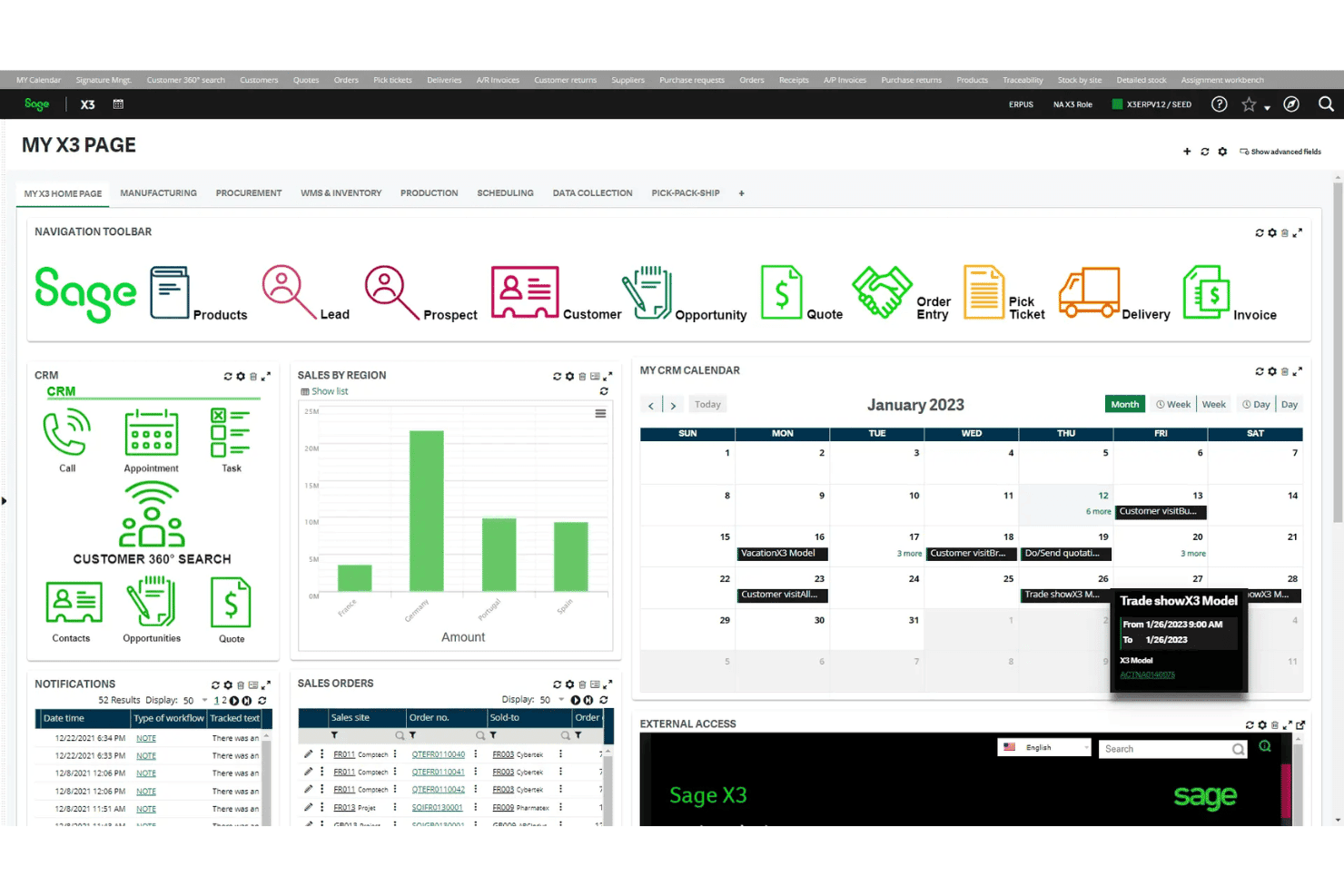
When judging Sage X3, I see its unified inventory and strong ecommerce integration standing out, especially for mid-sized retailers juggling physical and online sales. Pricing feels steep compared to some, and the interface takes patience, but the customization and wide range of modules tip the scale for businesses needing depth.
I think you’ll appreciate how easily it integrates with POS and fulfillment tools, but onboarding can require expert guidance. If you’re selecting ERP software for a complex, multi-channel retail environment, Sage X3 deserves serious consideration.
Pros
- Advanced inventory workflows manage multi-location and omnichannel stock
- Built-in ecommerce module supports unified online and in-store operations
- Highly configurable reporting for sales, purchasing, and supply chain data
Cons
- Pricing structure is opaque and often requires custom quotes
- User interface feels outdated and can slow daily tasks
- Training and onboarding often need outside consultants for setup
Is Sage X3 Right For Your Needs?
Who Would be a Good Fit for Sage X3?
Sage X3 is a great option for businesses needing robust inventory management, complex supply chain oversight, and multi-location controls. Large retailers or wholesalers, manufacturers with distribution arms, and businesses operating internationally should find its advanced financials, compliance tools, and custom workflows especially valuable.
Teams that already have ERP experience and in-house IT support are going to benefit most from Sage X3’s flexibility, reporting depth, and ability to automate intricate retail processes.
- Large Retail ChainsSage X3 manages hundreds of locations, synchronizing stock, sales, and fulfillment in one platform.
- Global Ecommerce OperationsBuilt-in localization, tax compliance, and multiple currency support tackle the key challenges of cross-border sales and growth.
- Franchise BusinessesCentralized dashboards and customizable workflows make it easier to set consistent process controls and brand standards across franchisees.
- Wholesale DistributorsAdvanced inventory tracking by lot, serial number, and expiration helps manage product flow and compliance for high-volume distribution.
- Finance DepartmentsTight integration of accounting, tax, and sales data streamlines reporting and aids in audit readiness for large teams.
- IT-Heavy RetailersTeams with technical resources can tailor Sage X3 with custom automations and integrations, unlocking unique workflows and efficiencies.
Who Would be a Bad Fit for Sage X3?
Sage X3 isn’t suited for lean teams lacking process complexity, strict budgets, or who expect an easy, out-of-the-box experience. Running it is overkill for single-store operations, micro ecommerce shops, or fast-moving startups without in-house tech talent. Retailers needing quick launches, shallow learning curves, minimal setup, or low upfront investment often discover Sage X3’s onboarding and maintenance demands outweigh the platform’s benefits.
- Single-Store RetailersImplementation and configuration are too costly and complex for just one physical retail site.
- StartupsFast-moving teams often struggle with Sage X3’s time-consuming setup and steep learning curve.
- Small Ecommerce BrandsLight inventory needs and streamlined operations don’t need Sage X3’s expense or advanced features.
- Non-Technical TeamsWithout dedicated IT staff, customizing workspaces or maintaining the system becomes an ongoing challenge.
- Limited BudgetsLicense costs, consulting fees, and training make Sage X3 impractical for budget-focused businesses.
- Casual Point-of-SaleSimple retail operations will find Sage X3’s advanced modules, workflows, and reports excessive for their needs.
Our Review Methodology
How We Test & Score Tools
We’ve spent years building, refining, and improving our software testing and scoring system. The rubric is designed to capture the nuances of software selection and what makes a tool effective, focusing on critical aspects of the decision-making process.
Below, you can see exactly how our testing and scoring works across seven criteria. It allows us to provide an unbiased evaluation of the software based on core functionality, standout features, ease of use, onboarding, customer support, integrations, customer reviews, and value for money.
Core Functionality (25% of final scoring)
The starting point of our evaluation is always the core functionality of the tool. Does it have the basic features and functions that a user would expect to see? Are any of those core features locked to higher-tiered pricing plans? At its core, we expect a tool to stand up against the baseline capabilities of its competitors.
Standout Features (25% of final scoring)
Next, we evaluate uncommon standout features that go above and beyond the core functionality typically found in tools of its kind. A high score reflects specialized or unique features that make the product faster, more efficient, or offer additional value to the user.
We also evaluate how easy it is to integrate with other tools typically found in the tech stack to expand the functionality and utility of the software. Tools offering plentiful native integrations, 3rd party connections, and API access to build custom integrations score best.
Ease of Use (10% of final scoring)
We consider how quick and easy it is to execute the tasks defined in the core functionality using the tool. High scoring software is well designed, intuitive to use, offers mobile apps, provides templates, and makes relatively complex tasks seem simple.
Onboarding (10% of final scoring)
We know how important rapid team adoption is for a new platform, so we evaluate how easy it is to learn and use a tool with minimal training. We evaluate how quickly a team member can get set up and start using the tool with no experience. High scoring solutions indicate little or no support is required.
Customer Support (10% of final scoring)
We review how quick and easy it is to get unstuck and find help by phone, live chat, or knowledge base. Tools and companies that provide real-time support score best, while chatbots score worst.
Customer Reviews (10% of final scoring)
Beyond our own testing and evaluation, we consider the net promoter score from current and past customers. We review their likelihood, given the option, to choose the tool again for the core functionality. A high scoring software reflects a high net promoter score from current or past customers.
Value for Money (10% of final scoring)
Lastly, in consideration of all the other criteria, we review the average price of entry level plans against the core features and consider the value of the other evaluation criteria. Software that delivers more, for less, will score higher.
Core Features
Advanced Inventory Management
Track inventory in real time across warehouses, stores, and web. Users get visibility into stock levels, lots, expiration, and serials for better accuracy.
Ecommerce Order Processing
Automate online order capture, fulfillment, and shipping from one system. This connects web sales directly to inventory and finance for faster turnaround.
Multi-Channel Sales Management
Manage pricing, discounts, and promotions for in-store and online channels. Users can set up channel-specific strategies and instantly apply changes system-wide.
Purchase and Supplier Management
Handle purchasing, supplier contracts, and inbound logistics with integrated workflows. Automated alerts help avoid stockouts and optimize replenishment timing.
Financial Management Integration
Tie sales, inventory, and accounting together for up-to-date reporting. This gives teams a single source for profit, cost, and tax calculations.
Customizable Reporting and Analytics
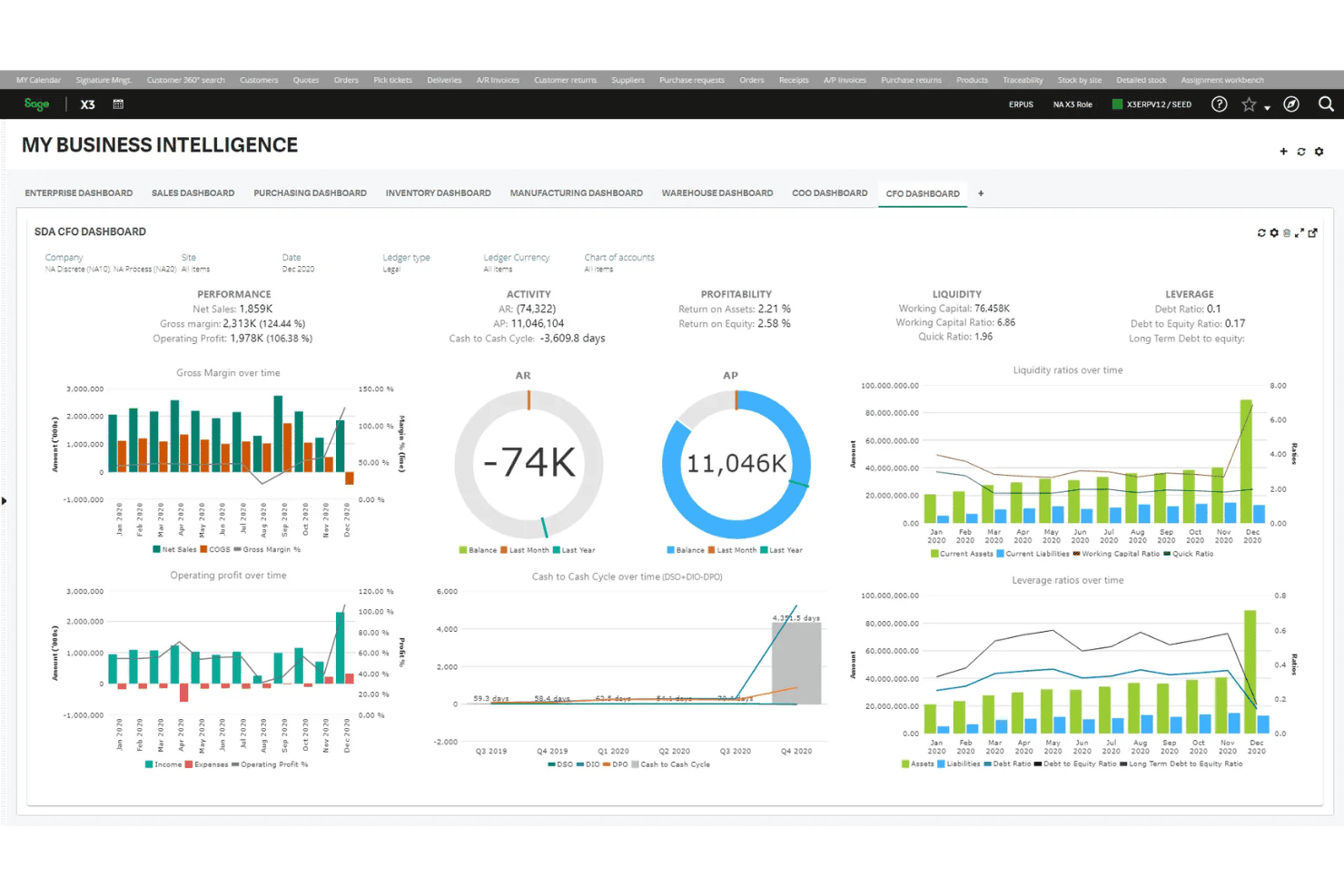
Configure dashboards for sales trends, inventory turnover, and profitability. Real-time data lets leaders adjust strategies based on current performance.
Ease of Use
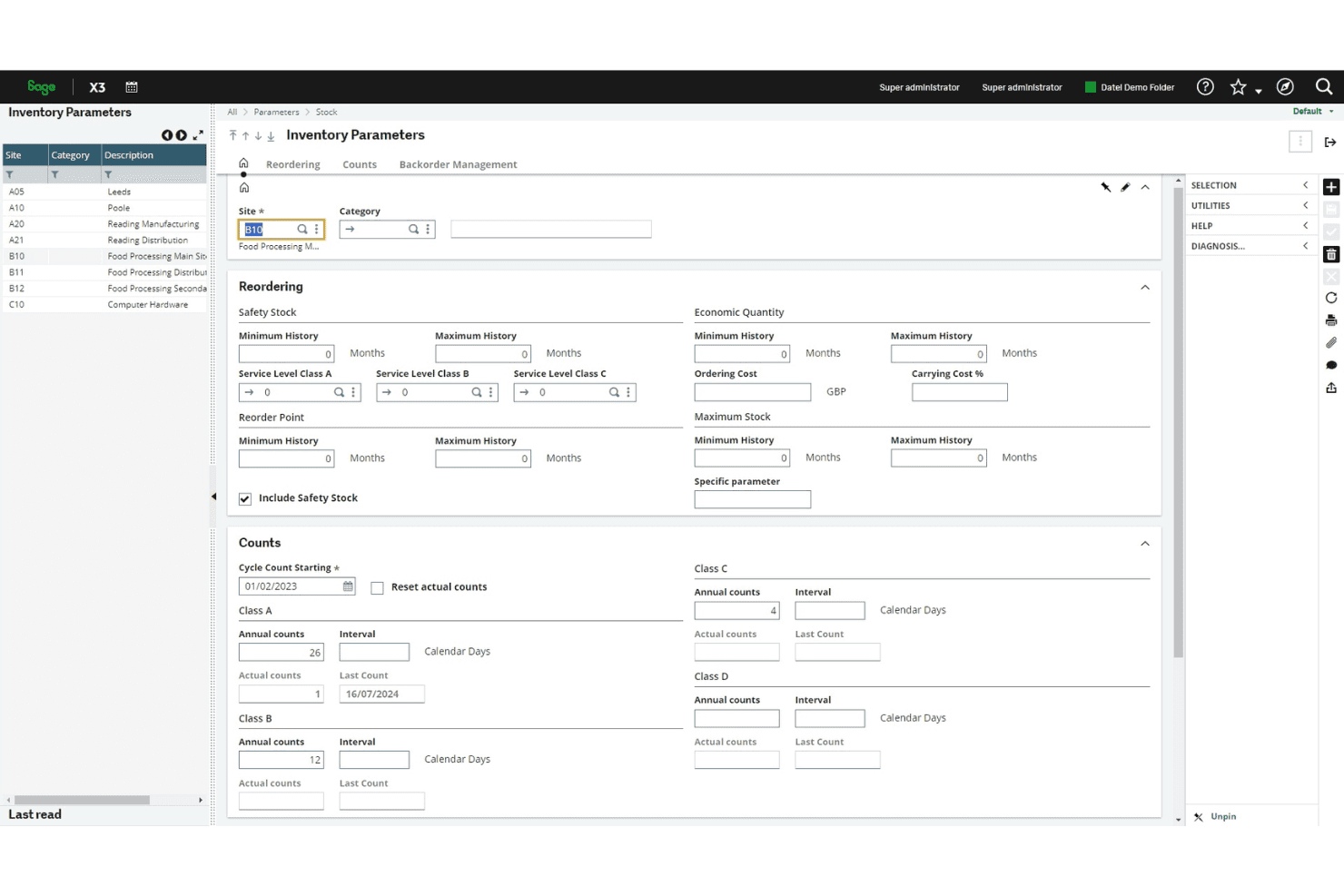
Sage X3 offers a user-friendly interface that helps your team quickly adapt to its functionalities. Though some users note a learning curve, especially for those new to ERP systems, its intuitive design aids in navigation and operation. The platform’s real-time updates and clear dashboards make managing operations straightforward, enhancing productivity.
Your team will appreciate the efficiency and clarity Sage X3 brings to complex business processes, making it a practical choice for mid-sized enterprises.
Integrations
Sage X3 integrates with GUMU ShipEazy, Sage Sales Tax powered by Avalara, TrueCommerce, Sage Enterprise Intelligence, Price Utility, Vantree EDI, Sage Data & Analytics, LightWork Performance Management, AutoEntry, and Skynamo, among others.
Sage X3 also provides an API and supports connections with third-party integration tools.
Sage X3 Specs
- Accounts Payable: No
- Accounts Receivable: No
- API: Yes
- Budgeting: Yes
- Calendar Management: Yes
- Compliance Tracking: No
- Customer Management: Yes
- Dashboard: Yes
- Data Export: Yes
- Data Import: Yes
- Data Visualization: Yes
- Expense Tracking: Yes
- External Integrations: Yes
- Financial Analysis: No
- Forecasting: Yes
- Inventory Tracking: Yes
- Multi-Currency: Yes
- Multi-User: Yes
- Notifications: Yes
- Order Management: No
- Payroll: No
- Project Management: Yes
- Purchase Orders: No
- Resource Management: Yes
- Scheduling: Yes
- Supplier Management: Yes
- Task Scheduling/Tracking: No
- Third-Party Plugins/Add-Ons: Yes
- Warehouse Management: No
- Workflow Management: No


