

NetSuite Commerce Review: Pros, Cons, Features and Pricing
NetSuite Commerce brings ecommerce and business operations into one platform, from online storefront management and order processing to inventory, customer data, and ERP integration.

We review tools independently, and commissions help fund our testing. See our transparency policy, our methodology, or suggest a tool.
NetSuite Commerce is an ecommerce software built for businesses that run on Oracle NetSuite's ERP and want their storefront, inventory, order management, and financials connected in one system. I'd consider it most seriously if you're scaling a B2B or B2C operation and need back-office integration without relying on third-party middleware. Compared to Shopify Plus, NetSuite Commerce gives you a tighter link between your ecommerce data and your financials—so you're not stitching systems together just to get a complete view of your business.
NetSuite Commerce Evaluation Summary
4.2/5
- Pricing upon request
- Free demo available
Why Trust Our Software Recommendations
6,700+
Reviews
20
Industry experts
16+
Evaluation factors
14
Years
Our team has been testing and reviewing software since 2012. As retail leaders ourselves, we know how difficult—and important—it is to choose the right software.
For this guide, we evaluated tools using hands-on testing and independent research, scoring tools using our selection criteria.
Our reviews reflect our independent judgment—not a sales pitch.
NetSuite Commerce Overview
If you’re judging ecommerce software on end-to-end integration, NetSuite Commerce sets itself apart with unified inventory, strong built-in analytics, and native ERP features. I think its pricing and onboarding make more sense for established retailers or fast-growing brands, as it isn’t the fastest to set up and requires more upfront investment.
Compared to others, you get deeper operational control and flexibility, but you’ll trade away ease of use and simple plug-and-play integrations. It’s especially smart for those who want a single source of truth and advanced configuration, not just a storefront.
Pros
- Connects ecommerce sales to inventory and finance in real time
- Extensive multi-location and multi-channel management features included
- Highly configurable workflows for complex retail environments
Cons
- High upfront cost compared to many ecommerce competitors
- Initial implementation can be lengthy and resource-intensive
- User interface feels dated and less intuitive for new users
Is NetSuite Commerce Right For Your Needs?
Who Would be a Good Fit for NetSuite Commerce?
Mid to large-sized retail and wholesale businesses benefit most from NetSuite Commerce due to its robust customization and real-time analytics. If your work involves managing multiple sales channels, this platform helps streamline operations by unifying them in one place.
Teams in industries that rely on data-driven decision-making will appreciate its analytics capabilities, allowing you to make informed choices quickly.
- Retail ChainsNetSuite Commerce supports complex inventory management and multi-channel sales, perfect for expansive retail operations.
- Wholesale DistributorsYour team can manage bulk orders efficiently with its integrated order processing and inventory tracking.
- B2B CompaniesIt offers personalized customer experiences and pricing, ideal for businesses focusing on B2B sales.
- Ecommerce TeamsYou can manage all online sales channels from a single platform, simplifying your ecommerce operations.
- IT DepartmentsCustomization and scalability make it easy for IT teams to tailor the platform to specific business needs.
- Marketing TeamsReal-time data analytics help your team make informed marketing decisions quickly.
Who Would be a Bad Fit for NetSuite Commerce?
Small businesses or startups with limited resources might find NetSuite Commerce overwhelming due to its complexity and cost. If your team lacks the technical expertise to handle its robust features, the platform could be more of a burden than a benefit. Industries that don’t require advanced customization or real-time analytics may not fully leverage its capabilities, making it an inefficient choice.
- Small StartupsYour team might struggle with its complexity and high cost, which aren’t ideal for limited budgets.
- Local BoutiquesSimpler ecommerce solutions would suit your needs better than NetSuite’s advanced features.
- FreelancersThe platform’s extensive functionalities are unnecessary for single-person operations.
- Non-Tech TeamsWithout IT support, managing NetSuite’s customization and updates can be challenging for your team.
- Basic Ecommerce NeedsIf your operations are straightforward, you won’t need the advanced capabilities NetSuite offers.
- Low-Volume SellersThe platform’s robust features may be excessive for your smaller sales volume.
Our Review Methodology
How We Test & Score Tools
We’ve spent years building, refining, and improving our software testing and scoring system. The rubric is designed to capture the nuances of software selection and what makes a tool effective, focusing on critical aspects of the decision-making process.
Below, you can see exactly how our testing and scoring works across seven criteria. It allows us to provide an unbiased evaluation of the software based on core functionality, standout features, ease of use, onboarding, customer support, integrations, customer reviews, and value for money.
Core Functionality (25% of final scoring)
The starting point of our evaluation is always the core functionality of the tool. Does it have the basic features and functions that a user would expect to see? Are any of those core features locked to higher-tiered pricing plans? At its core, we expect a tool to stand up against the baseline capabilities of its competitors.
Standout Features (25% of final scoring)
Next, we evaluate uncommon standout features that go above and beyond the core functionality typically found in tools of its kind. A high score reflects specialized or unique features that make the product faster, more efficient, or offer additional value to the user.
We also evaluate how easy it is to integrate with other tools typically found in the tech stack to expand the functionality and utility of the software. Tools offering plentiful native integrations, 3rd party connections, and API access to build custom integrations score best.
Ease of Use (10% of final scoring)
We consider how quick and easy it is to execute the tasks defined in the core functionality using the tool. High scoring software is well designed, intuitive to use, offers mobile apps, provides templates, and makes relatively complex tasks seem simple.
Onboarding (10% of final scoring)
We know how important rapid team adoption is for a new platform, so we evaluate how easy it is to learn and use a tool with minimal training. We evaluate how quickly a team member can get set up and start using the tool with no experience. High scoring solutions indicate little or no support is required.
Customer Support (10% of final scoring)
We review how quick and easy it is to get unstuck and find help by phone, live chat, or knowledge base. Tools and companies that provide real-time support score best, while chatbots score worst.
Customer Reviews (10% of final scoring)
Beyond our own testing and evaluation, we consider the net promoter score from current and past customers. We review their likelihood, given the option, to choose the tool again for the core functionality. A high scoring software reflects a high net promoter score from current or past customers.
Value for Money (10% of final scoring)
Lastly, in consideration of all the other criteria, we review the average price of entry level plans against the core features and consider the value of the other evaluation criteria. Software that delivers more, for less, will score higher.
Core Features
Unified Commerce Management
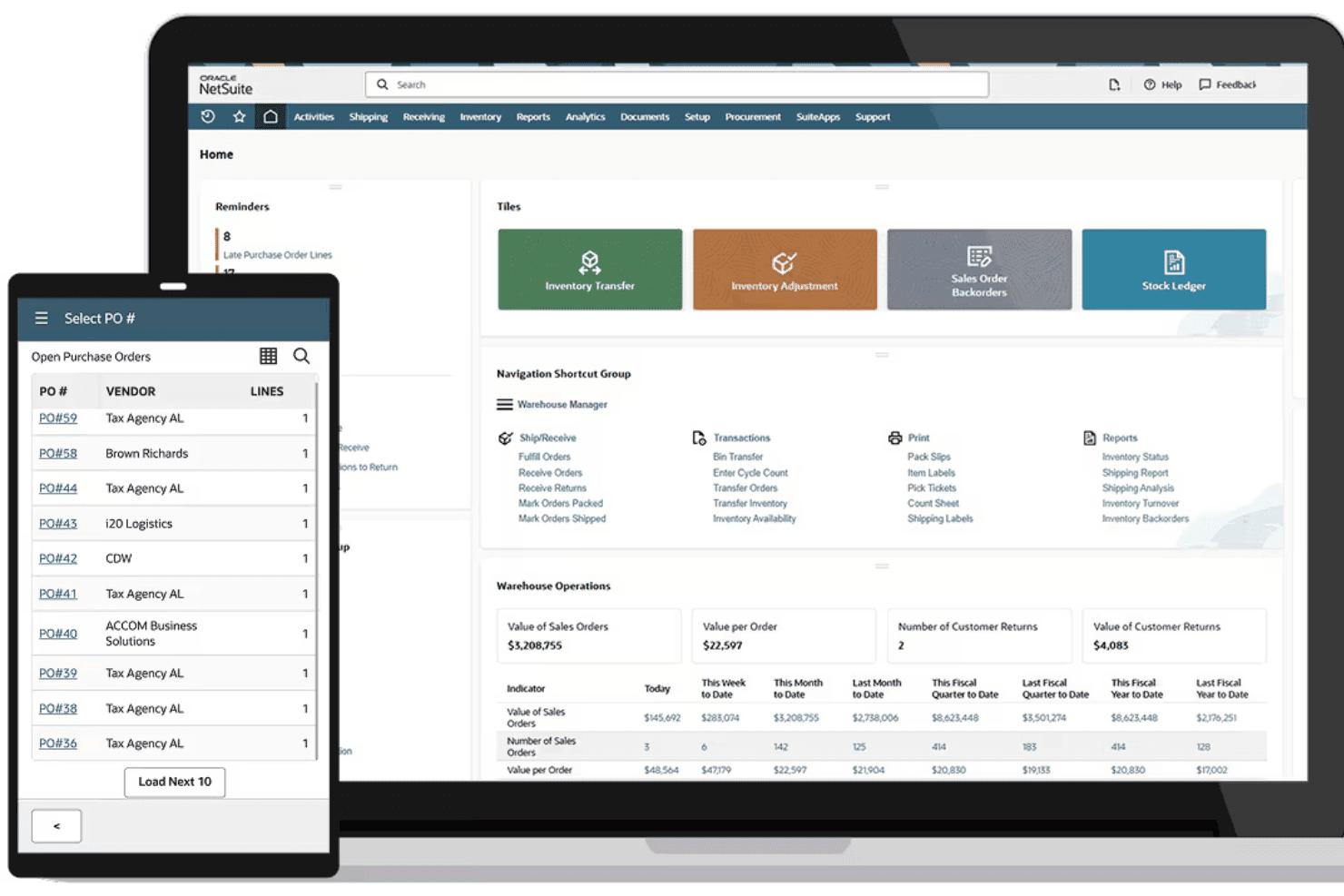
NetSuite Commerce unifies product catalogs, inventory, and order data across all sales channels. You can oversee online, in-store, and phone orders from a single dashboard.
Real-Time Inventory Visibility
Inventory counts update instantly when a sale is made or stock arrives. This helps prevent overselling and supports accurate demand planning.
B2B and B2C Storefronts
Launch customer-facing webstores for direct consumers and dedicated portals for wholesale buyers. Both experiences support pricing tiers, quote management, and personalized catalogs.
Order Management Automation
Automate order processing, fulfillment, and returns regardless of where the sale happens. Customizable rules route orders to the best warehouse or location for fast delivery.
Promotions and Dynamic Pricing
Build and schedule discount campaigns with flexible rules and segmentation. Pricing can change based on customer groups, order value, or sales channel.
Integrated Customer Account Management
Customers manage their profiles, view order histories, and reorder from their own dashboard. Business buyers can assign roles and purchase limits for their teams.
Ease of Use
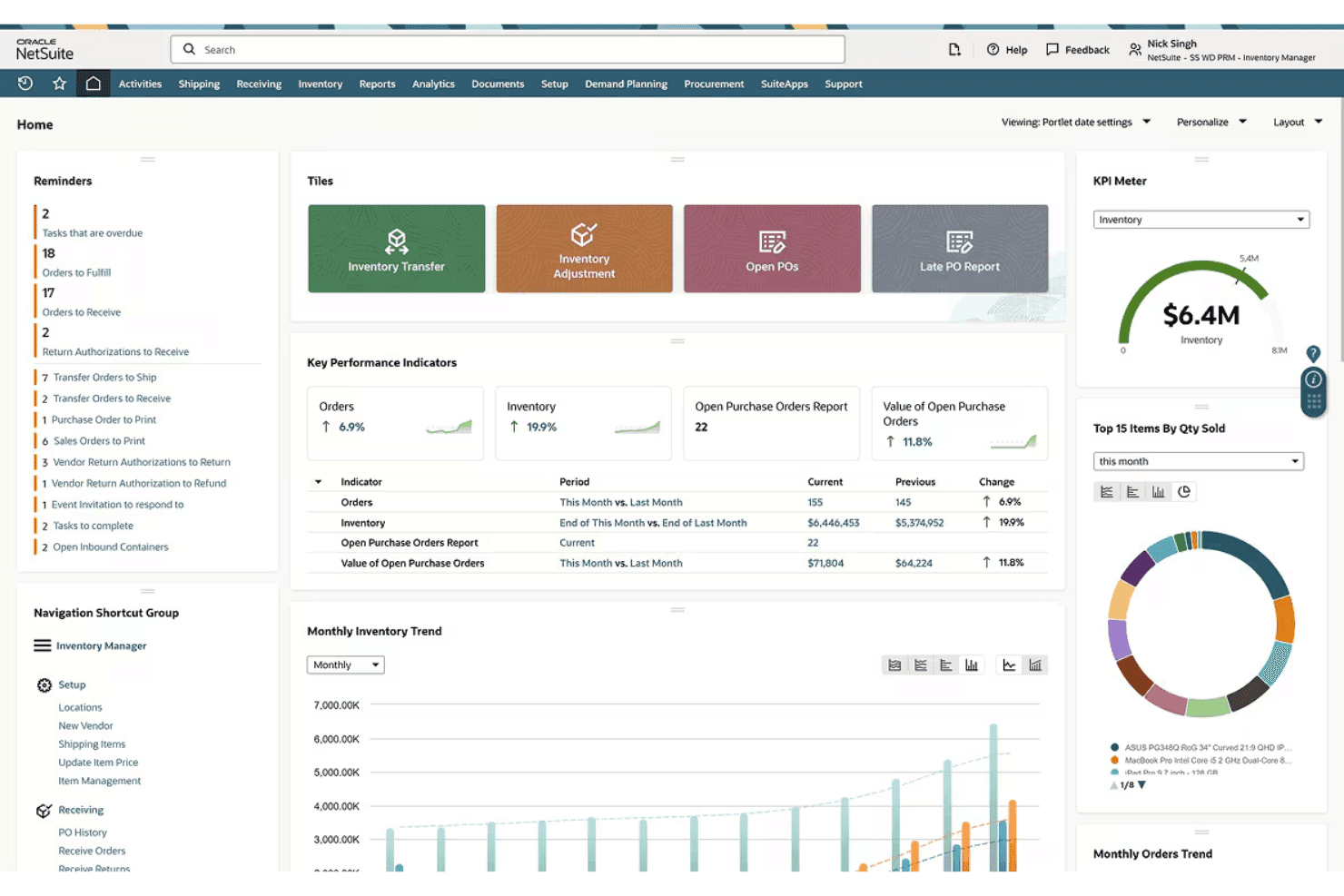
NetSuite Commerce isn’t the most intuitive ecommerce software for beginners, but experienced users value its depth and customization. You’ll find navigation menus and settings overwhelming at first, especially given its enterprise roots. However, core tasks—like product updates and order tracking—feel logical once workflows are configured to match your business.
Integrations
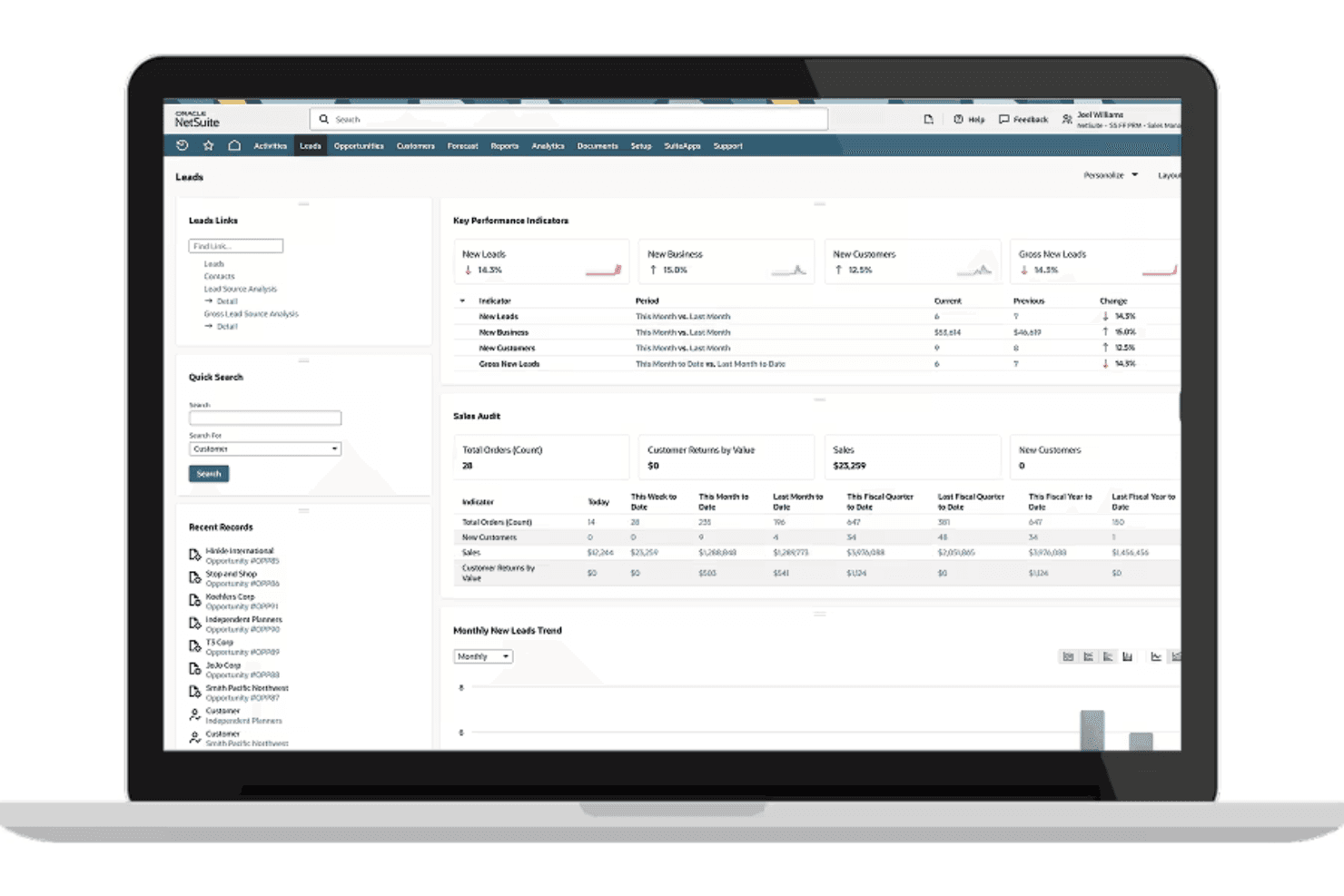
NetSuite Commerce integrates with NetSuite ERP, NetSuite CRM, SuiteTax, Advanced Order Management, NetSuite Inventory Management, SuitePromotions, SuiteBilling, SuitePeople HR, SuiteAnalytics, and NetSuite Point of Sale, among others.
NetSuite Commerce also has an open API and connects with third-party integration tools.
NetSuite Commerce Specs
- 2-Factor Authentication: Yes
- A/B Testing: No
- Analytics: Yes
- API: Yes
- BitCoin: No
- Conversion Tracking: Yes
- Dashboard: Yes
- Data Export: Yes
- Data Import: Yes
- Data Visualization: Yes
- Design Templates: Yes
- External Integrations: Yes
- Inventory Tracking: Yes
- Keyword Tracking: No
- Marketing Automation: Yes
- Multi-User: Yes
- Notifications: Yes
- Order Management: Yes
- Payment Gateway Integration: Yes
- Payment Processor: Yes
- PayPal: Yes
- Product Catalog: Yes
- Review Monitoring: No
- SAP Integration: No
- Scheduling: No
- Stripe: No
- Third-Party Plugins/Add-Ons: Yes


