

monday.com Review: Pros, Cons, Features and Pricing
monday.com excels in retail inventory management with its versatile automations and integrations, making it a go-to tool for boosting team productivity.

We review tools independently, and commissions help fund our testing. See our transparency policy, our methodology, or suggest a tool.
monday AI Workspace is a retail inventory management software for retail and ecommerce teams that need to track stock levels, manage purchase orders, and coordinate fulfillment across channels within a customizable, AI-assisted workspace. I'd consider it if you want more flexibility than a purpose-built tool like Cin7—particularly if your team already manages projects and operations in monday.com and wants inventory workflows built into the same environment rather than a separate, siloed platform.
monday AI Workspace Evaluation Summary
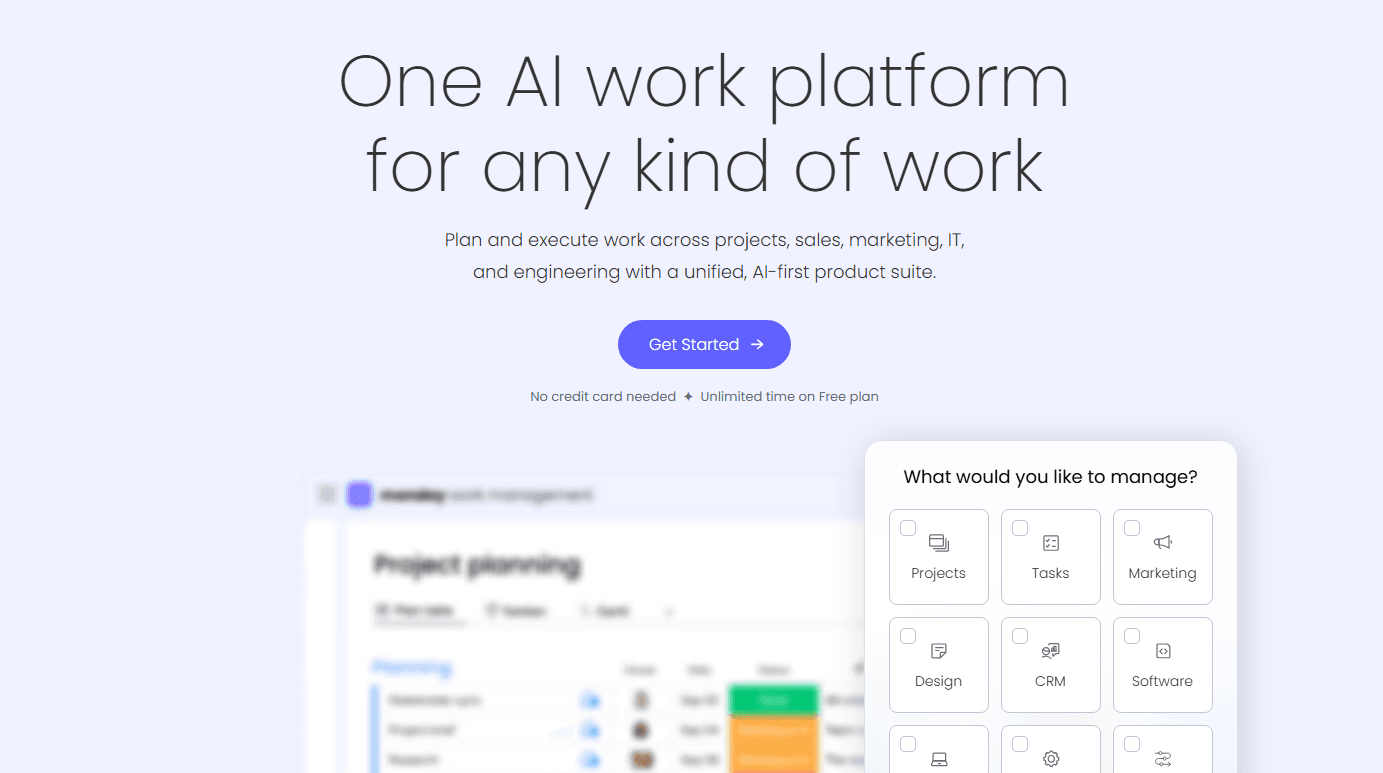
4.6/5
- From $9/user/month (billed annually)
- Free plan + 14-day trial available
Why Trust Our Software Recommendations
6,700+
Reviews
20
Industry experts
16+
Evaluation factors
14
Years
Our team has been testing and reviewing software since 2012. As retail leaders ourselves, we know how difficult—and important—it is to choose the right software.
For this guide, we evaluated tools using hands-on testing and independent research, scoring tools using our selection criteria.
Our reviews reflect our independent judgment—not a sales pitch.
monday AI Workspace Overview
In my opinion, monday.com stands out as a flexible option for retail inventory management, especially for teams that value integrations and automations. Its standout features, like customizable automations and a wide range of integrations, make it a good choice for retail teams looking to reduce app-switching. However, its onboarding can be a bit challenging due to outdated training resources. I think it’s best suited for small to medium businesses that need a tool to manage inventory alongside other project tasks. While it might not be the easiest for beginners, its value for money and extensive features make it worth considering.
Pros
- You can customize workflows to fit your team's specific needs.
- Automations save your team time on repetitive tasks.
- The interface is visually appealing and easy to navigate.
Cons
- Your team might find the onboarding process a bit challenging.
- Customer support can sometimes be slow to respond.
- Advanced features may require a learning curve for new users.
Is monday AI Workspace Right For Your Needs?
Who Would be a Good Fit for monday AI Workspace?
monday.com is a good fit for small to medium-sized businesses and retail teams needing customizable workflows and automations. If your team values visual project tracking and task management, monday.com’s interface will keep you organized. Marketing departments and project managers will appreciate the ability to tailor boards to their specific tasks, making it easier to track inventory alongside other project goals. Teams looking for a tool that offers flexibility and a wide range of functionality will find it beneficial.
- Small RetailersYour small retail business can benefit from monday.com's customizable boards to manage inventory and sales tasks efficiently.
- Marketing TeamsMarketing teams will find the visual layout ideal for tracking campaigns and coordinating tasks across multiple channels.
- Project ManagersProject managers can use its automations to streamline task assignments and monitor project timelines with ease.
- Inventory ManagersInventory managers will appreciate the ability to create specific workflows for tracking stock levels and supplier orders.
- Event PlannersEvent planners can organize tasks and timelines visually, ensuring nothing falls through the cracks before the big day.
- Product DevelopmentProduct development teams can track progress and manage tasks across different stages from conception to launch.
Who Would be a Bad Fit for monday AI Workspace?
monday.com might not be the best fit for large enterprises or highly specialized industries requiring complex, industry-specific features. If your business relies heavily on intricate inventory systems or requires extensive customization beyond what's offered, monday.com may fall short. Teams that need detailed supply chain management or advanced analytics might find the platform lacking, as it’s more focused on task management and collaboration rather than deep data analysis.
- Large EnterprisesLarge enterprises might find monday.com's features too simplistic for their complex inventory and data needs.
- Supply Chain TeamsSupply chain teams that need detailed tracking and analytics may require more specialized software than what monday.com offers.
- Manufacturing DepartmentsManufacturing departments needing intricate production tracking might find monday.com’s capabilities insufficient for their detailed processes.
- Finance DepartmentsFinance teams that require advanced financial reporting and analytics might find monday.com lacking in these specific functionalities.
- Healthcare ProvidersHealthcare providers needing compliance and detailed patient data management might not find the necessary features in monday.com.
- Legal DepartmentsLegal departments needing document tracking and compliance features might find monday.com insufficient for their specific requirements.
Our Review Methodology
How We Test & Score Tools
We’ve spent years building, refining, and improving our software testing and scoring system. The rubric is designed to capture the nuances of software selection and what makes a tool effective, focusing on critical aspects of the decision-making process.
Below, you can see exactly how our testing and scoring works across seven criteria. It allows us to provide an unbiased evaluation of the software based on core functionality, standout features, ease of use, onboarding, customer support, integrations, customer reviews, and value for money.
Core Functionality (25% of final scoring)
The starting point of our evaluation is always the core functionality of the tool. Does it have the basic features and functions that a user would expect to see? Are any of those core features locked to higher-tiered pricing plans? At its core, we expect a tool to stand up against the baseline capabilities of its competitors.
Standout Features (25% of final scoring)
Next, we evaluate uncommon standout features that go above and beyond the core functionality typically found in tools of its kind. A high score reflects specialized or unique features that make the product faster, more efficient, or offer additional value to the user.
We also evaluate how easy it is to integrate with other tools typically found in the tech stack to expand the functionality and utility of the software. Tools offering plentiful native integrations, 3rd party connections, and API access to build custom integrations score best.
Ease of Use (10% of final scoring)
We consider how quick and easy it is to execute the tasks defined in the core functionality using the tool. High scoring software is well designed, intuitive to use, offers mobile apps, provides templates, and makes relatively complex tasks seem simple.
Onboarding (10% of final scoring)
We know how important rapid team adoption is for a new platform, so we evaluate how easy it is to learn and use a tool with minimal training. We evaluate how quickly a team member can get set up and start using the tool with no experience. High scoring solutions indicate little or no support is required.
Customer Support (10% of final scoring)
We review how quick and easy it is to get unstuck and find help by phone, live chat, or knowledge base. Tools and companies that provide real-time support score best, while chatbots score worst.
Customer Reviews (10% of final scoring)
Beyond our own testing and evaluation, we consider the net promoter score from current and past customers. We review their likelihood, given the option, to choose the tool again for the core functionality. A high scoring software reflects a high net promoter score from current or past customers.
Value for Money (10% of final scoring)
Lastly, in consideration of all the other criteria, we review the average price of entry level plans against the core features and consider the value of the other evaluation criteria. Software that delivers more, for less, will score higher.
Core Features
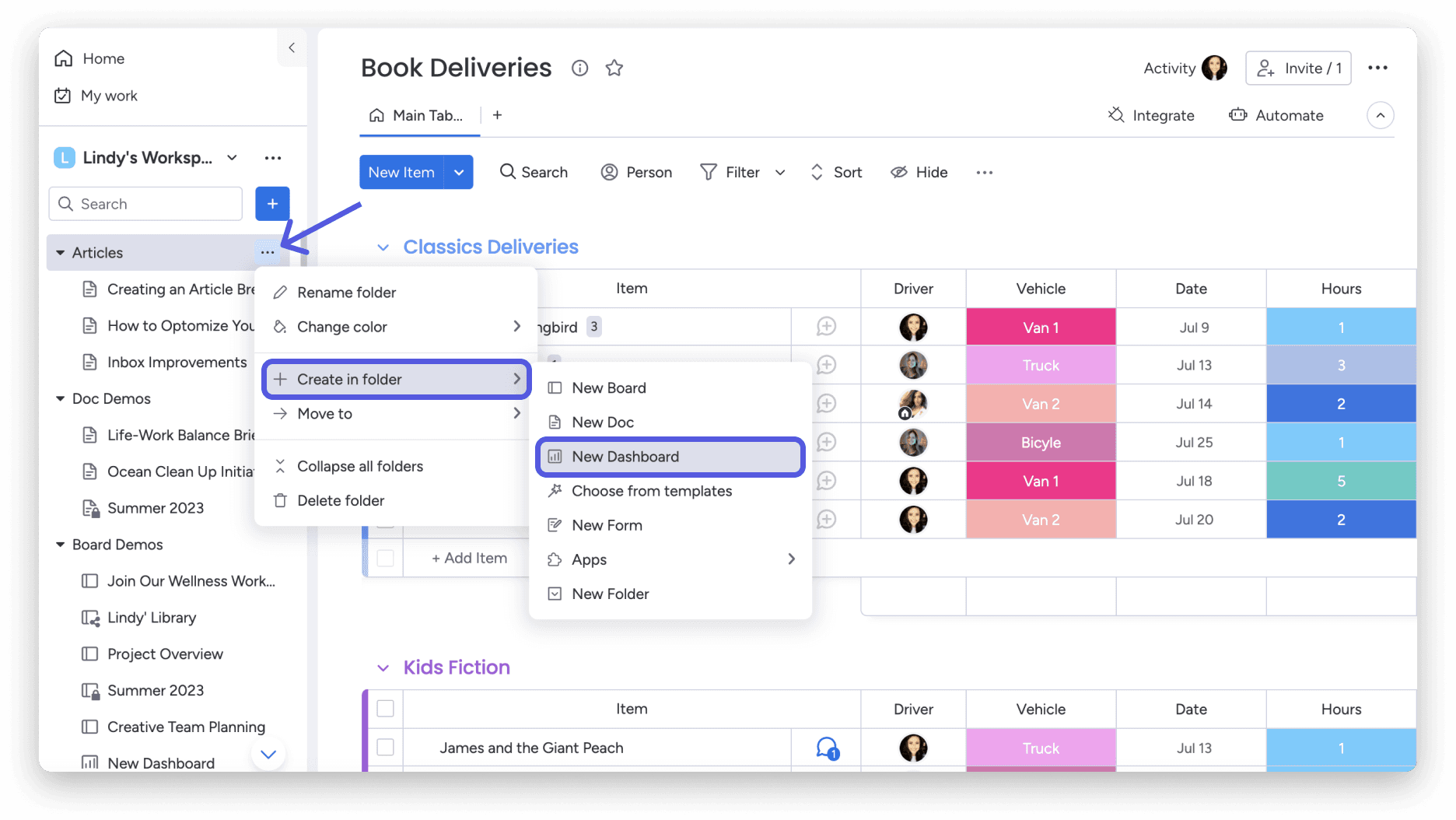
Customizable Dashboards: You can create custom dashboards to fit your team's workflow, making it easy to track inventory status at a glance. This flexibility lets you visualize data in a way that meets your specific needs.
Task Management: monday.com helps you assign and track tasks with real-time notifications, ensuring your team stays on top of inventory management tasks. It keeps everyone aligned with clear responsibilities and deadlines.
Automations: Automate repetitive tasks like inventory updates to save time and reduce manual errors. This feature helps your team stay efficient and focused on more strategic work.
Inventory Tracking: Monitor stock levels in real-time with easy-to-use tracking tools. It ensures you’re always informed about what’s in stock and what needs replenishing.
Reporting Tools: Generate reports to analyze inventory trends and make informed decisions. This feature gives you insights into your inventory performance and helps plan future needs.
Collaboration Tools: Facilitate communication and collaboration among your team members and key stakeholders with integrated chat and file sharing. It ensures everyone is on the same page without switching between apps.
Standout Features
Visual Project Tracking: monday.com offers a visually appealing interface that makes it easy to track project progress, due dates, and task dependencies at a glance. This feature stands out for its ease of use, helping your team stay organized.
Custom Automations: Create tailored automations that fit your specific processes, reducing manual work and increasing efficiency. This unique feature allows you to automate tasks that are specific to your business needs.
Ease of Use
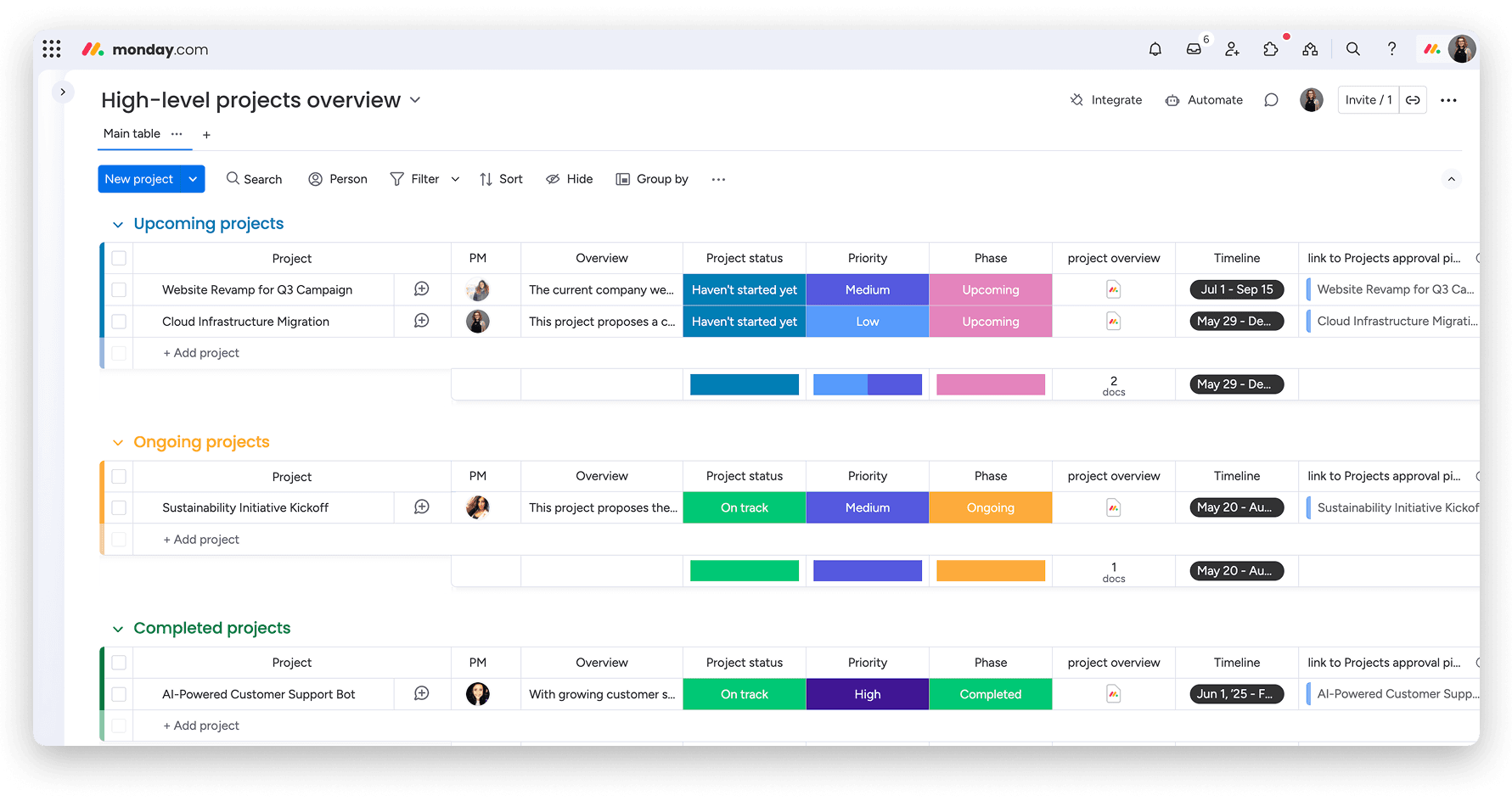
I think monday.com is user-friendly with its intuitive interface and visual project tracking, making it easy for your team to manage tasks and inventory. While there’s a learning curve for advanced features, the drag-and-drop functionality and customizable dashboards simplify daily operations. Compared to other options, the ease of customization stands out, letting you tailor the platform to suit your specific needs. This flexibility makes it accessible for teams who want a straightforward tool without sacrificing functionality.
Onboarding
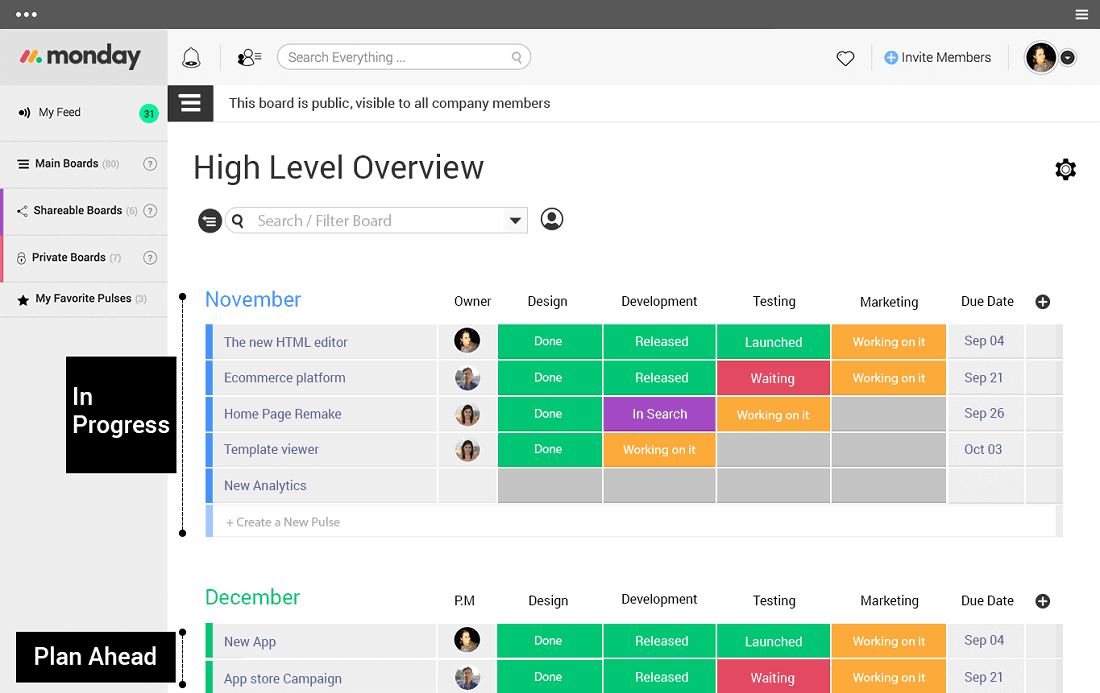
monday.com's onboarding experience can be a bit challenging due to its complex features and sometimes outdated training resources. While there are tutorials and guides available, new users might need some time to fully grasp the platform's capabilities. Your team might benefit from the available support channels, but response times can vary. Despite these hurdles, once you’re familiar with the interface, the time to value is significant, as the platform's flexibility and functionality become clear.
Customer Support
monday.com's customer support can be hit or miss, with some users noting slow response times. While they offer various support channels like email and chat, the assistance quality can vary. Your team might need patience when seeking help, but once connected, the support staff is generally helpful. They also provide a knowledge base and community forums, which can be useful for troubleshooting and learning from other users' experiences.
Integrations
monday.com integrates with Slack, , Microsoft Teams, Google Workspace, Gmail, Google Drive GitLab, Mailchimp, Excel, Outlook, Trello, Jira, DocuSign, HubSpot, and LinkedIn.
monday.com also offers an open API and connects with third-party integration tools.
Value for Money
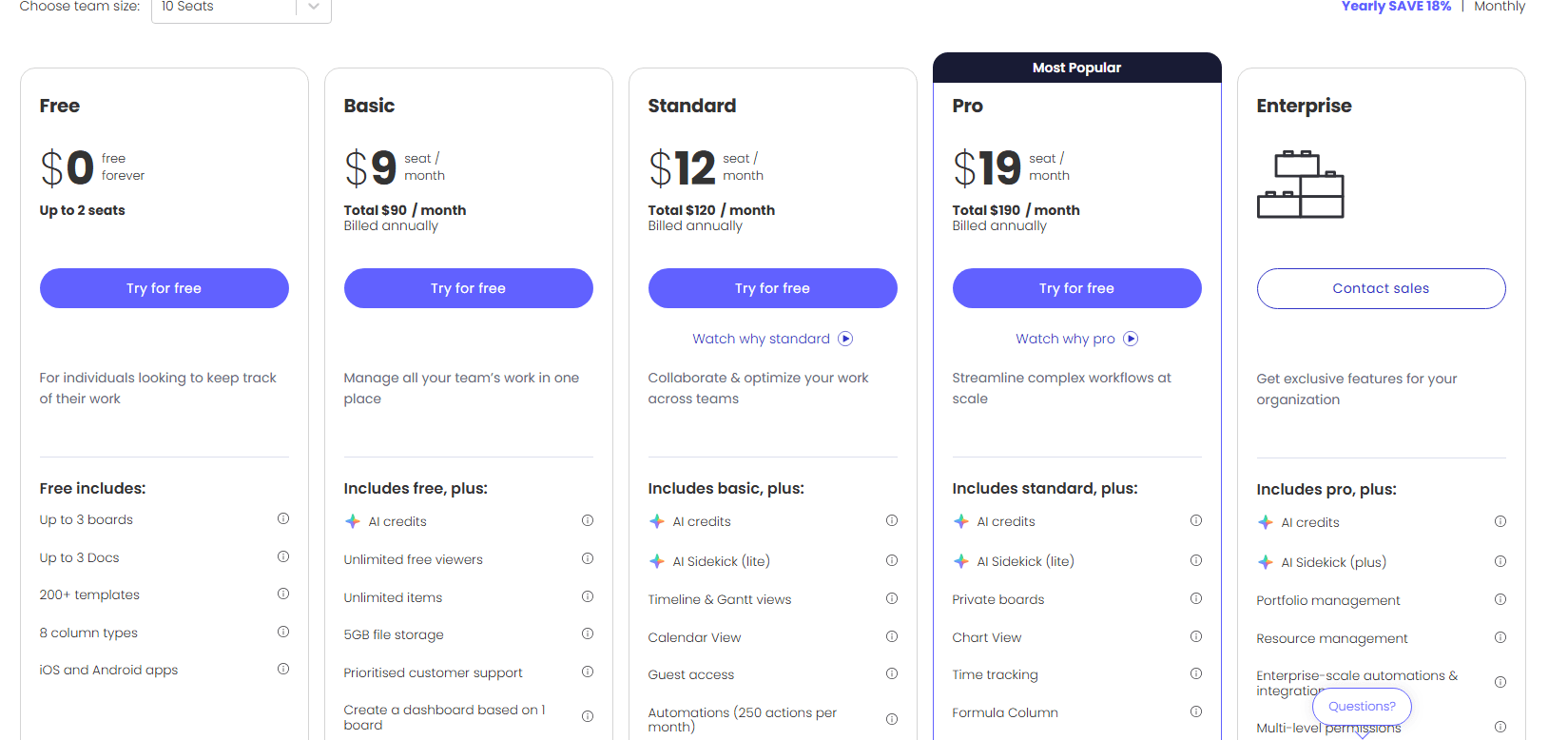
monday.com pricing offers good value with its flexible pricing tiers, catering to different team sizes and needs. You get a range of features that justify the cost, with options to scale as your team grows. A free trial is available, letting you evaluate the software before committing to a paid plan.
- Free Plan: $0 forever includes up to 2 seats with boards, docs, templates, and basic task tracking.
- Basic: $9 per seat/month. Adds unlimited boards and 5GB file storage.
- Standard: $12 per seat/month (billed annually) adds unlimited boards and items with timeline and Gantt chart views for team collaboration.
- Pro: $19 per seat/month (billed annually) includes automations, integrations, private boards, chart views, and time tracking.
- Enterprise: Contact sales for pricing, provides advanced reporting, portfolio management, resource management, and enterprise-grade permission controls.
New Product Updates from monday AI Workspace
monday AI Workspace Adds Human Approval Routing
monday AI Workspace adds a human-in-the-loop approval block that sends approval requests and branches AI Workflows based on the response. The update lets teams incorporate human decisions into automated workflows before determining which path the workflow should follow. Highlights include:
- Human Approval Block: Adds a human approval step directly within AI Workflows.
- Approval Requests: Sends requests to users when human input is required.
- Conditional Routing: Routes the workflow to different paths based on the approval response.
Visit monday AI Workspace’s official site for more details.
 Opens new window
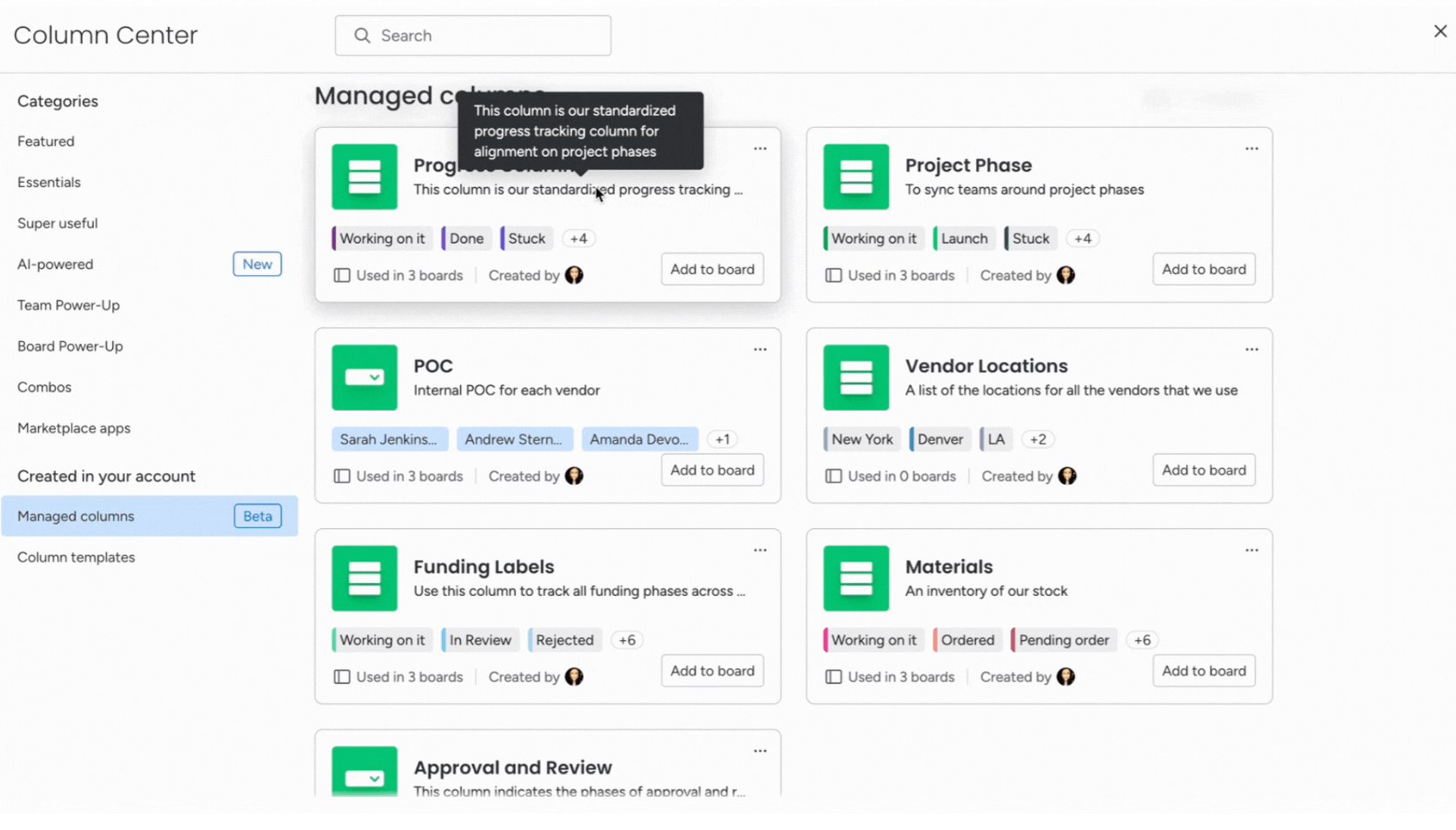
monday.com Adds Managed Columns Across Boards
monday.com adds Managed Column to help teams create reusable status, dropdown, and label columns with predefined labels across boards. The update helps organizations standardize workflows and sync column updates automatically from one central source. Highlights include:
- Reusable Managed Columns: Teams can reuse standardized status, dropdown, priority, and label columns across multiple boards.
- Centralized Label Syncing: Updates made to Managed Columns automatically sync across connected boards for more consistent workflows.
Visit monday.com's official site for more details.
 Opens new window
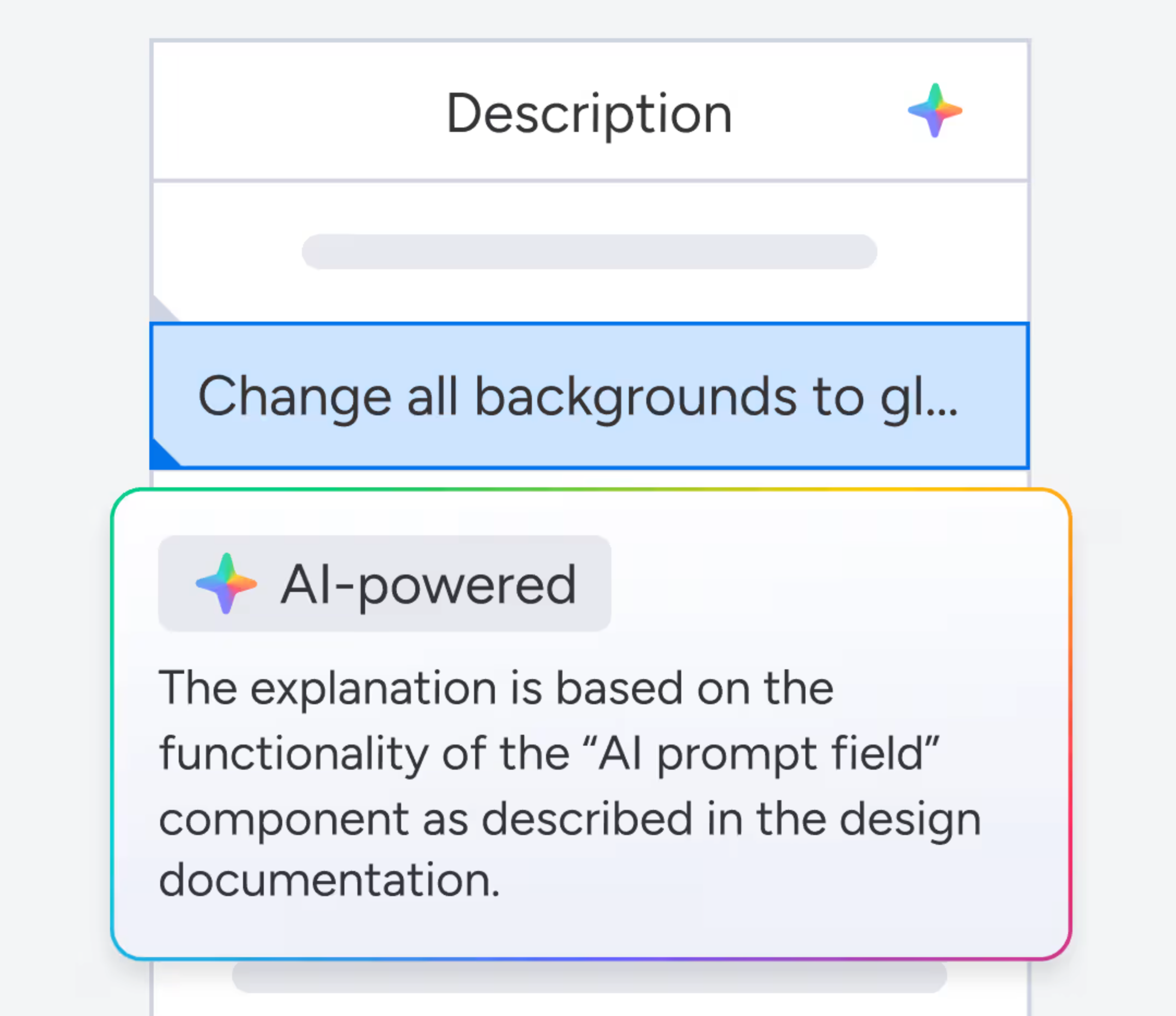
monday.com Adds Clearer AI Result Feedback in Cells
monday.com adds clearer feedback for AI-generated cell results to help users review and improve AI outputs more easily. The update helps teams adjust prompts and inputs for more accurate and useful results. Highlights include:
- Clearer AI Feedback: Users can better understand AI-generated results directly within cells.
- Prompt Refinement Support: Teams can adjust prompts and inputs more effectively to improve AI outcomes.
Visit monday.com’s official site for more details.
monday.com Enhances List View With Column Mapping
monday.com adds column mapping to List View, allowing users to include board-specific columns for better visibility. This update helps teams view and manage data across multiple boards more efficiently. Highlights include:
- Add Board-Specific Columns: Users can now add unique board-specific columns to the List View, allowing for a more personalized data organization.
- Map Columns Across Boards: This feature enables users to map columns across different boards, ensuring that all data is accurately represented and easily accessible.
- Complete Visibility: By mapping columns, users can achieve complete visibility of their workflow, enhancing decision-making and productivity.
Visit monday.com's official site for more details.
monday AI Workspace Specs
- API: Yes
- Batch Permissions & Access: Yes
- Budgeting: No
- Calendar Management: Yes
- Collaboration Support: Yes
- Contact Management: No
- Contact Sharing: No
- Customer Management: No
- Dashboard: Yes
- Dashboards: Yes
- Data Export: Yes
- Data Import: Yes
- Data Visualization: Yes
- Dependency Tracking: Yes
- Document Sharing: Yes
- Expense Tracking: No
- External Integrations: Yes
- File Sharing: Yes
- Gantt Charts: Yes
- Kanban Boards: Yes
- Multi-User: Yes
- Notifications: Yes
- Project Management: Yes
- Resource Management: Yes
- Scheduling: Yes
- Task Scheduling/Tracking: Yes
- Third-Party Plugins/Add-Ons: Yes
- Time Management: Yes
- Travel Management: No
- Workflow Management: Yes
monday AI Workspace FAQs
monday AI Workspace Company Overview & History
monday.com, headquartered in Tel Aviv, Israel, was founded in 2012 by Roy Mann, Eran Kampf, and Eran Zinman. Originally named Dapulse, it began as an internal tool at Wix.com before becoming a standalone product. Known for its innovative work management platform, monday.com emphasizes transparency and collaboration. It's a publicly traded company on Nasdaq and boasts a diverse client base, including notable companies across various industries.
monday.com Major Milestones
- 2012: Founded as Dapulse by Roy Mann, Eran Kampf, and Eran Zinman.
- 2017: Rebranded to monday.com.
- 2021: Became a publicly traded company on Nasdaq.
- 2020: Featured on Forbes' Cloud 100 list.