
Bottle POS Review: Pros, Cons, Features and Pricing Explained
Ready to see if Bottle POS really streamlines your store’s checkout chaos? Get my take on where it shines, where it stumbles, and who’ll get the most value in 2026.

We review tools independently, and commissions help fund our testing. See our transparency policy, our methodology, or suggest a tool.
Bottle POS is a POS system built specifically for liquor stores, bottle shops, and wine retailers. If you're running a beverage alcohol business, you need features like age verification, case break pricing, and bottle deposit tracking built in—not bolted on. I'd reach for Bottle POS over a general retail tool like Lightspeed if your operation depends on those liquor-specific workflows rather than configuring workarounds to get there.
Bottle POS Evaluation Summary
4.1/5
- From $59/month
- Free demo available
Why Trust Our Software Recommendations
6,700+
Reviews
20
Industry experts
16+
Evaluation factors
14
Years
Our team has been testing and reviewing software since 2012. As retail leaders ourselves, we know how difficult—and important—it is to choose the right software.
For this guide, we evaluated tools using hands-on testing and independent research, scoring tools using our selection criteria.
Our reviews reflect our independent judgment—not a sales pitch.
Bottle POS Overview
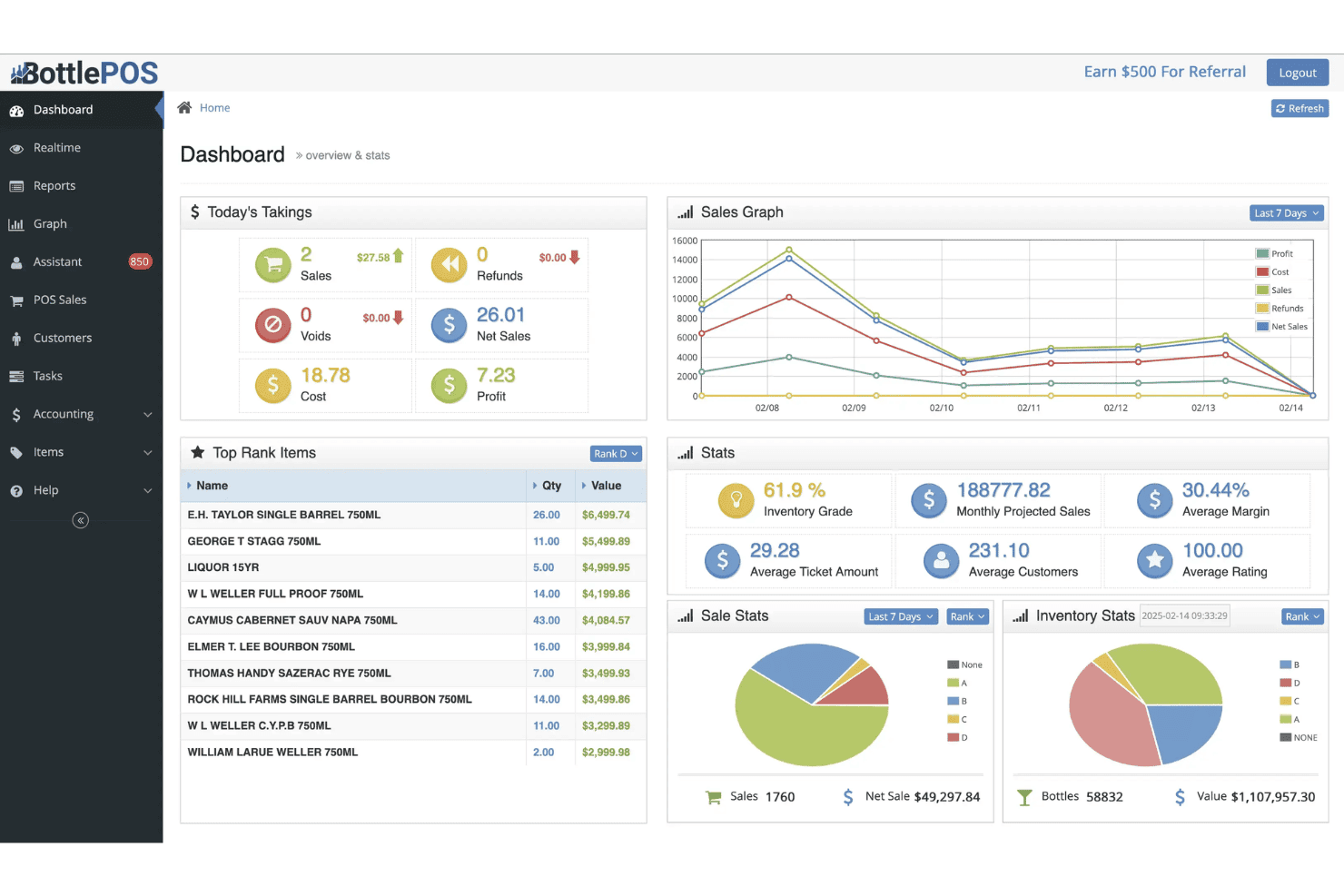
Bottle POS stands out for its liquor-specific features, including automated state reporting, AI invoice processing, case-break inventory management, and integrated age verification. It also offers real-time inventory tracking, mix-and-match promotions, and multi-store management tailored for alcohol retailers. The platform pairs with purpose-built hardware like ID scanners and bottle-optimized barcode scanners to streamline compliance, checkout, and inventory workflows.
If you’re choosing a POS system for a busy liquor store where inventory accuracy, compliance, barcode scanning, and alcohol-specific workflows matter most, Bottle POS is a highly specialized option built around those operational needs.
Pros
- Compliance features help stores manage age verification and regulatory requirements.
- Real-time inventory sync across multiple registers.
- Liquor store barcode catalog matches common brews and spirits.
Cons
- Fewer third-party app integrations than most competitors.
- Mandatory payment processing agreements limit flexibility for merchant payment provider choices.
- Hardware compatibility options are somewhat restrictive.
Is Bottle POS Right For Your Needs?
Who Would be a Good Fit for Bottle POS?
Bottle POS is ideal for retailers in the wine, beer, and spirits market who require features like barcode catalogs, age verification, and automated compliance tools. It’s built for businesses focused on high-volume, regulated transactions, especially those managing inventory across multiple locations. Teams looking for fast onboarding, centralized multi-store control, and state reporting automation are going to appreciate Bottle POS most.
- Liquor StoresBuilt-in barcode recognition and age verification make compliance and checkout fast and simple.
- Multi-Location ChainsCentralized management lets you control inventory, pricing, and reporting from one dashboard.
- Delivery and Omnichannel RetailersDoorDash integrations and synchronized inventory help liquor stores manage online, delivery, and in-store sales together.
- High-Volume RetailersFast barcode scanning, quick checkout tools, and automated receiving help busy stores reduce bottlenecks.
- Compliance-Focused BusinessesAutomated state reporting, ID verification, and transaction tracking help reduce regulatory risk and paperwork.
- Stores With Large Product CatalogsAI invoice processing and automated product creation help retailers manage thousands of wine, beer, and liquor SKUs efficiently.
Who Would be a Bad Fit for Bottle POS?
Businesses outside of alcohol retail, those needing heavy store customization, or groups relying on broad third-party integration support are likely to need more flexibility than Bottle POS offers. If you don’t sell regulated products and need advanced ecommerce or restaurant-grade features, this system can’t fill those gaps. Small kiosks, high-volume general retailers, and companies with custom requirements should look elsewhere.
- Grocery StoresBottle POS lacks the deep department and perishables management grocery stores need.
- RestaurantsNo table, menu, or tip management features means it’s not designed for food service.
- Apparel RetailersLacks size, color, and style matrix or the tagging functions needed for clothing inventory.
- High-Traffic Convenience StoresDoesn’t support fuel pumps or fast-move, multiproduct checkout flows.
- Large Ecommerce BrandsBottle POS doesn’t offer online storefront features or advanced omnichannel capabilities.
- Custom Workflow TeamsMinimal customization and no open API restrict highly tailored process or integration needs.
Our Review Methodology
How We Test & Score Tools
We’ve spent years building, refining, and improving our software testing and scoring system. The rubric is designed to capture the nuances of software selection and what makes a tool effective, focusing on critical aspects of the decision-making process.
Below, you can see exactly how our testing and scoring works across seven criteria. It allows us to provide an unbiased evaluation of the software based on core functionality, standout features, ease of use, onboarding, customer support, integrations, customer reviews, and value for money.
Core Functionality (25% of final scoring)
The starting point of our evaluation is always the core functionality of the tool. Does it have the basic features and functions that a user would expect to see? Are any of those core features locked to higher-tiered pricing plans? At its core, we expect a tool to stand up against the baseline capabilities of its competitors.
Standout Features (25% of final scoring)
Next, we evaluate uncommon standout features that go above and beyond the core functionality typically found in tools of its kind. A high score reflects specialized or unique features that make the product faster, more efficient, or offer additional value to the user.
We also evaluate how easy it is to integrate with other tools typically found in the tech stack to expand the functionality and utility of the software. Tools offering plentiful native integrations, 3rd party connections, and API access to build custom integrations score best.
Ease of Use (10% of final scoring)
We consider how quick and easy it is to execute the tasks defined in the core functionality using the tool. High scoring software is well designed, intuitive to use, offers mobile apps, provides templates, and makes relatively complex tasks seem simple.
Onboarding (10% of final scoring)
We know how important rapid team adoption is for a new platform, so we evaluate how easy it is to learn and use a tool with minimal training. We evaluate how quickly a team member can get set up and start using the tool with no experience. High scoring solutions indicate little or no support is required.
Customer Support (10% of final scoring)
We review how quick and easy it is to get unstuck and find help by phone, live chat, or knowledge base. Tools and companies that provide real-time support score best, while chatbots score worst.
Customer Reviews (10% of final scoring)
Beyond our own testing and evaluation, we consider the net promoter score from current and past customers. We review their likelihood, given the option, to choose the tool again for the core functionality. A high scoring software reflects a high net promoter score from current or past customers.
Value for Money (10% of final scoring)
Lastly, in consideration of all the other criteria, we review the average price of entry level plans against the core features and consider the value of the other evaluation criteria. Software that delivers more, for less, will score higher.
Core Features
Smart Barcode Catalog
Bottle POS auto-recognizes thousands of beer, wine, and liquor barcodes. Cashiers scan items and see instant product info for fast checkout.
Age Verification at Checkout
The system prompts for ID when required by law. Operators can’t process restricted sales without a valid scan or entry.
Real-Time Inventory Tracking
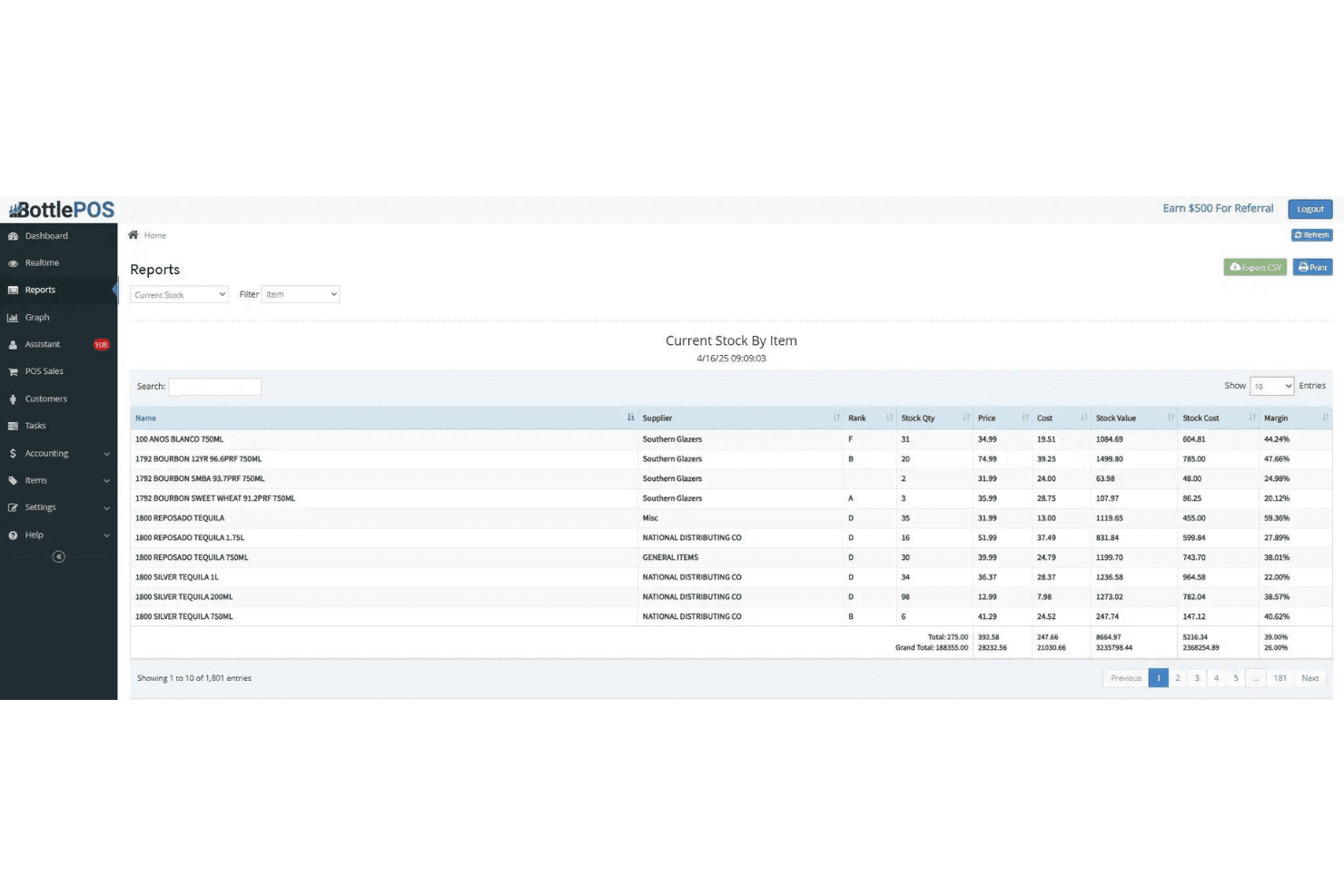
Inventory adjustments sync instantly as items sell or restock. Staff always see current stock, even across multiple registers.
Custom Mix-and-Match Promotions
Set case discounts, BOGO deals, or multi-pack pricing. Promotions auto-apply based on cart combinations at checkout.
Shelf Tag and Label Printing
Print product tags and labels directly from the dashboard. Tags include names, pricing, and scannable barcodes for shelf accuracy.
Multi-Store Management
Manage multiple locations from a single login. View sales, transfer inventory, and update prices across all stores at once.
Standout Features
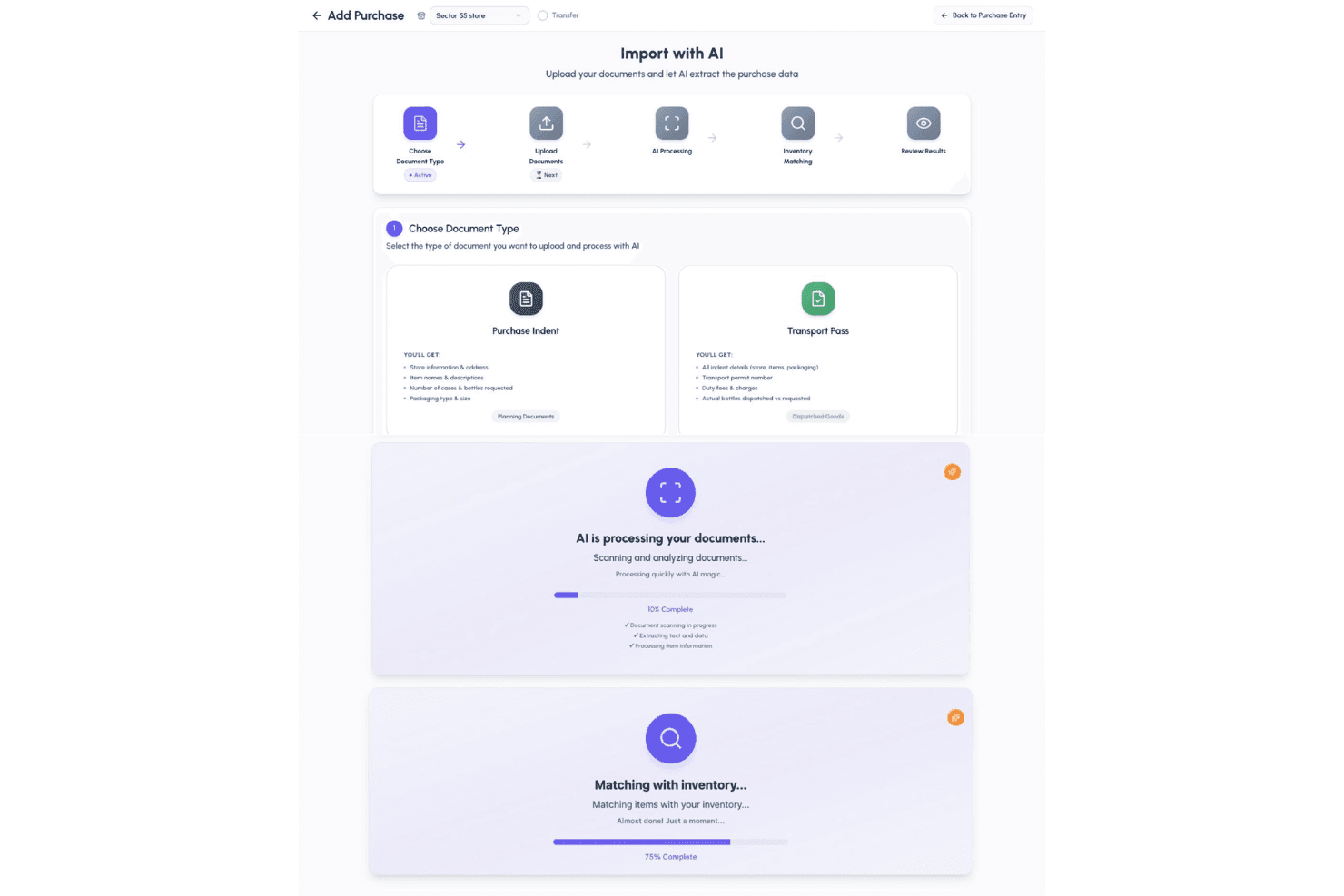
AI Invoice Processing and Automated Receiving
Bottle POS scans distributor invoices, updates costs, creates products, and adjusts inventory automatically. This dramatically reduces manual data entry for liquor retailers.
Automated State Reporting
Bottle POS can generate and file state liquor reports directly from your sales data. This saves hours and reduces errors for regulated shops.
Ease of Use
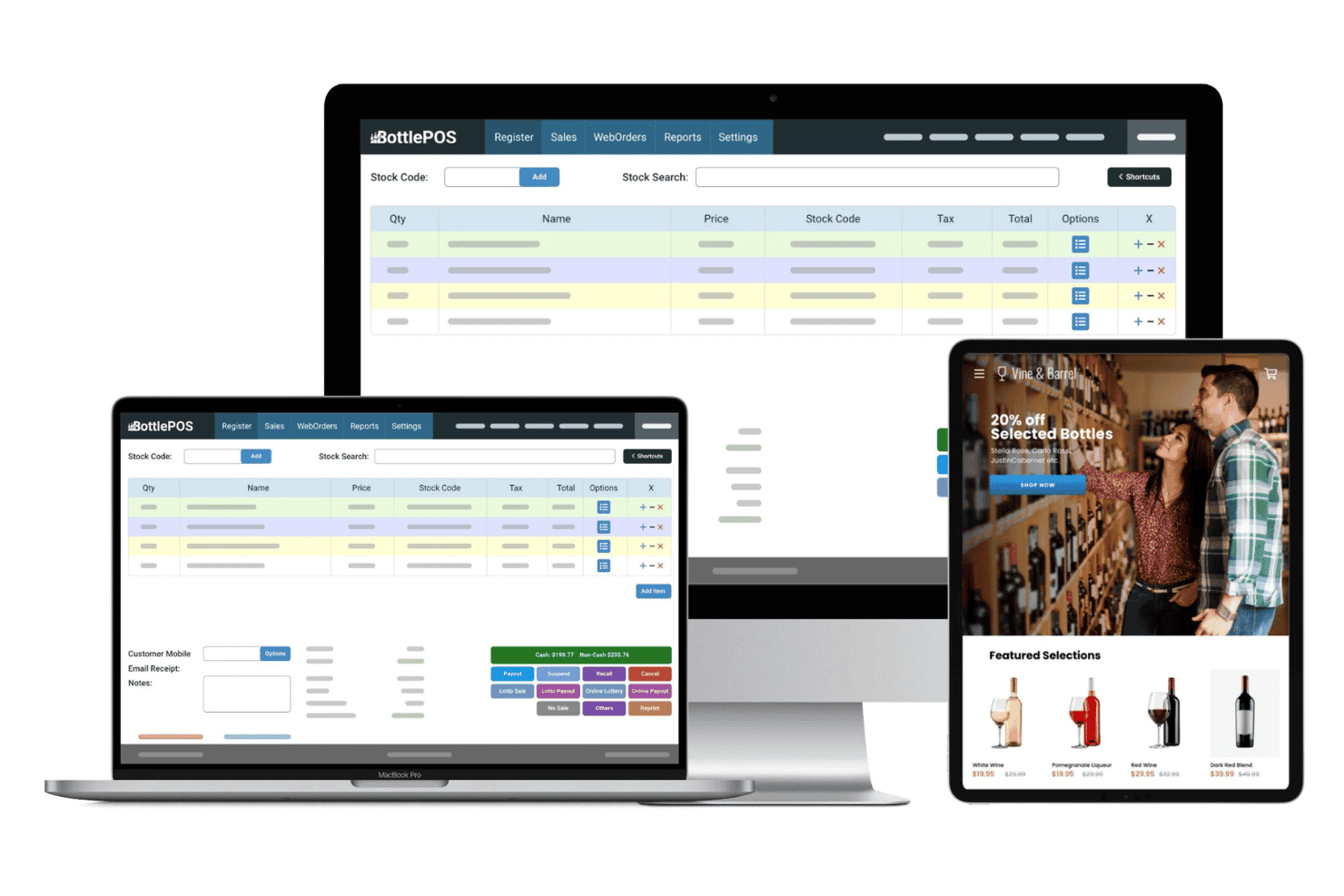
Bottle POS feels purpose-built for liquor retail, with workflows designed around age checks, barcode scanning, and fast-moving inventory. I think the interface is uncluttered and direct—cashiers scan bottles and get instant results, and the touchpoints for setting discounts or printing labels are simple, not buried in menus. Users consistently mention that staff learn it in one shift.
Onboarding
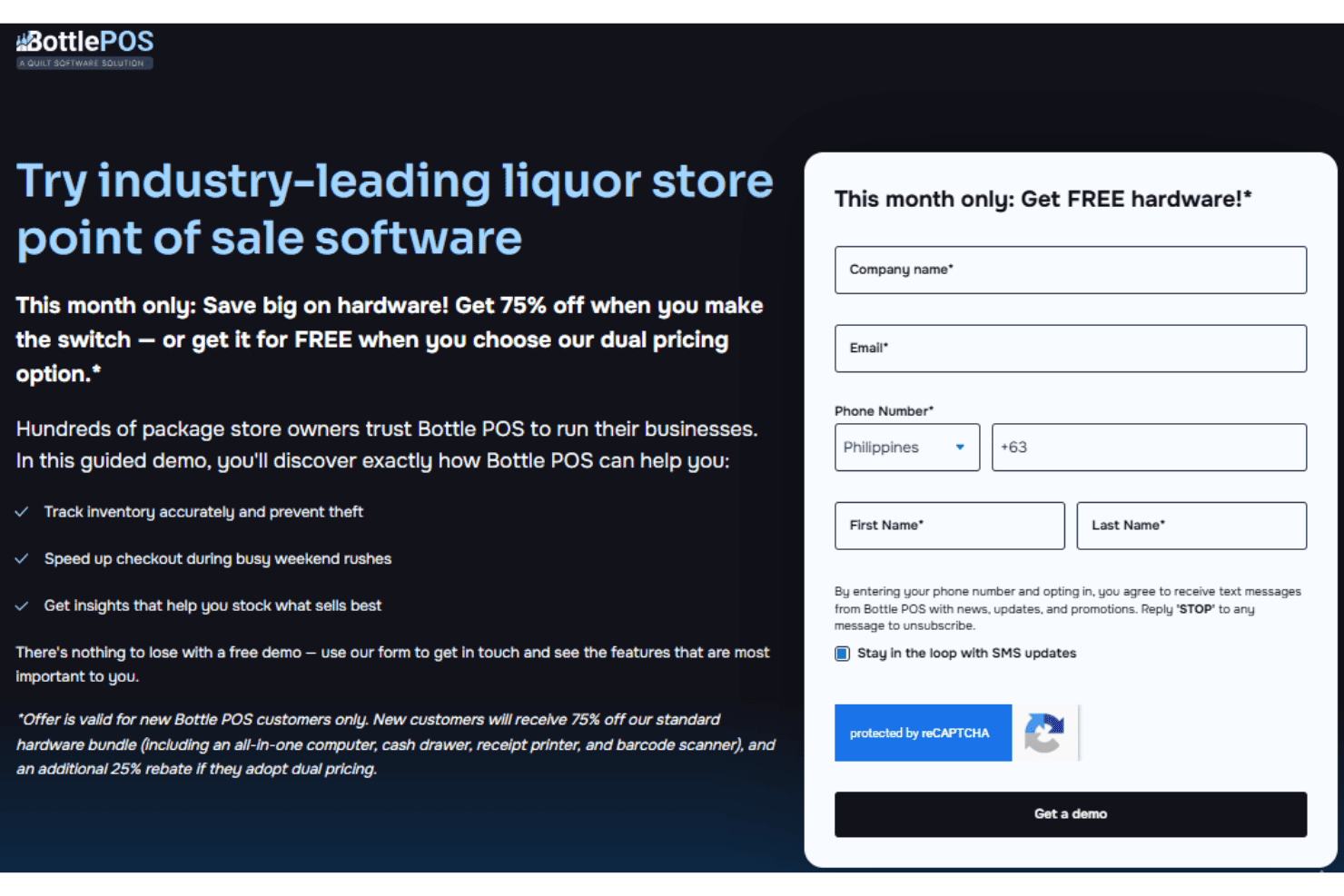
Bottle POS delivers a hands-on onboarding process, with guided setup, inventory import, and on-call training that most teams finish within a day. I notice users often praise responsive onboarding specialists and clear video tutorials. Questions get resolved quickly, making go-live a smooth experience for new liquor store owners and staff.
Customer Support
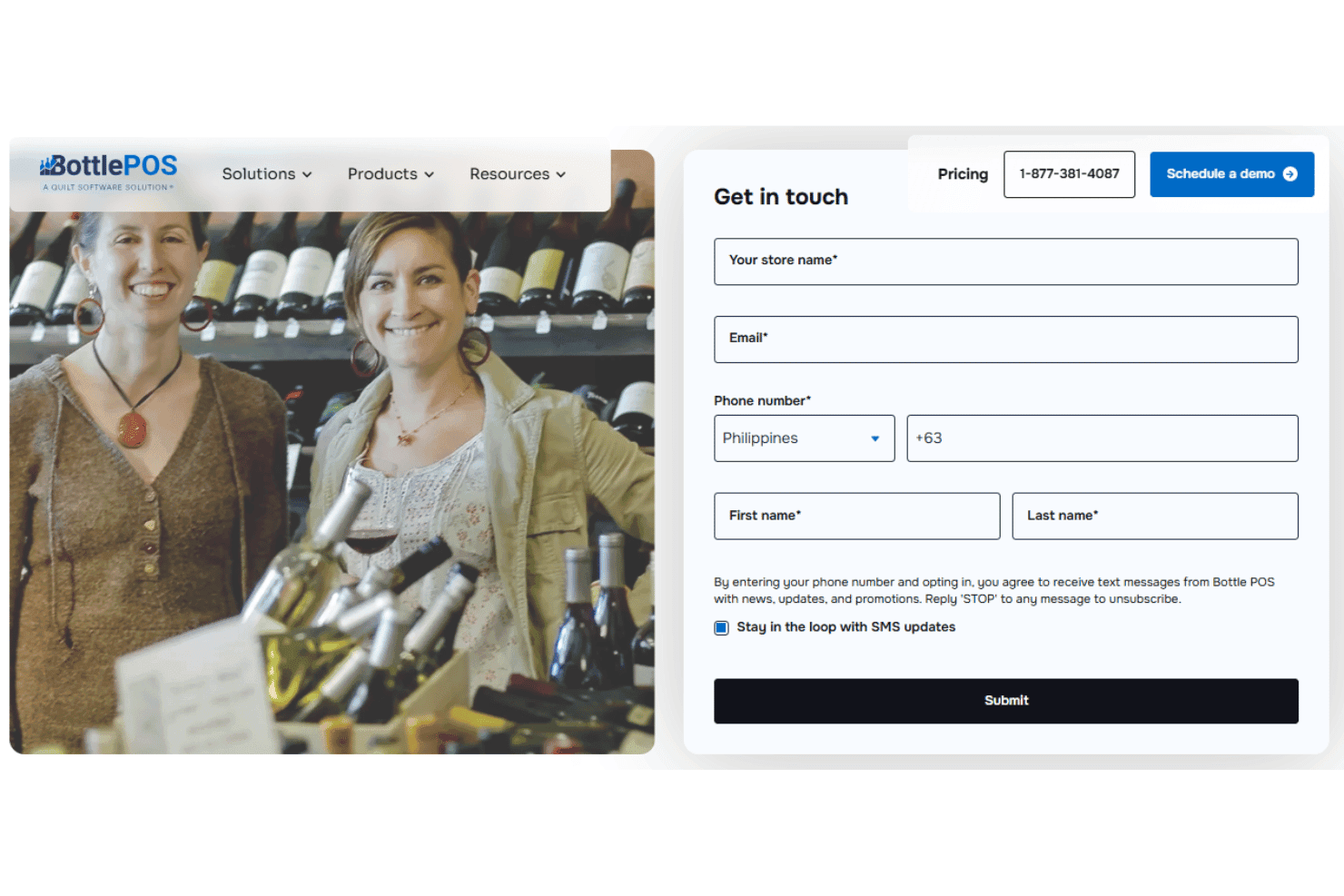
I find Bottle POS’s customer support to be attentive and timely, with live phone help, email support, and an online knowledge base that answers specific liquor store scenarios. Users report quick resolution of hardware and compliance issues, and say team members follow up proactively after support tickets are closed.
Integrations
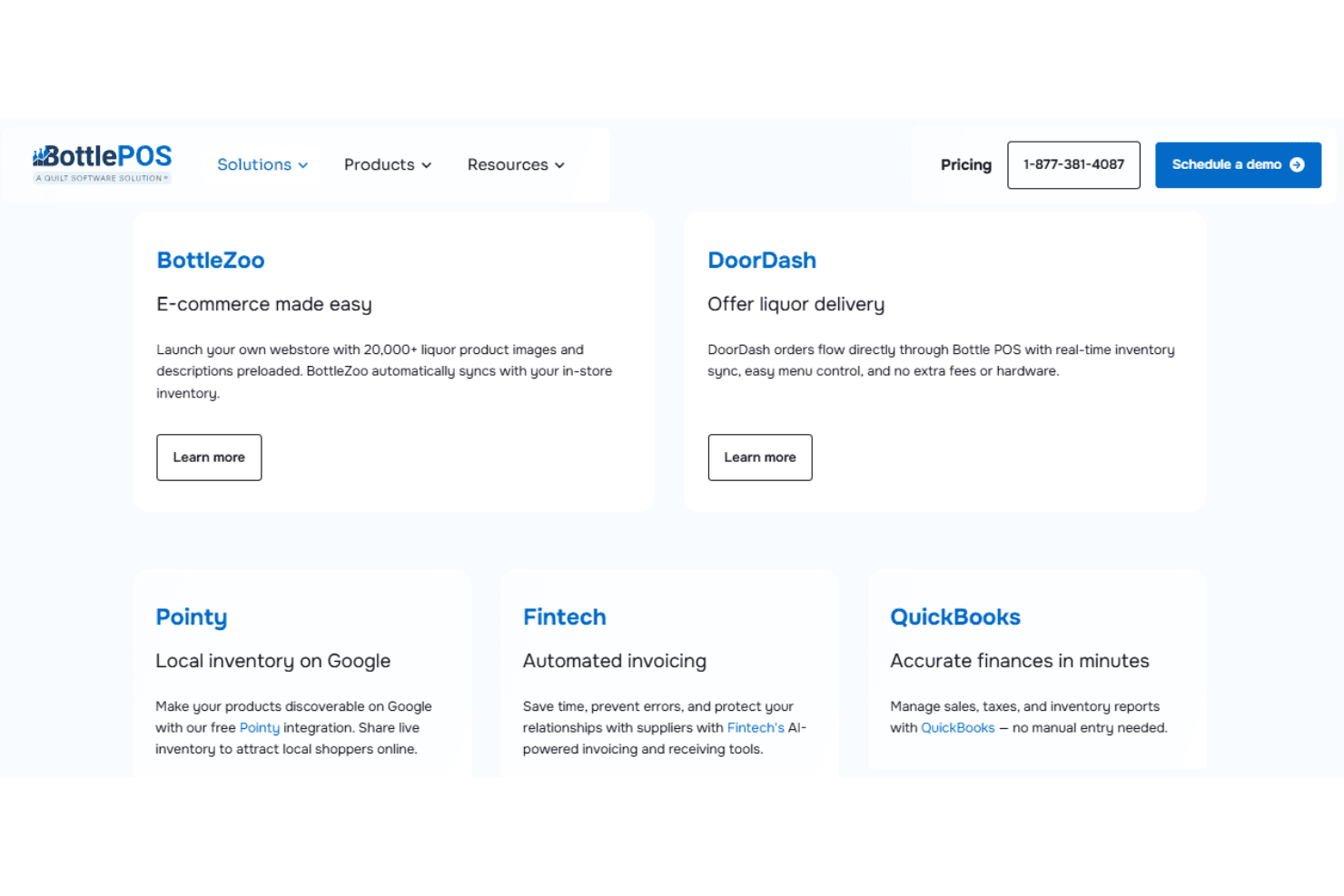
Bottle POS integrates with QuickBooks, Fintech, Pointy, BottleZoo, DoorDash, CityHive, BottleCapps, Google, and Monroe Package, among others.
Bottle POS does not advertise an open API, and its integrations are built-in rather than relying on third-party integration tools.
Value for Money
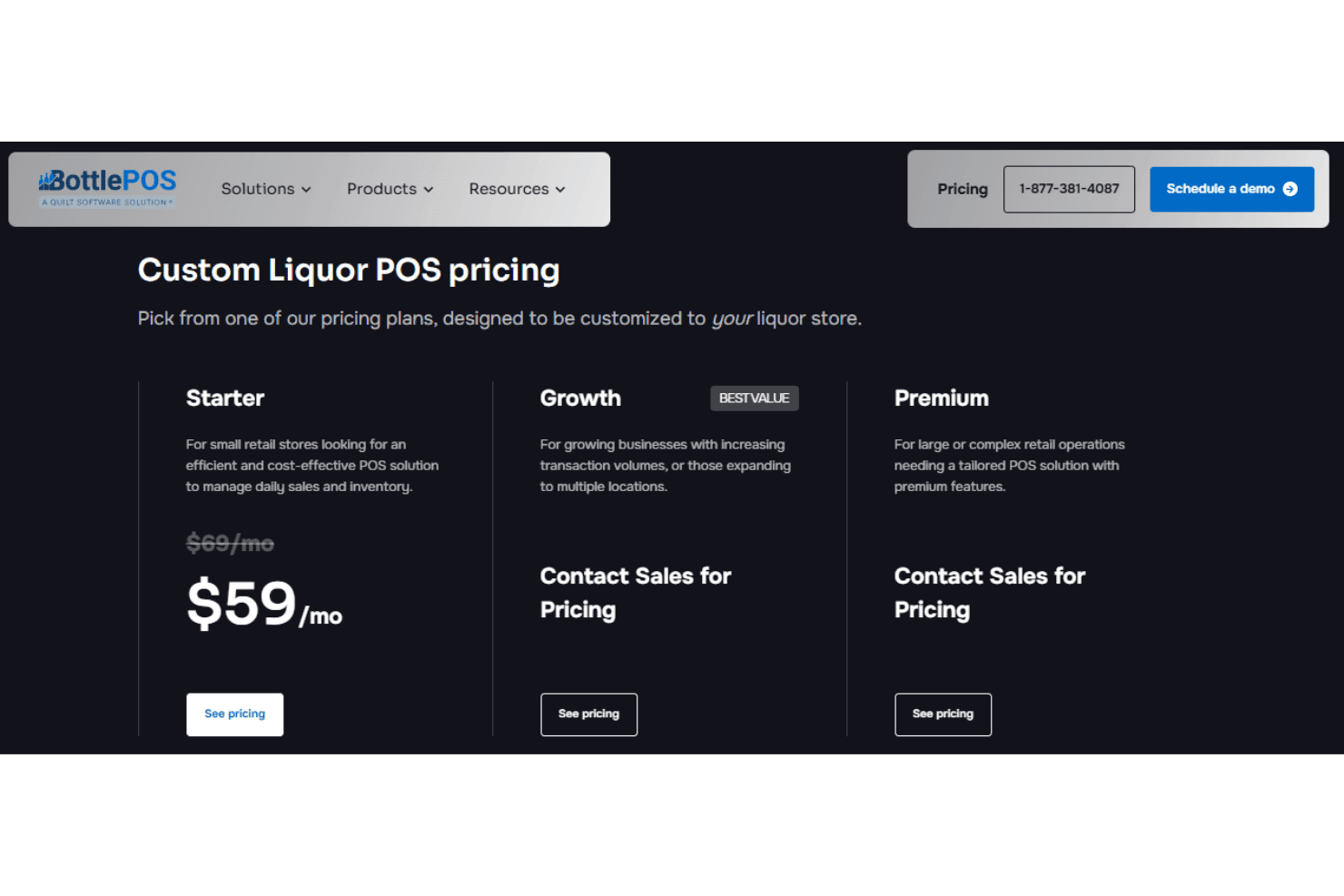
Bottle POS offers transparent entry-level pricing, with higher tiers requiring you to fill out a quick form to access exact costs. Features like age verification, inventory management, distributor invoicing, reporting, and support are bundled into plans, which helps reduce surprise costs. Pricing generally scales based on business size and operational complexity.
- Starter: For single-store retailers needing core POS, inventory, reporting, age verification, and discount tools.
- Growth: For growing or multi-location stores needing loyalty programs, intelligent ordering, auto invoicing, DoorDash integration, and advanced employee management.
- Premium: For large or complex operations needing multi-site transfers, SMS marketing, Pointy integration, customer review tools, and other advanced operational features.
Bottle POS Specs
- 2-Factor Authentication: Yes
- API: No
- Barcode Scanning: Yes
- BitCoin: No
- Budgeting: No
- Contact Management: No
- Custom Reports: Yes
- Customer Management: Yes
- Customer Rewards: Yes
- Dashboard: Yes
- Data Export: Yes
- Data Import: Yes
- Data Visualization: Yes
- External Integrations: Yes
- Forecasting: Yes
- Fraud Detection: Yes
- Inventory Tracking: Yes
- Multi-Currency: No
- Multi-User: Yes
- Notifications: Yes
- Offline Access: Yes
- Order Management: Yes
- Payment Processor: Yes
- PayPal: No
- Stripe: No
- Supplier Management: Yes
- Tax Management: Yes
- Third-Party Plugins/Add-Ons: Yes
- Workflow Management: Yes
Bottle POS FAQs
Bottle POS Company Overview & History
Bottle POS is a point of sale platform specifically designed for wine, beer, and liquor retailers in the United States. The company is headquartered in Atlanta, Georgia. Bottle POS was acquired by POS Nation in 2022, making it the go-to product in their portfolio focused on delivering retail software solutions for alcohol businesses. The company emphasizes industry-specific features and compliance, but does not publicize major affiliations or a broad software portfolio.
Bottle POS Major Milestones
- 2019: Product launched to serve independent liquor store retailers.
- 2020: Introduced automated state reporting features for better compliance.
- 2022: Acquired by POS Nation.
- 2023: Recognized in industry trade publications for retail compliance innovation.