

10 Best Hotjar Alternatives for Session Recording in 2026

Hotjar Alternatives Shortlist


A strong Hotjar alternative gives you detailed behavior analytics, session recordings, heatmaps, and significant insights to understand how users interact with your site or app. If you’re searching for Hotjar alternatives—or comparing Hotjar vs other platforms—you’re likely looking for tools that offer similar or expanded features, such as more advanced analytics, API access, better integrations, or a different pricing model. With so many options available, it’s essential to compare the leading platforms side by side. This list will help you quickly identify the best-fit solutions for your team’s analytics, optimization, and user experience goals.
What Is Hotjar?
Hotjar is a user-friendly behavior analytics tool that tracks and visualizes how users interact with websites and web apps. It combines powerful analytics features like heatmaps, session recordings, and feedback polls to help teams understand user journeys and identify friction points. With an intuitive user interface, Hotjar supports product development, e-commerce, and marketing teams in optimizing site design, improving conversion rates, and enhancing the overall user experience.
Why Trust Our Software Recommendations
Our team has been testing and reviewing software since 2012. As retail leaders ourselves, we know how difficult—and important—it is to choose the right software.
For this guide, we evaluated tools using hands-on testing and independent research, scoring tools using our selection criteria.
Our reviews reflect our independent judgment—not a sales pitch.
Best Hotjar Alternatives Summary
This comparison chart summarizes pricing details for my top Hotjar alternative selections to help you find the best one for your budget and business needs.
| Tool | Best For | Trial Info | Price | ||
|---|---|---|---|---|---|
| 1 | Best for funnel analysis to improve conversions | 14-day free trial + free plan + free demo available | From $25/month (billed annually) | Website | |
| 2 | Best for end-to-end digital experience monitoring | Free demo available | From $4.50/1000 sessions | Website | |
| 3 | Best for real-time product analytics | Free plan available | From $140/month | Website | |
| 4 | Best for uncovering digital experience issues | Free plan + free demo available | Pricing upon request | Website | |
| 5 | Best for mobile app analytics with gesture flow tracking | Free demo + 14-day free trial available | Pricing upon request | Website | |
| 6 | Best for mobile user engagement and retention analytics | 30-day free trial + free demo available | From $85/month | Website | |
| 7 | Best for remote usability testing with video-based user feedback | Free demo available | From $699/month (billed annually) | Website | |
| 8 | Best for combining in-app guidance with product usage analytics | Free plan + 30-day free trial + free demo available | Pricing upon request | Website | |
| 9 | Best for simple A/B testing to optimize websites | 30-day free trial available | From $29/month | Website | |
| 10 | Best for AI-driven insights into customer journeys | Free plan + free demo + 15-day free trial available | From $39/month (billed annually) | Website |
Hotjar Alternatives Reviews
Below are my detailed summaries of the Hotjar alternatives that made it onto my shortlist. My reviews offer a detailed look at the features, capabilities, and integrations of each platform to help you find the best one for you.

Best for funnel analysis to improve conversions
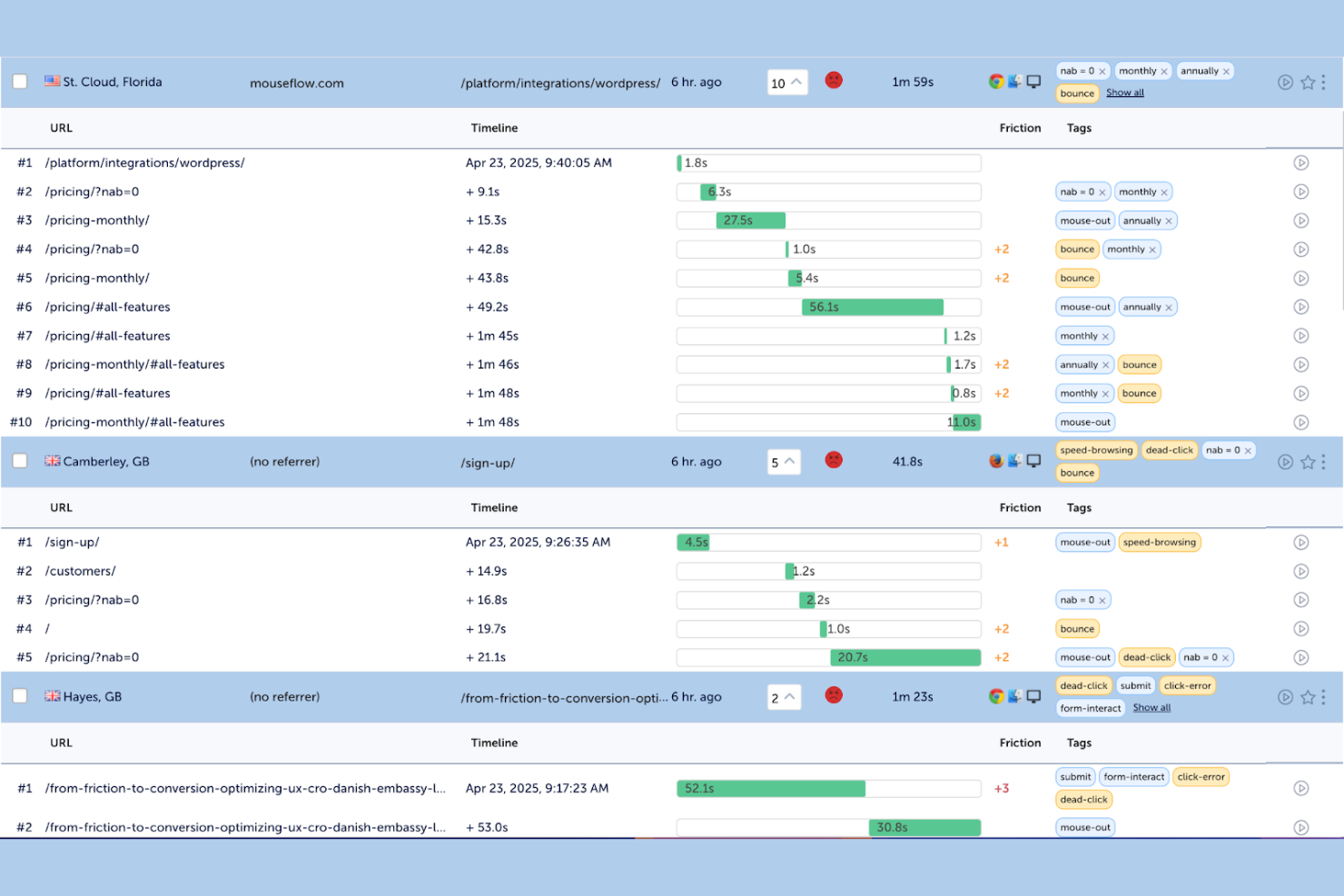
For e-commerce and digital teams focused on conversion optimization, Mouseflow offers session replay and friction analysis tools designed to uncover where users struggle. It’s especially useful for marketers, UX specialists, CRO professionals, and small businesses that need clear user behavior analysis without complex setup. As a comprehensive heatmap tool, Mouseflow combines session replays with automated friction detection, detailed session filtering, and customer feedback features to help you pinpoint drop-offs and bottlenecks in the customer journey. Unlike Hotjar, it places a stronger emphasis on automated insights that help you prioritize fixes that drive measurable results.
Why Mouseflow Is a Good Hotjar Alternative
If you’re looking for a tool that goes beyond basic heatmaps, Mouseflow stands out with its session replay and friction analysis capabilities. I appreciate how Mouseflow automatically detects friction events—like rage clicks, form abandonment, and U-turns—so you can quickly spot where users get stuck. The session replay feature lets you watch real user journeys and filter recordings by specific behaviors or issues. For teams focused on conversion optimization, Mouseflow offers a more granular look at user struggles than Hotjar.
Mouseflow Key Features
Some other Mouseflow features that behavior analytics buyers may want to know about include:
- Heatmaps: Visualize clicks, scrolls, and movement patterns across your pages.
- Funnels: Track user drop-off at each step of your conversion paths.
- Form Analytics: Analyze how users interact with forms, including field abandonment and completion rates.
- User Feedback: Launch on-site surveys and feedback widgets to collect direct input from visitors.
Mouseflow Integrations
Integrations include Adobe Analytics, Google Analytics, AB Tasty, Shopify, Google Ads, Salesforce, Slack, Microsoft Teams, WooCommerce, and more.
Pros and Cons
Pros:
- On-site widgets collect user feedback
- Heatmaps show click and scroll patterns
- Form analytics track abandonment rates
Cons:
- Data sampling limits high-traffic sessions
- Recordings may miss dynamic content
Best for end-to-end digital experience monitoring
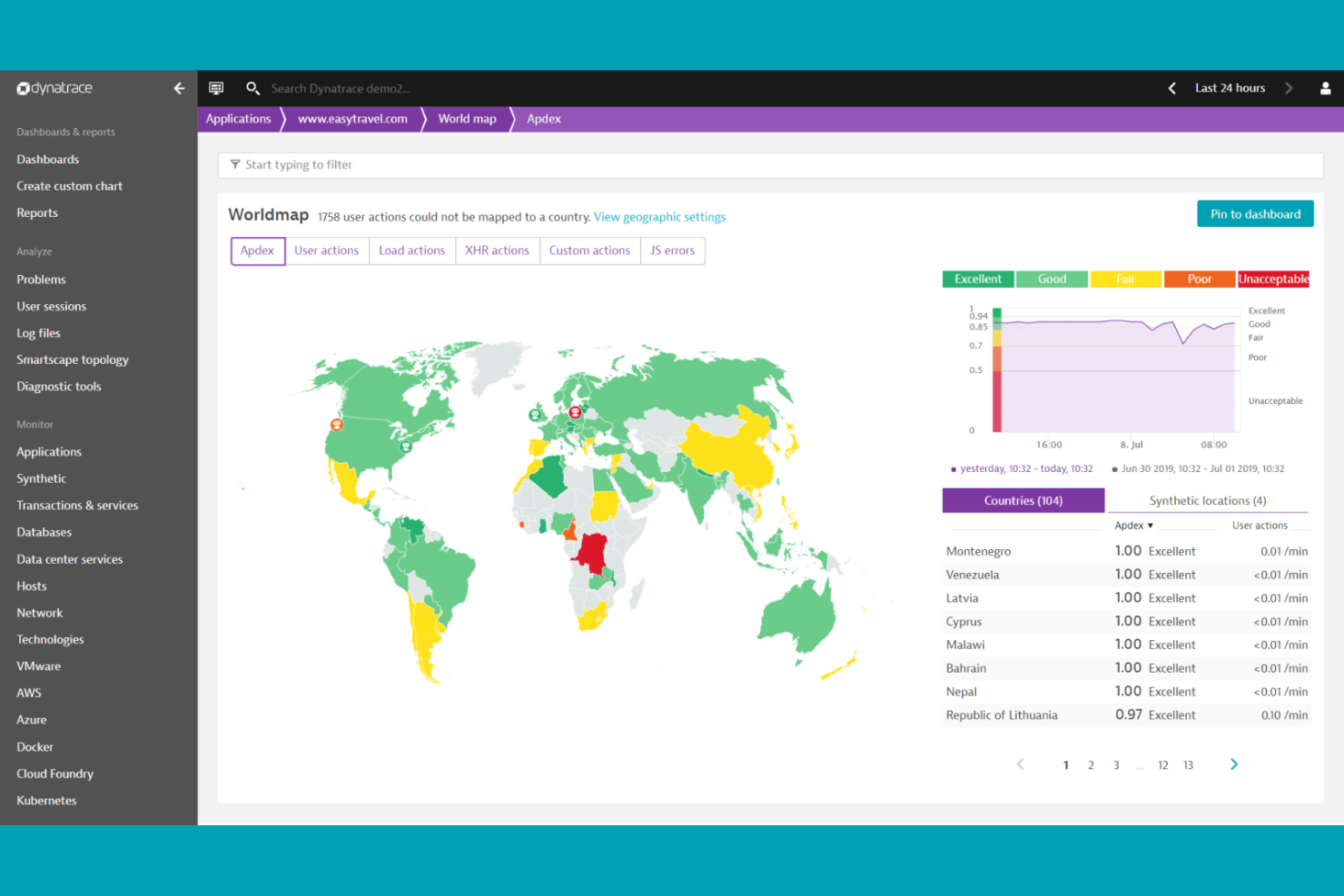
Enterprise teams seeking deep behavioral insights across complex digital environments often turn to Dynatrace for its AI-powered analytics and full-stack monitoring. Dynatrace appeals to IT, e-commerce, and digital operations leaders who need to connect user experience data with backend performance in real time. Unlike Hotjar, Dynatrace combines session replay with automated root cause analysis, helping you quickly identify and resolve issues that impact both users and business outcomes.
Why Dynatrace Is a Good Hotjar Alternative
For teams that need more than just front-end behavior analytics, Dynatrace offers full-stack digital experience monitoring powered by AI. I picked Dynatrace because it connects user session data with backend application and infrastructure performance, giving you a complete view of what’s impacting user journeys. Its AI engine automatically detects anomalies and pinpoints root causes, so you can address issues before they affect conversion or retention. This level of end-to-end visibility sets Dynatrace apart from Hotjar, especially for businesses managing complex digital ecosystems.
Dynatrace Key Features
Some other Dynatrace features that behavior analytics buyers may want to know about include:
- Session Replay: Watch real user sessions to see exactly how visitors interact with your site or app.
- User Journey Analysis: Map and analyze every step users take across digital touchpoints.
- Conversion Funnel Tracking: Monitor where users drop off in multi-step processes and identify friction points.
- Custom Dashboards: Build tailored dashboards to visualize behavioral and performance data side by side.
Dynatrace Integrations
Integrations include Jira, Slack, Microsoft Teams, Snowflake, GitHub, AWS Security Hub, and more.
Pros and Cons
Pros:
- Journey mapping shows multi-step conversions
- Real-time anomaly detection flags performance drops
- AI root cause links issues to backend
Cons:
- Behavior analytics less focused than UX tools
- Deep monitoring may impact performance

Mixpanel
Best for real-time product analytics
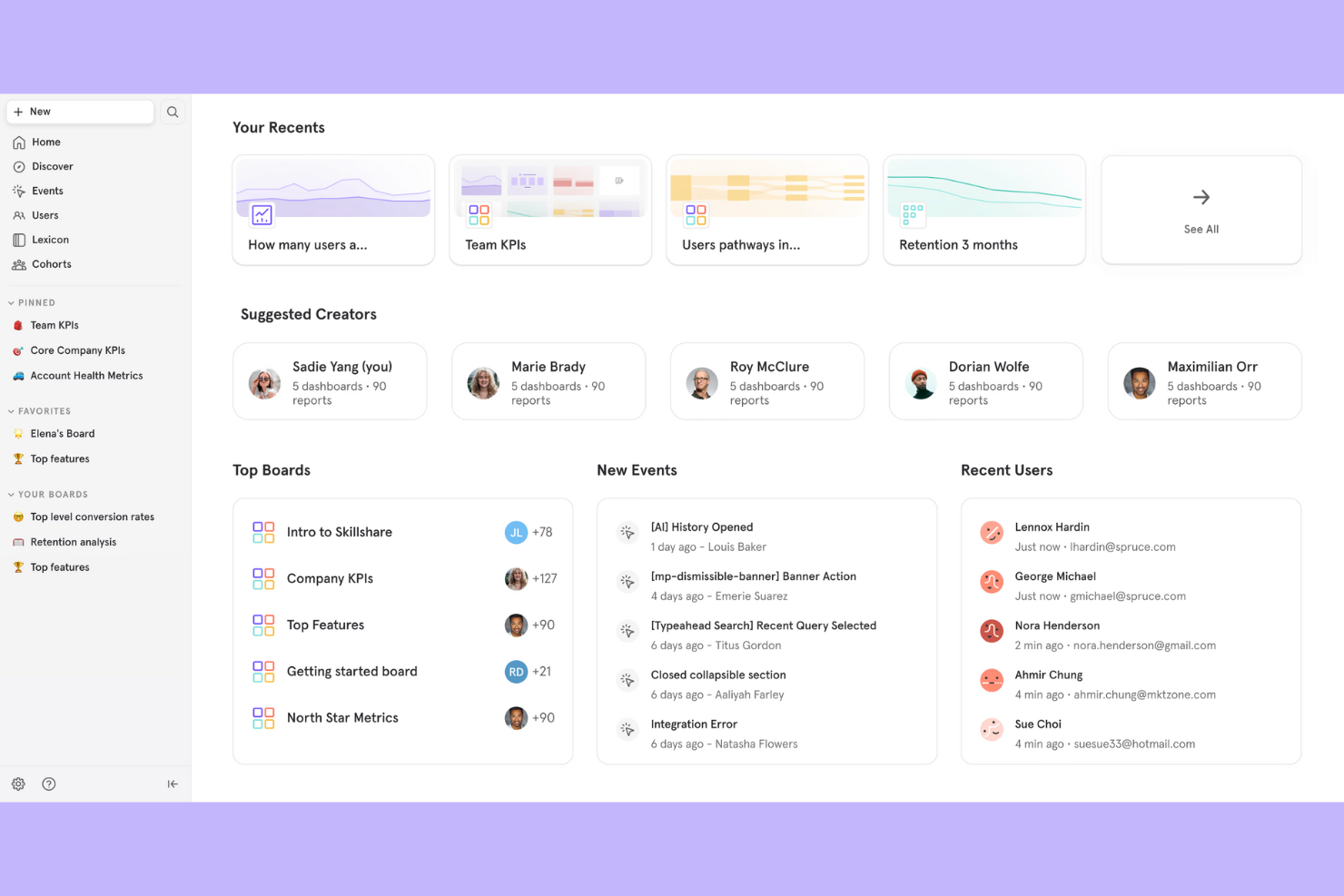
Mixpanel is a product analytics platform designed for teams that need deep, real-time insights into user behavior across web and mobile apps. It’s a strong fit for e-commerce, SaaS, and digital product teams who want to track granular user actions and build custom reports without coding. Mixpanel stands out from Hotjar by offering advanced event tracking, cohort analysis, and powerful segmentation tools for data-driven decision making.
Why Mixpanel Is a Good Hotjar Alternative
Mixpanel stands out for its advanced product analytics and real-time data tracking, which go beyond the session replays and heatmaps you get with Hotjar. I picked Mixpanel because it lets you define and track custom events, so you can analyze specific user actions that matter to your business. Its cohort analysis feature helps you segment users based on behavior over time, making it easier to spot trends and retention drivers. If you need granular, significant insights into how users interact with your product, Mixpanel is a strong choice.
Mixpanel Key Features
Some other Mixpanel features that behavior analytics buyers may find useful include:
- A/B Test Tracking: Track and compare user behavior across different product experiments to see which changes drive engagement.
- Data Visualization Dashboards: Build custom dashboards with charts and graphs to visualize key metrics in real time.
- User Flow Analysis: Map out the paths users take through your site or app to identify drop-off points and optimize journeys.
- Alerts and Automated Reports: Set up alerts for significant changes in user behavior and schedule automated reports for your team.
Mixpanel Integrations
Integrations include Iterable, Netmera, Fivetran, Userflow, Apptimize, Kochava, Intercom, Freshpaint, AWS, Rivery, Eppo, Hightouch, and more.
Pros and Cons
Pros:
- A/B tracking supports product experiments
- Customizable dashboards tailor data views
- Cohort analysis shows retention trends
Cons:
- Advanced setup needs technical resources
- No built-in heatmaps or session replays

Best for uncovering digital experience issues
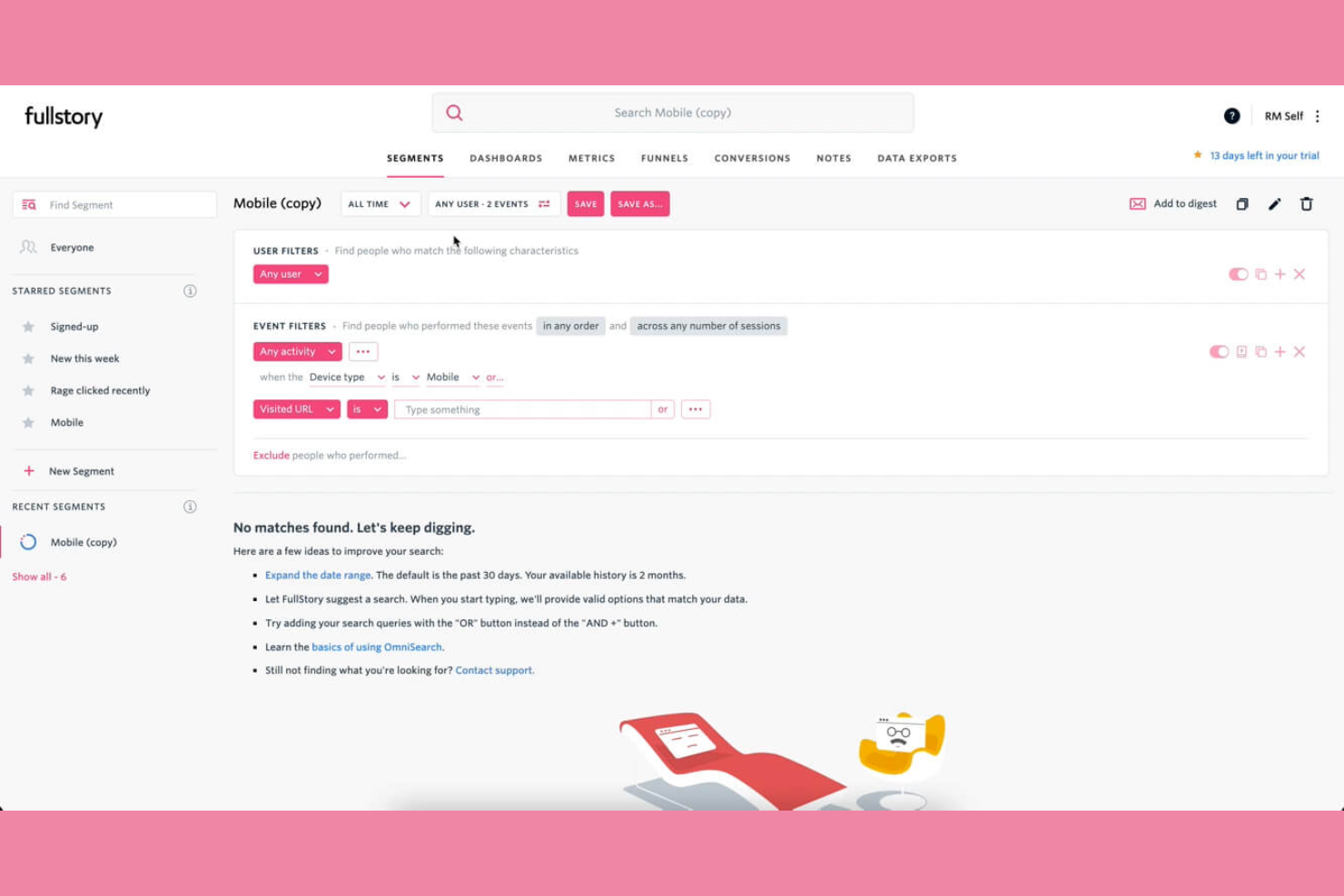
If you’re looking for a behavior analytics tool that specializes in session replay and digital experience analytics, Fullstory is worth considering. It’s designed for e-commerce, product, and UX teams who need to understand exactly how users interact with web and mobile experiences. Fullstory stands apart from Hotjar by capturing every user interaction automatically, making it easier to pinpoint friction, errors, and opportunities for optimization.
Why Fullstory Is a Good Hotjar Alternative
What sets Fullstory apart as a Hotjar alternative is its focus on session replay and digital experience analytics for both web and mobile. I like that Fullstory automatically captures every user interaction, so you don’t have to predefine events or guess what to track. Its session replay feature lets you watch real user journeys in detail, helping you spot friction points and errors that impact conversions. For teams who want a complete, searchable record of user behavior, Fullstory offers a level of visibility that goes beyond what Hotjar provides.
Fullstory Key Features
Some other Fullstory features that behavior analytics buyers may want to know about include:
- Conversion Funnels: Track and visualize user progress through multi-step processes to identify where users drop off.
- Rage Click Detection: Automatically flag repeated, rapid clicks that signal user frustration or broken elements.
- Custom Event Tracking: Define and monitor specific user actions that matter to your business goals.
- Privacy Controls: Mask sensitive data and configure privacy settings to protect user information during session capture.
Fullstory Integrations
Integrations include AB Tasty, Adobe, BigCommerce, Fivetran, Google Cloud, Google Analytics, Hightouch, Intercom, Formsort, and more.
Pros and Cons
Pros:
- Searchable data filters user sessions
- Funnel tracking shows multi-step drop-offs
- Frustration signals detect rage clicks
Cons:
- Raw data exports limited or complex
- Performance impact on high-traffic sites

UXCam
Best for mobile app analytics with gesture flow tracking
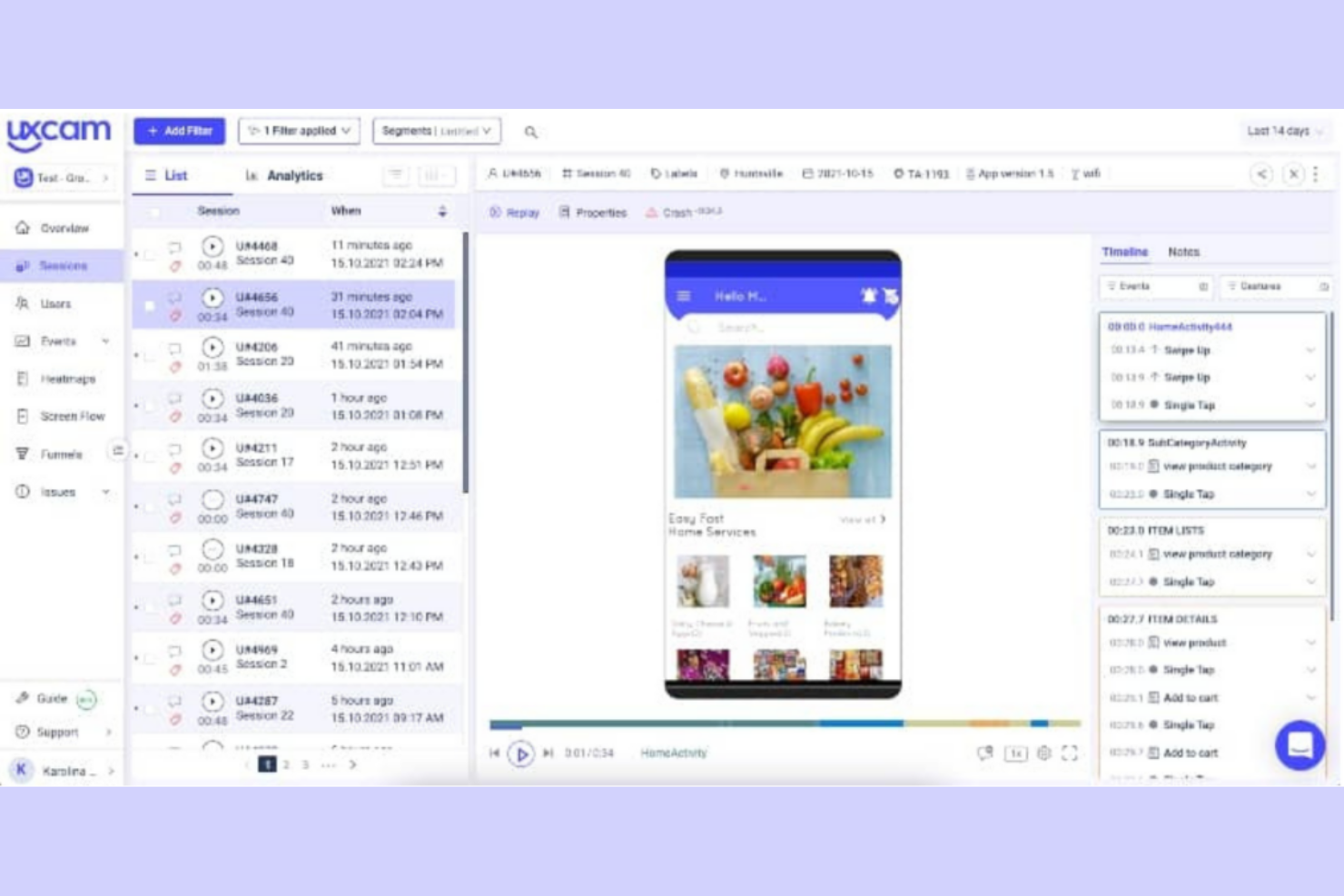
If you’re focused on optimizing mobile app experiences, UXCam offers specialized analytics designed for mobile product teams and UX researchers. The platform captures session replays, screen recordings, touch heatmaps, scroll maps, and click maps to help you understand exactly how users interact with your app. Unlike Hotjar, UXCam is purpose-built for mobile, making it a strong choice for businesses that need deep behavioral insights on iOS and Android apps.
Why UXCam Is a Good Hotjar Alternative
For teams that need deep visibility into mobile app user behavior, UXCam delivers analytics that go beyond what Hotjar offers for mobile. I picked UXCam because it provides session replay, touch heatmaps, and gesture tracking specifically for iOS and Android apps. These features let you see exactly where users tap, swipe, or get stuck, helping you pinpoint friction points unique to mobile experiences. If your business relies on mobile apps, UXCam’s focus on mobile analytics makes it a strong alternative to Hotjar’s web-first approach.
UXCam Key Features
Some other UXCam features that behavior analytics buyers may want to know about include:
- User Flow Analysis: Map out the paths users take through your app to identify common journeys and drop-off points.
- Crash and Issue Analytics: Automatically detect crashes and technical issues, then link them to specific user sessions for troubleshooting.
- Event Analytics: Track custom events and user actions to measure engagement with specific features or screens.
- User Segmentation: Filter and analyze data by user properties, behaviors, or device types to uncover trends in different audience segments.
UXCam Integrations
Integrations are not publicly listed.
Pros and Cons
Pros:
- Crash analytics link issues to sessions
- Touch heatmaps show tap behavior
- Session replay captures gestures and screens
Cons:
- No built-in in-app survey tools
- Event setup requires technical resources

Best for mobile user engagement and retention analytics
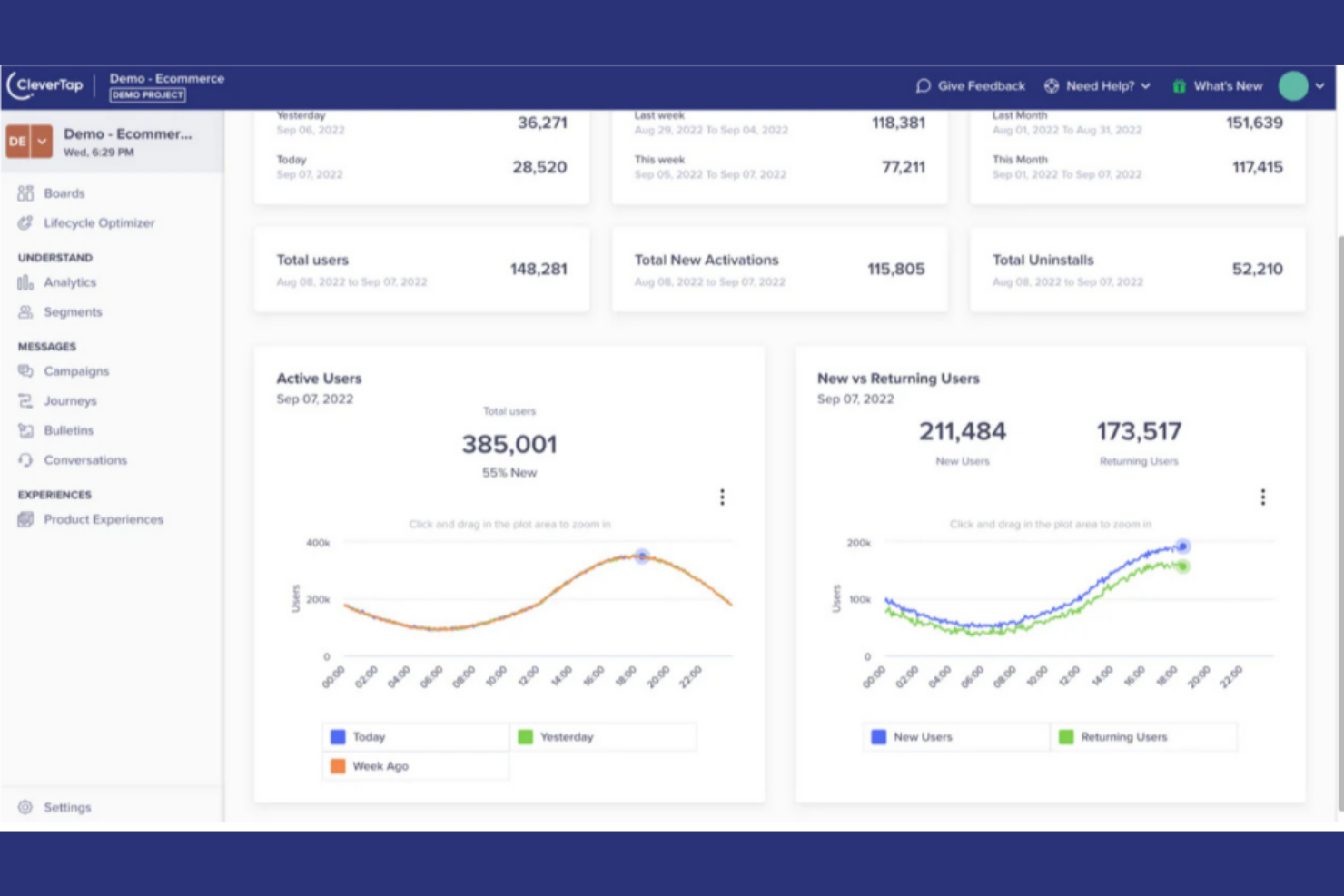
Mobile-first brands looking to combine behavioral analytics with automated engagement often turn to CleverTap. This platform is designed for growth and retention teams in ecommerce, media, and mobile app businesses that want to analyze user actions, track pageviews, and trigger personalized campaigns in real time. Unlike Hotjar, CleverTap uses AI to segment audiences and deliver targeted push notifications, in-app messages, and emails based on live behavioral data. While it’s not an open-source solution, it offers robust enterprise features for teams focused on scalable customer engagement.
Why CleverTap Is a Good Hotjar Alternative
CleverTap stands out for its AI-driven behavioral analytics and real-time engagement capabilities, which go beyond what Hotjar offers for mobile apps. I picked CleverTap because it lets you automatically segment users based on in-app actions and trigger personalized push notifications, emails, or in-app messages as behaviors happen. The platform’s AI models help you predict churn and identify high-value segments, so you can act on insights immediately. This makes CleverTap a strong choice for teams that want to connect analytics with automated, targeted engagement on mobile.
CleverTap Key Features
Some other CleverTap features that behavior analytics buyers may want to know about include:
- Funnels and Cohort Analysis: Visualize user journeys and compare retention across different user groups.
- A/B Testing: Test multiple variations of messages or app experiences to optimize engagement.
- User Profile Enrichment: Build detailed user profiles by aggregating behavioral, demographic, and device data.
- Campaign Automation: Set up multi-channel campaigns that trigger based on user actions or lifecycle stage.
CleverTap Integrations
Integrations are not publicly listed.
Pros and Cons
Pros:
- Predictive models identify churn risks
- Cohort analysis tracks retention and conversion
- Multi-channel messaging supports push and SMS
Cons:
- Web analytics less advanced than mobile
- Limited ecommerce and analytics integrations

Best for remote usability testing with video-based user feedback
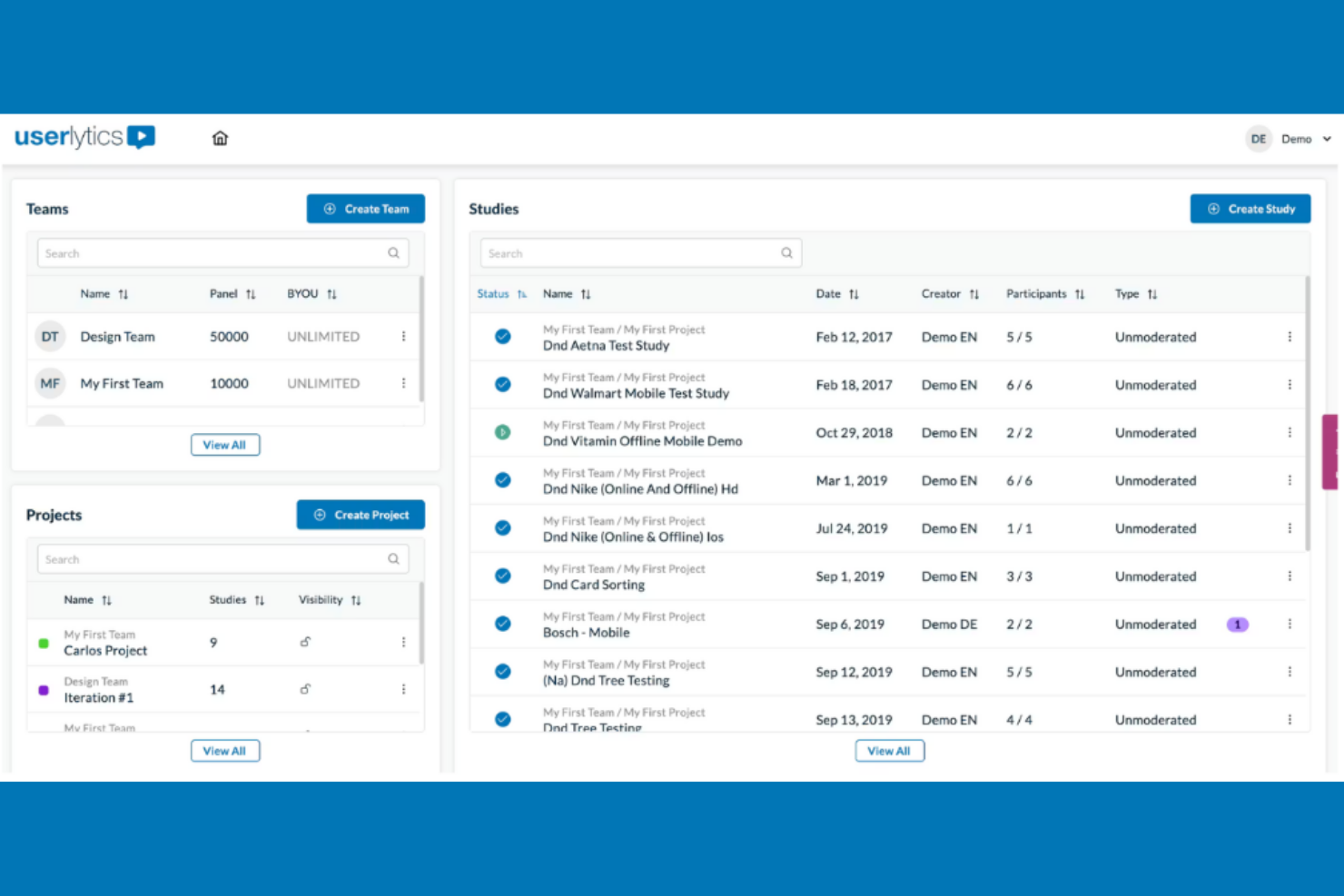
If you need to run remote usability tests with real users, Userlytics offers a flexible platform for capturing video, survey, and behavioral data. This tool is especially useful for UX researchers, product teams, and e-commerce businesses that want to observe how participants interact with digital products in their own environments. Unlike Hotjar, Userlytics lets you target specific demographics, record participant screens and faces, and combine qualitative feedback with quantitative analytics.
Why Userlytics Is a Good Hotjar Alternative
What sets Userlytics apart is its focus on remote usability testing with video, surveys, and advanced participant targeting. I picked Userlytics because it allows you to observe real users as they interact with your website or app, capturing both their screen and facial expressions for deeper behavioral insights. The platform’s advanced participant targeting lets you recruit testers based on specific demographics or user criteria, which is something Hotjar doesn’t offer. You can also combine video feedback with survey responses to get a more complete picture of user experience and decision-making.
Userlytics Key Features
Some other Userlytics features that behavior analytics buyers may want to know about include:
- Tree Testing: Evaluate how users navigate your site’s information architecture by testing menu structures and labeling.
- Card Sorting: Let participants organize topics into categories to help optimize your site’s navigation and content structure.
- Branching Logic in Surveys: Customize survey questions based on previous answers to gather more relevant feedback.
- Automated Transcriptions: Generate searchable transcripts of user sessions for easier analysis and reporting.
Userlytics Integrations
Integrations are not publicly listed.
Pros and Cons
Pros:
- Automated transcriptions simplify review
- Card sorting and tree testing included
- Advanced participant demographic targeting
Cons:
- Reporting lacks advanced visualizations
- Test setup and recruitment time-consuming

Pendo
Best for combining in-app guidance with product usage analytics
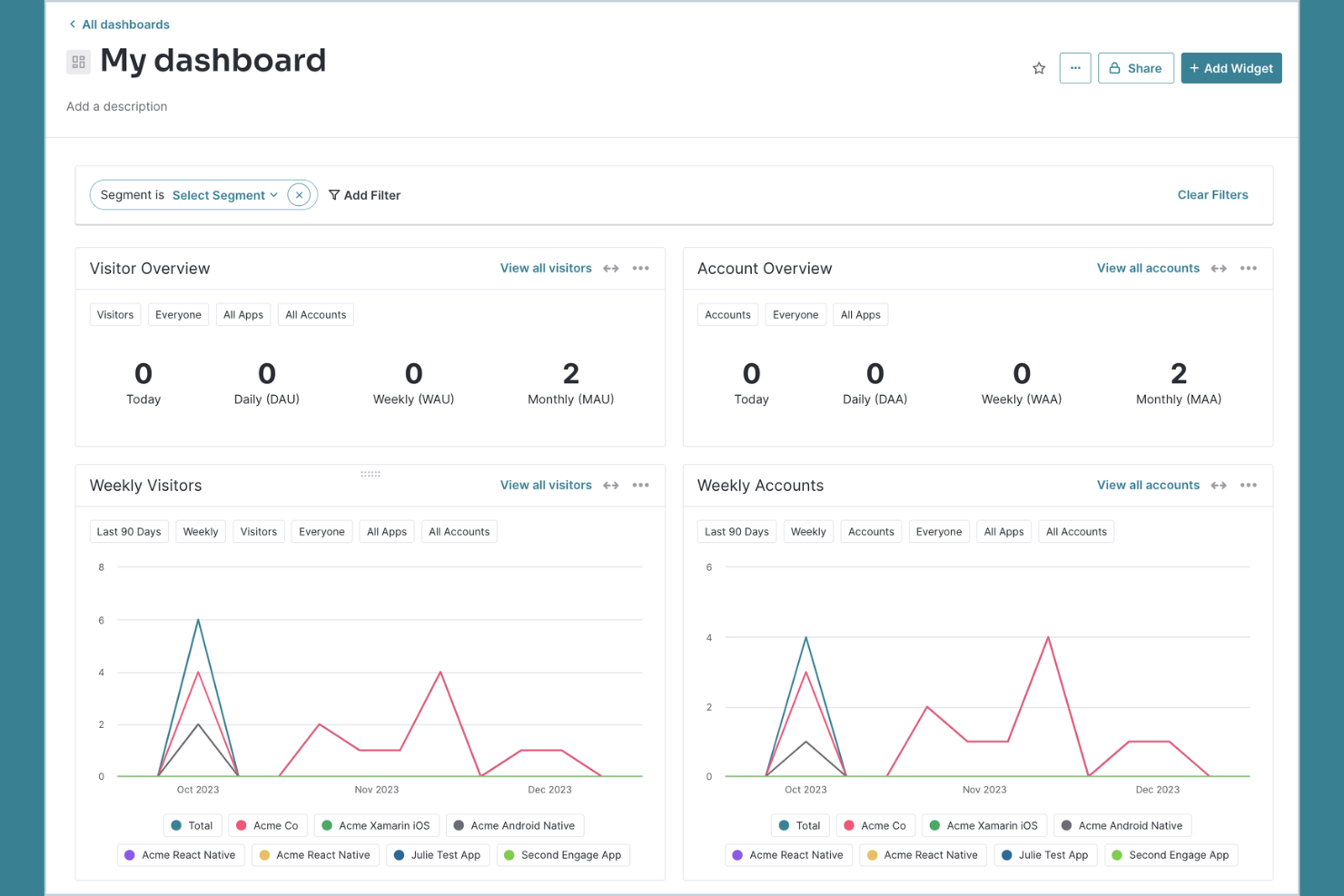
For teams that want to combine product analytics with in-app user guidance, Pendo brings both capabilities into a single platform. Product managers, UX leads, and SaaS businesses use Pendo to track feature adoption, collect user feedback, and deliver targeted onboarding or announcements directly inside their apps. Unlike Hotjar, Pendo offers built-in tools for creating in-app walkthroughs and surveys alongside detailed analytics for both web and mobile products.
Why Pendo Is a Good Hotjar Alternative
Pendo stands out for its ability to combine product analytics with in-app guidance for both web and mobile apps. I picked Pendo because it lets you track user behavior and feature adoption, then immediately act on those insights by launching in-app walkthroughs, tooltips, or surveys. This approach helps product and UX teams not only understand what users are doing, but also guide them toward key actions or collect feedback in real time. Unlike Hotjar, Pendo’s in-app messaging and onboarding tools are built directly into the analytics platform, making it easier to close the loop between insight and action.
Pendo Key Features
Some other Pendo features that behavior analytics buyers may want to know about include:
- Path Analysis: Visualize the most common user journeys through your product to identify drop-off points and engagement patterns.
- NPS and Polls: Launch Net Promoter Score surveys and custom polls directly within your app to gather user sentiment.
- Resource Center: Create an in-app help hub where users can access guides, announcements, and support resources.
- Mobile App Analytics: Track user behavior, feature usage, and feedback on native iOS and Android apps.
Pendo Integrations
Integrations include Jira, Intercom, Marketo, Okta, Salesforce, Zendesk, Segment, and more.
Pros and Cons
Pros:
- Path analysis shows journeys and drop-offs
- Resource Center supports in-app onboarding
- Built-in NPS and feedback tools
Cons:
- Advanced reporting needs higher-tier plans
- No session replay or heatmaps

Best for simple A/B testing to optimize websites
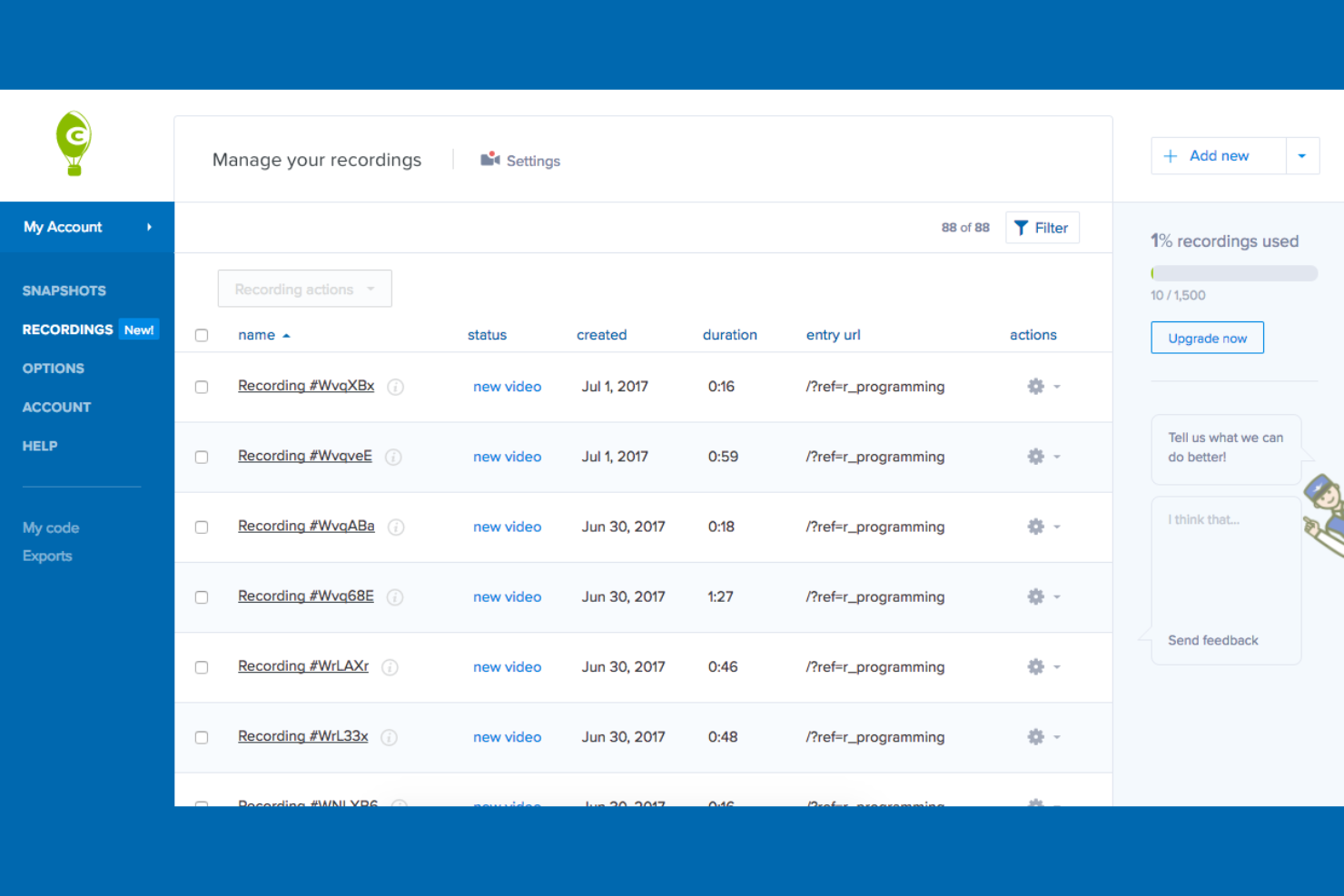
If you’re looking for an all-in-one behavior analytics tool with a strong focus on visual reporting, Crazy Egg offers detailed heatmaps and A/B testing in one platform. It’s a good fit for e-commerce managers, marketers, and UX teams who want clear user insights and user behavior analysis to quickly see how visitors interact with site elements and test changes without developer help. Unlike Hotjar, Crazy Egg emphasizes visual click tracking and built-in experimentation tools to help you generate valuable insights and optimize web pages faster.
Why Crazy Egg Is a Good Hotjar Alternative
For teams who want to combine visual analytics with experimentation, Crazy Egg brings together heatmaps and A/B testing in a single platform. I like how you can use its click, scroll, and confetti heatmaps to pinpoint exactly where users engage or drop off on your site. The built-in A/B testing tool lets you launch and measure page variations without needing a developer. If you’re looking for a Hotjar alternative that emphasizes both visual insights and rapid optimization, Crazy Egg is worth considering.
Crazy Egg Key Features
Some other Crazy Egg features that behavior analytics buyers may want to know about include:
- User Recordings: Watch real visitor sessions to see how users navigate your site.
- Overlay Reports: View detailed click data for every clickable element on a page.
- List Reports: Access a sortable list of all elements users interact with on each page.
- Traffic Analysis: Break down user behavior by traffic source, device, or campaign.
Crazy Egg Integrations
Integrations include WordPress, AWeber, Shopify, Wix, and more.
Pros and Cons
Pros:
- Overlay reports break down element clicks
- User recordings replay visitor sessions
- Built-in A/B testing experiments on pages
Cons:
- Heatmaps limited on low-traffic pages
- Recordings may miss dynamic interactions

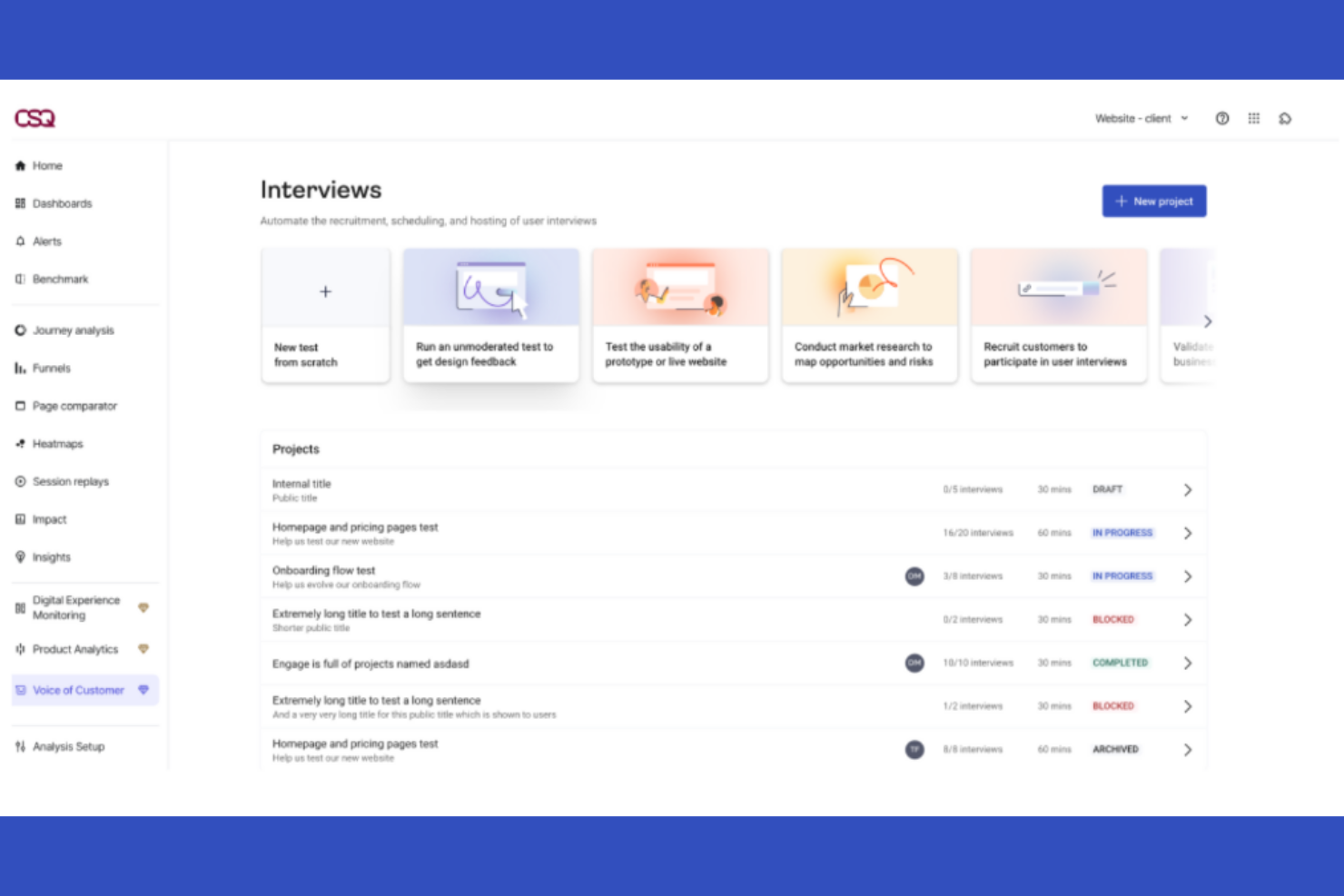
For digital teams seeking advanced journey analysis and heatmapping, Contentsquare offers a unique approach to behavior analytics. It’s especially useful for e-commerce, UX, and product teams who want to visualize user engagement at a granular, zone-based level. Unlike Hotjar, Contentsquare uses AI to surface actionable insights from complex user journeys and interactions across your site.
Why Contentsquare Is a Good Hotjar Alternative
Unlike many behavior analytics tools, Contentsquare stands out for its AI-powered journey analysis and zone-based heatmaps. I appreciate how its journey analysis maps every step users take, helping you uncover hidden drop-off points and optimize conversion paths. The zone-based heatmaps let you see exactly which parts of a page drive engagement, rather than just tracking generic clicks or scrolls. For teams who want deeper, actionable insights into user behavior beyond what Hotjar offers, Contentsquare’s advanced analytics make it a strong alternative.
Contentsquare Key Features
Some other Contentsquare features that behavior analytics buyers may want to know about include:
- Session Replay: Watch anonymized recordings of real user sessions to understand individual behaviors.
- Error Analysis: Identify and quantify technical errors that impact user experience and conversions.
- Impact Quantification: Measure the business impact of specific user behaviors or site changes.
- Segmentation Tools: Filter and analyze user data by audience segments, device types, or traffic sources.
Contentsquare Integrations
Integrations include Shopify, AWS, Microsoft Azure, Snowflake, and more.
Pros and Cons
Pros:
- Error analysis highlights technical issues
- Session replay includes privacy controls
- Zone heatmaps show element engagement
Cons:
- Limited dashboard customization options
- Implementation complex for small teams
Other Hotjar Alternatives
Here are some additional Hotjar alternatives that didn’t make it onto my shortlist, but are still worth checking out:
- UserGuiding
For no-code product tours and user onboarding flows
- ActivTrak
For workforce productivity and employee activity analytics
- Google Analytics
For digital experience analytics
- Glassbox
For web and app analytics


How I Evaluate Hotjar Alternatives
I evaluate these tools across two layers: a core baseline—heatmaps, session replay, and funnel analytics—and differentiators like shopper segmentation and ecommerce integrations.
Core Functionality (Table Stakes For This List)
When I'm selecting tools for my list, I rank each one on a scale from 0 (does not offer the functionality) to 5 (excels in this area) for each core functionality listed below. Then, I calculate the tool's total score into a percentage. Each tool needs to achieve a minimum total score of 65% to be considered for inclusion.
- Heatmap Visualization: I look for click, scroll, and movement heatmaps that let you see exactly where shoppers engage on product pages, collection grids, and promo banners.
- Session Recording & Replay: Each tool should capture full shopper sessions so you can watch a real user navigate from a category page through checkout and spot friction.
- Conversion Funnel Analysis: I evaluate whether you can build multi-step funnels—like product view to add-to-cart to payment—and clearly see where drop-offs happen.
- On-Site Surveys & Feedback: Tools should let you trigger polls or micro-surveys based on behavior, such as asking a shopper why they're leaving a cart behind.
- Form & Checkout Analytics: I check for field-level tracking that shows which checkout fields cause hesitation, errors, or abandonment on both desktop and mobile.
- Ecommerce Platform Integrations: Native connectors with platforms like Shopify, Magento, BigCommerce, and WooCommerce matter—along with support for GA4 and tag managers.
Once I have a list of tools that meet this criteria, I consider what sets each platform apart.
Differentiating Factors (What Sets Vendors Apart)
Here's how I compare and contrast different vendors:
Standout Features
AI-powered insights make a real difference when you're reviewing thousands of sessions—tools that auto-flag rage clicks or dead clicks save hours of manual review. I also look for product-level analytics that tie behavior to specific SKUs or collections, which helps merchandising teams decide what to feature or reposition. Segmentation by shopper cohort matters too; filtering by new vs. returning visitors or cart value focuses your attention on high-impact behavior. Built-in A/B testing integration lets you validate changes without jumping between platforms.
Beyond Features
Pricing scalability is something I always evaluate—retail traffic can surge during seasonal promotions, and overage fees add up fast if the plan isn't built for that. Data privacy is equally important; I check for automatic PII masking and GDPR/CCPA compliance, especially when session recordings capture checkout fields. Implementation speed also matters. A tool that requires minimal dev work and ships with prebuilt ecommerce dashboards gets your team to actionable insights much sooner.
Why Look For A Hotjar Alternative?
While Hotjar is a good choice of a behaviour analytics tool, there are a number of reasons why some users seek out alternative solutions. You might be looking for a Hotjar alternative because…
- You need advanced analytics for employee or internal user behavior
- You want more granular data privacy and compliance controls
- You require integrations with specific business or productivity tools
- You need analytics for mobile apps beyond web-based tracking
- You want real-time monitoring and alerting features
If any of these sound like you, you’ve come to the right place. My list contains several behavior analytics tool options that are better suited for teams facing these challenges with Hotjar and looking for alternative solutions.
Hotjar Key Features
Here are some of the key features of Hotjar, to help you contrast and compare what alternative solutions offer:
- Session recordings of real user interactions on your site
- Click, move, and scroll heatmaps for visual behavior analysis
- On-site surveys and feedback polls for direct user input
- Funnel analysis to identify drop-off points in user journeys
- User segmentation and filtering for targeted analysis
- Incoming feedback widget for real-time user comments
- Event tracking to monitor specific actions or conversions
- Highlights and notes for team collaboration on insights
- Dashboard with customizable reports and visualizations
What’s Next:
If you're in the process of researching Hotjar alternatives, connect with a SoftwareSelect advisor for free recommendations.
You fill out a form and have a quick chat where they get into the specifics of your needs. Then you'll get a shortlist of software to review. They'll even support you through the entire buying process, including price negotiations.