

E-commerce integration software connects your ecommerce site with other business systems, letting you sync ecommerce data, automate workflows, and manage operations from a single place. If you’re searching for ways to reduce time-consuming manual work, avoid costly errors, and keep your sales channels in sync, the right platform can help optimize operations and improve the overall customer experience for your online business. Many e-commerce solutions function as all-in-one platforms that connect customer relationship management, email marketing, order fulfillment, and social media tools within a unified ecosystem. This helps businesses manage omnichannel sales while maintaining consistent data across their ecommerce software stack.
This list will help you compare leading e-commerce integration software for 2026, so you can find a user-friendly solution that fits your team’s tech stack, sales channels, and growth plans.
Why Trust Our Software Recommendations
6,700+
Reviews
20
Industry experts
16+
Evaluation factors
14
Years
Our team has been testing and reviewing software since 2012. As retail leaders ourselves, we know how difficult—and important—it is to choose the right software.
For this guide, we evaluated tools using hands-on testing and independent research, scoring tools using our selection criteria.
Our reviews reflect our independent judgment—not a sales pitch.
E-commerce Integration Software Comparison Table
This comparison table summarizes pricing details for my top e-commerce integration software selections:
| Tool | Best For | Trial Info | Price | ||
|---|---|---|---|---|---|
| 1 | Best for prebuilt automation templates | 30-day free trial available | Pricing upon request | Website | |
| 2 | Best for custom workflow automation | Free demo available | From $1,495/month | Website | |
| 3 | Best for enterprise-grade integrations | Free plan + free demo available | From $75/month | Website | |
| 4 | Best for multichannel store connections | 14-day free trial | From $95/month | Website | |
| 5 | Best for rapid cloud deployment | 30-day free trial | From $99/month | Website | |
| 6 | Best for marketplace integration support | 14-day free trial | From $300/month (billed annually) | Website | |
| 7 | Best for AI-powered data mapping | Free demo available | From $9,995/year (billed annually) | Website | |
| 8 | Best for ERP system connectivity | 30-day free trial | From $99/month | Website | |
| 9 | Best for unified API access | 30-day free trial | From $599/month | Website | |
| 10 | Best for accounting platform syncing | 15-day free trial | From $69/month (billed annually) | Website |


E-commerce Integration Software Reviews
Below are my detailed summaries of the e-commerce integration software that made it onto my shortlist. My reviews offer a detailed look at the features, integrations, and best use cases of each platform to help you find the best one for your business.
 Best for prebuilt automation templates
- 30-day free trial available
- Pricing upon request
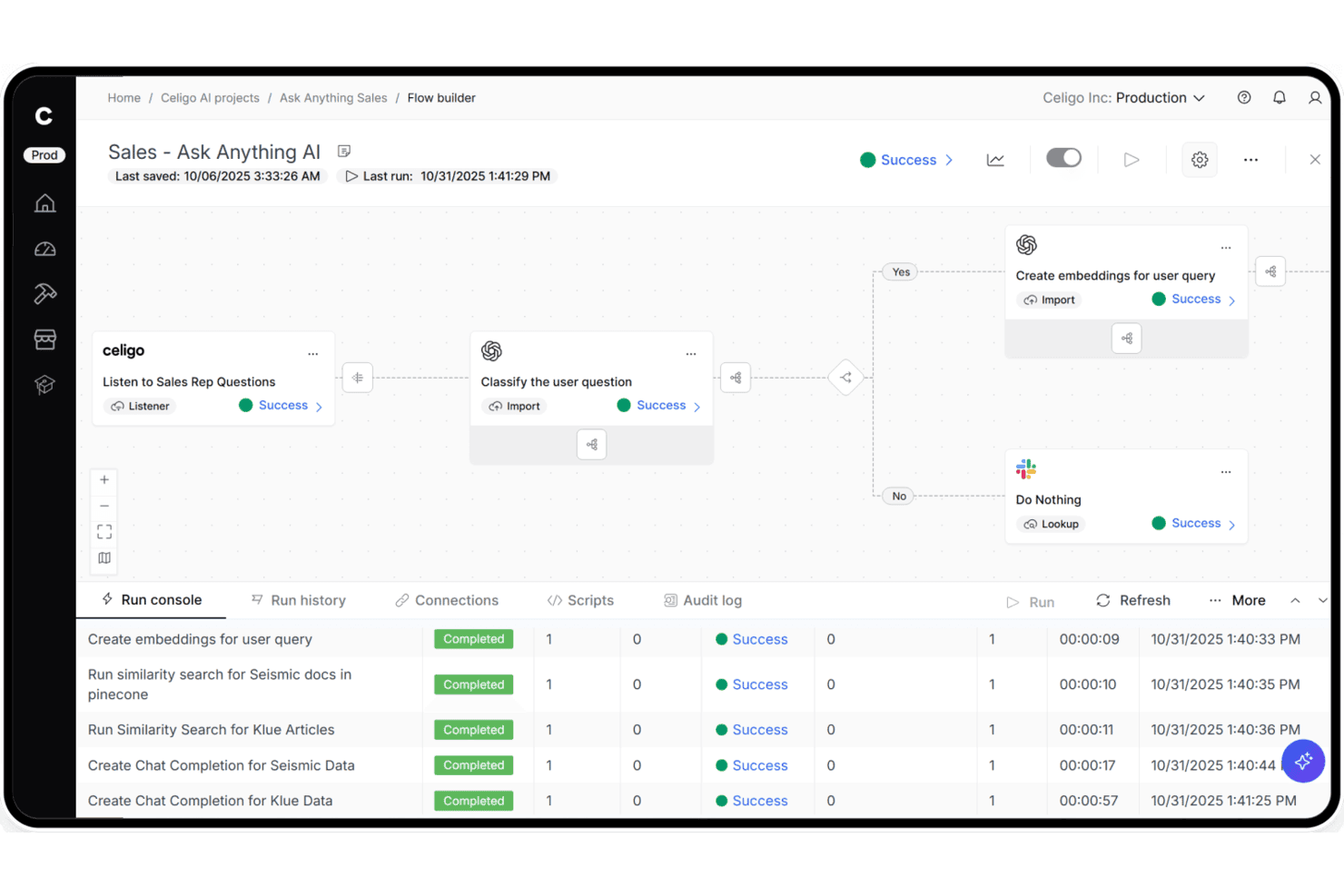
Celigo lets users build AI-powered sales workflows with step-by-step automation. Celigo is an iPaaS platform that connects ecommerce storefronts, marketplaces, ERPs, and fulfillment systems through a library of 1,000+ prebuilt connectors, a visual flow builder, native EDI support, and AI-powered error management.
Who Is Celigo Best For?
Celigo is a strong fit for mid-market and enterprise retailers who need to connect multiple sales channels, ERPs, and fulfillment systems without leaning heavily on engineering.
Why I Picked Celigo
I picked Celigo as one of the best because its library of 1,000+ prebuilt connectors means you can deploy a Shopify-to-NetSuite or Amazon-to-QuickBooks integration in under three days, not weeks. I especially like the AI Exception Management, which auto-resolves 95–96% of sync errors without anyone touching them. The native B2B Manager for EDI is also built directly into the platform, so you can onboard retail trading partners like Walmart or Target in as little as two weeks.
Celigo Key Features
- Native EDI via B2B Manager: An embedded EDI solution that supports retail document types like 850, 810, and 856, with prebuilt connectors for trading partners including Walmart, Target, and Costco.
- Visual flow builder: A drag-and-drop interface for building and configuring integration flows without writing code, available to both technical and non-technical users.
- AI Agent Blueprints for commerce: Prebuilt AI agents for tasks like Amazon settlement reconciliation, oversell detection, and demand planning that run autonomously within your workflows.
- Data pipeline connectors: Built-in integrations with Snowflake, Google BigQuery, Tableau, and Looker that route commerce and operational data directly into your analytics stack.
Celigo Integrations
Celigo offers 1,000+ prebuilt connectors and 300+ marketplace integrations, including Shopify, Amazon, NetSuite, Walmart Marketplace, BigCommerce, QuickBooks, ShipBob, Stripe, Snowflake, and Google BigQuery. Universal connectors support HTTP, FTP, JDBC, AS2, GraphQL, and webhooks.
Pros and Cons
Pros:
- Built-in EDI supports major retail partners
- Prebuilt integration templates deploy in days
- Resolves most sync errors automatically with AI
Cons:
- Error messages can lack clear descriptions
- Field mapping interface frustrates non-technical users
Learn more about Celigo: Best for custom workflow automation
- Free demo available
- From $1,495/month
Visit WebsiteCustomer Rating:4.8/5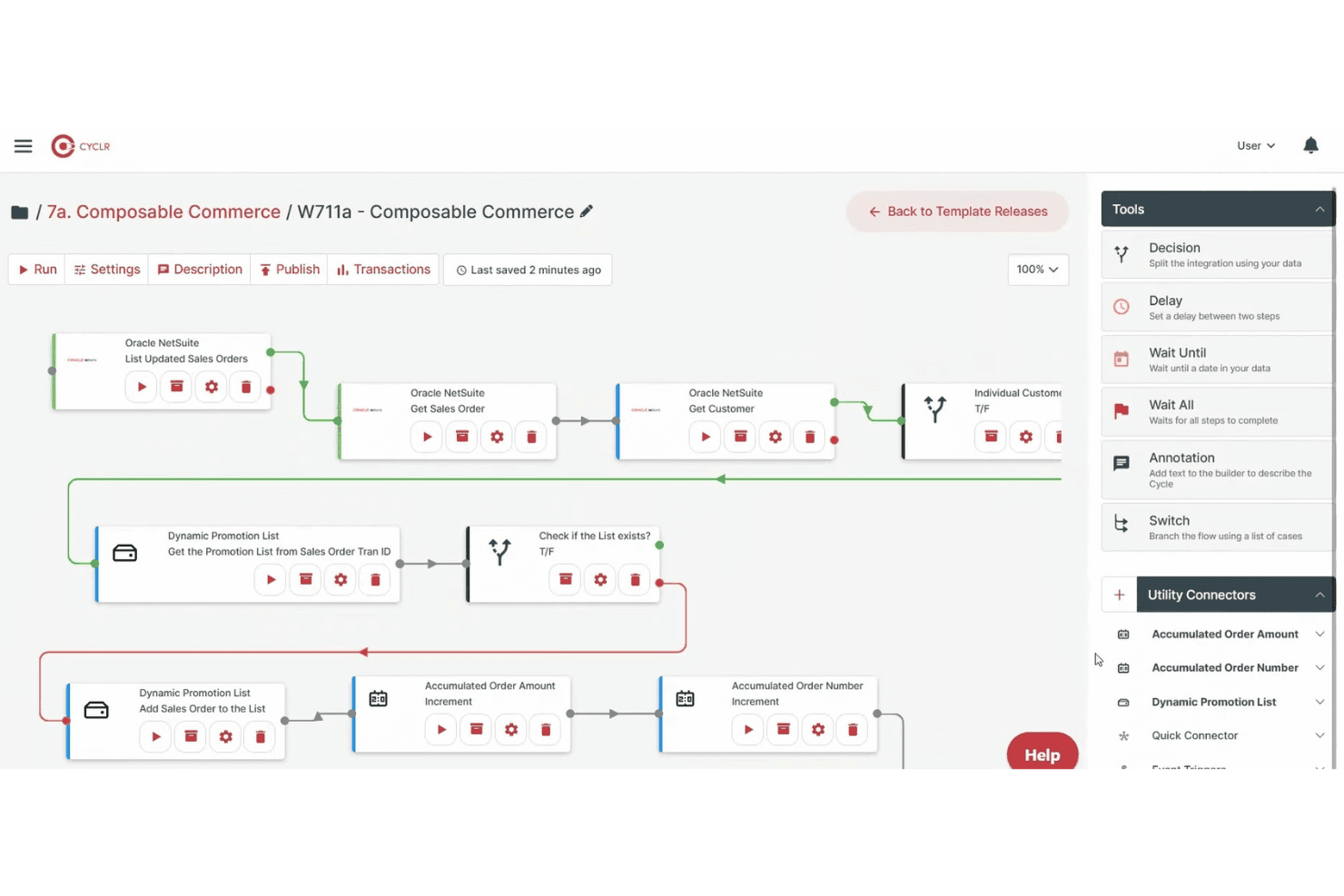
Cyclr lets users build automated workflows with drag-and-drop logic tools. Cyclr is an embedded iPaaS platform with a library of 600+ API connectors—including 55 ecommerce-specific ones—that lets you build, deploy, and manage automated integration workflows across storefronts, ERPs, accounting tools, and logistics systems.
Who Is Cyclr Best For?
Cyclr is a strong fit for SaaS companies that want to embed custom ecommerce integration workflows into their own products for end users.
Why I Picked Cyclr
Cyclr earns its spot on my shortlist because of how far it lets you push custom workflow logic without writing full integration code from scratch. I love that its visual builder supports JavaScript scripting and conditional branching at the field level, so you can handle complex scenarios like splitting a Shopify order across multiple 3PL destinations or enriching WooCommerce order data before it hits NetSuite. The template-based architecture means those custom workflows can be deployed across multiple tenants instantly.
Cyclr Key Features
- Embedded integration marketplace: A white-label marketplace you can embed directly in your SaaS product so end users can self-serve integration setup without custom front-end development.
- Custom connector toolkit: A built-in toolkit for building connectors to proprietary APIs using an OpenAPI/Swagger auto-converter or manual step-by-step API mapping.
- MCP server support: Exposes ecommerce connector methods—order status, inventory, fulfillment—as governed MCP tools that AI agents can call directly.
- Multi-tenant workflow deployment: Integration templates can be deployed and centrally managed across multiple customer instances from a single control point.
Cyclr Integrations
Cyclr offers 55 native ecommerce integrations, including Shopify, WooCommerce, Magento 2, BigCommerce, eBay, Amazon Selling Partner, Ecwid, Wix, Squarespace, and Lightspeed eCommerce. Its Custom Connector Toolkit supports proprietary APIs through OpenAPI/Swagger or manual API mapping.
Pros and Cons
Pros:
- Enables field-level data mapping and scripting
- Provides an embedded marketplace for SaaS users
- Handles complex workflow automation for retailers
Cons:
- No native support for EDI integrations
- Best suited for SaaS vendors, not retailers directly
Learn more about Cyclr: Best for enterprise-grade integrations
- Free plan + free demo available
- From $75/month
Visit WebsiteCustomer Rating:4.7/5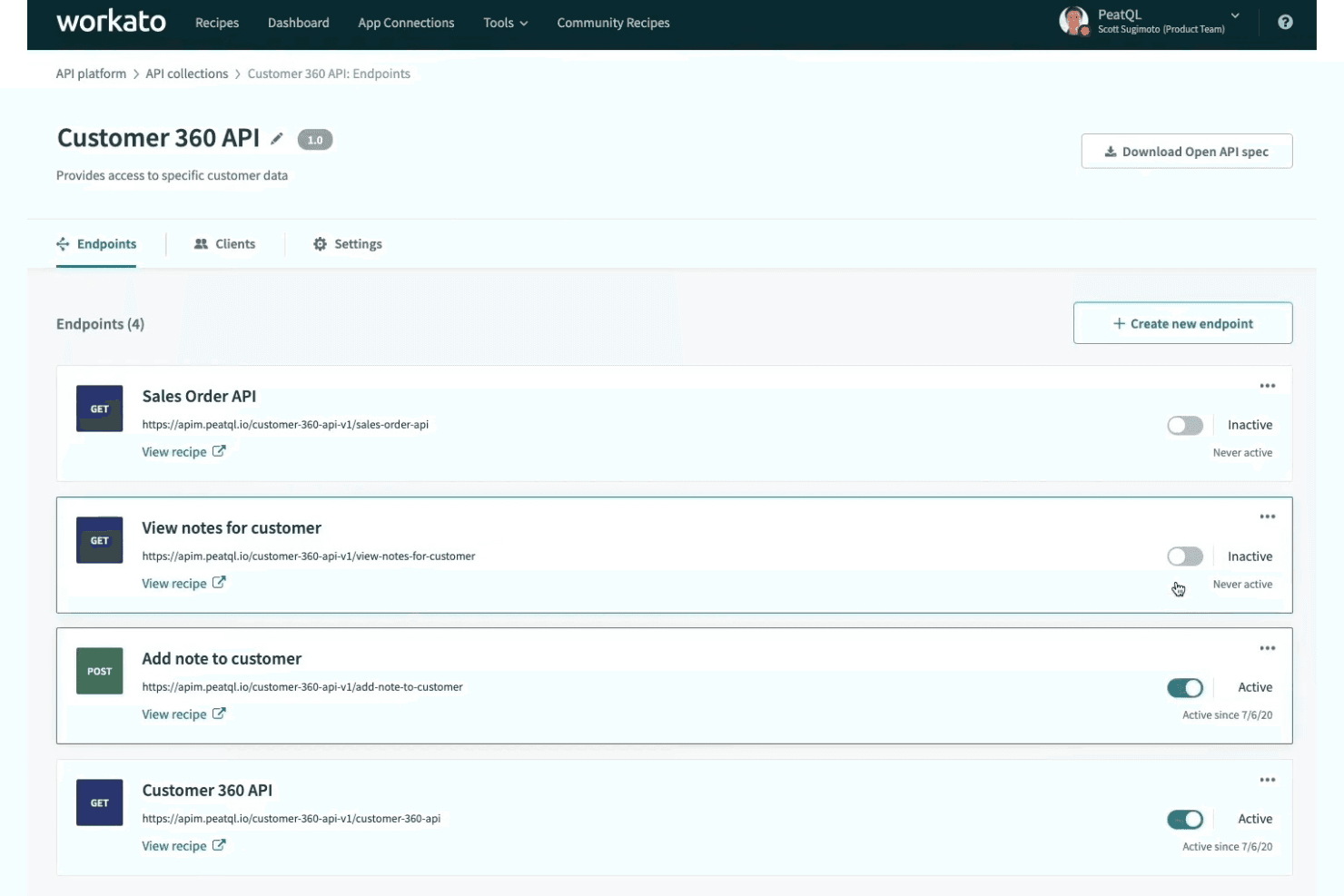
Workato lets users manage and activate API endpoints from one dashboard. Workato is a low-code integration platform that connects e-commerce storefronts, marketplaces, and back-office systems through pre-built connectors, workflow automation, real-time data sync, and native EDI support.
Who Is Workato Best For?
Workato is a strong fit for mid-market and enterprise retail and ecommerce teams managing complex integrations across multiple platforms, ERPs, and trading partners.
Why I Picked Workato
Workato earns its spot on my shortlist because its native EDI support, powered by Orderful, handles 850/856/810 transactions in real time and onboards new trading partners in as little as nine days. I picked it specifically for enterprise teams running complex multichannel operations, where its Decision Models let you manage order fulfillment logic and pricing rules in standalone decision tables rather than burying that logic inside individual workflows. Its omnichannel inventory sync connects POS, storefronts, warehouses, and ERPs like NetSuite and SAP across hundreds of locations simultaneously.
Workato Key Features
- AI Copilot mapping: An AI assistant that drafts recipes, suggests field mappings, and helps resolve errors directly inside the recipe builder.
- On-Prem Agent: A lightweight agent that connects on-premise systems like legacy ERPs and databases to Workato's cloud without opening inbound firewall ports.
- Intelligent Document Processing: Automatically extracts data from invoices, receipts, and purchase orders and routes it into connected workflows.
- 700,000+ community recipes: A searchable library of pre-built workflow templates you can clone and adapt to common ecommerce and retail integration scenarios.
Workato Integrations
Workato offers 1,200+ pre-built connectors, including native integrations with Shopify, BigCommerce, WooCommerce, Magento 2, Amazon Seller Central, Walmart Seller Center, NetSuite, SAP, Dynamics 365, and QuickBooks. Its HTTP connector supports custom integrations and on-premise systems.
Pros and Cons
Pros:
- AI Copilot accelerates error resolution and mapping
- Native EDI support with rapid partner onboarding
- Real-time omnichannel inventory and order sync
Cons:
- Debugging and tracing workflows can be challenging
- CSV parsing and lookup tables are capped
Learn more about Workato: Best for multichannel store connections
- 14-day free trial
- From $95/month
Visit WebsiteCustomer Rating:4.7/5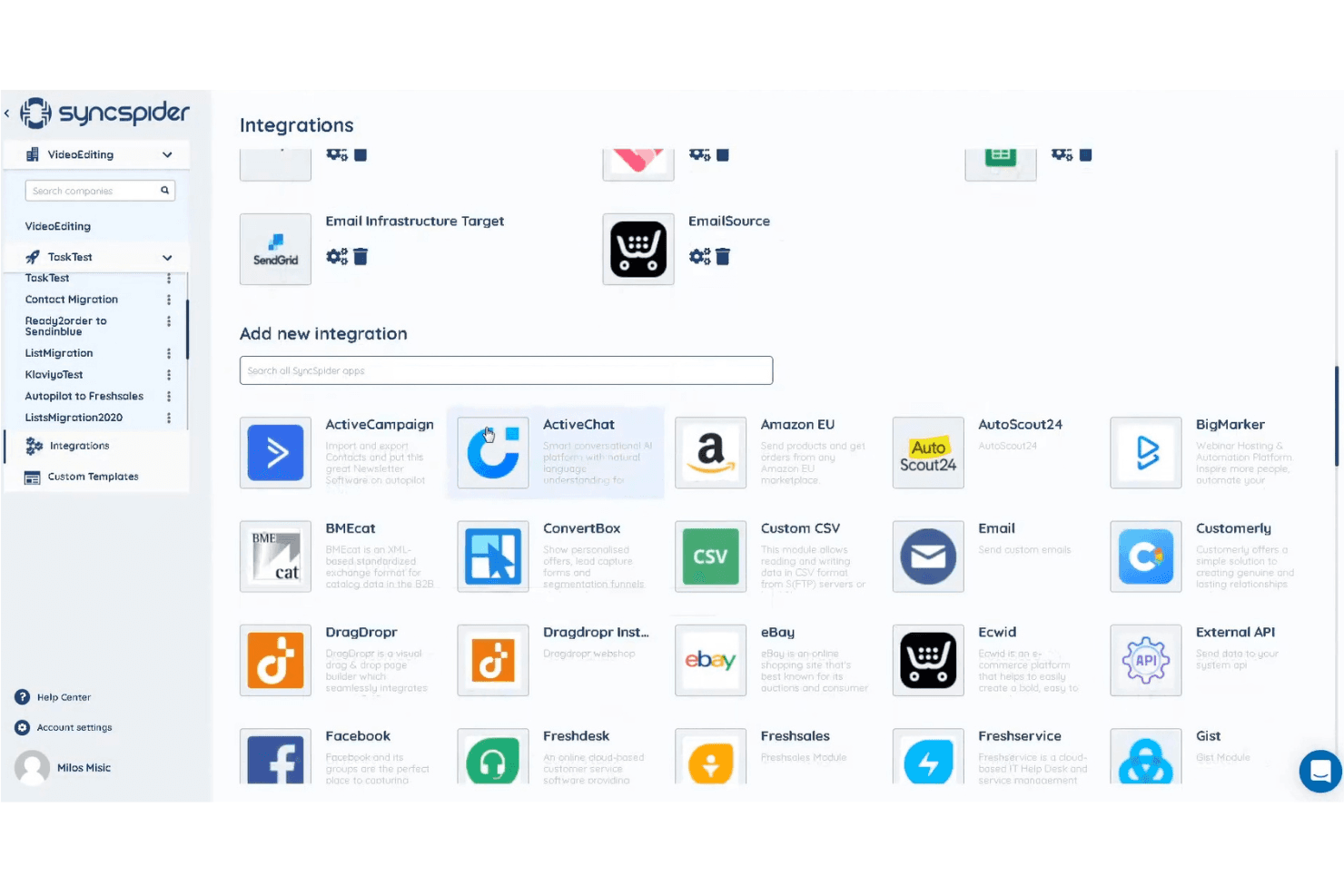
SyncSpider lets users connect apps via a searchable integrations library. SyncSpider is an ecommerce-first integration platform that connects online stores, marketplaces, ERPs, and back-office systems through 400+ prebuilt connectors, a visual workflow builder, and a centralized DataHub for managing and enriching product, order, and inventory data across channels.
Who Is SyncSpider Best For?
SyncSpider is a strong fit for multichannel ecommerce teams that need to connect multiple stores, marketplaces, and back-office systems without building custom integrations from scratch.
Why I Picked SyncSpider
SyncSpider earns its spot on my shortlist because it's built specifically for multichannel ecommerce, not retrofitted from a generic automation tool. I love how its DataHub centralizes product, order, and inventory data across every connected store and marketplace, so you're not manually reconciling stock between Shopify, Amazon, and Zalando. Its Windows Database Connector also stands out to me: it bridges on-premises ERPs that lack standard APIs, which is a real gap most cloud-only platforms simply can't fill.
SyncSpider Key Features
- AI Automapping: Automatically suggests field mappings between source and destination systems to reduce manual configuration when connecting platforms.
- Multi-vendor marketplace automation: Automates vendor onboarding, product listings, and order syncing for operators running multi-vendor marketplace environments.
- Configurable task triggers: Supports scheduled syncs (hourly, daily, weekly) and event-based triggers via webhooks, URL triggers, or task-completion events.
- Auto-Repeat retry logic: Automatically retries failed tasks up to three times when destination platform timeouts or errors interrupt a sync.
SyncSpider Integrations
SyncSpider offers 400+ prebuilt integrations, including Shopify, WooCommerce, Magento 2, BigCommerce, Amazon Seller Central, eBay, Zalando, SAP, Microsoft Dynamics 365, and Odoo. Its Custom Integration Builder supports API connections, while the Windows Database Connector links on-premises databases.
Pros and Cons
Pros:
- Handles on-premises ERP integration needs
- Central DataHub manages product information
- Designed specifically for ecommerce workflows
Cons:
- Some advanced workflows require developer help
- No native Walmart marketplace connector
Learn more about SyncSpider:
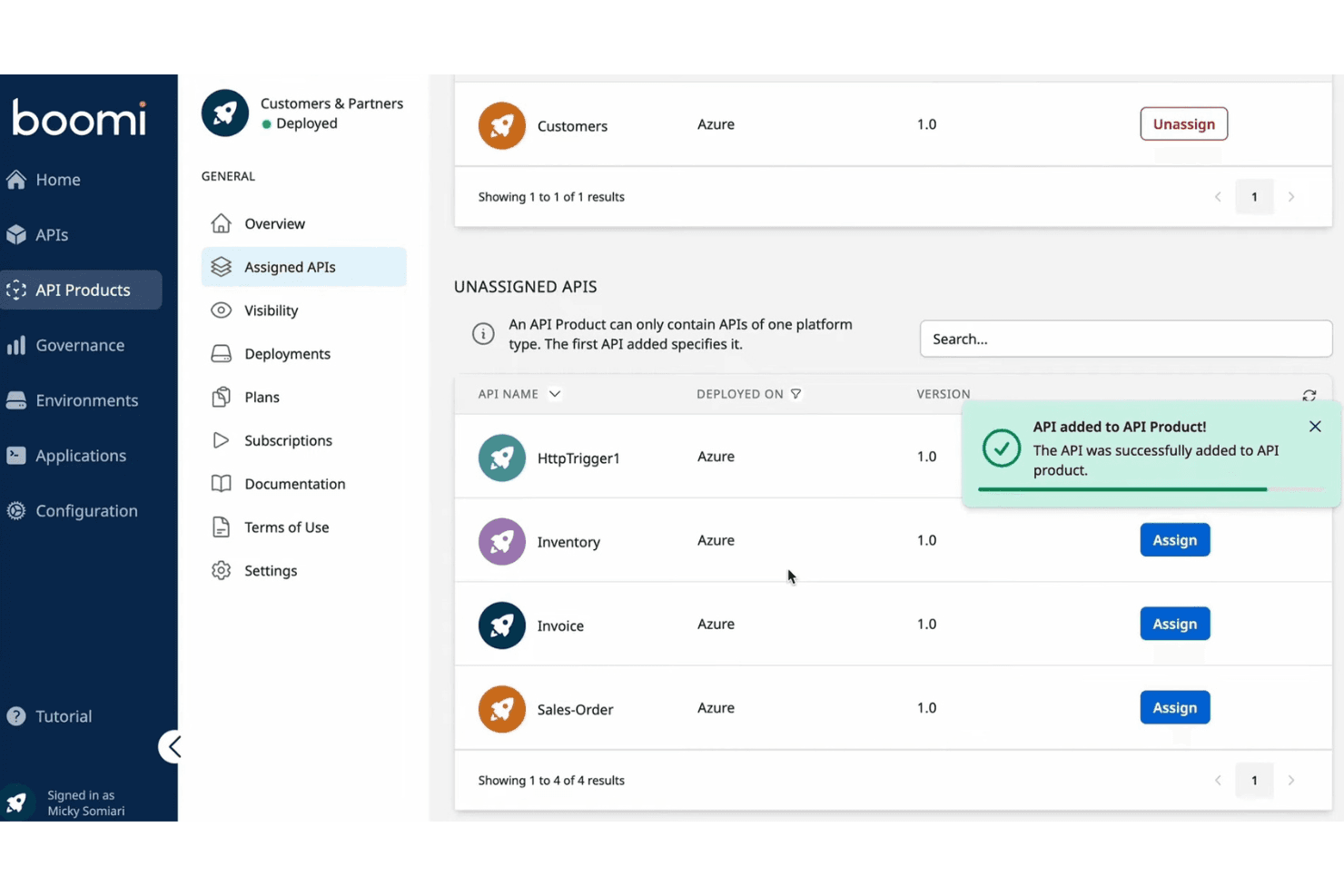
Boomi lets users assign and manage APIs within an API Product. Boomi is an enterprise iPaaS that connects ecommerce storefronts, ERPs, marketplaces, and back-office systems through 1,000+ prebuilt connectors, low-code data mapping, bidirectional sync, and native B2B/EDI management.
Who Is Boomi Best For?
Boomi is a strong fit for mid-market to enterprise retailers with dedicated IT or integration teams who need to connect ERP systems like NetSuite or SAP to their ecommerce storefronts at scale.
Why I Picked Boomi
I picked Boomi as one of the best because its prebuilt Accelerators genuinely cut deployment time in ways I don't see in most iPaaS tools. The NetSuite + Shopify Integration Accelerator, for example, handles real-time sync across orders, inventory, products, and payments out of the box, so you're not building those flows from scratch. Boomi Suggest also uses AI to auto-recommend field mappings, which speeds up the configuration work that typically bogs down cloud deployments.
Boomi Key Features
- Native B2B/EDI management: Boomi includes built-in EDI support for trading partners, 3PLs, and wholesale distributors without requiring separate middleware.
- Event Streams: This module enables real-time, event-driven data flow across connected systems, keeping inventory and order data current during high-volume periods.
- Boomi Insights dashboard: A SaaS analytics layer that tracks execution exceptions, listener errors, runtime health, and certificate expiry across your integrations.
- Connector SDK: Teams can build custom connectors against platforms not natively covered, extending Boomi beyond its prebuilt library.
Boomi Integrations
Boomi offers 1,000+ prebuilt connectors, including native Shopify, NetSuite, SAP, Salesforce, Microsoft Dynamics, Workday, and QuickBooks integrations, plus marketplace integrations for Magento, BigCommerce, WooCommerce, and Amazon Selling Partner API. Its Connector SDK and OpenAPI support custom integrations.
Pros and Cons
Pros:
- Native B2B and EDI management included
- Real-time data sync across multiple channels
- Prebuilt accelerators reduce deployment time dramatically
Cons:
- Complex data transformations require scripting expertise
- Not specialized for marketplace integrations
Learn more about Boomi: Best for marketplace integration support
- 14-day free trial
- From $300/month (billed annually)
Visit WebsiteCustomer Rating:4.7/5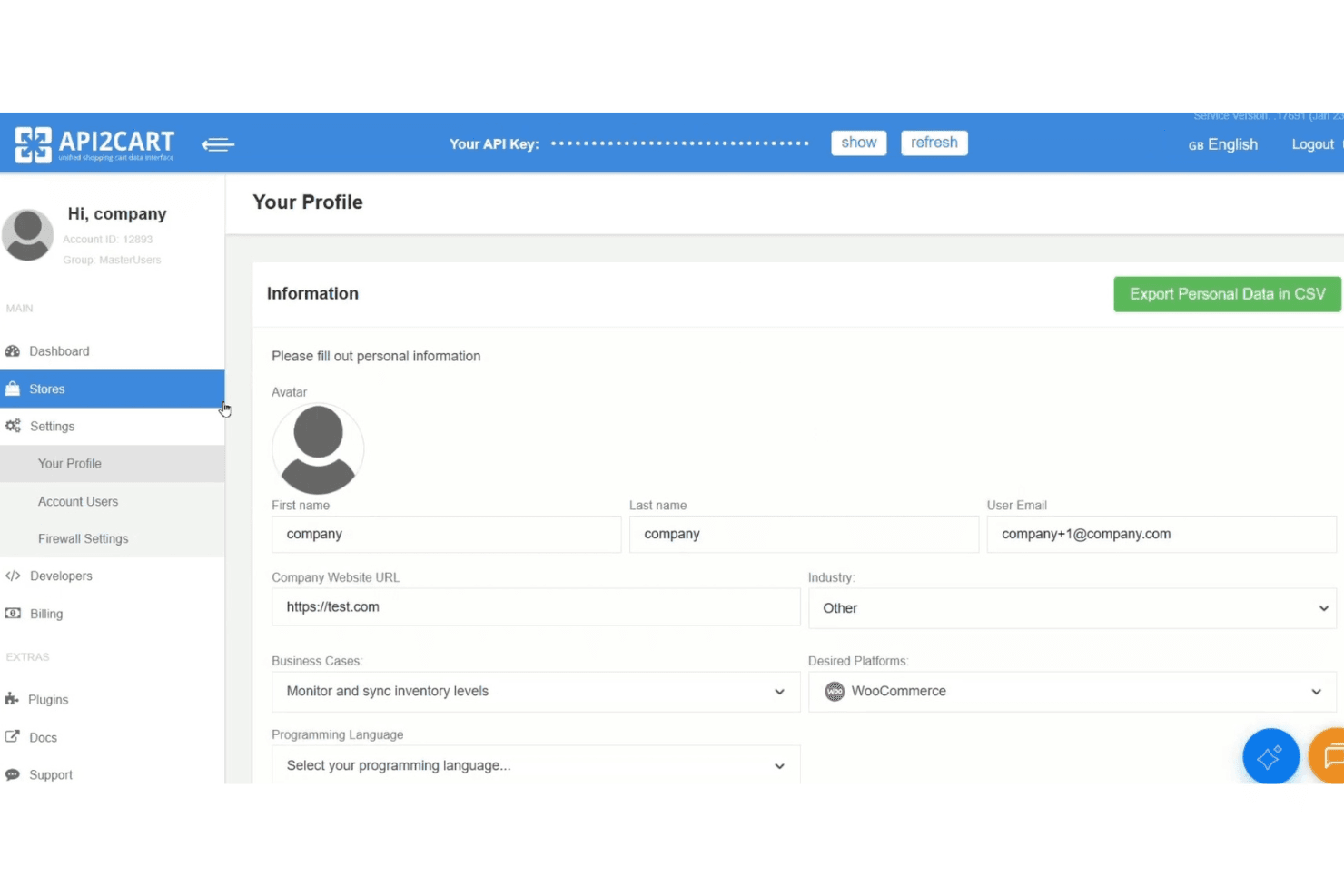
API2Cart lets users manage profile settings and API key access. API2Cart is a unified API platform that connects to 80+ ecommerce platforms and marketplaces—including Shopify, Amazon, eBay, Walmart, and TikTok Shop—through a single integration point for managing orders, products, inventory, and customer data.
Who Is API2Cart Best For?
API2Cart is a strong fit for software developers and ISV teams building products that need to connect to dozens of ecommerce platforms and marketplaces through a single API.
Why I Picked API2Cart
I picked API2Cart as one of the best because no other tool on my shortlist connects to as many marketplaces through a single API, covering Amazon, eBay, Walmart, TikTok Shop, Mercado Libre, Lazada, and Temu alongside 80+ ecommerce platforms. I especially like the webhook filtering system, which fires sync events only when specific conditions are met, so teams building multi-marketplace order pipelines aren't flooded with unnecessary calls. The normalized data model also means one API call handles products, orders, and customers across every connected store without platform-specific mapping work.
API2Cart Key Features
- Unified data model: A single normalized schema handles products, orders, customers, and inventory across all 80+ connected platforms without per-platform field mapping.
- Enterprise on-premise deployment: Self-host API2Cart on your own AWS, Azure, Google Cloud, or Hetzner infrastructure for full data control and white-label branding.
- Plugin Builder: An add-on that generates branded, deployable plugins for major ecommerce platforms without writing custom plugin code from scratch.
response_fieldsfiltering: Lets you specify exactly which fields to return in any API response, reducing payload size and lowering your monthly API request consumption.
API2Cart Integrations
API2Cart integrates with 80+ ecommerce platforms and marketplaces, including Shopify, WooCommerce, BigCommerce, Magento, Amazon, eBay, Walmart, TikTok Shop, Mercado Libre, and Temu. Its unified API supports custom integrations for ERP, POS, WMS, PIM, and accounting software.
Pros and Cons
Pros:
- Advanced webhooks with filtering for real-time sync
- Unified API reduces multi-platform development work
- Supports 80+ ecommerce platforms and marketplaces
Cons:
- Documentation for advanced monitoring features is limited
- No visual workflow builder for non-developers
Learn more about API2Cart: Best for AI-powered data mapping
- Free demo available
- From $9,995/year (billed annually)
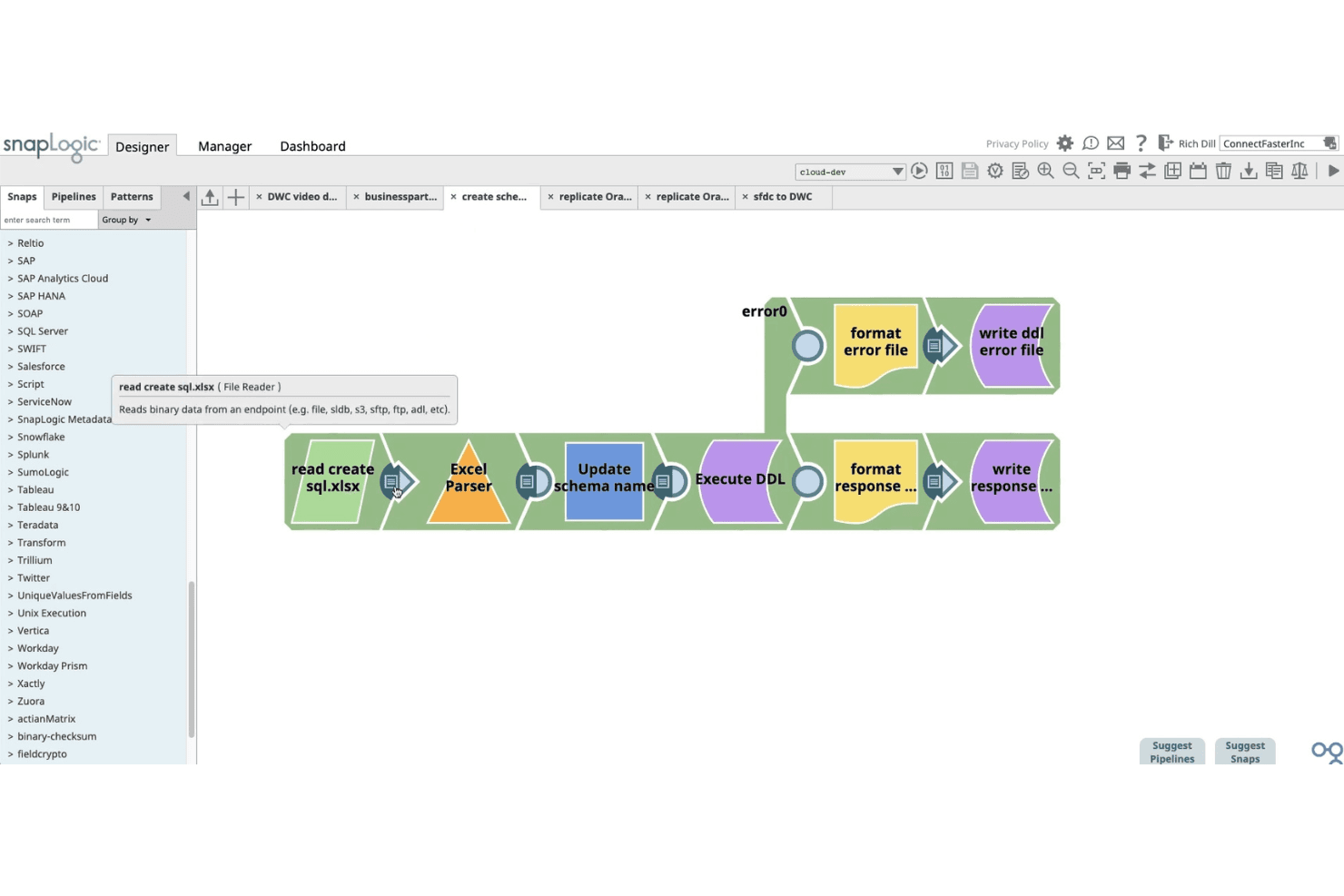
SnapLogic lets users build data pipelines visually using drag-and-drop snaps. SnapLogic is an AI-powered integration platform that connects ecommerce storefronts, ERPs, databases, and back-office systems through a library of 1,000+ pre-built connectors, a visual low-code pipeline builder, and generative AI tools for data mapping and transformation.
Who Is SnapLogic Best For?
SnapLogic is a strong fit for enterprise retailers and integration leads who need to connect Shopify storefronts with complex back-office systems like SAP, NetSuite, or Dynamics 365.
Why I Picked SnapLogic
I picked SnapLogic as one of the best because its AI-powered data mapping capabilities genuinely lead the category. SnapGPT lets you describe an integration in plain language and generates the pipeline for you, while AutoSuggest learns from past mapping patterns to recommend field matches automatically. I find this especially valuable when connecting Shopify to a complex ERP like SAP S/4HANA or Dynamics 365, where data model mismatches are the biggest bottleneck.
SnapLogic Key Features
- Shopify Snap Pack: A dedicated connector with full CRUD support for orders, customers, product catalogs, fulfillments, refunds, and inventory updates across your Shopify storefront.
- Resumable pipelines: Pipelines that automatically recover from failures at the point of interruption, so you don't have to restart an entire workflow when something breaks mid-run.
- Ultra Tasks: Near real-time pipeline execution that keeps inventory levels, order statuses, and customer records in sync across connected systems without batch delays.
- EDI Snap Pack: Built-in support for X12 and EDIFACT document standards, including retail purchase orders (850) and invoices (810), with connectivity to trading partners like Walmart and Tesco.
SnapLogic Integrations
SnapLogic offers 1,000+ pre-built connectors, including Shopify, NetSuite, SAP, Microsoft Dynamics 365, Oracle, Workday, and database systems. REST and OpenAPI Snaps support custom integrations with platforms such as Amazon Seller Central, eBay, Walmart Marketplace, WooCommerce, Magento, and BigCommerce.
Pros and Cons
Pros:
- Real-time bidirectional sync across systems
- Visual low-code builder for complex transformations
- AI-powered data mapping with SnapGPT
Cons:
- Debugging complex pipelines can be challenging
- No dedicated connectors for major marketplaces
Learn more about SnapLogic:
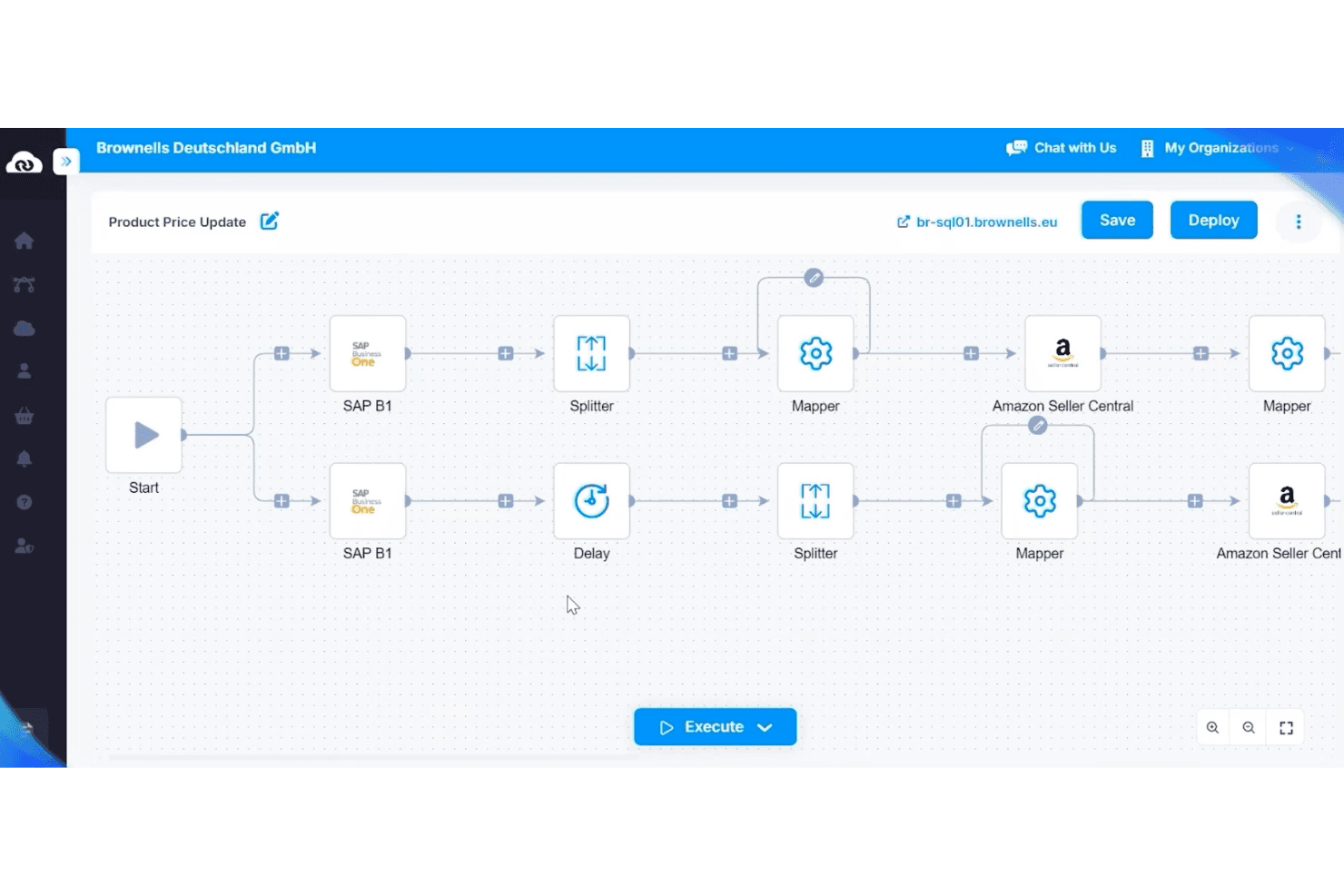
APPSeCONNECT automates product price updates between SAP B1 and Amazon. APPSeCONNECT is an ERP-first integration platform that connects ecommerce storefronts, marketplaces, CRMs, and WMS systems to ERP platforms like SAP, Microsoft Dynamics, and NetSuite through a low-code, visual workflow builder.
Who Is APPSeCONNECT Best For?
APPSeCONNECT is a strong fit for mid-market businesses running SAP, Microsoft Dynamics, or NetSuite that need to connect their ERP to ecommerce storefronts and marketplaces without heavy custom development.
Why I Picked APPSeCONNECT
APPSeCONNECT earns its spot on my shortlist because its entire architecture is built around ERP as the system of record, which is exactly what mid-market businesses running SAP, Microsoft Dynamics, or NetSuite actually need. I'm particularly impressed by its ProcessFlow Designer, which lets you visually map field-level data transformations between, say, SAP Business One and Shopify without writing custom code. The built-in EDI layer is another standout, handling retailer-mandated transaction types like POs (850) and ASNs (856) within the same platform rather than requiring separate middleware.
APPSeCONNECT Key Features
- Embedded marketplace: Browse and deploy pre-built connectors from within the platform UI without switching between external tools.
- On-premise agent: Run integration workflows locally to connect cloud platforms directly to on-premise ERP systems.
- appse ai: An AI layer built into the platform that suggests field mappings and flags broken flows before they cause sync failures.
- EDI transaction support: Manage EDI document types like POs (850), invoices (810), and ASNs (856) within the same platform as your other integrations.
APPSeCONNECT Integrations
APPSeCONNECT offers 200+ pre-built connectors, including Shopify, Magento, WooCommerce, BigCommerce, Amazon Seller Central, eBay, Walmart, SAP Business One, Dynamics 365 Business Central, and NetSuite, plus REST, SOAP, FTP/SFTP, GraphQL, and webhook support for custom integrations.
Pros and Cons
Pros:
- Built-in EDI support for retail transactions
- Pre-built workflow templates for rapid deployment
- Bi-directional real-time ERP and ecommerce sync
Cons:
- Enterprise trial unavailable for SAP or Dynamics
- Manual resync process can be confusing
Learn more about APPSeCONNECT:
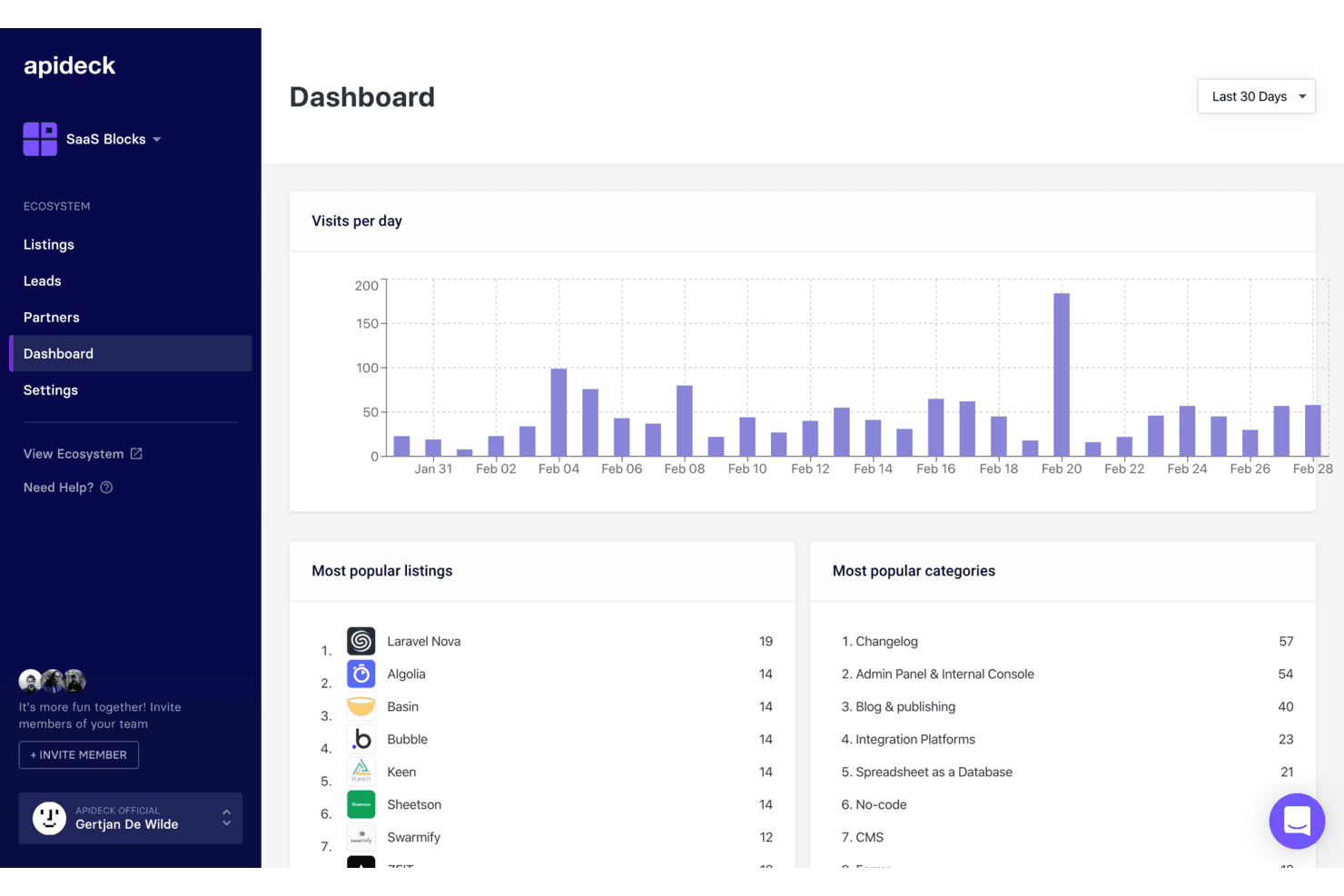
Apideck tracks daily visits, top listings, and categories in one dashboard. Apideck is a developer-focused unified API platform that connects ecommerce storefronts, marketplaces, ERP systems, and POS tools through a single normalized API layer.
Who Is Apideck Best For?
Apideck is a strong fit for developer teams at SaaS companies or retailers who need to connect ecommerce storefronts, marketplaces, and ERP systems through a single, normalized API.
Why I Picked Apideck
Apideck earns its spot on my shortlist because it's the only tool I've found that gives developer teams a single, normalized API layer spanning 17 ecommerce connectors (Shopify, Amazon Seller Central, TikTok Shop, Walmart) and 56+ ERP and accounting systems (NetSuite, SAP S/4HANA, Dynamics 365) simultaneously. I particularly like the vendor-maintained connector model: when Shopify pushes a breaking API change, Apideck absorbs it so your team doesn't have to. That's a real advantage when you're maintaining storefront-to-back-office pipelines at scale.
Apideck Key Features
- Unified ecommerce API endpoint: A single normalized API gives your developers access to 17+ ecommerce platforms—including Shopify, WooCommerce, Magento, and Amazon Seller Central—without writing separate integrations for each.
- Virtual webhook engine: For platforms without native webhook support, Apideck polls for changes using date and checksum-based detection to emulate real-time event notifications.
- Passthrough proxy API: Available on all plans, this lets your team query platform-specific endpoints that fall outside the normalized schema without losing the unified connection layer.
- MCP Server for AI agents: A hosted Model Context Protocol server lets AI agents interact with all 200+ connected apps, supporting tools like Claude, LangChain, and OpenAI Agents SDK.
Apideck Integrations
Apideck connects 17+ ecommerce platforms, including Shopify, WooCommerce, BigCommerce, Magento, Amazon Seller Central, eBay, Walmart, Etsy, TikTok Shop, and bol.com, plus 56+ ERP/accounting systems such as NetSuite, SAP S/4HANA, QuickBooks, and Xero. Its APIs and passthrough proxy support custom integrations.
Pros and Cons
Pros:
- Connects ecommerce, ERP, and POS in one API
- Centralized logs simplify troubleshooting for engineers
- Maintains all connectors, minimizing in-house maintenance
Cons:
- Polling-based webhooks can delay data sync
- No built-in visual workflow automation
Learn more about Apideck: Best for accounting platform syncing
- 15-day free trial
- From $69/month (billed annually)
Visit WebsiteCustomer Rating:4.3/5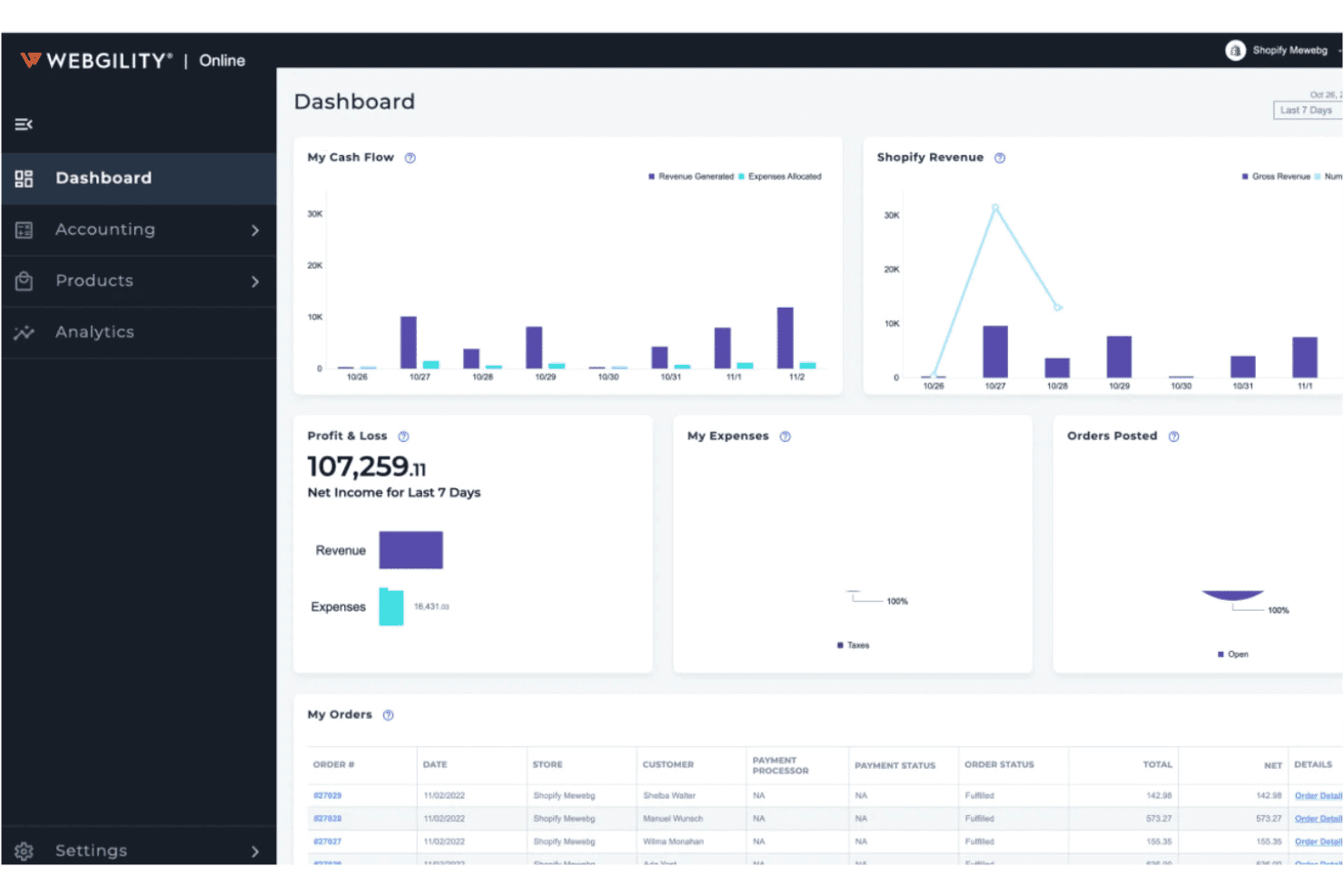
Webgility centralizes cash flow, P&L, and orders in one dashboard. Webgility is an ecommerce integration platform that syncs orders, inventory, pricing, and payout data across 60+ sales channels, marketplaces, and POS systems into QuickBooks, Xero, and other accounting platforms.
Who Is Webgility Best For?
Webgility is a strong fit for small to mid-sized multichannel sellers who run their business finances through QuickBooks or Xero and need their sales channels, inventory, and payouts to stay in sync without manual data entry.
Why I Picked Webgility
Webgility earns its spot on my shortlist because of how deeply it integrates with QuickBooks, posting every order, fee, refund, and payout individually rather than as summary journal entries. I love that payout reconciliation is built to handle complex schedules simultaneously, matching Amazon settlements or Shopify deposits to the exact orders that compose them. On top of that, its AI-powered SKU mapping catches mismatches before they ever hit your books.
Webgility Key Features
- Purchase order automation: Webgility monitors inventory levels and automatically creates POs in QuickBooks when stock drops below your defined thresholds, using sales velocity data to recommend reorder quantities.
- Exception queue: Orders with address errors, unrecognized SKUs, or payment holds are held for manual review instead of posting partial or default-account entries.
- Multi-location inventory tracking: Tracks stock across multiple warehouses and QuickBooks inventory sites, with per-location reorder rules and vendor assignments.
- Revenue forecasting: Generates predictive revenue data up to 14 months ahead, with drill-down views by channel, store, or fulfillment method.
Webgility Integrations
Webgility supports 60+ integrations, including Shopify, BigCommerce, WooCommerce, Amazon, eBay, Walmart, Etsy, TikTok Shop, QuickBooks, Xero, NetSuite, Shopify POS, Square, and ShipStation. Its strongest connectivity is ecommerce-to-accounting syncing, especially for QuickBooks.
Pros and Cons
Pros:
- AI-powered SKU mapping catches product mismatches
- Exception queue prevents incorrect accounting entries
- Posts every order and payout individually
Cons:
- Setup and onboarding can be complex
- No native SAP or Dynamics integration
Learn more about Webgility:
How I Evaluate Ecommerce Integration Software
I split my evaluation into two layers: the baseline a tool must clear—like bidirectional sync across Shopify and NetSuite—and the differentiators that set one vendor apart from another.
Core Functionality (Table Stakes For This List)
When I'm selecting tools for my list, I rank each one on a scale from 0 (does not offer the functionality) to 5 (excels in this area) for each core functionality listed below. Then, I calculate the tool's total score into a percentage. Each tool needs to achieve a minimum total score of 65% to be considered for inclusion.
- Multi-Platform Connectors: I check which ecommerce platforms and marketplaces each tool supports out of the box, including major channels like Shopify, BigCommerce, Amazon, and Walmart.
- Back-Office System Integration: Each tool should connect your storefronts to ERP, POS, WMS, and accounting systems like NetSuite, SAP, or QuickBooks without custom middleware.
- Bidirectional Data Sync: I evaluate whether order, inventory, product, and customer data flows both ways in real time or on a schedule, not just as a one-way import.
- Order & Inventory Automation: Strong tools let you set rules for order routing, split shipments, and inventory allocation across warehouses and channels automatically.
- Data Mapping & Transformation: I look at how each tool handles field-level mapping between systems with different data models, like translating Shopify product variants into ERP SKU structures.
- Error Handling & Monitoring: Sync failures happen, so I evaluate whether a tool provides dashboards, alerts, retry logic, and audit logs to catch and resolve issues fast.
Once I have a list of tools that meet this criteria, I consider what sets each platform apart.
Differentiating Factors (What Sets Vendors Apart)
Here's how I compare and contrast different vendors:
Standout Features
Prebuilt integration templates are a big differentiator. Tools like Celigo and Jitterbit offer ready-made flows for common scenarios like Shopify-to-NetSuite order sync, which can cut setup time from weeks to days. I also look for a low-code workflow builder that lets operations teams adjust integrations without waiting on developers. EDI support matters if you sell through big-box retailers—native EDI lets you exchange purchase orders and invoices without bolting on separate middleware.
Beyond Features
Scalability is one of the first things I evaluate. A platform that handles daily order volumes fine but chokes during Black Friday or flash sales is a liability. I check how each vendor handles API rate limits and peak-season throughput. Pricing transparency matters just as much—some tools charge per connector while others bill by transaction volume, and overage fees can surprise you fast. I also consider implementation timelines, including whether vendors offer sandbox environments so your team can test integrations before going live.
How to Choose E-commerce Integration Software
It’s easy to get bogged down in long feature lists and complex pricing structures. To help you stay focused as you work through your unique software selection process, here’s a checklist of factors to keep in mind:
| Factor | What to Consider |
|---|---|
| FactorScalability | What to ConsiderWill the software handle your transaction volume as your business grows? Check for user, order, or channel limits and ask about upgrade paths. |
| FactorIntegrations | What to ConsiderDoes the tool natively connect with your e-commerce platforms, accounting software, and marketplaces? Confirm compatibility with your current tech stack. |
| FactorCustomizability | What to ConsiderCan you tailor workflows, data mappings, or sync schedules to fit your business processes? Beware of rigid systems that force you to adapt your workflow. |
| FactorEase of use | What to ConsiderIs the interface intuitive for your team? Consider who will use it daily and whether training will be required for non-technical staff. |
| FactorImplementation and onboarding | What to ConsiderHow long will setup take, and what resources are needed? Ask about migration support, onboarding services, and typical time to value. |
| FactorCost | What to ConsiderWhat is the total cost of ownership, including setup, monthly fees, and add-ons? Watch for hidden charges tied to order volume or premium integrations. |
| FactorSecurity safeguards | What to ConsiderHow does the vendor protect your data? Look for encryption, access controls, and compliance with standards like PCI DSS or GDPR. |
| FactorSupport availability | What to ConsiderWhat support channels are offered, and during what hours? Consider if you need 24/7 help or dedicated account management for urgent issues. |
What is E-commerce Integration Software?
E-commerce integration software connects your online sales channels, marketplaces, and back-office systems to automate data flow between them. This type of software syncs orders, inventory, customer details, and financial data across platforms, reducing manual entry and errors. By centralizing and automating these connections, e-commerce integration software helps retailers maintain accurate records, simplify operations, and support growth across multiple channels.
Features
When selecting e-commerce integration software, keep an eye out for the following key features:
- Order syncing: Automatically transfers order data between your e-commerce storefronts, marketplaces, and back-office systems to keep records up to date.
- Inventory management: Updates stock levels across all connected channels in real time to prevent overselling and stockouts.
- Multi-channel integration: Connects multiple sales channels, such as online stores, marketplaces, and POS systems, within a single platform.
- Accounting platform integration: Syncs sales, refunds, and fees directly with accounting software to simplify bookkeeping and reconciliation.
- Automated sales tax calculation: Calculates and applies the correct sales tax rates for each transaction based on customer location and product type.
- Shipping and fulfillment integration: Connects with shipping carriers and fulfillment services to automate label creation, tracking, and status updates.
- Customer data syncing: Consolidates customer information from all channels, making it easier to manage profiles, preferences, and communication.
- Payment reconciliation: Matches payments, refunds, and fees from various channels to your financial records, reducing manual errors.
- Reporting and analytics: Provides dashboards and reports on sales, inventory, and channel performance to support data-driven decisions.
E-commerce integration software solutions do not typically include AI as part of their feature offering. As a result, I will not proceed with this section.
Benefits
Implementing e-commerce integration software provides several benefits for your team and your business. Here are a few you can look forward to:
- Accurate data syncing: Automated order, inventory, and customer data syncing reduces manual entry and minimizes errors across platforms.
- Centralized operations: Managing multiple sales channels and back-office systems from one platform simplifies workflows and oversight.
- Faster order processing: Real-time updates and automated workflows help your team fulfill orders and manage inventory more quickly.
- Improved financial accuracy: Direct integration with accounting platforms ensures sales, refunds, and fees are accurately recorded and reconciled.
- Improved reporting: Consolidated analytics and reporting tools provide a clear view of sales, inventory, and channel performance.
- Reduced compliance risk: Automated sales tax calculation and payment reconciliation help your business stay compliant with tax and financial regulations.
- Scalable growth: Flexible integrations and multi-channel support make it easier to add new sales channels or expand into new markets as your business grows.
Costs & Pricing
Selecting e-commerce integration software requires an understanding of the various pricing models and plans available. Costs vary based on features, team size, add-ons, and more. The table below summarizes common plans, their average prices, and typical features included in e-commerce integration software solutions:
Plan Comparison Table for E-commerce Integration Software
| Plan Type | Average Price | Common Features |
|---|---|---|
| Plan TypeFree Plan | Average Price$0 | Common FeaturesBasic order syncing, limited channel connections, capped monthly orders, and email support. |
| Plan TypePersonal Plan | Average Price$20-$50/month | Common FeaturesMulti-channel integration, inventory syncing, basic reporting, and standard customer support. |
| Plan TypeBusiness Plan | Average Price$100-$300/month | Common FeaturesAdvanced automation, accounting platform integration, sales tax calculation, and priority support. |
| Plan TypeEnterprise Plan | Average Price$500-$2,000/month | Common FeaturesCustom integrations, dedicated account management, advanced security safeguards, and onboarding assistance. |
E-commerce Integration Software FAQs
Here are some answers to common questions about e-commerce integration software:
How do I know if my e-commerce platform is compatible with integration software?
Check the integration software’s list of supported platforms and connectors. Most vendors publish compatibility lists on their websites. If your platform isn’t listed, ask about custom connectors or API support before committing.
Can e-commerce integration software handle multiple sales channels at once?
Yes, most e-commerce integration software is designed to connect and sync data across multiple online stores, marketplaces, and even physical POS systems. This helps you manage inventory, orders, and customer data from a single dashboard.
What happens if an integration fails or data doesn’t sync correctly?
Most solutions include error logs, alerts, and retry mechanisms to flag and resolve sync issues. Look for tools that offer clear troubleshooting steps and responsive support to minimize disruptions to your operations.
Is it difficult to switch from manual processes to automated integration?
Switching can take some planning, but most platforms offer onboarding support, setup wizards, and migration tools to help you transition. Start with a pilot integration and gradually expand as your team gets comfortable.
How secure is my data when using e-commerce integration software?
Reputable vendors use encryption, access controls, and compliance standards like PCI DSS or GDPR to protect your data. Always review a vendor’s security documentation and ask about their data handling practices before signing up.