

O software de integração de comércio eletrónico liga o seu site de comércio eletrónico a outros sistemas empresariais, permitindo-lhe sincronizar dados de comércio eletrónico, automatizar fluxos de trabalho e gerir operações a partir de um único local. Se procura formas de reduzir o trabalho manual moroso, evitar erros dispendiosos e manter os seus canais de vendas sincronizados, a plataforma certa pode ajudar a otimizar as operações e melhorar a experiência geral do cliente do seu negócio online. Muitas soluções de comércio eletrónico funcionam como plataformas completas que ligam a gestão de relações com clientes, o marketing por correio eletrónico, o processamento de encomendas e as ferramentas de redes sociais num ecossistema unificado. Isto ajuda as empresas a gerir vendas omnicanal, mantendo dados consistentes em toda a sua infraestrutura de software de comércio eletrónico.
Esta lista irá ajudá-lo a comparar os principais softwares de integração de comércio eletrónico para 2026, para que possa encontrar uma solução fácil de utilizar que se adeque à infraestrutura tecnológica da sua equipa, aos seus canais de vendas e aos seus planos de crescimento.
Why Trust Our Software Recommendations
6,700+
Reviews
20
Industry experts
16+
Evaluation factors
14
Years
Our team has been testing and reviewing software since 2012. As retail leaders ourselves, we know how difficult—and important—it is to choose the right software.
For this guide, we evaluated tools using hands-on testing and independent research, scoring tools using our selection criteria.
Our reviews reflect our independent judgment—not a sales pitch.
Tabela de comparação de software de integração de comércio eletrónico
Esta tabela de comparação resume os detalhes de preços das minhas principais escolhas de software de integração de comércio eletrónico:
| Tool | Best For | Trial Info | Price | ||
|---|---|---|---|---|---|
| 1 | Best for prebuilt automation templates | 30-day free trial available | Pricing upon request | Website | |
| 2 | Best for custom workflow automation | Free demo available | From $1,495/month | Website | |
| 3 | Best for enterprise-grade integrations | Free plan + free demo available | From $75/month | Website | |
| 4 | Best for multichannel store connections | 14-day free trial | From $95/month | Website | |
| 5 | Best for rapid cloud deployment | 30-day free trial | From $99/month | Website | |
| 6 | Best for marketplace integration support | 14-day free trial | From $300/month (billed annually) | Website | |
| 7 | Best for AI-powered data mapping | Free demo available | From $9,995/year (billed annually) | Website | |
| 8 | Best for ERP system connectivity | 30-day free trial | From $99/month | Website | |
| 9 | Best for unified API access | 30-day free trial | From $599/month | Website | |
| 10 | Best for accounting platform syncing | 15-day free trial | From $69/month (billed annually) | Website |


Análises de software de integração de comércio eletrónico
Segue-se o meu resumo detalhado do software de integração de comércio eletrónico que integrou a minha lista restrita. As minhas análises oferecem uma análise detalhada das funcionalidades, integrações e melhores casos de utilização de cada plataforma, para o ajudar a encontrar a melhor opção para a sua empresa.
 Best for prebuilt automation templates
- 30-day free trial available
- Pricing upon request
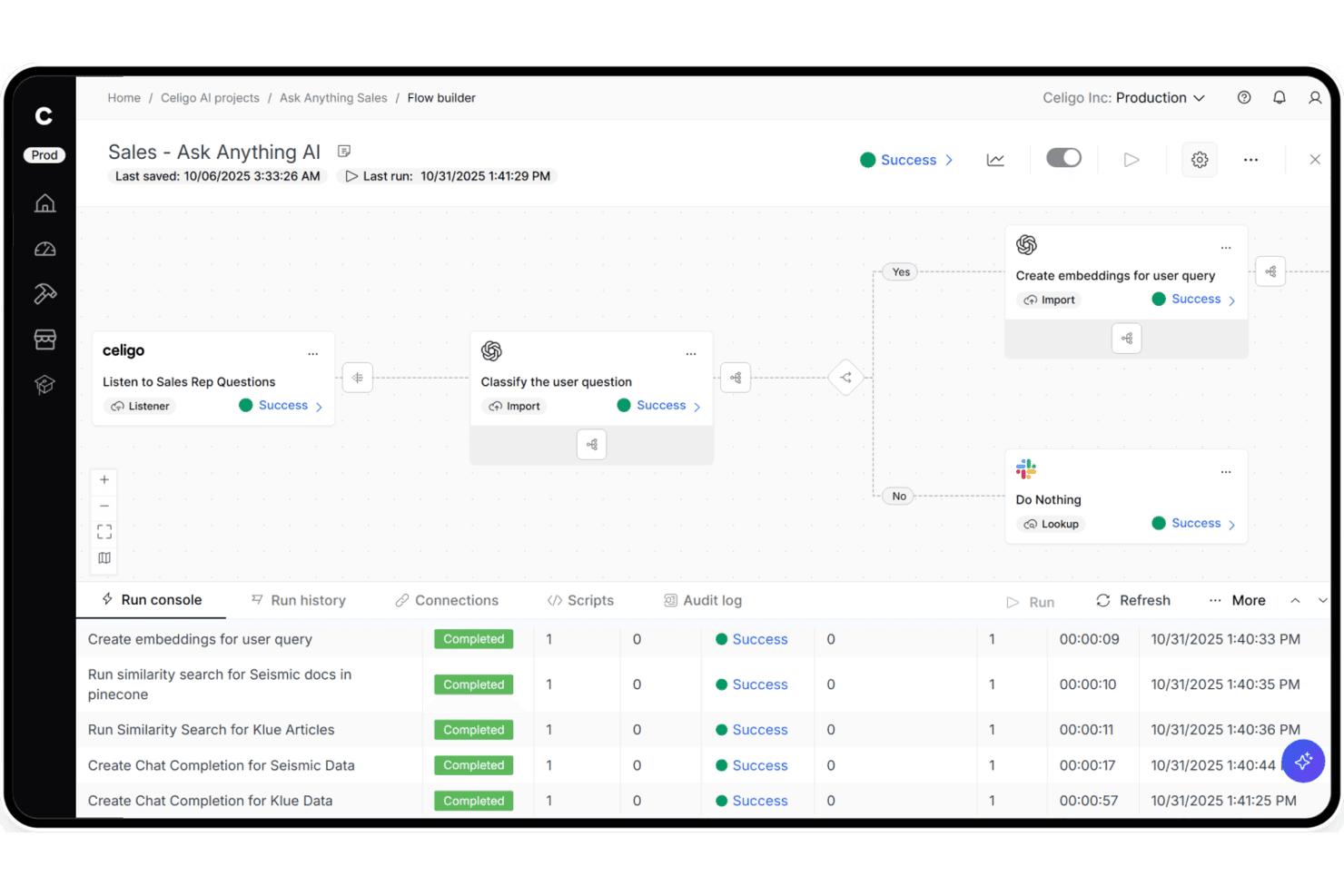
Celigo lets users build AI-powered sales workflows with step-by-step automation. Celigo is an iPaaS platform that connects ecommerce storefronts, marketplaces, ERPs, and fulfillment systems through a library of 1,000+ prebuilt connectors, a visual flow builder, native EDI support, and AI-powered error management.
Who Is Celigo Best For?
Celigo is a strong fit for mid-market and enterprise retailers who need to connect multiple sales channels, ERPs, and fulfillment systems without leaning heavily on engineering.
Why I Picked Celigo
I picked Celigo as one of the best because its library of 1,000+ prebuilt connectors means you can deploy a Shopify-to-NetSuite or Amazon-to-QuickBooks integration in under three days, not weeks. I especially like the AI Exception Management, which auto-resolves 95–96% of sync errors without anyone touching them. The native B2B Manager for EDI is also built directly into the platform, so you can onboard retail trading partners like Walmart or Target in as little as two weeks.
Celigo Key Features
- Native EDI via B2B Manager: An embedded EDI solution that supports retail document types like 850, 810, and 856, with prebuilt connectors for trading partners including Walmart, Target, and Costco.
- Visual flow builder: A drag-and-drop interface for building and configuring integration flows without writing code, available to both technical and non-technical users.
- AI Agent Blueprints for commerce: Prebuilt AI agents for tasks like Amazon settlement reconciliation, oversell detection, and demand planning that run autonomously within your workflows.
- Data pipeline connectors: Built-in integrations with Snowflake, Google BigQuery, Tableau, and Looker that route commerce and operational data directly into your analytics stack.
Celigo Integrations
Celigo offers 1,000+ prebuilt connectors and 300+ marketplace integrations, including Shopify, Amazon, NetSuite, Walmart Marketplace, BigCommerce, QuickBooks, ShipBob, Stripe, Snowflake, and Google BigQuery. Universal connectors support HTTP, FTP, JDBC, AS2, GraphQL, and webhooks.
Pros and Cons
Pros:
- Built-in EDI supports major retail partners
- Prebuilt integration templates deploy in days
- Resolves most sync errors automatically with AI
Cons:
- Error messages can lack clear descriptions
- Field mapping interface frustrates non-technical users
Learn more about Celigo: Best for custom workflow automation
- Free demo available
- From $1,495/month
Visit WebsiteCustomer Rating:4.8/5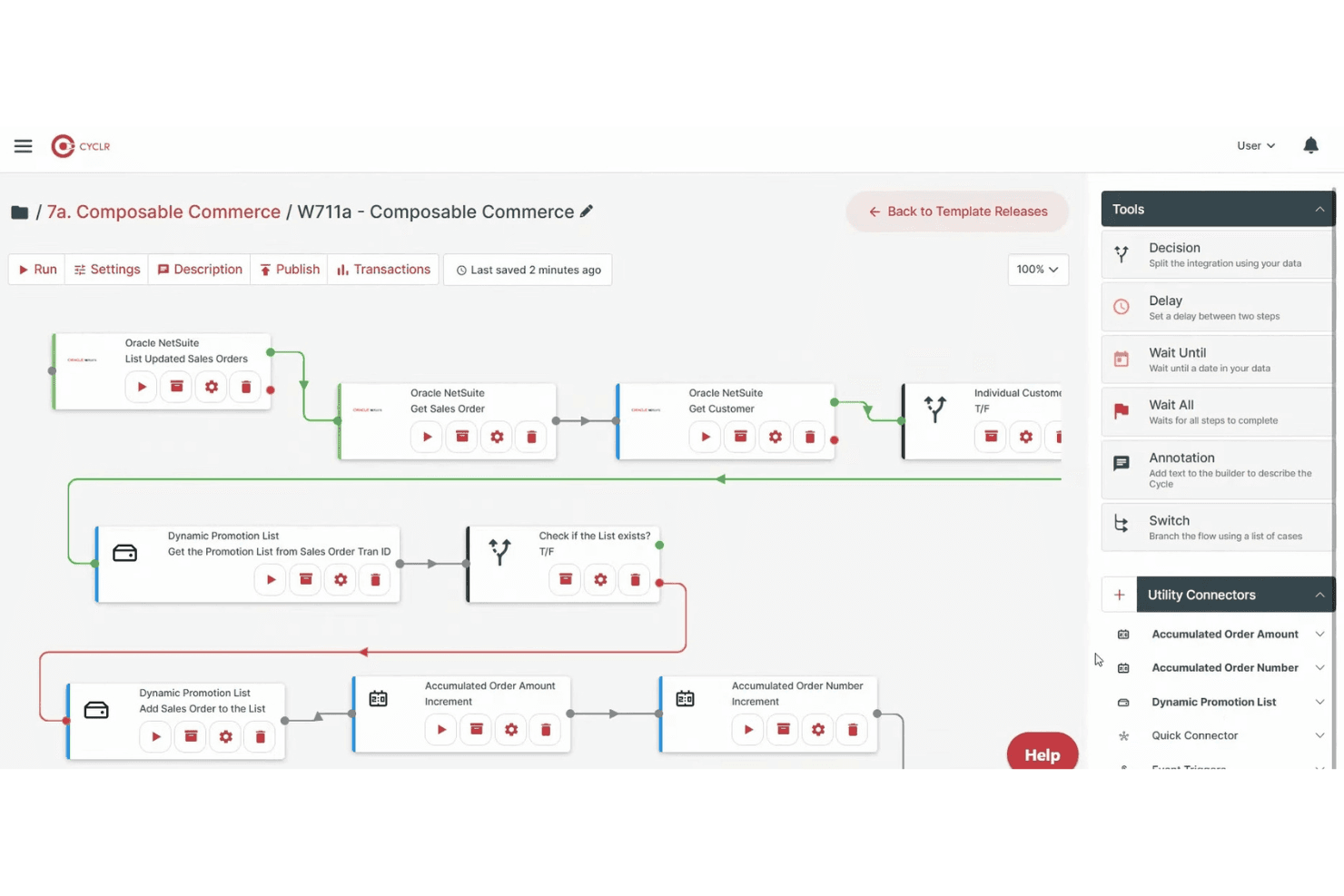
Cyclr lets users build automated workflows with drag-and-drop logic tools. Cyclr is an embedded iPaaS platform with a library of 600+ API connectors—including 55 ecommerce-specific ones—that lets you build, deploy, and manage automated integration workflows across storefronts, ERPs, accounting tools, and logistics systems.
Who Is Cyclr Best For?
Cyclr is a strong fit for SaaS companies that want to embed custom ecommerce integration workflows into their own products for end users.
Why I Picked Cyclr
Cyclr earns its spot on my shortlist because of how far it lets you push custom workflow logic without writing full integration code from scratch. I love that its visual builder supports JavaScript scripting and conditional branching at the field level, so you can handle complex scenarios like splitting a Shopify order across multiple 3PL destinations or enriching WooCommerce order data before it hits NetSuite. The template-based architecture means those custom workflows can be deployed across multiple tenants instantly.
Cyclr Key Features
- Embedded integration marketplace: A white-label marketplace you can embed directly in your SaaS product so end users can self-serve integration setup without custom front-end development.
- Custom connector toolkit: A built-in toolkit for building connectors to proprietary APIs using an OpenAPI/Swagger auto-converter or manual step-by-step API mapping.
- MCP server support: Exposes ecommerce connector methods—order status, inventory, fulfillment—as governed MCP tools that AI agents can call directly.
- Multi-tenant workflow deployment: Integration templates can be deployed and centrally managed across multiple customer instances from a single control point.
Cyclr Integrations
Cyclr offers 55 native ecommerce integrations, including Shopify, WooCommerce, Magento 2, BigCommerce, eBay, Amazon Selling Partner, Ecwid, Wix, Squarespace, and Lightspeed eCommerce. Its Custom Connector Toolkit supports proprietary APIs through OpenAPI/Swagger or manual API mapping.
Pros and Cons
Pros:
- Enables field-level data mapping and scripting
- Provides an embedded marketplace for SaaS users
- Handles complex workflow automation for retailers
Cons:
- No native support for EDI integrations
- Best suited for SaaS vendors, not retailers directly
Learn more about Cyclr: Best for enterprise-grade integrations
- Free plan + free demo available
- From $75/month
Visit WebsiteCustomer Rating:4.7/5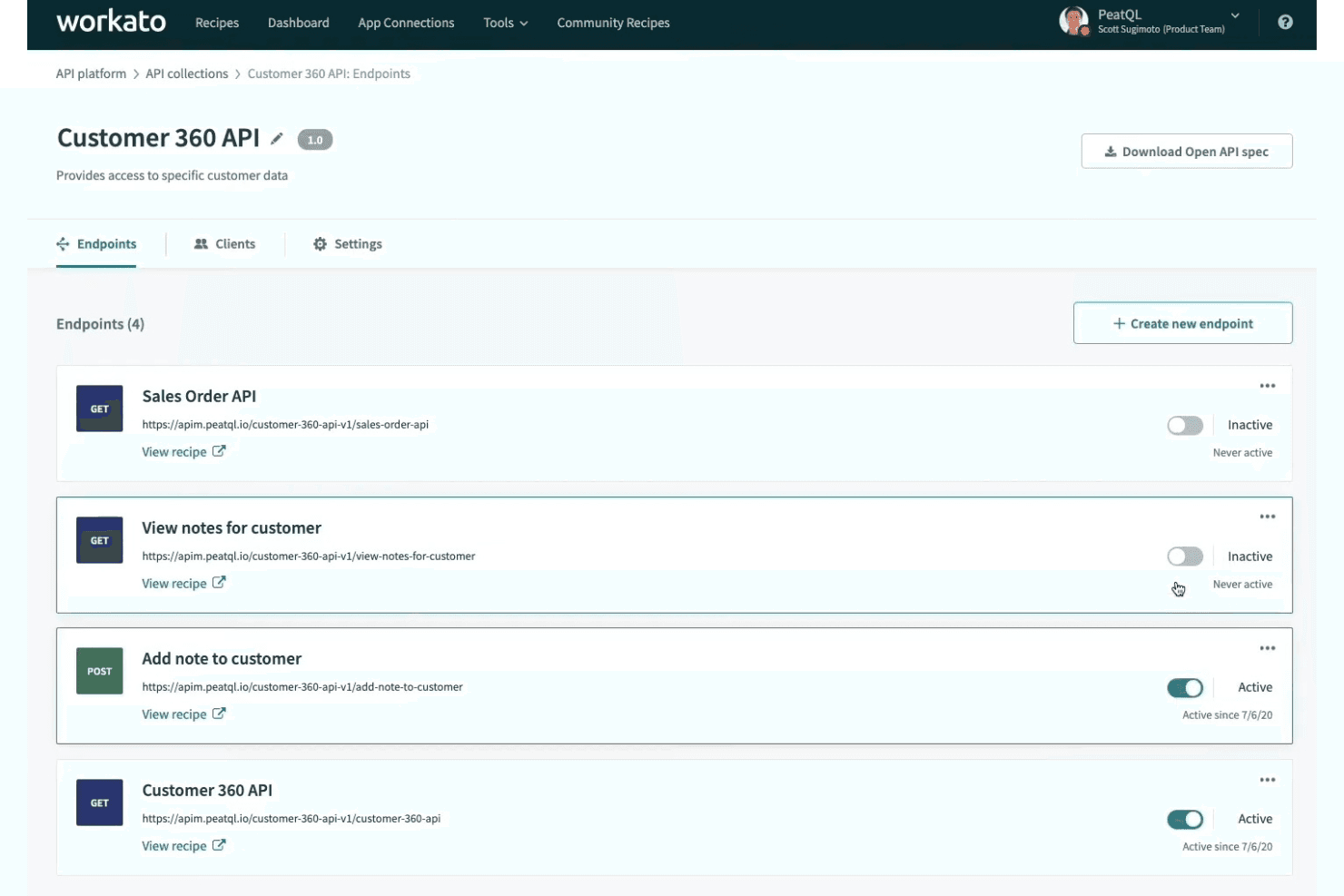
Workato lets users manage and activate API endpoints from one dashboard. Workato is a low-code integration platform that connects e-commerce storefronts, marketplaces, and back-office systems through pre-built connectors, workflow automation, real-time data sync, and native EDI support.
Who Is Workato Best For?
Workato is a strong fit for mid-market and enterprise retail and ecommerce teams managing complex integrations across multiple platforms, ERPs, and trading partners.
Why I Picked Workato
Workato earns its spot on my shortlist because its native EDI support, powered by Orderful, handles 850/856/810 transactions in real time and onboards new trading partners in as little as nine days. I picked it specifically for enterprise teams running complex multichannel operations, where its Decision Models let you manage order fulfillment logic and pricing rules in standalone decision tables rather than burying that logic inside individual workflows. Its omnichannel inventory sync connects POS, storefronts, warehouses, and ERPs like NetSuite and SAP across hundreds of locations simultaneously.
Workato Key Features
- AI Copilot mapping: An AI assistant that drafts recipes, suggests field mappings, and helps resolve errors directly inside the recipe builder.
- On-Prem Agent: A lightweight agent that connects on-premise systems like legacy ERPs and databases to Workato's cloud without opening inbound firewall ports.
- Intelligent Document Processing: Automatically extracts data from invoices, receipts, and purchase orders and routes it into connected workflows.
- 700,000+ community recipes: A searchable library of pre-built workflow templates you can clone and adapt to common ecommerce and retail integration scenarios.
Workato Integrations
Workato offers 1,200+ pre-built connectors, including native integrations with Shopify, BigCommerce, WooCommerce, Magento 2, Amazon Seller Central, Walmart Seller Center, NetSuite, SAP, Dynamics 365, and QuickBooks. Its HTTP connector supports custom integrations and on-premise systems.
Pros and Cons
Pros:
- AI Copilot accelerates error resolution and mapping
- Native EDI support with rapid partner onboarding
- Real-time omnichannel inventory and order sync
Cons:
- Debugging and tracing workflows can be challenging
- CSV parsing and lookup tables are capped
Learn more about Workato: Best for multichannel store connections
- 14-day free trial
- From $95/month
Visit WebsiteCustomer Rating:4.7/5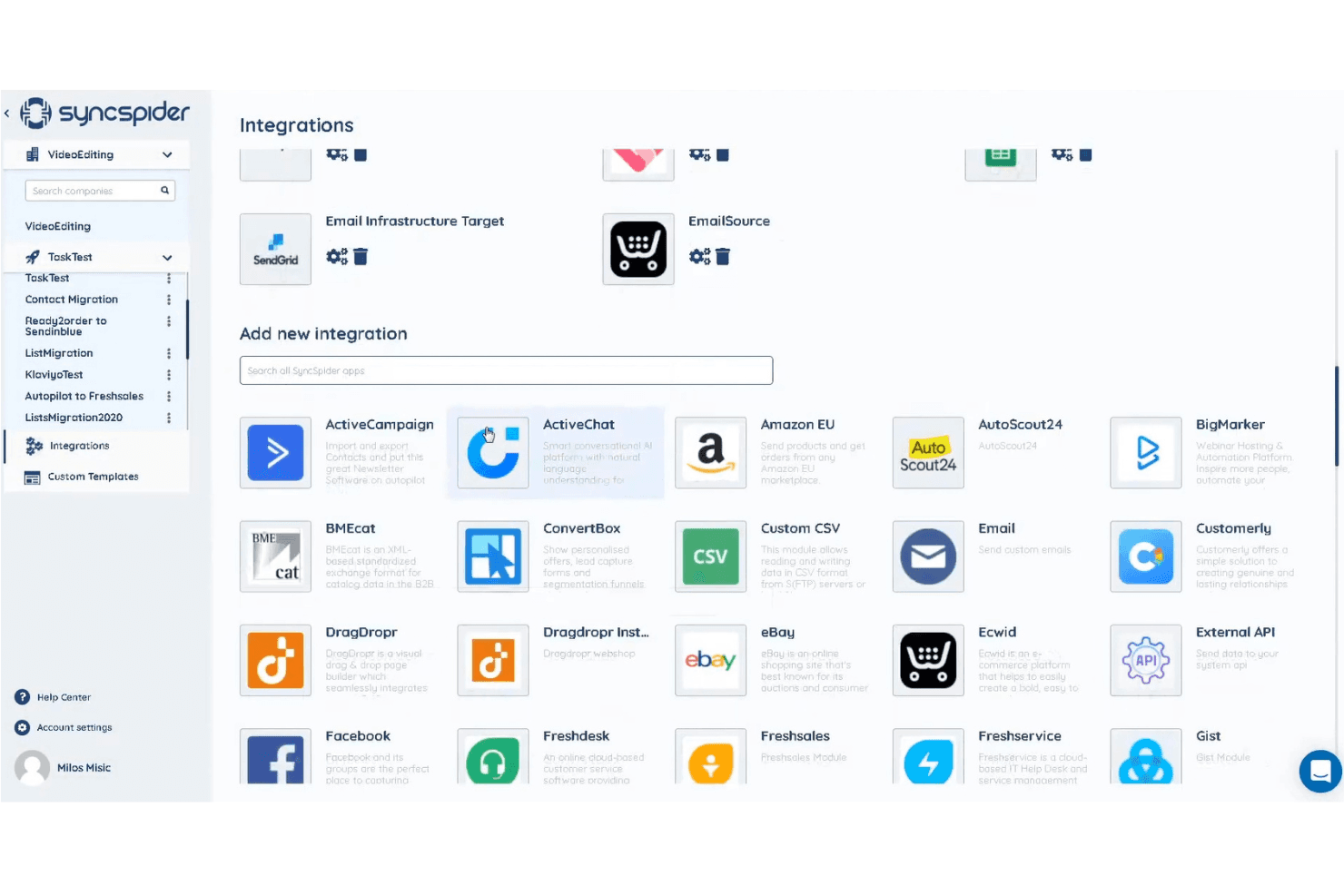
SyncSpider lets users connect apps via a searchable integrations library. SyncSpider is an ecommerce-first integration platform that connects online stores, marketplaces, ERPs, and back-office systems through 400+ prebuilt connectors, a visual workflow builder, and a centralized DataHub for managing and enriching product, order, and inventory data across channels.
Who Is SyncSpider Best For?
SyncSpider is a strong fit for multichannel ecommerce teams that need to connect multiple stores, marketplaces, and back-office systems without building custom integrations from scratch.
Why I Picked SyncSpider
SyncSpider earns its spot on my shortlist because it's built specifically for multichannel ecommerce, not retrofitted from a generic automation tool. I love how its DataHub centralizes product, order, and inventory data across every connected store and marketplace, so you're not manually reconciling stock between Shopify, Amazon, and Zalando. Its Windows Database Connector also stands out to me: it bridges on-premises ERPs that lack standard APIs, which is a real gap most cloud-only platforms simply can't fill.
SyncSpider Key Features
- AI Automapping: Automatically suggests field mappings between source and destination systems to reduce manual configuration when connecting platforms.
- Multi-vendor marketplace automation: Automates vendor onboarding, product listings, and order syncing for operators running multi-vendor marketplace environments.
- Configurable task triggers: Supports scheduled syncs (hourly, daily, weekly) and event-based triggers via webhooks, URL triggers, or task-completion events.
- Auto-Repeat retry logic: Automatically retries failed tasks up to three times when destination platform timeouts or errors interrupt a sync.
SyncSpider Integrations
SyncSpider offers 400+ prebuilt integrations, including Shopify, WooCommerce, Magento 2, BigCommerce, Amazon Seller Central, eBay, Zalando, SAP, Microsoft Dynamics 365, and Odoo. Its Custom Integration Builder supports API connections, while the Windows Database Connector links on-premises databases.
Pros and Cons
Pros:
- Handles on-premises ERP integration needs
- Central DataHub manages product information
- Designed specifically for ecommerce workflows
Cons:
- Some advanced workflows require developer help
- No native Walmart marketplace connector
Learn more about SyncSpider:
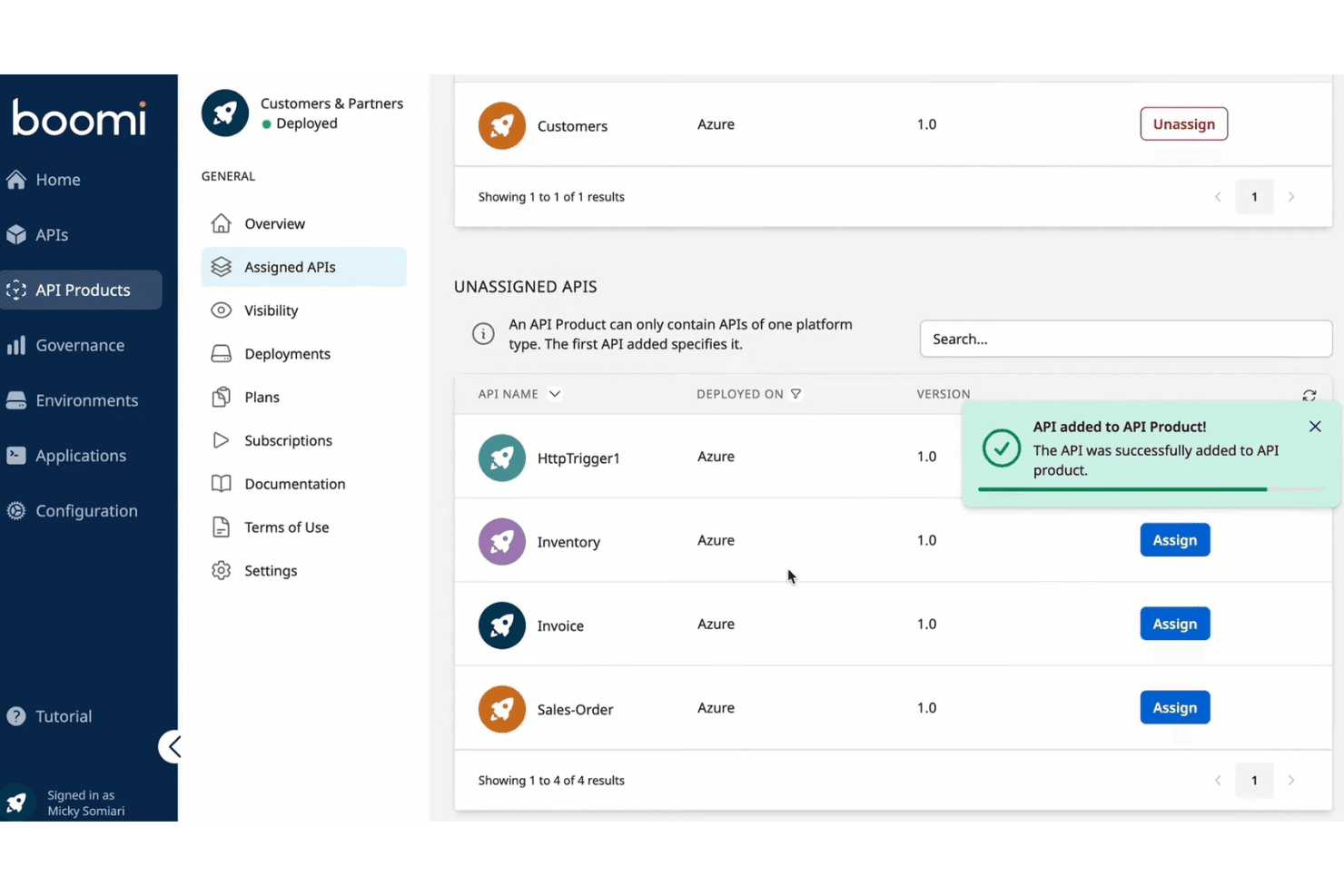
Boomi lets users assign and manage APIs within an API Product. Boomi is an enterprise iPaaS that connects ecommerce storefronts, ERPs, marketplaces, and back-office systems through 1,000+ prebuilt connectors, low-code data mapping, bidirectional sync, and native B2B/EDI management.
Who Is Boomi Best For?
Boomi is a strong fit for mid-market to enterprise retailers with dedicated IT or integration teams who need to connect ERP systems like NetSuite or SAP to their ecommerce storefronts at scale.
Why I Picked Boomi
I picked Boomi as one of the best because its prebuilt Accelerators genuinely cut deployment time in ways I don't see in most iPaaS tools. The NetSuite + Shopify Integration Accelerator, for example, handles real-time sync across orders, inventory, products, and payments out of the box, so you're not building those flows from scratch. Boomi Suggest also uses AI to auto-recommend field mappings, which speeds up the configuration work that typically bogs down cloud deployments.
Boomi Key Features
- Native B2B/EDI management: Boomi includes built-in EDI support for trading partners, 3PLs, and wholesale distributors without requiring separate middleware.
- Event Streams: This module enables real-time, event-driven data flow across connected systems, keeping inventory and order data current during high-volume periods.
- Boomi Insights dashboard: A SaaS analytics layer that tracks execution exceptions, listener errors, runtime health, and certificate expiry across your integrations.
- Connector SDK: Teams can build custom connectors against platforms not natively covered, extending Boomi beyond its prebuilt library.
Boomi Integrations
Boomi offers 1,000+ prebuilt connectors, including native Shopify, NetSuite, SAP, Salesforce, Microsoft Dynamics, Workday, and QuickBooks integrations, plus marketplace integrations for Magento, BigCommerce, WooCommerce, and Amazon Selling Partner API. Its Connector SDK and OpenAPI support custom integrations.
Pros and Cons
Pros:
- Native B2B and EDI management included
- Real-time data sync across multiple channels
- Prebuilt accelerators reduce deployment time dramatically
Cons:
- Complex data transformations require scripting expertise
- Not specialized for marketplace integrations
Learn more about Boomi: Best for marketplace integration support
- 14-day free trial
- From $300/month (billed annually)
Visit WebsiteCustomer Rating:4.7/5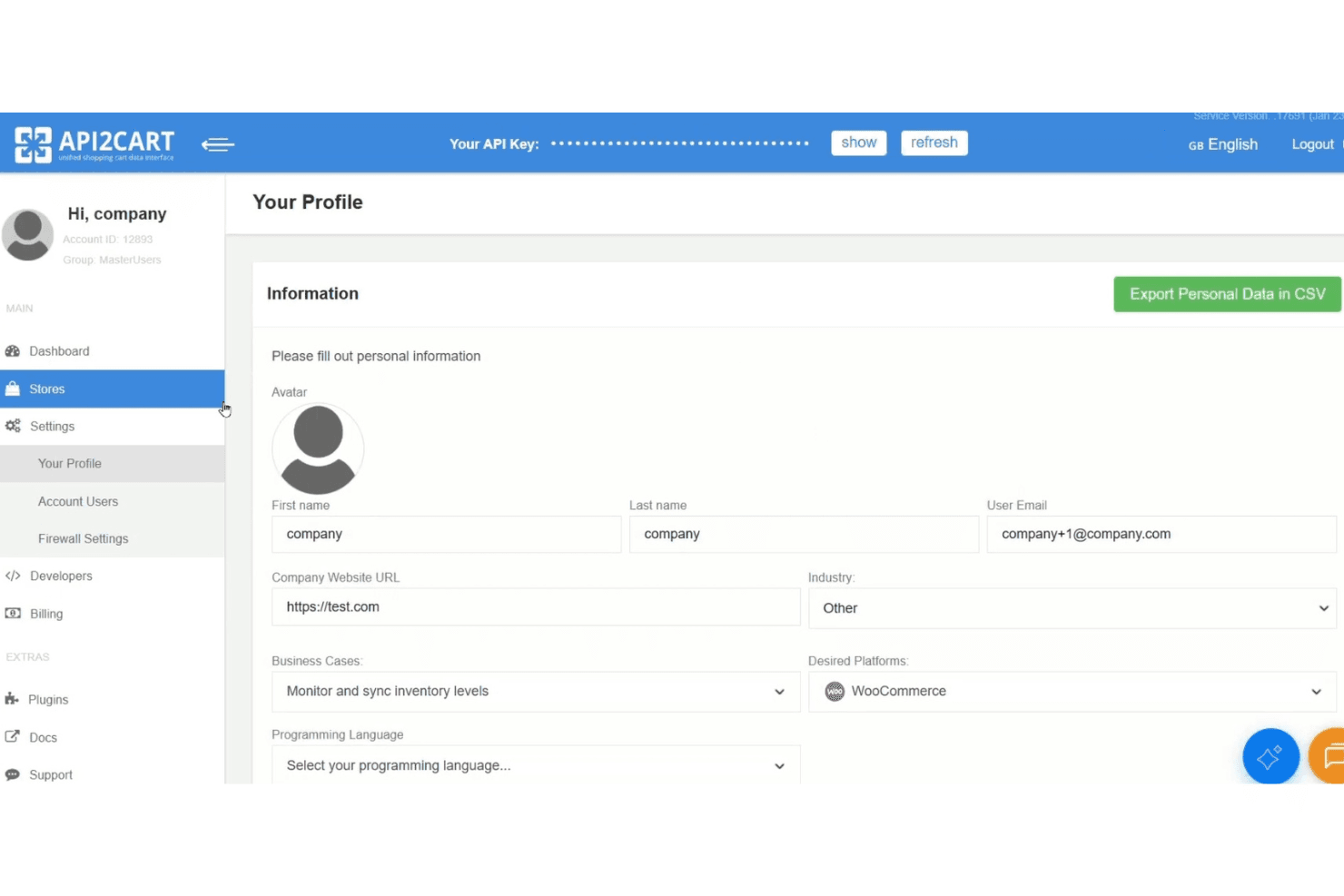
API2Cart lets users manage profile settings and API key access. API2Cart is a unified API platform that connects to 80+ ecommerce platforms and marketplaces—including Shopify, Amazon, eBay, Walmart, and TikTok Shop—through a single integration point for managing orders, products, inventory, and customer data.
Who Is API2Cart Best For?
API2Cart is a strong fit for software developers and ISV teams building products that need to connect to dozens of ecommerce platforms and marketplaces through a single API.
Why I Picked API2Cart
I picked API2Cart as one of the best because no other tool on my shortlist connects to as many marketplaces through a single API, covering Amazon, eBay, Walmart, TikTok Shop, Mercado Libre, Lazada, and Temu alongside 80+ ecommerce platforms. I especially like the webhook filtering system, which fires sync events only when specific conditions are met, so teams building multi-marketplace order pipelines aren't flooded with unnecessary calls. The normalized data model also means one API call handles products, orders, and customers across every connected store without platform-specific mapping work.
API2Cart Key Features
- Unified data model: A single normalized schema handles products, orders, customers, and inventory across all 80+ connected platforms without per-platform field mapping.
- Enterprise on-premise deployment: Self-host API2Cart on your own AWS, Azure, Google Cloud, or Hetzner infrastructure for full data control and white-label branding.
- Plugin Builder: An add-on that generates branded, deployable plugins for major ecommerce platforms without writing custom plugin code from scratch.
response_fieldsfiltering: Lets you specify exactly which fields to return in any API response, reducing payload size and lowering your monthly API request consumption.
API2Cart Integrations
API2Cart integrates with 80+ ecommerce platforms and marketplaces, including Shopify, WooCommerce, BigCommerce, Magento, Amazon, eBay, Walmart, TikTok Shop, Mercado Libre, and Temu. Its unified API supports custom integrations for ERP, POS, WMS, PIM, and accounting software.
Pros and Cons
Pros:
- Advanced webhooks with filtering for real-time sync
- Unified API reduces multi-platform development work
- Supports 80+ ecommerce platforms and marketplaces
Cons:
- Documentation for advanced monitoring features is limited
- No visual workflow builder for non-developers
Learn more about API2Cart: Best for AI-powered data mapping
- Free demo available
- From $9,995/year (billed annually)
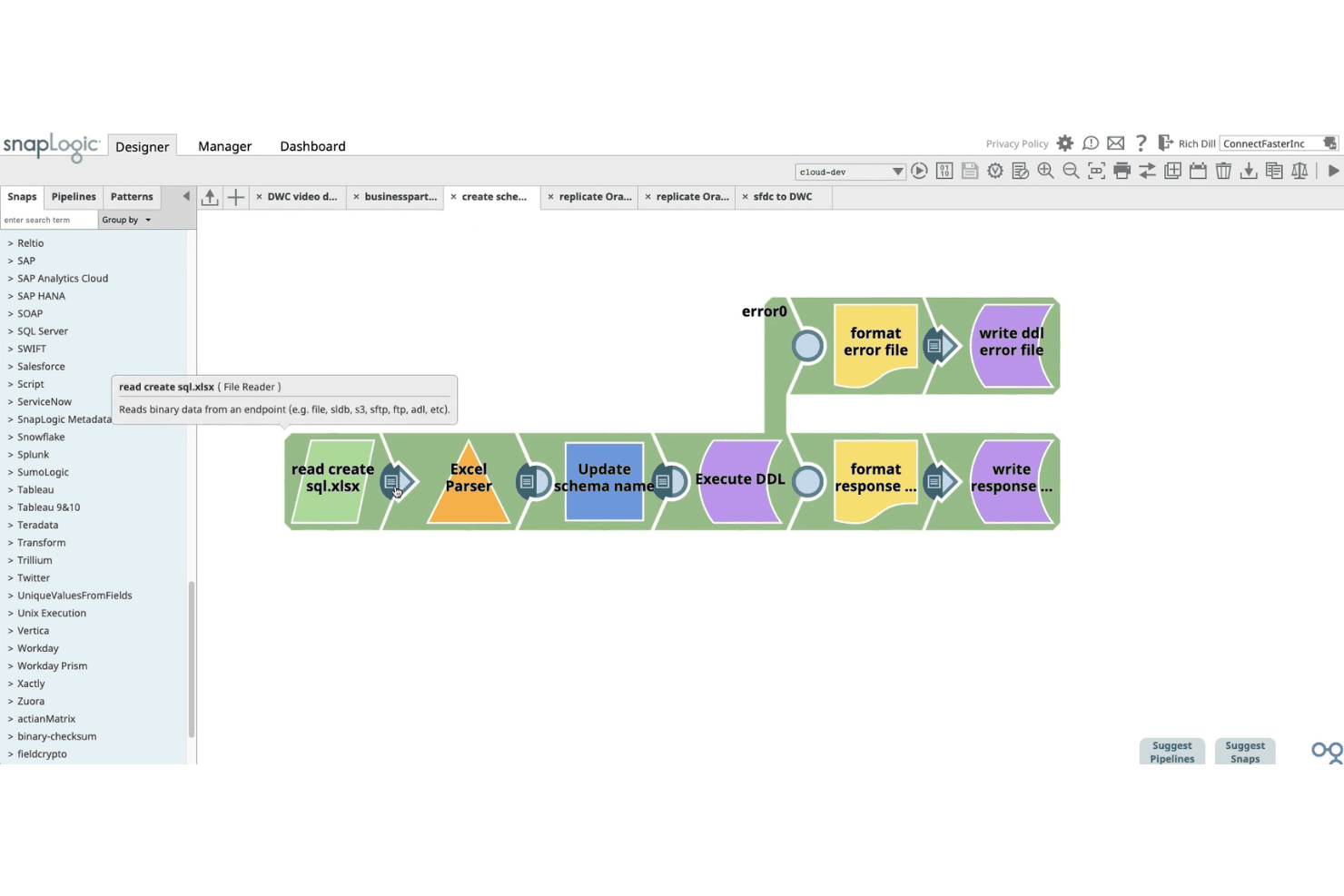
SnapLogic lets users build data pipelines visually using drag-and-drop snaps. SnapLogic is an AI-powered integration platform that connects ecommerce storefronts, ERPs, databases, and back-office systems through a library of 1,000+ pre-built connectors, a visual low-code pipeline builder, and generative AI tools for data mapping and transformation.
Who Is SnapLogic Best For?
SnapLogic is a strong fit for enterprise retailers and integration leads who need to connect Shopify storefronts with complex back-office systems like SAP, NetSuite, or Dynamics 365.
Why I Picked SnapLogic
I picked SnapLogic as one of the best because its AI-powered data mapping capabilities genuinely lead the category. SnapGPT lets you describe an integration in plain language and generates the pipeline for you, while AutoSuggest learns from past mapping patterns to recommend field matches automatically. I find this especially valuable when connecting Shopify to a complex ERP like SAP S/4HANA or Dynamics 365, where data model mismatches are the biggest bottleneck.
SnapLogic Key Features
- Shopify Snap Pack: A dedicated connector with full CRUD support for orders, customers, product catalogs, fulfillments, refunds, and inventory updates across your Shopify storefront.
- Resumable pipelines: Pipelines that automatically recover from failures at the point of interruption, so you don't have to restart an entire workflow when something breaks mid-run.
- Ultra Tasks: Near real-time pipeline execution that keeps inventory levels, order statuses, and customer records in sync across connected systems without batch delays.
- EDI Snap Pack: Built-in support for X12 and EDIFACT document standards, including retail purchase orders (850) and invoices (810), with connectivity to trading partners like Walmart and Tesco.
SnapLogic Integrations
SnapLogic offers 1,000+ pre-built connectors, including Shopify, NetSuite, SAP, Microsoft Dynamics 365, Oracle, Workday, and database systems. REST and OpenAPI Snaps support custom integrations with platforms such as Amazon Seller Central, eBay, Walmart Marketplace, WooCommerce, Magento, and BigCommerce.
Pros and Cons
Pros:
- Real-time bidirectional sync across systems
- Visual low-code builder for complex transformations
- AI-powered data mapping with SnapGPT
Cons:
- Debugging complex pipelines can be challenging
- No dedicated connectors for major marketplaces
Learn more about SnapLogic:
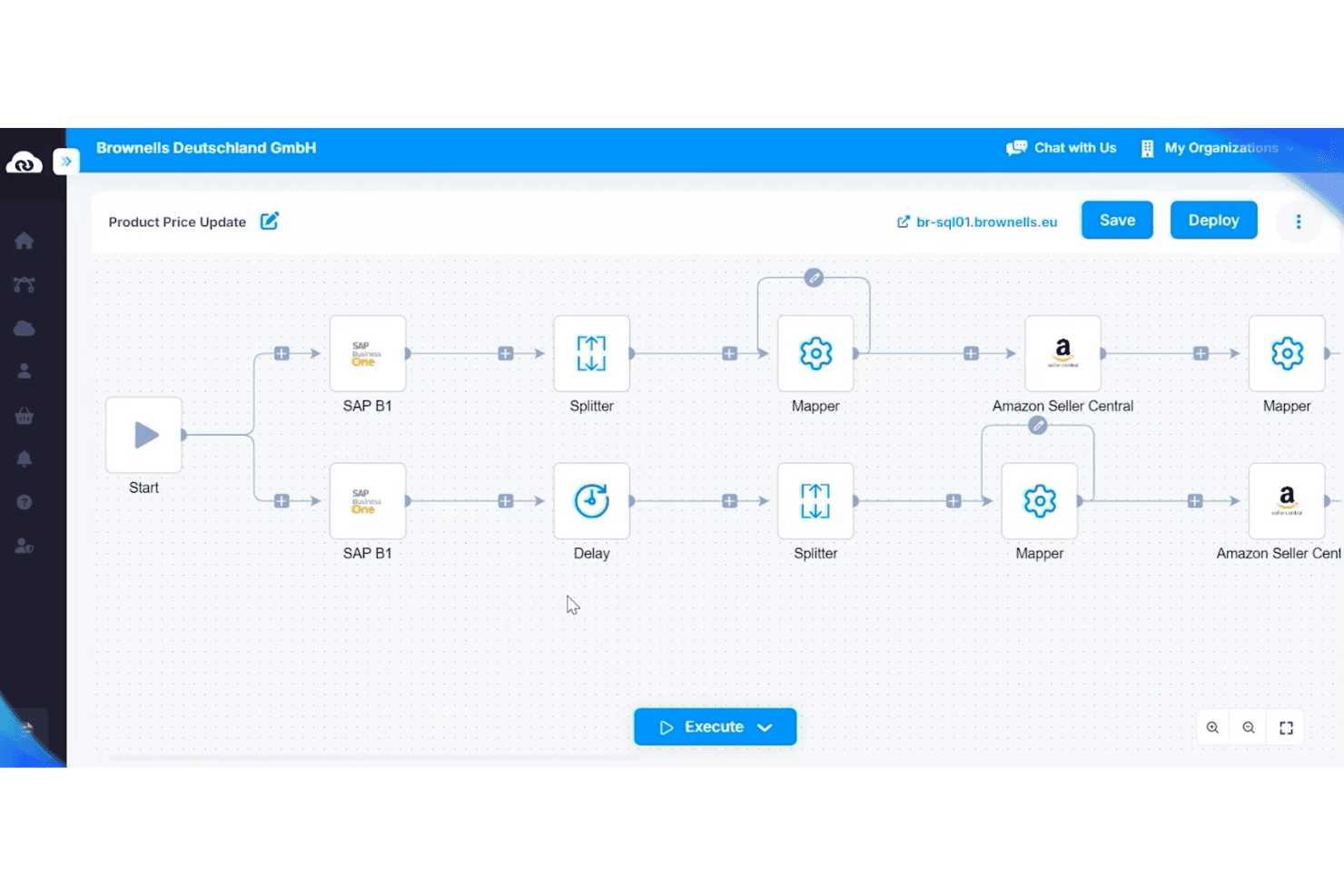
APPSeCONNECT automates product price updates between SAP B1 and Amazon. APPSeCONNECT is an ERP-first integration platform that connects ecommerce storefronts, marketplaces, CRMs, and WMS systems to ERP platforms like SAP, Microsoft Dynamics, and NetSuite through a low-code, visual workflow builder.
Who Is APPSeCONNECT Best For?
APPSeCONNECT is a strong fit for mid-market businesses running SAP, Microsoft Dynamics, or NetSuite that need to connect their ERP to ecommerce storefronts and marketplaces without heavy custom development.
Why I Picked APPSeCONNECT
APPSeCONNECT earns its spot on my shortlist because its entire architecture is built around ERP as the system of record, which is exactly what mid-market businesses running SAP, Microsoft Dynamics, or NetSuite actually need. I'm particularly impressed by its ProcessFlow Designer, which lets you visually map field-level data transformations between, say, SAP Business One and Shopify without writing custom code. The built-in EDI layer is another standout, handling retailer-mandated transaction types like POs (850) and ASNs (856) within the same platform rather than requiring separate middleware.
APPSeCONNECT Key Features
- Embedded marketplace: Browse and deploy pre-built connectors from within the platform UI without switching between external tools.
- On-premise agent: Run integration workflows locally to connect cloud platforms directly to on-premise ERP systems.
- appse ai: An AI layer built into the platform that suggests field mappings and flags broken flows before they cause sync failures.
- EDI transaction support: Manage EDI document types like POs (850), invoices (810), and ASNs (856) within the same platform as your other integrations.
APPSeCONNECT Integrations
APPSeCONNECT offers 200+ pre-built connectors, including Shopify, Magento, WooCommerce, BigCommerce, Amazon Seller Central, eBay, Walmart, SAP Business One, Dynamics 365 Business Central, and NetSuite, plus REST, SOAP, FTP/SFTP, GraphQL, and webhook support for custom integrations.
Pros and Cons
Pros:
- Built-in EDI support for retail transactions
- Pre-built workflow templates for rapid deployment
- Bi-directional real-time ERP and ecommerce sync
Cons:
- Enterprise trial unavailable for SAP or Dynamics
- Manual resync process can be confusing
Learn more about APPSeCONNECT:
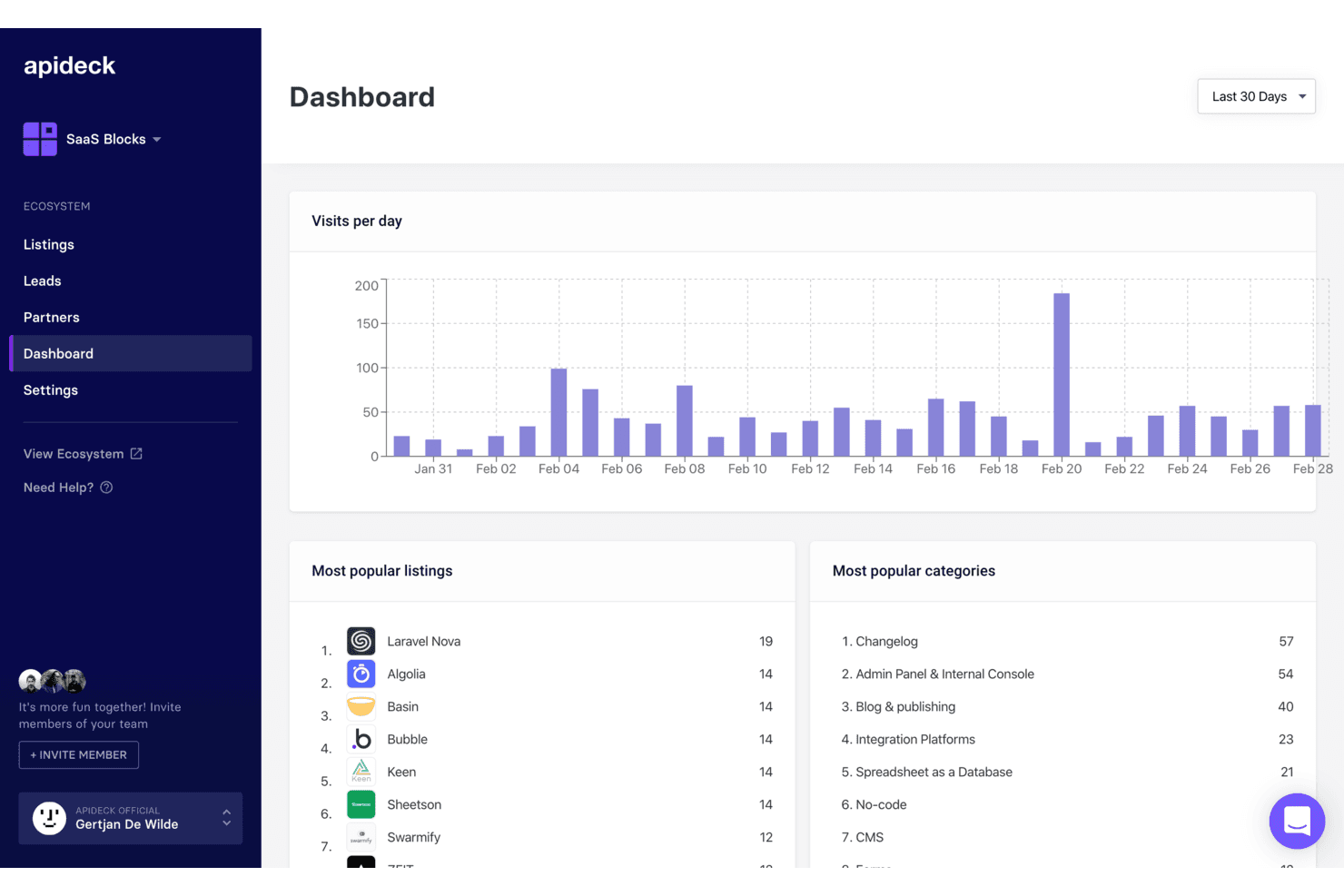
Apideck tracks daily visits, top listings, and categories in one dashboard. Apideck is a developer-focused unified API platform that connects ecommerce storefronts, marketplaces, ERP systems, and POS tools through a single normalized API layer.
Who Is Apideck Best For?
Apideck is a strong fit for developer teams at SaaS companies or retailers who need to connect ecommerce storefronts, marketplaces, and ERP systems through a single, normalized API.
Why I Picked Apideck
Apideck earns its spot on my shortlist because it's the only tool I've found that gives developer teams a single, normalized API layer spanning 17 ecommerce connectors (Shopify, Amazon Seller Central, TikTok Shop, Walmart) and 56+ ERP and accounting systems (NetSuite, SAP S/4HANA, Dynamics 365) simultaneously. I particularly like the vendor-maintained connector model: when Shopify pushes a breaking API change, Apideck absorbs it so your team doesn't have to. That's a real advantage when you're maintaining storefront-to-back-office pipelines at scale.
Apideck Key Features
- Unified ecommerce API endpoint: A single normalized API gives your developers access to 17+ ecommerce platforms—including Shopify, WooCommerce, Magento, and Amazon Seller Central—without writing separate integrations for each.
- Virtual webhook engine: For platforms without native webhook support, Apideck polls for changes using date and checksum-based detection to emulate real-time event notifications.
- Passthrough proxy API: Available on all plans, this lets your team query platform-specific endpoints that fall outside the normalized schema without losing the unified connection layer.
- MCP Server for AI agents: A hosted Model Context Protocol server lets AI agents interact with all 200+ connected apps, supporting tools like Claude, LangChain, and OpenAI Agents SDK.
Apideck Integrations
Apideck connects 17+ ecommerce platforms, including Shopify, WooCommerce, BigCommerce, Magento, Amazon Seller Central, eBay, Walmart, Etsy, TikTok Shop, and bol.com, plus 56+ ERP/accounting systems such as NetSuite, SAP S/4HANA, QuickBooks, and Xero. Its APIs and passthrough proxy support custom integrations.
Pros and Cons
Pros:
- Connects ecommerce, ERP, and POS in one API
- Centralized logs simplify troubleshooting for engineers
- Maintains all connectors, minimizing in-house maintenance
Cons:
- Polling-based webhooks can delay data sync
- No built-in visual workflow automation
Learn more about Apideck: Best for accounting platform syncing
- 15-day free trial
- From $69/month (billed annually)
Visit WebsiteCustomer Rating:4.3/5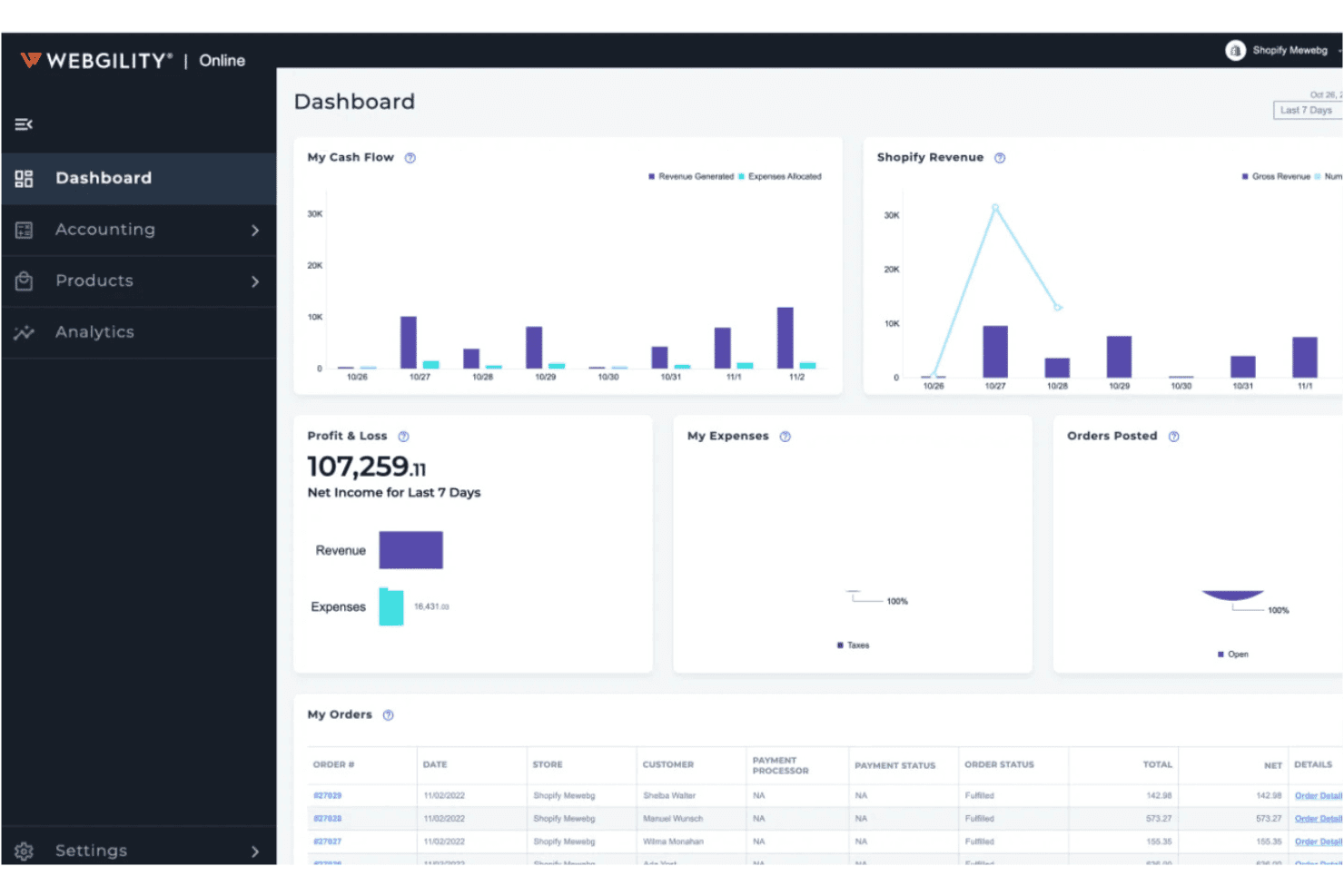
Webgility centralizes cash flow, P&L, and orders in one dashboard. Webgility is an ecommerce integration platform that syncs orders, inventory, pricing, and payout data across 60+ sales channels, marketplaces, and POS systems into QuickBooks, Xero, and other accounting platforms.
Who Is Webgility Best For?
Webgility is a strong fit for small to mid-sized multichannel sellers who run their business finances through QuickBooks or Xero and need their sales channels, inventory, and payouts to stay in sync without manual data entry.
Why I Picked Webgility
Webgility earns its spot on my shortlist because of how deeply it integrates with QuickBooks, posting every order, fee, refund, and payout individually rather than as summary journal entries. I love that payout reconciliation is built to handle complex schedules simultaneously, matching Amazon settlements or Shopify deposits to the exact orders that compose them. On top of that, its AI-powered SKU mapping catches mismatches before they ever hit your books.
Webgility Key Features
- Purchase order automation: Webgility monitors inventory levels and automatically creates POs in QuickBooks when stock drops below your defined thresholds, using sales velocity data to recommend reorder quantities.
- Exception queue: Orders with address errors, unrecognized SKUs, or payment holds are held for manual review instead of posting partial or default-account entries.
- Multi-location inventory tracking: Tracks stock across multiple warehouses and QuickBooks inventory sites, with per-location reorder rules and vendor assignments.
- Revenue forecasting: Generates predictive revenue data up to 14 months ahead, with drill-down views by channel, store, or fulfillment method.
Webgility Integrations
Webgility supports 60+ integrations, including Shopify, BigCommerce, WooCommerce, Amazon, eBay, Walmart, Etsy, TikTok Shop, QuickBooks, Xero, NetSuite, Shopify POS, Square, and ShipStation. Its strongest connectivity is ecommerce-to-accounting syncing, especially for QuickBooks.
Pros and Cons
Pros:
- AI-powered SKU mapping catches product mismatches
- Exception queue prevents incorrect accounting entries
- Posts every order and payout individually
Cons:
- Setup and onboarding can be complex
- No native SAP or Dynamics integration
Learn more about Webgility:
Outro software de integração de comércio eletrónico
Estas são algumas opções adicionais de software de integração de comércio eletrónico que não integraram a minha lista restrita, mas que continuam a merecer atenção:
How I Evaluate Ecommerce Integration Software
I split my evaluation into two layers: the baseline a tool must clear—like bidirectional sync across Shopify and NetSuite—and the differentiators that set one vendor apart from another.
Core Functionality (Table Stakes For This List)
When I'm selecting tools for my list, I rank each one on a scale from 0 (does not offer the functionality) to 5 (excels in this area) for each core functionality listed below. Then, I calculate the tool's total score into a percentage. Each tool needs to achieve a minimum total score of 65% to be considered for inclusion.
- Multi-Platform Connectors: I check which ecommerce platforms and marketplaces each tool supports out of the box, including major channels like Shopify, BigCommerce, Amazon, and Walmart.
- Back-Office System Integration: Each tool should connect your storefronts to ERP, POS, WMS, and accounting systems like NetSuite, SAP, or QuickBooks without custom middleware.
- Bidirectional Data Sync: I evaluate whether order, inventory, product, and customer data flows both ways in real time or on a schedule, not just as a one-way import.
- Order & Inventory Automation: Strong tools let you set rules for order routing, split shipments, and inventory allocation across warehouses and channels automatically.
- Data Mapping & Transformation: I look at how each tool handles field-level mapping between systems with different data models, like translating Shopify product variants into ERP SKU structures.
- Error Handling & Monitoring: Sync failures happen, so I evaluate whether a tool provides dashboards, alerts, retry logic, and audit logs to catch and resolve issues fast.
Once I have a list of tools that meet this criteria, I consider what sets each platform apart.
Differentiating Factors (What Sets Vendors Apart)
Here's how I compare and contrast different vendors:
Standout Features
Prebuilt integration templates are a big differentiator. Tools like Celigo and Jitterbit offer ready-made flows for common scenarios like Shopify-to-NetSuite order sync, which can cut setup time from weeks to days. I also look for a low-code workflow builder that lets operations teams adjust integrations without waiting on developers. EDI support matters if you sell through big-box retailers—native EDI lets you exchange purchase orders and invoices without bolting on separate middleware.
Beyond Features
Scalability is one of the first things I evaluate. A platform that handles daily order volumes fine but chokes during Black Friday or flash sales is a liability. I check how each vendor handles API rate limits and peak-season throughput. Pricing transparency matters just as much—some tools charge per connector while others bill by transaction volume, and overage fees can surprise you fast. I also consider implementation timelines, including whether vendors offer sandbox environments so your team can test integrations before going live.
Como escolher software de integração de comércio eletrónico
É fácil perder-se em listas extensas de funcionalidades e estruturas de preços complexas. Para o ajudar a manter-se concentrado enquanto percorre o seu processo específico de seleção de software, eis uma lista de verificação dos fatores a ter em conta:
| Fator | O que considerar |
|---|---|
| FatorEscalabilidade | O que considerarO software irá suportar o seu volume de transações à medida que a sua empresa cresce? Verifique os limites relativos a utilizadores, encomendas ou canais e informe-se sobre as opções de atualização. |
| FatorIntegrações | O que considerarA ferramenta liga-se nativamente às suas plataformas de comércio eletrónico, software de contabilidade e marketplaces? Confirme a compatibilidade com a sua atual infraestrutura tecnológica. |
| FatorPersonalização | O que considerarPode adaptar os fluxos de trabalho, os mapeamentos de dados ou os calendários de sincronização para se adequarem aos seus processos empresariais? Tenha cuidado com sistemas rígidos que o obriguem a adaptar o seu fluxo de trabalho. |
| FatorFacilidade de utilização | O que considerarA interface é intuitiva para a sua equipa? Considere quem a utilizará diariamente e se será necessária formação para os colaboradores não técnicos. |
| FatorImplementação e integração inicial | O que considerarQuanto tempo demorará a configuração e de que recursos necessitará? Informe-se sobre o apoio à migração, os serviços de integração inicial e o tempo habitual até obter resultados. |
| FatorCusto | O que considerarQual é o custo total de propriedade, incluindo a configuração, as mensalidades e os complementos? Esteja atento a custos ocultos associados ao volume de encomendas ou a integrações premium. |
| FatorMedidas de segurança | O que considerarComo é que o fornecedor protege os seus dados? Procure encriptação, controlos de acesso e conformidade com normas como PCI DSS ou RGPD. |
| FatorDisponibilidade do suporte | O que considerarQue canais de suporte são disponibilizados e durante que horário? Considere se necessita de assistência 24 horas por dia, 7 dias por semana, ou de gestão dedicada da conta para resolver problemas urgentes. |
O que é o software de integração de comércio eletrónico?
O software de integração de comércio eletrónico liga os seus canais de vendas online, marketplaces e sistemas administrativos para automatizar o fluxo de dados entre eles. Este tipo de software sincroniza encomendas, inventário, dados dos clientes e dados financeiros entre plataformas, reduzindo a introdução manual de dados e os erros. Ao centralizar e automatizar estas ligações, o software de integração de comércio eletrónico ajuda os retalhistas a manter registos precisos, simplificar as operações e apoiar o crescimento em vários canais.
Funcionalidades
Ao selecionar um software de integração de comércio eletrónico, procure as seguintes funcionalidades principais:
- Sincronização de encomendas: Transfere automaticamente os dados das encomendas entre as suas lojas online, marketplaces e sistemas administrativos para manter os registos atualizados.
- Gestão de inventário: Atualiza os níveis de stock em todos os canais ligados em tempo real para evitar a venda excessiva e as ruturas de stock.
- Integração multicanal: Liga vários canais de vendas, como lojas online, marketplaces e sistemas POS, numa única plataforma.
- Integração com plataformas de contabilidade: Sincroniza diretamente as vendas, os reembolsos e as taxas com o software de contabilidade para simplificar a escrituração e a reconciliação.
- Cálculo automatizado de impostos sobre vendas: Calcula e aplica as taxas corretas de imposto sobre vendas a cada transação, com base na localização do cliente e no tipo de produto.
- Integração de expedição e processamento de encomendas: Liga-se a transportadoras e serviços de processamento de encomendas para automatizar a criação de etiquetas, o rastreamento e as atualizações de estado.
- Sincronização de dados dos clientes: Consolida as informações dos clientes de todos os canais, facilitando a gestão de perfis, preferências e comunicações.
- Reconciliação de pagamentos: Corresponde os pagamentos, reembolsos e taxas de vários canais aos seus registos financeiros, reduzindo os erros manuais.
- Relatórios e análises: Disponibiliza painéis e relatórios sobre vendas, inventário e desempenho dos canais para apoiar decisões baseadas em dados.
As soluções de software de integração de comércio eletrónico normalmente não incluem IA como parte da sua oferta de funcionalidades. Por conseguinte, não continuarei com esta secção.
Vantagens
A implementação de um software de integração de comércio eletrónico proporciona várias vantagens à sua equipa e à sua empresa. Eis algumas das que pode esperar:
- Sincronização precisa de dados: A sincronização automatizada dos dados de encomendas, inventário e clientes reduz a introdução manual de dados e minimiza os erros entre plataformas.
- Operações centralizadas: A gestão de vários canais de vendas e sistemas administrativos a partir de uma única plataforma simplifica os fluxos de trabalho e a supervisão.
- Processamento mais rápido de encomendas: As atualizações em tempo real e os fluxos de trabalho automatizados ajudam a sua equipa a processar encomendas e a gerir o inventário mais rapidamente.
- Maior precisão financeira: A integração direta com plataformas de contabilidade garante que as vendas, os reembolsos e as taxas são registados e reconciliados com precisão.
- Relatórios melhorados: As ferramentas consolidadas de análise e elaboração de relatórios proporcionam uma visão clara das vendas, do inventário e do desempenho dos canais.
- Menor risco de incumprimento: O cálculo automatizado dos impostos sobre vendas e a reconciliação de pagamentos ajudam a sua empresa a cumprir a legislação fiscal e financeira.
- Crescimento escalável: As integrações flexíveis e o suporte multicanal facilitam a adição de novos canais de vendas ou a expansão para novos mercados à medida que a sua empresa cresce.
Custos & preços
A seleção de software de integração de comércio eletrónico requer uma compreensão dos vários modelos de preços e planos disponíveis. Os custos variam consoante as funcionalidades, o tamanho da equipa, os complementos, entre outros fatores. A tabela abaixo resume os planos comuns, os respetivos preços médios e as funcionalidades normalmente incluídas nas soluções de software de integração de comércio eletrónico:
Tabela de comparação de planos de software de integração de comércio eletrónico
| Tipo de plano | Preço médio | Funcionalidades comuns |
|---|---|---|
| Tipo de planoPlano gratuito | Preço médio$0 | Funcionalidades comunsSincronização básica de encomendas, ligações limitadas a canais, limite mensal de encomendas e suporte por e-mail. |
| Tipo de planoPlano pessoal | Preço médio$20-$50/mês | Funcionalidades comunsIntegração multicanal, sincronização de inventário, relatórios básicos e suporte padrão ao cliente. |
| Tipo de planoPlano empresarial | Preço médio$100-$300/mês | Funcionalidades comunsAutomatização avançada, integração com plataformas de contabilidade, cálculo de impostos sobre vendas e suporte prioritário. |
| Tipo de planoPlano empresarial de grande dimensão | Preço médio$500-$2,000/mês | Funcionalidades comunsIntegrações personalizadas, gestão de conta dedicada, medidas de segurança avançadas e assistência na integração inicial. |
Perguntas frequentes sobre software de integração de comércio eletrónico
Eis algumas respostas a perguntas comuns sobre software de integração de comércio eletrónico:
Como posso saber se a minha plataforma de comércio eletrónico é compatível com o software de integração?
Consulte a lista de plataformas e conectores suportados pelo software de integração. A maioria dos fornecedores publica listas de compatibilidade nos seus sites. Se a sua plataforma não estiver listada, pergunte sobre conectores personalizados ou suporte de API antes de assumir um compromisso.
O software de integração de comércio eletrónico consegue gerir vários canais de vendas em simultâneo?
Sim, a maioria dos softwares de integração de comércio eletrónico foi concebida para ligar e sincronizar dados entre várias lojas online, marketplaces e até sistemas POS físicos. Isto ajuda-o a gerir o inventário, as encomendas e os dados dos clientes a partir de um único painel.
O que acontece se uma integração falhar ou os dados não forem sincronizados corretamente?
A maioria das soluções inclui registos de erros, alertas e mecanismos de repetição para assinalar e resolver problemas de sincronização. Procure ferramentas que ofereçam passos claros para a resolução de problemas e suporte ágil, de forma a minimizar as interrupções nas suas operações.
É difícil mudar de processos manuais para uma integração automatizada?
A mudança pode exigir algum planeamento, mas a maioria das plataformas oferece suporte à integração inicial, assistentes de configuração e ferramentas de migração para o ajudar na transição. Comece com uma integração-piloto e expanda gradualmente à medida que a sua equipa se familiariza com o processo.
Quão seguros estão os meus dados ao utilizar software de integração de comércio eletrónico?
Os fornecedores conceituados utilizam encriptação, controlos de acesso e normas de conformidade como a PCI DSS ou o RGPD para proteger os seus dados. Reveja sempre a documentação de segurança de um fornecedor e pergunte sobre as suas práticas de tratamento de dados antes de se registar.