

Beoordeling van Square e-commerce: voor- en nadelen, functies en prijzen
Square onderscheidt zich door zijn gebruiksvriendelijke ontwerp en transparante prijzen, waardoor het ideaal is voor kleine bedrijven, maar mogelijk niet de geavanceerde functies biedt die grotere retailers nodig hebben.

We review tools independently, and commissions help fund our testing. See our transparency policy, our methodology, or suggest a tool.
Square is a POS system built for small to mid-sized retail and food service businesses. It's designed for sellers who need to accept payments and manage sales without committing to expensive hardware or long-term contracts. I'd consider it over Clover if you want to get started without heavy upfront costs. Square's free plan and flexible hardware options lower the barrier to entry. The built-in ecommerce tools also give brick-and-mortar sellers a direct path to selling online.
Square Evaluation Summary
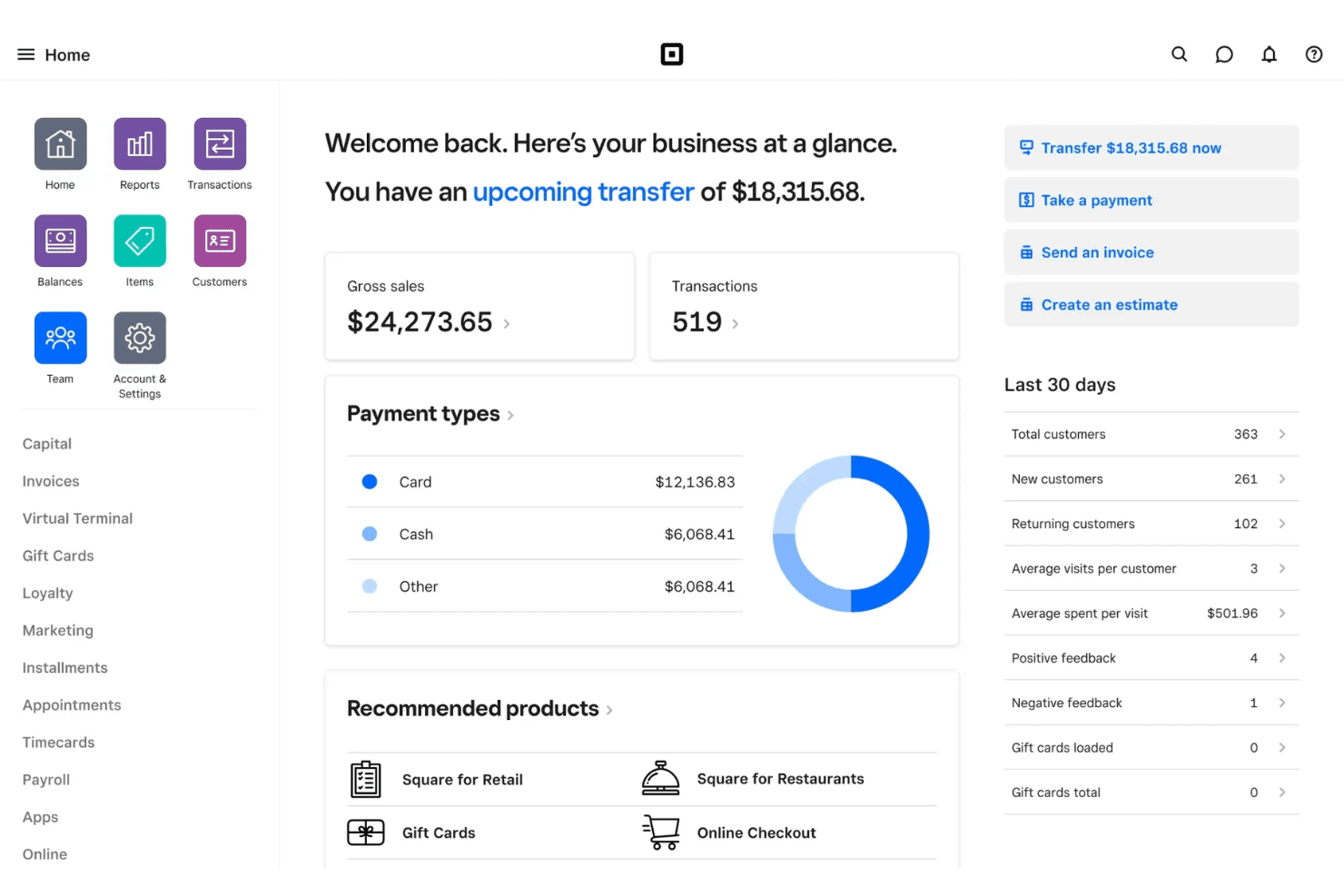
4.7/5
- From $49/month
- Free plan available; 30-day free trial on paid tiers
Waarom u onze softwareaanbevelingen kunt vertrouwen
6,700+
Reviews
20
Industry experts
16+
Evaluation factors
14
Years
Ons team test en beoordeelt software sinds 2012. Als retailleiders weten we zelf hoe moeilijk — en belangrijk — het is om de juiste software te kiezen.
Voor deze gids hebben we tools geëvalueerd met behulp van praktijktests en onafhankelijk onderzoek, waarbij we tools beoordeelden aan de hand van onze selectiecriteria.
Onze reviews weerspiegelen ons onafhankelijke oordeel — geen verkooppraatje.
Square Overview
If you’re judging Square Ecommerce against other point-of-sale software, its clean interface, transparent pricing, and quick onboarding make it a top pick for small retailers, pop-ups, and food trucks. You’ll find the app easy to navigate, with built-in payment processing and inventory tools that work right out of the box.
While it doesn’t offer the deep customization or advanced reporting some larger businesses might want, I’d choose Square Ecommerce for teams that value simplicity, fast setup, and reliable support over complex features or deep integrations.
Pros
- All-in-one platform combining POS, payments, and business tools.
- Free core POS with fast, simple setup process.
- Flexible hardware options for mobile, countertop, and retail use.
Cons
- Must use Square Payments, limiting processor choice and negotiation flexibility.
- Flat-rate processing fees can become expensive at higher volumes.
- Not ideal for complex or enterprise-level business operations.
Is Square Right For Your Needs?
Who Would be a Good Fit for Square?
Square Ecommerce is a strong choice for small businesses, mobile sellers, and teams that need a simple, unified system for both in-person and online sales. Its transparent pricing, free plan, and easy onboarding make it especially appealing for those who want to avoid complex contracts or hardware requirements.
If you’re running a business where speed, flexibility, and real-time syncing matter more than deep customization or advanced analytics, Square Ecommerce is likely to fit your needs.
- Food TrucksMobile POS, offline mode, and tap-to-pay make selling anywhere fast and reliable.
- Pop-Up ShopsQuick setup and no contracts make it ideal for short-term or seasonal retail.
- Service ProvidersBuilt-in scheduling, invoicing, and client management simplify operations for service-based businesses.
- Small to Mid-Sized Retail (Omnichannel Sellers)Syncs in-store and online sales with inventory, orders, and customer data in real time.
- Quick-Service Restaurants & CafésSupports fast-paced ordering, tipping, and menu management for quick-service food environments.
- New & First-Time Business OwnersFree POS (plus transaction rates) and simple setup make it easy to start selling quickly.
Who Would be a Bad Fit for Square?
Square Ecommerce isn’t ideal for large retailers, businesses with complex inventory needs, or those requiring highly specialized POS features. If your team needs advanced reporting, deep integrations, or industry-specific compliance, you’ll likely find Square’s feature set limiting.
Larger operations or those with unique workflows may outgrow Square Ecommerce's capabilities and need a more customizable solution.
- Large Retail ChainsSquare Ecommerce lacks advanced inventory and multi-location management features.
- Enterprise RestaurantsNo support for complex kitchen workflows or table management.
- Regulated IndustriesLimited compliance features for age-restricted or high-risk businesses.
- Wholesale DistributorsNo support for bulk pricing, purchase orders, or B2B workflows.
- Multi-Department StoresReporting and permissions are too basic for complex organizations.
- High-Volume EcommerceOrder management and fulfillment tools are limited for large online stores.
Our Review Methodology
How We Test & Score Tools
We’ve spent years building, refining, and improving our software testing and scoring system. The rubric is designed to capture the nuances of software selection and what makes a tool effective, focusing on critical aspects of the decision-making process.
Below, you can see exactly how our testing and scoring works across seven criteria. It allows us to provide an unbiased evaluation of the software based on core functionality, standout features, ease of use, onboarding, customer support, integrations, customer reviews, and value for money.
Core Functionality (25% of final scoring)
The starting point of our evaluation is always the core functionality of the tool. Does it have the basic features and functions that a user would expect to see? Are any of those core features locked to higher-tiered pricing plans? At its core, we expect a tool to stand up against the baseline capabilities of its competitors.
Standout Features (25% of final scoring)
Next, we evaluate uncommon standout features that go above and beyond the core functionality typically found in tools of its kind. A high score reflects specialized or unique features that make the product faster, more efficient, or offer additional value to the user.
We also evaluate how easy it is to integrate with other tools typically found in the tech stack to expand the functionality and utility of the software. Tools offering plentiful native integrations, 3rd party connections, and API access to build custom integrations score best.
Ease of Use (10% of final scoring)
We consider how quick and easy it is to execute the tasks defined in the core functionality using the tool. High scoring software is well designed, intuitive to use, offers mobile apps, provides templates, and makes relatively complex tasks seem simple.
Onboarding (10% of final scoring)
We know how important rapid team adoption is for a new platform, so we evaluate how easy it is to learn and use a tool with minimal training. We evaluate how quickly a team member can get set up and start using the tool with no experience. High scoring solutions indicate little or no support is required.
Customer Support (10% of final scoring)
We review how quick and easy it is to get unstuck and find help by phone, live chat, or knowledge base. Tools and companies that provide real-time support score best, while chatbots score worst.
Customer Reviews (10% of final scoring)
Beyond our own testing and evaluation, we consider the net promoter score from current and past customers. We review their likelihood, given the option, to choose the tool again for the core functionality. A high scoring software reflects a high net promoter score from current or past customers.
Value for Money (10% of final scoring)
Lastly, in consideration of all the other criteria, we review the average price of entry level plans against the core features and consider the value of the other evaluation criteria. Software that delivers more, for less, will score higher.
Core Features
Integrated Payments
Accepts credit cards, contactless payments, and mobile wallets directly through the POS app.
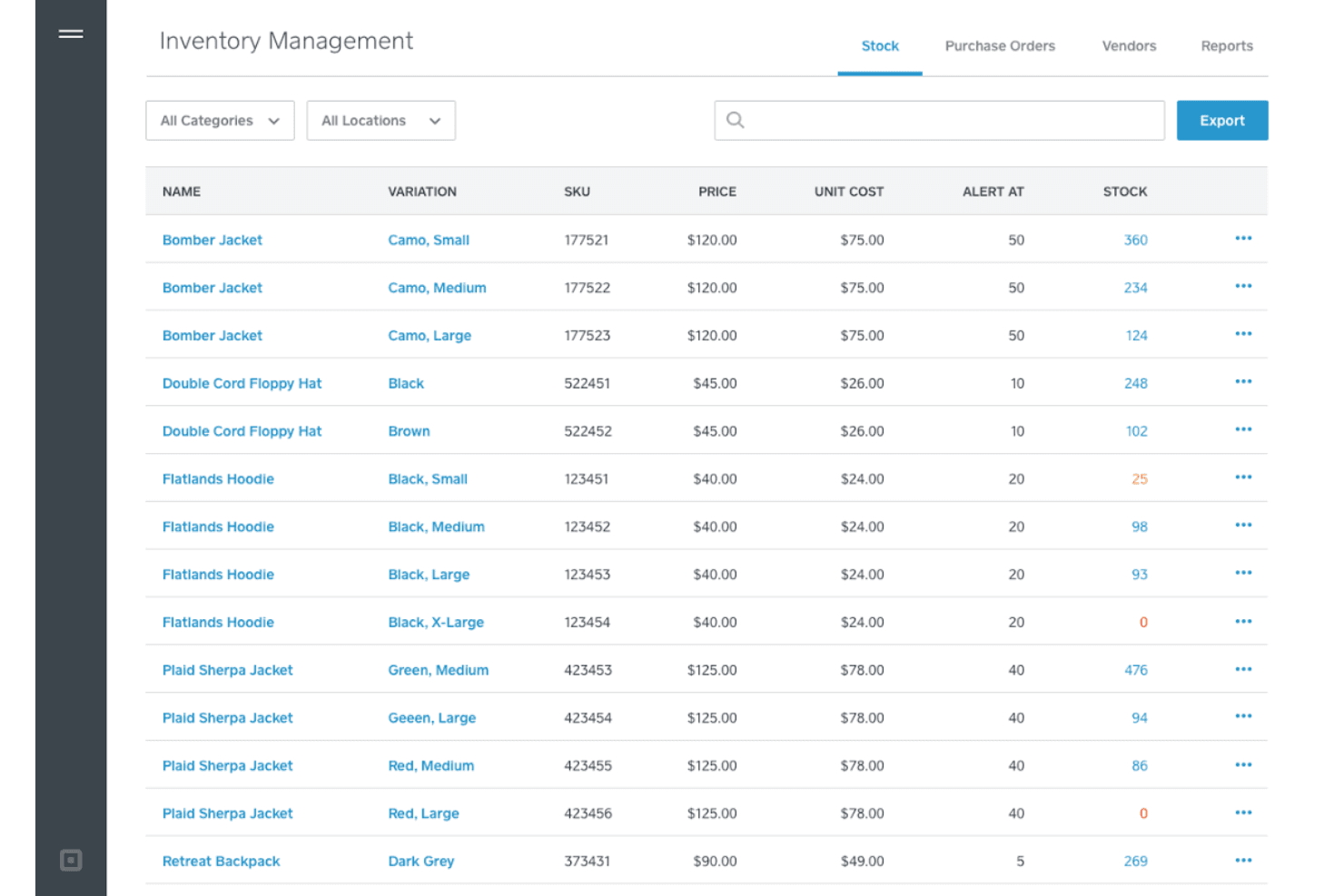
Inventory Management
Tracks stock levels in real time across in-store and online channels, helping prevent overselling.
Customer Directory
Stores customer profiles, purchase history, and loyalty points in one place for easy access.
Order Management
Lets you manage in-person, online, and pickup orders from a single dashboard.
Digital Receipts
Sends receipts via email or text, allowing customers to track purchases and returns easily.
Employee Management
Tracks staff hours, permissions, and sales performance within the POS system.
Ease of Use
Square Ecommerce is one of the most user-friendly point-of-sale systems I’ve tried, with a clean interface and intuitive workflows that make onboarding new staff fast. Users often mention how quickly they can set up hardware, process sales, and manage inventory without training.
The mobile app and dashboard are straightforward, so even non-technical teams can handle daily operations and reporting with minimal hassle.
Integrations
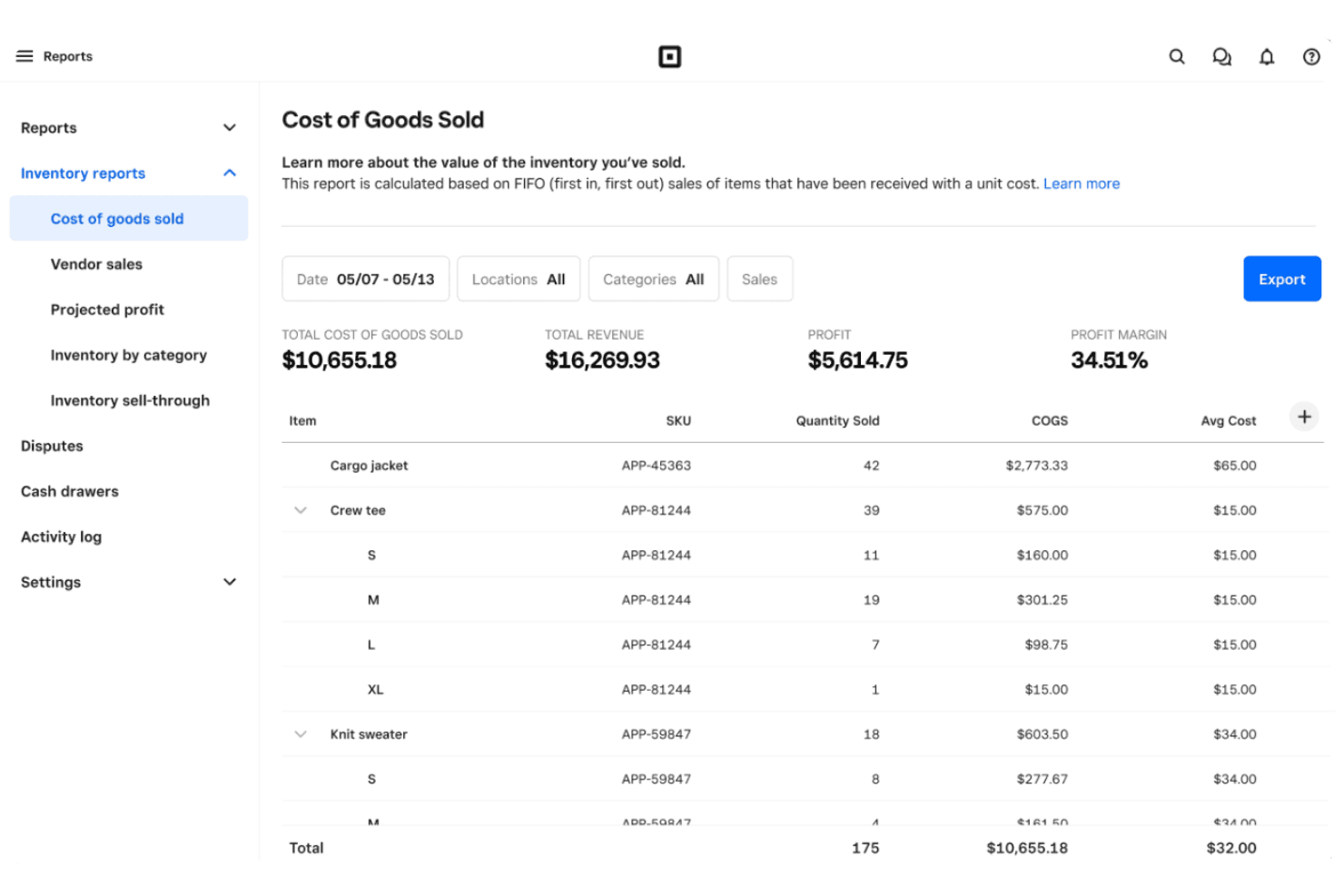
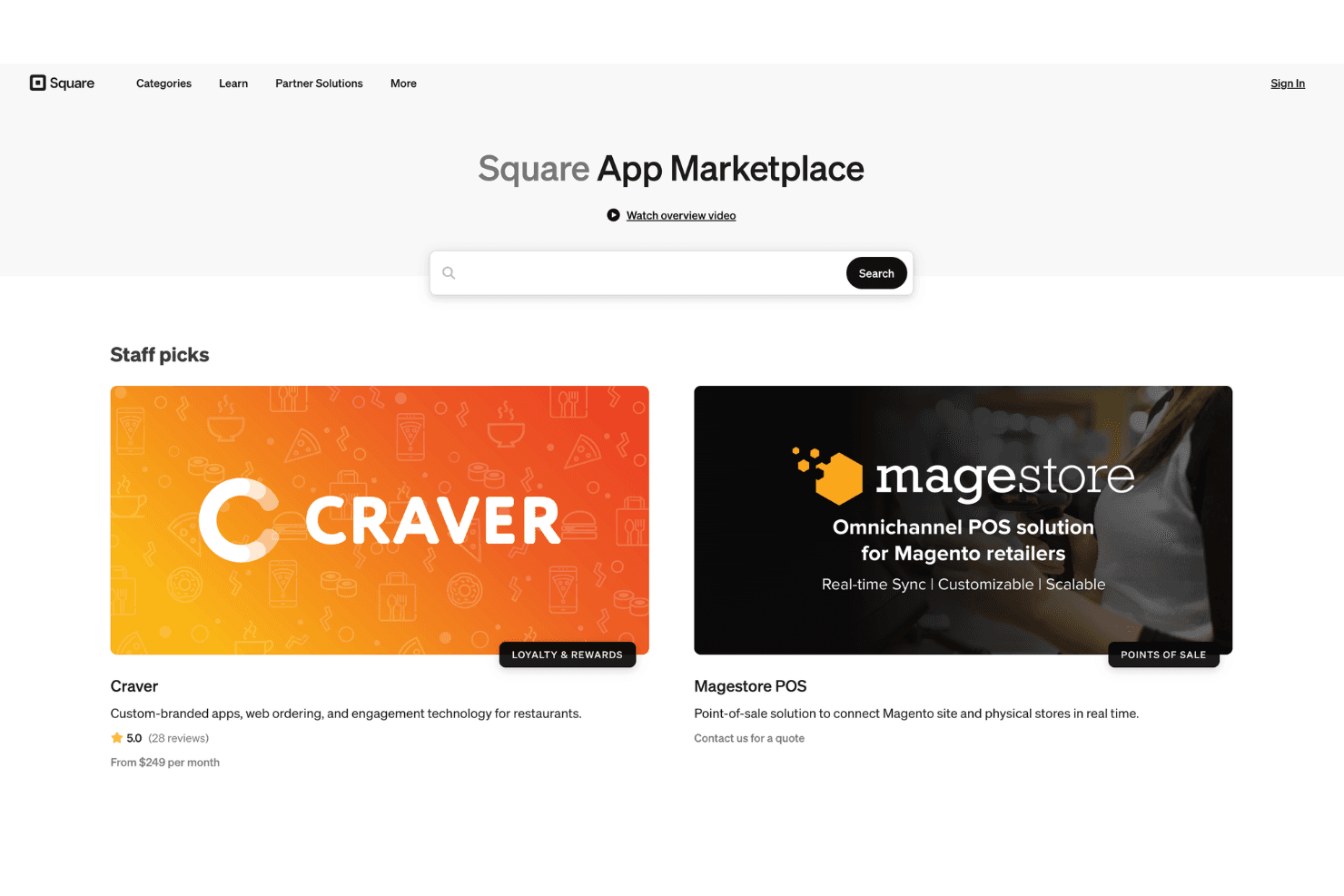
Square integrates with Wix, WooCommerce, QuickBooks, Xero, Shippo, Jotform, Homebase, BigCommerce, Acuity Scheduling, and Mailchimp, among others.
Square also offers an API and connects with third-party integration tools for expanded functionality.
Square Specs
- 2-Factor Authentication: Yes
- API: Yes
- Barcode Scanning: Yes
- BitCoin: No
- Budgeting: No
- Contact Management: Yes
- Custom Reports: Yes
- Customer Management: Yes
- Customer Rewards: Yes
- Dashboard: Yes
- Data Export: Yes
- Data Import: Yes
- Data Visualization: Yes
- External Integrations: Yes
- Forecasting: No
- Fraud Detection: Yes
- Inventory Tracking: Yes
- Multi-Currency: No
- Multi-User: Yes
- Notifications: No
- Offline Access: Yes
- Order Management: Yes
- Payment Processor: Yes
- PayPal: No
- Stripe: No
- Supplier Management: No
- Tax Management: Yes
- Third-Party Plugins/Add-Ons: Yes
- Workflow Management: Yes


