Xero-anmeldelse: Fordeler, ulemper, funksjoner og priser
Xero utmerker seg med brukervennlige integrasjoner og skalerbare priser, noe som gjør tjenesten til et godt valg for e-handelsbedrifter som søker effektive regnskapsløsninger.

We review tools independently, and commissions help fund our testing. See our transparency policy, our methodology, or suggest a tool.
Xero is an ecommerce accounting software built for small to mid-sized businesses that need to track sales, reconcile transactions, and manage cash flow across online channels. I'd consider it over QuickBooks if your business leans heavily on ecommerce platform integrations—Xero connects more cleanly with tools like Shopify and handles multicurrency transactions with less manual configuration, which matters if you're selling across multiple regions or storefronts.
Xero Evaluation Summary
4.4/5
- From $25/month
- 30-day free trial
Why Trust Our Software Recommendations
6,700+
Reviews
20
Industry experts
16+
Evaluation factors
14
Years
Our team has been testing and reviewing software since 2012. As retail leaders ourselves, we know how difficult—and important—it is to choose the right software.
For this guide, we evaluated tools using hands-on testing and independent research, scoring tools using our selection criteria.
Our reviews reflect our independent judgment—not a sales pitch.
Xero Overview
In my opinion, Xero is a solid choice for e-commerce accounting, offering a user-friendly interface and excellent integration options. While its onboarding could be smoother, its core and standout features make it a reliable tool for small to medium-sized retailers. However, it may not suit larger enterprises seeking more advanced customization options. If your team values ease of use, competitive pricing, and helpful customer support, Xero is worth considering.
Pros
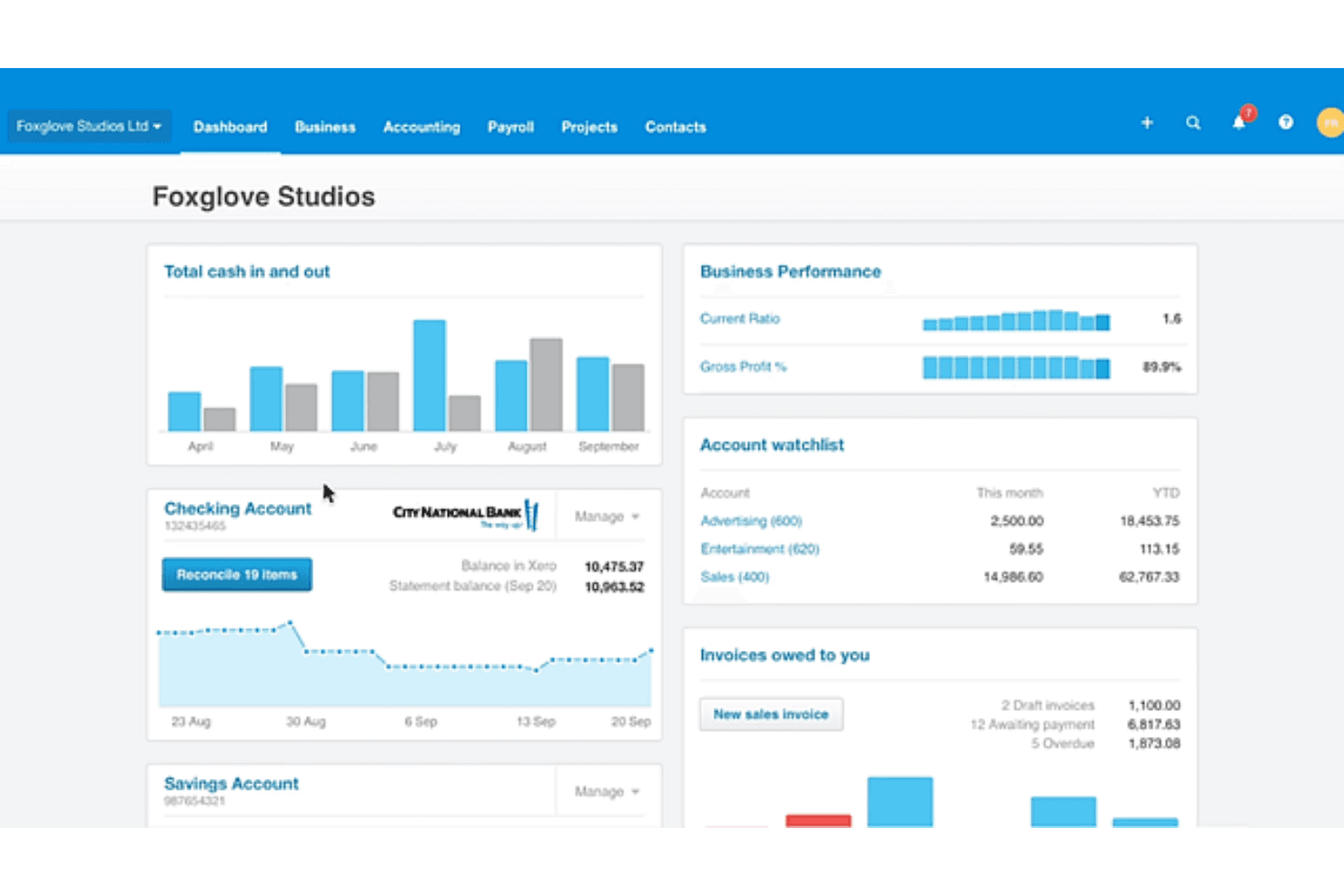
- Xero's dashboard is intuitive and easy to navigate.
- You can access detailed financial reports to aid decision-making.
- The software’s automation features save you time on repetitive accounting tasks.
Cons
- You might find the initial setup a bit complex without prior experience.
- Customer support response times can sometimes be slow for urgent issues.
- Using some advanced features may require additional training.
Is Xero Right For Your Needs?
Who Would be a Good Fit for Xero?
Xero is a great fit for small to medium-sized retail businesses and accounting teams looking for straightforward financial management without the hassle. If your team values simple navigation and automated financial reporting, Xero delivers with its user-friendly dashboard and time-saving features. The software’s intuitive interface facilitates accounting tasks and doesn’t require extensive training to use it.
- Small RetailersXero is perfect for small retailers that need an easy-to-use accounting tool that offers extensive financial reports.
- E-commerce StartupsE-commerce startups benefit from Xero's automation features, which simplify financial tasks and help manage growth.
- Freelance AccountantsFreelance accountants find Xero's intuitive dashboard handy for managing client accounts and quickly generating detailed reports.
- NonprofitsNonprofits can track donations and expenses with Xero's reporting tools, helping them remain transparent with stakeholders.
- Hospitality BusinessesHospitality businesses use Xero’s transaction tracking features to manage transactions and payroll efficiently.
- Consulting FirmsXero's financial reporting helps consulting firms track billable hours and manage client invoicing.
Who Would be a Bad Fit for Xero?
Xero might not be ideal for large enterprises or businesses requiring highly customized financial solutions and extensive reporting capabilities. The software’s functionalities may be too basic for complex financial structures, lacking the depth needed for intricate accounting tasks. Additionally, if quick customer support is vital to your operations, you might be disappointed with the company’s response times.
- Large CorporationsLarge corporations might find that Xero lacks the advanced customization and broad reporting they need to address complex financial tasks.
- Manufacturing FirmsManufacturing firms seeking detailed inventory management may find Xero's offerings too simplistic for their requirements.
- Financial InstitutionsFinancial institutions often need more complex features than what Xero offers, making it unsuitable for their accounting needs.
- Custom Software DevelopersXero’s limited integration options may not address the operational flexibility that custom software developers are looking for.
- Real Estate CompaniesReal estate companies requiring specialized property management features may find that Xero's general accounting tools are insufficient.
Our Review Methodology
How We Test & Score Tools
We’ve spent years building, refining, and improving our software testing and scoring system. The rubric is designed to capture the nuances of software selection and what makes a tool effective, focusing on critical aspects of the decision-making process.
Below, you can see exactly how our testing and scoring works across seven criteria. It allows us to provide an unbiased evaluation of the software based on core functionality, standout features, ease of use, onboarding, customer support, integrations, customer reviews, and value for money.
Core Functionality (25% of final scoring)
The starting point of our evaluation is always the core functionality of the tool. Does it have the basic features and functions that a user would expect to see? Are any of those core features locked to higher-tiered pricing plans? At its core, we expect a tool to stand up against the baseline capabilities of its competitors.
Standout Features (25% of final scoring)
Next, we evaluate uncommon standout features that go above and beyond the core functionality typically found in tools of its kind. A high score reflects specialized or unique features that make the product faster, more efficient, or offer additional value to the user.
We also evaluate how easy it is to integrate with other tools typically found in the tech stack to expand the functionality and utility of the software. Tools offering plentiful native integrations, 3rd party connections, and API access to build custom integrations score best.
Ease of Use (10% of final scoring)
We consider how quick and easy it is to execute the tasks defined in the core functionality using the tool. High scoring software is well designed, intuitive to use, offers mobile apps, provides templates, and makes relatively complex tasks seem simple.
Onboarding (10% of final scoring)
We know how important rapid team adoption is for a new platform, so we evaluate how easy it is to learn and use a tool with minimal training. We evaluate how quickly a team member can get set up and start using the tool with no experience. High scoring solutions indicate little or no support is required.
Customer Support (10% of final scoring)
We review how quick and easy it is to get unstuck and find help by phone, live chat, or knowledge base. Tools and companies that provide real-time support score best, while chatbots score worst.
Customer Reviews (10% of final scoring)
Beyond our own testing and evaluation, we consider the net promoter score from current and past customers. We review their likelihood, given the option, to choose the tool again for the core functionality. A high scoring software reflects a high net promoter score from current or past customers.
Value for Money (10% of final scoring)
Lastly, in consideration of all the other criteria, we review the average price of entry level plans against the core features and consider the value of the other evaluation criteria. Software that delivers more, for less, will score higher.
Core Features
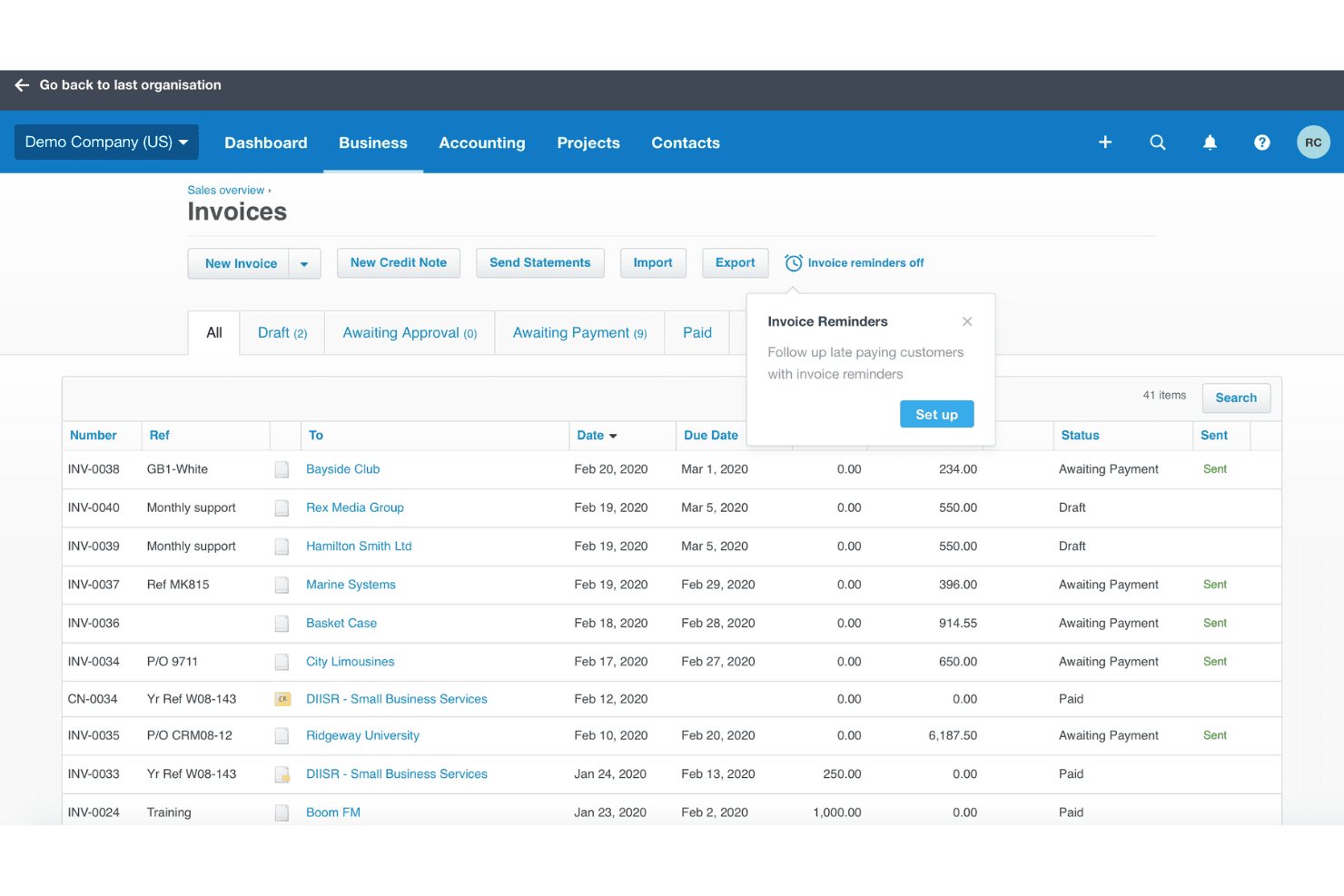
Invoicing: Xero lets your team create and send professional invoices, customize templates, and set up recurring invoices, saving time.
Expense Tracking: The software facilitates expense tracking and categorization for better financial insights so you can manage your cash flow and budget more effectively.
Bank Reconciliation: Xero automatically matches your bank transactions with your records, reducing. errors and keeping your accounts accurate and up to date.
Financial Reporting: Xero’s reporting tools allow you to generate detailed financial reports so you can make informed business decisions.
Inventory Management: Xero's inventory management tracks stock levels and values in real time, enabling your business to meet customer demand without overstocking.
Business Accounting: Xero accounting helps businesses carry out day-to-day business accounting, allowing them to send invoices, manage accounts payable and receivable and bank feeds, and generate balance sheets.
Ease of Use
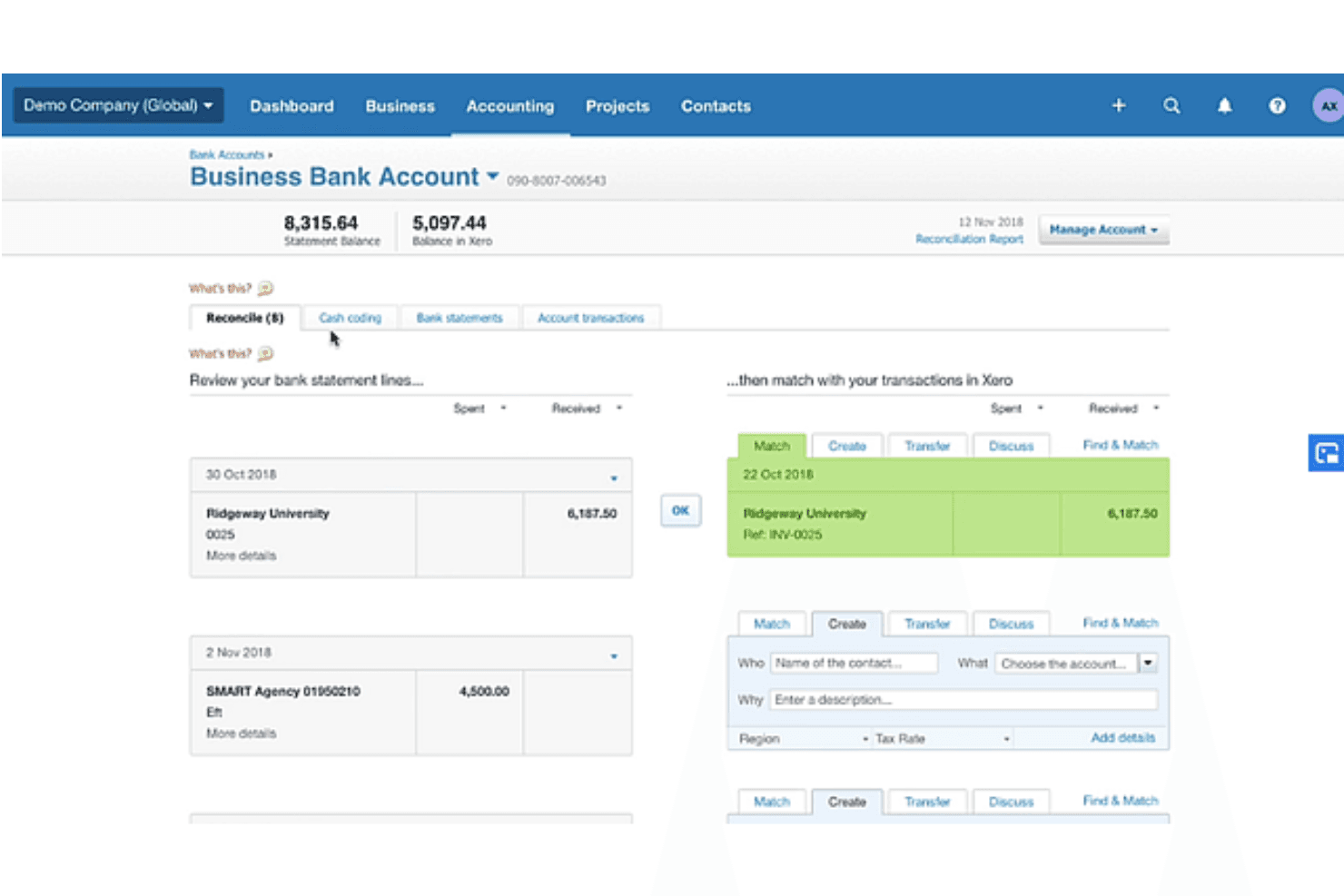
Xero’s interface is accessible, enabling straightforward navigation so you can find what you need without the hassle. Automation features such as transaction matching simplify your work by reducing manual entry. Users often praise Xero’s clean layout, which helps them manage finances without feeling overwhelmed.
Integrations
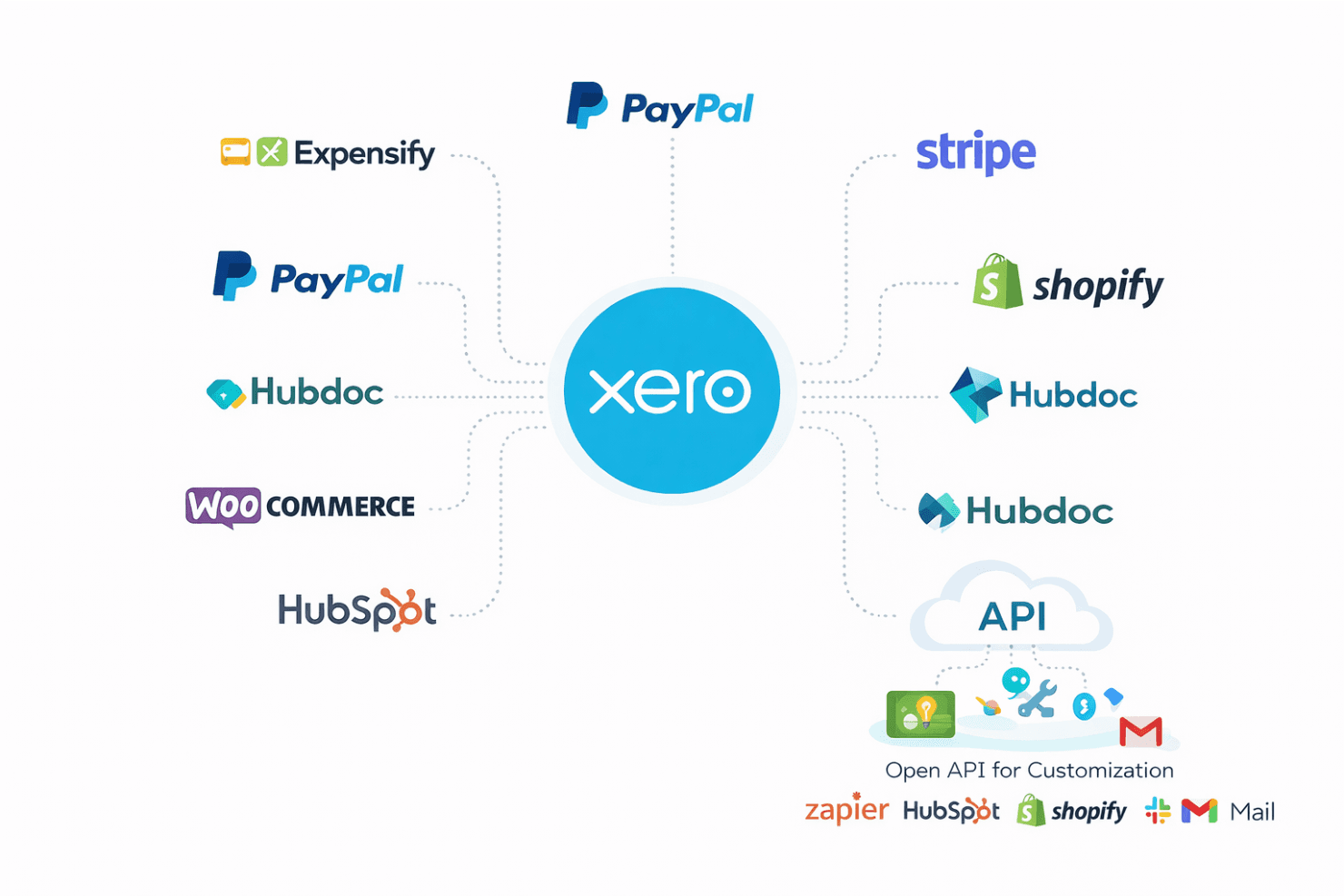
Xero supports a wide range of add-on integrations, including CRM systems, enabling businesses to customize their accounting workflows. It integrates with popular tools such as PayPal, Stripe, Shopify, Hubdoc, HubSpot, WooCommerce, and Expensify.
Xero also has an open API, allowing businesses to create custom apps and connect with third-party apps.
New Product Updates from Xero
Xero Adds Supplier Days to Pay Detail Report
Xero adds a Supplier Days to Pay Detail report that shows how long each supplier bill took to pay across a selected period. Users can review payment-time categories and export the underlying data for further analysis or Fair Payment Code applications. Highlights include:
- Supplier Payment Tracking: View payment times for every supplier bill within a selected period.
- Payment Categories: Group bills into 0–30, 31–60, 61–90, and over 90-day ranges.
- Exportable Data: Export supplier payment details for reporting and further analysis.
- Fair Payment Code Support: Use report data as evidence when preparing a Fair Payment Code application.
Visit Xero’s official site for more details.
Xero Expands Claude Workflows and Adds ChatGPT Integration
Xero connects live financial data with Claude for Small Business and ChatGPT, supporting financial questions, reporting, and workflow preparation. Users can work with current Xero data without relying on manual exports. Highlights include:
- ChatGPT Integration: Brings live Xero data into ChatGPT for financial questions and workflows.
- Claude Workflows: Supports tasks such as cash flow snapshots, month-end preparation, and recurring reports.
- Live Financial Data: Uses current Xero information instead of exported data.
- Financial Insights: Supports data across profit and loss, balance sheets, invoices, bills, and more.
- Advisor Access: Lets accountants and bookkeepers work with client data through supported AI workflows.
- Review Controls: Keeps final review and decisions with the business owner or advisor.
Visit Xero’s official site for more details.
 Opens new window
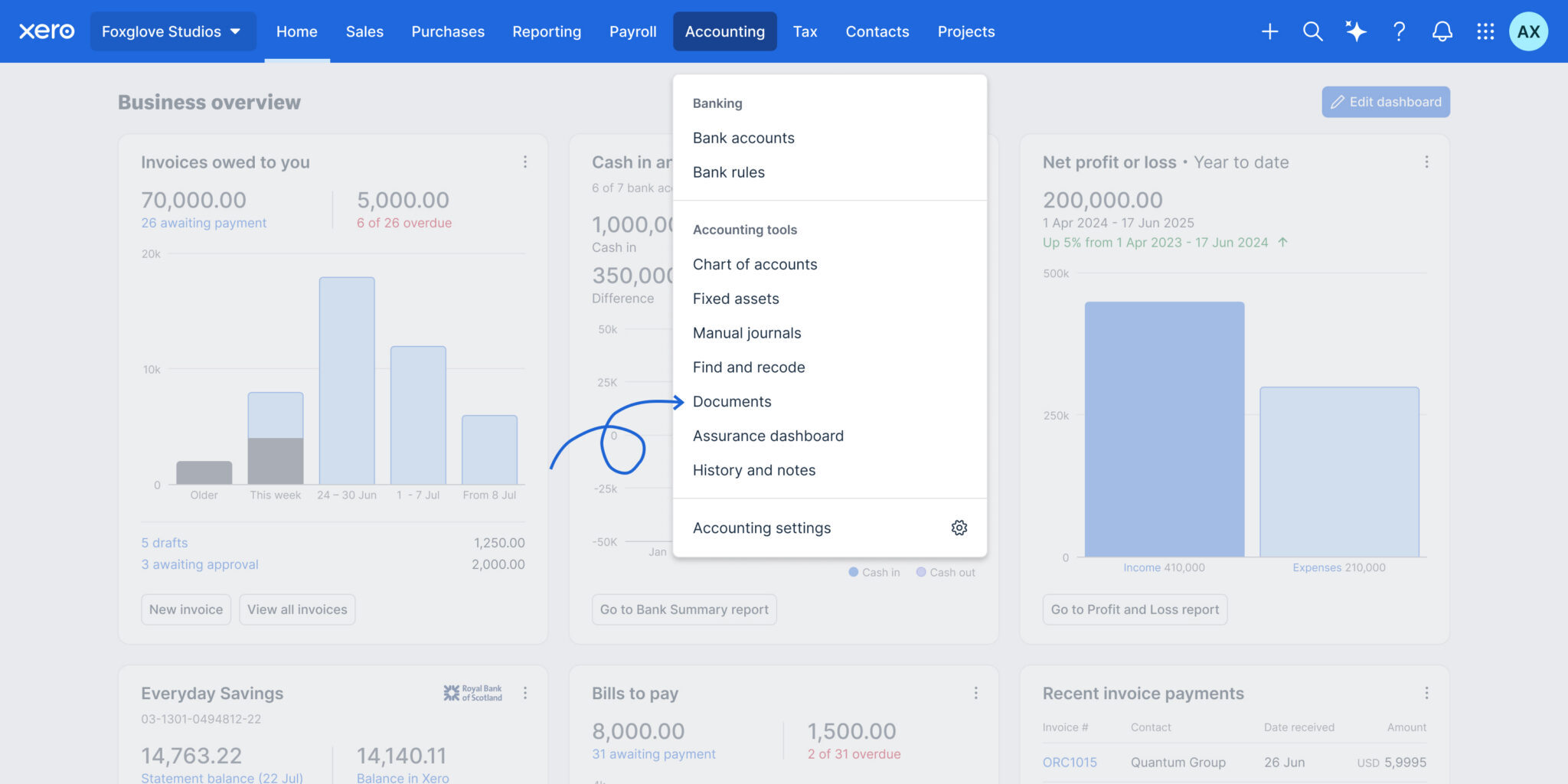
Files is now Documents in Xero
Xero has renamed Files to Documents and relocated it to the Accounting menu, making it easier to find where Smart Document Capture lives. The update also adds smarter automation and controls to improve accuracy, reduce manual work, and strengthen oversight. Highlights include:
- Automatic Tax Extraction: Pulls local tax rates from uploaded documents.
- Credit Note Support: Extracts credit note data and prepares draft transactions.
- Auto-Matching: Matches uploaded documents to existing transactions automatically.
- Document Permissions: Lets teams control upload and view-only access.
- Deletion Alerts: Warns users before removing documents linked to transactions.
- Accounting Menu Access: Moves Documents closer to other accounting workflows.
Visit Xero’s official site for more details.
 Opens new window
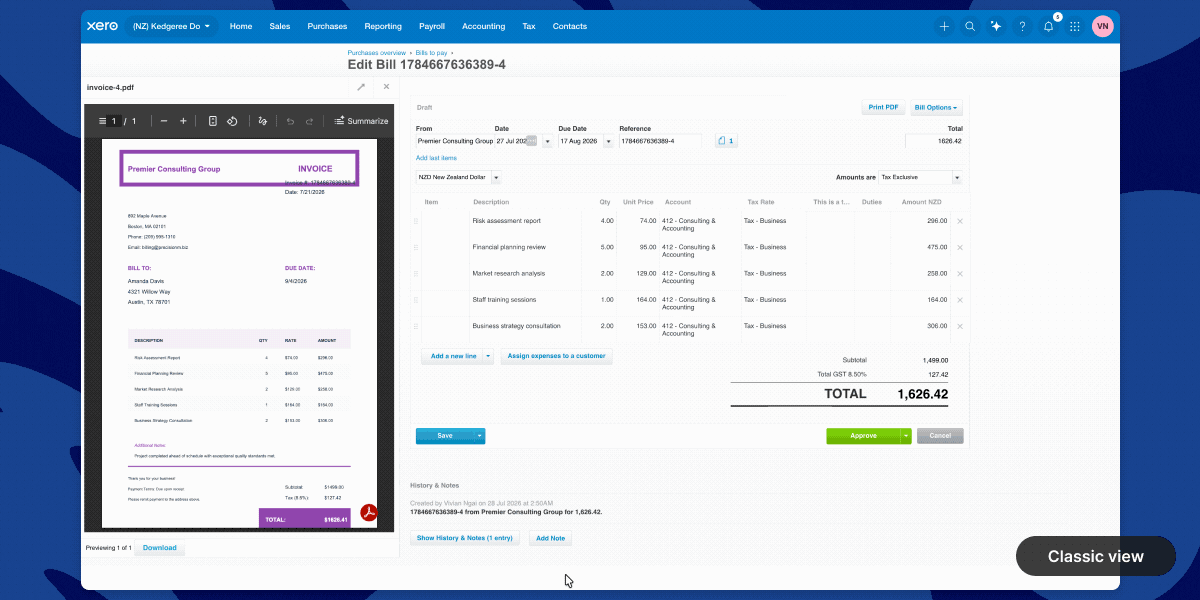
Xero Introduces a New Full-Page Bills Experience
Xero adds a modernized bills page with direct supplier editing, payment planning, billable expense assignment, customizable columns, and Approve & next navigation. These updates reduce back-and-forth between screens and help users review, update, and process bills faster. Highlights include:
- Direct Contact Editing: Updates supplier information without leaving the bill page.
- Planned Payment Dates: Adds payment scheduling directly within each bill to support cash flow planning.
- Custom Layouts: Lets users show or hide columns and resize the attached file preview.
- Billable Expense Assignment: Assigns customers or projects directly from the line item table.
- Approve & Next: Approves the current bill and moves directly to the next bill for faster processing.
- Instant Bill Payments: Lets eligible users in the UK and US pay bills from the bill detail page.
Visit Xero’s official site for more details.
Xero Launches Ultra in Australia With Multi-Entity Reporting
Xero launches Xero Ultra in Australia with multi-entity consolidated reporting, advanced forecasting, AI-powered insights, and enhanced support for growing businesses. The plan gives finance teams greater visibility and control while allowing them to keep working within the Xero platform. Highlights include:
- Multi-Entity Consolidated Reporting: View financial performance across multiple entities in one consolidated report.
- Advanced Forecasting: Use scenario modelling and four-way cash flow forecasting through Syft Advanced reporting.
- AI-Powered Insights: Access JAX for financial insights and support with routine finance workflows.
- Enhanced Support: Get priority access to Xero specialists, personalised onboarding, migration support, and targeted data restore.
- Governance Controls: Use flexible permissions to support stronger financial oversight and separation of duties when available.
Visit Xero’s official site for more details.
 Opens new window
Xero Launches Partner Hub for UK Partners
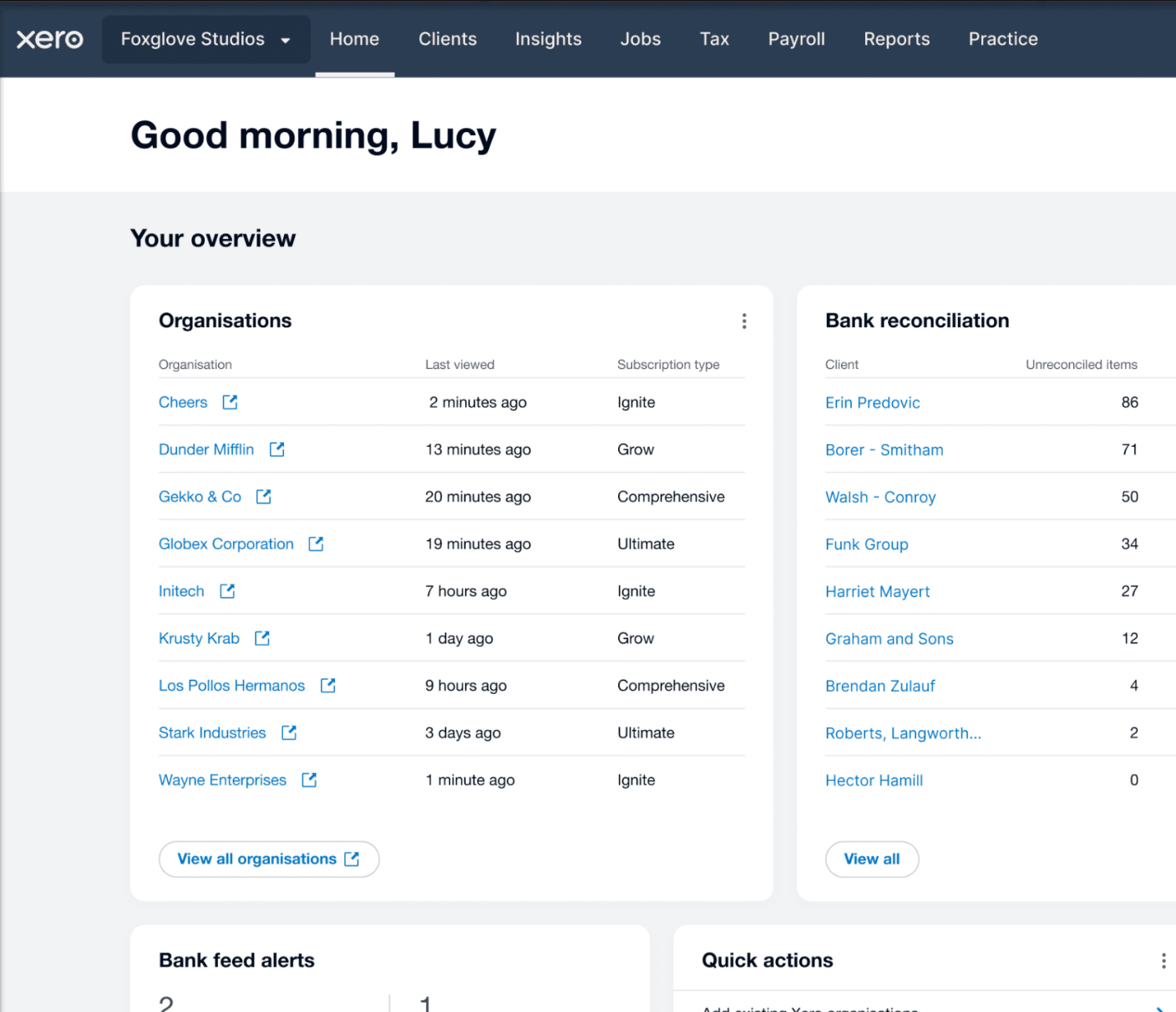
Xero has launched Partner Hub for all UK partners, creating a single workspace to access key practice tools and information. The redesigned homepage and customizable widgets aim to make daily workflows faster and more personalized. Highlights include:
- Unified Workspace: Access practice tools, client information, and navigation from a single workspace.
- Customizable Homepage: Show, hide, and reorder widgets to personalize the homepage.
- Client and Practice Widgets: View organization watchlists, bank feed alerts, jobs, and productivity metrics at a glance.
- JAX Chat Integration: Use JAX to summarize client financials and generate insights directly from Partner Hub.
Visit Xero's official site for more details.
Xero Expands Wagepoint Integration for Canadian Payroll
Xero has enhanced its Wagepoint integration for Canadian small businesses, making it easier to run payroll while keeping accounting records accurate. With less manual re-entry and a more connected workflow, payroll and bookkeeping stay aligned. Highlights include:
- Single Sign-On: Access Wagepoint using existing Xero credentials without separate logins.
- Automatic Payroll Data Sync: Sync wages, taxes, deductions, and benefits from Wagepoint to Xero automatically.
- Connected Payroll and Accounting: Keep payroll and accounting records aligned through an integrated workflow.
Visit Xero's official site for more details.
Xero Specs
- 2-Factor Authentication: Yes
- Accounts Payable: Yes
- Accounts Receivable: Yes
- API: Yes
- Balance Sheet: Yes
- Billing/Invoicing: Yes
- BitCoin: Yes
- Budgeting: Yes
- Calendar Management: Yes
- Contact Management: Yes
- CRM Integration: Yes
- Customer Management: Yes
- Dashboard: Yes
- Data Export: Yes
- Data Import: Yes
- Data Visualization: Yes
- Expense Tracking: Yes
- External Integrations: Yes
- Forecasting: Yes
- General Account Ledger: Yes
- Inventory Tracking: Yes
- Multi-Currency: Yes
- Multi-User: Yes
- Notifications: Yes
- P&L: Yes
- PayPal: Yes
- Payroll: Yes
- SAP Integration: Yes
- Stripe: Yes
- Supplier Management: Yes
- Tax Management: Yes