

B2B-betalingsløsninger er digitale plattformer som hjelper virksomheter med å sende, motta og administrere betalinger mellom bedrifter. Hvis du ser etter de beste B2B-betalingsløsningene, ønsker du sannsynligvis å redusere manuelt arbeid, forbedre betalingsnøyaktigheten og holde tritt med kravene i moderne handel. Med så mange alternativer – som alle tilbyr ulike funksjoner for automatisering, globale transaksjoner og integrering med arbeidsflyter – kan det være vanskelig å vite hvilken plattform som passer for virksomheten din. Denne listen hjelper deg med å sammenligne ledende B2B-betalingsløsninger for 2026, slik at du kan ta en informert beslutning og sørge for at driften går problemfritt.
Why Trust Our Software Recommendations
6,700+
Reviews
20
Industry experts
16+
Evaluation factors
14
Years
Our team has been testing and reviewing software since 2012. As retail leaders ourselves, we know how difficult—and important—it is to choose the right software.
For this guide, we evaluated tools using hands-on testing and independent research, scoring tools using our selection criteria.
Our reviews reflect our independent judgment—not a sales pitch.
Sammenligningstabell for B2B-betalingsløsninger
Denne sammenligningstabellen oppsummerer prisdetaljene for mine beste utvalgte B2B-betalingsløsninger:
| Tool | Best For | Trial Info | Price | ||
|---|---|---|---|---|---|
| 1 | Best for AR-linked incoming payment collection | Free plan + free demo available | Pricing upon request | Website | |
| 2 | Best for global card payment acceptance | Not available | From $620/month | Website | |
| 3 | Best for mid-market payment automation | Free demo available | Pricing upon request | Website | |
| 4 | Best for accounts payable automation | Free demo available | Pricing upon request | Website | |
| 5 | Best for unified omnichannel transactions | Free demo available | Pricing upon request | Website | |
| 6 | Best for cross-border payment processing | Free demo available | Pricing upon request | Website | |
| 7 | Best for AI-powered cash application | Free demo available | Pricing upon request | Website | |
| 8 | Best with multi-currency settlement | Not available | Pricing upon request | Website | |
| 9 | Best for automated invoice workflows | Free plan + free demo available | From $49/user/month | Website | |
| 10 | Best for integrated procurement payments | Free demo available | Pricing upon request | Website |


Anmeldelser av B2B-betalingsløsninger
\u003cspan style=\u0022font-weight: 400\u0022\u003eNedenfor finner du mine detaljerte sammendrag av B2B-betalingsløsningene som kom med på kortlisten. Anmeldelsene mine gir en detaljert gjennomgang av funksjonene, integrasjonene og de beste bruksområdene for hver plattform, slik at du kan finne den beste løsningen for virksomheten din.\u003c/span\u003e
 Best for AR-linked incoming payment collection
- Free plan + free demo available
- Pricing upon request
Visit WebsiteCustomer Rating:4.5/5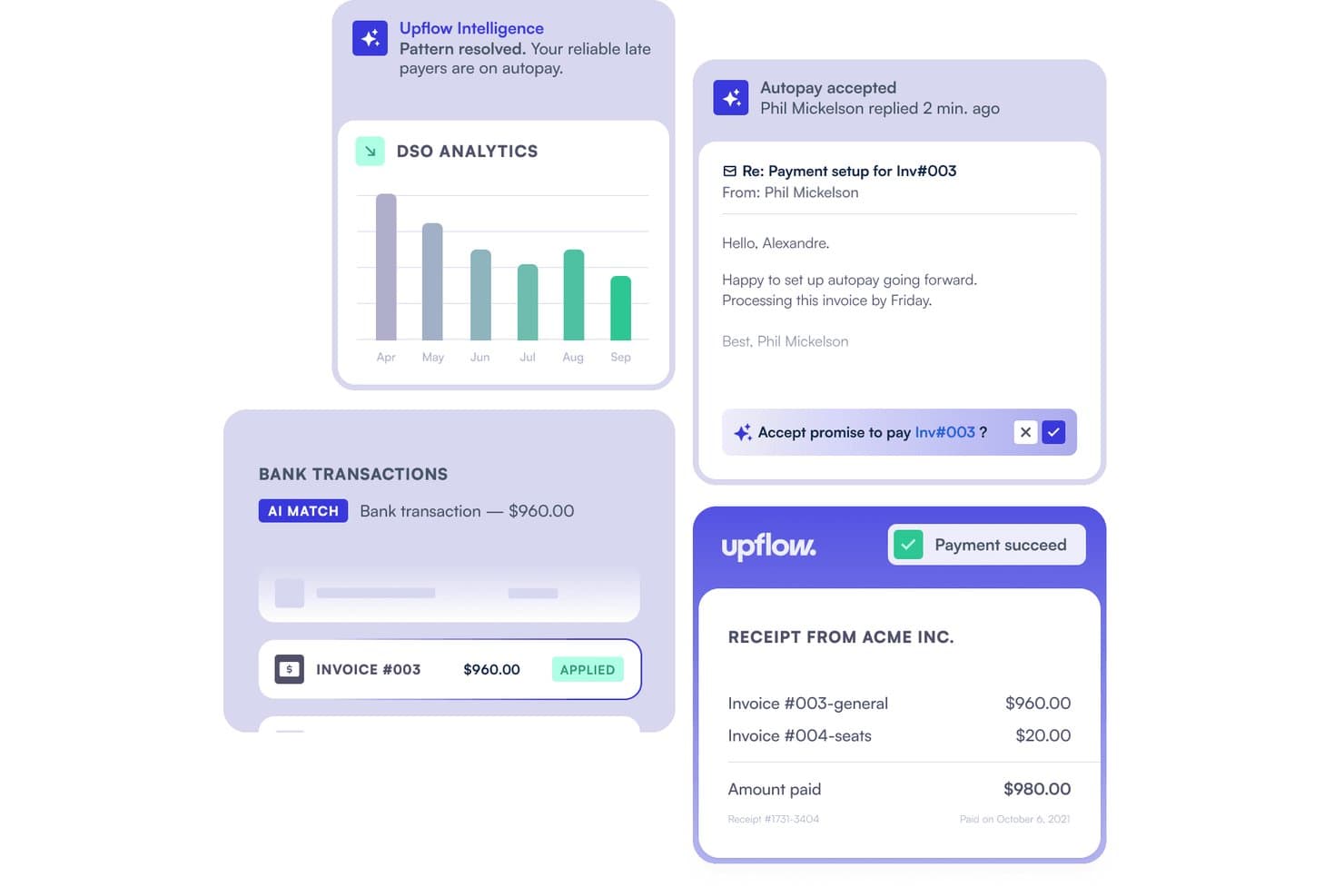
Upflow automates cash application by matching bank transactions to invoices. Upflow is an AR automation platform that gives B2B businesses a branded payment portal for collecting customer payments via cards, ACH, SEPA, BACS, and wire transfers, with real-time ERP and accounting sync built in.
Who Is Upflow Best For?
Upflow is a strong fit for B2B finance teams that need to collect customer payments and automatically reconcile them against invoices in their ERP or accounting system.
Why I Picked Upflow
I picked Upflow as one of the best because it's the only tool on this list built specifically around collecting incoming B2B payments rather than sending them out. Its branded payment portal lets your customers pay via cards, ACH, SEPA, BACS, or wire, and Autopay handles scheduled debits on invoice due dates without any manual follow-up. What I find especially useful is the real-time write-back to NetSuite, Sage Intacct, and Xero, which posts payments directly against matching invoices as they arrive.
Upflow Key Features
- Branded payment portal: A white-label portal lets your customers pay outstanding invoices via cards, ACH, SEPA, BACS, or wire transfer directly on your domain.
- No-code payment activation: Finance teams can enable payment methods, configure transaction limits, and set card surcharges without writing any code.
- Role-based access controls: Owner, Admin, and Member roles control who can manage users, configure settings, and view customer payment data across the organization.
- Payment dispute management: Upflow notifies you of card disputes and supports filing counter-evidence, while flagging ACH and SEPA disputes as final for immediate action.
Upflow Integrations
Upflow offers native integrations with NetSuite, Sage Intacct, QuickBooks Online, Xero, Salesforce, and Slack. It also provides a public REST API for custom integrations and embedded payment-portal connections.
Pros and Cons
Pros:
- Saved payment methods support invoice Autopay
- Automated follow-ups reduce routine collection work
- Centralizes customer balances and payment timelines
Cons:
- Grouped transfers can complicate invoice matching
- Credit notes and partial payments may disappear
Learn more about Upflow: Best for global card payment acceptance
- Not available
- From $620/month
Visit WebsiteCustomer Rating:4.6/5
Stripe enables global online and in-person payments across currencies and regions. Stripe offers a flexible payment platform designed for businesses that need to accept card payments from customers around the world. It’s a strong fit for ecommerce brands, SaaS companies, and B2B marketplaces looking to manage complex payment flows and support multiple currencies. Stripe stands out for its developer-friendly APIs and wide range of integrations, making it easier to customize payment experiences and automate financial operations.
Why I Picked Stripe
For B2B businesses that need to accept secure payments from clients across different countries, Stripe’s global reach is hard to match. I picked Stripe because it supports over 135 currencies and offers built-in tools for handling international cards, recurring billing, and multi-party payments. Its advanced fraud detection and customizable checkout options help businesses manage risk and tailor payment flows to their needs. These features make Stripe a strong choice for companies prioritizing global card payment acceptance in their B2B transactions.
Stripe Key Features
Some other features in Stripe that are especially useful for B2B payment workflows include:
- Customizable invoicing tools: Generate, send, and manage branded invoices directly from the Stripe dashboard.
- Automated reconciliation: Match incoming payments to outstanding invoices and update records automatically.
- Payment links: Create secure, shareable payment links for one-time or recurring B2B transactions without coding.
- Role-based access controls: Assign permissions to team members based on their responsibilities within your organization.
Stripe Integrations
Integrations include Shopify, WooCommerce, Salesforce, Xero, QuickBooks, Oracle NetSuite, HubSpot, and BigCommerce.
Pros and Cons
Pros:
- Built-in fraud prevention tool
- Accepts 135+ global currencies
- Superb developer API and docs
Cons:
- Account holds can cause friction
- Complex custom billing needs dev
 Best for mid-market payment automation
- Free demo available
- Pricing upon request
Visit WebsiteCustomer Rating:4.6/5
MineralTree automates accounts payable workflows for small to mid-sized businesses. MineralTree is designed for mid-sized businesses that want to automate accounts payable without overhauling their existing systems. It’s a strong fit for finance teams looking to manage invoice capture, approval workflows, and payments in one place. MineralTree stands out for its ability to connect with popular ERPs and banks, helping you automate payments while maintaining control and visibility.
Why I Picked MineralTree
For mid-market companies that need to automate payment processes without the complexity of enterprise systems, MineralTree offers a focused solution. I picked MineralTree because it streamlines invoice capture, approval, and payment execution in a single workflow, which is especially valuable for finance teams managing growing transaction volumes. The platform’s ability to automate payment runs across ACH, virtual cards, and checks helps reduce manual work and payment errors. MineralTree’s controls and audit trails also support compliance needs, making it a practical choice for businesses that want automation with oversight.
MineralTree Key Features
Some other features that make MineralTree appealing for B2B payment automation include:
- Multi-entity support: Lets you manage payments and workflows across multiple business units or subsidiaries from a single platform.
- Vendor onboarding tools: Provides a secure portal for vendors to submit payment details and required documentation.
- Payment status tracking: Offers real-time visibility into payment progress and remittance delivery.
- Fraud detection controls: Includes configurable rules and alerts to help identify and prevent suspicious payment activity.
MineralTree Integrations
Integrations include QuickBooks, Oracle NetSuite, Sage Intacct, Microsoft Dynamics, and Oracle.
Pros and Cons
Pros:
- Simple, intuitive interface
- Robust payment security
- Two-way sync with ERP systems
Cons:
- Support can be slow to respond
- Sync errors happen occasionally
Learn more about MineralTree: Best for accounts payable automation
- Free demo available
- Pricing upon request
Visit WebsiteCustomer Rating:4.4/5
AvidXchange automates accounts payable and invoice management for mid-sized firms. AvidXchange is built for businesses that want to automate accounts payable processes and reduce manual invoice handling. It’s especially useful for finance teams in industries like real estate, construction, and healthcare that manage high invoice volumes and complex approval workflows. With features for electronic invoice capture, automated approvals, and digital payments, AvidXchange helps you gain more control and visibility over your payables.
Why I Picked AvidXchange
What sets AvidXchange apart is its focus on automating the entire accounts payable process for businesses handling large volumes of invoices. The platform digitizes invoice capture and approval workflows, which helps reduce manual data entry and the risk of errors. I like that AvidXchange also supports electronic payments to suppliers, making it easier to manage and track outgoing payments. These features make it a strong fit for finance teams that want to modernize and control their B2B payment operations.
AvidXchange Key Features
Some other features that make AvidXchange valuable for B2B payment workflows include:
- Supplier management portal: Lets suppliers submit invoices, check payment status, and update their information online.
- Custom approval routing: Allows you to set up multi-level approval workflows based on your organization’s policies.
- Audit trail reporting: Tracks every action taken on invoices and payments for compliance and transparency.
- ERP system integrations: Connects with popular ERP and accounting platforms to sync financial data automatically.
AvidXchange Integrations
Integrations include QuickBooks, Sage, Oracle NetSuite, Microsoft Dynamics, Rent Manager, MRI Software, and Acumatica.
Pros and Cons
Pros:
- Strong real estate industry fit
- Eliminates physical paper checks
- Massive built-in vendor network
Cons:
- Transactional pricing model
- Custom reporting is limited
Learn more about AvidXchange: Best for unified omnichannel transactions
- Free demo available
- Pricing upon request
Visit WebsiteCustomer Rating:3.8/5
Adyen manages in-store, online, and mobile payments across multiple sales channels. Adyen offers a unified payments platform that connects in-person, online, and mobile transactions for retailers and ecommerce businesses. It’s especially useful for companies that want to manage global payments, reduce reconciliation headaches, and deliver consistent customer experiences across every channel. Adyen’s single system approach helps businesses simplify settlement, reporting, and compliance for omnichannel commerce.
Why I Picked Adyen
What drew me to Adyen is its ability to unify payments across in-store, online, and mobile channels, which is essential for businesses managing omnichannel transactions. Adyen’s platform lets you process payments from multiple channels in a single system, so you can reconcile and report on all transactions without juggling separate tools. I appreciate that Adyen supports a wide range of payment methods and currencies, making it easier for global businesses to serve customers wherever they shop. For teams focused on delivering a consistent payment experience and simplifying back-office operations, Adyen offers a truly unified solution.
Adyen Key Features
Some other features that make Adyen valuable for B2B payment workflows include:
- Risk management engine: Uses machine learning to detect and block fraudulent transactions in real time.
- Customizable payment flows: Lets you tailor checkout and payment processes to match your business needs.
- Automated chargeback handling: Manages dispute processes and documentation directly within the platform.
- Detailed settlement reporting: Provides granular breakdowns of transactions, fees, and payouts for accounting teams.
Adyen Integrations
Integrations include Salesforce Commerce Cloud, Adobe Commerce, SAP Commerce Cloud, BigCommerce, Oracle, and Oracle.
Pros and Cons
Pros:
- Highly scalable platform
- Omnichannel POS capabilities
- Excellent authorization rates
Cons:
- High minimum transaction volume
- Strict application process
Learn more about Adyen: Best for cross-border payment processing
- Free demo available
- Pricing upon request

Flywire simplifies secure cross-border tuition payments for schools. Flywire specializes in cross-border payment processing, making it a strong fit for businesses and institutions handling international transactions. It’s designed for organizations in sectors like education, healthcare, and travel that need to collect payments from clients or partners in multiple countries. Flywire helps you manage currency exchange, local payment methods, and regulatory compliance, reducing friction in global B2B payments.
Why I Picked Flywire
For businesses that need to process payments across borders, Flywire stands out for its ability to handle complex international transactions. The platform supports payments in multiple currencies and offers local payment options, which helps reduce barriers for global clients and partners. I appreciate that Flywire also manages compliance with international regulations and provides real-time tracking for both senders and receivers. These features make it a strong choice for organizations that want to simplify and secure their cross-border B2B payment workflows.
Flywire Key Features
Some other features that make Flywire useful for B2B payment workflows include:
- Automated invoice generation: Creates and sends invoices to clients directly from the platform.
- Payment plan management: Lets you set up and manage installment payment schedules for customers.
- Multi-language support: Offers payment interfaces and communications in several languages for global users.
- Custom branding options: Allows you to add your company’s logo and colors to payment pages and communications.
Flywire Integrations
Integrations include Workday, Oracle NetSuite, Ellucian, Epic, Cerner, and Destiny One.
Pros and Cons
Pros:
- Strong local bank networks
- Great payer user experience
- Transparent foreign exchange
Cons:
- Not a general AP/AR system
- Niche industry focus
Learn more about Flywire:

HighRadius automates accounts receivable and treasury to improve cash flow. If your business needs to speed up cash application and reduce manual matching, HighRadius offers an AI-powered solution designed for finance and accounts receivable teams. It’s especially useful for companies dealing with high transaction volumes, complex remittance formats, and multiple payment channels. HighRadius uses machine learning to automate payment matching, helping you cut down on unapplied cash and improve reconciliation accuracy.
Why I Picked HighRadius
What drew me to HighRadius is its use of AI to automate the cash application process, which is a major challenge for many B2B finance teams. The platform uses machine learning to match payments with open invoices, even when remittance data comes in different formats or through multiple channels. I appreciate that HighRadius can also handle exceptions and short payments automatically, reducing the need for manual intervention. These capabilities make it a strong choice for businesses that want to accelerate cash flow and improve payment reconciliation accuracy.
HighRadius Key Features
Some other features that make HighRadius useful for B2B payment operations include:
- Automated bank statement aggregation: Collects and reconciles bank statement data from multiple accounts in one place.
- Customer self-service portal: Lets customers view invoices, make payments, and track their account status online.
- Real-time dashboard analytics: Provides visual insights into payment status, unapplied cash, and exception trends.
- ERP system integrations: Connects with major ERP platforms to sync payment and receivables data automatically.
HighRadius Integrations
Integrations include SAP, Oracle NetSuite, Microsoft Dynamics, Sage Intacct, and Workday.
Pros and Cons
Pros:
- Strong deduction management
- Deep SAP integrations
- Exceptional cash application
Cons:
- Overkill for mid-market
- Needs heavy IT support
Learn more about HighRadius:

Worldpay enables secure online, in-store, and mobile payments globally. If your business handles payments across multiple countries and currencies, Worldpay is designed to help you manage complex settlements. It’s a strong fit for ecommerce retailers, global brands, and finance teams that need to accept, process, and settle payments in many currencies. Worldpay stands out for its ability to support multi-currency settlement, helping you reduce conversion costs and simplify reconciliation.
Why I Picked Worldpay
What makes Worldpay a strong choice for B2B payment solutions is its focus on multi-currency settlement, which is essential for businesses operating internationally. Worldpay lets you accept payments in a wide range of currencies and settle funds in your preferred currency, reducing the need for manual conversions and minimizing foreign exchange risk. I appreciate that the platform provides detailed reporting on cross-border transactions, making reconciliation and compliance easier for finance teams. For companies with global customers or suppliers, Worldpay’s multi-currency capabilities help simplify complex payment flows.
Worldpay Key Features
Some other features that make Worldpay appealing for B2B payment solutions include:
- Fraud detection tools: Uses machine learning and real-time monitoring to help identify and block suspicious transactions.
- Recurring billing support: Lets you set up and manage automated recurring payments for subscription-based services.
- Customizable payment pages: Allows you to design branded checkout experiences that match your business’s look and feel.
- Chargeback management: Provides tools to track, respond to, and resolve chargebacks directly within the platform.
Worldpay Integrations
Integrations include SAP Commerce Cloud, Oracle, WooCommerce, BigCommerce, QuickBooks, and Xero.
Pros and Cons
Pros:
- Strong fraud protection tools
- Good 24/7 customer support
- Wide variety of payment methods
Cons:
- Hard to negotiate rates
- Outdated backend dashboard
Learn more about Worldpay:

Bill.com automates small business accounts payable and receivable workflows. Bill.com is built for finance teams and business owners who want to automate and simplify their accounts payable and receivable processes. The platform is especially useful for companies managing high invoice volumes or complex approval workflows across multiple departments. Bill.com stands out for its ability to connect with popular accounting systems and automate invoice capture, routing, and payments, helping businesses reduce manual processes and payment errors.
Why I Picked Bill.com
Automating invoice workflows is a top priority for many B2B finance teams, and Bill.com is purpose-built for this need. I picked Bill.com because it uses AI-driven data capture to extract invoice details and route them for approval, reducing manual entry and errors. The platform also lets you set up custom approval chains, so invoices move through the right people before payment. These features make Bill.com a strong fit for businesses that want to control their invoice processing from end to end.
Bill.com Key Features
Some other features in Bill.com that are valuable for B2B payment operations include:
- Two-way sync with accounting software: Connects directly with platforms like QuickBooks, Xero, and NetSuite to keep financial data updated.
- International payments support: Sends payments to vendors in multiple countries and currencies.
- Audit trail tracking: Maintains a detailed log of all invoice and payment activities for compliance and transparency.
- Mobile app access: Lets users review, approve, and pay invoices from their mobile devices.
Bill.com Integrations
Integrations include QuickBooks, Xero, Oracle NetSuite, Sage Intacct, Microsoft Dynamics 365, and Intuit.
Pros and Cons
Pros:
- Easy vendor onboarding process
- Centralized document storage
- Replaces manual paper checks
Cons:
- Rigid approval customizations
- Sync glitches with some ERPs
Learn more about BILL: Best for integrated procurement payments
- Free demo available
- Pricing upon request

Corcentric automates source-to-pay processes for enterprise procurement and payments. Corcentric brings together procurement and payment processes in a single platform designed for finance and procurement teams managing complex supplier networks. This solution is especially useful for organizations that want to automate supplier payments, improve spend visibility, and reduce manual reconciliation. Corcentric’s integrated approach helps businesses control costs and streamline the entire source-to-pay cycle.
Why I Picked Corcentric
Corcentric stands out for its ability to unify procurement and payment workflows, which is essential for businesses looking to manage supplier payments within a single system. I picked Corcentric because it automates invoice processing and payment execution, reducing manual intervention and the risk of errors. The platform also offers real-time spend analytics, giving finance and procurement teams better control over cash flow and supplier relationships. For organizations aiming to connect procurement and payment processes, Corcentric delivers a focused solution.
Corcentric Key Features
Some other features that make Corcentric appealing for B2B payment workflows include:
- Supplier onboarding tools: Streamlines the process of adding and verifying new suppliers.
- Custom approval workflows: Lets you configure multi-level approvals for payment and procurement actions.
- Document management: Centralizes contracts, invoices, and supporting documents for easy access.
- ERP integration capabilities: Connects with leading ERP systems to sync procurement and payment data.
Corcentric Integrations
Integrations include SAP, Oracle, Microsoft Dynamics, Oracle NetSuite, and Coupa.
Pros and Cons
Pros:
- Guaranteed business outcomes
- Strong spend visibility
- Excellent managed services
Cons:
- Overkill for basic AP needs
- Long implementation timeline
Learn more about Corcentric:
Andre B2B-betalingsløsninger
\u003cspan style=\u0022font-weight: 400\u0022\u003eHer er noen andre B2B-betalingsløsninger som ikke kom med på kortlisten min, men som likevel er verdt å undersøke:\u003c/span\u003e
- 11RillionBest for invoice approval workflows
- 12TreviPayBest for extended payment terms management
- 13VersapayBest for collaborative accounts receivable
- 14StampliBest for invoice communication tools
- 15PaddleBest for SaaS subscription billing
- 16BraintreeBest with marketplace payment capabilities
- 17PlootoBest for approval workflow customization
- 18Carat by FiservBest for enterprise-grade payment orchestration
- 19PayTraceBest for Level 2 and 3 data support
- 20Boost B2BBest for virtual card transaction processing
How I Evaluate B2B Payment Solutions
I evaluate B2B payment tools in two layers: baseline criteria—AP automation, net terms, ERP sync—and differentiators like multi-entity support or virtual cards that matter for retail finance teams.
Core Functionality (Table Stakes For This List)
When I'm selecting tools for my list, I rank each one on a scale from 0 (does not offer the functionality) to 5 (excels in this area) for each core functionality listed below. Then, I calculate the tool's total score into a percentage. Each tool needs to achieve a minimum total score of 65% to be considered for inclusion.
- Multi-Rail Payment Processing: I check which payment rails each platform supports—ACH, wire, virtual card, check, and cross-border—since retailers sourcing inventory internationally need FX coverage alongside domestic options.
- AP/AR Automation: Every tool gets evaluated on how it handles the full invoice lifecycle, from OCR capture to approval routing to payment execution, especially for teams processing hundreds of supplier invoices monthly.
- Net Terms & Trade Credit: I look at whether the platform offers built-in Net 30/60/90 terms or trade credit, which matters when retail buyers need to align supplier payment cycles with seasonal cash flow patterns.
- ERP & Accounting Integration: Retail finance teams live in platforms like NetSuite, QuickBooks, and SAP, so I evaluate native connector depth and whether transaction data syncs bidirectionally for reconciliation.
- Vendor/Supplier Management: A good supplier portal should handle onboarding, tax form collection, and payment preference management—things that become especially painful when you're managing dozens or hundreds of vendors.
- Payment Security & Compliance: I evaluate each tool's certifications (PCI-DSS, SOC 2), fraud monitoring capabilities, and approval controls, particularly for multi-location retailers where high-value payments flow across several entities.
Once I have a list of tools that meet this criteria, I consider what sets each platform apart.
Differentiating Factors (What Sets Vendors Apart)
Here's how I compare and contrast different vendors:
Standout Features
Multi-entity support matters a lot for retailers running several store locations or subsidiaries. I look for platforms that let you manage payments across all entities from one dashboard without switching accounts. Virtual card issuance is another differentiator—teams can generate single-use cards per supplier, which tightens spend control and often earns cashback that offsets platform costs. Dynamic discounting also catches my attention, since it lets AP teams capture early-payment discounts from suppliers during periods when cash reserves are strong.
Beyond Features
Pricing transparency is something I evaluate closely—some platforms bury FX markups or wire fees that eat into retail margins at scale. Scalability also matters, especially whether a platform can handle seasonal payment spikes like holiday inventory buys without throttling or delays. I look at integration depth too, checking for native connectors to retail-specific systems like Shopify, NetSuite, or Lightspeed, plus open API access for custom procurement workflows. Implementation support rounds it out, particularly supplier enablement services that help migrate your existing vendor network onto the platform.
Slik velger du B2B-betalingsløsninger
Det er lett å gå seg vill i lange funksjonslister og komplekse prisstrukturer. For å hjelpe deg med å holde fokus mens du går gjennom den unike programvareutvelgelsesprosessen din, får du her en sjekkliste over faktorer du bør ha i bakhodet:
| Faktor | Hva du bør vurdere |
|---|---|
| FaktorSkalerbarhet | Hva du bør vurdereVil løsningen håndtere transaksjonsvolumet ditt når virksomheten vokser, inkludert perioder med høy belastning og ekspansjon til nye markeder? |
| FaktorIntegrasjoner | Hva du bør vurdereKobles verktøyet direkte til ERP-, betalingsgateway-, regnskaps-, netthandels- og banksystemene dine, eller trenger du spesialutvikling? |
| FaktorTilpasningsmuligheter | Hva du bør vurdereKan du tilpasse arbeidsflyter, godkjenningsprosesser og brukertillatelser slik at de samsvarer med dine interne kontroller og krav til etterlevelse? |
| FaktorBrukervennlighet | Hva du bør vurdereVil teamet ditt kunne navigere i grensesnittet og utføre oppgaver med minimal opplæring, eller vil det bli utfordrende å ta løsningen i bruk? |
| FaktorImplementering og oppstart | Hva du bør vurdereHvor lang tid vil det ta å komme i gang, og hvilke ressurser (IT, opplæring, datamigrering) må du sette av internt? |
| FaktorKostnad | Hva du bør vurdereEr alle gebyrer – transaksjonsgebyrer, månedsgebyrer, kredittkortgebyrer, oppstartsgebyrer og grensekryssende gebyrer – tydelig oppgitt, og passer de med budsjettet ditt og forventet transaksjonssammensetning? |
| FaktorSikkerhetstiltak | Hva du bør vurdereOppfyller leverandøren bransjestandarder som PCI DSS, tilbyr svindelovervåking og støtter sikker autentisering for alle brukere? |
| FaktorInternasjonale funksjoner | Hva du bør vurdereKan løsningen støtte flere valutaer, språk og lokale betalingstyper for dine globale partnere og kunder? |
Hva er B2B-betalingsløsninger?
B2B-betalingsløsninger er digitale plattformer eller betalingstjenester som gjør det mulig for virksomheter å sende, motta og administrere nettbetalinger mellom organisasjoner. Disse verktøyene støtter en rekke betalingsmetoder, som automatisert oppgjørssentral og PayPal, automatiserer fakturering og gjør det enklere å spore transaksjoner for regnskapsføring og overholdelse av regelverk. De er utviklet for å håndtere kompleksiteten i forretningstransaksjoner, inkludert støtte for flere valutaer, godkjenningsprosesser og integrasjon med andre finansielle betalingssystemer.
Funksjoner
Her er de viktigste funksjonene enhver god B2B-betalingsløsning bør ha:
- Støtte for flere valutaer: Gjør det mulig å sende og motta betalinger i ulike valutaer, slik at du kan håndtere internasjonale transaksjoner og redusere utfordringer med valutakonvertering.
- Automatisert fakturering: Oppretter, sender og sporer fakturaer automatisk, reduserer manuelt arbeid og bidrar til å sikre betalinger i tide.
- Arbeidsflyter for betalingsgodkjenning: Gjør det mulig å sette opp godkjenningsprosesser i flere trinn for utgående betalinger, og støtter internkontroll og overholdelse av regelverk.
- Integrasjon med regnskapssystemer: Kobler seg direkte til regnskaps- eller ERP-programvaren din, synkroniserer betalingsdata og reduserer feil ved avstemming.
- Gjentakende fakturering: Gjør det mulig å planlegge og automatisere regelmessige betalinger for abonnementer eller løpende tjenester.
- Verktøy for svindeloppdagelse og sikkerhet: Overvåker transaksjoner for mistenkelig aktivitet og håndhever sikkerhetsprotokoller som kryptering og tofaktorautentisering.
- Detaljert transaksjonsrapportering: Gir sanntidsrapporter og historiske rapporter om betalingsaktivitet, noe som hjelper med revisjoner, prognoser og økonomisk analyse.
- Administrasjon av brukerroller: Gjør det mulig å tildele tillatelser og tilgangsnivåer til ulike teammedlemmer, og støtter sikkert samarbeid og tilsyn.
- Administrasjon av leverandører og kunder: Lagrer og organiserer informasjon om forretningspartnerskapene dine, slik at det blir enklere å administrere kontakter og betalingshistorikk.
Fordeler
Implementering av B2B-betalingsløsninger gir flere fordeler for teamet og virksomheten din. Her er noen av fordelene du kan se frem til:
- Raskere transaksjonsbehandling: Automatisert fakturering og betalingsarbeidsflyter bidrar til å redusere forsinkelser og korte ned behandlingstiden.
- Bedre økonomisk nøyaktighet: Integrasjon med regnskapssystemer og detaljert transaksjonsrapportering minimerer manuelle feil og støtter pålitelig avstemming.
- Forbedret sikkerhet og overholdelse av regelverk: Innebygd svindeloppdagelse, administrasjon av brukerroller og verktøy for overholdelse av regelverk bidrar til å beskytte sensitive data og oppfylle regulatoriske krav.
- Større skalerbarhet: Støtte for flere valutaer og fleksible godkjenningsprosesser gjør det mulig for virksomheten å vokse og tilpasse seg nye markeder eller større transaksjonsvolumer.
- Bedre oversikt over kontantstrømmen: Sanntidsrapportering og betalingssporing gir deg en tydelig oversikt over utestående fakturaer og innkommende betalinger.
- Effektivisert leverandøradministrasjon: Sentraliserte leverandør- og kunderegistre gjør det enklere å administrere relasjoner og betalingshistorikk.
- Redusert administrativ arbeidsmengde: Automatisering av rutinemessige betalingsoppgaver frigjør tid for teamet, slik at det kan fokusere på aktiviteter med høyere verdi for å forbedre lønnsomheten.
Kostnader og priser
Valg av B2B-betalingsløsninger krever en forståelse av de ulike prismodellene og abonnementene som er tilgjengelige. Kostnadene varierer basert på funksjoner, teamstørrelse, tilleggstjenester og mer. Tabellen nedenfor oppsummerer vanlige abonnementer, gjennomsnittsprisene deres og typiske funksjoner som er inkludert i B2B-betalingsløsninger:
Sammenligningstabell for abonnementer for B2B-betalingsløsninger
| Abonnementstype | Gjennomsnittspris | Vanlige funksjoner |
|---|---|---|
| AbonnementstypeGratisabonnement | Gjennomsnittspris$0 | Vanlige funksjonerGrunnleggende betalingsbehandling, begrenset fakturering, standardrapportering og e-poststøtte. |
| AbonnementstypePersonlig abonnement | Gjennomsnittspris$45-$55/bruker/måned | Vanlige funksjonerBetalingssporing, automatisert fakturering, grunnleggende integrasjoner og enkle godkjenningsprosesser. |
| AbonnementstypeBedriftsabonnement | Gjennomsnittspris$89-$100/bruker/måned | Vanlige funksjonerStøtte for flere valutaer, avansert rapportering, regnskapsintegrasjoner, administrasjon av brukerroller og svindeloppdagelse. |
| AbonnementstypeVirksomhetsabonnement | Gjennomsnittspris$1000+/måned | Vanlige funksjonerTilpassede arbeidsflyter, dedikert kontoadministrasjon, API-tilgang, avansert sikkerhet og prioritert støtte. |
Vanlige spørsmål
Her er noen svar på vanlige spørsmål om B2B-betalingsløsninger:
Hvordan håndterer B2B-betalingsløsninger transaksjoner i flere valutaer?
De fleste B2B-betalingsløsninger støtter transaksjoner i flere valutaer ved å la deg sende og motta betalinger i forskjellige valutaer. De tilbyr ofte valutakonvertering i sanntid og lar deg gjøre opp betalinger i valutaen du foretrekker, noe som bidrar til å forenkle internasjonal virksomhet og redusere manuell avstemming.
Kan B2B-betalingsløsninger integreres med den eksisterende regnskapsprogramvaren min?
Ja, mange B2B-betalingsløsninger tilbyr direkte integrasjoner med populære regnskaps- og ERP-systemer. Dette gjør det mulig å synkronisere betalingsdata automatisk, redusere manuell registrering og holde de økonomiske registrene nøyaktige og oppdaterte.
Hvilke sikkerhetstiltak bør jeg se etter i en løsning for B2B-betalingsbehandling?
Se etter løsninger som tilbyr PCI DSS-samsvar for kredittkortbetalinger, datakryptering, tofaktorautentisering og overvåking av svindel. Disse sikkerhetstiltakene bidrar til å beskytte sensitive betalingsopplysninger og redusere risikoen for uautoriserte transaksjoner eller datainnbrudd.
Hvor lang tid tar det å implementere en B2B-betalingsløsning?
Implementeringstiden varierer, men de fleste skybaserte B2B-betalingsmetoder kan settes opp på noen dager til noen uker. Faktorer som datamigrering, integrasjonskompleksitet og opplæring av brukere kan påvirke tidsrammen, så det er viktig å planlegge for behov knyttet til innføring og brukerstøtte.
Finnes det transaksjonsgrenser eller volumkrav hos B2B-betalingsleverandører?
Ja, enkelte leverandører fastsetter minste- eller største beløp per transaksjon eller krever et bestemt månedlig betalingsvolum. Gå alltid gjennom vilkårene og prisopplysningene for å sikre at løsningen passer med virksomhetens transaksjonsmønstre og vekstplaner.