

Recensione di Shopify POS: vantaggi, svantaggi, funzionalità e prezzi
Nel corso della mia carriera ho utilizzato molti sistemi POS, tra cui Shopify POS. In questa recensione approfondita valuterò i casi d'uso migliori (e peggiori) di questo strumento, le integrazioni, i prezzi e molto altro.

Recensiamo gli strumenti in modo indipendente, e le commissioni aiutano a finanziare i nostri test. Consulta la nostra politica sulla trasparenza, la nostra metodologia o suggerisci uno strumento.
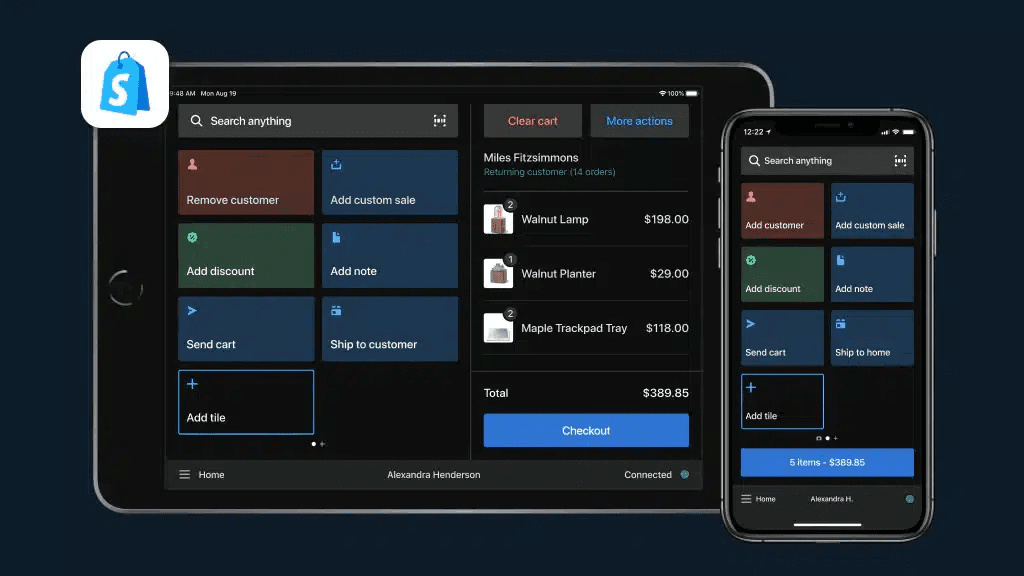
Shopify POS is a POS system built for retailers who sell both online and in person. It connects your brick-and-mortar store directly to your Shopify ecommerce store, keeping inventory, customer data, and sales reporting unified under one platform. I'd consider it over Square POS if omnichannel selling is a priority—Shopify POS offers native online-to-offline integration that Square can't match without third-party workarounds. If you're already on Shopify or building toward a multichannel retail operation, this is a natural fit.
Shopify POS Evaluation Summary
4.4/5
- From $89/month
- 3-day free trial
Perché fidarsi dei nostri consigli sui software
6,700+
Reviews
20
Industry experts
16+
Evaluation factors
14
Years
Il nostro team testa e recensisce software dal 2012. In quanto leader del retail noi stessi, sappiamo quanto sia difficile — e importante — scegliere il software giusto.
Per questa guida, abbiamo valutato gli strumenti attraverso test pratici e ricerche indipendenti, assegnando un punteggio agli strumenti in base ai nostri criteri di selezione.
Le nostre recensioni riflettono il nostro giudizio indipendente, non un discorso di vendita.
Shopify POS Overview
Shopify POS offers a robust, easy-to-use system that caters to both online and offline sales, making it ideal for businesses looking to unify their sales channels.
Pros
- You can easily manage both online and offline sales from a single platform.
- It provides a user-friendly interface that simplifies sales tasks for your team.
- You get access to detailed sales analytics to help grow your business.
Cons
- You might find the setup process a bit time-consuming.
- Your team may need time to fully adapt to its functionalities.
- You may encounter occasional issues with customer support responsiveness.
Is Shopify POS Right For Your Needs?
Who Would be a Good Fit for Shopify POS?
Small to medium-sized retailers looking to unify their online and physical sales channels would find Shopify POS ideal. If you’re running a boutique, a pop-up shop, or a small cafe, you’ll appreciate its easy integration for managing inventory and sales analytics. Shopify POS simplifies operations by offering a user-friendly interface and robust analytics, which are essential for growing your business and adapting quickly to market changes.
- Boutique ShopsShopify POS is perfect for boutiques needing seamless inventory management and customer engagement tools.
- Pop-Up StoresIt provides mobile capabilities that make it easy for pop-up stores to handle transactions anywhere.
- Small CafesYour cafe can benefit from its straightforward interface and quick sales processing.
- Online RetailersIf you’re an online retailer, Shopify POS helps you manage both online and in-person sales effortlessly.
- Artisan MarketsArtisans at markets can use its mobile setup to capture sales and manage inventory on the go.
- Local Retail ChainsFor local retail chains, it offers centralized management for multiple locations and channels.
Who Would be a Bad Fit for Shopify POS?
Large enterprises with complex sales operations might find Shopify POS lacking due to its limited advanced customization options and scalability for extensive inventory management. If your business relies heavily on intricate reporting or requires extensive third-party integrations, you may struggle to meet these needs with Shopify POS. It’s also not ideal for industries needing specialized POS features, like those in the hospitality sector, where tailored solutions are critical.
- Large EnterprisesShopify POS may not scale well for large enterprises needing complex inventory and reporting features.
- Specialized RetailersRetailers requiring industry-specific features might find its generalist approach insufficient.
- High-Volume StoresStores with exceptionally high transaction volumes may encounter performance limitations.
- RestaurantsRestaurants that need specialized order management and table service features won’t find them here.
- Wholesale BusinessesWholesale businesses needing bulk order processing and pricing structures won’t find robust tools.
- Custom Product SellersSellers of highly customizable products may miss detailed customization capabilities.
Core Features
Sales Tracking
Shopify POS lets you monitor sales in real-time, helping you keep tabs on your business performance. You can quickly access daily summaries and sales trends.
Inventory Management
It allows you to manage your inventory across multiple locations effortlessly. You’ll find it easy to update stock levels and track product variants.
Customer Profiles
Build customer profiles to personalize sales and enhance customer relationships. You can save purchase history and preferences for better service.
Staff Management
Assign roles and permissions to your team, ensuring secure access. Track staff performance and sales contributions easily.
Order Management
Manage orders from start to finish, whether they’re online or in-store. You can track order status and handle returns seamlessly.
Analytics and Reporting
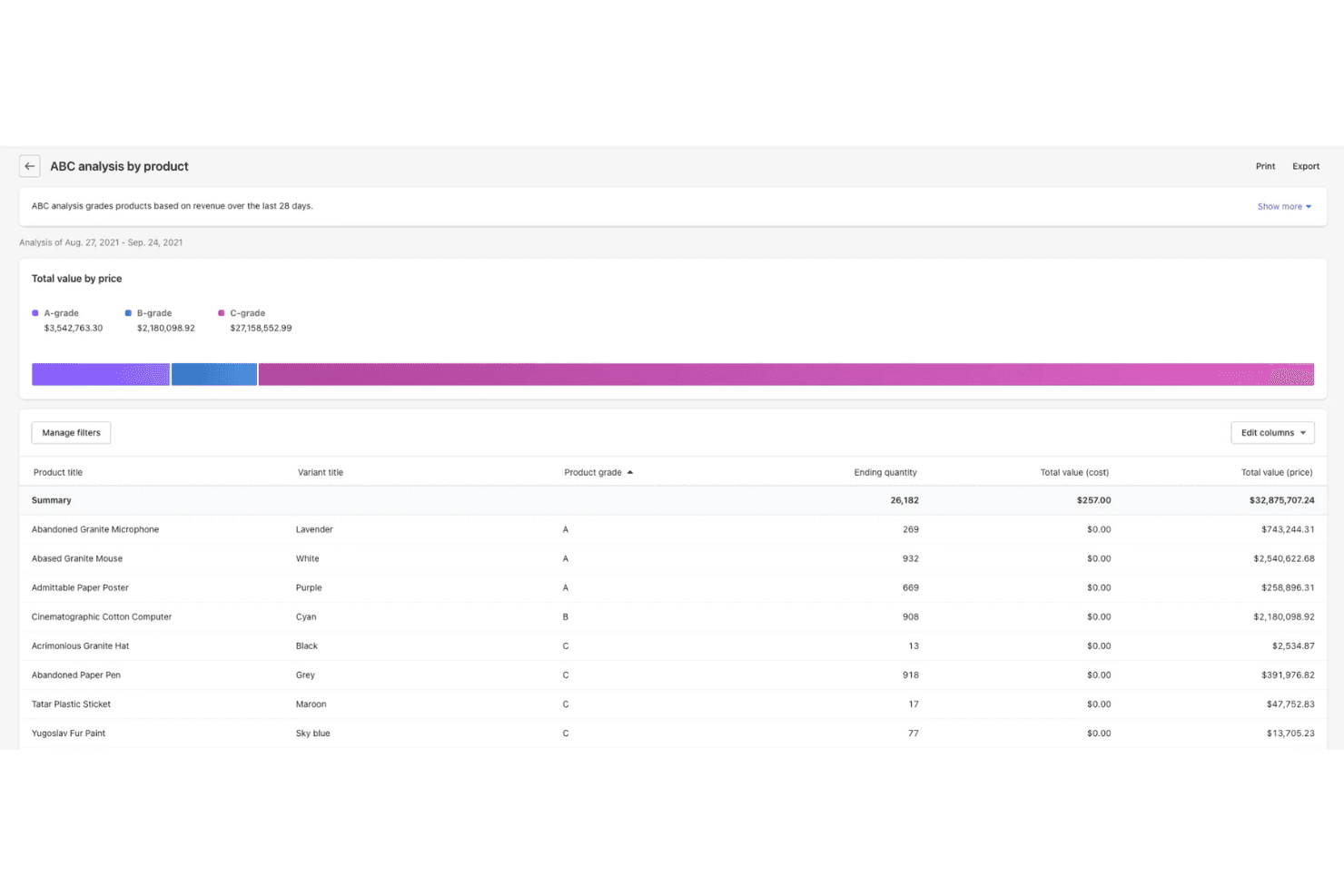
Get detailed insights into your sales data with built-in analytics. You’ll be able to make informed decisions based on real-time reports.
Ease of Use
Shopify POS offers a user-friendly interface, but some users might find the initial setup a bit challenging. Once you’re past the setup, your team will appreciate how intuitive the system is for daily operations. The dashboard is clean and straightforward, making it easy to manage sales and inventory. However, some users report a learning curve when adapting to its full range of features. Overall, it provides a good balance of functionality and simplicity for small to medium-sized businesses.
Integrations
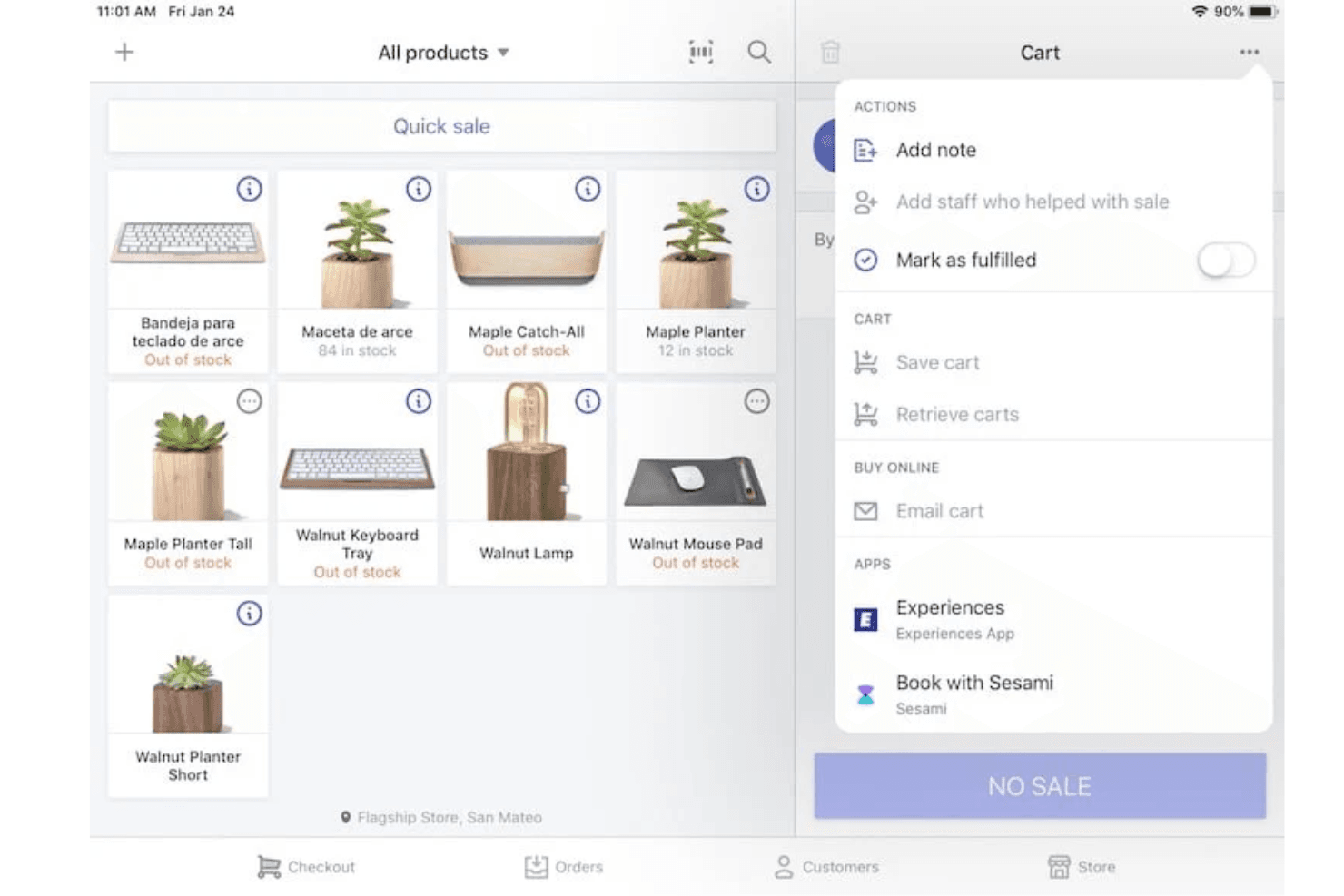
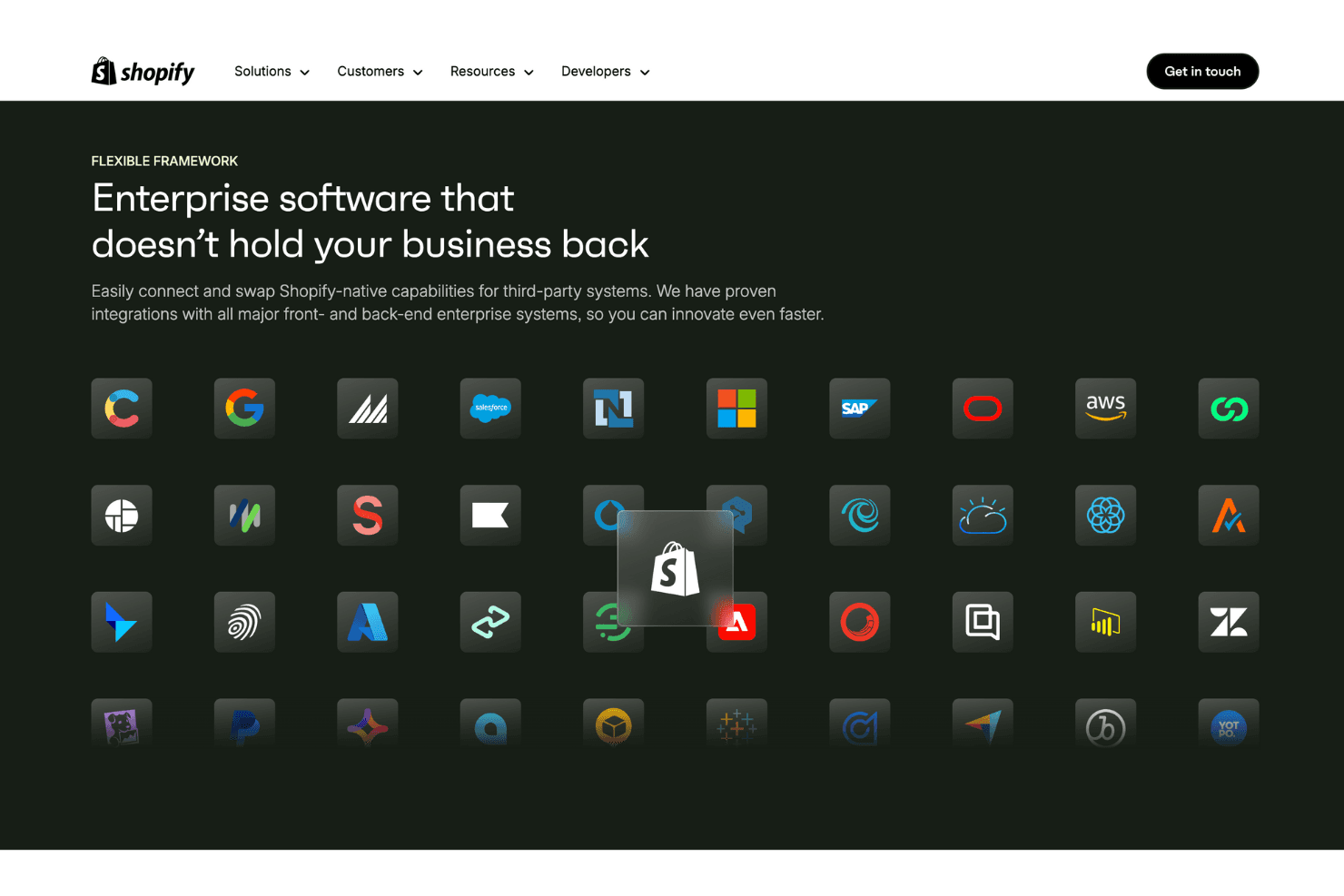
Integrations include Ecommerce Integration, Inventory Management, Order Fulfillment, Product Discounts and Bundling, Receipt Printing, Email Marketing, Customer Loyalty Programs, Payment Processing, Post-Purchase Feedback, Returns and Exchanges, Reporting and Analytics, and POS Hardware.
New Product Updates from Shopify POS
Shopify POS Adds Local Delivery at Checkout
Shopify POS now supports creating local delivery orders directly at checkout, so staff can complete a sale with delivery without sending customers to restart their purchase online. This streamlines the in-store flow while keeping delivery pricing and coverage consistent with your existing setup. Highlights include:
- Local Delivery Checkout: Create delivery orders directly during an in-store sale.
- Existing Delivery Rates: Use delivery zones and rates already configured in Shopify.
- Delivery Details: Add the customer’s address, phone number, and delivery instructions during checkout.
- POS Fulfillment: Prepare and fulfill local delivery orders directly in Shopify POS.
- POS Pro Support: Available with POS Pro, Shopify POS 11.16 or later, and local delivery enabled.
Visit Shopify POS’s official site for more details.
Shopify POS Adds In-App Stock Counts
Shopify POS now enables in-store teams to perform cycle and full inventory counts directly from the POS app. It streamlines counting on the sales floor while keeping oversight and final approval in Shopify Admin before any inventory changes are applied. Highlights include:
- Cycle and Full Counts: Run both stock count types directly in Shopify POS.
- Barcode Scanning: Record on-hand inventory by scanning products or entering quantities manually.
- Admin Review: Review discrepancies before applying inventory adjustments.
- Audit Trail: Track what was counted, when it was completed, and who performed it.
- POS Pro Support: Available with POS Pro and Shopify POS 11.16 or later.
Visit Shopify’s official site for more details.
Shopify POS Supports Multiple Barcodes for Product Variants
Shopify POS now lets you scan and search product variants using multiple barcode types tied to the same variant. This reduces time spent hunting for the correct item and improves accuracy across common store workflows. Highlights include:
- Multiple Barcode Support: Identifies variants using any associated barcode.
- Supported Identifiers: Works with GTIN, EAN, ASIN, and SKU-based codes.
- Faster Product Lookup: Helps staff locate the correct variant during checkout, receiving, and inventory tasks.
- Admin Setup: Requires additional barcodes to be associated with the product variant in Shopify Admin.
Visit Shopify’s official site for more details.
Shopify POS Brings Online Carts Into In-Store Checkout
Shopify POS lets permitted staff view products from an identified customer’s eligible abandoned checkout directly in POS. This gives staff more context to assist customers and continue online purchases in store. Highlights include:
- Online Cart Access: Lets authorized staff view products from an identified customer’s abandoned online checkout.
- Customer Lookup: Makes eligible cart items available after the customer is identified in POS.
- In-Store Assistance: Helps staff support sizing, product questions, and purchase completion.
- Permission Controls: Requires the View abandoned checkouts permission to be enabled for the POS role.
Visit Shopify’s official site for more details.
 Opens new window
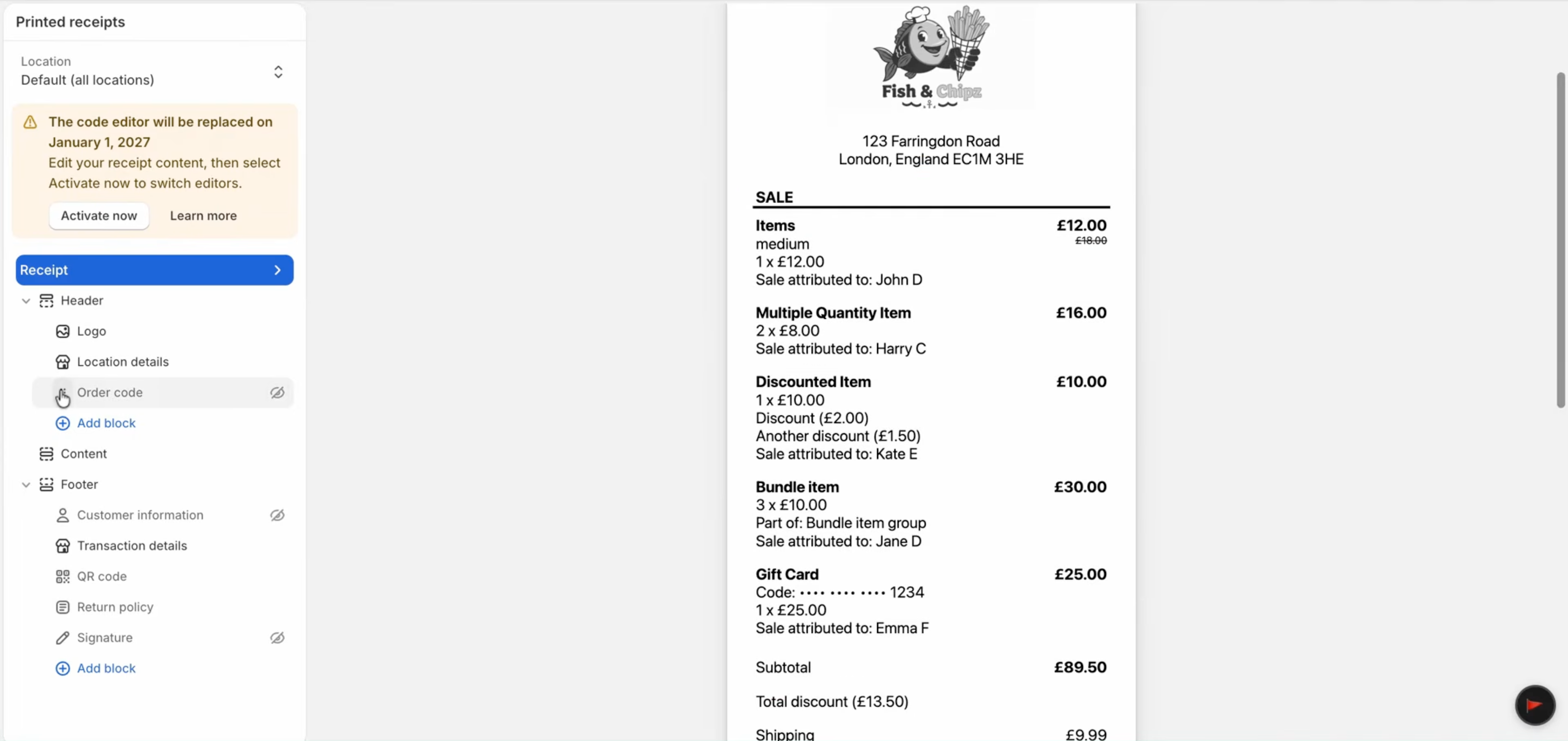
Shopify POS Adds Unified Printed Receipt Editor
Shopify POS’s updated receipt editor applies shared branding, headers, and footers across receipt types while allowing location-specific changes when needed. Merchants can also configure return policies, signature lines, regional tax IDs, gift receipt behavior, and gift card receipt printing without using the Liquid editor. Highlights include:
- Unified Receipt Management: Lets merchants manage multiple receipt types from one editor.
- Shared Branding: Applies common branding, headers, and footers across receipts.
- Built-In Fields: Adds options for return policies, signature lines, and regional tax IDs.
- Real-Time Preview: Shows receipt changes directly in the editor.
- Location Overrides: Allows receipt settings to be customized for specific locations.
- Simpler Customization: Moves common receipt changes out of the Liquid editor.
Visit Shopify POS’s official site for more details.
Shopify POS Adds Quick Nearby Device Login
Shopify POS adds nearby device sign-in through Bluetooth or QR codes, allowing authorized staff to approve access from a device that is already logged in. This update speeds up device setup while giving merchants control over permissions and session duration. Highlights include:
- Nearby Device Approval: Lets authorized staff approve a new POS device from a nearby signed-in device.
- Bluetooth Sign-In: Detects nearby devices and completes login after manager PIN verification.
- QR Code Sign-In: Provides an alternative sign-in method when Bluetooth is unavailable.
- Session Length Controls: Lets merchants choose same-day access or longer sessions through POS settings.
Visit Shopify’s official site for more details.
Shopify POS Adds Cart Sharing Across Devices
Shopify POS adds shared carts that staff can create, continue, and complete from any connected device. The update supports smoother sales handoffs while keeping open carts organized and accessible. Highlights include:
- Cross-Device Cart Sharing: Lets any staff member resume and complete an open customer cart from another device.
- Automatic Cart Saving: Saves carts as staff add items so progress is retained during handoffs.
- Open Cart View: Organizes active carts and filters them by the signed-in staff member by default.
- Draft Order Conversion: Converts any shared cart into a draft order with one swipe.
Visit Shopify’s official site for more details.
Shopify POS Adds Selling Environment Health Dashboard
Shopify POS updates the connectivity screen with a single view of selling environment health, bringing together internet connectivity, Shopify service status, and hardware connection health. The new experience helps teams diagnose issues faster and provides recommended actions to reduce disruptions at checkout. Highlights include:
- Unified Connectivity View: Monitor internet, Shopify service status, and hardware connections from one screen.
- Selling Environment Health: Quickly identify issues affecting the POS environment.
- Recommended Actions: Receive guidance, such as enabling offline checkout, when connectivity problems occur.
Visit Shopify POS's official site for more details.
 Opens new window
Shopify POS Adds Packing Slips for Inventory Transfers
Shopify POS has introduced printable packing slips for inventory transfers to improve shipment visibility and inventory management across store locations. This update helps staff generate clear transfer manifests with item details, origin and destination locations, and transfer information directly from shipment details. Highlights include:
- Packing Slips for Inventory Transfers: Generate and print packing slips directly from outgoing transfer shipments in Shopify POS.
- Detailed Transfer Manifests: Include item quantities, variant names, transfer notes, tags, and shipment locations for clearer inventory tracking.
- Improved Inventory Coordination: Help store teams reduce transfer confusion and verify incoming shipments more efficiently.
Visit Shopify’s official site for more details.
Shopify POS Specs
- 2-Factor Authentication: Yes
- Accounts Receivable: No
- API: Yes
- Approval Workflows: No
- Billing/Invoicing: No
- BitCoin: No
- Budgeting: No
- Calendar Management: No
- Compliance Tracking: No
- Contact Management: Yes
- CRM Integration: No
- Custom Reports: Yes
- Customer Management: Yes
- Dashboard: Yes
- Data Export: No
- Data Import: Yes
- Data Visualization: Yes
- DDoS Protection: No
- Expense Tracking: No
- External Integrations: Yes
- Fraud Detection: Yes
- Inventory Tracking: Yes
- Multi-Currency: Yes
- Multi-User: Yes
- Notifications: No
- Payment Gateway Integration: No
- Payment Processor: Yes
- PayPal: Yes
- Risk Assessment: No
- Scheduling: No
- Stripe: No
- Suspicious Order Monitoring (SOM): No
- Tax Management: Yes
- Workflow Management: No
Alternatives to Shopify POS


Shopify POS FAQs
Cosa succede dopo
Vuoi entrare in contatto con altri responsabili di progetto digitali per condividere risorse e buone pratiche? Iscriviti alla nostra comunità dedicata agli iscritti e ottieni l'accesso a oltre 100 template, modelli ed esempi, oltre a entrare in contatto su Slack con centinaia di altri responsabili di progetto digitali.