

Recensione del sistema POS PayPal: vantaggi, svantaggi, funzionalità e prezzi
Se vuoi un sistema POS flessibile quanto la tua attività, il sistema Punto vendita PayPal si distingue, combinando perfettamente pagamenti, mobilità e la forza di un marchio affidabile in un'unica soluzione intelligente.

Recensiamo gli strumenti in modo indipendente, e le commissioni aiutano a finanziare i nostri test. Consulta la nostra politica sulla trasparenza, la nostra metodologia o suggerisci uno strumento.
PayPal POS is a POS system built on PayPal's payment infrastructure, designed for small businesses that already accept payments through PayPal online and want to bring that same setup to in-person sales. If you're deciding between PayPal POS and Square, PayPal makes more sense when your business is already running on PayPal's ecosystem—you get unified reporting and a single payout flow across online and in-store transactions, without managing two separate processors.
PayPal POS Evaluation Summary
4.6/5
- From $29
- Free plan available
Perché fidarsi dei nostri consigli sui software
6,700+
Reviews
20
Industry experts
16+
Evaluation factors
14
Years
Il nostro team testa e recensisce software dal 2012. In quanto leader del retail noi stessi, sappiamo quanto sia difficile — e importante — scegliere il software giusto.
Per questa guida, abbiamo valutato gli strumenti attraverso test pratici e ricerche indipendenti, assegnando un punteggio agli strumenti in base ai nostri criteri di selezione.
Le nostre recensioni riflettono il nostro giudizio indipendente, non un discorso di vendita.
PayPal POS Overview
When you’re judging POS systems, PayPal POS stands out for its easy onboarding, intuitive interface, and strong mobile payment options. It’s a smart pick for small retailers or pop-up shops that want a quick setup and PayPal’s trusted brand. While its integrations and advanced inventory tools aren’t as deep as some competitors, the transparent pricing and responsive support make it a solid choice if you value simplicity and flexibility.
If you’re comparing options for a fast-moving retail environment or need to accept payments on the go, this one deserves a close look.
Pros
- Fast access to funds after each sale.
- Accepts a wide range of payment types.
- No monthly fees or long-term contracts required.
Cons
- Accounts can be frozen without warning.
- Limited advanced inventory and reporting features.
- No offline mode for processing payments.
Is PayPal POS Right For Your Needs?
Who Would be a Good Fit for PayPal POS?
PayPal POS is a smart choice for businesses that need fast, mobile payments and value simplicity over deep customization. If you want to avoid monthly fees, need to accept a wide range of payment types, or operate in environments where mobility and quick setup matter, this POS system fits well.
It’s especially useful for teams that want PayPal’s trusted brand and fast access to funds, but don’t require advanced inventory or reporting features.
- NonprofitsEasy donation acceptance and no monthly fees support fundraising events.
- Service ProvidersGreat for mobile professionals who need to invoice and accept payments.
- Solo EntrepreneursSimple interface and fast payouts help manage small operations.
- Market VendorsAccepts cards, contactless, and PayPal payments at temporary locations.
- Pop-Up RetailNo contracts or monthly fees suit short-term retail events.
- Food TrucksMobile payments and quick setup make it ideal for on-the-go sales.
Who Would be a Bad Fit for PayPal POS?
PayPal POS isn’t the best option for businesses that need advanced inventory, detailed reporting, or offline payment capabilities. Larger businesses or those with multiple locations may also need more robust management tools than PayPal offers.
If your team relies on deep integrations, complex workflows, or operates in environments with unreliable internet, you’ll likely find its feature set limiting.
- Franchise OperationsMissing centralized controls for managing multiple franchise locations.
- Field Sales TeamsNo offline mode for remote or low-connectivity areas.
- B2B WholesalersNo purchase order or bulk inventory management tools.
- High-Volume StoresLimited analytics and transaction speed for busy environments.
- RestaurantsNo table management or kitchen display system support.
- Large Retail ChainsLacks multi-location inventory and advanced reporting features.
La Nostra Metodologia di Recensione
Come Testiamo e Valutiamo gli Strumenti
Abbiamo trascorso anni a costruire, perfezionare e migliorare il nostro sistema di test e valutazione dei software. Il nostro schema di valutazione è progettato per cogliere le sfumature della selezione dei software e per comprendere cosa rende uno strumento efficace, concentrandosi su aspetti critici del processo decisionale. Qui sotto puoi vedere esattamente come funzionano i nostri test e valutazioni attraverso sette criteri. Questo ci permette di fornire una valutazione imparziale del software basata su funzionalità principali, caratteristiche distintive, facilità d’uso, onboarding, supporto clienti, integrazioni, recensioni dei clienti e rapporto qualità-prezzo.
Funzionalità di base (25% della valutazione finale)
Il punto di partenza della nostra valutazione è sempre la funzionalità principale dello strumento. Ha le funzioni e le caratteristiche di base che un utente si aspetterebbe? Alcune di queste funzionalità sono bloccate a piani tariffari di livello superiore? Alla base, ci aspettiamo che uno strumento regga il confronto con le capacità minime dei suoi concorrenti.
Caratteristiche distintive (25% della valutazione finale)
Successivamente valutiamo caratteristiche distintive e non comuni che vadano oltre la normale funzionalità presente in strumenti simili. Un punteggio alto riflette funzionalità specializzate o uniche che rendono il prodotto più veloce, efficiente o che offrano valore aggiunto all’utente. Valutiamo anche quanto sia facile integrare il software con altri strumenti della consueta infrastruttura tecnologica per espanderne la funzionalità e l’utilità. Gli strumenti che offrono molte integrazioni native, connessioni di terze parti e accesso API per costruire integrazioni personalizzate ottengono il punteggio più alto.
Facilità d’uso (10% della valutazione finale)
Consideriamo quanto sia rapido e semplice eseguire le attività definite nelle funzionalità di base utilizzando lo strumento. I software che ottengono un punteggio alto sono ben progettati, intuitivi, offrono app mobili, modelli pronti e rendono compiti complessi relativamente semplici.
Onboarding (10% della valutazione finale)
Sappiamo quanto sia importante una rapida adozione da parte del team per una nuova piattaforma, quindi valutiamo quanto sia facile imparare a usare uno strumento con una formazione minima. Esaminiamo quanto tempo impiega un membro del team a configurarsi e iniziare a utilizzare lo strumento senza esperienza. Le soluzioni con punteggi elevati richiedono poco o nessun supporto.
Supporto clienti (10% della valutazione finale)
Valutiamo quanto sia rapido e facile ricevere assistenza e trovare aiuto tramite telefono, live chat o base di conoscenza. Gli strumenti e le aziende che forniscono un supporto in tempo reale ottengono i punteggi migliori, mentre i chatbot hanno i punteggi più bassi.
Recensioni dei clienti (10% della valutazione finale)
Oltre ai nostri test e valutazioni, consideriamo il net promoter score dei clienti attuali e passati. Esaminiamo la loro propensione, data la possibilità, a scegliere nuovamente lo strumento per le sue funzionalità di base. Un punteggio elevato riflette un alto net promoter score da clienti attuali o passati.
Rapporto qualità-prezzo (10% della valutazione finale)
Infine, considerando tutti gli altri criteri, valutiamo il prezzo medio dei piani base rispetto alle funzionalità fondamentali e teniamo in considerazione il valore degli altri criteri di valutazione. Il software che offre di più, a meno, ottiene punteggi più alti.
Core Features
Multiple Payment Methods
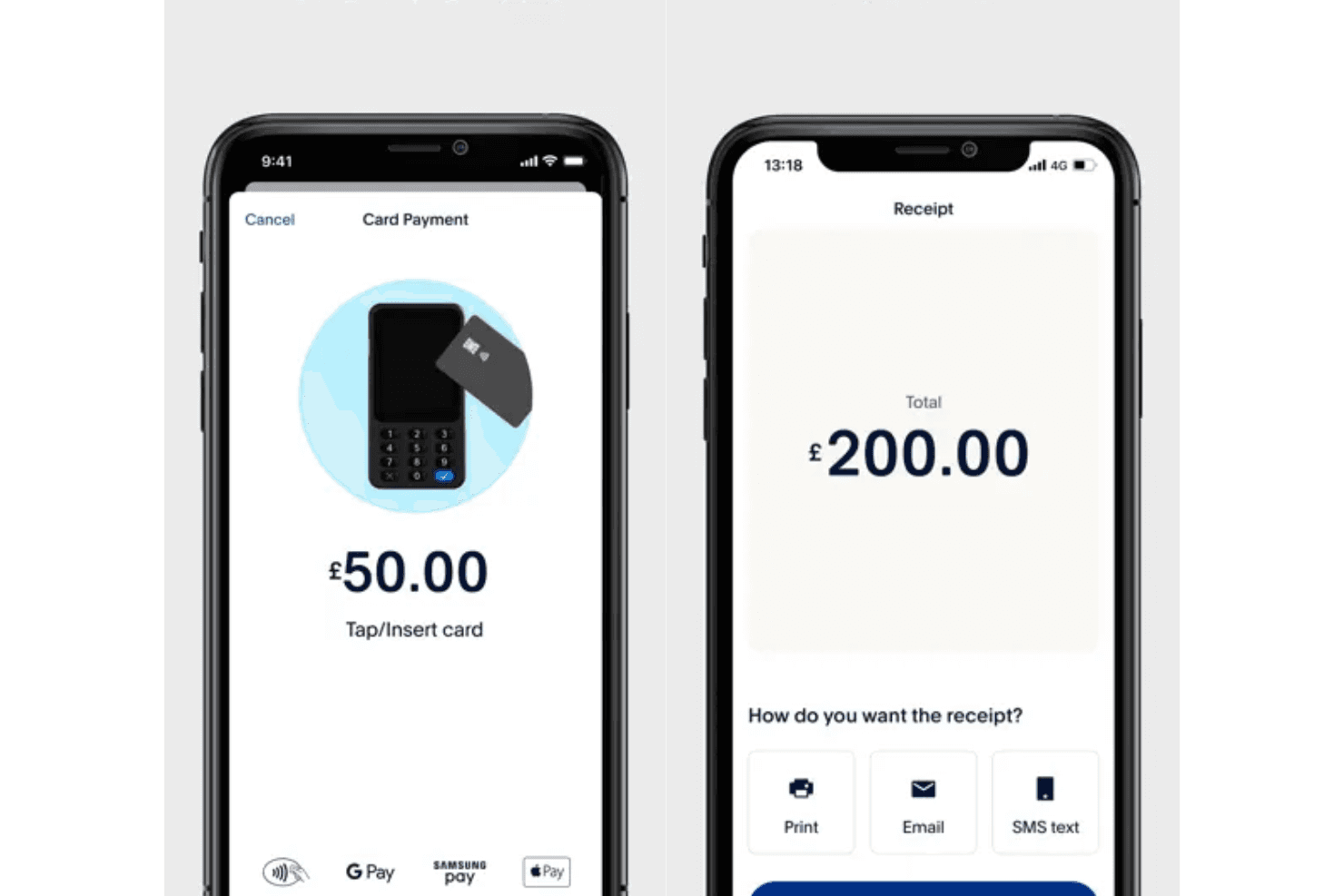
Accept credit cards, debit cards, gift cards, contactless payments, and digital wallets in-store or on the go. This flexibility ensures you can serve more customers regardless of their preferred way to pay.
Mobile Tap to Pay
Use your phone and the PayPal POS app to accept contactless payments without extra hardware. This reduces upfront costs and makes it easy to start selling anywhere instantly.
Inventory Management
Add products, set prices, and get low-stock alerts to keep inventory organized and up to date. It helps prevent stockouts and overstocking by giving you clear, real-time visibility.
Sales and Reporting Tools
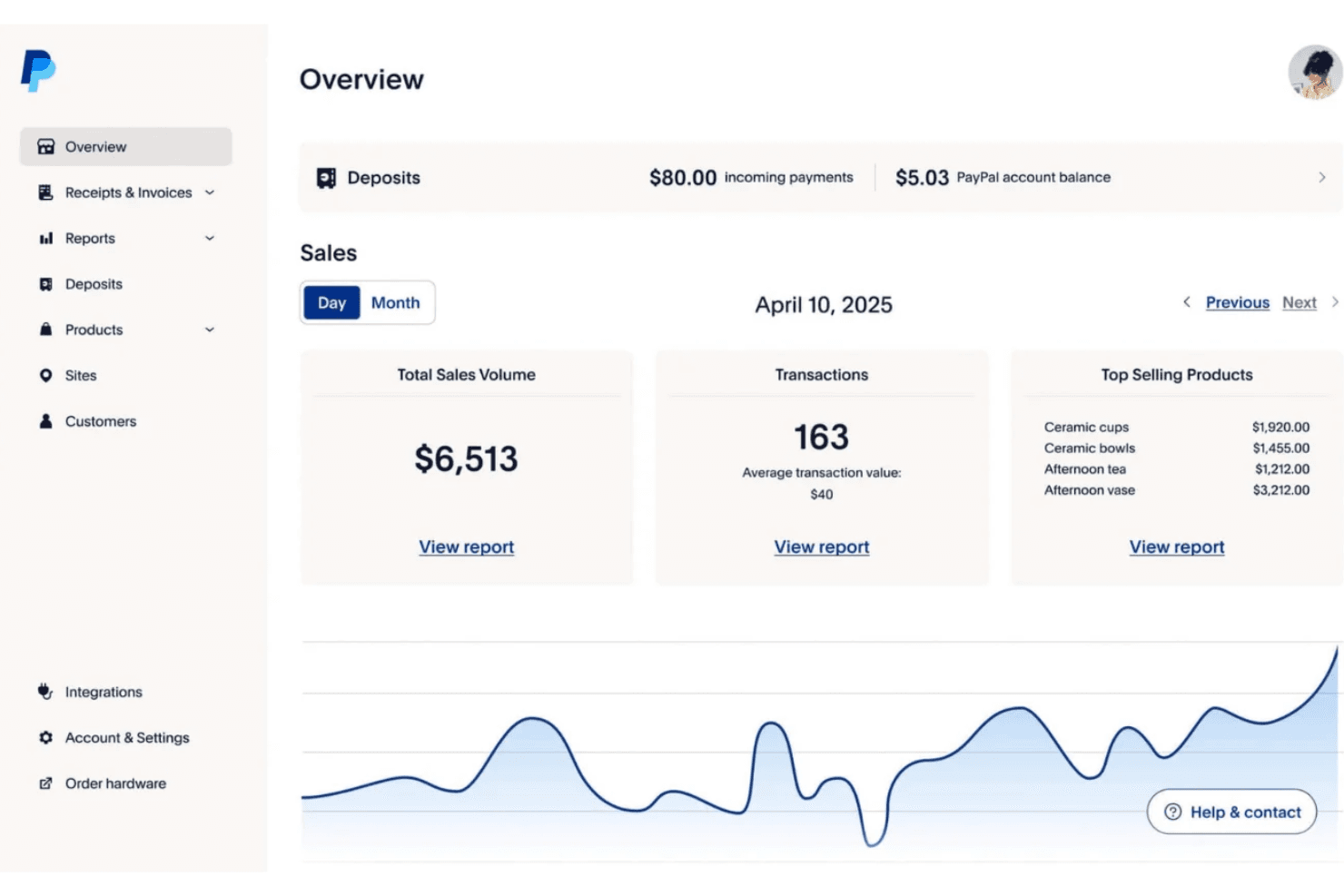
Access real-time sales metrics, identify bestsellers, and generate detailed reports for business insights. These insights help you make smarter decisions on pricing, staffing, and product selection.
Discounts and Promotions
Apply discounts at checkout and feature products to encourage repeat business and higher sales. You can quickly run targeted promotions to boost revenue during slow periods or special events.
Fast Fund Access
Receive funds quickly in your PayPal Business account or linked bank account after each sale. This improves cash flow so you can reinvest in inventory, operations, or growth without delays.
Ease of Use
PayPal POS is one of the most approachable POS systems for new users, with a clean interface and minimal setup required. Most teams will appreciate how quickly you can start accepting payments and managing sales, even without technical experience.
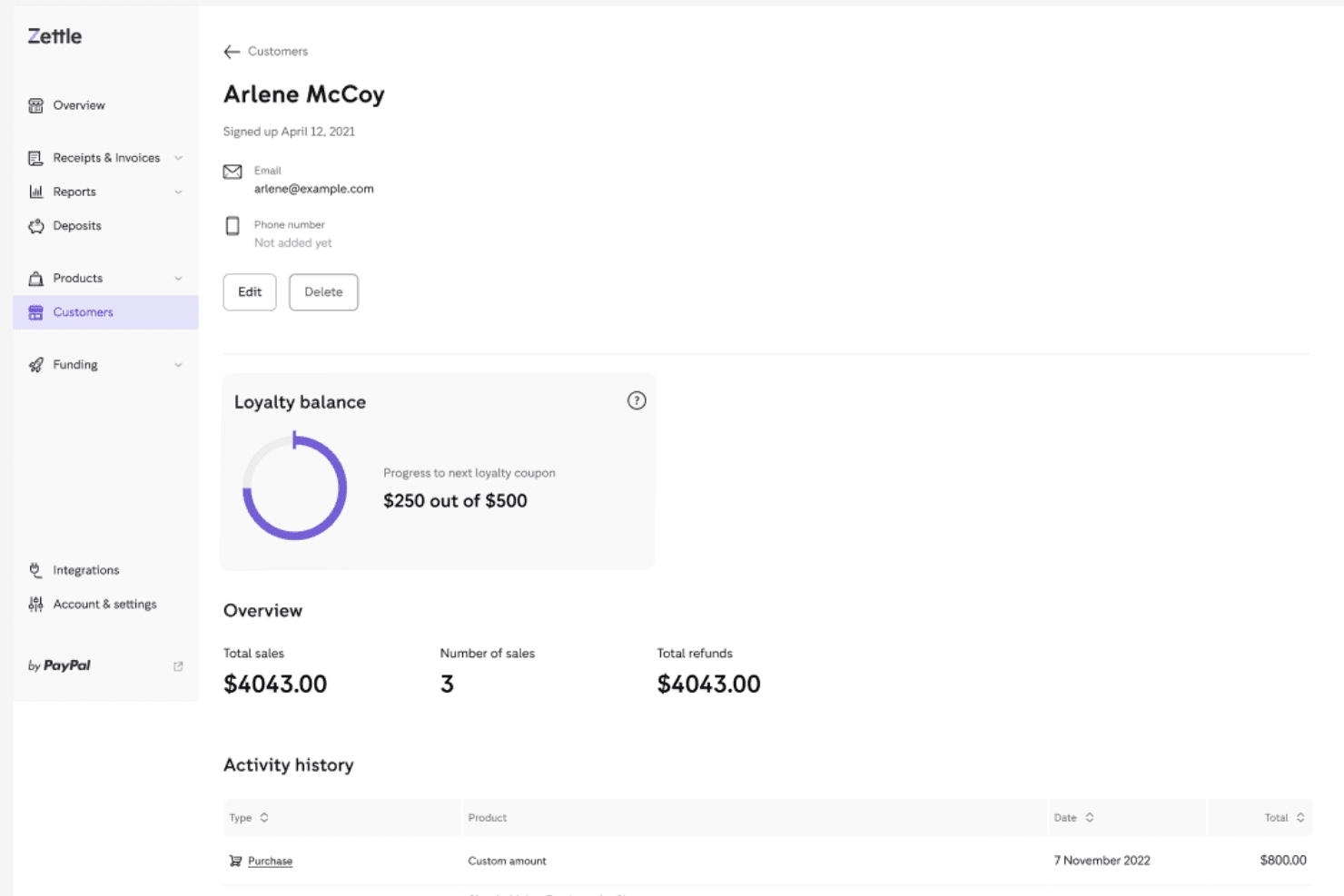
User reviews often mention the straightforward checkout process and clear navigation, making it easy for staff to learn and use right away. This simplicity is a big advantage for small businesses and mobile sellers.
Integrations
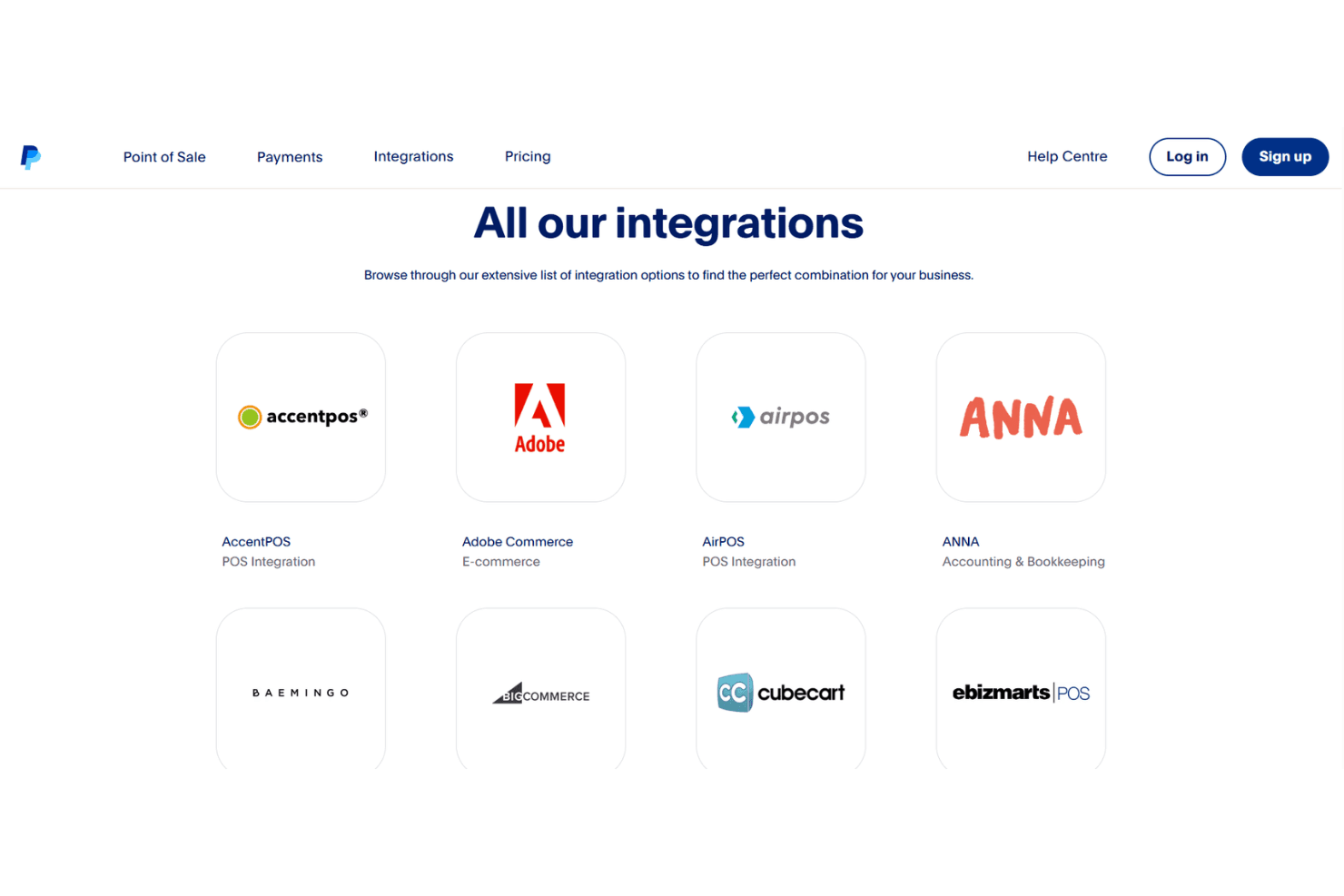
PayPal POS integrates with QuickBooks, Xero, Shopify, WooCommerce, BigCommerce, Lightspeed, PrestaShop, Magento, Ecwid, and Wix, among others.
PayPal POS also offers an API and connects with select third-party integration tools for expanded functionality.
PayPal POS Specs
- 2-Factor Authentication: Yes
- Accounts Payable: No
- Accounts Receivable: No
- API: Yes
- Balance Sheet: No
- Billing/Invoicing: No
- BitCoin: No
- Budgeting: No
- Calendar Management: No
- Contact Management: No
- CRM Integration: No
- Customer Management: Yes
- Dashboard: Yes
- Data Export: Yes
- Data Import: Yes
- Data Visualization: Yes
- Expense Tracking: No
- External Integrations: Yes
- Forecasting: No
- General Account Ledger: No
- Inventory Tracking: Yes
- Multi-Currency: Yes
- Multi-User: Yes
- Notifications: Yes
- P&L: No
- PayPal: Yes
- Payroll: No
- SAP Integration: No
- Stripe: No
- Supplier Management: No
- Tax Management: No


