

Recensione di HubSpot CRM: vantaggi, svantaggi, funzionalità e prezzi
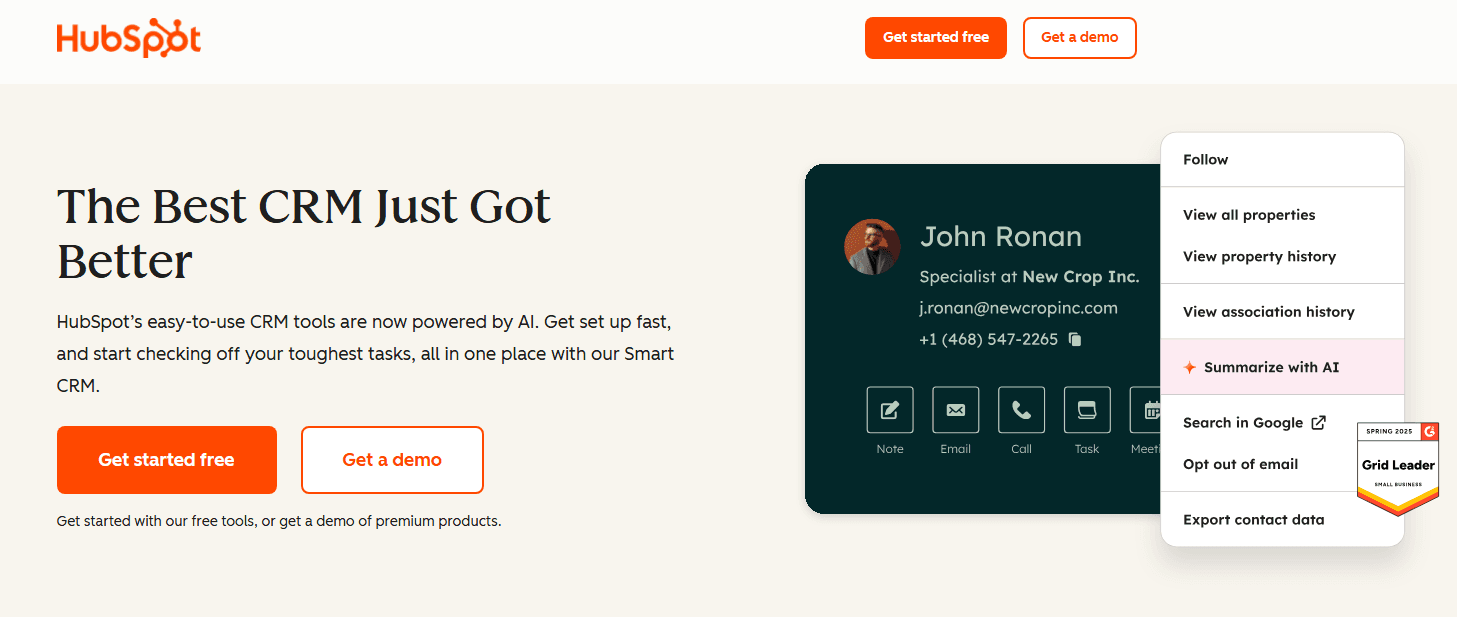
HubSpot CRM si distingue per la sua interfaccia intuitiva e le solide capacità di integrazione, rendendolo ideale per le aziende alla ricerca di una soluzione di marketing versatile.

Recensiamo gli strumenti in modo indipendente, e le commissioni aiutano a finanziare i nostri test. Consulta la nostra politica sulla trasparenza, la nostra metodologia o suggerisci uno strumento.
HubSpot CRM is a customer relationship management platform and marketing CRM software that helps businesses manage customer relationships and streamline marketing efforts. It best serves small to medium-sized businesses, marketing teams, and sales teams, such as retail chains needing integrated marketing solutions. HubSpot CRM offers intuitive tools that enhance customer engagement and campaign management.
HubSpot CRM addresses common issues like disjointed customer data and inefficient marketing processes for sales and marketing teams. In this article, I'll cover HubSpot CRM's features, pros and cons, use cases, pricing, etc., so you can decide if this software aligns with your marketing needs and goals.
HubSpot CRM Evaluation Summary
4.4/5
- From $7/user/month
- Free plan available
Perché fidarsi dei nostri consigli sui software
6,700+
Reviews
20
Industry experts
16+
Evaluation factors
14
Years
Il nostro team testa e recensisce software dal 2012. In quanto leader del retail noi stessi, sappiamo quanto sia difficile — e importante — scegliere il software giusto.
Per questa guida, abbiamo valutato gli strumenti attraverso test pratici e ricerche indipendenti, assegnando un punteggio agli strumenti in base ai nostri criteri di selezione.
Le nostre recensioni riflettono il nostro giudizio indipendente, non un discorso di vendita.
HubSpot CRM Overview
In my opinion, HubSpot CRM is a strong contender in the marketing CRM landscape. Its intuitive interface and comprehensive feature set make it an excellent choice for small to medium-sized businesses. HubSpot excels with its seamless integration capabilities and user-friendly design, which are crucial for teams focused on efficiency. However, pricing can be a concern for smaller budgets compared to alternatives like other CRM platforms, which offer more cost-effective plans. HubSpot's customer support is reliable, and its onboarding process is smooth, making it suitable for teams new to CRM systems. Overall, if you're seeking a well-rounded CRM with strong integration and support, HubSpot is worth considering.
Pros
- The user-friendly interface makes it easy for your team to navigate and use daily.
- The powerful contact management tools help you keep track of customer interactions.
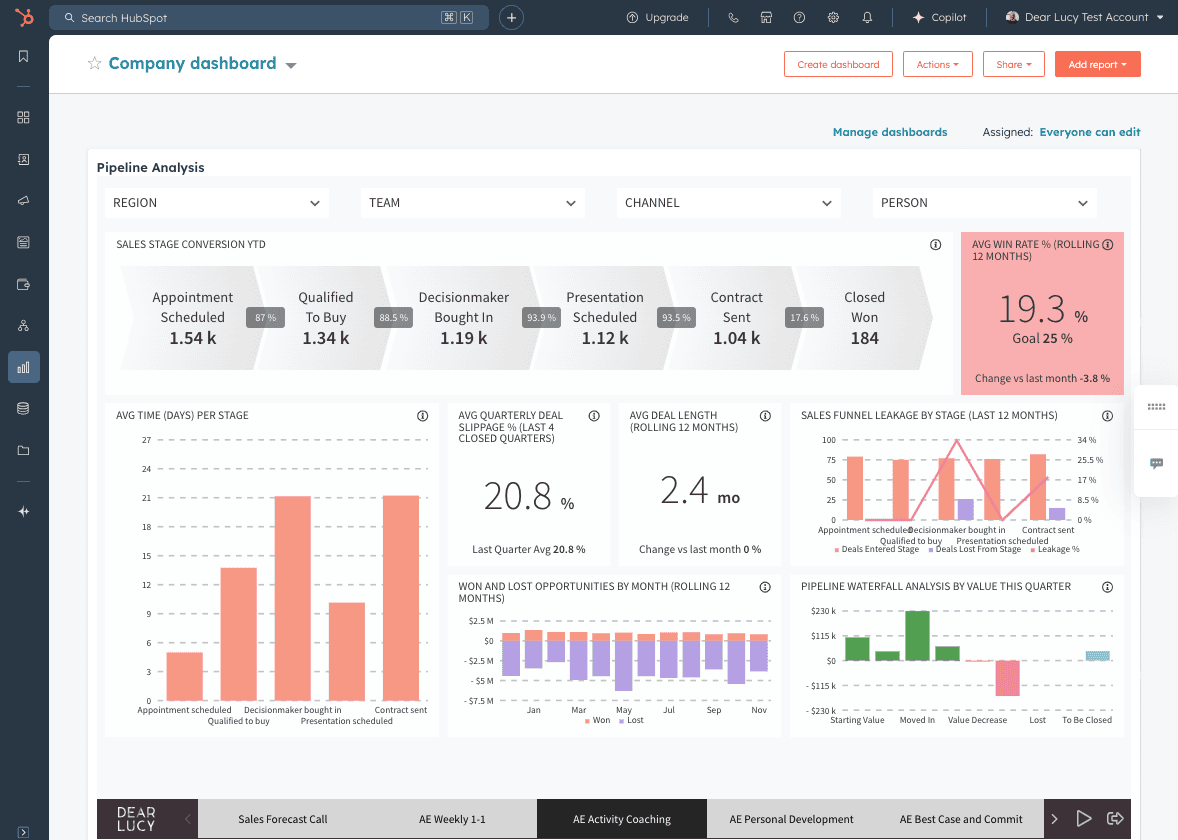
- The reporting features provide your team with valuable insights into marketing performance.
Cons
- The email marketing tools can be less flexible compared to other CRM options.
- The customization options might feel limited if your team needs specific workflows.
- The mobile app functionality isn't as robust as some other CRM solutions.
Is HubSpot CRM Right For Your Needs?
Who Would be a Good Fit for HubSpot CRM?
HubSpot CRM is ideal for small to medium-sized businesses, marketing teams, and sales teams needing an easy-to-use platform. Its intuitive interface and powerful contact management tools make it perfect for teams looking to streamline customer interactions. The reporting features give valuable insights, helping your team make informed marketing decisions. If you're in retail or service industries where tracking customer engagement is key, HubSpot CRM is a solid choice. Startups seeking an all-in-one platform for lead generation will find HubSpot offers strong marketing automation capabilities alongside customer relationship management.
- Small BusinessesHubSpot CRM's user-friendly interface and affordable pricing make it perfect for small businesses with limited resources.
- Marketing TeamsPowerful reporting and contact management tools help your team track campaigns and customer interactions effectively.
- Sales DepartmentsThe CRM's intuitive design aids your sales team in managing leads and closing deals efficiently.
- Retail ChainsRetail businesses benefit from HubSpot's ability to track customer engagement and enhance marketing strategies.
- Service IndustriesService providers find value in the CRM's contact management and customer interaction tracking features.
- NonprofitsNonprofits appreciate HubSpot's ability to manage donor relationships and streamline communication efforts.
Who Would be a Bad Fit for HubSpot CRM?
HubSpot CRM might not be the best choice for large enterprises or highly specialized industries needing extensive customization. Its limited flexibility in customization could hinder teams with complex workflows or specific requirements. Large corporations with dedicated IT departments might find the CRM's features lacking in depth compared to more robust platforms. If your organization relies heavily on mobile functionality, HubSpot's mobile app may not meet your expectations.
- Large EnterprisesThe limited customization options may not support the complex needs of large organizations.
- Highly Regulated IndustriesIndustries requiring stringent compliance might find HubSpot's features lacking in necessary regulatory controls.
- Tech CompaniesTech firms needing deep integrations and custom workflows might find HubSpot's capabilities insufficient.
- Mobile-First TeamsTeams relying on mobile apps for operations could be disappointed by HubSpot's less robust mobile functionality.
- Manufacturing SectorsManufacturers with intricate supply chain processes might require more specialized CRM solutions.
- Financial ServicesFinancial services needing detailed tracking and compliance features might find HubSpot lacking in these areas.
La Nostra Metodologia di Recensione
Come Testiamo e Valutiamo gli Strumenti
Abbiamo trascorso anni a costruire, perfezionare e migliorare il nostro sistema di test e valutazione dei software. Il nostro schema di valutazione è progettato per cogliere le sfumature della selezione dei software e per comprendere cosa rende uno strumento efficace, concentrandosi su aspetti critici del processo decisionale. Qui sotto puoi vedere esattamente come funzionano i nostri test e valutazioni attraverso sette criteri. Questo ci permette di fornire una valutazione imparziale del software basata su funzionalità principali, caratteristiche distintive, facilità d’uso, onboarding, supporto clienti, integrazioni, recensioni dei clienti e rapporto qualità-prezzo.
Funzionalità di base (25% della valutazione finale)
Il punto di partenza della nostra valutazione è sempre la funzionalità principale dello strumento. Ha le funzioni e le caratteristiche di base che un utente si aspetterebbe? Alcune di queste funzionalità sono bloccate a piani tariffari di livello superiore? Alla base, ci aspettiamo che uno strumento regga il confronto con le capacità minime dei suoi concorrenti.
Caratteristiche distintive (25% della valutazione finale)
Successivamente valutiamo caratteristiche distintive e non comuni che vadano oltre la normale funzionalità presente in strumenti simili. Un punteggio alto riflette funzionalità specializzate o uniche che rendono il prodotto più veloce, efficiente o che offrano valore aggiunto all’utente. Valutiamo anche quanto sia facile integrare il software con altri strumenti della consueta infrastruttura tecnologica per espanderne la funzionalità e l’utilità. Gli strumenti che offrono molte integrazioni native, connessioni di terze parti e accesso API per costruire integrazioni personalizzate ottengono il punteggio più alto.
Facilità d’uso (10% della valutazione finale)
Consideriamo quanto sia rapido e semplice eseguire le attività definite nelle funzionalità di base utilizzando lo strumento. I software che ottengono un punteggio alto sono ben progettati, intuitivi, offrono app mobili, modelli pronti e rendono compiti complessi relativamente semplici.
Onboarding (10% della valutazione finale)
Sappiamo quanto sia importante una rapida adozione da parte del team per una nuova piattaforma, quindi valutiamo quanto sia facile imparare a usare uno strumento con una formazione minima. Esaminiamo quanto tempo impiega un membro del team a configurarsi e iniziare a utilizzare lo strumento senza esperienza. Le soluzioni con punteggi elevati richiedono poco o nessun supporto.
Supporto clienti (10% della valutazione finale)
Valutiamo quanto sia rapido e facile ricevere assistenza e trovare aiuto tramite telefono, live chat o base di conoscenza. Gli strumenti e le aziende che forniscono un supporto in tempo reale ottengono i punteggi migliori, mentre i chatbot hanno i punteggi più bassi.
Recensioni dei clienti (10% della valutazione finale)
Oltre ai nostri test e valutazioni, consideriamo il net promoter score dei clienti attuali e passati. Esaminiamo la loro propensione, data la possibilità, a scegliere nuovamente lo strumento per le sue funzionalità di base. Un punteggio elevato riflette un alto net promoter score da clienti attuali o passati.
Rapporto qualità-prezzo (10% della valutazione finale)
Infine, considerando tutti gli altri criteri, valutiamo il prezzo medio dei piani base rispetto alle funzionalità fondamentali e teniamo in considerazione il valore degli altri criteri di valutazione. Il software che offre di più, a meno, ottiene punteggi più alti.
Core Features
Contact Management
Store and organize contacts in one place. Track all customer interactions to improve relationships.
Email Tracking
See when contacts open emails. Follow up effectively and close deals faster.
Lead Scoring
Score leads based on brand interactions. Prioritize high-value leads efficiently.
Pipeline Management
Visualize your sales pipeline clearly. Track deals and forecast revenue.
Reporting Dashboard
Generate customizable performance reports. Make informed decisions with key metrics.
Task Automation
Automate repetitive tasks easily. Boost productivity and reduce errors.
Ease of Use
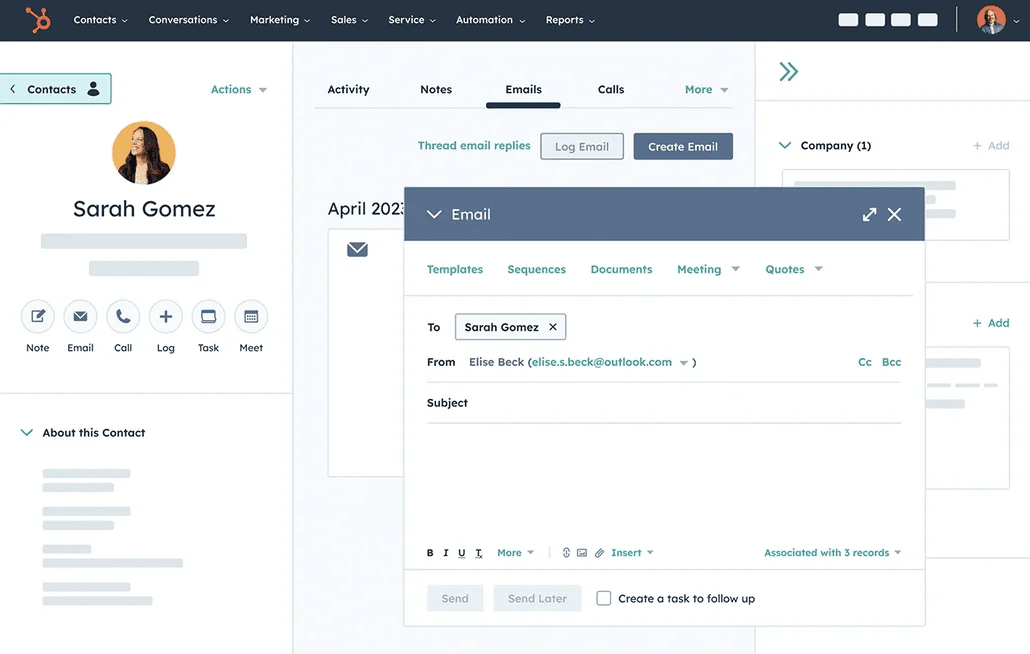
HubSpot CRM stands out for its user-friendly interface, making it easy for your team to navigate without extensive training. The intuitive design ensures that even users new to CRM systems can quickly adapt and make the most of its features. Drag-and-drop functionality and clear visual cues simplify your work processes, allowing you to focus on building customer relationships. Users appreciate how smoothly it integrates with daily tasks, enhancing overall productivity. The usability extends across devices, though the mobile experience has room for improvement.
Integrations
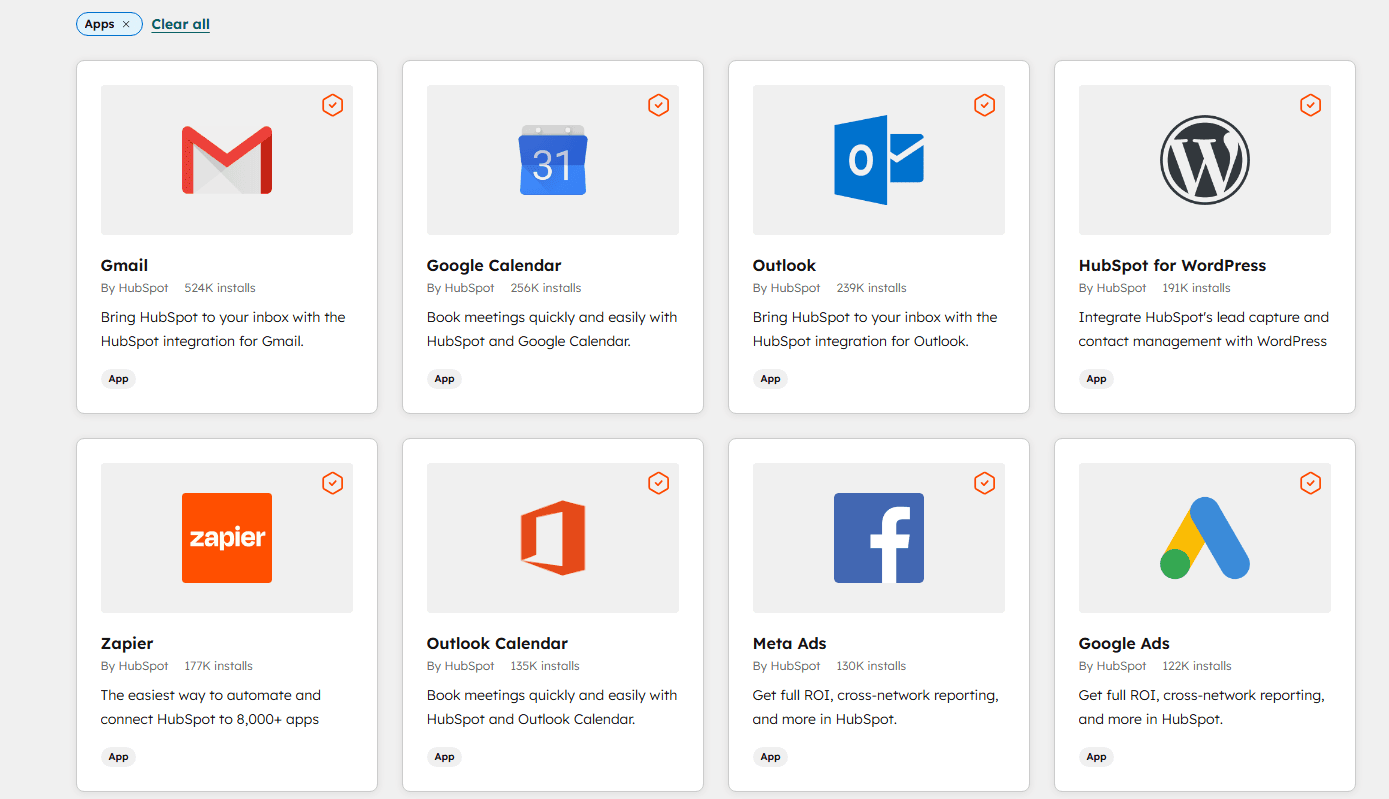
HubSpot CRM integrates with popular platforms such as Google Workspace, Microsoft Office 365, Slack, Zoom, Mailchimp, Meta Ads, Salesforce, Pipedrive, WordPress, and Gmail, among others.
HubSpot CRM also offers an API and connects with third-party integration tools, expanding its capabilities for diverse business needs. These integrations help optimize your workflows and manage social media alongside email marketing campaigns.
HubSpot CRM Specs
- 2-Factor Authentication: Yes
- API: Yes
- Calendar Management: Yes
- Call Tracking: Yes
- Campaign Management: Yes
- Click-to-Dial: Yes
- Contact Management: Yes
- Contact Sharing: Yes
- Custom Data Forms: Yes
- Customer Management: Yes
- Dashboard: Yes
- Data Export: Yes
- Data Import: Yes
- Data Visualization: Yes
- Email Integration: Yes
- External Integrations: Yes
- File Sharing: Yes
- File Transfer: Yes
- Google Apps Integration: Yes
- Lead Management: Yes
- Lead Scoring: Yes
- Marketing Automation: Yes
- Mobile App: Yes
- Multi-User: Yes
- Notifications: Yes
- Pipeline Management: Yes
- Sales Automation: Yes
- Scheduling: Yes
- Social-Media Integration: Yes
- Task Scheduling/Tracking: Yes
- Third-Party Plugins/Add-Ons: Yes


