

Recensione di eHopper POS: vantaggi, svantaggi, funzionalità e guida ai prezzi



eHopper is a POS system built for small businesses in retail and food service that need an affordable, cross-platform setup. It runs on Android, iPad, Windows, and Poynt terminals, which gives you more hardware flexibility than Square, whose ecosystem nudges you toward its own proprietary devices. I'd consider eHopper if your team wants a low-cost POS that works across the devices you already own—without locking you into a single hardware brand.
eHopper Evaluation Summary
- From $10/month (billed annually)
- Free plan + free demo available
Perché fidarsi dei nostri consigli sui software
Il nostro team testa e recensisce software dal 2012. In quanto leader del retail noi stessi, sappiamo quanto sia difficile — e importante — scegliere il software giusto.
Per questa guida, abbiamo valutato gli strumenti attraverso test pratici e ricerche indipendenti, assegnando un punteggio agli strumenti in base ai nostri criteri di selezione.
Le nostre recensioni riflettono il nostro giudizio indipendente, non un discorso di vendita.
eHopper Overview
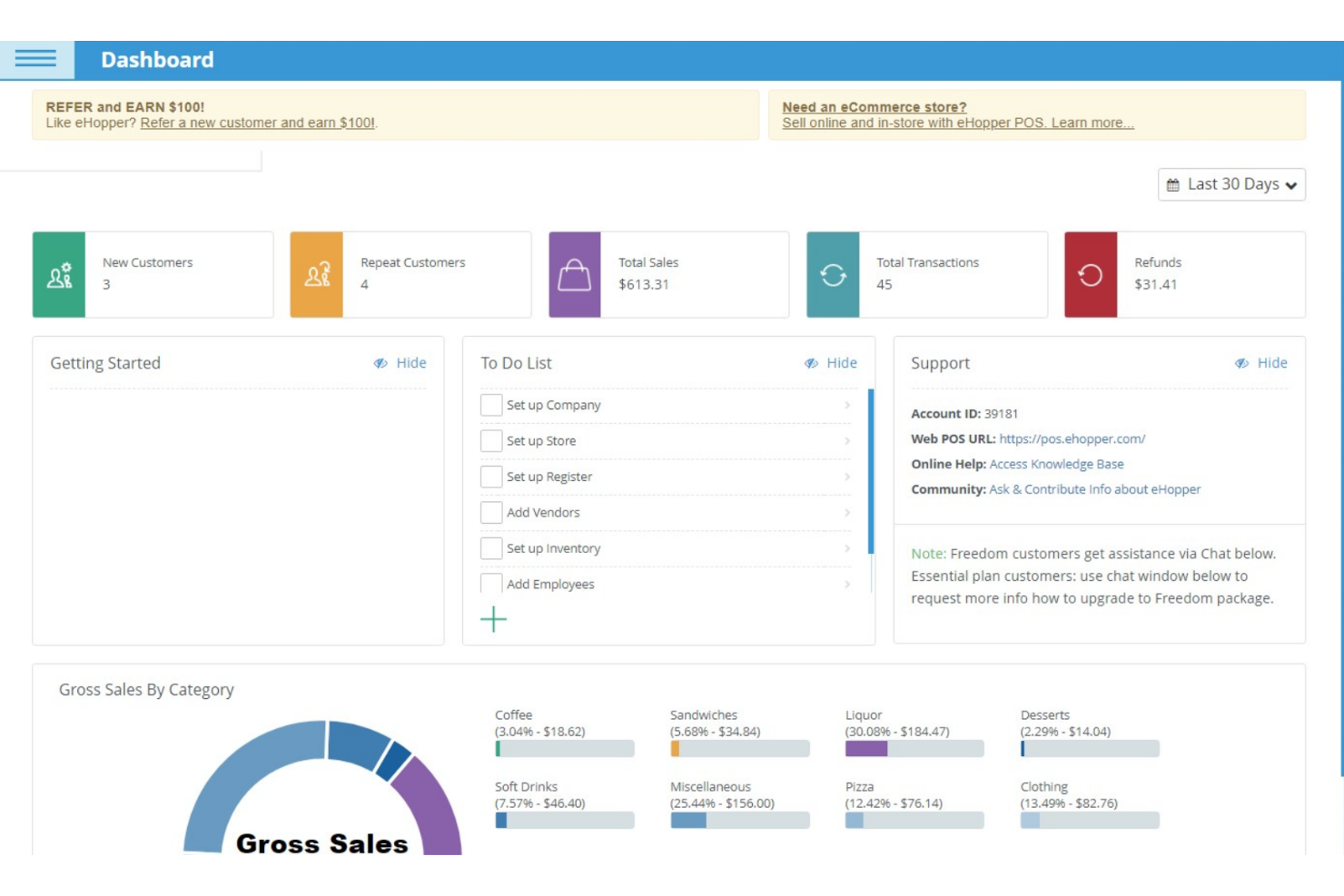
When judging eHopper POS against other options, I think its low pricing, simple interface, and quick onboarding make it a smart pick for small shops, cafes, and food trucks. You get core features like inventory tracking, multi-register support, and basic reporting, but you won’t find advanced analytics or deep integrations.
If you’re selecting a POS for straightforward sales and want responsive support, eHopper POS delivers. However, if you need complex loyalty programs or custom integrations, you may find that it underperforms. For most budget-conscious, single-location businesses, it’s a practical, easy-to-learn choice.
pros
-
You can easily manage sales and inventory with its intuitive interface.
-
It offers effective order management that enhances customer satisfaction.
-
Its multi-language support helps you serve a diverse clientele.
cons
-
You might find the reporting features limited compared to other options.
-
The software can occasionally experience lag during high-volume transactions.
-
Some users have noted that the customization options are somewhat restricted.
La Nostra Metodologia di Recensione
Come Testiamo e Valutiamo gli Strumenti
Abbiamo trascorso anni a costruire, perfezionare e migliorare il nostro sistema di test e valutazione dei software. Il nostro schema di valutazione è progettato per cogliere le sfumature della selezione dei software e per comprendere cosa rende uno strumento efficace, concentrandosi su aspetti critici del processo decisionale. Qui sotto puoi vedere esattamente come funzionano i nostri test e valutazioni attraverso sette criteri. Questo ci permette di fornire una valutazione imparziale del software basata su funzionalità principali, caratteristiche distintive, facilità d’uso, onboarding, supporto clienti, integrazioni, recensioni dei clienti e rapporto qualità-prezzo.
Funzionalità di base (25% della valutazione finale)
Il punto di partenza della nostra valutazione è sempre la funzionalità principale dello strumento. Ha le funzioni e le caratteristiche di base che un utente si aspetterebbe? Alcune di queste funzionalità sono bloccate a piani tariffari di livello superiore? Alla base, ci aspettiamo che uno strumento regga il confronto con le capacità minime dei suoi concorrenti.
Caratteristiche distintive (25% della valutazione finale)
Successivamente valutiamo caratteristiche distintive e non comuni che vadano oltre la normale funzionalità presente in strumenti simili. Un punteggio alto riflette funzionalità specializzate o uniche che rendono il prodotto più veloce, efficiente o che offrano valore aggiunto all’utente. Valutiamo anche quanto sia facile integrare il software con altri strumenti della consueta infrastruttura tecnologica per espanderne la funzionalità e l’utilità. Gli strumenti che offrono molte integrazioni native, connessioni di terze parti e accesso API per costruire integrazioni personalizzate ottengono il punteggio più alto.
Facilità d’uso (10% della valutazione finale)
Consideriamo quanto sia rapido e semplice eseguire le attività definite nelle funzionalità di base utilizzando lo strumento. I software che ottengono un punteggio alto sono ben progettati, intuitivi, offrono app mobili, modelli pronti e rendono compiti complessi relativamente semplici.
Onboarding (10% della valutazione finale)
Sappiamo quanto sia importante una rapida adozione da parte del team per una nuova piattaforma, quindi valutiamo quanto sia facile imparare a usare uno strumento con una formazione minima. Esaminiamo quanto tempo impiega un membro del team a configurarsi e iniziare a utilizzare lo strumento senza esperienza. Le soluzioni con punteggi elevati richiedono poco o nessun supporto.
Supporto clienti (10% della valutazione finale)
Valutiamo quanto sia rapido e facile ricevere assistenza e trovare aiuto tramite telefono, live chat o base di conoscenza. Gli strumenti e le aziende che forniscono un supporto in tempo reale ottengono i punteggi migliori, mentre i chatbot hanno i punteggi più bassi.
Recensioni dei clienti (10% della valutazione finale)
Oltre ai nostri test e valutazioni, consideriamo il net promoter score dei clienti attuali e passati. Esaminiamo la loro propensione, data la possibilità, a scegliere nuovamente lo strumento per le sue funzionalità di base. Un punteggio elevato riflette un alto net promoter score da clienti attuali o passati.
Rapporto qualità-prezzo (10% della valutazione finale)
Infine, considerando tutti gli altri criteri, valutiamo il prezzo medio dei piani base rispetto alle funzionalità fondamentali e teniamo in considerazione il valore degli altri criteri di valutazione. Il software che offre di più, a meno, ottiene punteggi più alti.
Core Features
Inventory Management
Track stock levels, receive low inventory alerts, and manage products in real time. This helps you avoid stockouts and keep your catalog up to date.
Customer Management
Save customer profiles and purchase history for faster checkout and targeted marketing. You can easily access customer data during transactions.
Loyalty Program
Offer rewards through physical cards or mobile numbers directly from the POS. This feature is fully integrated and helps boost repeat business.
Multi-Device Compatibility
Use eHopper POS on Android tablets, Windows PCs, and mobile terminals. This flexibility lets you run sales anywhere in your store or on the go.
Order Management
Monitor orders from creation to fulfillment, including dine-in, takeout, and delivery. Add special notes for custom requests and track order status easily.
Free Card Processing
Accept credit and debit payments with 0% card fees for US customers. This can significantly reduce your payment processing costs.
Ease of Use
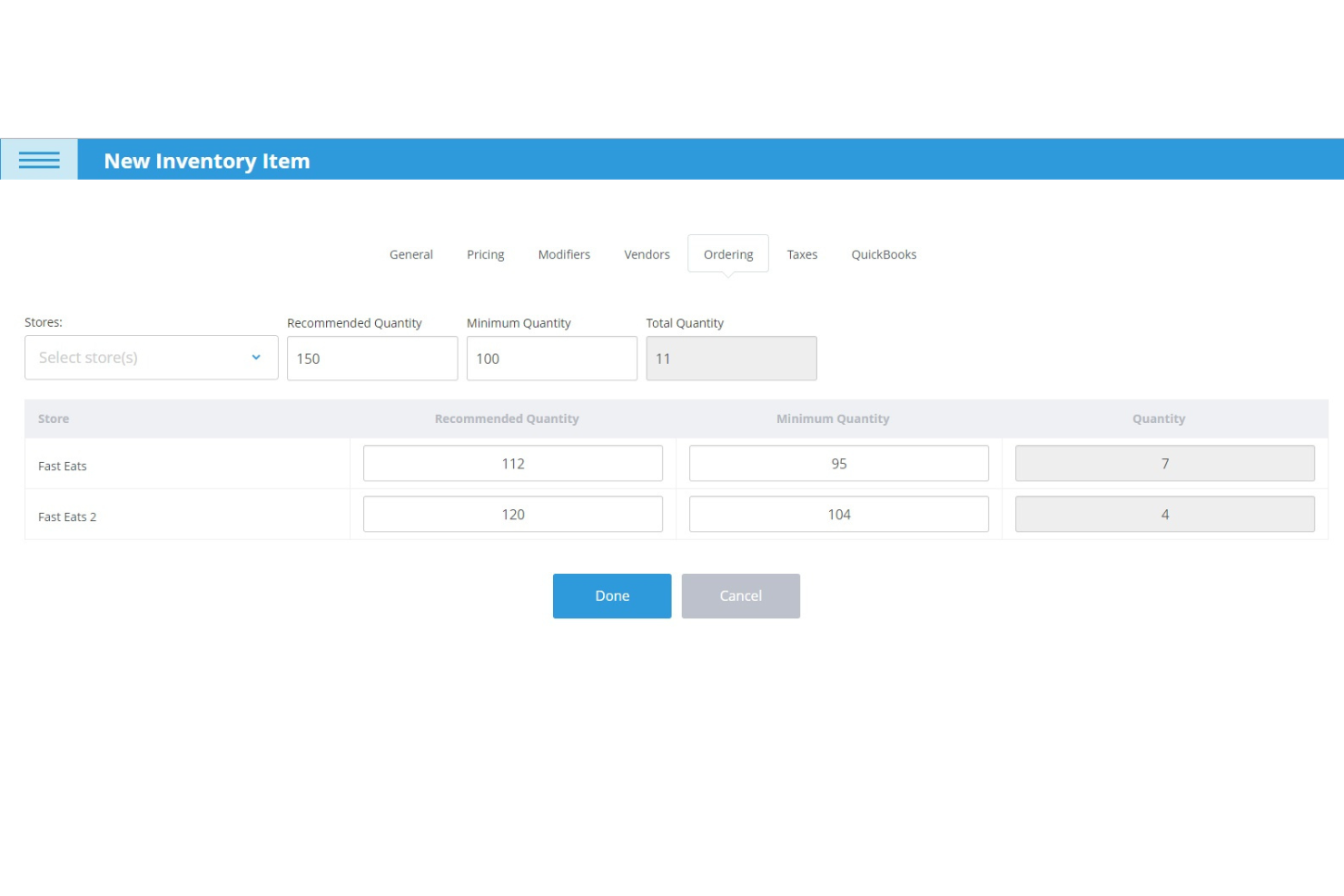
eHopper POS is refreshingly straightforward, with a clean interface that makes checkout, inventory, and customer management easy to learn and use. Most users say setup takes minutes, not hours, and the touchscreen layout is intuitive for staff with little training.
The system’s guided onboarding and simple navigation help small teams get up and running fast, though some users wish for more advanced options as their business grows.
Integrations
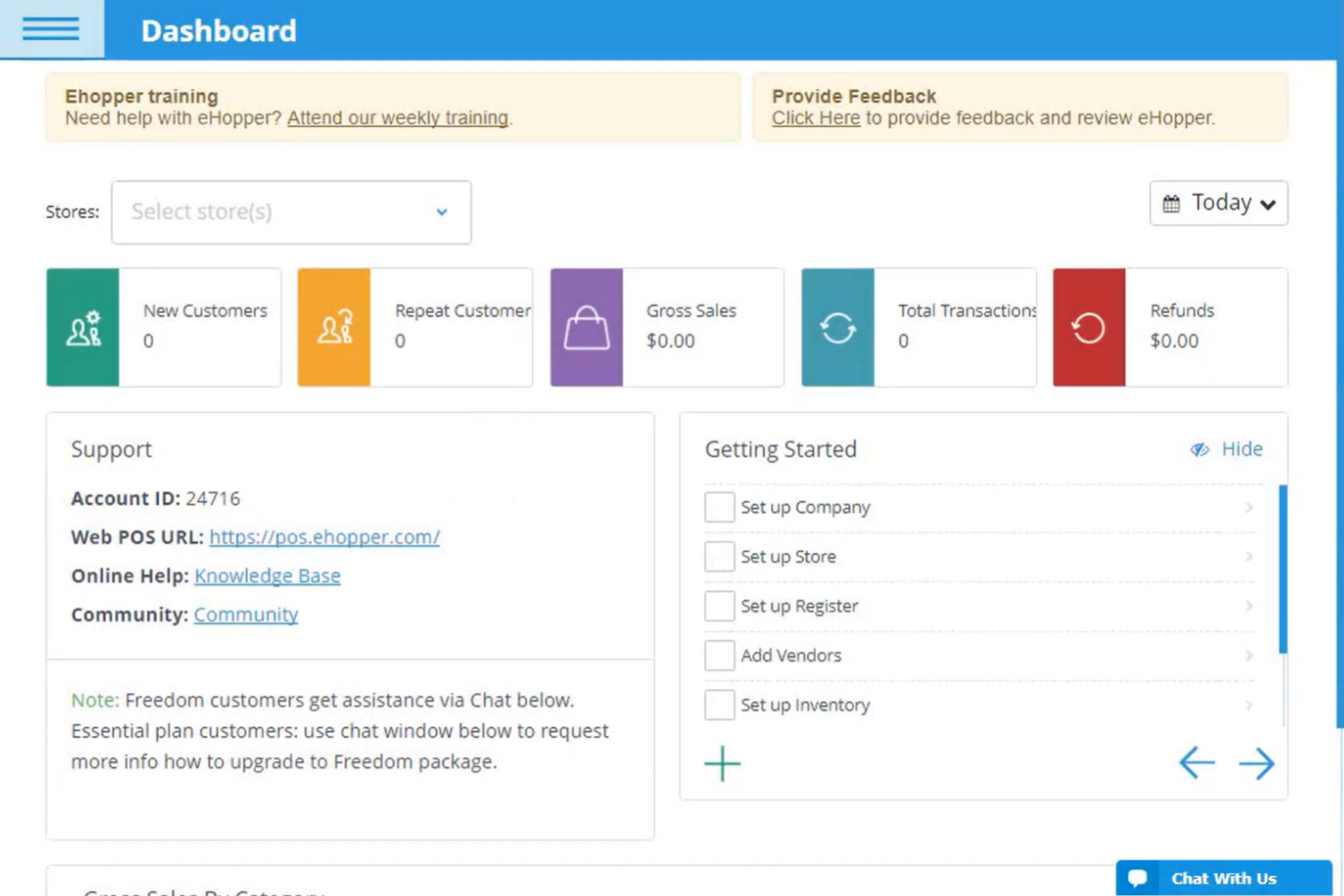
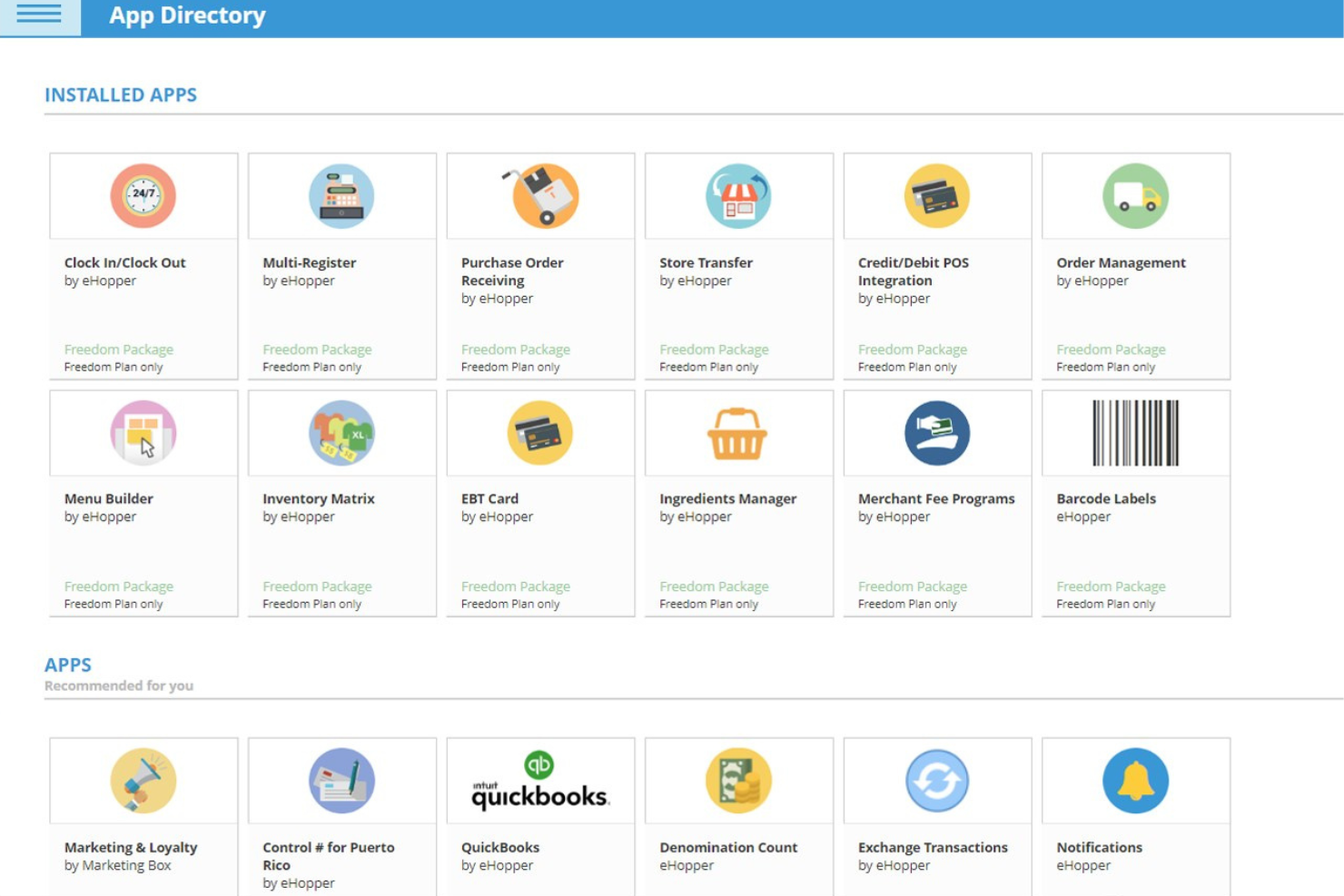
eHopper POS integrates with QuickBooks Online, Poynt smart terminals, Pax payment terminals, Valor POS hardware, self-service kiosks, kitchen display systems, eHopper eCommerce, digital signage, cash discount programs, and surcharges.
eHopper POS also offers an API and supports additional apps through its app directory for expanded functionality.
eHopper Specs
- 2-Factor Authentication
- A/B Testing
- Analytics
- API
- BitCoin
- Conversion Tracking
- Dashboard
- Data Export
- Data Import
- Data Visualization
- Design Templates
- External Integrations
- Inventory Tracking
- Keyword Tracking
- Marketing Automation
- Multi-User
- Notifications
- Order Management
- Payment Gateway Integration
- Payment Processor
- PayPal
- Product Catalog
- Review Monitoring
- SAP Integration
- Scheduling
- Stripe
- Third-Party Plugins/Add-Ons