

Il software per pannelli menu digitali ti consente di controllare e aggiornare i tuoi menu su ogni schermo della tua attività da un unico punto. Per i gruppi di negozi e ristoranti che gestiscono decine o centinaia di sedi, lo strumento giusto risolve il caos delle promozioni dell'ultimo minuto, delle modifiche ai prezzi e degli aggiornamenti di conformità, senza settimane di lavoro manuale.
In questa guida troverai le mie scelte di 2026 per i software per pannelli menu digitali più adatti ai team con più sedi che necessitano di supervisione centralizzata, integrazione con il POS, coerenza del marchio e visibilità operativa. Scopri come queste soluzioni ti permettono di mantenere i tuoi menu chiari, adattabili e sempre sincronizzati.
Perché fidarsi dei nostri consigli sui software
6,700+
Reviews
20
Industry experts
16+
Evaluation factors
14
Years
Il nostro team testa e recensisce software dal 2012. In quanto leader del retail noi stessi, sappiamo quanto sia difficile — e importante — scegliere il software giusto.
Per questa guida, abbiamo valutato gli strumenti attraverso test pratici e ricerche indipendenti, assegnando un punteggio agli strumenti in base ai nostri criteri di selezione.
Le nostre recensioni riflettono il nostro giudizio indipendente, non un discorso di vendita.
Tabella comparativa dei software per pannelli menu digitali
Questa tabella comparativa riassume i dettagli sui prezzi delle mie migliori selezioni di software per pannelli menu digitali:
| Tool | Best For | Trial Info | Price | ||
|---|---|---|---|---|---|
| 1 | Ideale per la supervisione delle flotte di schermi per menu digitali basata sull'AI | Prova gratuita di 14 giorni + dimostrazione gratuita disponibile | Prezzo su richiesta | Website | |
| 2 | Ideale per la programmazione di menu e annunci su più sedi | Demo gratuita disponibile | Prezzi su richiesta | Website | |
| 3 | Ideale per implementazioni di pannelli menu indipendenti dall'hardware | Prova gratuita di 14 giorni + demo gratuita disponibile | A partire da $20/schermo/mese (con fatturazione annuale) | Website | |
| 4 | Ideale per implementazioni complete e curate dei pannelli menu | Prova gratuita + demo gratuita disponibili | A partire da $15/mese (fatturato annualmente) | Website | |
| 5 | Ideale per la segnaletica aziendale su più sedi | Demo gratuita disponibile | Prezzi su richiesta | Website | |
| 6 | Ideale per la programmazione QSR per fasce orarie in più sedi | Prova gratuita di 30 giorni + demo gratuita disponibile | A partire da $14/schermo/mese (con fatturazione annuale) | Website | |
| 7 | Ideale per la gestione delle schede menu digitali certificata SOC 2 | Prova gratuita di 14 giorni + demo gratuita disponibile | A partire da $3.5/dispositivo/mese (con fatturazione annuale) | Website | |
| 8 | Ideale per implementazioni di menu digitali nativi per Apple TV | Prova gratuita di 14 giorni + demo gratuita disponibile | A partire da $7/schermo/mese (con fatturazione annuale) | Website | |
| 9 | Ideale per la gestione di pannelli menu con licenza perpetua | Demo gratuita disponibile | A partire da $450 una tantum | Website | |
| 10 | Ideale per la gestione aziendale delle flotte di menu board | Demo gratuita disponibile | A partire da $14/mese/lettore | Website |


Recensioni dei software per pannelli menu digitali
Di seguito trovi i miei riepiloghi dettagliati dei migliori software per pannelli menu digitali entrati nella mia selezione. Le mie recensioni offrono una panoramica dettagliata delle funzionalità, delle capacità e delle integrazioni di ogni software, per aiutarti a trovare quello più adatto alle tue esigenze.
 Ideale per la supervisione delle flotte di schermi per menu digitali basata sull'AI
- Prova gratuita di 14 giorni + dimostrazione gratuita disponibile
- Prezzo su richiesta
Visit WebsiteCustomer Rating:4.5/5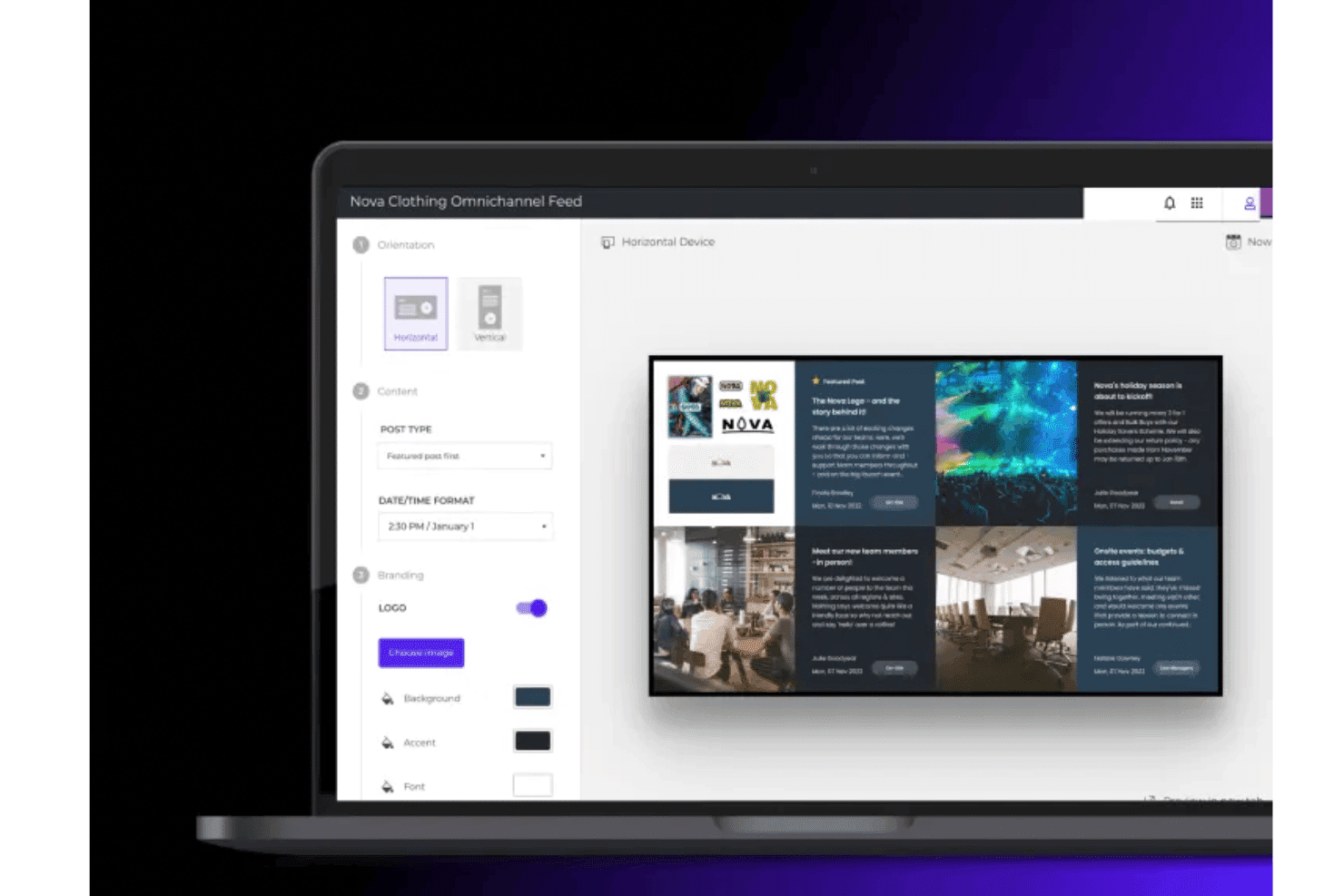
Poppulo consente ai team di creare e personalizzare disposizioni grafiche per menu digitali con contenuti del marchio, immagini e flussi dinamici. Poppulo è una piattaforma aziendale per la segnaletica digitale che combina la gestione dei contenuti basata sul cloud, la programmazione su più schermi, il monitoraggio remoto della flotta e l'integrazione di flussi di dati in tempo reale per gestire implementazioni di menu digitali su larga scala in sedi distribuite.
A chi è più adatto Poppulo?
Poppulo è una soluzione particolarmente adatta alle catene di vendita al dettaglio aziendali e agli operatori di franchising che necessitano di una governance centralizzata su grandi flotte di schermi distribuite in centinaia o migliaia di sedi.
Perché ho scelto Poppulo
Ho scelto Poppulo come una delle soluzioni migliori perché il suo agente AI cambia concretamente il modo in cui vengono gestite le flotte di schermi per menu digitali su larga scala. Monitora la riproduzione dei contenuti e i dati dei dispositivi su migliaia di schermi, segnala le anomalie e mette automaticamente in evidenza le tendenze relative alle prestazioni dei contenuti. Grazie al monitoraggio dello stato dei dispositivi in tempo reale e allo strumento di monitoraggio dello stato dei dispositivi, il team IT può individuare uno schermo non in linea in una sede specifica prima che se ne accorga chiunque in quel punto vendita.
Funzionalità principali di Poppulo
- Programmazione per fasce orarie: sostituisce automaticamente i contenuti in base all'ora del giorno in tutte le sedi senza interventi manuali, includendo colazione, pranzo, cena e altri intervalli di tempo definiti.
- Autorizzazioni di pubblicazione basate sui ruoli: consente di impostare controlli di accesso granulari affinché i team aziendali regolino gli standard del marchio, mentre i team locali pubblicano contenuti entro limiti definiti.
- Report sulla riproduzione effettiva: permette di monitorare esattamente quali contenuti sono stati riprodotti, su quale schermo e a che ora, risultando utile per verificare la spesa di marketing cooperativo e la conformità degli affiliati.
- Moduli di dati in tempo reale: integra direttamente sugli schermi dati provenienti in tempo reale da meteo, social media, KPI aziendali e fonti RSS senza richiedere l'accesso degli utenti.
Integrazioni di Poppulo
Poppulo offre integrazioni native rilevanti per le implementazioni di menu digitali, tra cui Oracle Hospitality Integration Platform (OHIP), Salesforce, Microsoft Power BI, Tableau e altro ancora.
Pros and Cons
Pros:
- L'AI monitora lo stato dei dispositivi e la riproduzione in tempo reale
- La programmazione per fasce orarie automatizza la sostituzione dei contenuti dei menu digitali
- La riproduzione effettiva conferma i requisiti delle campagne e di conformità
Cons:
- Richiede formazione iniziale professionale e assistenza per la configurazione
- Eccessivamente complesso per le attività con una sola sede
Learn more about Poppulo: Ideale per la programmazione di menu e annunci su più sedi
- Demo gratuita disponibile
- Prezzi su richiesta
Visit WebsiteCustomer Rating:4.6/5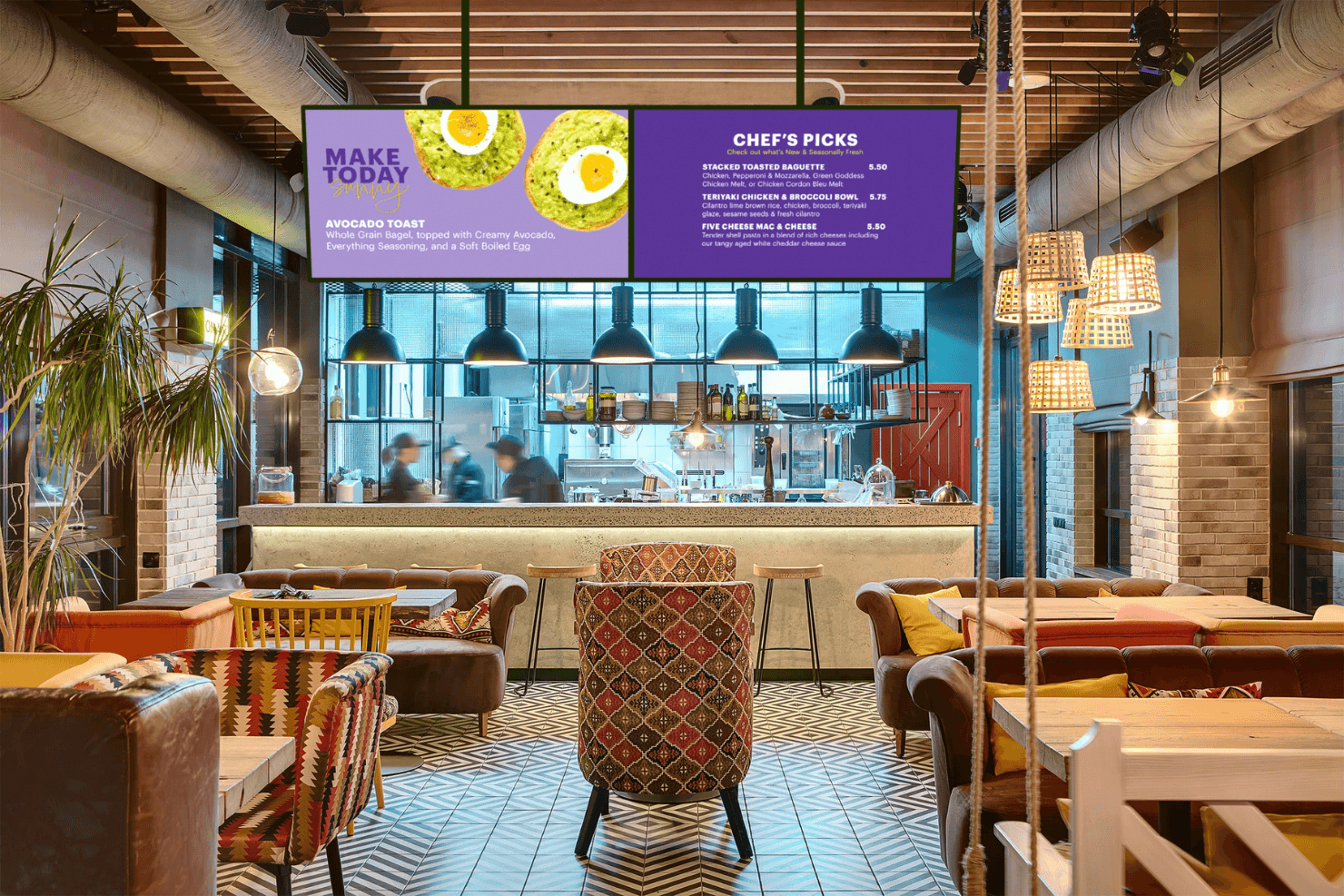
Spectrio alimenta i menu board digitali dei ristoranti con contenuti dinamici. Spectrio è una piattaforma basata sul cloud per menu board e segnaletica digitale che combina la gestione dei contenuti su più schermi, la programmazione basata sulle fasce orarie, la misurazione del pubblico e uno strumento di programmazione degli annunci per la visualizzazione di menu e promozioni guidata dalle campagne su reti di grandi schermi.
Per chi è più adatto Spectrio?
Spectrio è particolarmente adatto ai gestori di franchising e catene che amministrano i contenuti degli schermi in decine o centinaia di sedi.
Perché ho scelto Spectrio
Spectrio si è guadagnato un posto nella mia selezione perché è davvero progettato per i gestori che amministrano schermi in decine o centinaia di sedi. Apprezzo molto il modo in cui gli strumenti di programmazione degli annunci e di gestione per fasce orarie lavorano insieme, consentendo di automatizzare la sostituzione dei menu in base all'orario e di distribuire campagne promozionali specifiche per sede da un'unica interfaccia cloud. Il livello di gestione del franchising è ciò che lo distingue davvero: i team aziendali possono bloccare i contenuti fondamentali per il marchio, lasciando comunque alle singole sedi la possibilità di personalizzare.
Caratteristiche principali di Spectrio
- Misurazione Spectrio: Utilizza sensori radar e di visione artificiale per monitorare in tempo reale i dati demografici del pubblico, il tempo di permanenza e l'occupazione, con supporto per i test A/B dei contenuti.
- Rete di media retail: Consente di monetizzare fino al 30% dell'inventario degli schermi pubblicando annunci programmatici dei marchi insieme ai propri messaggi promozionali in negozio.
- Sovrascrittura dei messaggi di emergenza: Invia istantaneamente avvisi di emergenza e contenuti relativi alla sicurezza a ogni schermo connesso direttamente dal CMS.
- Chioschi touchscreen interattivi: Supporta chioschi da banco e indipendenti per l'orientamento self-service, l'esplorazione dei prodotti e il coinvolgimento con il marchio.
Integrazioni di Spectrio
Spectrio offre integrazioni native con Google Sheets, Slack e Google Calendar, oltre al supporto per i dispositivi dei partner hardware BrightSign, Samsung Tizen e LG WebOS.
Pros and Cons
Pros:
- Misurazione del pubblico e attivazione dei contenuti basate sull'intelligenza artificiale
- Supporta programmazioni promozionali complesse su più sedi
- Rete di media retail per ricavi pubblicitari in negozio
Cons:
- L'integrazione POS non è ancora completamente disponibile
- Segnalati problemi di affidabilità dei dispositivi hardware
Learn more about Spectrio: 3Ideale per implementazioni di pannelli menu indipendenti dall'hardware
Fugo
- Prova gratuita di 14 giorni + demo gratuita disponibile
- A partire da $20/schermo/mese (con fatturazione annuale)
Visit WebsiteCustomer Rating:4.5/5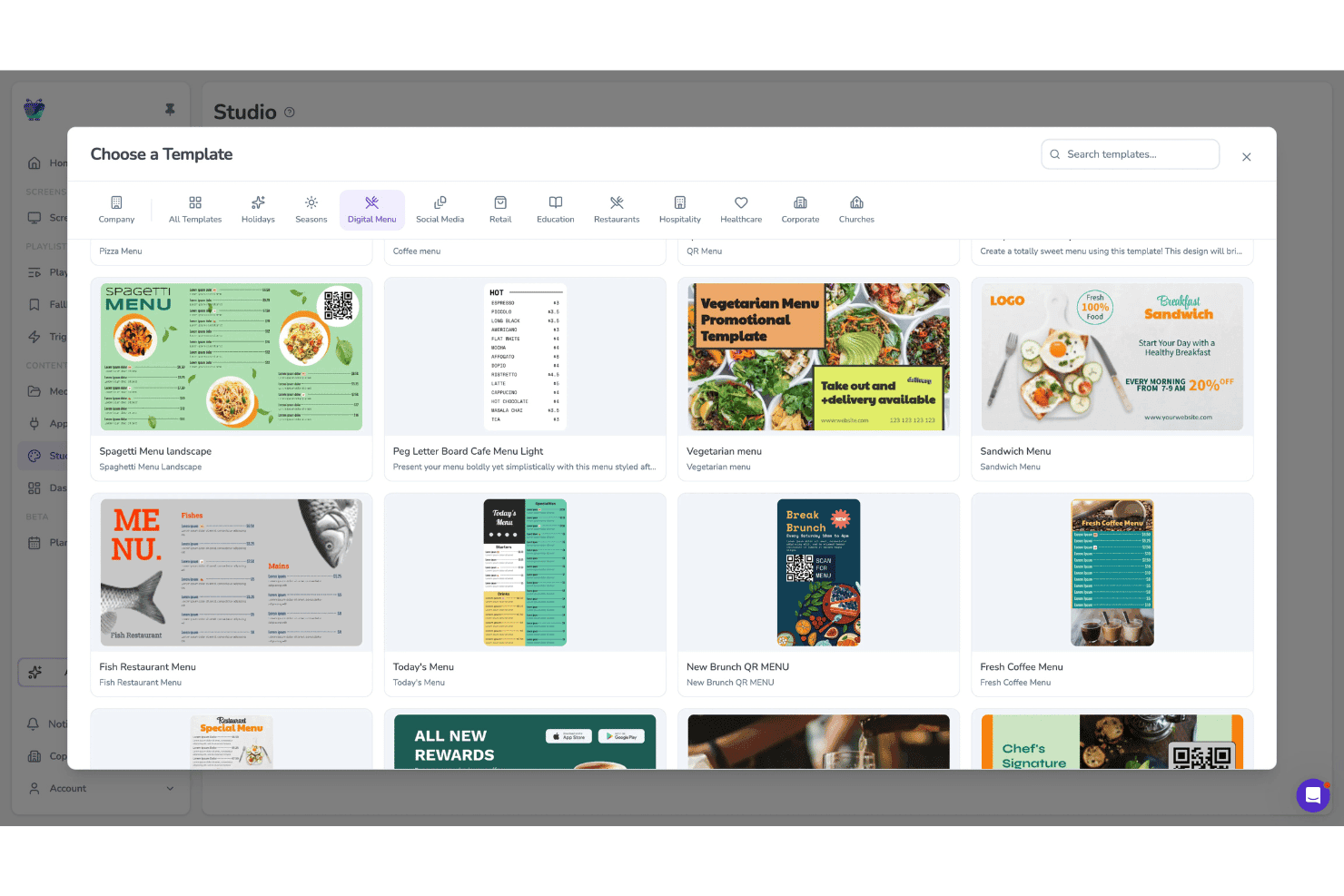
Fugo consente agli utenti di scegliere tra modelli di menu digitali per gli schermi. Fugo è una piattaforma basata sul cloud per pannelli menu digitali e segnaletica digitale che combina uno studio di progettazione con trascinamento, la programmazione su più schermi con gestione per fasce orarie, la gestione remota della flotta e un'app lettore indipendente dall'hardware.
Per chi è più adatto Fugo?
Fugo è particolarmente adatto agli operatori della ristorazione e della vendita al dettaglio con più sedi che devono gestire contenuti per pannelli menu su una flotta hardware eterogenea senza essere vincolati a display proprietari.
Perché ho scelto Fugo
Fugo si è guadagnato un posto nella mia rosa di candidati perché funziona praticamente con qualsiasi hardware per schermi già in tuo possesso, dalle chiavette Amazon Fire TV ai display Samsung Tizen fino alle unità Raspberry Pi, evitando così di dover acquistare hardware proprietario. Sono particolarmente colpito dall'app dedicata per i menu digitali, che consente di creare e aggiornare i pannelli menu direttamente nel CMS, includendo indicatori di prodotto esaurito e icone degli allergeni che si sincronizzano in ogni sede nel momento stesso della pubblicazione.
Funzionalità principali di Fugo
- Programmatore per fasce orarie: Imposta regole per i contenuti in base all'ora del giorno, al giorno della settimana e alle festività, così che le playlist dei pannelli menu cambino automaticamente senza aggiornamenti manuali.
- Editor della tela a più zone: Crea layout per gli schermi con più zone di contenuto indipendenti, supportando fianco a fianco contenuti multimediali, sovrapposizioni di testo e widget con dati in tempo reale.
- Report di verifica della riproduzione: Accedi ai registri di riproduzione che confermano quali contenuti sono stati trasmessi, su quale schermo e quando; la funzione è disponibile nei piani Core ed Enterprise.
- Visualizzazione delle icone degli allergeni: Aggiungi e aggiorna direttamente nell'app per i menu digitali le icone relative alle esigenze alimentari e agli allergeni per ogni voce del menu, con modifiche sincronizzate istantaneamente su tutti gli schermi collegati.
Integrazioni di Fugo
Fugo offre integrazioni con Power BI, Looker, Workspace e altri strumenti, oltre a pareti social per Facebook e X. I sistemi POS si collegano tramite API; nel piano Enterprise è disponibile un'API REST per le integrazioni personalizzate.
Pros and Cons
Pros:
- Funziona con quasi qualsiasi hardware per schermi già esistente
- App per i menu digitali integrata per i ristoranti
- Le icone relative agli allergeni e alla conformità si aggiornano istantaneamente
Cons:
- Non sono disponibili connettori POS pronti all'uso
- Alcune funzionalità touchscreen risultano inaffidabili
Learn more about Fugo: Ideale per implementazioni complete e curate dei pannelli menu
- Prova gratuita + demo gratuita disponibili
- A partire da $15/mese (fatturato annualmente)
Visit WebsiteCustomer Rating:4.7/5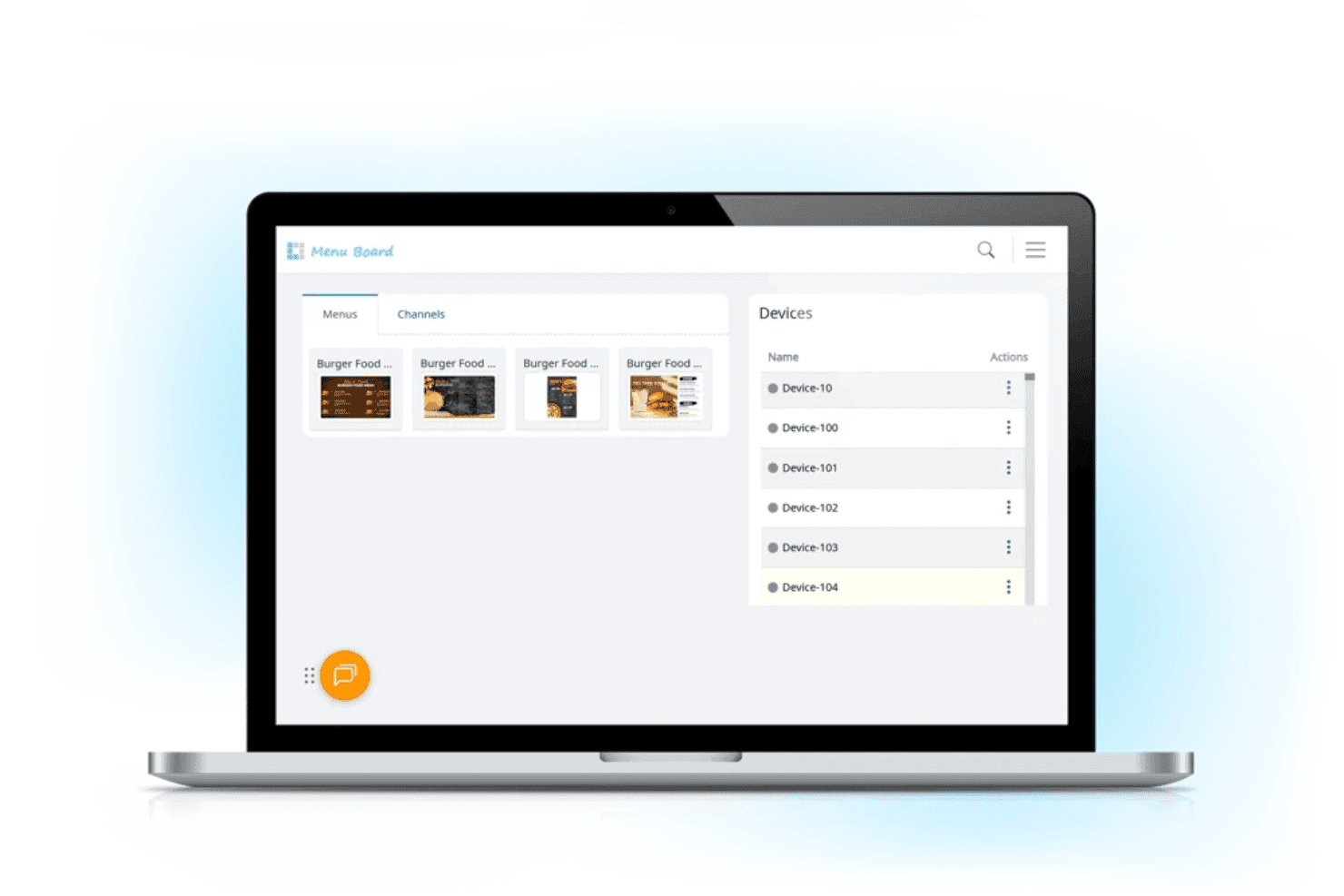
L Squared consente ai team dei ristoranti di gestire i contenuti dei menu digitali e i dispositivi di visualizzazione collegati da un pannello di controllo centralizzato. L Squared è una piattaforma cloud per pannelli menu digitali e segnaletica, progettata per operatori con più sedi, che combina un CMS centralizzato, la programmazione automatizzata per fasce orarie, una libreria di oltre 150 componenti e il supporto per chioschi con schermo tattile.
Per chi è più adatto L Squared?
L Squared è particolarmente adatto a operatori aziendali e franchisee che desiderano un'implementazione completa e gestita dall'inizio alla fine, inclusi l'approvvigionamento dell'hardware, l'installazione e il supporto continuo.
Perché ho scelto L Squared
Ho scelto L Squared come una delle soluzioni migliori per la completezza con cui gestisce le implementazioni dei pannelli menu dall'inizio alla fine, dall'approvvigionamento dell'hardware all'installazione e al supporto continuo. Ciò che trovo davvero impressionante è la gestione intelligente dei contenuti per fascia oraria, che alterna automaticamente i menu della colazione, del pranzo e della cena secondo una programmazione, senza che nessuno debba intervenire nel pannello di controllo. A questo si aggiunge una governance di livello aziendale su oltre 10.000 schermi, che offre agli operatori con più sedi un'implementazione completamente gestita, difficile da replicare con uno strumento autonomo.
Funzionalità principali di L Squared
- Libreria di componenti con dati in tempo reale: Accedi a oltre 50 componenti con il piano Professionale, inclusi meteo, notizie, flussi dei social network e risultati sportivi in tempo reale, per visualizzare contenuti contestuali su qualsiasi schermo.
- Controllo degli accessi basato sui ruoli: Assegna autorizzazioni fino al livello del singolo schermo, con SSO e autenticazione a più fattori integrati per la gestione dei team aziendali.
- Sovrascrittura per i messaggi di emergenza: Invia istantaneamente avvisi di sicurezza o comunicazioni urgenti a tutti gli schermi collegati, interrompendo automaticamente i contenuti programmati.
- Supporto per chioschi con schermo tattile: Implementa schermi tattili interattivi per gli ordini autonomi, la scoperta dei prodotti, l'orientamento e la consultazione delle informazioni su allergeni o valori nutrizionali.
Integrazioni di L Squared
L Squared offre oltre 100 integrazioni basate su componenti e connessioni native nell'ecosistema Microsoft, tra cui Microsoft 365, Power BI e Teams, oltre a Cisco Meraki, Achievers e altro ancora.
Pros and Cons
Pros:
- I contenuti dei menu si adattano automaticamente in base all'orario
- Supporto per chioschi con schermo tattile per un utilizzo interattivo
- Controlli di verifica e dei dispositivi di livello aziendale
Cons:
- Processo di avvio lento per le prime implementazioni
- In un'analisi sono state segnalate frequenti interruzioni del servizio
Learn more about L Squared: Ideale per la segnaletica aziendale su più sedi
- Demo gratuita disponibile
- Prezzi su richiesta
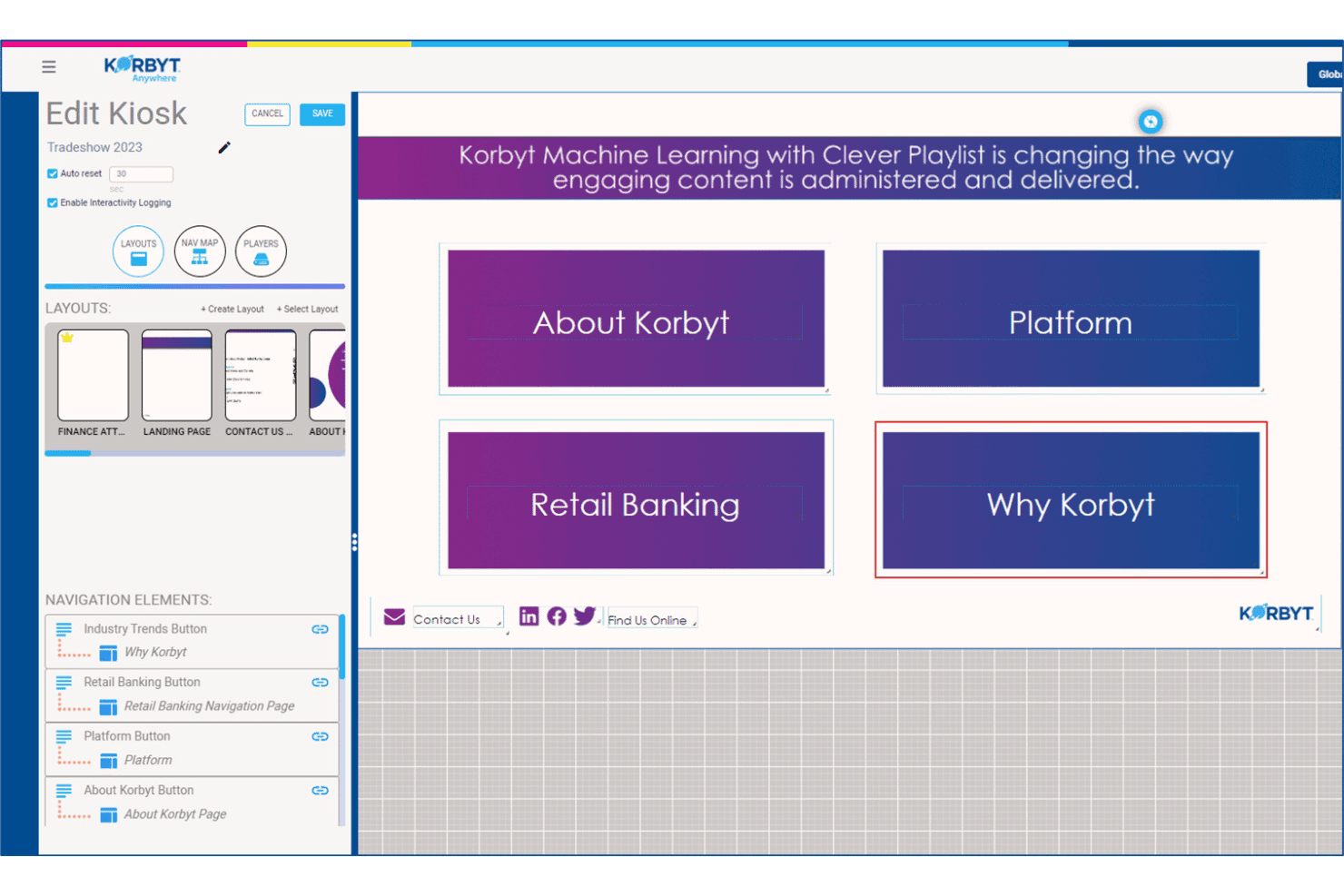
Korbyt consente agli utenti di creare e gestire layout di navigazione interattivi per chioschi. Korbyt è una piattaforma aziendale di segnaletica digitale che offre gestione dei contenuti, programmazione su più schermi, analisi del pubblico e creazione di contenuti basata sull'IA attraverso reti di schermi su larga scala.
A chi è più adatto Korbyt?
Korbyt è particolarmente adatto ai team IT e di comunicazione aziendali che gestiscono reti di schermi distribuite su larga scala in decine o centinaia di sedi.
Perché ho scelto Korbyt
Korbyt si è guadagnato un posto nella mia rosa ristretta perché nessun'altra piattaforma che ho testato eguaglia la sua capacità di governare i contenuti contemporaneamente in centinaia di sedi. Mi attirano in particolare le Clever Playlists, il suo motore di programmazione basato sull'apprendimento automatico che adatta automaticamente ciò che viene riprodotto su ogni schermo in base alla sede, alla fascia oraria e agli attivatori di dati in tempo reale, senza intervento manuale. Abbinando questa funzione a flussi di lavoro di approvazione basati sui ruoli e a controlli di protezione del marchio, i team regionali possono aggiornare i propri schermi senza compromettere gli standard del marchio.
Funzionalità principali di Korbyt
- Analisi del pubblico Korbyt Optics: Un componente aggiuntivo basato su una videocamera USB che rileva la presenza degli spettatori e il tempo di permanenza davanti agli schermi, attivando sostituzioni dei contenuti in tempo reale in base al pubblico rilevato.
- Agente di generazione dei contenuti CreateAI: Genera immagini per la segnaletica conformi al marchio a partire da un prompt testuale, utilizzando i loghi, i caratteri e i colori del marchio memorizzati.
- Editor di layout multizona: Un designer con funzionalità di trascinamento che consente di dividere un singolo schermo in zone di contenuto indipendenti, ciascuna gestita da team o fonti di dati diversi.
- Sovrascrittura per i messaggi di emergenza: Invia istantaneamente avvisi urgenti a tutti gli schermi collegati, interrompendo qualsiasi playlist attiva sull'intera rete di sedi.
Integrazioni di Korbyt
Korbyt offre integrazioni native con ServiceNow, Cisco Webex, Zoom Rooms, Crestron, Barco ClickShare, Adobe Experience Manager, Google Drive, Dropbox, Box e integrazioni con l'ecosistema Microsoft.
Pros and Cons
Pros:
- Gestisce facilmente la governance dei contenuti per più marchi
- Supporta implementazioni locali, cloud e ibride
- Strumenti integrati per la misurazione del pubblico basati su videocamera
Cons:
- Non offre funzioni di sincronizzazione delle voci dei menu per il commercio al dettaglio
- Si concentra sulla segnaletica aziendale e bancaria
Learn more about Korbyt: Ideale per la programmazione QSR per fasce orarie in più sedi
- Prova gratuita di 30 giorni + demo gratuita disponibile
- A partire da $14/schermo/mese (con fatturazione annuale)
Visit WebsiteCustomer Rating:4.9/5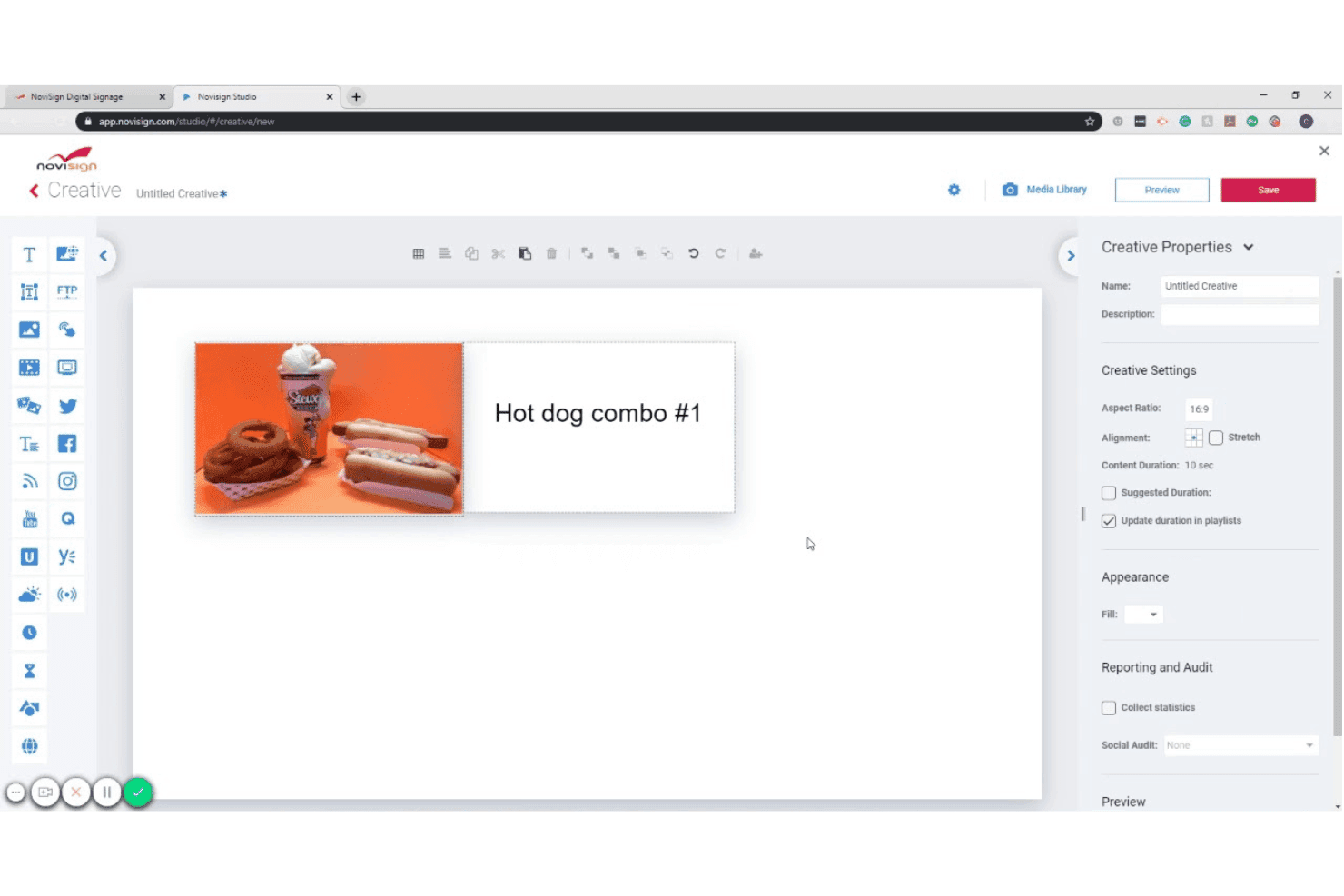
NoviSign consente agli utenti di progettare creatività per la segnaletica digitale con immagini e testo. NoviSign è una piattaforma basata sul cloud per pannelli di menu digitali che combina un editor di contenuti con funzionalità di trascinamento, la programmazione per fasce orarie, integrazioni con dati in tempo reale e la gestione degli schermi in più sedi su Android, Samsung Tizen, LG webOS, BrightSign e altri sistemi operativi per display.
Per chi è più adatto NoviSign?
NoviSign è particolarmente adatto agli operatori di ristoranti QSR e fast-casual che gestiscono i contenuti dei pannelli di menu in più sedi.
Perché ho scelto NoviSign
NoviSign è entrato nella mia lista ristretta perché la sua automazione della programmazione per fasce orarie gestisce molto bene la complessità degli orari con cui gli operatori QSR devono confrontarsi in decine o centinaia di sedi. Mi piace il fatto che si possano creare playlist illimitate associate a fasce orarie specifiche, come colazione, pranzo, cena e aperitivo, e farle passare automaticamente senza che nessuno debba intervenire sugli schermi. Anche la sincronizzazione nativa con il POS Toast è un vero elemento distintivo: invia i prezzi dei menu e la disponibilità degli articoli in tempo reale direttamente ai pannelli, non appena qualcosa cambia nel POS.
Funzionalità principali di NoviSign
- Oltre 500 modelli di design: Scegli da una raccolta di modelli specifici per settore, inclusi pannelli di menu digitali, vendita al dettaglio e ospitalità, e personalizzali direttamente nell'editor dell'area di lavoro con funzionalità di trascinamento.
- Layout degli schermi a zone multiple: Dividi un singolo display in più zone di contenuto per mostrare contemporaneamente gli articoli del menu in un'area e contenuti promozionali o feed dei social in un'altra.
- Reportistica sulla riproduzione dei contenuti: Genera report che registrano quali contenuti sono stati riprodotti, su quale schermo e quando—utile per verificare il marketing cooperativo e per gli audit di conformità dei contenuti.
- Contenuti attivati da IoT e sensori: Collega lettori RFID, scanner di codici a barre e altri sensori IoT per attivare modifiche contestuali ai contenuti sullo schermo in base a eventi del mondo reale.
Integrazioni di NoviSign
NoviSign offre integrazioni native con Toast POS, Power BI, Tableau e Google Sheets, oltre a connettersi a Zapier per più di 5.000 app aggiuntive. Supporta inoltre le reti pubblicitarie DOOH e fornisce un'API per integrazioni personalizzate.
Pros and Cons
Pros:
- Programmazione centralizzata per più sedi
- Raccolta di modelli per la progettazione dei menu
- Gestione di più marchi con account secondari
Cons:
- Nessun supporto per il lettore iOS
- Numero minimo di schermi per il piano Premium
Learn more about NoviSign: Ideale per la gestione delle schede menu digitali certificata SOC 2
- Prova gratuita di 14 giorni + demo gratuita disponibile
- A partire da $3.5/dispositivo/mese (con fatturazione annuale)
Visit WebsiteCustomer Rating:4.8/5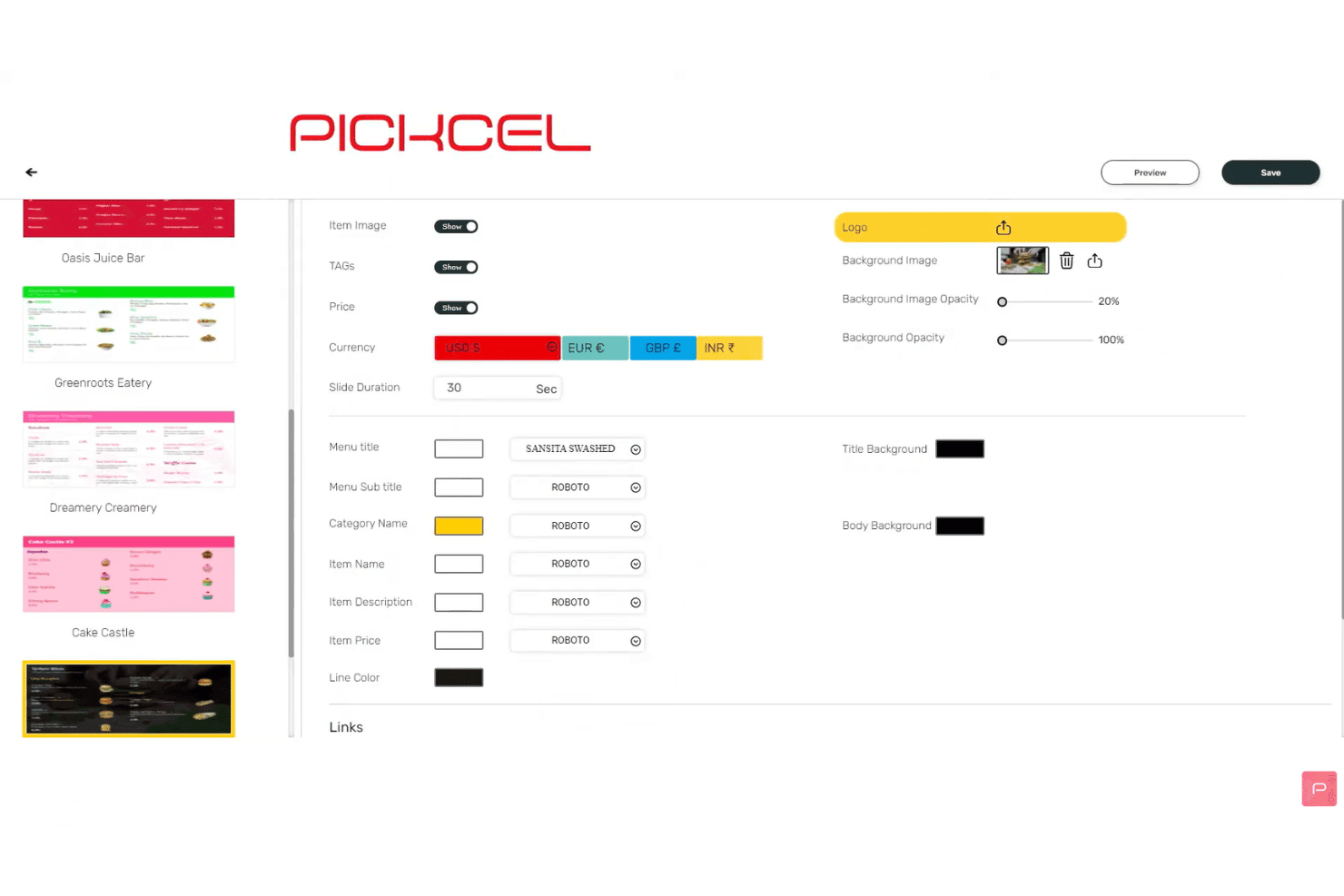
Pickcel consente agli utenti di personalizzare le impostazioni di visualizzazione del menu e i caratteri. Pickcel è una piattaforma basata sul cloud per la gestione di schede menu digitali, con un editor di contenuti con trascinamento, la programmazione automatica per fasce orarie, la pianificazione su più schermi, integrazioni con i dati POS e la gestione remota dell'intero parco dispositivi su oltre 50 tipi di dispositivi.
Per chi è più adatto Pickcel?
Pickcel è una soluzione particolarmente adatta ai team IT e operativi di aziende della ristorazione e del commercio al dettaglio con più sedi, che necessitano di certificazioni di sicurezza di livello aziendale oltre alla gestione quotidiana delle schede menu digitali.
Perché ho scelto Pickcel
Pickcel è entrato nella mia selezione perché è l'unica piattaforma per schede menu digitali che ho trovato a combinare le certificazioni SOC 2 Type II e ISO 27001 con un CMS completo per la gestione delle schede menu digitali, un aspetto importante quando le verifiche sulla sicurezza IT fanno parte del processo di approvvigionamento. Apprezzo in particolare l'opzione di distribuzione in sede, che consente ai marchi soggetti a normative di ospitare autonomamente l'intera piattaforma per ottenere la completa sovranità sui dati. I registri di controllo e i controlli RBAC fanno sì che ogni modifica ai contenuti venga tracciata e autorizzata tra le varie sedi.
Funzionalità principali di Pickcel
- Programmazione automatica per fasce orarie: pianifica il passaggio automatico dei contenuti del menu tra colazione, pranzo, cena e fascia notturna in base all'ora del giorno o al giorno della settimana.
- Flussi di dati da Google Sheets ed Excel: collega fogli di calcolo aggiornati in tempo reale, così che prezzi e articoli del menu vengano aggiornati automaticamente sullo schermo ogni volta che cambiano i dati di origine.
- Editor di layout multizona: suddividi un singolo schermo in più zone di contenuto, ciascuna delle quali può riprodurre simultaneamente contenuti multimediali, widget o contenuti del menu indipendenti.
- Rapporti di verifica della riproduzione: esporta i registri di riproduzione delle campagne e i rapporti sul tempo di attività dei dispositivi come file CSV per verificare la distribuzione dei contenuti sull'intera rete di schermi.
Integrazioni di Pickcel
Pickcel offre integrazioni native con Square, Shopify, Google Sheets, Excel e Canva, oltre alla possibilità di connettersi a Zapier. Sono disponibili un'API REST aperta e webhook per integrazioni personalizzate.
Pros and Cons
Pros:
- Supporta oltre 50 tipi di dispositivi e sistemi operativi
- Cambio automatico dei menu per campagne basate sulle fasce orarie
- Distribuzione in sede con registri di controllo e RBAC
Cons:
- La scelta di modelli è più limitata rispetto ai concorrenti
- Alcune segnalazioni di prestazioni lente del pannello di controllo
Learn more about Pickcel: Ideale per implementazioni di menu digitali nativi per Apple TV
- Prova gratuita di 14 giorni + demo gratuita disponibile
- A partire da $7/schermo/mese (con fatturazione annuale)
Visit WebsiteCustomer Rating:4.5/5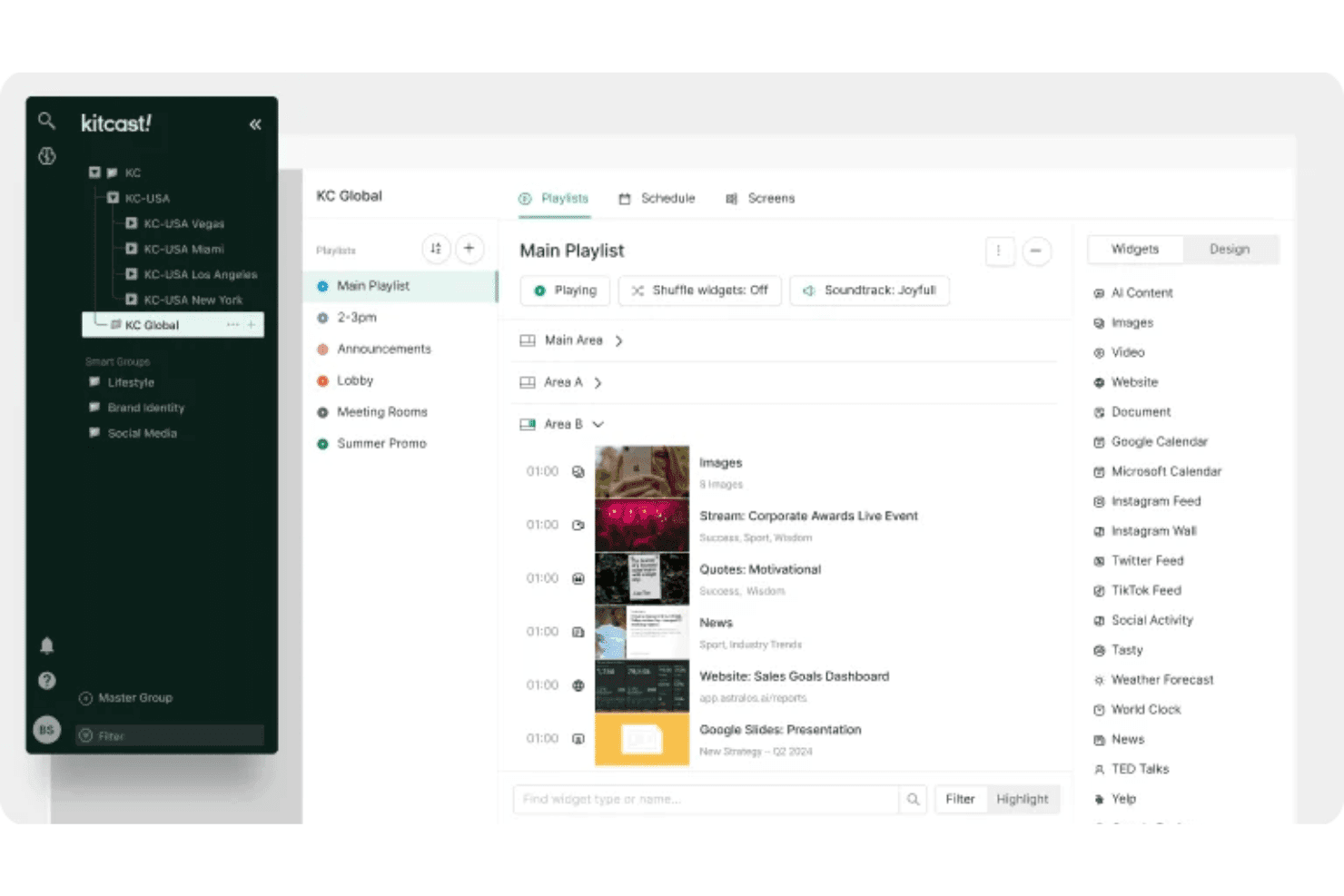
Kitcast consente agli utenti di organizzare playlist e widget su più schermi. Kitcast è una piattaforma di segnaletica digitale basata sul cloud con un'app nativa per Apple TV che gestisce la programmazione dei contenuti, la pubblicazione di menu sincronizzati con il POS, l'automazione per fasce orarie e la gestione remota di più schermi.
Per chi è più adatto Kitcast?
Kitcast è una soluzione particolarmente adatta a ristoranti e caffè che utilizzano hardware Apple TV e hanno bisogno di menu digitali che si sincronizzino automaticamente con il loro POS.
Perché ho scelto Kitcast
Kitcast è entrato nella mia lista ristretta perché è l'unica piattaforma di segnaletica digitale sviluppata nativamente per tvOS, il che significa che Apple TV visualizza ogni elemento del menu—widget in tempo reale, video e prezzi dinamici—senza le soluzioni alternative che altre piattaforme richiedono sull'hardware Apple. Apprezzo particolarmente la sincronizzazione con il POS di Square, Toast e Clover, grazie alla quale gli articoli esauriti vengono oscurati o nascosti automaticamente nel momento in cui cambiano le giacenze. Abbinata a una vera automazione per fasce orarie, consente di gestire i passaggi dalla colazione al pranzo secondo una pianificazione preimpostata, senza alcun intervento manuale.
Funzionalità principali di Kitcast
- Autorizzazioni basate sui ruoli: gli amministratori possono bloccare a livello aziendale gli standard del marchio, come caratteri, colori e layout, mentre gli editor locali aggiornano prezzi e offerte speciali entro limiti approvati.
- Sovrascrittura per gli avvisi di emergenza: l'integrazione CAP del piano Pro consente di inviare istantaneamente avvisi di sicurezza o comunicazioni a ogni schermo della rete, sostituendo qualsiasi contenuto attivo.
- Registri di verifica della riproduzione: Kitcast genera registri verificati dei contenuti riprodotti, dello schermo su cui sono stati visualizzati e del momento della riproduzione, utili per i report dei franchising e per la conformità alle attività di marketing cooperativo.
- Generatore di contenuti IA: genera layout di menu e immagini promozionali direttamente da istruzioni testuali, senza dover utilizzare uno strumento di progettazione separato o una libreria di risorse esterna.
Integrazioni di Kitcast
Kitcast offre integrazioni native con Square, Toast, Clover, Lightspeed Restaurant, Revel Systems, Canva, Google Workspace e l'ecosistema Microsoft (inclusi Microsoft 365, SharePoint e Azure AD tramite SCIM).
Pros and Cons
Pros:
- Implementazione nativa di menu digitali su Apple TV
- Sovrascrittura degli avvisi di emergenza per tutti gli schermi
- Autorizzazioni basate sui ruoli per la gestione del marchio
Cons:
- Documentazione limitata sulle funzionalità interattive per touchscreen
- Nessuna funzionalità integrata di personalizzazione per il pubblico
Learn more about Kitcast: 9Ideale per la gestione di pannelli menu con licenza perpetua
Mvix
- Demo gratuita disponibile
- A partire da $450 una tantum
Visit WebsiteCustomer Rating:4.6/5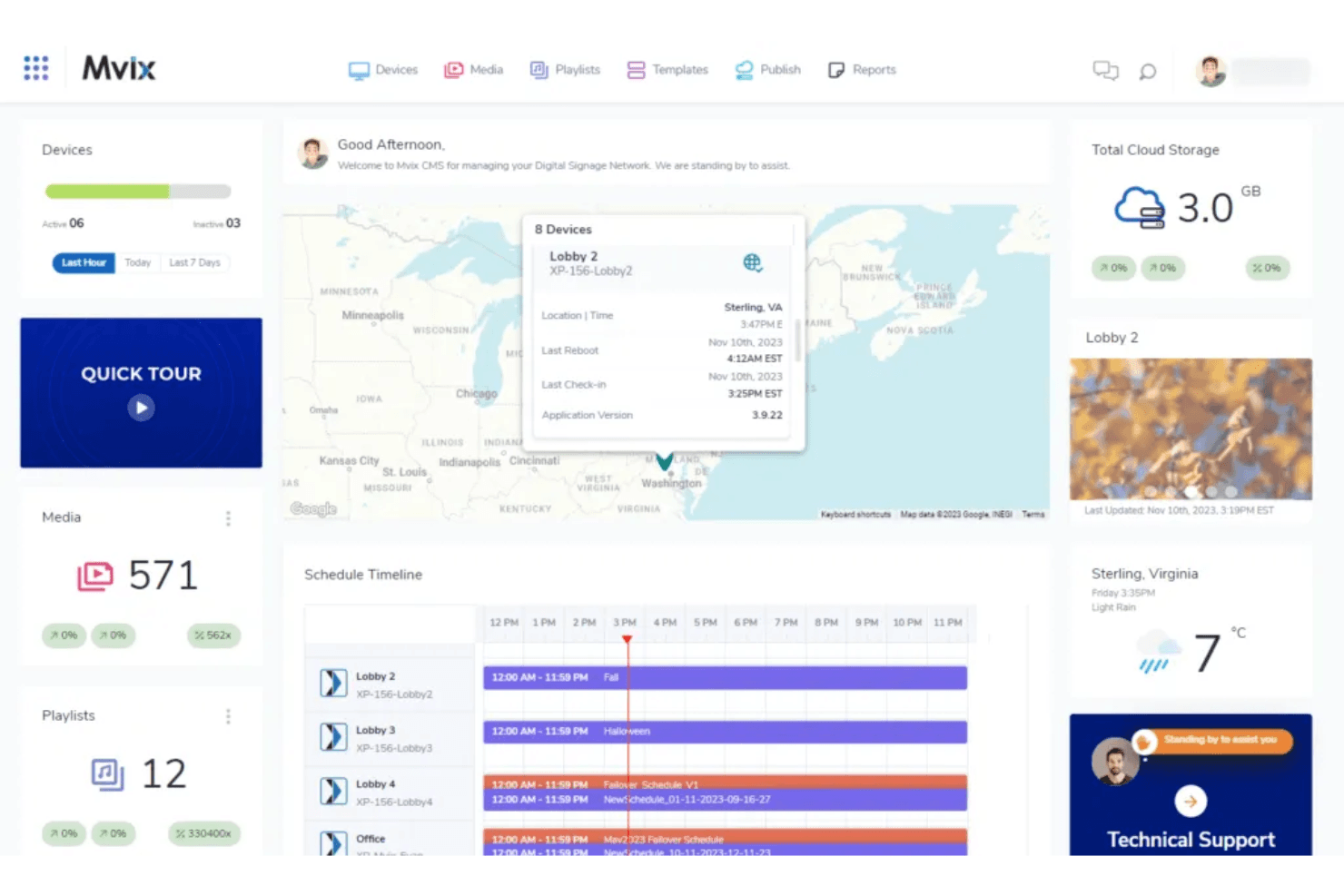
La dashboard di Mvix consente agli utenti di monitorare dispositivi, programmazioni e contenuti multimediali in un'unica schermata. Mvix è una piattaforma per pannelli menu e segnaletica digitale che abbina lettori multimediali proprietari a un CMS basato sul cloud, offrendo progettazione di layout multizona, programmazione per fasce orarie, integrazione con i sistemi POS e gestione remota dei dispositivi.
Per chi è più indicato Mvix?
Mvix è una soluzione particolarmente adatta agli operatori con più sedi e ai team IT che desiderano evitare i costi SaaS ricorrenti acquistando hardware con una licenza CMS a vita inclusa.
Perché ho scelto Mvix
Mvix è nella mia lista ristretta perché è l'unica piattaforma per pannelli menu digitali che ho trovato a includere una licenza CMS a vita in un acquisto hardware una tantum, senza costi ricorrenti per schermo. Apprezzo in particolare l'app Fasce orarie, che automatizza la rotazione dei contenuti in base alla fascia oraria (dalla colazione alla tarda notte) senza alcun intervento manuale di programmazione. Anche l'app Creazione menu sincronizza direttamente da Toast, Clover e Square i prezzi e lo stato delle disponibilità in tempo reale, così i pannelli menu si aggiornano automaticamente quando gli articoli terminano o i prezzi cambiano.
Caratteristiche principali di Mvix
- Progettista di layout multizona: divide qualsiasi schermo in un massimo di 10 zone di contenuto indipendenti, ciascuna delle quali può riprodurre contemporaneamente contenuti multimediali diversi.
- Portale dello stato dei dispositivi: consente di monitorare l'utilizzo della CPU, lo spazio di archiviazione, la potenza del segnale Wi-Fi e la temperatura di ogni lettore della rete da un'unica dashboard.
- Sovrascrittura per avvisi di emergenza: l'integrazione con il protocollo IPAWS/CAP sostituisce istantaneamente tutti i contenuti programmati su ogni schermo con messaggi di emergenza.
- Cartelle magiche: sincronizza automaticamente i contenuti da Microsoft Office 365 o Google Drive, così gli schermi si aggiornano ogni volta che cambiano i file di origine.
Integrazioni di Mvix
Mvix offre integrazioni native con Toast, Square, Power BI, Tableau, Klipfolio e Slack, oltre ai feed social di Facebook, Instagram e X. Fornisce anche API RESTful e webhook per collegare sistemi POS, CRM e HR personalizzati.
Pros and Cons
Pros:
- Licenza CMS a vita inclusa nell'acquisto dell'hardware
- Progettista di layout multizona per pannelli menu
- La riproduzione offline mantiene attivi gli schermi
Cons:
- La configurazione richiede spesso competenze IT
- Alcuni utenti hanno segnalato problemi hardware
Learn more about Mvix: Ideale per la gestione aziendale delle flotte di menu board
- Demo gratuita disponibile
- A partire da $14/mese/lettore
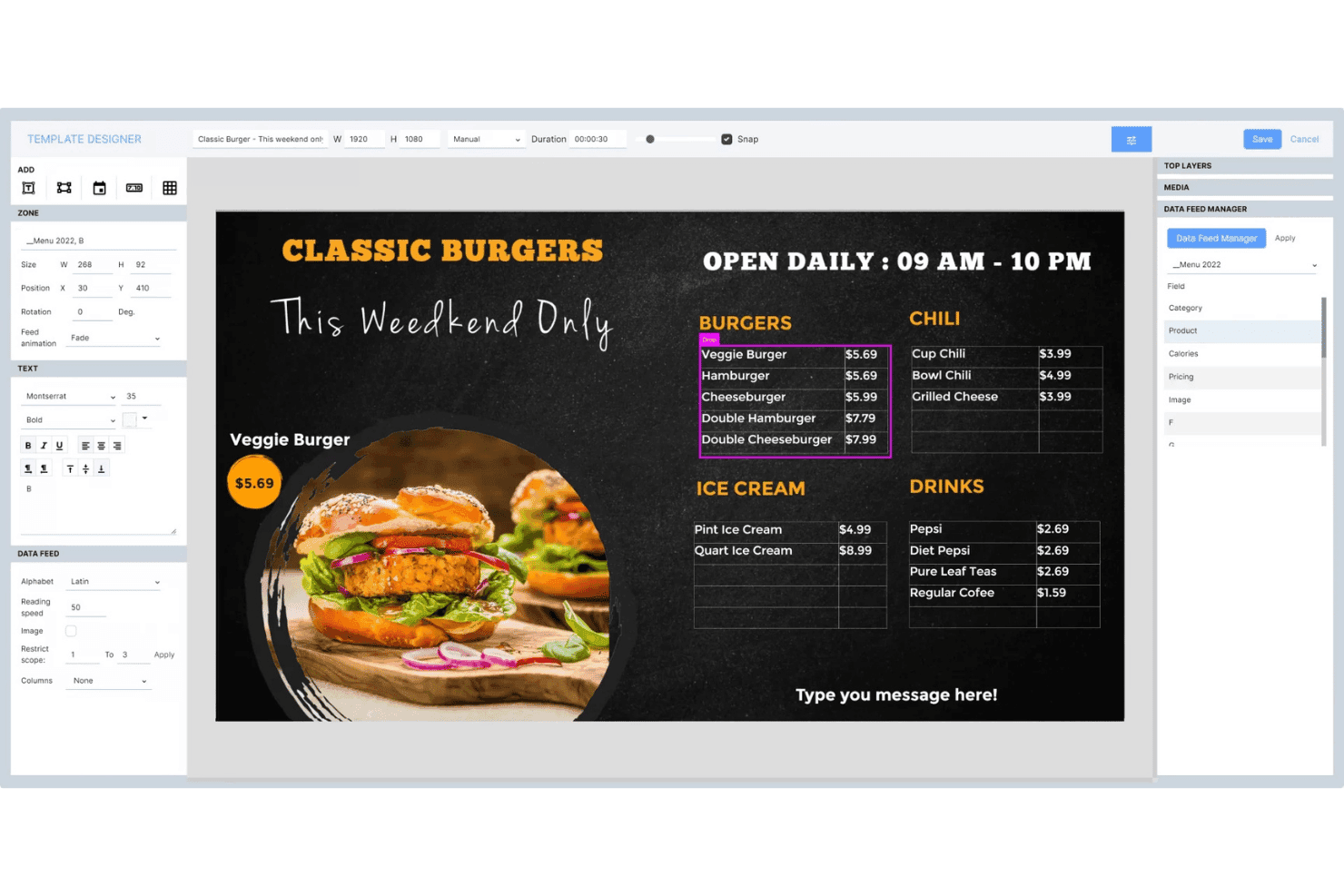
Navori Labs consente agli utenti di progettare menu board dinamici con feed di dati in tempo reale. Navori Labs è una piattaforma per menu board e segnaletica digitale progettata per implementazioni su larga scala, che offre gestione dei contenuti multi-tenant, programmazione in base alle fasce orarie, integrazione di dati in tempo reale e monitoraggio remoto delle flotte su migliaia di schermi.
Per chi è più adatto Navori Labs?
Navori Labs è particolarmente adatto alle catene QSR aziendali e ai rivenditori con più sedi che devono gestire migliaia di schermi distribuiti tra franchising, regioni e marchi da un unico backend.
Perché ho scelto Navori Labs
Navori Labs è entrato nella mia rosa dei migliori perché nessun'altra piattaforma che ho testato gestisce la scalabilità dei menu board in modo altrettanto efficace tra migliaia di sedi. Sono particolarmente colpito dalla sua architettura multi-tenant, che consente ai team aziendali di impostare playlist nazionali mentre gli affiliati gestiscono i contenuti locali entro limiti prestabiliti. Il suo motore di programmazione per fasce orarie passa automaticamente dai menu della colazione a quelli del pranzo senza interventi manuali, mentre la sincronizzazione POS in tempo reale trasferisce direttamente agli schermi i prezzi e lo stato di disponibilità dei prodotti.
Funzionalità principali di Navori Labs
- Architettura multi-tenant: Separa contenuti, autorizzazioni e dati tra marchi, franchising o regioni all'interno di una singola istanza backend.
- Analisi del pubblico AQUAJI: Utilizza la visione artificiale tramite telecamere collegate per misurare affluenza, tempo di permanenza e dati demografici, fornendo report sulle prestazioni dei contenuti.
- Sovrascrittura per avvisi di emergenza: Si integra con CAP, OmniAlert e i sistemi di allarme degli edifici per inviare istantaneamente avvisi a schermo intero su tutti gli schermi gestiti.
- Supporto per touchscreen interattivi: Abilita funzionalità di sollevamento e apprendimento, trigger RFID/NFC, riconoscimento dei gesti e input da sensori IoT per configurazioni di chioschi e schermi self-service.
Integrazioni di Navori Labs
Navori Labs offre integrazioni native con Microsoft Power BI, Vistar Media, Hivestack, Screenfeed, Facebook, Instagram, LinkedIn e X (Twitter), oltre a connettori per dati in tempo reale per feed RSS, JSON, XML e iCal.
Pros and Cons
Pros:
- Scalabile fino a decine di migliaia di schermi
- Gestione multi-tenant per franchising e marchi
- Avvisi di emergenza integrati per la conformità nel commercio al dettaglio
Cons:
- Le funzionalità avanzate possono risultare inizialmente complesse
- I dettagli sulla compatibilità con i POS non sono disponibili pubblicamente
Learn more about Navori Labs:
Altri software per pannelli menu digitali
Ecco alcune altre opzioni di software per pannelli menu digitali che non sono entrate nella mia selezione, ma che vale comunque la pena prendere in considerazione:
- 11WallboardIdeale per l'automazione dei pannelli menu sincronizzati con il POS
- 12OptiSignsIdeale per aggiornamenti dei menu basati sulle fasce orarie su larga scala
- 13YodeckIdeale per la gestione dei pannelli dei menu nel piano gratuito
- 14Look Digital SignageIdeale per chioschi con pannelli menu dotati di touchscreen
- 15TelemetryTVIdeale per pannelli dei menu creati dagli sviluppatori e gestiti tramite API
- 16Samsung VXTIdeale per reti di pannelli menu native Samsung
- 17XiboIdeale per la programmazione di schede menu open source
- 18NowSignageIdeale per licenze di tabelloni dei menu tutto compreso
Come valuto i software per i menu digitali
Divido la mia valutazione in criteri di base che ogni strumento deve soddisfare, come la suddivisione per fasce orarie, la gestione remota degli schermi e la sincronizzazione con i sistemi POS, e fattori distintivi che separano una piattaforma valida da quella giusta per gli operatori con più sedi.
Funzionalità fondamentali (requisiti essenziali per questo elenco)
Quando seleziono gli strumenti da includere nel mio elenco, assegno a ciascuno un punteggio su una scala da 0 (non offre la funzionalità) a 5 (eccelle in quest'area) per ogni funzionalità fondamentale indicata di seguito. Calcolo quindi il punteggio totale dello strumento sotto forma di percentuale, utilizzando il 65% come parametro di riferimento per valutarne l'idoneità complessiva all'inserimento nell'elenco.
- Sistema di gestione dei contenuti: cerco un sistema di gestione dei contenuti basato sul cloud con ruoli per più utenti, librerie di risorse e strutture di cartelle che consentano ai team di organizzare i menu per marchio, sede o campagna senza interferire con il lavoro degli altri.
- Pianificazione su più schermi: è con la suddivisione per fasce orarie che la questione diventa concreta. Valuto se una piattaforma è in grado di automatizzare la sostituzione dei menu dalla colazione al pranzo su decine di schermi raggruppati per regione, fuso orario o formato del punto vendita.
- Gestione remota degli schermi: verifico la presenza del monitoraggio dello stato degli schermi, degli avvisi di non connessione e delle funzionalità di riavvio remoto, così che il tuo team possa risolvere il problema di uno schermo non funzionante in un'altra città senza inviare nessuno sul posto.
- Strumenti per modelli e design: qui è importante un editor con funzionalità di trascinamento e rilascio e campi dati dinamici. Verifico se è possibile creare layout di menu in linea con il marchio, che compilino automaticamente i prezzi o la disponibilità degli articoli da una fonte dati collegata.
- Integrazioni con dati e sistemi POS: valuto la sincronizzazione in tempo reale con sistemi POS come Square, Toast o Lightspeed. Le variazioni dei prezzi del menu o gli articoli esauriti dovrebbero riflettersi sugli schermi nel giro di pochi minuti, non di ore.
- Compatibilità con hardware e sistemi operativi: considero quanti tipi di lettori supporta una piattaforma. Le opzioni migliori funzionano con Android, BrightSign, Windows, Fire TV e smart TV, così non sei vincolato a un solo fornitore di hardware.
Una volta ottenuto un elenco di strumenti che soddisfano i criteri, valuto ciò che distingue ogni piattaforma.
Fattori distintivi (ciò che differenzia i fornitori)
Ecco come confronto e metto in contrapposizione i diversi fornitori:
Funzionalità di spicco
L'automazione dinamica della suddivisione per fasce orarie è la prima cosa che valuto. Verifico se una piattaforma è in grado di sostituire automaticamente i menu della colazione, del pranzo e della cena senza attivazioni manuali e se queste regole vengono applicate correttamente nei diversi fusi orari delle reti distribuite in più regioni. Anche la sovrascrittura dei messaggi di emergenza è altrettanto importante. Se un avviso di sicurezza deve raggiungere istantaneamente ogni schermo, cerco comandi di sovrascrittura singoli che diano priorità ai messaggi rispetto ai contenuti programmati. La personalizzazione dei contenuti basata sull'intelligenza artificiale completa la mia valutazione. Piattaforme come Poppulo utilizzano l'analisi del pubblico per adeguare i contenuti visualizzati sullo schermo in base al traffico di persone o alla lunghezza della coda, fattori che possono influenzare direttamente il momento delle proposte di vendita aggiuntiva nelle ore di punta.
Oltre le funzionalità
Valuto attentamente il costo totale di possesso, poiché i modelli di prezzo per schermo possono aumentare rapidamente quando si aggiungono nuove sedi. Alcuni fornitori includono l'hardware nel pacchetto, mentre altri applicano costi separati per i lettori, i modelli premium o le integrazioni POS. La gestione della scalabilità è altrettanto importante. Verifico se una piattaforma consente di segmentare le autorizzazioni sui contenuti per regione o franchising, in modo che l'azienda possa bloccare le risorse del marchio mentre i team locali sostituiscono le offerte del giorno. Anche i report sulla riproduzione effettiva sono un fattore che considero, soprattutto se gestisci promozioni finanziate dai fornitori che richiedono registri di riproduzione verificati per recuperare i fondi di marketing cooperativo.
Come scegliere un software per pannelli menu digitali
Quando valuti un software per pannelli menu digitali, concentrati su come ciascuna opzione ti consentirà di gestire contenuti, aggiornamenti e conformità su una scala adeguata alle esigenze del tuo team, senza sacrificare supervisione o flessibilità:
| Se la tua priorità è... | Cerca... |
|---|---|
| Se la tua priorità è...Aggiornamenti rapidi dei menu su più sedi | Cerca...Programmazione centralizzata basata sui gruppi, con gestione per fasce orarie |
| Se la tua priorità è...Conformità del marchio e possibilità di verifica | Cerca...Controlli delle autorizzazioni basati sui ruoli e registri di riproduzione |
| Se la tua priorità è...Sincronizzazione in tempo reale di prezzi e articoli tramite il POS | Cerca...Integrazioni native e in tempo reale con il POS |
| Se la tua priorità è...Riduzione al minimo delle modifiche all'hardware durante l'implementazione | Cerca...Ampia compatibilità con dispositivi e sistemi operativi |
| Se la tua priorità è...Prestazioni affidabili per flotte numerose | Cerca...Garanzie di disponibilità di livello aziendale e avvisi |
Come valutare la tua selezione
- Testa la gestione per fasce orarie su larga scala: Esegui uno scambio di menu basato sull'orario in almeno 10 sedi durante il periodo di prova.
- Richiedi report di riproduzione: chiedi registri di riproduzione di esempio che mostrino data, luogo e dettagli dei contenuti.
- Verifica la velocità di connessione al POS: esegui un aggiornamento del menu in tempo reale tramite il tuo POS attuale e misura i tempi di aggiornamento dello schermo entro un minuto.
- Valuta i controlli delle autorizzazioni: assegna e verifica i livelli di accesso basati sui ruoli in un account multi-area simulato entro 48 ore.
- Compromesso tra controllo della proprietà e velocità del SaaS: decidi se il controllo offerto da una licenza perpetua vale aggiornamenti delle funzionalità più lenti rispetto ai fornitori basati su abbonamento.
Che cos'è il software per menu digitali?
Il software per menu digitali è una piattaforma basata sul cloud che consente di gestire, programmare e aggiornare i menu digitali sugli schermi di più sedi. Offre ai team di negozi e ristoranti un unico centro di controllo per gestire i contenuti dei menu, automatizzare la suddivisione per fasce orarie, sincronizzarsi con i sistemi del punto vendita e mantenere la coerenza del marchio. Questo software è progettato per le aziende che necessitano di modifiche ai contenuti rapide e coordinate, senza aggiornamenti manuali in ogni sede. Caratteristiche
Funzionalità del software per menu digitali
Quando scegli un software per menu digitali, presta attenzione alle seguenti funzionalità principali:
- Sistema di gestione dei contenuti: centralizza tutti i contenuti dei menu e della segnaletica del ristorante, consentendo al team di organizzare, aggiornare e approvare gli elementi in un unico luogo. Supporta il controllo delle versioni, la pubblicazione programmata e le autorizzazioni degli utenti per garantire un'immagine del marchio coerente su larga scala.
- Programmazione di più schermi: consente di assegnare visualizzazioni uniche dei menu digitali a sedi, schermi o fasce orarie diverse. Permette di coordinare i cambi di menu per colazione, pranzo o offerte a tempo limitato senza aggiornamenti manuali.
- Gestione remota degli schermi: consente di monitorare, controllare e risolvere i problemi di ogni schermo digitale in tutte le sedi, da qualsiasi luogo. Offre il monitoraggio dello stato degli schermi, avvisi di disconnessione e comandi di riavvio, così puoi risolvere rapidamente i problemi di visualizzazione.
- Strumenti per modelli e design: offre editor con funzionalità di trascinamento, impaginazioni personalizzabili, modelli per menu digitali, animazioni e campi dinamici per prezzi o dati degli articoli. Semplifica la creazione di menu accattivanti e nitidi su ogni schermo.
- Integrazioni POS: sincronizza i dati dei menu direttamente con il sistema del punto vendita, automatizzando le modifiche ai prezzi, i nuovi articoli e gli aggiornamenti sulla disponibilità degli articoli. Riduce l'inserimento manuale e mantiene i menu aggiornati su tutti gli schermi.
- Compatibilità con dispositivi e sistemi operativi: supporta un'ampia gamma di lettori multimediali e hardware, come Android, Windows, Fire TV, BrightSign e smart TV, così puoi installare menu elettronici su diversi tipi di dispositivi.
- Controlli dei ruoli utente e delle autorizzazioni: consente di impostare i livelli di accesso per area geografica, reparto o singolo individuo. Aiuta a mantenere la conformità e l'integrità del marchio, offrendo al contempo ai team locali la flessibilità di aggiornare i menu secondo necessità.
- Report di riproduzione: registra quando e dove sono stati mostrati i contenuti dei menu. È utile per verificare la pubblicità cooperativa, la conformità normativa o gli audit operativi.
- Gestione della libreria degli elementi: offre una libreria multimediale centralizzata per archiviare immagini, video e modelli. Semplifica la creazione dei contenuti e garantisce che i team utilizzino elementi approvati.
- Supporto alla riproduzione offline: garantisce che i menu rimangano visibili sugli schermi anche in caso di interruzione della connessione Internet. È fondamentale per mantenere un servizio ininterrotto in tutte le sedi.
Funzionalità comuni dell'IA nei software per menu digitali
Oltre alle funzionalità standard dei software per menu digitali elencate sopra, molte di queste soluzioni stanno integrando l'IA con funzionalità come:
- Personalizzazione dei contenuti basata sull'IA: utilizza l'analisi del pubblico in tempo reale per adattare i menu della segnaletica digitale in base a fattori come il flusso di visitatori, l'ora del giorno o i dati demografici dei clienti, favorendo promozioni più pertinenti e il coinvolgimento dei clienti.
- Raccomandazioni automatizzate per la vendita aggiuntiva: analizza i dati sulle vendite e il comportamento dei clienti per suggerire aggiunte o combinazioni ad alto margine direttamente sul menu digitale. Può contribuire ad aumentare le vendite mostrando suggerimenti mirati durante il processo di ordinazione.
- Ottimizzazione dinamica dei prezzi: monitora continuamente i livelli delle scorte, i modelli della domanda e i prezzi della concorrenza per adeguare automaticamente i prezzi del menu. Questo consente di rispondere ai cambiamenti del mercato e massimizzare i ricavi senza interventi manuali.
- Pianificazione predittiva dei menu: utilizza i dati storici sulle vendite e fattori esterni come il meteo o gli eventi locali per prevedere la domanda e programmare automaticamente le modifiche al menu. In questo modo, gli articoli più popolari o redditizi vengono messi in evidenza quando è più probabile che vendano.
- Miglioramento degli elementi visivi: applica l'IA per migliorare le immagini del menu regolando l'illuminazione, ritagliando le immagini o persino generando nuovi elementi visivi in linea con lo stile del tuo marchio. Questo aiuta a mantenere i menu visivamente accattivanti senza dover ricorrere a interventi manuali di progettazione grafica.
Vantaggi del software per menu digitali
L'implementazione di un software per menu digitali offre diversi vantaggi al tuo team e alla tua attività. Ecco alcuni dei vantaggi che puoi aspettarti:
- Gestione centralizzata dei contenuti: accedi a una piattaforma software per la segnaletica digitale per controllare, aggiornare e organizzare i contenuti dei menu di ogni sede da un unico pannello di controllo.
- Pianificazione automatizzata dei menu: utilizza le funzioni di pianificazione su più schermi e di suddivisione per fasce orarie per sostituire i menu della colazione, del pranzo o degli eventi speciali senza il fastidio di aggiornare manualmente i menu stampati.
- Integrazione POS in tempo reale: connettiti direttamente al sistema del punto vendita, così i prezzi e la disponibilità degli articoli sugli schermi vengono aggiornati entro pochi minuti dalle modifiche.
- Gestione da remoto degli schermi: monitora lo stato dei dispositivi, risolvi le interruzioni degli schermi e invia messaggi urgenti a qualsiasi schermo senza recarti sul posto.
- Controlli di conformità del marchio: imposta ruoli e autorizzazioni degli utenti per garantire che vengano pubblicati solo contenuti approvati, supportando i registri di audit e i report di verifica della riproduzione.
- Flessibilità hardware e dei sistemi operativi: implementa i menu digitali su diversi tipi di lettori, come dispositivi Android, Windows o smart TV, così da non essere vincolato a un unico fornitore.
- Personalizzazione basata sull'IA: sfrutta funzioni come l'analisi del pubblico e i suggerimenti automatizzati per gli acquisti aggiuntivi per adeguare i contenuti del menu in base al comportamento dei clienti in tempo reale.
Costi e prezzi
La scelta di un software per menu digitali richiede la comprensione dei vari modelli e piani tariffari disponibili. I costi variano in base alle funzioni, alle dimensioni del team, agli extra e ad altri fattori. La tabella seguente riassume i piani più comuni, i relativi prezzi medi e le funzioni generalmente incluse nelle soluzioni software per menu digitali:
Tabella comparativa dei piani per software per menu digitali
| Tipo di piano | Prezzo medio | Funzioni comuni |
|---|---|---|
| Tipo di pianoPiano gratuito | Prezzo medio$0-$10/schermo/mese | Funzioni comuniPianificazione di base dei contenuti, accesso limitato ai modelli, libreria multimediale di base e supporto per un singolo utente. |
| Tipo di pianoPiano personale | Prezzo medio$10-$20/schermo/mese | Funzioni comuniPianificazione su più schermi, libreria di modelli ampliata, gestione dei contenuti nel cloud e integrazione POS limitata. |
| Tipo di pianoPiano aziendale | Prezzo medio$20-$40/schermo/mese | Funzioni comuniAutorizzazioni basate sui ruoli, suddivisione per fasce orarie, gestione da remoto degli schermi, sincronizzazione POS e report di verifica della riproduzione. |
| Tipo di pianoPiano per grandi aziende | Prezzo medio$40-$100/schermo/mese | Funzioni comuniIntegrazioni avanzate, personalizzazione del marchio, personalizzazione basata sull'IA, controlli granulari delle autorizzazioni e supporto con SLA. |
Domande frequenti sul software per pannelli menu digitali
Ecco alcune risposte alle domande più comuni sul software per pannelli menu digitali:
In che modo le piattaforme software per pannelli menu digitali gestiscono gli aggiornamenti dei menu su larga scala?
Il software per pannelli menu digitali consente di inviare contemporaneamente modifiche al menu a centinaia di schermi utilizzando una dashboard cloud centralizzata. Puoi raggruppare le sedi per area geografica o marchio e applicare regole di suddivisione della giornata, in modo che i menu della colazione, del pranzo e della cena vengano sostituiti automaticamente. Questo approccio ti aiuta a mantenere i contenuti coerenti tra le sedi ed evita gli aggiornamenti manuali in ogni punto vendita.
Il software per pannelli menu digitali può integrarsi direttamente con il mio sistema POS?
Sì, la maggior parte delle piattaforme software per pannelli menu digitali offre integrazioni in tempo reale con i principali sistemi POS, come Square, Toast o Lightspeed. Grazie a questi collegamenti, i prezzi dei menu e la disponibilità degli articoli vengono aggiornati sui tuoi schermi entro pochi minuti dalla modifica nel POS. Durante la valutazione, testa sempre il collegamento: aggiorna un articolo nel POS e misura quanto rapidamente appare sui tuoi display.
Quali sono i modelli di prezzo più comuni per il software per pannelli menu digitali?
La maggior parte dei software per pannelli menu digitali prevede un costo mensile per schermo. I piani partono da livelli gratuiti o di base e arrivano a piani aziendali o enterprise con funzionalità avanzate. Alcuni fornitori applicano costi aggiuntivi per l’hardware, i modelli personalizzati o le integrazioni. Verifica sempre come potrebbero cambiare i costi aggiungendo altre sedi o funzionalità.
Come funzionano i ruoli utente e le autorizzazioni nel software per pannelli menu digitali?
I controlli delle autorizzazioni basati sui ruoli consentono di decidere chi può modificare, approvare e pubblicare i contenuti. Puoi assegnare diversi diritti di accesso in base all’area geografica, alla sede o alla funzione lavorativa, permettendo ai responsabili del marchio di controllare le risorse principali mentre i team locali aggiungono le offerte speciali. In questo modo solo i contenuti approvati vengono pubblicati e si favorisce la conformità agli standard aziendali.
Cosa dovrei testare durante la prova di una piattaforma per pannelli menu digitali?
Testa la suddivisione della giornata programmando sostituzioni automatiche dei menu in almeno 10 sedi. Richiedi report campione di riproduzione dei contenuti per verificare come viene monitorata la riproduzione. Valuta la velocità dell’integrazione POS con un aggiornamento del menu in tempo reale. Assegna e testa i ruoli di autorizzazione all’interno di un account di prova multi-area. Questi test ti mostreranno se il software è adatto alle tue operazioni e alle tue dimensioni.