

10 meilleures alternatives à QuickBooks évaluées en 2026

Sélection des meilleures alternatives à QuickBooks


La gestion des finances est l'un des principaux défis liés à la gestion d'une activité de vente au détail. Les détaillants ont besoin d'un logiciel de comptabilité flexible, facile à utiliser et adapté à leurs besoins spécifiques, c'est pourquoi QuickBooks ne constitue peut-être pas la solution idéale pour toutes les entreprises.
D'après mon expérience, trouver le bon outil de comptabilité peut faire toute la différence dans vos activités quotidiennes. Qu'il s'agisse d'une meilleure intégration, de coûts réduits ou de fonctionnalités plus adaptées, il existe probablement une plateforme comptable qui conviendra mieux à votre entreprise.
Dans cet article, je vais vous présenter mes meilleures alternatives à QuickBooks, en vous fournissant des informations impartiales pour vous aider à prendre une décision éclairée pour votre équipe.
Qu'est-ce que QuickBooks ?
QuickBooks est un logiciel de comptabilité conçu pour aider les entreprises à gérer leurs processus financiers. Il est couramment utilisé par les comptables, les propriétaires de petites entreprises et les professionnels de la finance qui ont besoin d'un moyen efficace de gérer la facturation, la paie et le suivi des dépenses.
Des fonctionnalités telles que la facturation, la gestion de la paie et les rapports financiers contribuent à simplifier les tâches financières et à améliorer la précision. Dans l'ensemble, QuickBooks fournit une plateforme conviviale qui permet de garder les finances de votre entreprise organisées et sous contrôle.
Tableau comparatif des alternatives à QuickBooks
Ce tableau comparatif résume les détails tarifaires de mes meilleures alternatives à QuickBooks :
| Tool | Best For | Trial Info | Price | ||
|---|---|---|---|---|---|
| 1 | Idéal pour la comptabilité des petites entreprises | Essai gratuit de 30 jours disponible | À partir de $2.50/mois | Website | |
| 2 | Idéal pour une gestion financière intuitive | Essai gratuit de 30 jours + formule gratuite disponible | À partir de $15/mois | Website | |
| 3 | Idéal pour l'intégration avec les applications Zoho | Formule gratuite + démonstration gratuite disponible | À partir de $15/mois (facturé annuellement) | Website | |
| 4 | Idéal pour une gestion financière avancée | Démo gratuite disponible | Tarification sur demande | Website | |
| 5 | Idéal pour gérer les opérations d'une entreprise en croissance | Démo gratuite disponible | Tarification sur demande | Website | |
| 6 | Idéal pour les fonctionnalités de comptabilité gratuites | Formule gratuite disponible | À partir de $19/mois | Website | |
| 7 | Idéal pour la gestion de la paie et des ressources humaines | Démo gratuite disponible | À partir de $49/mois + $6/utilisateur/mois | Website | |
| 8 | Idéal pour la comptabilité de bureau | Essai gratuit de 30 jours disponible | À partir de $20/mois | Website | |
| 9 | Idéal pour l'intégration à Salesforce | Démonstration gratuite disponible | Tarification sur demande | Website | |
| 10 | Idéal pour les applications métier intégrées | Essai gratuit disponible | À partir de $24.90/utilisateur/mois (facturé annuellement) | Website |

Pourquoi faire confiance à nos recommandations de logiciels
Notre équipe teste et évalue des logiciels depuis 2012. En tant que dirigeants du commerce de détail nous-mêmes, nous savons à quel point il est difficile — et important — de choisir le bon logiciel.
Pour ce guide, nous avons évalué les outils grâce à des tests pratiques et une recherche indépendante, en notant les outils selon nos critères de sélection.
Nos avis reflètent notre jugement indépendant — et non un argumentaire de vente.

Xero
Best for small business accounting
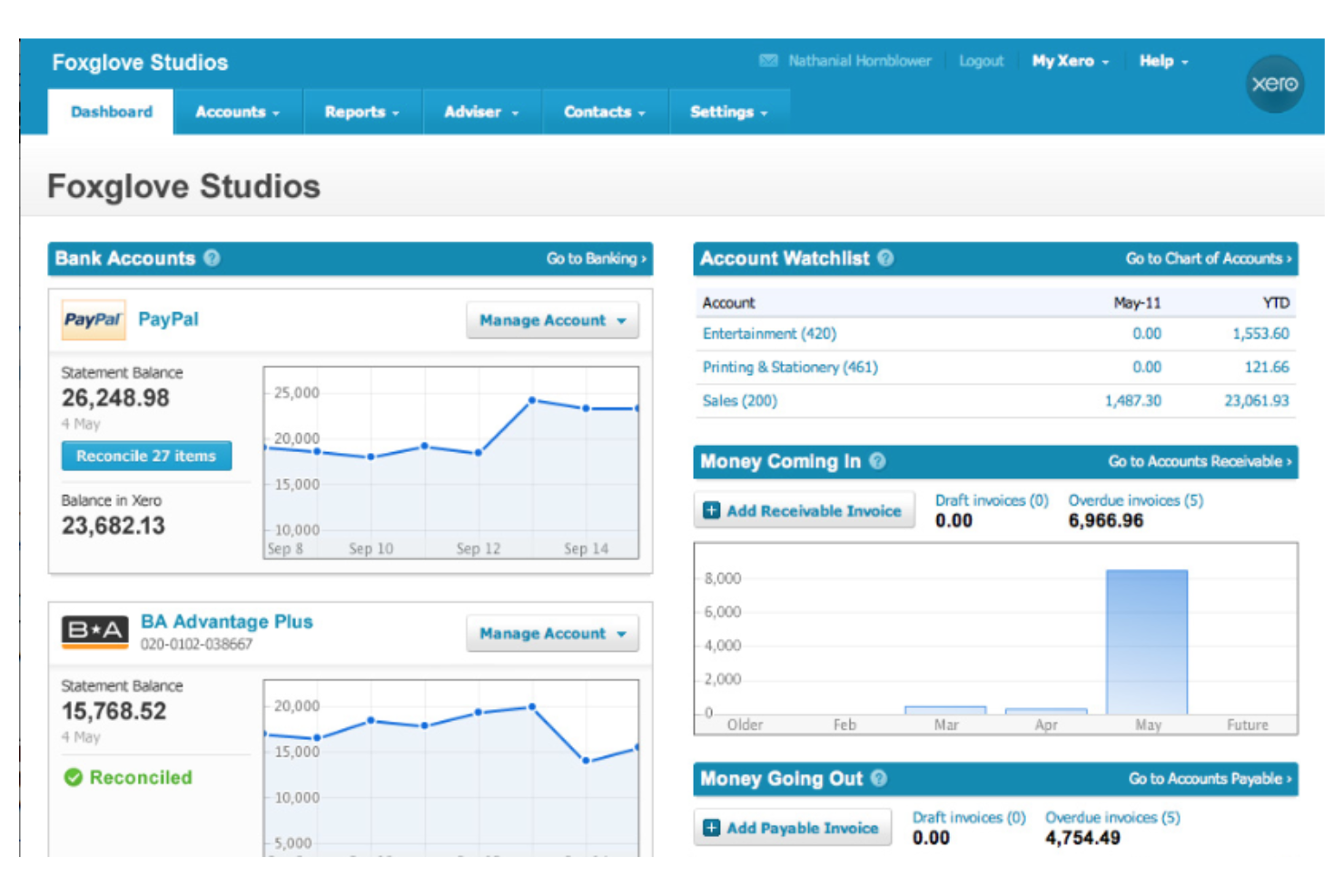
Xero is a cloud-based accounting software designed for small businesses and accountants. It helps you manage invoicing, bank reconciliation, and financial reporting effectively.
Why it's a good QuickBooks alternative: Xero offers a simple interface that makes accounting tasks accessible for small business owners. Its bank reconciliation feature saves time by automatically matching transactions, and you can send invoices quickly, helping you get paid faster. Real-time financial reporting keeps you updated on your business's financial health.
Standout Features and Integrations:
Features include a mobile app that lets you manage your finances on the go. Inventory management helps you keep track of stock levels, while budget tracking allows you to monitor and control expenses effectively.
Integrations include Etsy, Stripe, Shopify, and more.
Pros and Cons
Pros:
- Mobile app access
- Real-time reporting
- Automatic bank reconciliation
Cons:
- Limited advanced features
- Limited customer support

ZipBooks
Best for intuitive financial management
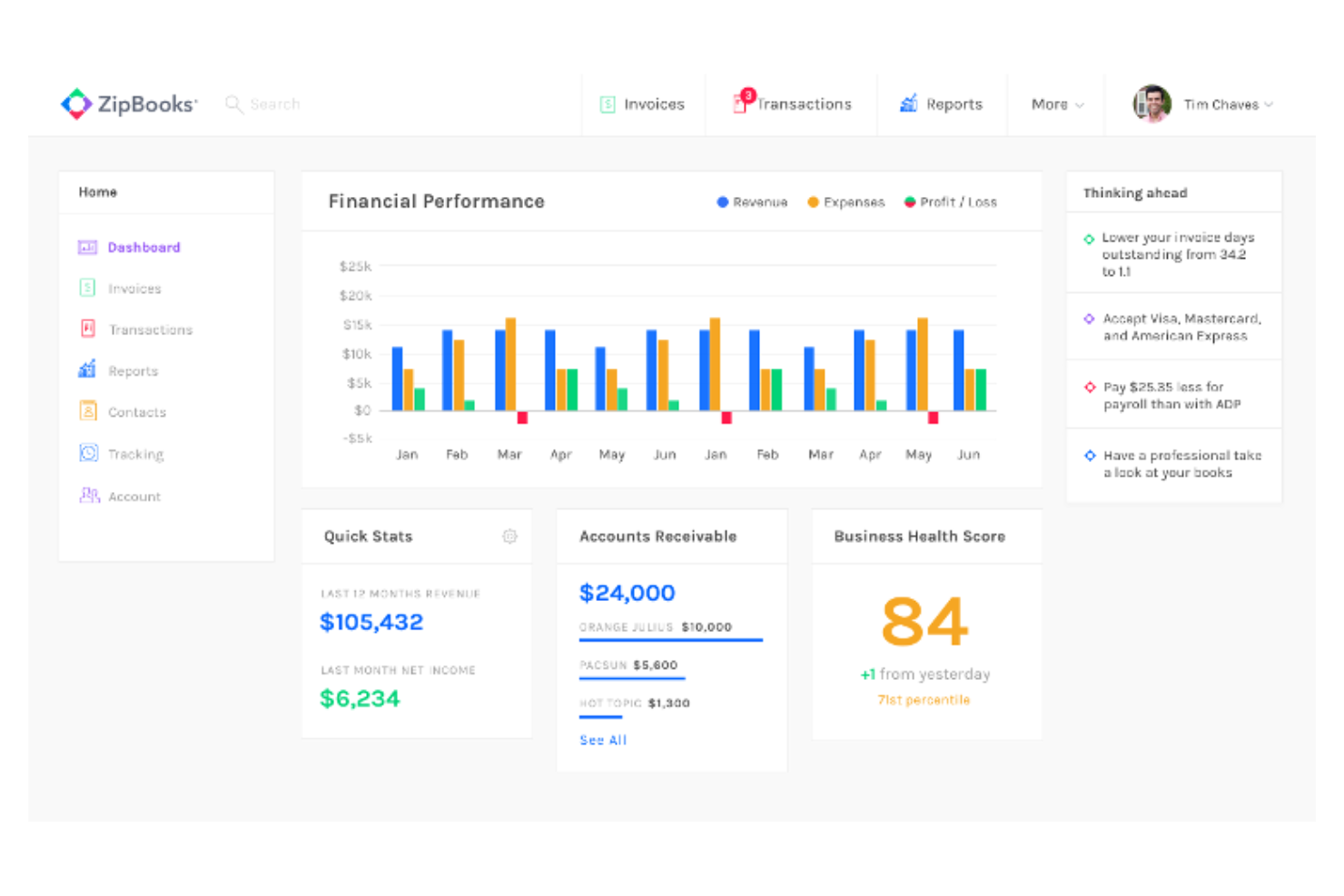
ZipBooks is a cloud-based accounting software designed for freelancers and small businesses. It helps you manage invoicing, expense tracking, and financial reporting with ease.
Why it's a good QuickBooks alternative: ZipBooks offers an intuitive interface that simplifies financial management for small teams. As with QuickBooks Online, the smart insights feature provides valuable data to help you make informed decisions. Automated invoicing helps you get paid on time without hassle. Its project management capabilities allow you to track hours and expenses effectively.
Standout Features and Integrations:
Features include smart tagging that lets you categorize transactions for better organization. The software also offers color-coded reports to visualize your financial data. Time tracking helps you accurately monitor billable hours.
Integrations include PayPal, Trello, Asana, Mailchimp, and more.
Pros and Cons
Pros:
- Project management capabilities
- Smart insights feature
- Intuitive interface
Cons:
- Basic bank reconciliation
- Small integration system

Best for integration with Zoho apps
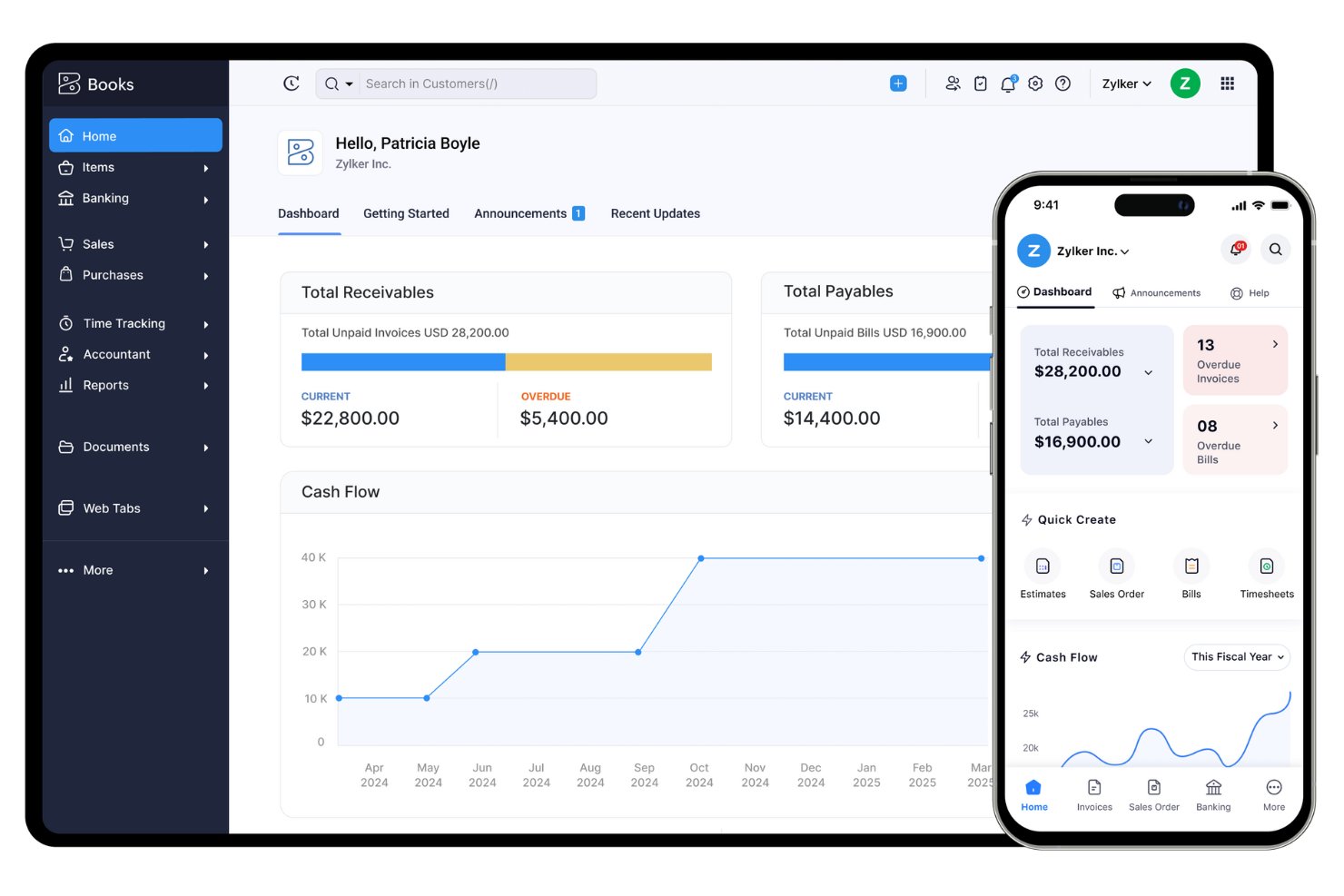
Zoho Books is a cloud-based accounting software tailored for small to medium-sized businesses. It helps you manage invoicing, expenses, and tax compliance efficiently.
Why it's a good QuickBooks alternative: Zoho Books offers flawless integration with other Zoho apps and add-ons, making it ideal for businesses already using Zoho's suite of products. Automated workflows and modules help you reduce manual data entry and increase efficiency. Its tax management features help maintain compliance with local regulations. Accessible reporting tools provide insights into your business's financial health.
Standout Features and Integrations:
Features include project management and CRM that help you track time and manage projects effectively. Multi-currency support lets you handle international transactions with ease. Customizable invoices allow you to tailor them to your brand's needs.
Integrations include Amazon, Etsy, Shopify, and more.
Pros and Cons
Pros:
- Tax management features
- Automated workflows
- Integrates with Zoho apps and permissions
Cons:
- User and transaction limits
- No built-in payroll

Best for advanced financial management
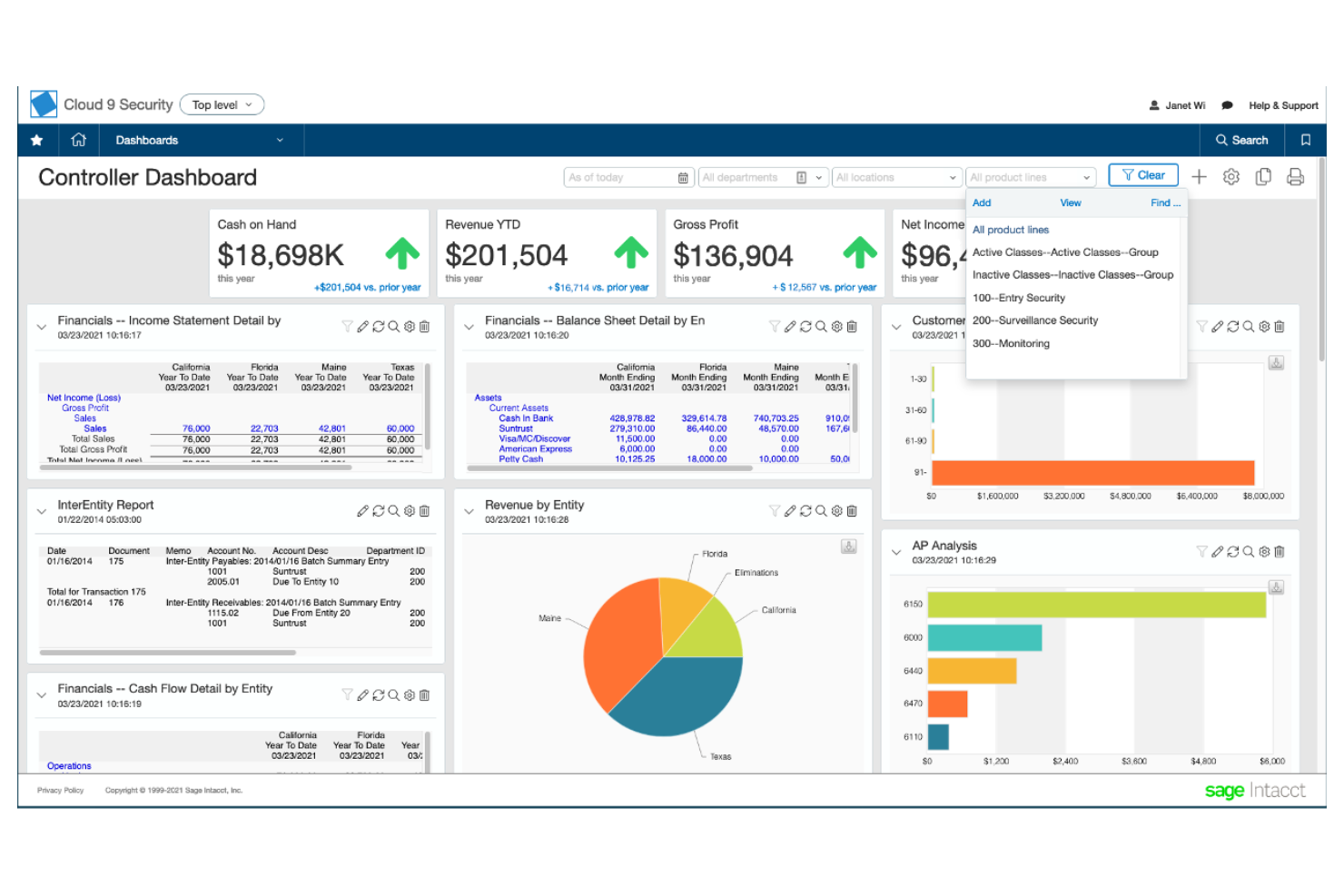
Sage Intacct is a cloud-based financial management solution aimed at small to mid-sized businesses. It helps you handle core financials, project accounting, and compliance with ease.
Why it's a good QuickBooks alternative: Sage Intacct offers advanced financial management capabilities that cater to businesses requiring detailed accounting processes. Its multi-entity management allows you to consolidate financials across different locations or divisions. Real-time dashboards provide insights that guide strategic decisions, and automation of core financial tasks reduces manual work, increasing efficiency.
Standout Features and Integrations:
Features include project accounting that helps you manage project costs and profitability. The software also offers time and expense management to simplify employee reimbursements. Multi-dimensional reporting lets you tailor financial reports to fit your business needs.
Integrations include Fortis, Ramp, Tipalti, Yooz, BILL, and more.
Pros and Cons
Pros:
- Automates core financial tasks
- Multi-entity management
- Advanced financial management
Cons:
- Longer setup time
- High initial cost

Best for managing growing business operations
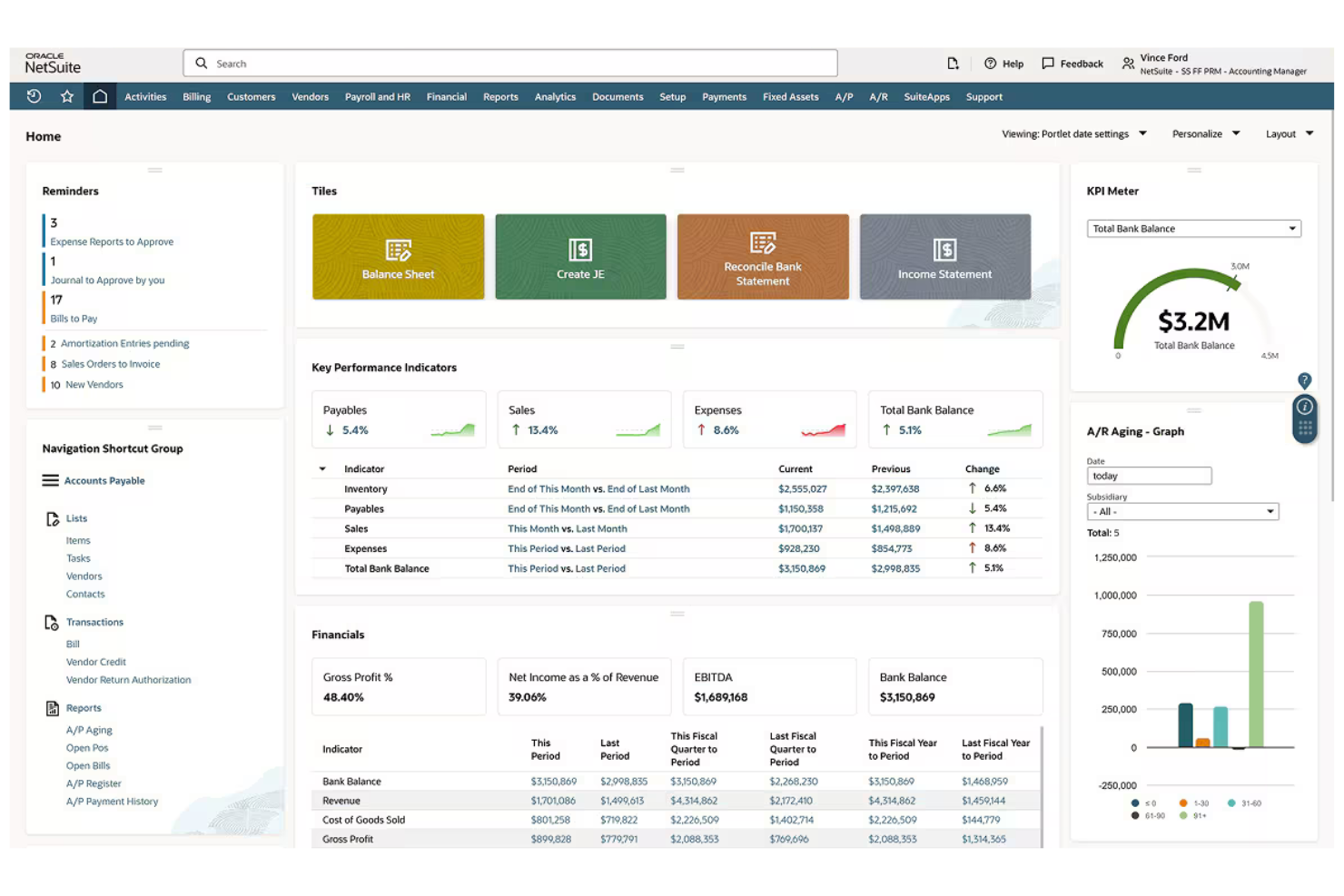
Oracle NetSuite is a cloud-based enterprise resource planning (ERP) platform designed for mid-sized to large businesses. It manages financials, operations, and customer relations to improve business efficiency.
Why it's a good QuickBooks alternative: Oracle NetSuite offers extensive payroll and HR management capabilities, making it suitable for businesses with complex workforce needs. Its inclusive financial management helps you maintain accuracy in financial reporting. The software's scalability supports growing businesses, allowing you to expand without changing your accounting system. Additionally, its real-time analytics provide valuable insights for informed decision-making.
Standout Features and Integrations:
Features include thorough financial management, covering accounting, e-commerce, billing, and revenue recognition. The software also offers supply chain management to organize operations. Real-time analytics provide insightful data to support strategic decision-making.
Integrations include Shopify, Adobe Commerce, BigCommerce, and more.
Pros and Cons
Pros:
- Customizable dashboards
- Global HR management
- Scalable for growing businesses
Cons:
- Not ideal for small businesses and entrepreneurs
- Implementation complexity

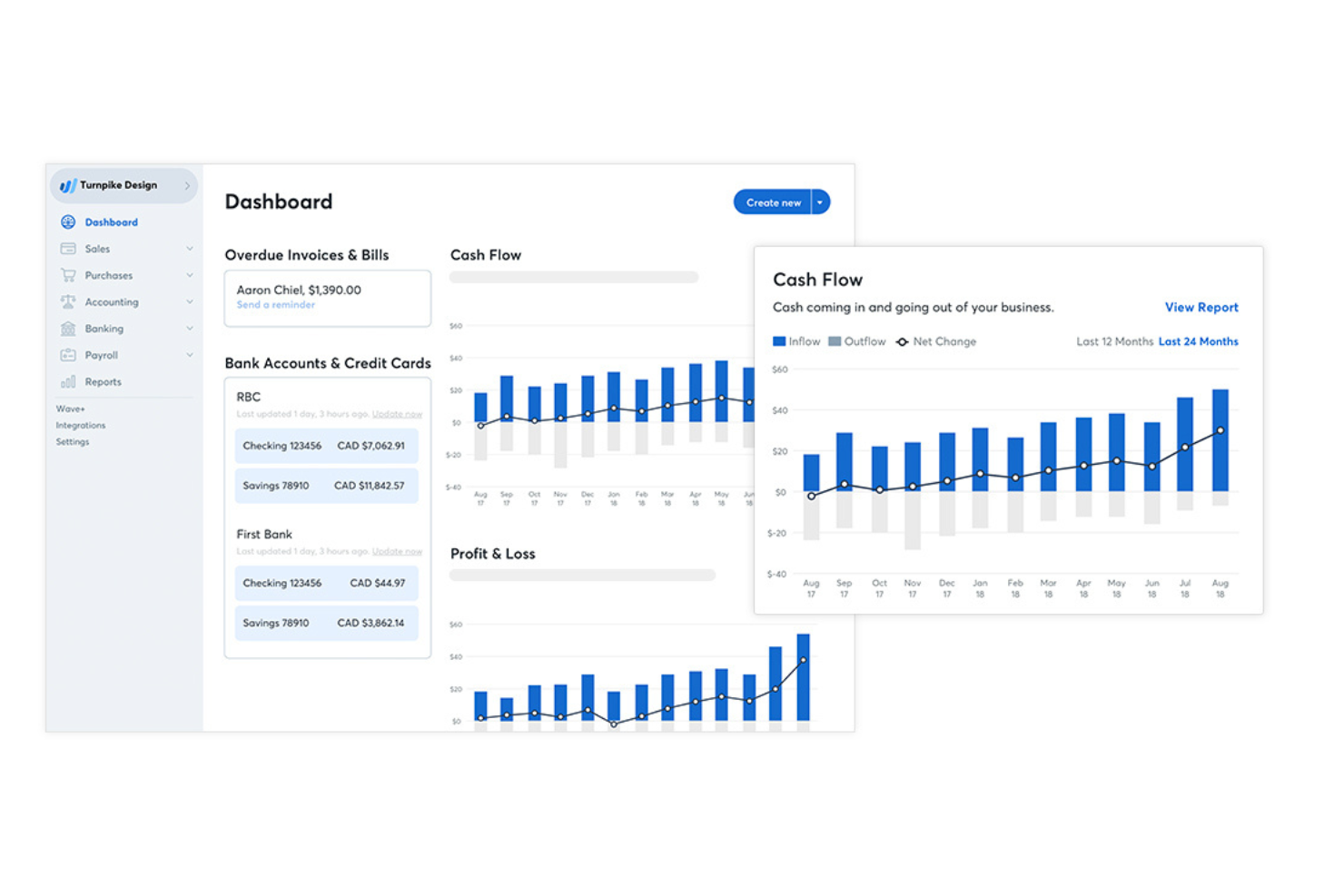
Wave is a cloud-based accounting software tailored for small businesses, solopreneurs, and freelancers. It allows you to manage invoicing, accounting, and receipt scanning without any cost.
Why it's a good QuickBooks alternative: Wave offers free accounting software for essential bookkeeping features, making it ideal for small business owners on a tight budget. You can create and send professional invoices without incurring costs and give your customers the option of online payments using credit card, bank transfer, or Apple Pay. The software also provides integrated receipt scanning and recurring invoices, simplifying expense tracking. Its user-friendly design lets you manage your finances with ease, even if you're not a balance sheet expert.
Standout Features and Integrations:
Features include payroll services that help you manage employee payments efficiently. The software also offers personal finance management to keep your business and personal expenses separate. Cash flow tracking provides insights into your financial health.
Integrations include Zapier, Google Sheets, Excel, and more.
Pros and Cons
Pros:
- Cash flow tracking
- Integrated receipt scanning
- Free accounting features
Cons:
- No inventory management
- No offline mode
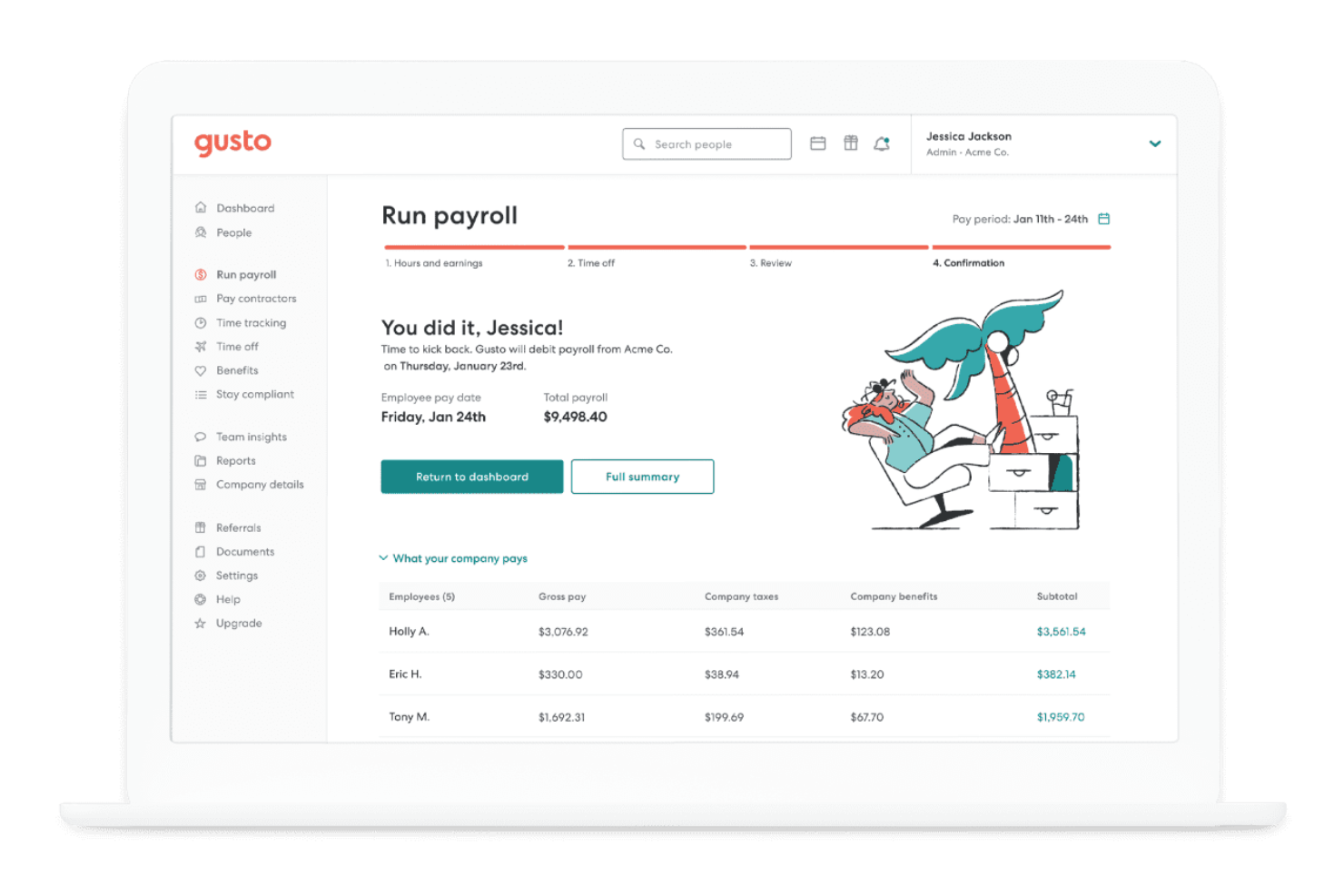
Gusto is a cloud-based platform designed for small to medium-sized businesses, offering payroll, benefits, and human resource management services. It helps you manage payroll processing, employee benefits, and compliance with ease.
Why it's a good QuickBooks alternative: Gusto provides an intuitive payroll system that's ideal for businesses needing detailed HR management. Its automated payroll processing provides accuracy and timeliness, and the employee benefits administration is straightforward, helping you provide competitive packages. Compliance support keeps your team aligned with regulations, reducing the risk of errors.
Standout Features and Integrations:
Features include automated tax filing that simplifies staying compliant with local and federal laws, while time tracking lets you manage employees' hours efficiently. The health benefits administration allows you to offer benefits to your team.
Integrations include QuickBooks, Xero, Microsoft 365, Slack, Zoom, FreshBooks, and more.
Pros and Cons
Pros:
- Simplified benefits administration
- Automated tax filing
- Universal HR tools
Cons:
- May require additional HR tools
- Limited mobile functionality

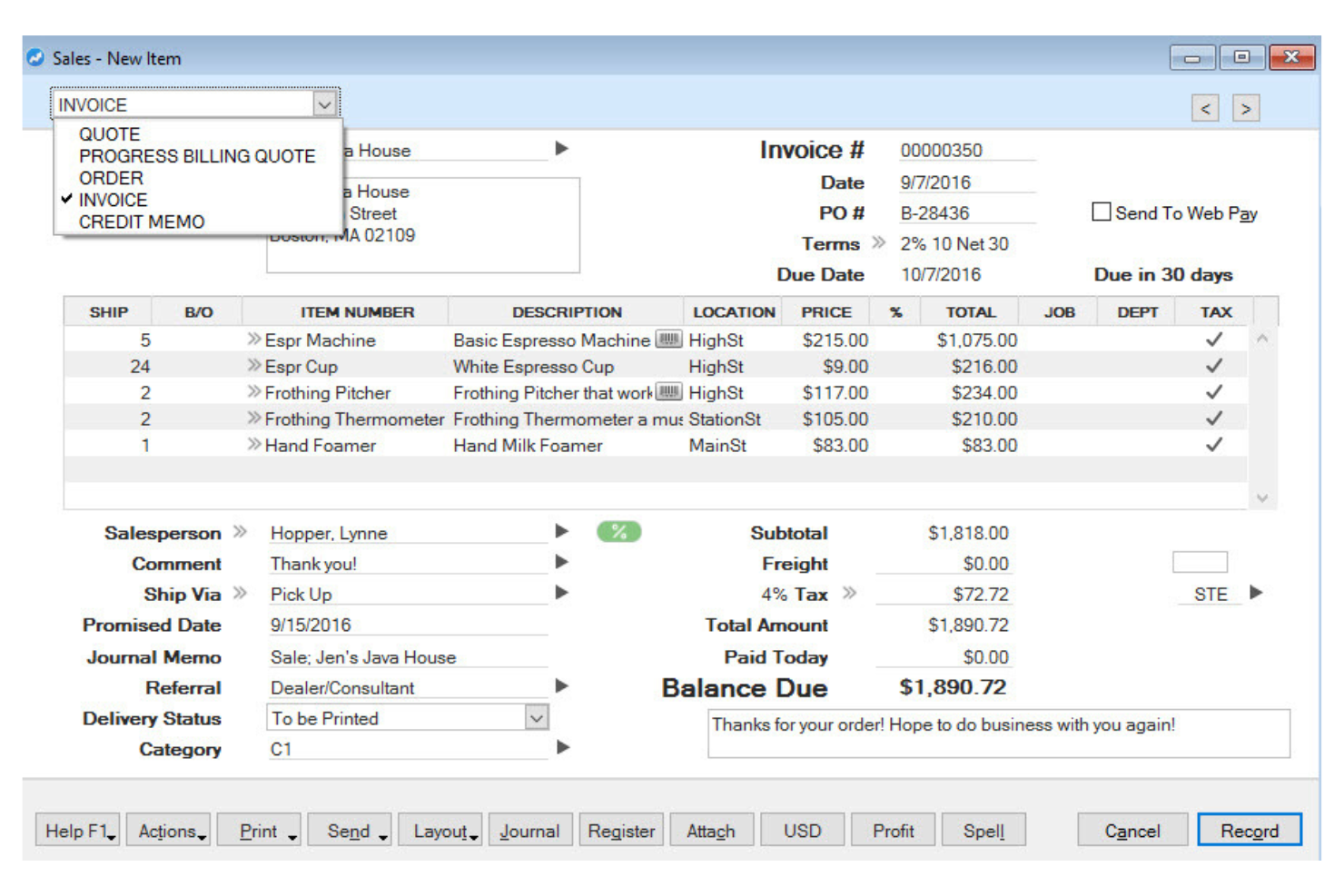
AccountEdge is a desktop accounting software designed for small to medium-sized businesses. It helps you manage invoicing, payment processing, payroll, and inventory efficiently.
Why it's a good QuickBooks alternative: As with QuickBooks Desktop, AccountEdge offers accounting solutions that are ideal for businesses preferring offline access. Its payroll processing capabilities provide accurate employee payments. Inventory management helps you keep track of stock levels effectively. Customizable reporting features allow you to tailor financial reports to your business needs.
Standout Features and Integrations:
Features include a time billing feature that lets you track billable hours. Multi-currency support and payment reminders help you handle international transactions. The software also provides purchase order management to simplify your procurement process.
Integrations include Zapier, Square, Dropbox, Microsoft, and more.
Pros and Cons
Pros:
- Accurate payroll processing
- Time billing feature
- Complete desktop solution
Cons:
- Requires software installation
- Limited cloud functionality

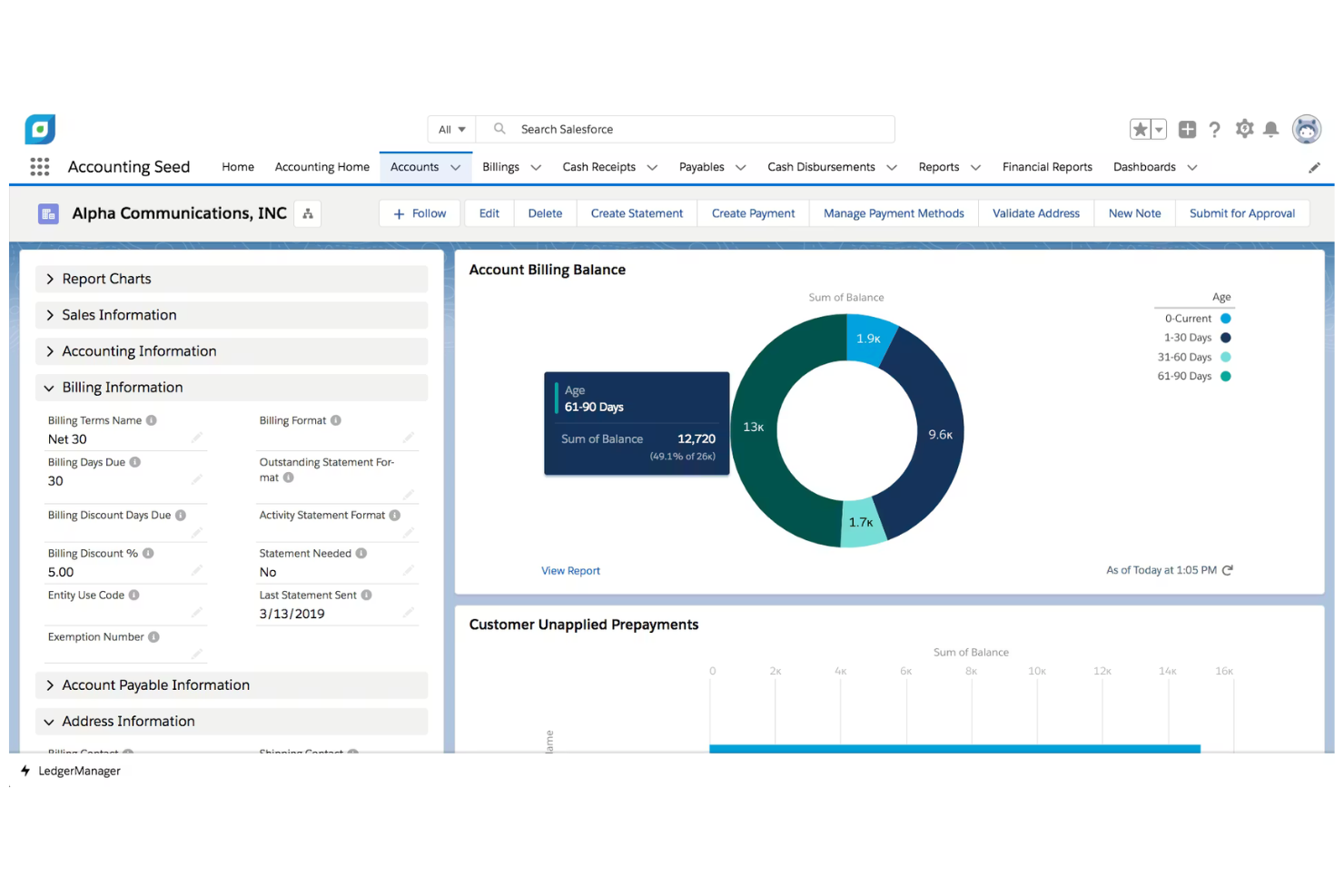
Accounting Seed is a cloud-based accounting software designed for businesses of all sizes, focusing on financial management and project accounting. It helps you manage the general ledger, accounts payable, and accounts receivable efficiently.
Why it's a good QuickBooks alternative: Accounting Seed offers excellent Salesforce integration, making it ideal for businesses that rely on Salesforce for CRM. Its customizable financial reports provide insights tailored to your business needs, and the software's project accounting capabilities enable you to track project costs and profitability. Automation of recurring billing processes reduces manual work and increases efficiency.
Standout Features and Integrations:
Features include multi-currency support that helps you handle international transactions with ease. The software also offers flexible billing options to suit different business models, while inventory management lets you keep track of stock levels efficiently.
Integrations include Salesforce, Stripe, and more.
Pros and Cons
Pros:
- Flexible billing options
- Project accounting capabilities
- Native Salesforce integration
Cons:
- Reporting limitations
- Requires Salesforce expertise

Best for integrated business apps

Autres alternatives à QuickBooks
Voici quelques alternatives supplémentaires à QuickBooks qui ne figurent pas dans ma sélection, mais qui méritent tout de même d’être examinées :
- GnuCash
For free financial tracking
- Expensify
For expense management
- Microsoft Dynamics 365 Finance
For enterprise financial management


Comment j’évalue les alternatives à QuickBooks
J’examine deux niveaux : les éléments de base — comptabilité du grand livre, gestion de la taxe sur les ventes et intégration au système de point de vente — qu’un outil doit proposer, puis les facteurs de différenciation qui distinguent une option des autres pour les exploitants de commerces de détail.
Fonctionnalités essentielles (indispensables pour cette liste)
Lorsque je sélectionne les outils de ma liste, j’évalue chacun d’entre eux sur une échelle de 0 (ne propose pas la fonctionnalité) à 5 (excelle dans ce domaine) pour chaque fonctionnalité essentielle indiquée ci-dessous. Je convertis ensuite le score total de l’outil en pourcentage. Chaque outil doit obtenir un score total minimum de 65 % pour être pris en compte.
- Grand livre et tenue de la comptabilité : Je vérifie la présence d’une comptabilité en partie double, d’un plan comptable flexible et d’états financiers courants, comme les comptes de résultat et les bilans, que les propriétaires de commerces de détail utilisent réellement en fin de mois.
- Comptes fournisseurs et comptes clients : Le suivi des factures fournisseurs, la facturation des clients et les processus de paiement sont importants ici, en particulier pour les détaillants qui gèrent des dizaines de paiements aux fournisseurs en parallèle des remboursements clients.
- Suivi des stocks de détail et du coût des marchandises vendues : Chaque outil doit relier les mouvements de stock au coût des marchandises vendues au niveau de l’unité de gestion des stocks (SKU), que ce soit grâce à des fonctionnalités natives ou à une intégration étroite avec un système de gestion des stocks dédié.
- Gestion de la taxe sur les ventes : Les détaillants qui vendent dans plusieurs juridictions ont besoin d’un calcul et de rapports fiscaux automatisés. J’évalue donc la manière dont chaque outil gère les scénarios à taux multiples et l’assistance à la déclaration fiscale.
- Intégrations avec les systèmes de point de vente et le commerce électronique : Je vérifie si l’outil se synchronise avec des plateformes comme Shopify, Square ou Lightspeed afin d’importer les ventes, les remboursements, les frais et les données de dépôt sans saisie manuelle.
- Rapprochement bancaire et rapports : Les flux bancaires en temps réel et la catégorisation des transactions sont des fonctionnalités de base, mais j’évalue également la profondeur des rapports financiers disponibles pour les indicateurs propres au commerce de détail, comme la marge et le chiffre d’affaires par canal.
Une fois que j’ai établi une liste d’outils répondant à ces critères, j’examine ce qui distingue chaque plateforme.
Facteurs de différenciation (ce qui distingue les fournisseurs)
Voici comment je compare les différents fournisseurs :
Fonctionnalités remarquables
La consolidation de plusieurs points de vente est un élément essentiel pour moi. Les détaillants qui gèrent plusieurs magasins ont besoin de comptes de résultat par site, regroupés dans une vue unique sans travail manuel sur des feuilles de calcul. J’évalue également la qualité de la synchronisation des revenus provenant de plusieurs canaux : les frais des places de marché, les déductions liées à l’expédition et les versements de plateformes comme Amazon ou Etsy doivent être automatiquement affectés aux bons comptes. Les processus de bons de commande avec suivi du coût rendu complètent l’ensemble, en fournissant aux détaillants des données précises sur les marges dès qu’ils passent une commande auprès d’un fournisseur.
Au-delà des fonctionnalités
Je commence par la migration depuis QuickBooks. Je vérifie si une plateforme propose des outils d’importation directe des données pour le plan comptable, les listes de fournisseurs et les transactions historiques, car reconstruire plusieurs années de comptabilité à partir de zéro est rédhibitoire pour la plupart des propriétaires de magasins. La structure tarifaire est également importante. J’évalue si les coûts évoluent de manière prévisible lorsque vous ajoutez des sites, des utilisateurs ou du volume de ventes, sans frais imprévus pour les modules essentiels du commerce de détail. Enfin, l’accès infonuagique avec une application mobile mérite d’être vérifié, car de nombreux exploitants de commerces de détail examinent leur flux de trésorerie et approuvent des factures depuis la surface de vente, et non depuis un bureau.
Pourquoi chercher une alternative à QuickBooks ?
Bien que QuickBooks soit un bon choix de logiciel de comptabilité, plusieurs raisons poussent certains utilisateurs à rechercher des solutions alternatives. Vous cherchez peut-être une alternative à QuickBooks parce que…
- Vous avez besoin de meilleures options de personnalisation
- Votre équipe a besoin de rapports plus avancés
- Vous trouvez QuickBooks trop coûteux pour votre budget
- Vous avez besoin de fonctionnalités adaptées à un secteur spécifique
- Vous avez besoin d'une meilleure intégration avec d'autres outils
- Votre entreprise se développe à l'international
Si vous vous reconnaissez dans l'une de ces situations, vous êtes au bon endroit. Ma liste contient plusieurs options de logiciels de comptabilité mieux adaptées aux équipes confrontées à ces difficultés avec QuickBooks et à la recherche de solutions alternatives.
Principales fonctionnalités de QuickBooks
Voici quelques-unes des principales fonctionnalités de QuickBooks, afin de vous aider à comparer les offres des solutions alternatives :
- Facturation : Personnalisez les modèles et suivez les factures en temps réel pour être payé plus rapidement.
- Suivi des dépenses : Capturez et organisez les dépenses à l'aide de l'application mobile pour en faciliter la gestion.
- Comptabilité dans le cloud : Accédez à vos données financières en toute sécurité depuis n'importe où avec une seule connexion.
- Rapports : Créez des rapports financiers personnalisés pour mieux comprendre les performances de votre entreprise.
- Synchronisation bancaire et des cartes de crédit : Connectez vos comptes bancaires pour un suivi financier précis et à jour.
- Suivi des taxes : Gérez facilement les dépenses pour respecter les obligations liées à la GST et à la VAT.
- Gestion des stocks : Suivez les niveaux de stock et les ventes pour un contrôle efficace des stocks.
- Application mobile : Gérez vos tâches comptables en déplacement grâce à toutes les fonctionnalités mobiles.
- Prise en charge de plusieurs devises : Gérez les transactions internationales avec facilité et précision.
- Sécurité des données : Protégez vos données financières grâce au chiffrement et à des connexions sécurisées.