

Webflow-arvostelu: hyvät ja huonot puolet, ominaisuudet ja hinnoittelu
Webflow tarjoaa vertaansa vailla olevaa suunnittelun joustavuutta, mikä tekee siitä erinomaisen vaihtoehdon luoville ammattilaisille, jotka etsivät ainutlaatuista verkkokauppasivuston rakentajaa.

We review tools independently, and commissions help fund our testing. See our transparency policy, our methodology, or suggest a tool.
Webflow is an ecommerce website builder built around visual design control, letting you build a fully custom storefront without writing code. I'd consider it if your brand's visual identity is non-negotiable. It gives you more design flexibility than Squarespace, without needing a developer to pull it off.
Webflow Evaluation Summary
4.4/5
- From $15/month (billed annually)
- Free plan available
Miksi luottaa ohjelmistosuosituksiimme
6,700+
Reviews
20
Industry experts
16+
Evaluation factors
14
Years
Tiimimme on testannut ja arvioinut ohjelmistoja vuodesta 2012 lähtien. Julkaisijoina ja mediatoimijoina tiedämme itse, kuinka vaikeaa — ja tärkeää — oikean ohjelmiston valitseminen on.
Tätä opasta varten arvioimme työkaluja käytännön testauksen ja itsenäisen tutkimuksen avulla, pisteyttäen työkalut valintakriteeriemme perusteella.
Arvostelumme perustuvat inhimilliseen toimitukselliseen harkintaamme, eivät myyntipuheeseen.
Webflow Overview
In my opinion, Webflow is a solid choice for creative professionals and small businesses seeking a no-code ecommerce website builder with extensive design capabilities. Its standout features like custom design tools set it apart from competitors, making it ideal for industries where visual appeal is crucial. While its ease of use and onboarding are commendable, the platform might pose a learning curve for those unfamiliar with design tools. Compared to other builders, Webflow excels in flexibility but may fall short for users needing robust out-of-the-box ecommerce functionalities. If your team values design freedom and aesthetic control, Webflow is worth considering.
Pros
- You can create custom designs without coding.
- Your team gets extensive design flexibility.
- It offers visually appealing templates.
Cons
- It has a learning curve for beginners.
- Your team may find limited ecommerce functionalities.
- You might need more advanced ecommerce tools.
Is Webflow Right For Your Needs?
Who Would be a Good Fit for Webflow?
Webflow is ideal for creative agencies and small businesses in design-focused industries like fashion and architecture. Your team will love the design flexibility and customization options, allowing you to use Webflow to create unique, visually engaging ecommerce sites without coding. Webflow's intuitive design tools make it a great fit for marketing teams who need to quickly iterate and experiment with layouts. If your work requires standout visuals and creative control, Webflow's capabilities align perfectly with your goals.
- Creative AgenciesWebflow provides design tools that let your team craft unique sites, perfect for showcasing your creative work.
- Fashion BrandsYour brand's visual appeal shines with Webflow's templates and customization options, ideal for ecommerce stores.
- Small BusinessesWebflow offers easy-to-use design features for small teams wanting custom, professional-looking websites.
- Marketing TeamsYou can quickly test and update site designs, making Webflow great for dynamic marketing campaigns.
- Freelance Web DesignersWebflow lets you offer clients custom sites without needing a developer, adding value to your services.
- Architecture FirmsYour projects benefit from Webflow's design flexibility, allowing you to present your work with high visual impact.
Who Would be a Bad Fit for Webflow?
Webflow might not suit large enterprises needing extensive ecommerce functionalities or teams with limited design skills. If your work relies heavily on out-of-the-box ecommerce features, Webflow's customization might feel cumbersome. Businesses in industries like logistics or wholesale, where complex product management and backend integration are crucial, may find Webflow lacking. If your team isn't design-savvy or requires extensive ecommerce tools, consider other platforms.
- Large EnterprisesYour team may find Webflow lacks the advanced ecommerce features needed for large-scale operations.
- Logistics CompaniesWebflow's design focus doesn't cater to the complex backend requirements of logistics businesses.
- Wholesale DistributorsYour need for robust product management tools isn't met by Webflow's current offerings.
- Non-Design TeamsIf your team lacks design skills, Webflow's customization options might be overwhelming and impractical.
- Tech StartupsWebflow may not support the advanced technical integrations your startup requires for rapid growth.
- Ecommerce GiantsYour need for extensive ecommerce functionalities would be better served by platforms with more specialized features.
Our Review Methodology
How We Test & Score Tools
We’ve spent years building, refining, and improving our software testing and scoring system. The rubric is designed to capture the nuances of software selection and what makes a tool effective, focusing on critical aspects of the decision-making process.
Below, you can see exactly how our testing and scoring works across seven criteria. It allows us to provide an unbiased evaluation of the software based on core functionality, standout features, ease of use, onboarding, customer support, integrations, customer reviews, and value for money.
Core Functionality (25% of final scoring)
The starting point of our evaluation is always the core functionality of the tool. Does it have the basic features and functions that a user would expect to see? Are any of those core features locked to higher-tiered pricing plans? At its core, we expect a tool to stand up against the baseline capabilities of its competitors.
Standout Features (25% of final scoring)
Next, we evaluate uncommon standout features that go above and beyond the core functionality typically found in tools of its kind. A high score reflects specialized or unique features that make the product faster, more efficient, or offer additional value to the user.
We also evaluate how easy it is to integrate with other tools typically found in the tech stack to expand the functionality and utility of the software. Tools offering plentiful native integrations, 3rd party connections, and API access to build custom integrations score best.
Ease of Use (10% of final scoring)
We consider how quick and easy it is to execute the tasks defined in the core functionality using the tool. High scoring software is well designed, intuitive to use, offers mobile apps, provides templates, and makes relatively complex tasks seem simple.
Onboarding (10% of final scoring)
We know how important rapid team adoption is for a new platform, so we evaluate how easy it is to learn and use a tool with minimal training. We evaluate how quickly a team member can get set up and start using the tool with no experience. High scoring solutions indicate little or no support is required.
Customer Support (10% of final scoring)
We review how quick and easy it is to get unstuck and find help by phone, live chat, or knowledge base. Tools and companies that provide real-time support score best, while chatbots score worst.
Customer Reviews (10% of final scoring)
Beyond our own testing and evaluation, we consider the net promoter score from current and past customers. We review their likelihood, given the option, to choose the tool again for the core functionality. A high scoring software reflects a high net promoter score from current or past customers.
Value for Money (10% of final scoring)
Lastly, in consideration of all the other criteria, we review the average price of entry level plans against the core features and consider the value of the other evaluation criteria. Software that delivers more, for less, will score higher.
Core Features
Custom Design Tools
Webflow lets your team create unique designs with or without coding using its site builder. You can customize every front-end aspect of your site, offering a personalized experience.
Responsive Design
Your ecommerce site automatically adjusts for mobile, tablet, and desktop views, ensuring a seamless user experience across devices.
CMS Functionality
Webflow's CMS allows you to manage content effortlessly. You can update products, images, and text without altering the design.
SEO Optimization
Built-in SEO tools help your site rank better in search results. You can easily edit meta tags, alt text, and manage elements like your sitemap to improve how search engines index your pages.
Ecommerce Capabilities
Webflow supports product listings, checkout, and payment processing. Your online store can handle transactions efficiently.
Hosting and Security
Webflow provides secure, fast hosting with SSL certificates included. Your site stays protected and performs well.
Ease of Use
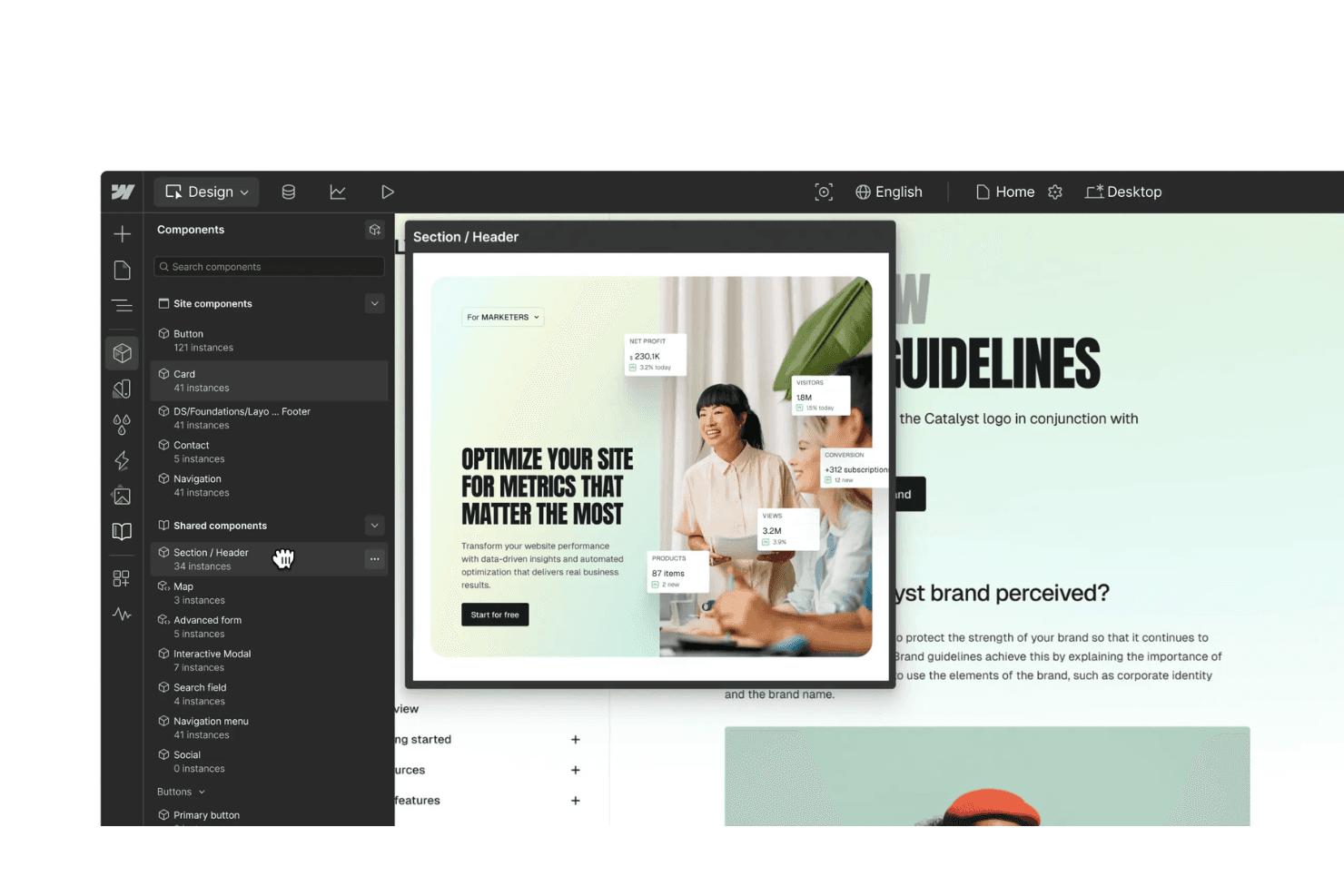
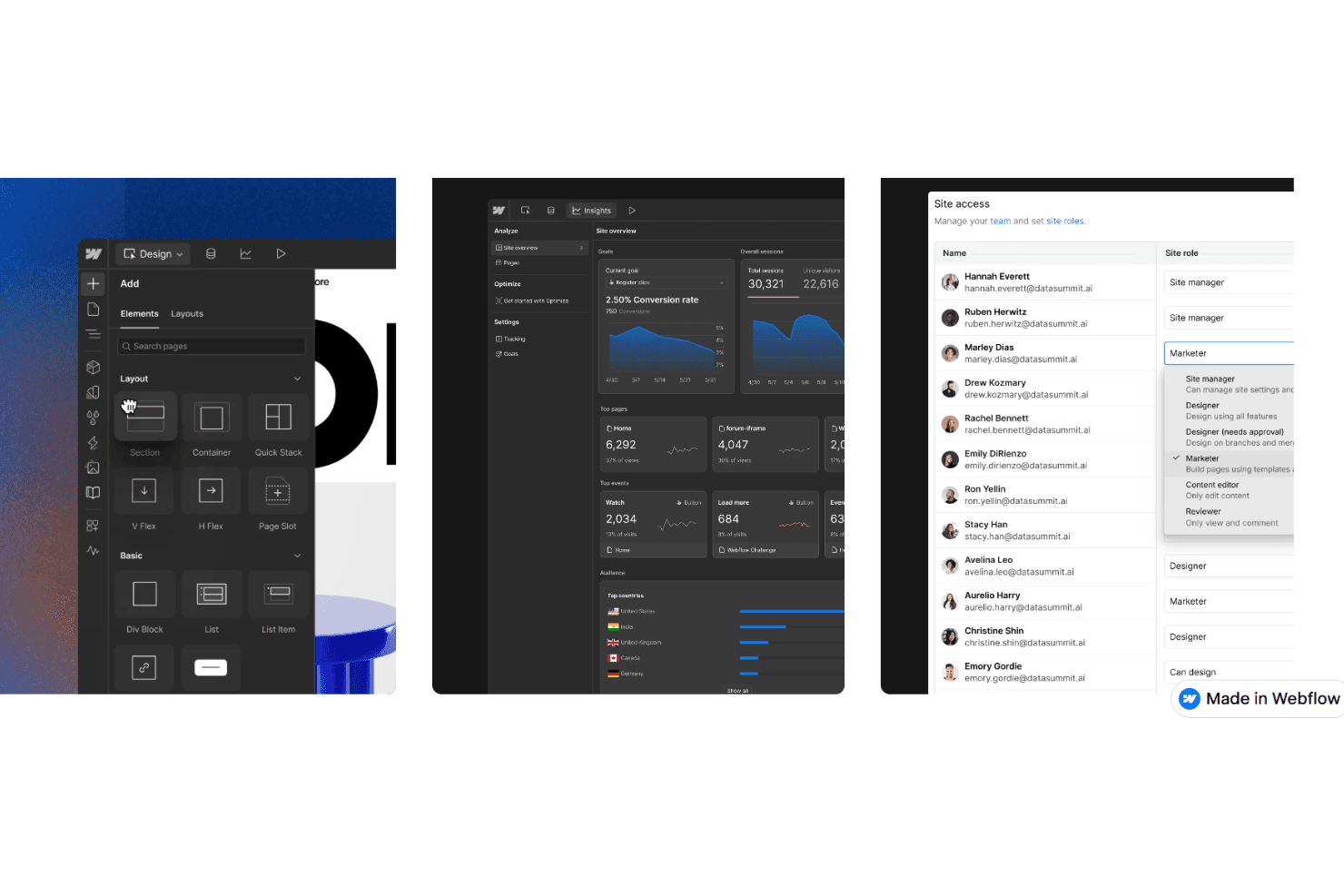
Webflow offers a user-friendly interface, but beginners may face a learning curve due to its design-focused tools. If your team has some design experience, you'll appreciate the intuitive drag-and-drop editor and real-time CMS updates. The platform helps streamline your website design workflow, giving you control over every design detail. However, those unfamiliar with design concepts might find some features daunting at first.
Integrations
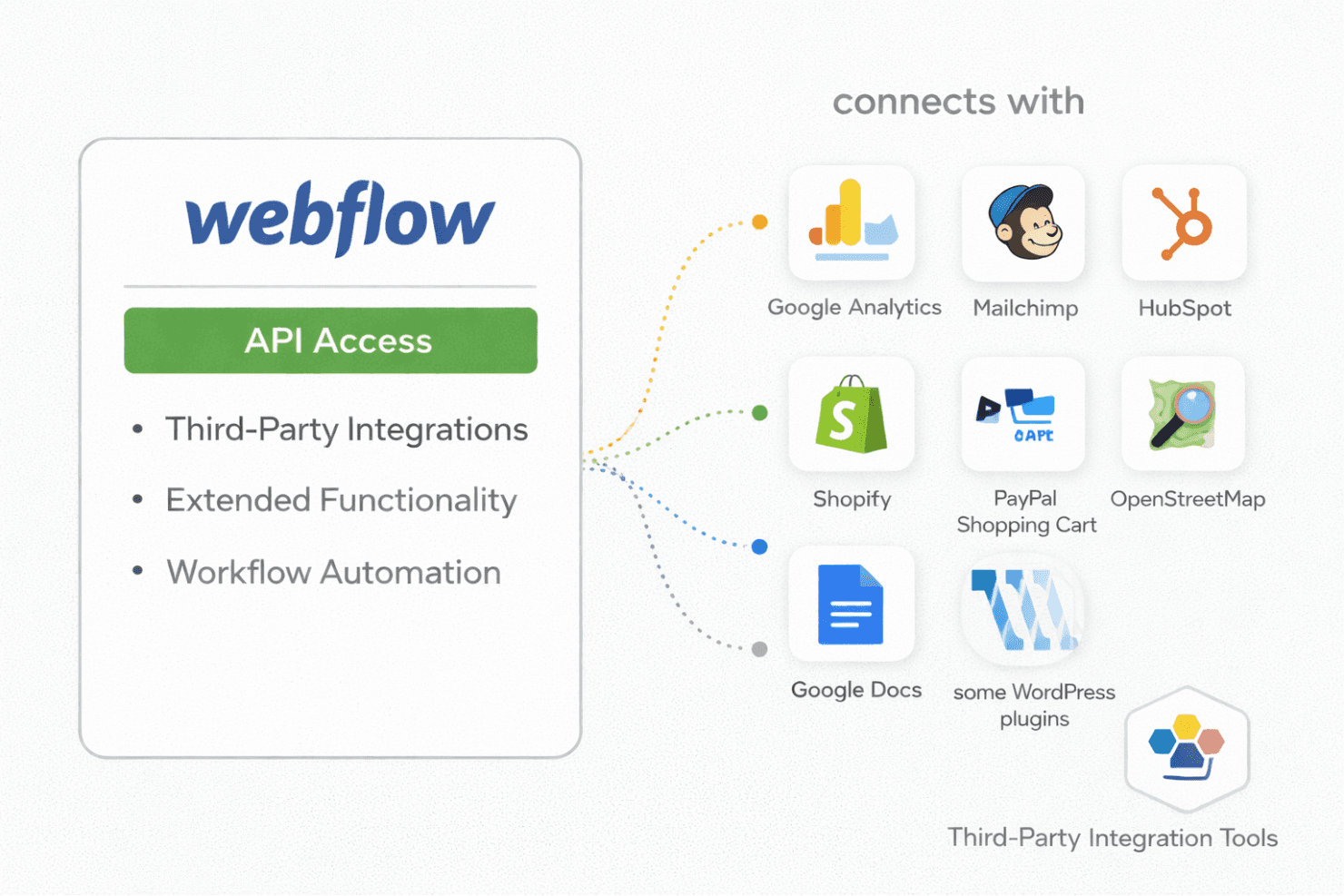
Webflow integrates with Google Analytics, Mailchimp, HubSpot, Zapier, Shopify, PayPal Shopping Cart, OpenStreetMap, ChatGPT, Google Docs, and some Wordpress plugins.
Webflow also has an API and connects with third-party integration tools for extended functionality and workflow automation.
Webflow Specs
- A/B Testing: Yes
- API: Yes
- Data Export: Yes
- Data Import: Yes
- External Integrations: Yes
- Multi-User: Yes
- Third-Party Plugins/Add-Ons: Yes