

QuickBooks Desktop Enterprise -arvostelu: hyvät puolet, huonot puolet, tärkeimmät ominaisuudet & hinnoittelu
QuickBooks Desktop Enterprise on suunniteltu yritysjohtajille, jotka tarvitsevat tehokasta taloushallintaa eivätkä halua turvautua laskentataulukoihin. Jos varastonhallinta, projektikustannusten laskenta tai reaaliaikaiset näkymät ovat tärkeitä, tämä ratkaisu täyttää tarpeet.

We review tools independently, and commissions help fund our testing. See our transparency policy, our methodology, or suggest a tool.
QuickBooks Desktop Enterprise is an order management system software built for mid-sized, product-based businesses that need advanced inventory tracking, purchase order management, and multi-location fulfillment inside a familiar accounting environment. I'd consider it over NetSuite if your team is already invested in the QuickBooks ecosystem and wants more advanced order and inventory capabilities without the overhead of a full cloud ERP implementation.
QuickBooks Desktop Enterprise Evaluation Summary
4.2/5
- From $140.84/month
- Free product tour
Miksi luottaa ohjelmistosuosituksiimme
6,700+
Reviews
20
Industry experts
16+
Evaluation factors
14
Years
Tiimimme on testannut ja arvioinut ohjelmistoja vuodesta 2012 lähtien. Julkaisijoina ja mediatoimijoina tiedämme itse, kuinka vaikeaa — ja tärkeää — oikean ohjelmiston valitseminen on.
Tätä opasta varten arvioimme työkaluja käytännön testauksen ja itsenäisen tutkimuksen avulla, pisteyttäen työkalut valintakriteeriemme perusteella.
Arvostelumme perustuvat inhimilliseen toimitukselliseen harkintaamme, eivät myyntipuheeseen.
QuickBooks Desktop Enterprise Overview
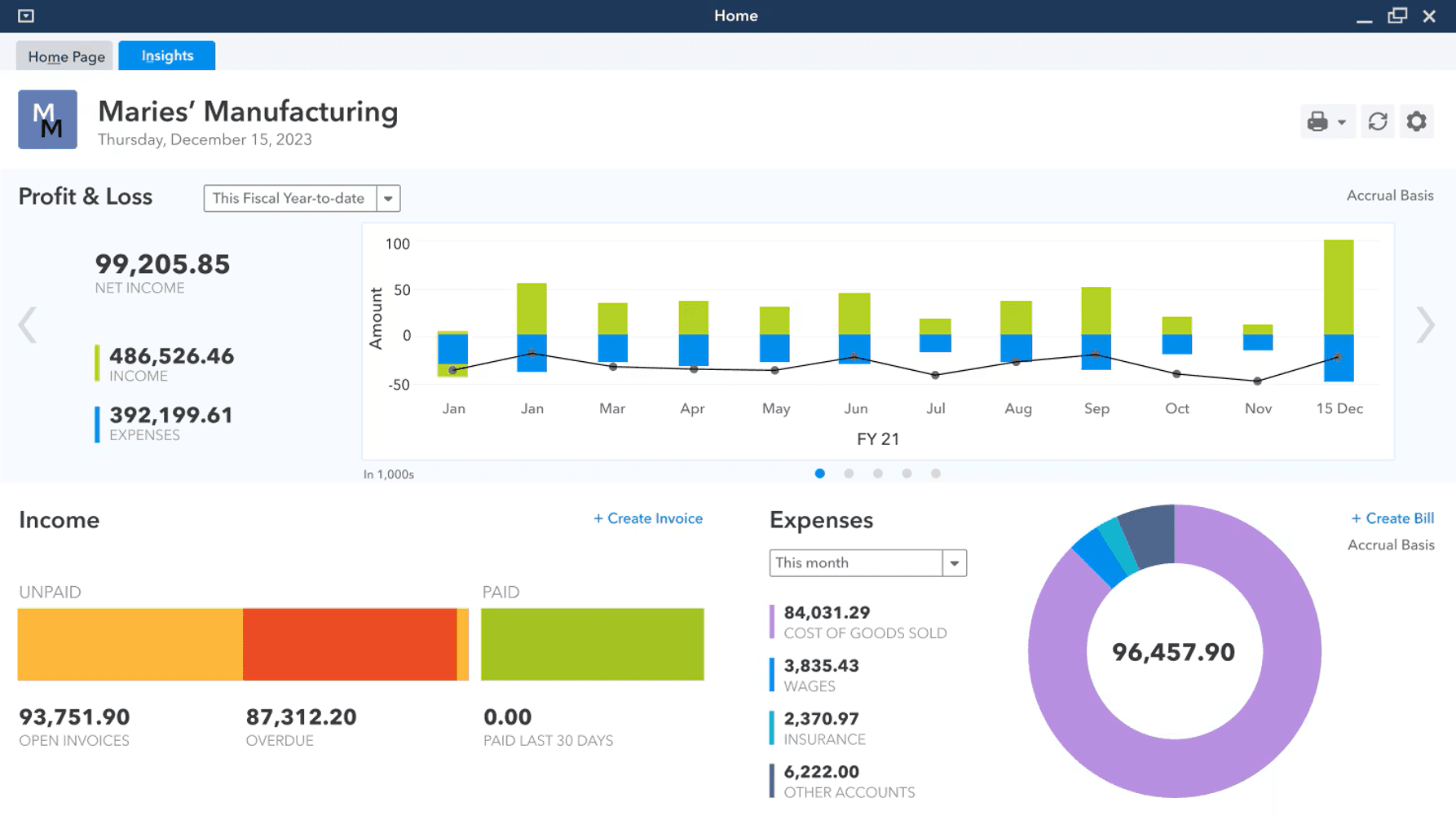
In my opinion, QuickBooks Desktop Enterprise is a heavy hitter for businesses with complex accounting needs.
You’re getting robust inventory management, advanced reporting, and real financial management tools—no frills, just depth where it matters. The price and learning curve are real, but if you need detailed workflows, automation, and reliable customer support, it earns its spot.
Pros
- Serious financial reporting: Get in-depth, customizable reports built for real oversight.
- Robust inventory management: Advanced inventory tools handle complex tracking, not just basics.
- Customizable workflows: Tailor the system to your specific operations and reporting needs.
Cons
- Outdated user interface: Feels clunky compared to modern small business accounting solutions.
- Steep learning curve: Initial setup and training take real time and effort.
- Limited mobile access: Desktop-first design holds back teams that need flexibility.


Is QuickBooks Desktop Enterprise Right For Your Needs?
Who Would be a Good Fit for QuickBooks Desktop Enterprise?
Medium to large retail businesses, manufacturers, and wholesale distributors that require advanced inventory management, complex job costing, and detailed financial oversight will get the most value here.
If your operation relies on granular reporting, customizable workflows, and you don’t mind investing time into setup, QuickBooks Desktop Enterprise fits.
It’s for operators who need to streamline accounting processes and gain real visibility into their business—not small shops looking for a quick fix.
- Retail chainsManage large inventories and multiple locations with advanced tracking tools.
- Manufacturing companiesUse detailed financial and job costing features to keep projects profitable.
- Accounting departmentsSimplify complex workflows with in-depth reporting and multi-user support.
- Wholesale distributorsTrack inventory levels and streamline order management efficiently.
- Finance teamsGet customizable reports and deep insight into cash flow, receivables, and forecasting.
- Large enterprisesHandle multi-company accounting and scale up without sacrificing control.
Who Would be a Bad Fit for QuickBooks Desktop Enterprise?
Small businesses, startups, freelancers, or anyone with straightforward accounting needs should look elsewhere.
If your team is looking for a simple, user-friendly solution with modern design and strong mobile access, the desktop version will feel clunky.
Operators who don’t need in-depth reporting, advanced inventory, or who want plug-and-play bookkeeping are better off with QuickBooks Online or other cloud-based solutions.
- FreelancersToo complex and expensive for basic bookkeeping and invoicing.
- Small retail shopsThe learning curve and feature set are overkill for simple inventory management.
- StartupsCost and complexity outweigh the benefits when you’re just starting out.
- Remote teamsLimited mobile and cloud access make collaboration tough
- Creative agenciesProject management features are limited compared to dedicated tools.
- Non-profit organizationsMost don’t need advanced financial features or inventory tracking.
Core Features
Inventory management: Track inventory levels, sales, and stock across locations in real time.
Financial reporting: Generate detailed, customizable reports for true financial management.
Sales order fulfillment: Manage and track sales orders to streamline order management workflows.
Purchase order management: Create, track, and organize purchase orders within the system.
Pricing management: Adjust and control pricing easily to keep up with changing market demands.
Job costing: Break down project costs and monitor profitability for better cash flow control.
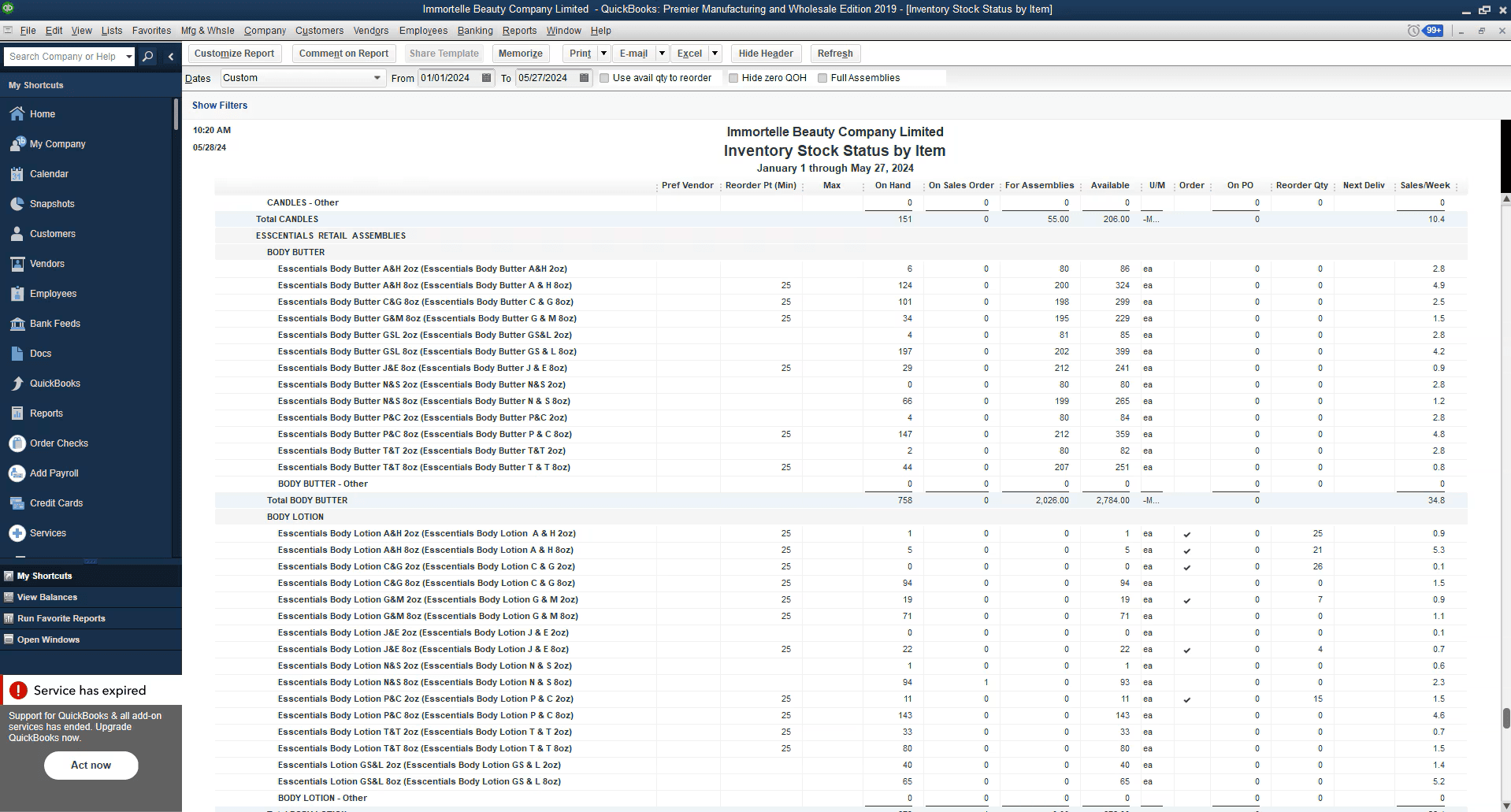
Ease of Use
QuickBooks Desktop Enterprise isn’t winning awards for user experience or a modern interface, but what it lacks in looks, it makes up for in depth.
Operators coming from simpler accounting software or cloud-based options like QuickBooks Online should expect a real learning curve. Once you’re over that initial hump, the system’s advanced features and customizable dashboards give you control over even the most complex business needs.
It’s user-friendly only if your definition of user-friendly includes serious power under the hood.
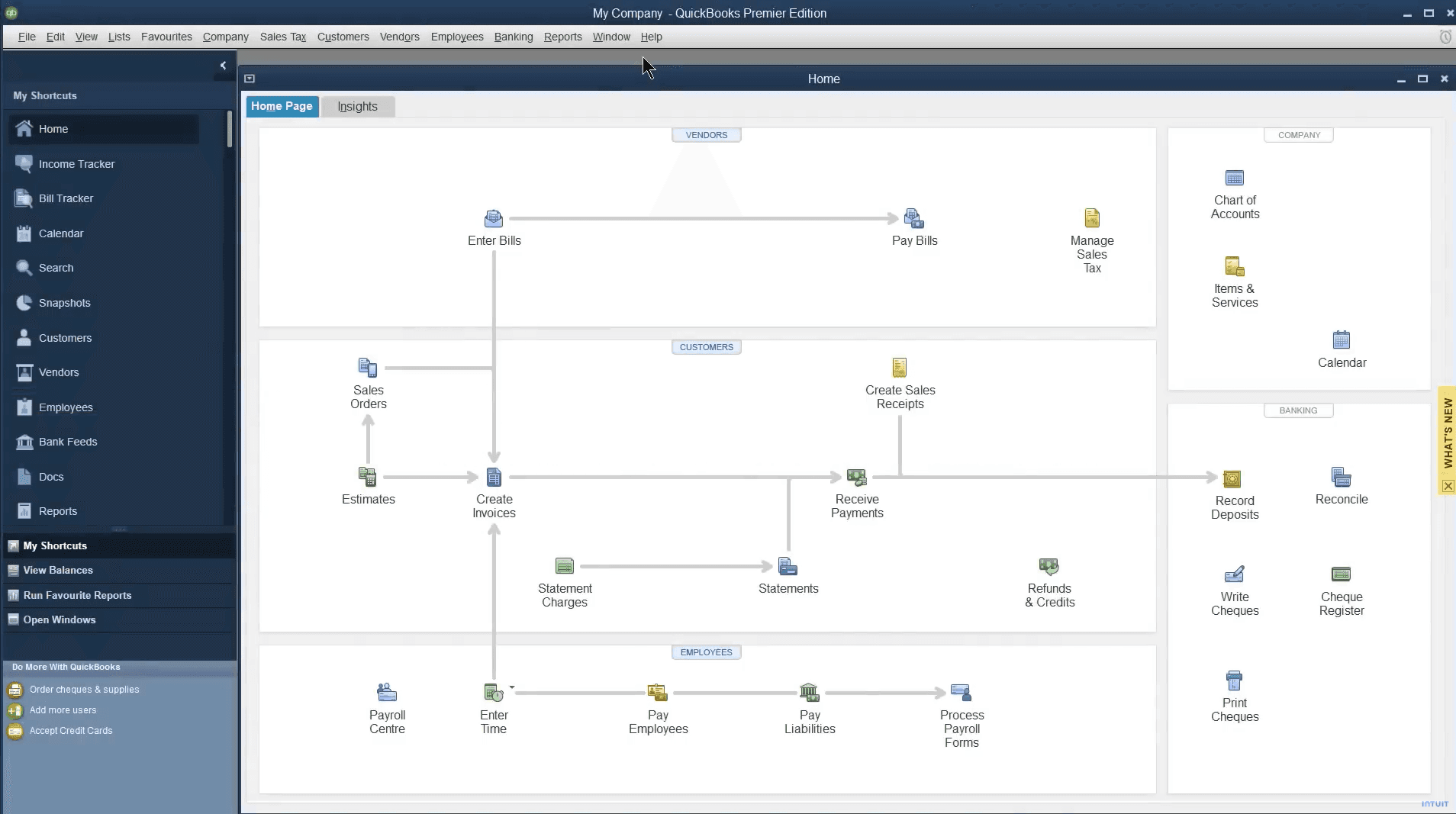
QuickBooks Desktop Enterprise Specs
- 2-Factor Authentication: No
- Accounts Payable: Yes
- Accounts Receivable: Yes
- API: No
- Balance Sheet: Yes
- Billing/Invoicing: Yes
- BitCoin: No
- Budgeting: Yes
- Calendar Management: No
- Contact Management: No
- CRM Integration: Yes
- Customer Management: Yes
- Dashboard: Yes
- Data Export: Yes
- Data Import: Yes
- Data Visualization: Yes
- Expense Tracking: Yes
- External Integrations: Yes
- Forecasting: Yes
- General Account Ledger: Yes
- Inventory Tracking: Yes
- Multi-Currency: Yes
- Multi-User: Yes
- Notifications: Yes
- P&L: Yes
- PayPal: Yes
- Payroll: Yes
- SAP Integration: No
- Stripe: Yes
- Supplier Management: Yes
- Tax Management: Yes
Alternatives to QuickBooks Desktop Enterprise


QuickBooks Desktop Enterprise FAQs
Mitä seuraavaksi?
Vähittäiskauppa ei koskaan pysähdy—eikä sinunkaan pitäisi. Tilaa uutiskirjeemme, niin saat alan toimintaa muovaavilta vähittäiskaupan johtajilta uusimmat näkemykset, strategiat ja uraresurssit.