

Linnworks-arvostelu: hyvät puolet, huonot puolet, ominaisuudet ja hinnoittelu
Linnworks auttaa verkkokauppayrityksiä hallitsemaan varastoa, tilauksia, toimituksia ja monikanavaista myyntiä automaatiotyökaluilla, jotka on suunniteltu kasvavan vähittäiskaupan tarpeisiin.

We review tools independently, and commissions help fund our testing. See our transparency policy, our methodology, or suggest a tool.
Linnworks is an inventory management software for ecommerce businesses that need to centralize inventory, orders, and listings across multiple sales channels. If you're selling on Amazon, eBay, Shopify, and your own storefront simultaneously, Linnworks keeps stock levels and order routing in sync across all of them. I'd consider it over something like Cin7 if your operation is primarily ecommerce-driven—Linnworks is built around channel selling rather than manufacturing or wholesale workflows, so the fit tends to be cleaner for online retailers.
Linnworks Evaluation Summary
4.2/5
- From $449/month (volume-based pricing)
- Free demo available
Miksi luottaa ohjelmistosuosituksiimme
6,700+
Reviews
20
Industry experts
16+
Evaluation factors
14
Years
Tiimimme on testannut ja arvioinut ohjelmistoja vuodesta 2012 lähtien. Julkaisijoina ja mediatoimijoina tiedämme itse, kuinka vaikeaa — ja tärkeää — oikean ohjelmiston valitseminen on.
Tätä opasta varten arvioimme työkaluja käytännön testauksen ja itsenäisen tutkimuksen avulla, pisteyttäen työkalut valintakriteeriemme perusteella.
Arvostelumme perustuvat inhimilliseen toimitukselliseen harkintaamme, eivät myyntipuheeseen.
Linnworks Overview
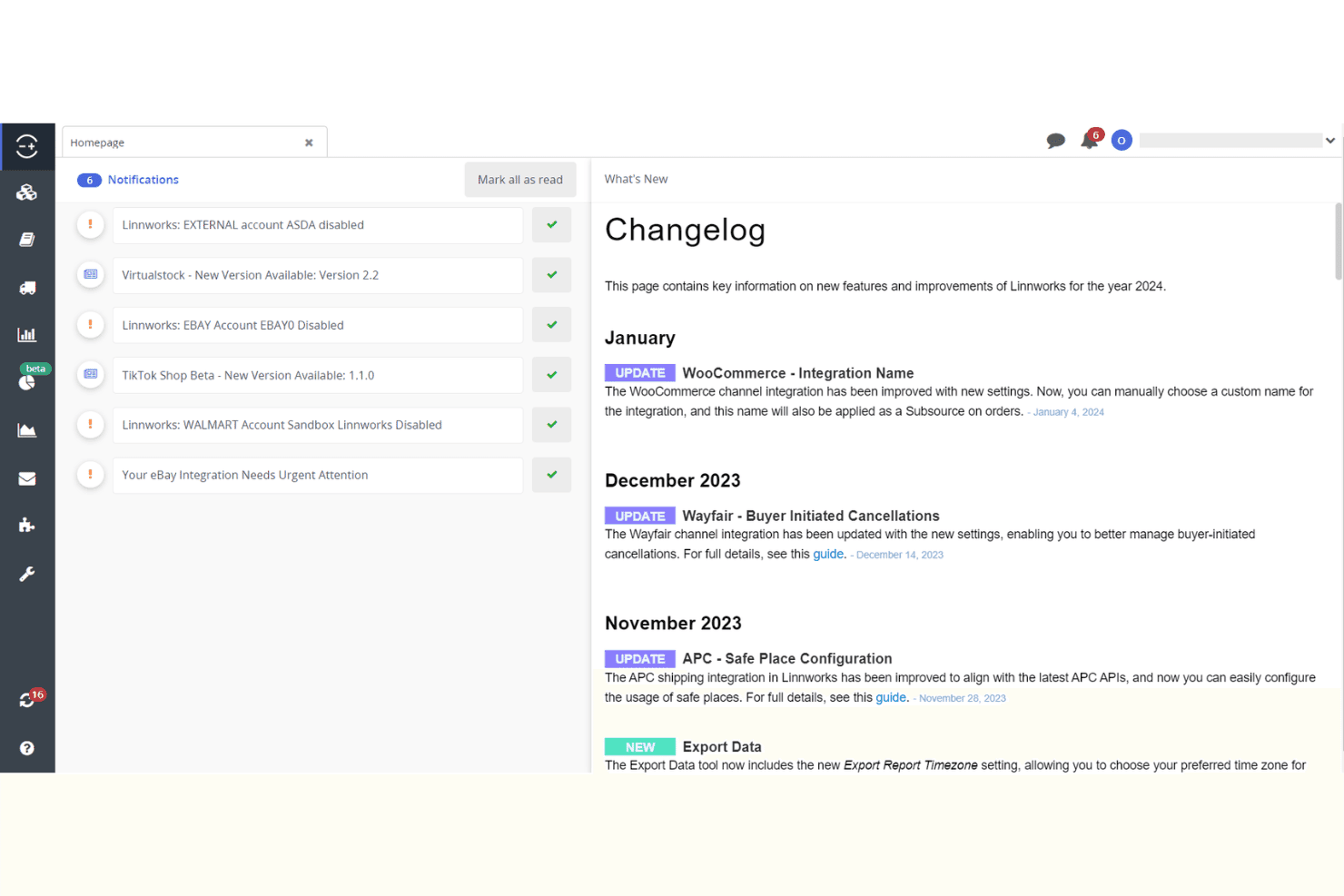
If you’re judging by deep marketplace integrations and real-time stock syncing, I think Linnworks is hard to beat, especially for high-volume sellers. Its automation reduces manual errors, and onboarding is smoother than most, though the interface could feel dense for some teams.
I’d select Linnworks for businesses juggling multichannel sales, but if transparent pricing or flexible analytics are your main guides, you might find some limits. The support team responds quickly in my experience, which makes Linnworks an easy pick for operators scaling complexity fast.
Pros
- Automates order and inventory syncing across key channels
- Custom reporting supports granular inventory analysis
- Scalable workflows for complex or growing product catalogs
Cons
- No offline or native mobile app functionality
- Pricing tiers can be unclear before sales contact
- Interface can feel cluttered with advanced settings
Is Linnworks Right For Your Needs?
Who Would be a Good Fit for Linnworks?
Ecommerce businesses, particularly in retail sectors like fashion and electronics, would find Linnworks valuable due to its ability to manage multi-channel sales efficiently. If your team needs to streamline inventory processes and automate repetitive tasks, Linnworks’s robust reporting tools can help you make informed decisions. It’s especially beneficial for operations that require centralized control over diverse sales channels, helping your team focus on growth rather than logistics.
- Ecommerce RetailersLinnworks offers centralized control for managing multiple sales channels efficiently.
- Small BusinessesYour team can automate routine tasks, freeing up time for strategic planning.
- Inventory ManagersLinnworks’s robust reporting tools help you make data-driven decisions.
- Multi-Channel SellersYou can manage all your sales channels from one platform seamlessly.
- Operations TeamsStreamline complex inventory processes to focus on operational efficiency.
- Fashion IndustryLinnworks supports diverse inventory needs, perfect for fast-moving fashion products.
Who Would be a Bad Fit for Linnworks?
Businesses that rely heavily on highly customized workflows may find Linnworks limiting due to its constrained customization options. If your team needs a highly intuitive interface, you might struggle with Linnworks’s user interface, which some find less intuitive. Additionally, organizations with minimal inventory management needs may not fully benefit from Linnworks’s comprehensive feature set, making it more than what’s necessary for your operations.
- Small Crafts SellersYour minimal inventory needs might not justify Linnworks’s full capabilities.
- Highly Custom WorkflowsLinnworks’s limited customization may not accommodate your specific requirements.
- Tech-Savvy TeamsYou might find the interface less intuitive compared to other solutions.
- Single-Channel SellersManaging only one sales channel doesn’t require Linnworks’s multi-channel capabilities.
- Basic Inventory NeedsLinnworks’s advanced features could be overkill for your simple inventory needs.
- Freelancers or Sole TradersYour operations might not need Linnworks’s extensive tools and functionalities.
Our Review Methodology
How We Test & Score Tools
We’ve spent years building, refining, and improving our software testing and scoring system. The rubric is designed to capture the nuances of software selection and what makes a tool effective, focusing on critical aspects of the decision-making process.
Below, you can see exactly how our testing and scoring works across seven criteria. It allows us to provide an unbiased evaluation of the software based on core functionality, standout features, ease of use, onboarding, customer support, integrations, customer reviews, and value for money.
Core Functionality (25% of final scoring)
The starting point of our evaluation is always the core functionality of the tool. Does it have the basic features and functions that a user would expect to see? Are any of those core features locked to higher-tiered pricing plans? At its core, we expect a tool to stand up against the baseline capabilities of its competitors.
Standout Features (25% of final scoring)
Next, we evaluate uncommon standout features that go above and beyond the core functionality typically found in tools of its kind. A high score reflects specialized or unique features that make the product faster, more efficient, or offer additional value to the user.
We also evaluate how easy it is to integrate with other tools typically found in the tech stack to expand the functionality and utility of the software. Tools offering plentiful native integrations, 3rd party connections, and API access to build custom integrations score best.
Ease of Use (10% of final scoring)
We consider how quick and easy it is to execute the tasks defined in the core functionality using the tool. High scoring software is well designed, intuitive to use, offers mobile apps, provides templates, and makes relatively complex tasks seem simple.
Onboarding (10% of final scoring)
We know how important rapid team adoption is for a new platform, so we evaluate how easy it is to learn and use a tool with minimal training. We evaluate how quickly a team member can get set up and start using the tool with no experience. High scoring solutions indicate little or no support is required.
Customer Support (10% of final scoring)
We review how quick and easy it is to get unstuck and find help by phone, live chat, or knowledge base. Tools and companies that provide real-time support score best, while chatbots score worst.
Customer Reviews (10% of final scoring)
Beyond our own testing and evaluation, we consider the net promoter score from current and past customers. We review their likelihood, given the option, to choose the tool again for the core functionality. A high scoring software reflects a high net promoter score from current or past customers.
Value for Money (10% of final scoring)
Lastly, in consideration of all the other criteria, we review the average price of entry level plans against the core features and consider the value of the other evaluation criteria. Software that delivers more, for less, will score higher.
Core Features
Automated Order Management
Automatically imports and processes orders from every connected channel. Reduces manual entry and helps prevent fulfillment delays.
Real-Time Inventory Tracking
Syncs stock levels instantly across all sales platforms. Helps avoid overselling with up-to-date, accurate inventory data.
Bulk Product Listing Tools
Create, update, or end product listings for multiple channels from one dashboard. Saves time when managing a large product catalog.
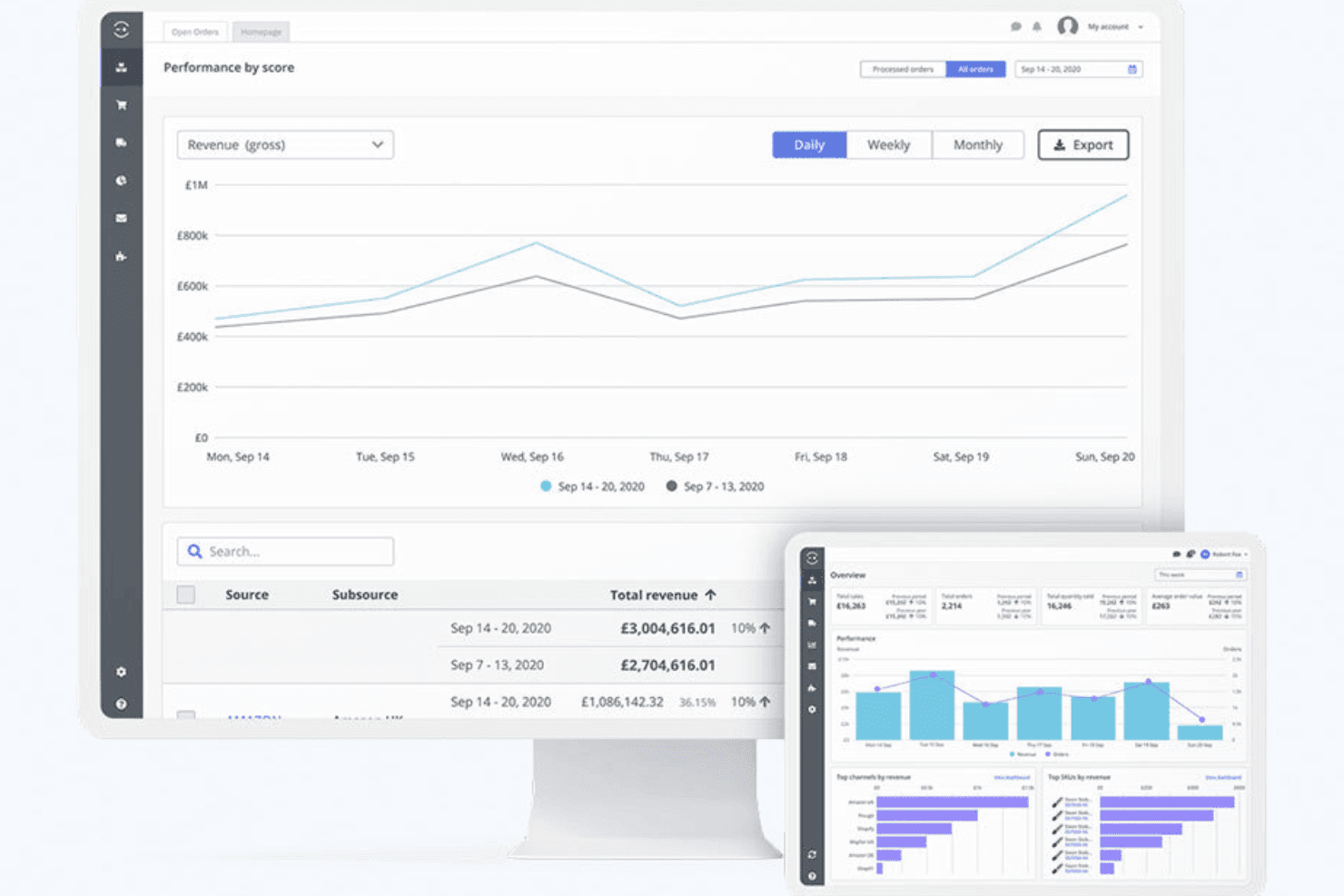
Customizable Reporting and Dashboards
Tracks inventory performance, sales trends, and operational metrics with tailored reports. Lets users spot issues or growth opportunities fast.
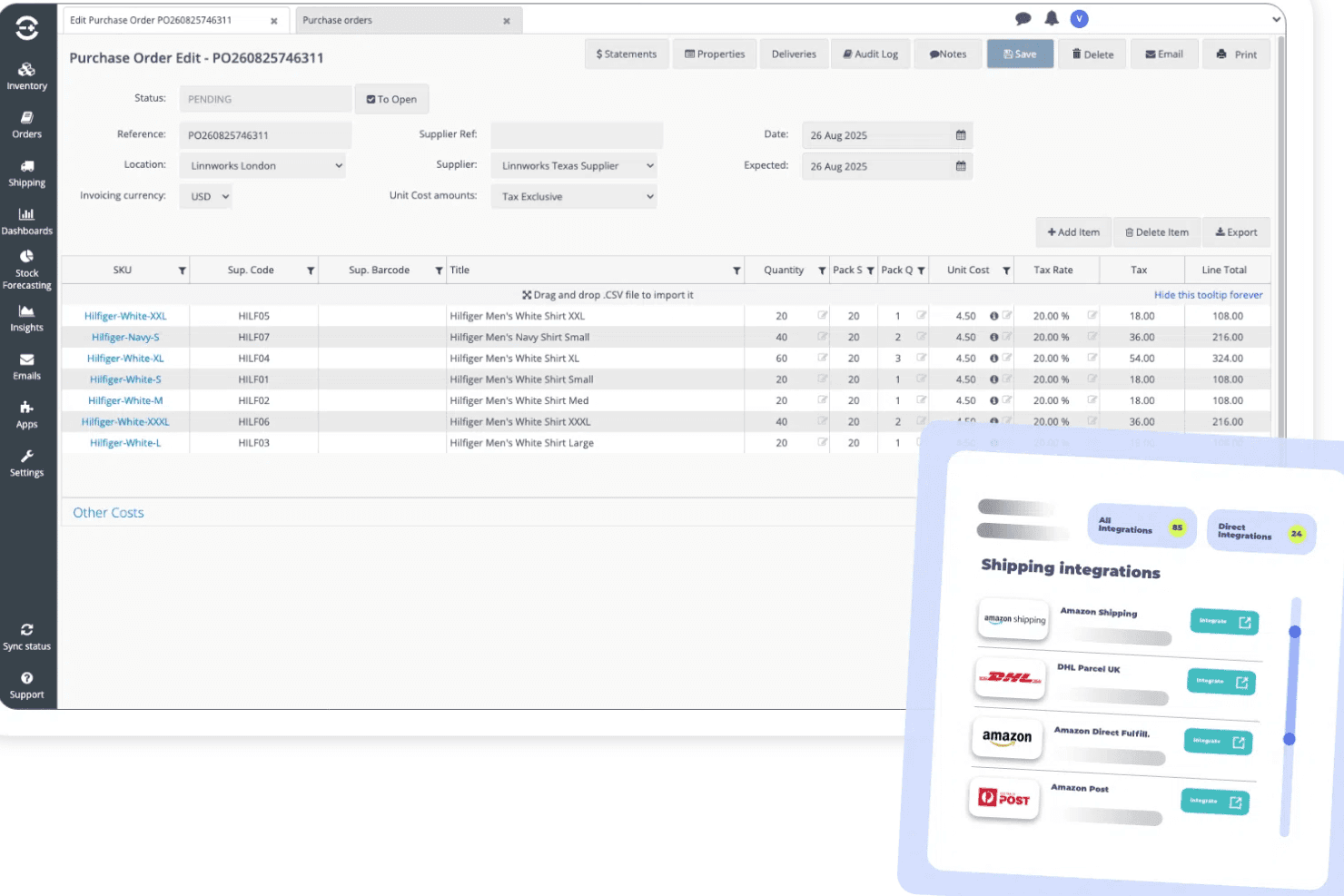
Purchase Order Management
Generates, sends, and tracks purchase orders to suppliers directly within the platform. Keeps restock workflows organized as demand changes.
Returns and Refunds Processing
Manages item returns and refunds from all sales channels in one place. Streamlines workflows and reduces manual tracking errors.
Ease of Use
Linnworks packs a wide range of advanced features but leans toward the complex side, especially when you’re first setting up workflows and reporting.
I think teams with technical know-how will find its dashboard and bulk actions empowering, but newcomers often say menus feel busy and support documentation is essential for onboarding.
Integrations
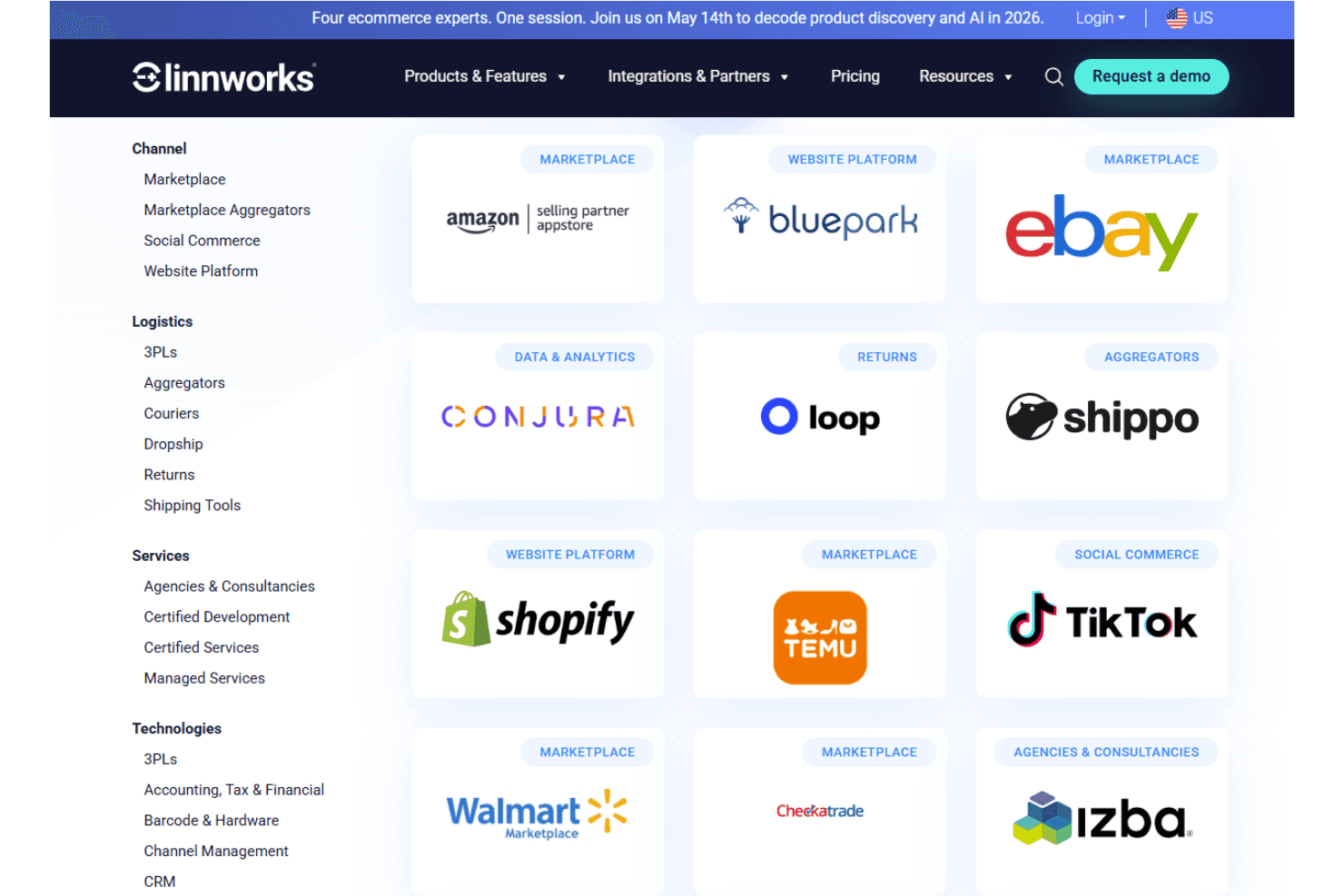
Linnworks integrates with Amazon, eBay, Shopify, Walmart, BigCommerce, Magento, WooCommerce, Royal Mail, FedEx, and DHL, among others.
Linnworks also provides an open API for custom integrations and supports connections with third-party integration tools.
Linnworks Specs
- API: Yes
- Barcode Scanning: No
- Budgeting: No
- Calendar Management: No
- Customer Management: No
- Dashboard: Yes
- Data Export: Yes
- Data Import: Yes
- Data Visualization: Yes
- External Integrations: Yes
- Forecasting: Yes
- Inventory Tracking: Yes
- Multi-User: Yes
- Notifications: Yes
- Order Management: Yes
- POS Integration: No
- Product Catalog: Yes
- Purchase Orders: No
- Reorder Automation: No
- SAP Integration: No
- Scheduling: No
- Shipping Management: Yes
- Status Notifications: Yes
- Stock Level Monitoring: No
- Supplier Management: Yes
- Third-Party Plugins/Add-Ons: No
- Warehouse Management: Yes


