

Givebutter-arvostelu: hyvät ja huonot puolet, ominaisuudet ja hinnoittelu
Givebutter tarjoaa voittoa tavoittelemattomille organisaatioille räätälöityjä ja joustavia varainhankintaratkaisuja, jotka erottuvat helppokäyttöisellä käyttöliittymällään ja kilpailukykyisellä hinnoittelullaan.

We review tools independently, and commissions help fund our testing. See our transparency policy, our methodology, or suggest a tool.
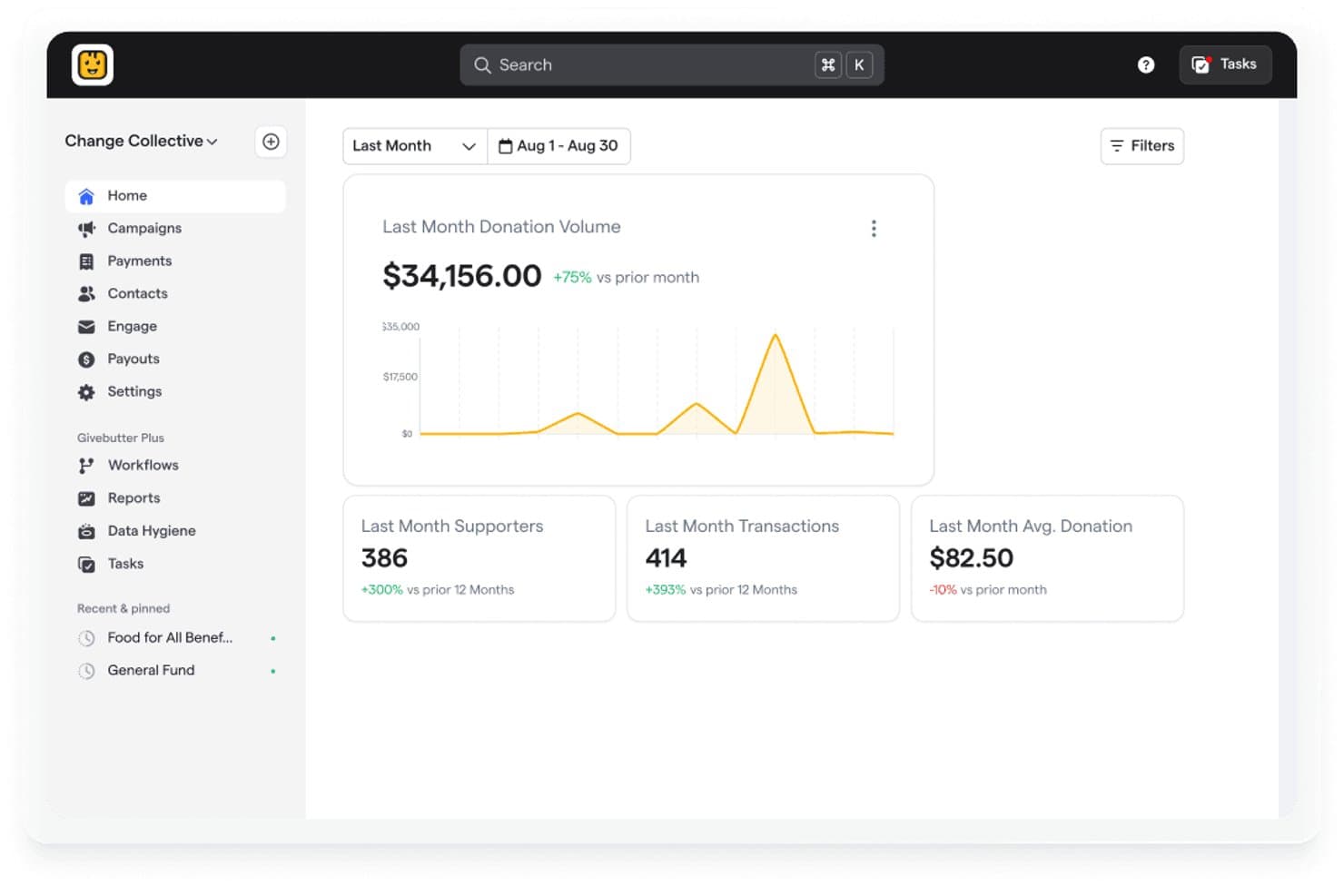
Givebutter is a payment processor for nonprofits that doubles as a full fundraising platform—handling donation forms, events, peer-to-peer campaigns, and donor CRM in one place. It's worth a close look if your nonprofit needs more than a basic payment gateway but doesn't have the budget to pay for separate tools. Compared to Donorbox, Givebutter's free platform model stands out: your organization pays nothing upfront, and donors can choose to cover the transaction fees themselves.
Givebutter Evaluation Summary
4.7/5
- From $29/month (billed annually)
- 30-day free trial + free plan available
Miksi luottaa ohjelmistosuosituksiimme
6,700+
Reviews
20
Industry experts
16+
Evaluation factors
14
Years
Tiimimme on testannut ja arvioinut ohjelmistoja vuodesta 2012 lähtien. Julkaisijoina ja mediatoimijoina tiedämme itse, kuinka vaikeaa — ja tärkeää — oikean ohjelmiston valitseminen on.
Tätä opasta varten arvioimme työkaluja käytännön testauksen ja itsenäisen tutkimuksen avulla, pisteyttäen työkalut valintakriteeriemme perusteella.
Arvostelumme perustuvat inhimilliseen toimitukselliseen harkintaamme, eivät myyntipuheeseen.
Givebutter Overview
In my opinion, Givebutter stands out among nonprofit payment processors with its user-friendly interface and effective fundraising tools. Compared to others, its transparent fee structure and exceptional customer support set it apart. However, some users have raised concerns about unexpected fees, like the tipping feature, which might mislead newcomers. Despite this, the platform is well-suited for small nonprofits and community groups looking to manage donations efficiently. If you're deciding on a payment processor, Givebutter's ease of use and responsive support team make it a strong contender.
Pros
- You can customize donation pages to fit your brand.
- Your team will appreciate the simple and intuitive dashboard.
- You get excellent customer support when you need help.
Cons
- Some users find the tipping feature misleading.
- Your team might face occasional issues with the mobile app.
- You might encounter limited advanced reporting options.
Is Givebutter Right For Your Needs?
Who Would be a Good Fit for Givebutter?
Givebutter is perfect for small nonprofits, community groups, and educational institutions needing simple and effective fundraising tools. Your team can benefit from its user-friendly interface and customizable donation pages, making it easy to align with your brand. If you're part of an organization that values excellent customer support and a straightforward dashboard, Givebutter should be on your list. Its transparent fee structure is an added bonus for those watching their budget closely.
- Small CharitiesYour charity can use Givebutter's easy donation pages to increase engagement with donors.
- Community GroupsCommunity fundraising becomes simple with Givebutter's intuitive tools and responsive support.
- Educational InstitutionsSchools can manage fundraising campaigns efficiently with Givebutter's customizable features.
- Event PlannersYour events team will find value in Givebutter's user-friendly platform for ticketing and donations.
- Volunteer OrganizationsBoost your volunteer efforts using Givebutter's effective donation tracking and management features.
- Nonprofit TeamsYour nonprofit team will appreciate the straightforward onboarding and excellent customer support.
Who Would be a Bad Fit for Givebutter?
Givebutter may not be ideal for large enterprises or organizations needing advanced reporting and analytics. If your team relies heavily on detailed financial reports and complex data integration, Givebutter's limited reporting options could be a hindrance. Additionally, if your organization prefers a platform with extensive mobile app capabilities, you might find Givebutter lacking in this area. Your team might need to look elsewhere if these features are critical to your operations.
- Large CorporationsYour corporation might need more advanced analytics than Givebutter offers.
- Financial DepartmentsIf your team requires detailed reporting, Givebutter's features might fall short.
- Tech-Savvy TeamsHighly technical teams might find Givebutter's basic features too limiting.
- Mobile-Dependent OrganizationsOrganizations relying on mobile apps could find Givebutter's mobile capabilities lacking.
- Data-Intensive CompaniesYour data-heavy company might need more robust integration options than Givebutter provides.
- International NGOsInternational operations might require more diverse currency and language support than Givebutter offers.
Our Review Methodology
How We Test & Score Tools
We’ve spent years building, refining, and improving our software testing and scoring system. The rubric is designed to capture the nuances of software selection and what makes a tool effective, focusing on critical aspects of the decision-making process.
Below, you can see exactly how our testing and scoring works across seven criteria. It allows us to provide an unbiased evaluation of the software based on core functionality, standout features, ease of use, onboarding, customer support, integrations, customer reviews, and value for money.
Core Functionality (25% of final scoring)
The starting point of our evaluation is always the core functionality of the tool. Does it have the basic features and functions that a user would expect to see? Are any of those core features locked to higher-tiered pricing plans? At its core, we expect a tool to stand up against the baseline capabilities of its competitors.
Standout Features (25% of final scoring)
Next, we evaluate uncommon standout features that go above and beyond the core functionality typically found in tools of its kind. A high score reflects specialized or unique features that make the product faster, more efficient, or offer additional value to the user.
We also evaluate how easy it is to integrate with other tools typically found in the tech stack to expand the functionality and utility of the software. Tools offering plentiful native integrations, 3rd party connections, and API access to build custom integrations score best.
Ease of Use (10% of final scoring)
We consider how quick and easy it is to execute the tasks defined in the core functionality using the tool. High scoring software is well designed, intuitive to use, offers mobile apps, provides templates, and makes relatively complex tasks seem simple.
Onboarding (10% of final scoring)
We know how important rapid team adoption is for a new platform, so we evaluate how easy it is to learn and use a tool with minimal training. We evaluate how quickly a team member can get set up and start using the tool with no experience. High scoring solutions indicate little or no support is required.
Customer Support (10% of final scoring)
We review how quick and easy it is to get unstuck and find help by phone, live chat, or knowledge base. Tools and companies that provide real-time support score best, while chatbots score worst.
Customer Reviews (10% of final scoring)
Beyond our own testing and evaluation, we consider the net promoter score from current and past customers. We review their likelihood, given the option, to choose the tool again for the core functionality. A high scoring software reflects a high net promoter score from current or past customers.
Value for Money (10% of final scoring)
Lastly, in consideration of all the other criteria, we review the average price of entry level plans against the core features and consider the value of the other evaluation criteria. Software that delivers more, for less, will score higher.
Core Features
Customizable Donation Pages
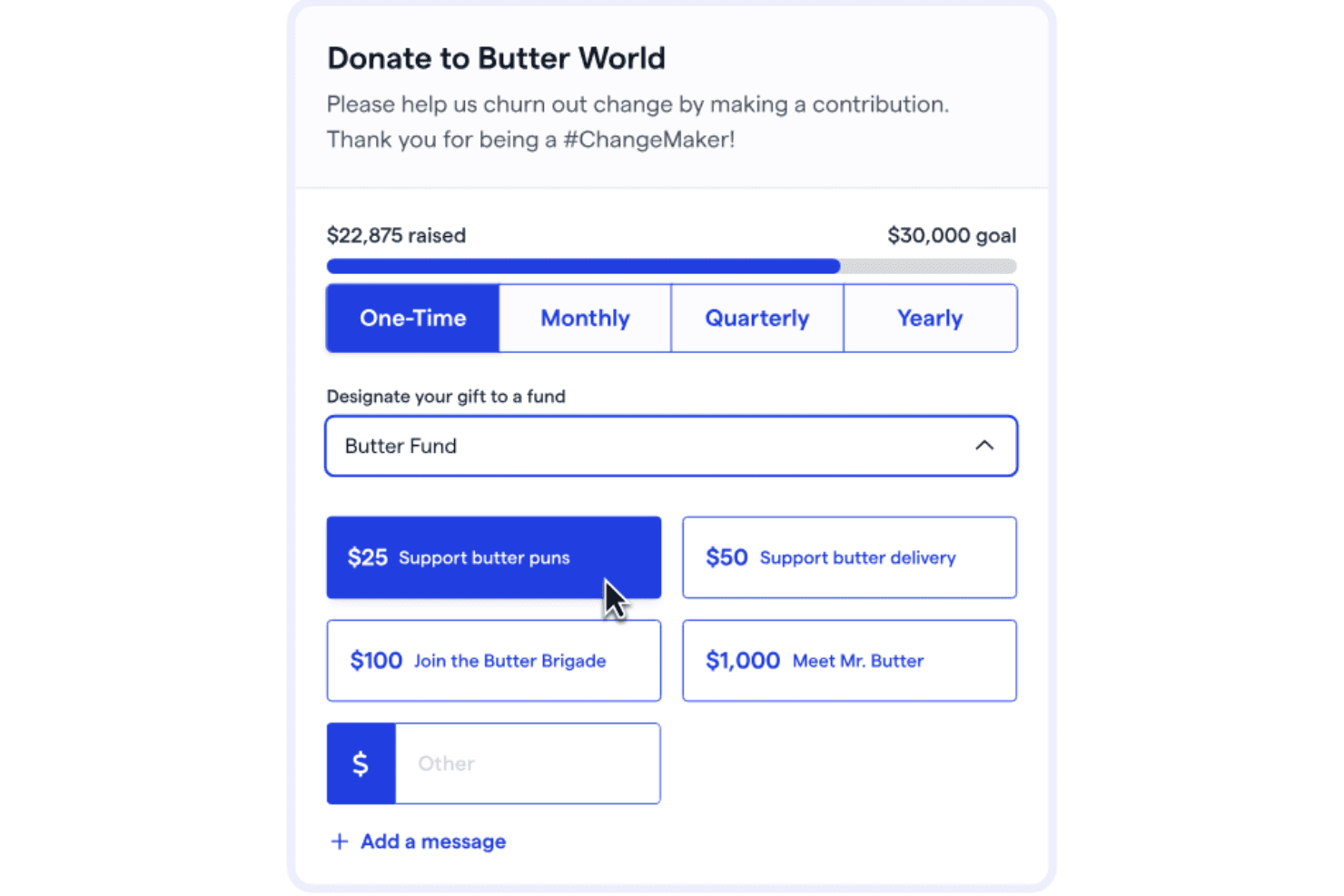
You can tailor donation pages to fit your brand, making it easier to connect with your audience. This feature allows you to add your logo, colors, and messaging to better engage donors.
Event Ticketing
Your team can manage events with ease using Givebutter's ticketing tools. It simplifies the process of selling tickets and tracking attendees.
Peer-to-Peer Fundraising
Encourage your supporters to raise funds on your behalf with peer-to-peer campaigns and crowdfunding initiatives. This feature helps you expand your reach and increase donations.
Recurring Donations
Set up recurring donations to ensure steady support for your cause. This feature allows donors to contribute regularly, providing consistent funding and predictable payouts.
Campaign Analytics
Track your fundraising efforts with Givebutter's built-in analytics. You get insights into donor behavior and campaign performance to help you improve strategies.
Social Media Integration
Share your campaigns easily on social media to reach more people. This feature allows you to connect with your audience where they spend their time.
Ease of Use
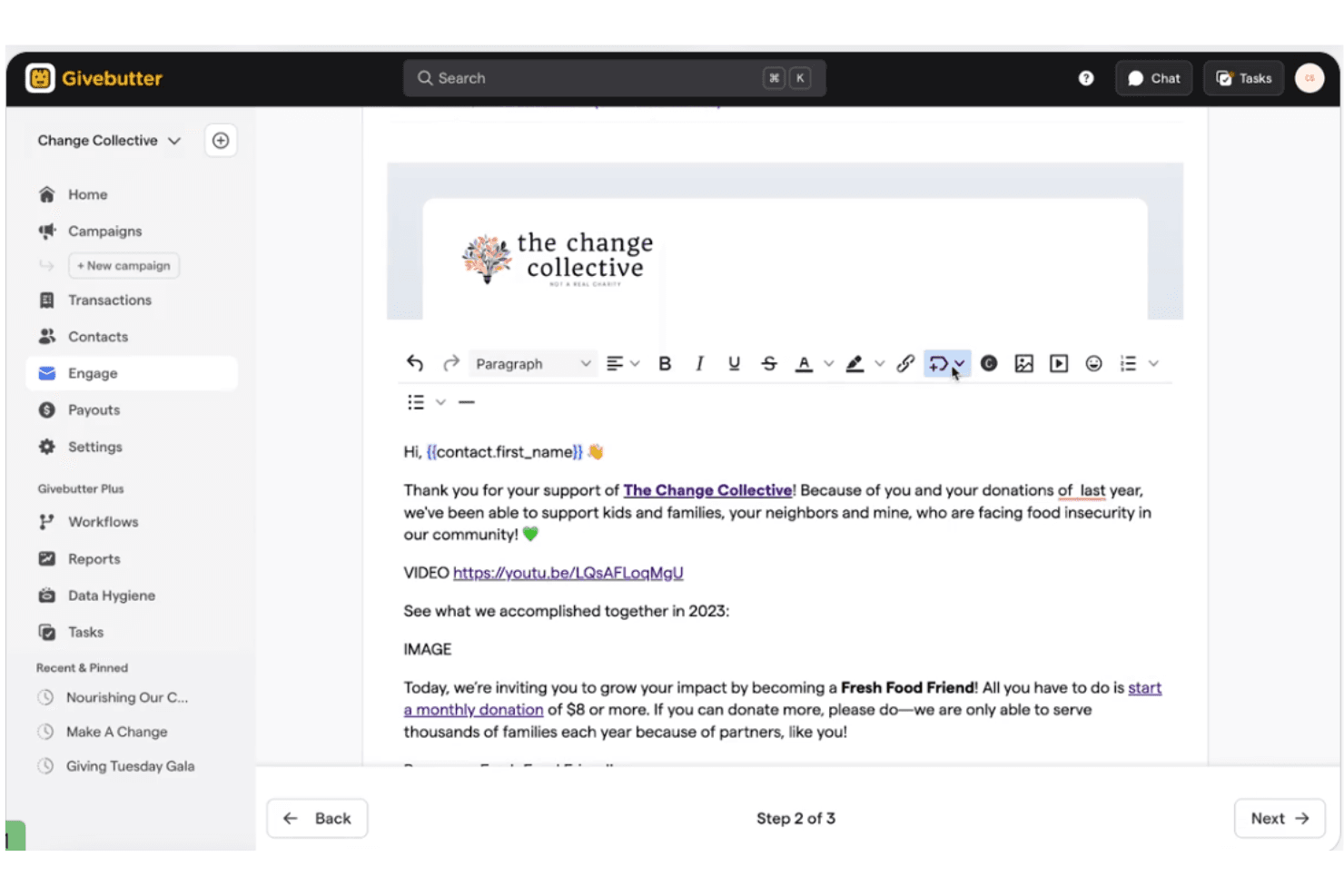
Givebutter is exceptionally user-friendly, making it easy for your team to navigate and manage fundraising efforts. Its intuitive interface allows you to set up campaigns and track donations without hassle. Users appreciate the simple dashboard that keeps essential tools at your fingertips. Even if you're not tech-savvy, you'll find the platform straightforward and accessible. Compared to other payment processors for nonprofits, Givebutter offers a seamless experience that saves you time and effort.
Integrations
Givebutter integrates with PayPal, Venmo, QuickBooks Online, Cash App, Bloomerang, Mailchimp, Salesforce (via Zapier or API), monday.com, and WordPress.
Givebutter also provides a public API for custom development and integrates with 1,000+ apps through Zapier to support additional workflows and tools.

Givebutter Specs
- API: Yes
- Calendar Management: Yes
- Contact Management: Yes
- Dashboards: Yes
- Data Export: Yes
- Data Import: Yes
- Document Management: Yes
- External Integrations: Yes
- Multi-User: Yes
- Notifications: Yes
- Payment Gateway Integration: Yes
- Scheduling: Yes
- Workflow Management: Yes


