

Fishbowl-arvostelu: hyvät ja huonot puolet, ominaisuudet ja hinnoittelu
Fishbowl erottuu edukseen tehokkaalla varastonhallinnallaan, mutta olen havainnut, että sen opettelukynnys ja hinnoittelu tekevät siitä parhaan vaihtoehdon kasvaville yrityksille, jotka ovat valmiita investoimaan vaativaan varastonhallintaan.

We review tools independently, and commissions help fund our testing. See our transparency policy, our methodology, or suggest a tool.
Fishbowl is a stock management software built for small to mid-sized manufacturers and distributors that need warehouse management, work orders, and multi-location tracking in one place. I'd consider it most seriously if your business runs on QuickBooks—Fishbowl's native QuickBooks integration is tighter than what you'll get from alternatives like inFlow Inventory, making it a stronger fit for teams that don't want to migrate their accounting stack but still need a dedicated inventory system.
Fishbowl Evaluation Summary
4/5
- From $229/month (billed annually)
- Free demo available
Miksi luottaa ohjelmistosuosituksiimme
6,700+
Reviews
20
Industry experts
16+
Evaluation factors
14
Years
Tiimimme on testannut ja arvioinut ohjelmistoja vuodesta 2012 lähtien. Julkaisijoina ja mediatoimijoina tiedämme itse, kuinka vaikeaa — ja tärkeää — oikean ohjelmiston valitseminen on.
Tätä opasta varten arvioimme työkaluja käytännön testauksen ja itsenäisen tutkimuksen avulla, pisteyttäen työkalut valintakriteeriemme perusteella.
Arvostelumme perustuvat inhimilliseen toimitukselliseen harkintaamme, eivät myyntipuheeseen.
Fishbowl Overview
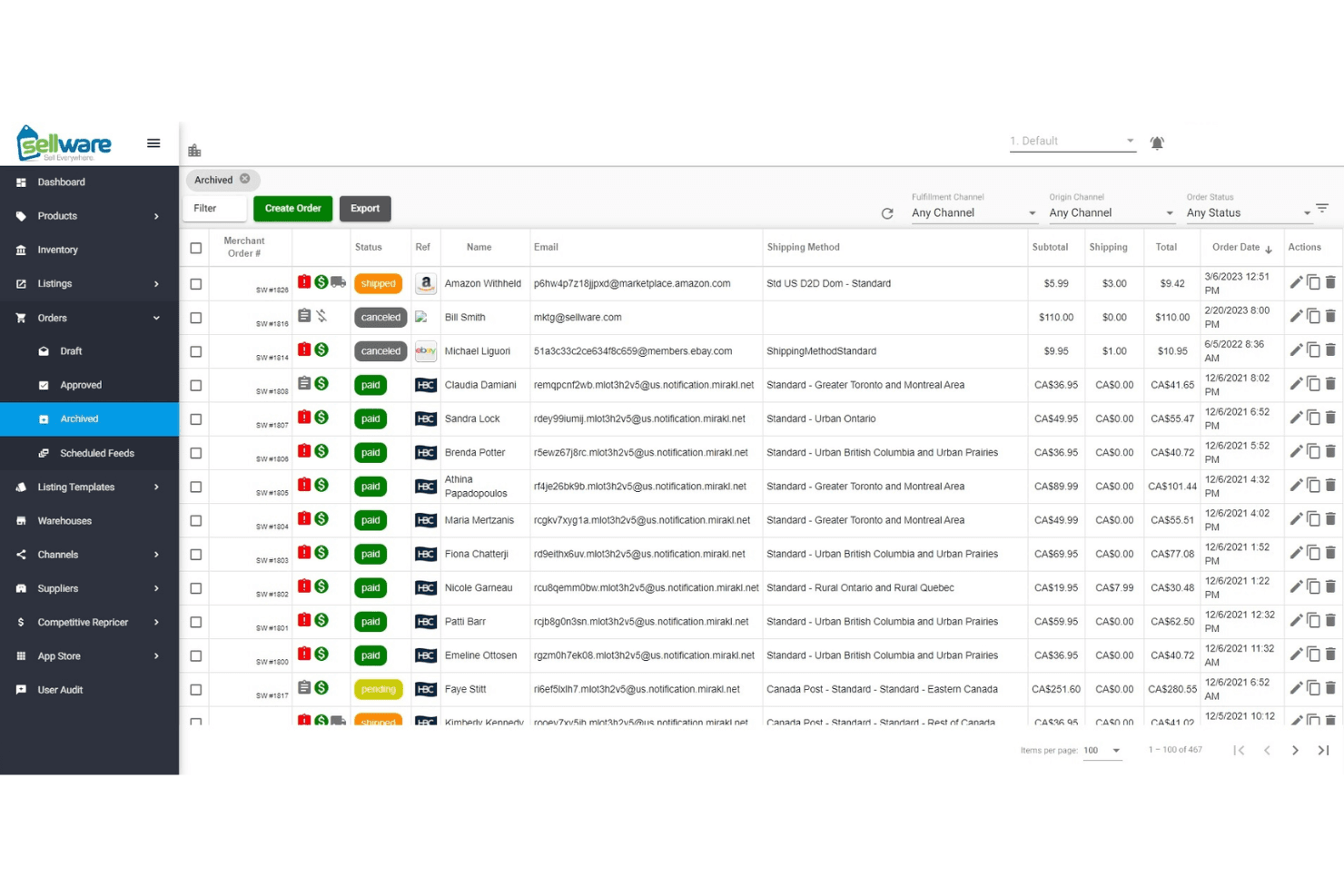
When judging Fishbowl as inventory management software, its advanced automation, barcode scanning, and deep integration with accounting tools set it apart for retailers with complex needs. The interface feels dated, and onboarding takes time, but support is responsive, and features are extensive. Pricing is higher than some, yet you get strong multi-location and manufacturing capabilities.
Fishbowl is best for businesses ready to invest in a scalable solution—especially those juggling multiple warehouses or needing real-time inventory data across channels. If you’re comparing options, Fishbowl stands out for depth, but not for simplicity.
Pros
- Responsive and knowledgeable customer support.
- Strong multi-location and manufacturing tracking.
- Advanced automation for purchase and work orders.
Cons
- Ongoing costs are higher than many alternatives.
- Interface feels dated compared to newer tools.
- Reporting features are limited and lack flexibility.
Is Fishbowl Right For Your Needs?
Who Would be a Good Fit for Fishbowl?
Fishbowl is a strong choice for businesses that need advanced inventory tracking, automation, and manufacturing features. It’s best for teams managing multiple warehouses, complex supply chains, or production workflows. Fishbowl is especially well-suited for industries where inventory accuracy and process automation are essential for growth and compliance.
If your business relies on real-time inventory data, barcode scanning, or deep integration with accounting systems, Fishbowl’s feature set is going to deliver real value.
- Mid-Sized BusinessesScalable features and integrations fit growing companies with expanding needs.
- Food and Beverage ProducersBatch tracking and expiration date management help with compliance.
- Automotive Parts SuppliersBarcode scanning and lot tracking simplify high-SKU environments.
- Retail ChainsCentralized inventory and POS integrations support multi-store operations.
- Wholesale DistributorsMulti-location tracking and automated reorder points help manage large inventories.
- Manufacturing OperationsFishbowl’s work order and bill of materials features support complex production needs.
Who Would be a Bad Fit for Fishbowl?
Fishbowl isn’t ideal for businesses that need simple, low-cost inventory tools or those with minimal inventory complexity. Small businesses, service-based companies, and teams with basic inventory needs may find the investment and feature set more than they require.
If your team wants a modern, intuitive interface or relies on highly customizable reporting, you’ll likely find Fishbowl limiting.
- NonprofitsComplexity and cost outweigh benefits for simple inventory tracking.
- E-commerce-Only BrandsLimited native ecommerce integrations compared to other platforms.
- StartupsHigh upfront and ongoing costs don’t fit tight budgets.
- Service-Based CompaniesLack of service scheduling or project tracking limits usefulness.
- Small Retail ShopsFishbowl’s advanced features and pricing exceed basic inventory needs.
- Teams Needing Custom ReportsReporting tools lack the flexibility for highly tailored analytics.
Our Review Methodology
How We Test & Score Tools
We’ve spent years building, refining, and improving our software testing and scoring system. The rubric is designed to capture the nuances of software selection and what makes a tool effective, focusing on critical aspects of the decision-making process.
Below, you can see exactly how our testing and scoring works across seven criteria. It allows us to provide an unbiased evaluation of the software based on core functionality, standout features, ease of use, onboarding, customer support, integrations, customer reviews, and value for money.
Core Functionality (25% of final scoring)
The starting point of our evaluation is always the core functionality of the tool. Does it have the basic features and functions that a user would expect to see? Are any of those core features locked to higher-tiered pricing plans? At its core, we expect a tool to stand up against the baseline capabilities of its competitors.
Standout Features (25% of final scoring)
Next, we evaluate uncommon standout features that go above and beyond the core functionality typically found in tools of its kind. A high score reflects specialized or unique features that make the product faster, more efficient, or offer additional value to the user.
We also evaluate how easy it is to integrate with other tools typically found in the tech stack to expand the functionality and utility of the software. Tools offering plentiful native integrations, 3rd party connections, and API access to build custom integrations score best.
Ease of Use (10% of final scoring)
We consider how quick and easy it is to execute the tasks defined in the core functionality using the tool. High scoring software is well designed, intuitive to use, offers mobile apps, provides templates, and makes relatively complex tasks seem simple.
Onboarding (10% of final scoring)
We know how important rapid team adoption is for a new platform, so we evaluate how easy it is to learn and use a tool with minimal training. We evaluate how quickly a team member can get set up and start using the tool with no experience. High scoring solutions indicate little or no support is required.
Customer Support (10% of final scoring)
We review how quick and easy it is to get unstuck and find help by phone, live chat, or knowledge base. Tools and companies that provide real-time support score best, while chatbots score worst.
Customer Reviews (10% of final scoring)
Beyond our own testing and evaluation, we consider the net promoter score from current and past customers. We review their likelihood, given the option, to choose the tool again for the core functionality. A high scoring software reflects a high net promoter score from current or past customers.
Value for Money (10% of final scoring)
Lastly, in consideration of all the other criteria, we review the average price of entry level plans against the core features and consider the value of the other evaluation criteria. Software that delivers more, for less, will score higher.
Core Features
AI-Driven Replenishment
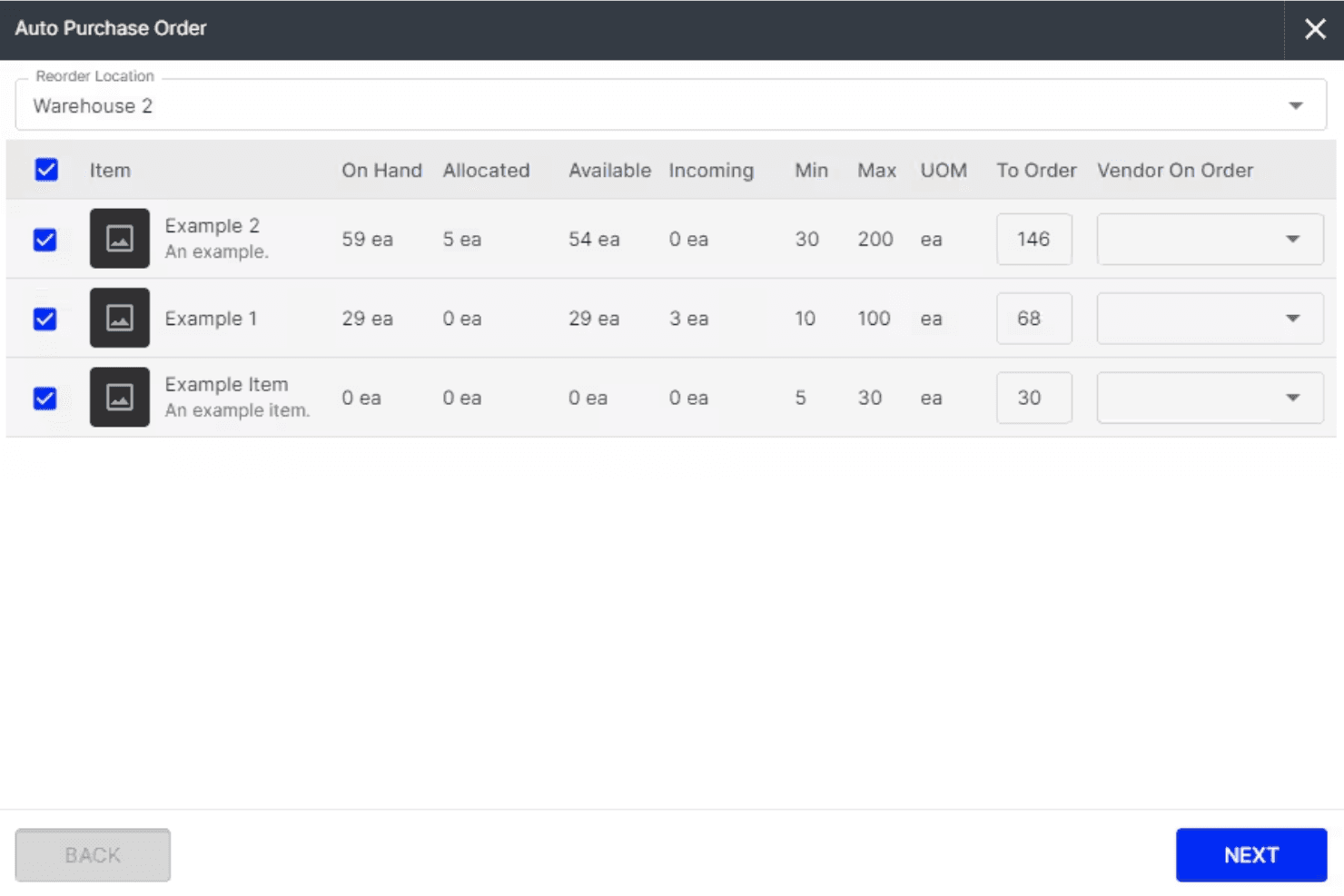
Fishbowl uses AI to forecast demand and automatically generate purchase orders, helping you avoid stockouts and overstock. This keeps inventory levels optimized without manual guesswork.
Multi-Location Inventory Tracking
Track inventory across unlimited warehouses and locations in real time. You get full visibility and control over stock movement, transfers, and counts.
Barcode Scanning
Fishbowl’s mobile app supports barcode scanning for fast receiving, picking, and cycle counts. This reduces errors and speeds up warehouse operations.
Manufacturing Work Orders
Create, edit, and manage work orders and bills of materials directly in Fishbowl. You can update builds mid-production and track labor and materials for accurate costing.
Lot, Serial, and Expiry Tracking
Fishbowl tracks lots, serial numbers, and expiration dates for full traceability. This is essential for regulated industries and quick product recalls.
Automated Workflow Management
Automate routine tasks like purchase order creation, stock transfers, and order fulfillment. Fishbowl’s automation saves time and keeps processes consistent.
Ease of Use
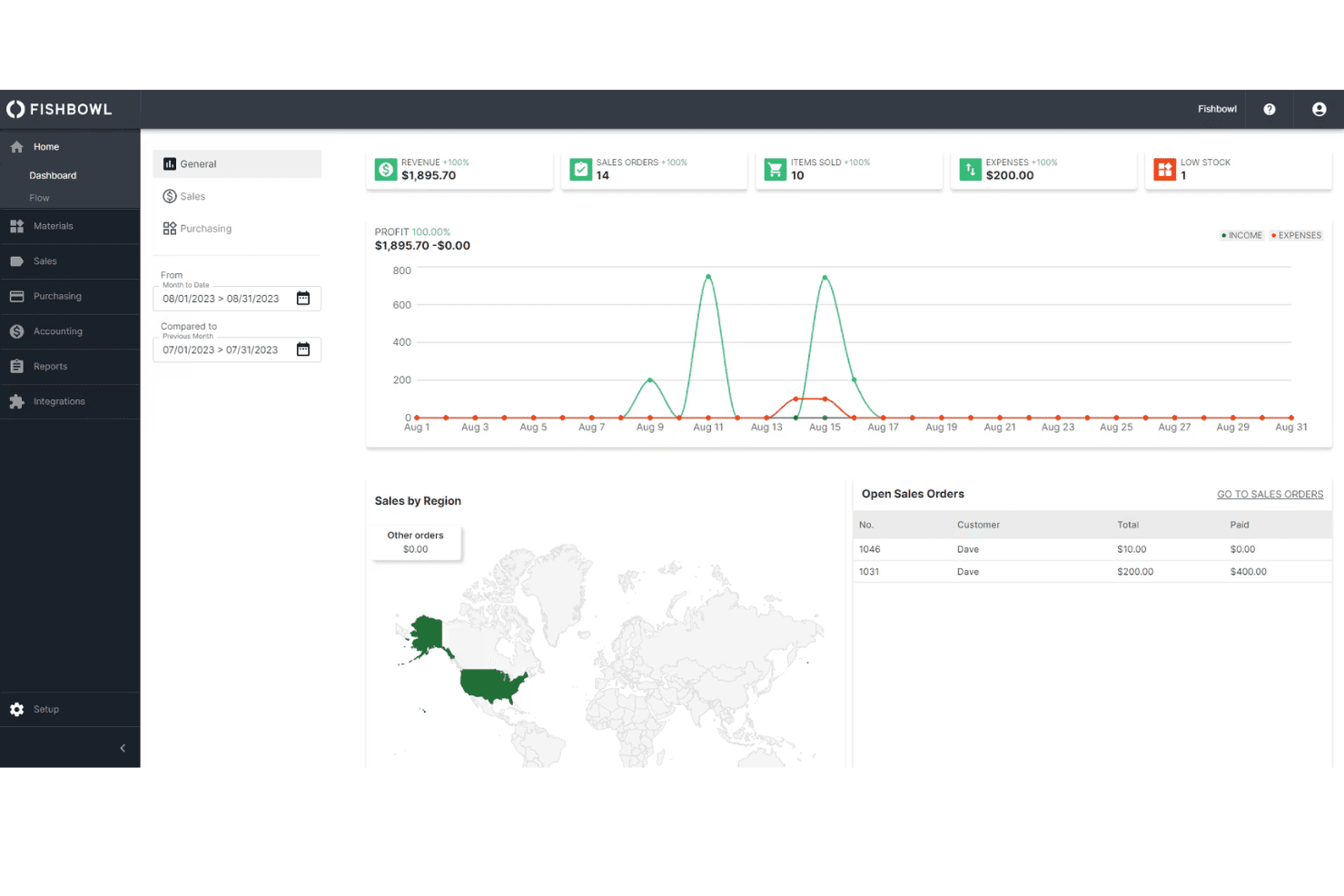
Fishbowl’s interface feels dated and can be overwhelming at first, especially for teams new to advanced inventory systems. Many users mention that setup and onboarding require significant time and training. Experienced inventory managers will adapt quickly, but smaller teams or those seeking simplicity may find the system less intuitive than newer options.
However, once configured, the workflows are logical, and the automation features save time on daily tasks.
Integrations
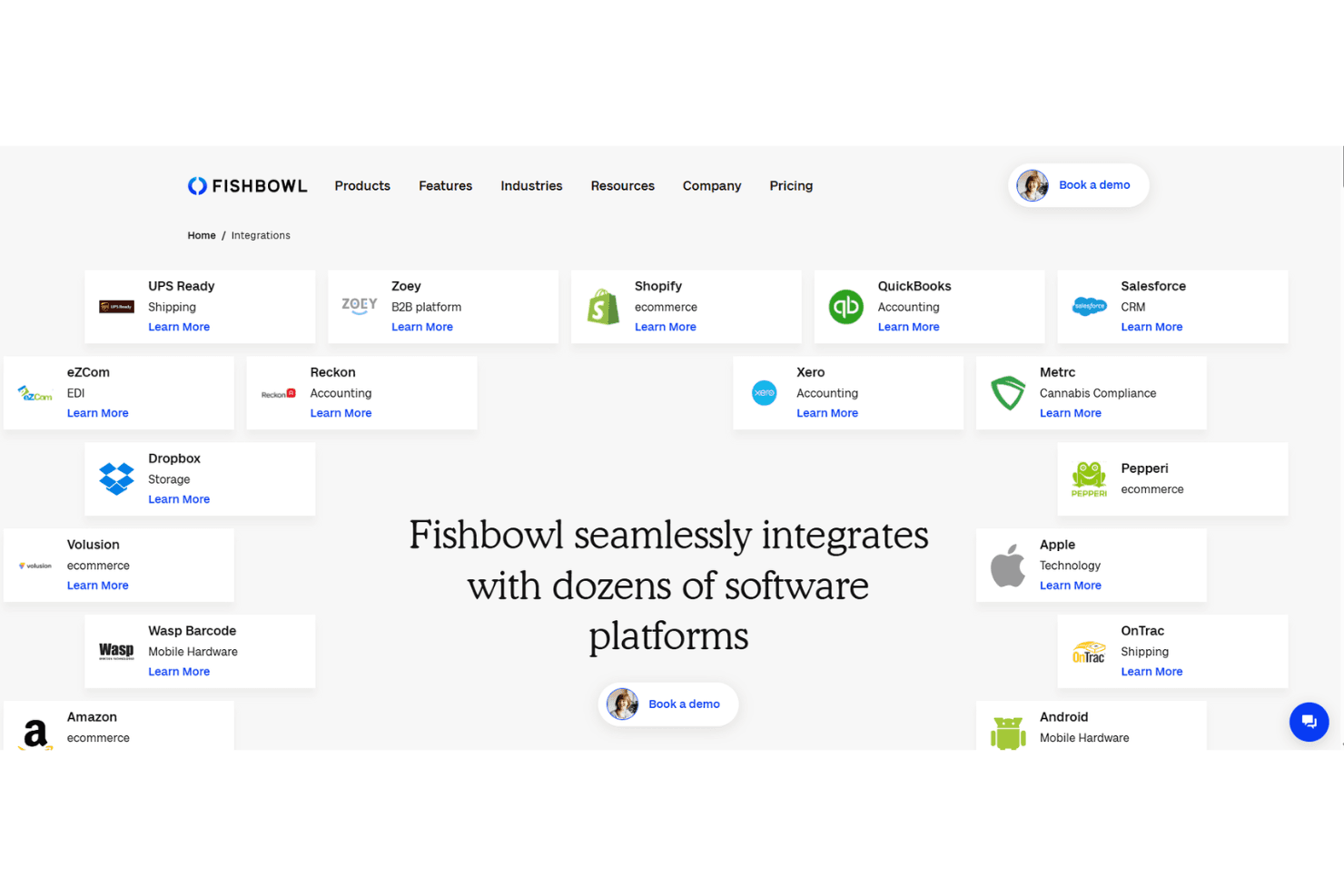
Fishbowl integrates with QuickBooks, Shopify, Salesforce, Xero, Amazon, HubSpot, UPS Ready, eBay, BigCommerce, and ShipStation, among others.
Fishbowl also offers an API and connects with third-party integration tools.
Fishbowl Specs
- API: Yes
- Barcode Scanning: No
- Budgeting: No
- Calendar Management: Yes
- Customer Management: Yes
- Dashboard: Yes
- Data Export: Yes
- Data Import: Yes
- Data Visualization: Yes
- External Integrations: Yes
- Forecasting: Yes
- Inventory Tracking: Yes
- Multi-User: Yes
- Notifications: Yes
- Order Management: Yes
- POS Integration: No
- Product Catalog: Yes
- Purchase Orders: No
- Reorder Automation: No
- SAP Integration: No
- Scheduling: Yes
- Shipping Management: Yes
- Status Notifications: No
- Stock Level Monitoring: No
- Supplier Management: Yes
- Third-Party Plugins/Add-Ons: Yes
- Warehouse Management: Yes


