
Clover-arvostelu: hyvät puolet, huonot puolet, ominaisuudet ja hinnoittelu
Clover erottuu edukseen helppokäyttöisellä kassajärjestelmällään ja joustavalla laitteistollaan, mutta sen hinnoittelu ja riippuvuus kolmannen osapuolen sovelluksista eivät välttämättä sovi kaikille yrityksille. Ihanteellinen kasvaville vähittäiskauppiaille ja ravintoloille.

We review tools independently, and commissions help fund our testing. See our transparency policy, our methodology, or suggest a tool.
Clover is a POS system for small to mid-sized retail and food service businesses. It comes with flexible hardware options and a built-in app marketplace to extend its core functionality. I'd consider it over Square if your business has outgrown basic card readers. Clover gives you customizable countertop hardware, role-based employee permissions, and deeper sales reporting—without stitching together third-party tools.
Clover Evaluation Summary
3.9/5
- From $16/month
- 90-day free trial
Miksi luottaa ohjelmistosuosituksiimme
6,700+
Reviews
20
Industry experts
16+
Evaluation factors
14
Years
Tiimimme on testannut ja arvioinut ohjelmistoja vuodesta 2012 lähtien. Julkaisijoina ja mediatoimijoina tiedämme itse, kuinka vaikeaa — ja tärkeää — oikean ohjelmiston valitseminen on.
Tätä opasta varten arvioimme työkaluja käytännön testauksen ja itsenäisen tutkimuksen avulla, pisteyttäen työkalut valintakriteeriemme perusteella.
Arvostelumme perustuvat inhimilliseen toimitukselliseen harkintaamme, eivät myyntipuheeseen.
Clover Overview
If you’re judging Clover against other POS systems, its intuitive interface, quick onboarding, and wide hardware range make it a strong pick for retail and food service. The app marketplace and built-in payment processing add flexibility, but pricing can climb with add-ons and some integrations feel limited.
Clover is best for businesses that want a modern, easy-to-use POS with solid support and don’t need highly specialized features.
Pros
- Built-in payment processing with fast deposits.
- Wide range of hardware options for different business types.
- Strong reporting and inventory management features.
Cons
- Some third-party apps require extra fees or subscriptions.
- Customer support response times can be inconsistent.
- Monthly costs increase with add-ons and advanced features.
Is Clover Right For Your Needs?
Who Would be a Good Fit for Clover?
Clover is a strong choice for businesses that want a modern POS with built-in payment processing, flexible hardware, and straightforward inventory tools. Retailers, restaurants, and service providers who value quick setup and easy staff training will find Clover’s interface and support helpful.
Its reporting, customer management, and mobile options make it especially useful for small to mid-sized teams that need to manage sales both in-store and on the go.
- Boutique Fitness StudiosRecurring billing and class scheduling features support membership-based businesses.
- Pop-Up ShopsPortable devices and easy setup work well for temporary locations.
- Salons and SpasAppointment scheduling and customer profiles help manage repeat business.
- Food TrucksMobile hardware and offline payment support suit on-the-go sales.
- Quick-Service RestaurantsOrder management and kitchen display integrations support fast-paced food service.
- Small Retail StoresClover’s inventory tracking and barcode scanning make daily sales simple.
Who Would be a Bad Fit for Clover?
Clover isn’t ideal for businesses that need highly specialized POS features, advanced integrations, or custom workflows. Large enterprises, niche retailers, and teams with complex inventory or multi-location needs may find Clover’s feature set limiting.
If your business relies on deep customization, advanced reporting, or industry-specific compliance, you’ll likely need a more tailored solution.
- Enterprise HospitalityGroups Custom integrations and advanced reporting fall short for large hotels or resorts.
- Automotive Repair ShopsWork order management and parts inventory tools are basic.
- Regulated Cannabis DispensariesIndustry-specific compliance and tracking features are missing.
- B2B Wholesale DistributorsClover doesn’t support complex pricing tiers or bulk order workflows.
- High-Volume Grocery StoresAdvanced inventory and scale integrations are lacking for grocers.
- Large Chain RetailersClover’s multi-location management is limited for enterprise-scale operations.
Our Review Methodology
How We Test & Score Tools
We’ve spent years building, refining, and improving our software testing and scoring system. The rubric is designed to capture the nuances of software selection and what makes a tool effective, focusing on critical aspects of the decision-making process.
Below, you can see exactly how our testing and scoring works across seven criteria. It allows us to provide an unbiased evaluation of the software based on core functionality, standout features, ease of use, onboarding, customer support, integrations, customer reviews, and value for money.
Core Functionality (25% of final scoring)
The starting point of our evaluation is always the core functionality of the tool. Does it have the basic features and functions that a user would expect to see? Are any of those core features locked to higher-tiered pricing plans? At its core, we expect a tool to stand up against the baseline capabilities of its competitors.
Standout Features (25% of final scoring)
Next, we evaluate uncommon standout features that go above and beyond the core functionality typically found in tools of its kind. A high score reflects specialized or unique features that make the product faster, more efficient, or offer additional value to the user.
We also evaluate how easy it is to integrate with other tools typically found in the tech stack to expand the functionality and utility of the software. Tools offering plentiful native integrations, 3rd party connections, and API access to build custom integrations score best.
Ease of Use (10% of final scoring)
We consider how quick and easy it is to execute the tasks defined in the core functionality using the tool. High scoring software is well designed, intuitive to use, offers mobile apps, provides templates, and makes relatively complex tasks seem simple.
Onboarding (10% of final scoring)
We know how important rapid team adoption is for a new platform, so we evaluate how easy it is to learn and use a tool with minimal training. We evaluate how quickly a team member can get set up and start using the tool with no experience. High scoring solutions indicate little or no support is required.
Customer Support (10% of final scoring)
We review how quick and easy it is to get unstuck and find help by phone, live chat, or knowledge base. Tools and companies that provide real-time support score best, while chatbots score worst.
Customer Reviews (10% of final scoring)
Beyond our own testing and evaluation, we consider the net promoter score from current and past customers. We review their likelihood, given the option, to choose the tool again for the core functionality. A high scoring software reflects a high net promoter score from current or past customers.
Value for Money (10% of final scoring)
Lastly, in consideration of all the other criteria, we review the average price of entry level plans against the core features and consider the value of the other evaluation criteria. Software that delivers more, for less, will score higher.
Core Features
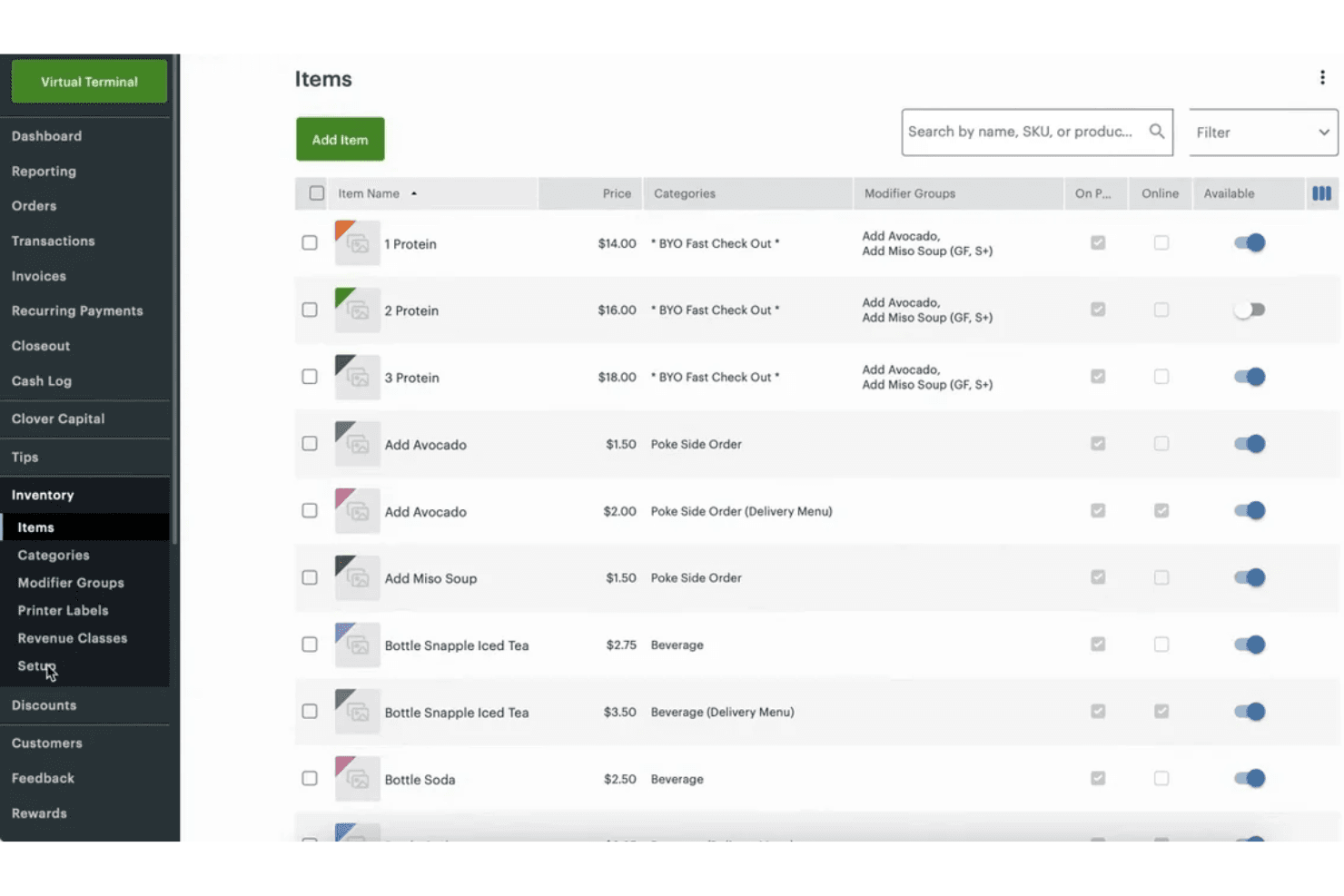
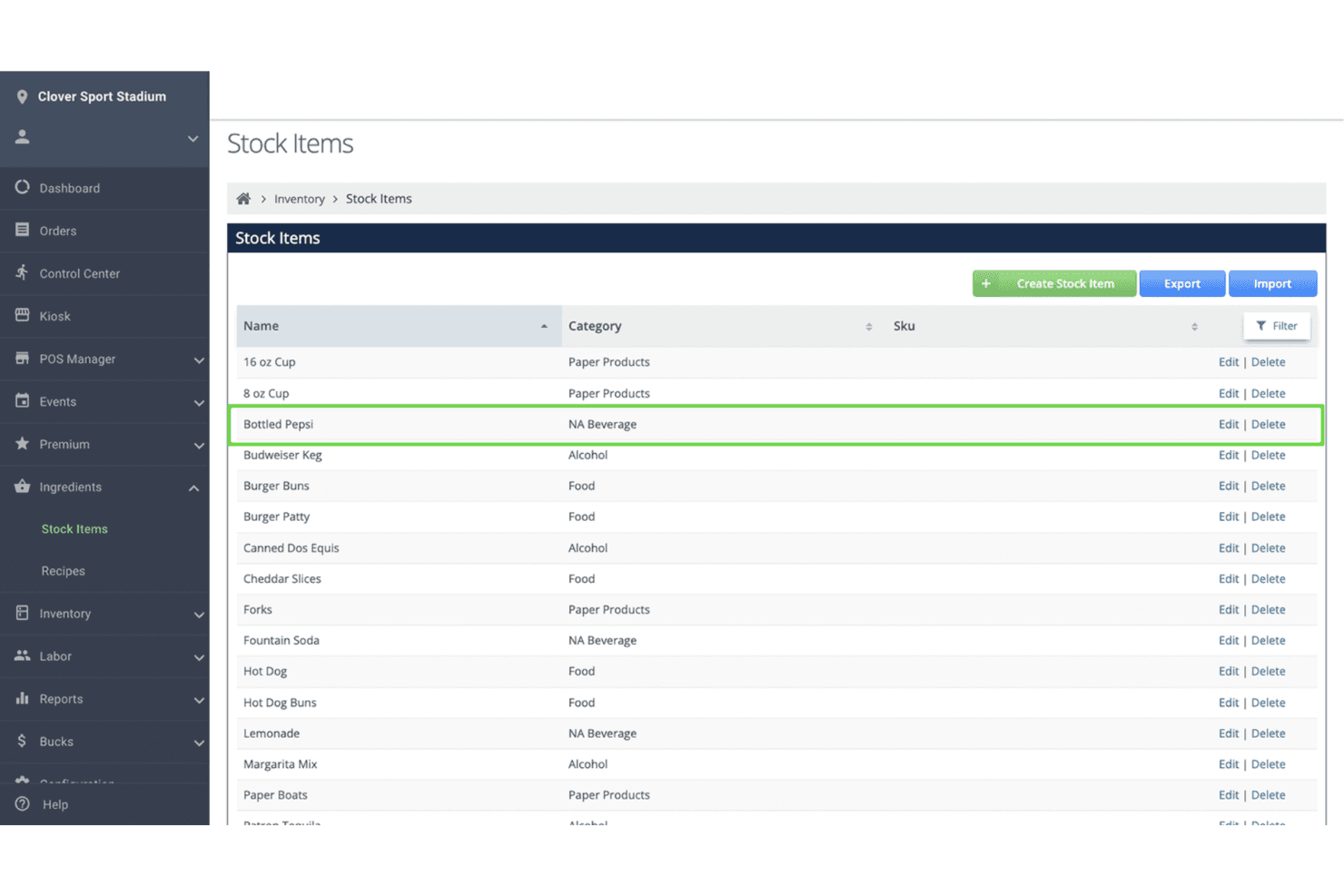
Inventory Management
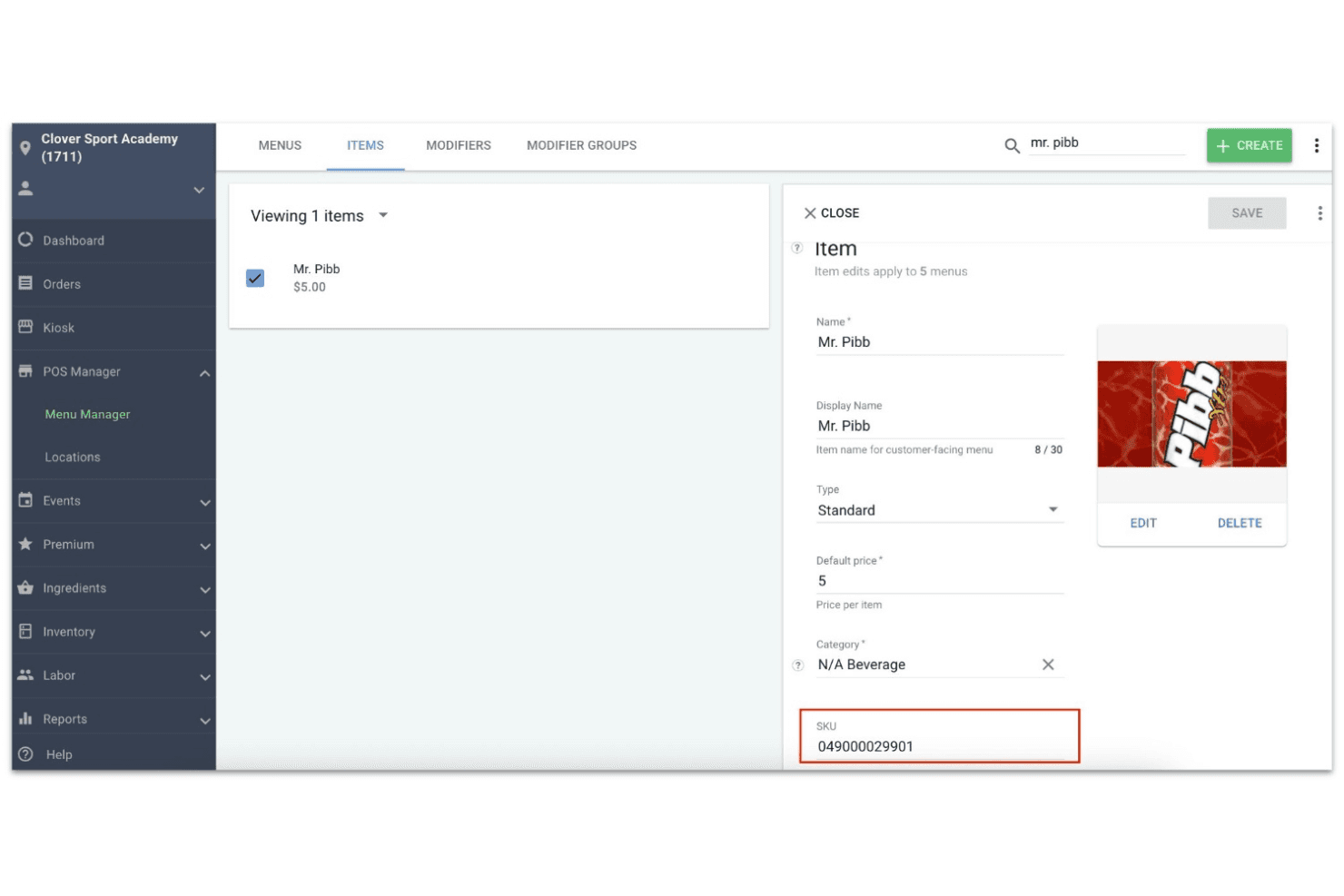
Track stock levels, set reorder alerts, and manage SKUs in real time. This helps avoid stockouts and keeps your product catalog organized.
Employee Management
Set staff permissions, track hours, and manage payroll from the POS. You can monitor sales by employee and simplify scheduling.
Integrated Payment Processing
Accept credit, debit, contactless, and mobile wallet payments directly through Clover. Fast deposits and built-in security help reduce payment headaches.
Customer Engagement Tools
Create loyalty programs, issue digital or physical gift cards, and collect customer feedback. These features help drive repeat business and build customer relationships.
Reporting and Analytics
Access sales, inventory, and employee performance reports from the dashboard. Real-time insights help you spot trends and make informed decisions.
Online Ordering
Manage in-person and online orders from a single platform. Clover supports commission-free online ordering and integrates with delivery services for easy fulfillment.
Ease of Use
Clover is one of the most user-friendly POS systems I’ve tried, with a clean touchscreen interface and intuitive workflows for sales, inventory, and reporting. Users often mention how quickly staff can learn the system, even with minimal training.
The setup process is straightforward, and the built-in help resources make onboarding smooth. Most retail and restaurant teams will appreciate how little time it takes to get up and running with Clover.
Integrations
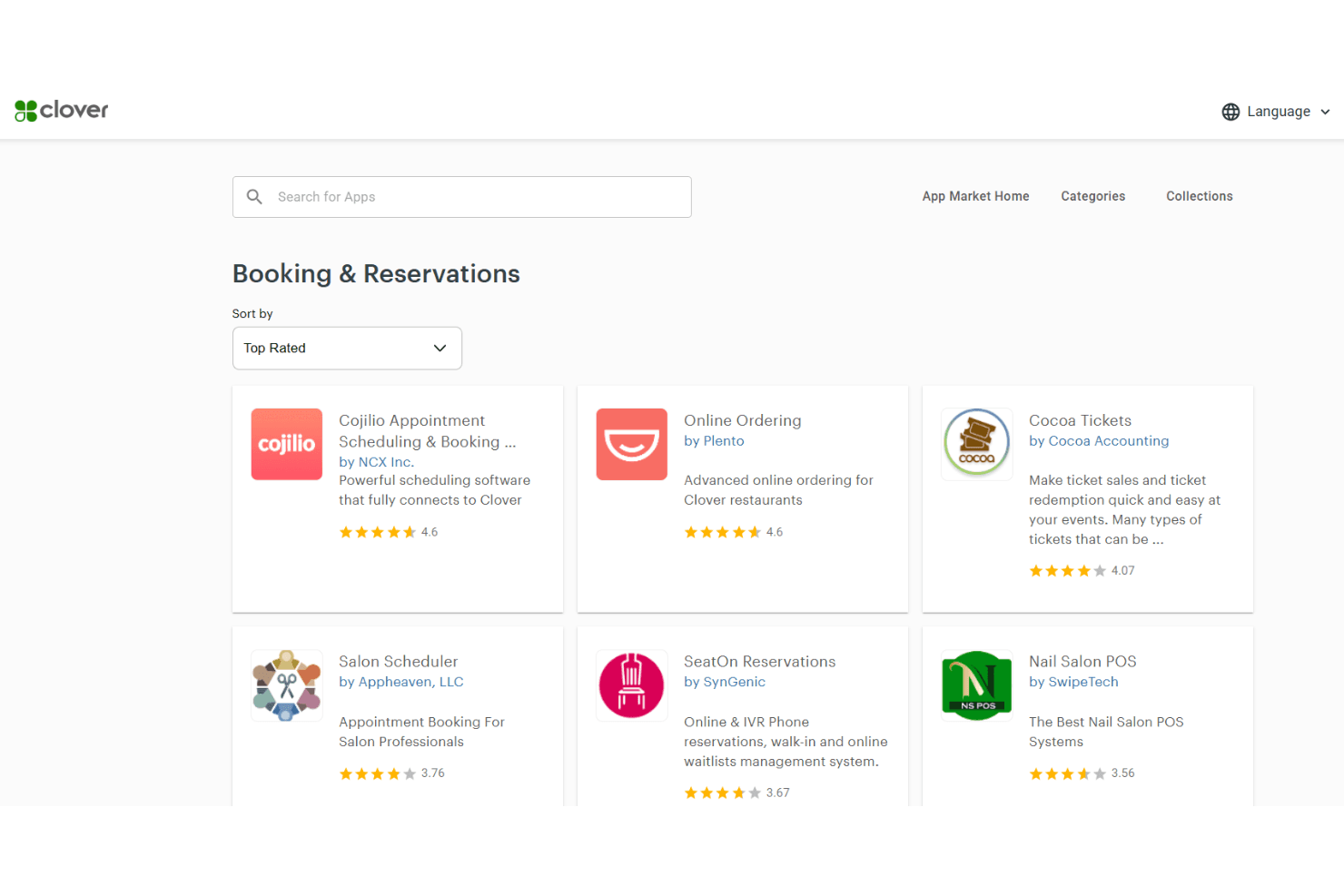
Clover integrates with QuickBooks, Shopify, Mailchimp, Gusto, Homebase, DAVO, Yelp, Time Clock by Homebase, WooCommerce, and BigCommerce, among others.
Clover also offers an API and connects with third-party integration tools, allowing businesses to build custom integrations or expand functionality through the Clover App Marketplace.
Clover Specs
- 2-Factor Authentication: Yes
- A/B Testing: No
- Analytics: No
- API: Yes
- BitCoin: No
- Conversion Tracking: No
- Dashboard: Yes
- Data Export: Yes
- Data Import: Yes
- Data Visualization: Yes
- Design Templates: No
- External Integrations: Yes
- Inventory Tracking: Yes
- Keyword Tracking: No
- Marketing Automation: No
- Multi-User: Yes
- Notifications: Yes
- Order Management: No
- Payment Gateway Integration: Yes
- Payment Processor: Yes
- PayPal: Yes
- Product Catalog: No
- Review Monitoring: No
- SAP Integration: No
- Scheduling: Yes
- Stripe: No
- Third-Party Plugins/Add-Ons: No


