
Aloha Cloud -kassajärjestelmän arvostelu 2026: hyvät puolet, huonot puolet, ominaisuudet ja hinnoittelu
Aloha Cloud -kassajärjestelmä erottuu käyttäjäystävällisellä suunnittelullaan ja monipuolisilla ravintolaominaisuuksillaan, mutta se ei välttämättä sovi jokaiseen budjettiin tai monimutkaiseen käyttöön. Katso, miten se vertautuu muihin kassajärjestelmävaihtoehtoihin.

We review tools independently, and commissions help fund our testing. See our transparency policy, our methodology, or suggest a tool.
NCR Aloha POS is a restaurant POS software built for high-volume, full-service operations that need reliable tableside ordering, kitchen display integration, and centralized multi-location management. I'd mainly consider it if you're running a growing restaurant chain or enterprise group that needs more back-of-house control and configuration depth than a platform like Toast delivers at scale.
NCR Aloha POS Evaluation Summary
3.8/5
- Pricing upon request
- Free demo available
Miksi luottaa ohjelmistosuosituksiimme
6,700+
Reviews
20
Industry experts
16+
Evaluation factors
14
Years
Tiimimme on testannut ja arvioinut ohjelmistoja vuodesta 2012 lähtien. Julkaisijoina ja mediatoimijoina tiedämme itse, kuinka vaikeaa — ja tärkeää — oikean ohjelmiston valitseminen on.
Tätä opasta varten arvioimme työkaluja käytännön testauksen ja itsenäisen tutkimuksen avulla, pisteyttäen työkalut valintakriteeriemme perusteella.
Arvostelumme perustuvat inhimilliseen toimitukselliseen harkintaamme, eivät myyntipuheeseen.
NCR Aloha POS Overview
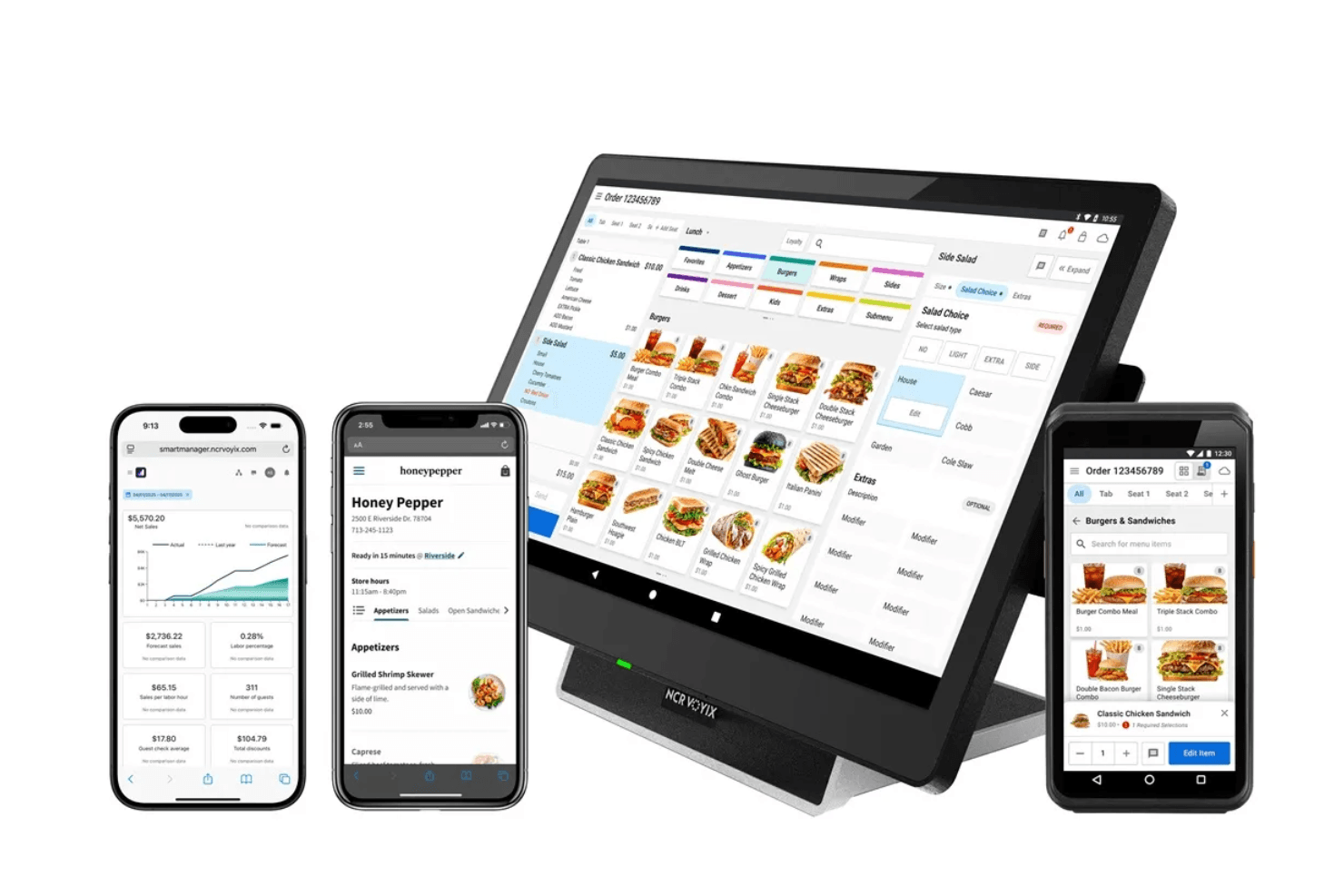
Aloha Cloud offers a clean interface, strong order management, and reliable support, making it a solid choice for restaurants prioritizing ease of use and quick onboarding. I think its real-time reporting and menu flexibility outperform many options, especially for fast-casual or multi-location operators. Pricing can be higher than some alternatives, and integration options are more limited, so it’s worth comparing if you need advanced third-party tools.
If you want a straightforward, proven system that’s easy for new staff to pick up, Aloha Cloud POS is a dependable pick.
Pros
- Handheld devices speed up table service and payments.
- Offline mode keeps operations running during internet outages.
- Real-time reporting helps managers track sales and labor.
Cons
- Some users report slow customer support response times.
- Limited integration options with third-party software.
- Pricing is higher than many cloud competitors.
Is NCR Aloha POS Right For Your Needs?
Who Would be a Good Fit for NCR Aloha POS?
Aloha Cloud is a strong choice for restaurants and hospitality businesses that need reliable order management, real-time reporting, and fast table service. Its handheld devices and offline mode make it especially useful for busy, high-volume environments or multi-location operators who can’t afford downtime.
Teams that value quick onboarding and straightforward workflows will appreciate its intuitive design and support for fast-casual and full-service dining.
- Hospitality GroupsReal-time analytics help track performance across diverse venues.
- Franchise OperatorsCloud-based controls make it easy to manage multiple franchises.
- Bars and NightclubsOffline mode keeps transactions running during late-night hours.
- Full-Service DiningHandheld devices help servers manage tables and split checks.
- Multi-Location ChainsCentralized reporting and menu management simplify operations across locations.
- Fast-Casual RestaurantsAloha Cloud supports quick order entry and payment at the counter.
Who Would be a Bad Fit for NCR Aloha POS?
Aloha Cloud may not be the best choice for small businesses with tight budgets or those needing deep integrations with third-party tools. If your operation relies on highly customized workflows or advanced inventory features, you might find its capabilities limiting. Businesses outside the restaurant and hospitality space will likely find better-suited solutions elsewhere.
- Catering CompaniesEvent-based workflows and offsite service needs aren’t fully addressed.
- Tech-Heavy RestaurantsLimited third-party integrations hinder custom tech stack setups.
- Quick-Service ChainsLack of advanced drive-thru or kiosk support can be a drawback.
- Retail StoresRestaurant-focused features don’t support retail inventory or sales needs.
- Food TrucksLimited mobile hardware options restrict flexibility for mobile vendors.
- Small CafésHigher pricing may not justify the investment for low-volume sales.
Our Review Methodology
How We Test & Score Tools
We’ve spent years building, refining, and improving our software testing and scoring system. The rubric is designed to capture the nuances of software selection and what makes a tool effective, focusing on critical aspects of the decision-making process.
Below, you can see exactly how our testing and scoring works across seven criteria. It allows us to provide an unbiased evaluation of the software based on core functionality, standout features, ease of use, onboarding, customer support, integrations, customer reviews, and value for money.
Core Functionality (25% of final scoring)
The starting point of our evaluation is always the core functionality of the tool. Does it have the basic features and functions that a user would expect to see? Are any of those core features locked to higher-tiered pricing plans? At its core, we expect a tool to stand up against the baseline capabilities of its competitors.
Standout Features (25% of final scoring)
Next, we evaluate uncommon standout features that go above and beyond the core functionality typically found in tools of its kind. A high score reflects specialized or unique features that make the product faster, more efficient, or offer additional value to the user.
We also evaluate how easy it is to integrate with other tools typically found in the tech stack to expand the functionality and utility of the software. Tools offering plentiful native integrations, 3rd party connections, and API access to build custom integrations score best.
Ease of Use (10% of final scoring)
We consider how quick and easy it is to execute the tasks defined in the core functionality using the tool. High scoring software is well designed, intuitive to use, offers mobile apps, provides templates, and makes relatively complex tasks seem simple.
Onboarding (10% of final scoring)
We know how important rapid team adoption is for a new platform, so we evaluate how easy it is to learn and use a tool with minimal training. We evaluate how quickly a team member can get set up and start using the tool with no experience. High scoring solutions indicate little or no support is required.
Customer Support (10% of final scoring)
We review how quick and easy it is to get unstuck and find help by phone, live chat, or knowledge base. Tools and companies that provide real-time support score best, while chatbots score worst.
Customer Reviews (10% of final scoring)
Beyond our own testing and evaluation, we consider the net promoter score from current and past customers. We review their likelihood, given the option, to choose the tool again for the core functionality. A high scoring software reflects a high net promoter score from current or past customers.
Value for Money (10% of final scoring)
Lastly, in consideration of all the other criteria, we review the average price of entry level plans against the core features and consider the value of the other evaluation criteria. Software that delivers more, for less, will score higher.
Core Features
Order Management
Create, modify, and track orders from any device, including handhelds. This helps staff handle busy shifts and reduce errors.
Real-Time Reporting
Access sales, labor, and inventory data instantly from the cloud. Managers can make quick decisions based on up-to-date insights.
Offline Mode
Continue processing orders and payments even if the internet goes down. This keeps your restaurant running smoothly during outages.
Menu Management
Update menu items, prices, and modifiers across all locations from a single dashboard. Changes sync instantly to every terminal.
Table Management
Assign, move, and combine tables with a visual floor plan. Servers can split checks and manage large parties with ease.
Employee Management
Track hours, manage schedules, and control staff permissions in one place. This helps reduce labor costs and prevent unauthorized access.
Ease of Use
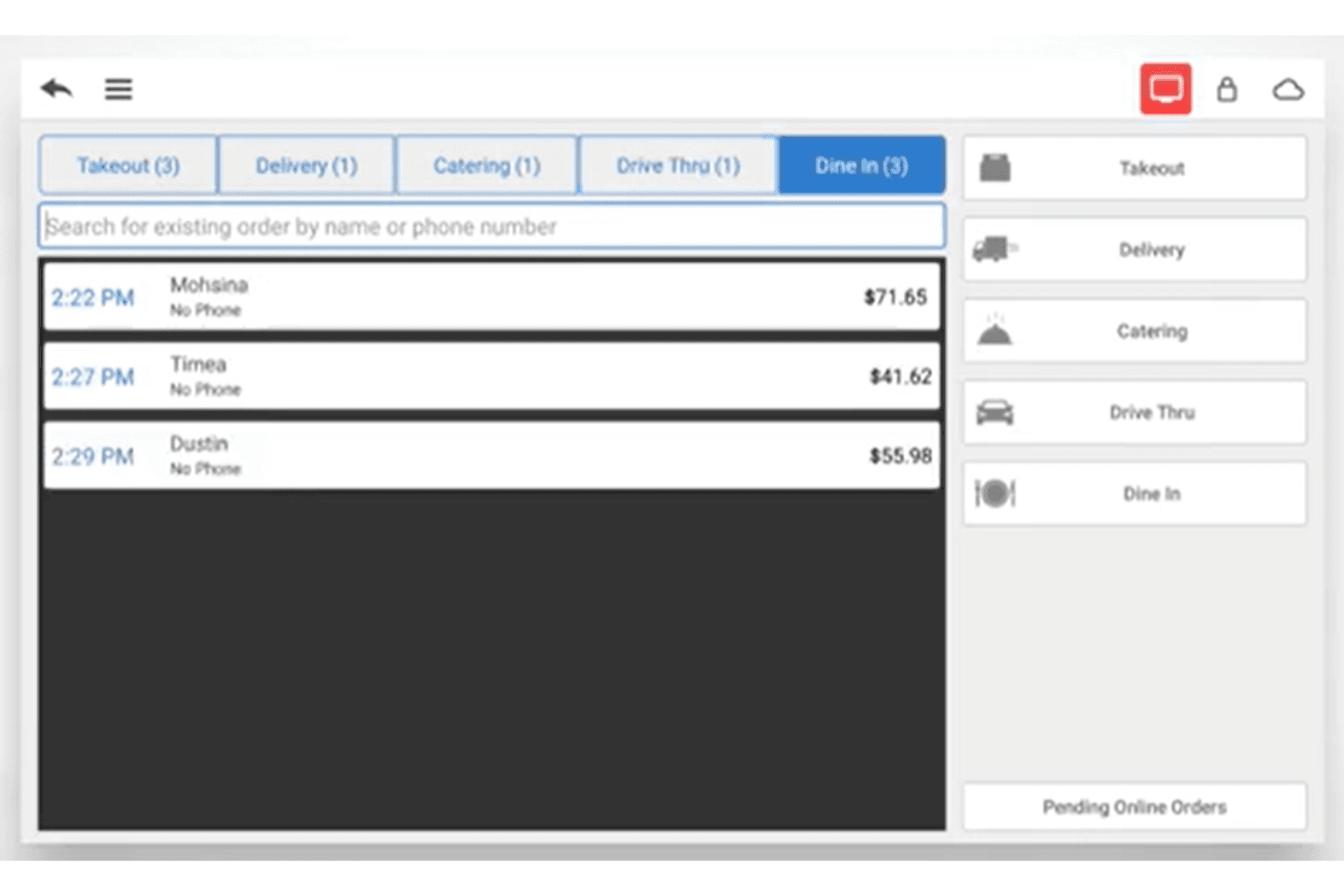
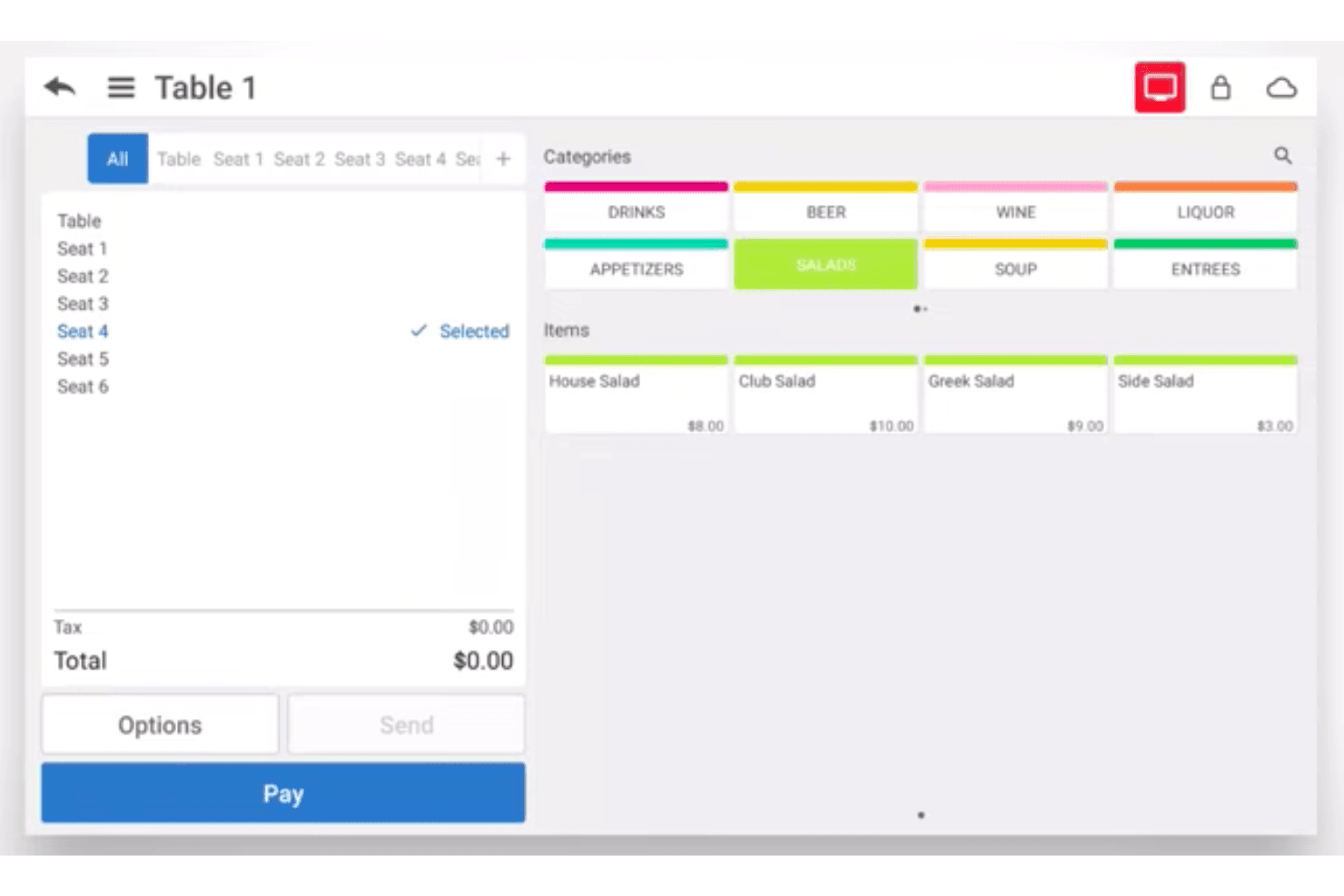
Aloha Cloud is easy for staff to learn and navigate, thanks to its clean interface and intuitive workflows. Many users mention that onboarding new employees is quick, even during busy shifts. The touchscreen layout, visual table management, and clear menu editing tools help reduce mistakes and speed up service. While some advanced features require extra training, most teams find daily tasks straightforward and efficient with minimal downtime.
Integrations
Aloha Cloud integrates with Deliverect, Apicbase, Crunchtime, MarketMan, OpenTable, XPR POS, Stream, Squadle, Zenput, and Teamworx, among others.
Aloha Cloud also offers an API for custom integrations and connects with select third-party tools for expanded functionality.
NCR Aloha POS Specs
- 2-Factor Authentication: No
- API: Yes
- Barcode Scanning: No
- BitCoin: No
- Budgeting: No
- Contact Management: No
- Custom Reports: Yes
- Customer Management: Yes
- Customer Rewards: No
- Dashboard: Yes
- Data Export: Yes
- Data Import: Yes
- Data Visualization: Yes
- External Integrations: Yes
- Forecasting: No
- Fraud Detection: No
- Inventory Tracking: Yes
- Multi-Currency: No
- Multi-User: Yes
- Notifications: Yes
- Offline Access: Yes
- Order Management: Yes
- Payment Processor: Yes
- PayPal: No
- Stripe: No
- Supplier Management: No
- Tax Management: No
- Third-Party Plugins/Add-Ons: Yes
- Workflow Management: No


