

Reseña de KORONA POS: ventajas, desventajas, funciones y precios explicados
KORONA POS destaca por su configuración flexible, su gestión avanzada del inventario y sus precios transparentes, lo que lo convierte en una opción sólida para minoristas y empresas con múltiples ubicaciones que necesitan más control que el que ofrece un sistema POS básico.

Revisamos las herramientas de forma independiente y las comisiones ayudan a financiar nuestras pruebas. Consulta nuestra política de transparencia, nuestra metodología o sugiere una herramienta.
KORONA POS isn’t your typical plug-and-play POS system. It’s built for retailers and operators who’ve outgrown basic cash register software and need deeper control over inventory, reporting, and day-to-day operations without getting locked into rigid contracts or payment processors.
In this review, I’ll break down where KORONA POS really shines (and where it doesn’t), who it’s best suited for, and whether its flexibility and advanced features actually align with what your business needs.
KORONA POS Evaluation Summary
4.8/5
- From $59/month
- Free trial + free demo available
Por qué confiar en nuestras recomendaciones de software
6,700+
Reviews
20
Industry experts
16+
Evaluation factors
14
Years
Nuestro equipo lleva probando y evaluando software desde 2012. Como líderes del sector retail, sabemos lo difícil —y lo importante— que es elegir el software adecuado.
Para esta guía, evaluamos las herramientas mediante pruebas prácticas e investigación independiente, puntuando las herramientas según nuestros criterios de selección.
Nuestras reseñas reflejan nuestro criterio independiente, no un discurso de ventas.
KORONA POS Overview
In my experience, KORONA POS stands out for its flexibility and depth—as a checkout system and a full operational tool for retailers who need tighter control over inventory, reporting, and multi-store performance. You’re not locked into specific hardware, payment processors, or long-term contracts, which is a big advantage if you want to build a setup that actually fits your business.
That said, it’s not the simplest system to learn, and it’s clearly designed for businesses willing to invest a bit of time upfront. But if you’re running a specialty retail shop, convenience store, or multi-location operation and want powerful reporting, customization, and hands-on support, KORONA POS is one of the more capable options in its category.
Pros
- Highly customizable POS built for specific retail industry needs.
- Flexible payments, hardware options, and no long-term contracts required.
- Deep inventory management with automation and real-time tracking.
Cons
- Steeper learning curve due to the depth of features.
- User interface feels dated compared to modern POS competitors.
- Ecommerce capabilities are weaker for businesses primarily selling online.
Is KORONA POS Right For Your Needs?
Who Would be a Good Fit for KORONA POS?
KORONA POS is a strong fit for businesses that need more control than a basic POS can offer, especially those managing complex inventory, operating across multiple locations, or selling age-restricted or ticketed products. It works well for inventory-heavy specialty retail, convenience stores, and attractions needing retail, reporting, and operational oversight. It offers flexibility, detailed analytics, and hands-on support for those willing to navigate a learning curve.
- Inventory-Heavy Specialty RetailersShops like pet stores, gift shops, and thrift stores benefit from deep inventory and customizable reporting.
- Quick-Service Restaurants (QSRs)Best suited for cafes, bakeries, and counter-service setups (not full-service dining) with simple menu and order workflows.
- Liquor, Vape, and Smoke ShopsBuilt-in age verification, strong inventory controls, and compliance-friendly workflows make this a natural fit for liquor stores and other age-restricted shops.
- Convenience StoresHigh SKU counts, fast transactions, and real-time inventory tracking support busy, high-volume environments.
- Ticketing (Amusement Parks and Attractions)Integrated ticketing, admission control, and retail sales in one system make it ideal for hybrid operations.
- Franchises and Multi-Location RetailersCentralized reporting, product syncing, and royalty tools help manage multiple stores efficiently.
Who Would be a Bad Fit for KORONA POS?
KORONA POS isn’t ideal for businesses that prioritize simplicity, ecommerce-first selling, or specialized workflows outside of retail and light QSR. It may not suit primarily online businesses, those needing advanced restaurant features or large app marketplaces, very small businesses, or large enterprises with complex custom requirements.
- Large Ecommerce-First BrandsLimited native ecommerce capabilities make it less suitable for online-heavy businesses.
- Full-Service RestaurantsLacks advanced table service features needed for complex dine-in operations.
- Custom Apparel, Jewelry, and FloristsNot optimized for size matrices, custom orders, or certain specialty workflows.
- Appointment-Based Businesses (Salons, Spas)No built-in scheduling, booking, or client management tools.
- Grocery Stores (Full Scale)Limited support for advanced scale integrations and grocery-specific workflows.
- Assigned Seating Ticketing VenuesNot designed for reserved seating or complex ticket mapping systems.
- Very Small Business or Simple Retail SetupsSingle-register shops or pop-ups may find the system overly complex.
Nuestra Metodología de Revisión
Cómo Probamos y Puntamos Herramientas
Hemos pasado años construyendo, perfeccionando y mejorando nuestro sistema de pruebas y puntuación de software. La rúbrica está diseñada para captar los matices de la selección de software y lo que hace que una herramienta sea eficaz, enfocándose en los aspectos críticos del proceso de toma de decisiones. A continuación, puedes ver exactamente cómo funcionan nuestras pruebas y puntuaciones en siete criterios. Esto nos permite brindar una evaluación imparcial del software según la funcionalidad principal, características destacadas, facilidad de uso, incorporación, soporte al cliente, integraciones, reseñas de usuarios y relación calidad-precio.
Funcionalidad Principal (25% de la puntuación final)
El punto de partida de nuestra evaluación siempre es la funcionalidad principal de la herramienta. ¿Cuenta con las características y funciones básicas que un usuario esperaría ver? ¿Alguna de esas funcionalidades está limitada a planes de precios superiores? En esencia, esperamos que una herramienta se compare favorablemente con las capacidades básicas de sus competidores.
Características Destacadas (25% de la puntuación final)
A continuación, evaluamos las características sobresalientes poco comunes que van más allá de la funcionalidad principal que normalmente se encuentra en herramientas similares. Una alta puntuación refleja funcionalidades especializadas o únicas que hacen que el producto sea más rápido, eficiente o aporte un valor extra al usuario. También evaluamos qué tan fácil es integrar la herramienta con otras comúnmente usadas en el entorno tecnológico para ampliar la funcionalidad y utilidad del software. Las herramientas que ofrecen numerosas integraciones nativas, conexiones de terceros y acceso a API para crear integraciones personalizadas obtienen la mejor puntuación.
Facilidad de Uso (10% de la puntuación final)
Consideramos qué tan rápido y fácil es realizar las tareas definidas en la funcionalidad principal usando la herramienta. El software de alta puntuación está bien diseñado, es intuitivo, ofrece aplicaciones móviles, proporciona plantillas y hace que tareas relativamente complejas parezcan simples.
Incorporación (10% de la puntuación final)
Sabemos lo importante que es que un equipo adopte rápidamente una nueva plataforma, así que evaluamos qué tan fácil es aprender y usar la herramienta con mínima capacitación. Analizamos cuánto tiempo tarda un miembro del equipo en prepararse y comenzar a usar la herramienta sin experiencia previa. Las soluciones con alta puntuación requieren poco o ningún soporte.
Soporte al Cliente (10% de la puntuación final)
Revisamos qué tan rápido y fácil es obtener ayuda por teléfono, chat en vivo o base de conocimientos. Las herramientas y empresas que ofrecen soporte en tiempo real obtienen la mejor puntuación, mientras que los chatbots obtienen la peor.
Reseñas de Clientes (10% de la puntuación final)
Además de nuestras pruebas y evaluaciones, consideramos el puntaje neto de promotores de clientes actuales y pasados. Revisamos la probabilidad de que elijan de nuevo la herramienta para la funcionalidad principal. Un software con alta puntuación refleja un alto NPS de clientes actuales o pasados.
Relación Calidad-Precio (10% de la puntuación final)
Por último, considerando todos los demás criterios, revisamos el precio promedio de los planes de nivel básico frente a las características principales y consideramos el valor de los otros criterios de evaluación. El software que ofrece más por menos, tendrá una puntuación más alta.
Core Features
Real-Time Inventory Tracking & Automation
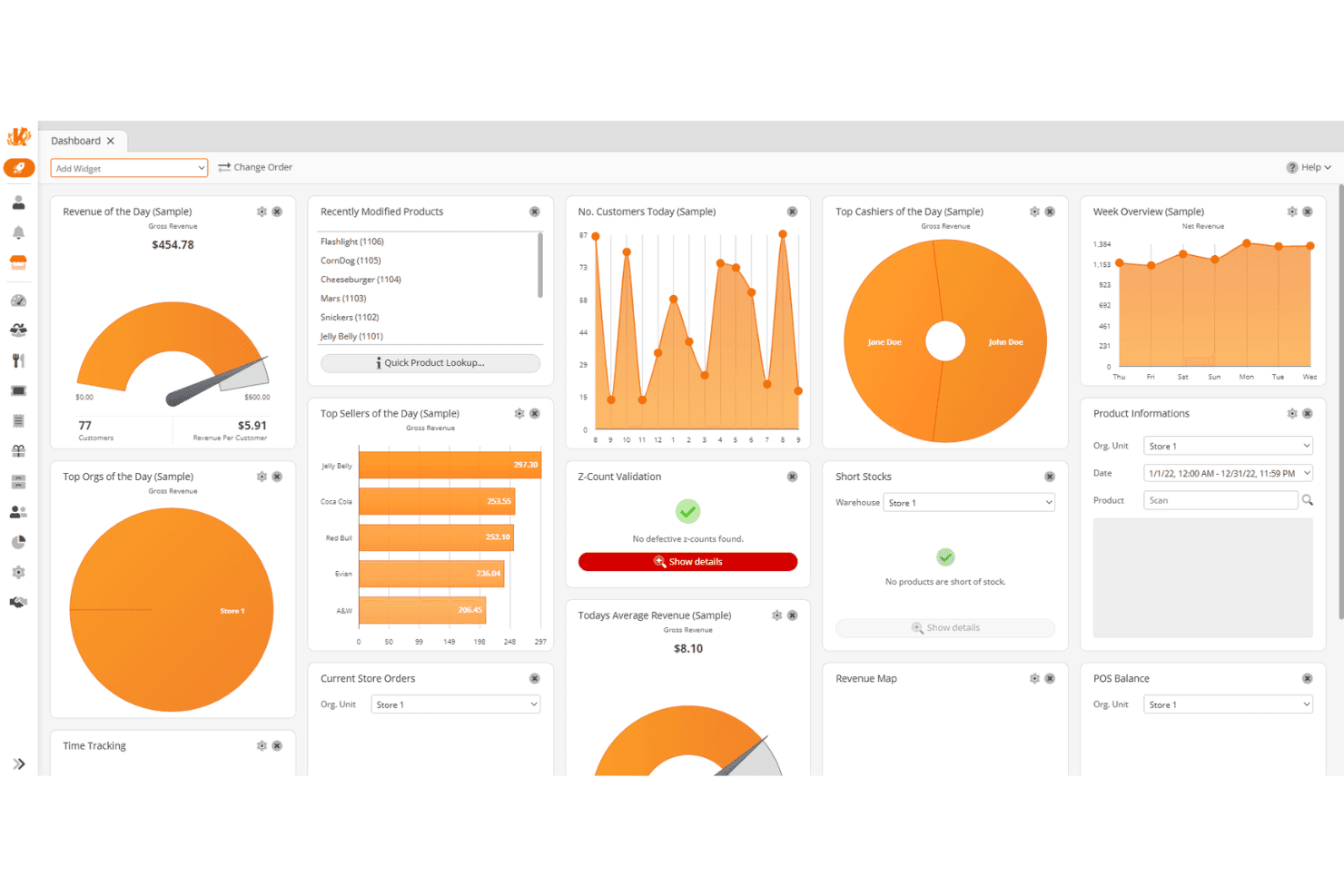
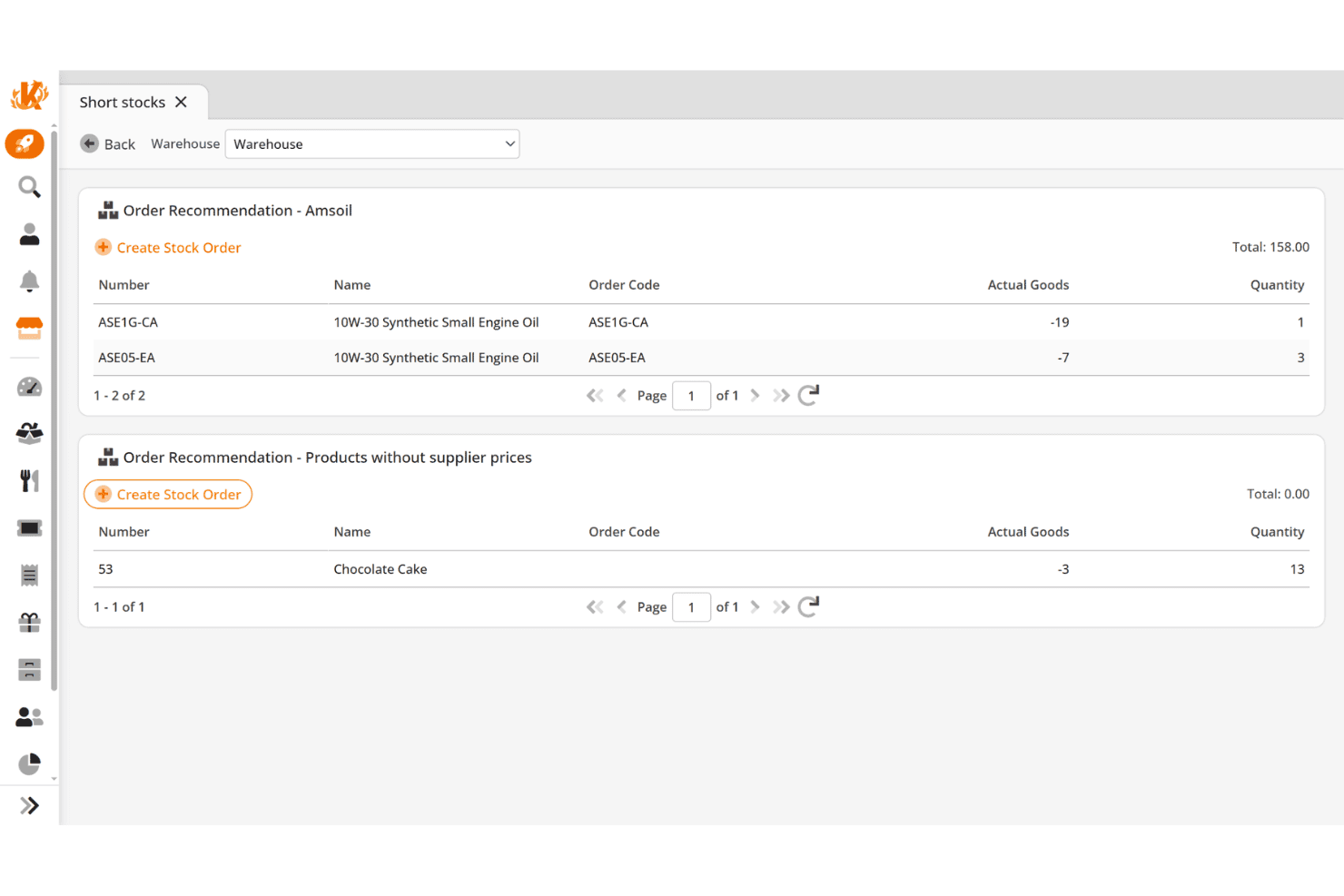
Track inventory levels across locations with automated reordering, stock counts, and low-stock alerts. I think this is one of the most practical tools for staying ahead of demand and reducing manual work.
Advanced Reporting & Analytics
Access detailed, customizable reports on sales, inventory, employees, and margins. You get real-time insights and KPI tracking without needing external tools or spreadsheets.
Integrated Payments & Checkout
Process cash, credit cards, debit cards, gift cards, and contactless payments with support for split payments, refunds, and mobile transactions. It covers everything you’d expect from a modern POS software.
Customer Management & Loyalty
Build customer data profiles, track purchase history, and run point-based loyalty programs. You can also integrate with more advanced CRM tools if needed.
Employee Management & Permissions
Manage staff roles, time tracking, and performance reporting while controlling access to sensitive actions. This adds accountability and helps reduce internal errors or theft.
Multi-Location Management
Control pricing, inventory, promotions, and reporting across all locations from one system. This is essential if you’re planning to scale or already operate multiple stores.
Standout Features
Processor and Hardware Flexibility (No Vendor Lock-In)
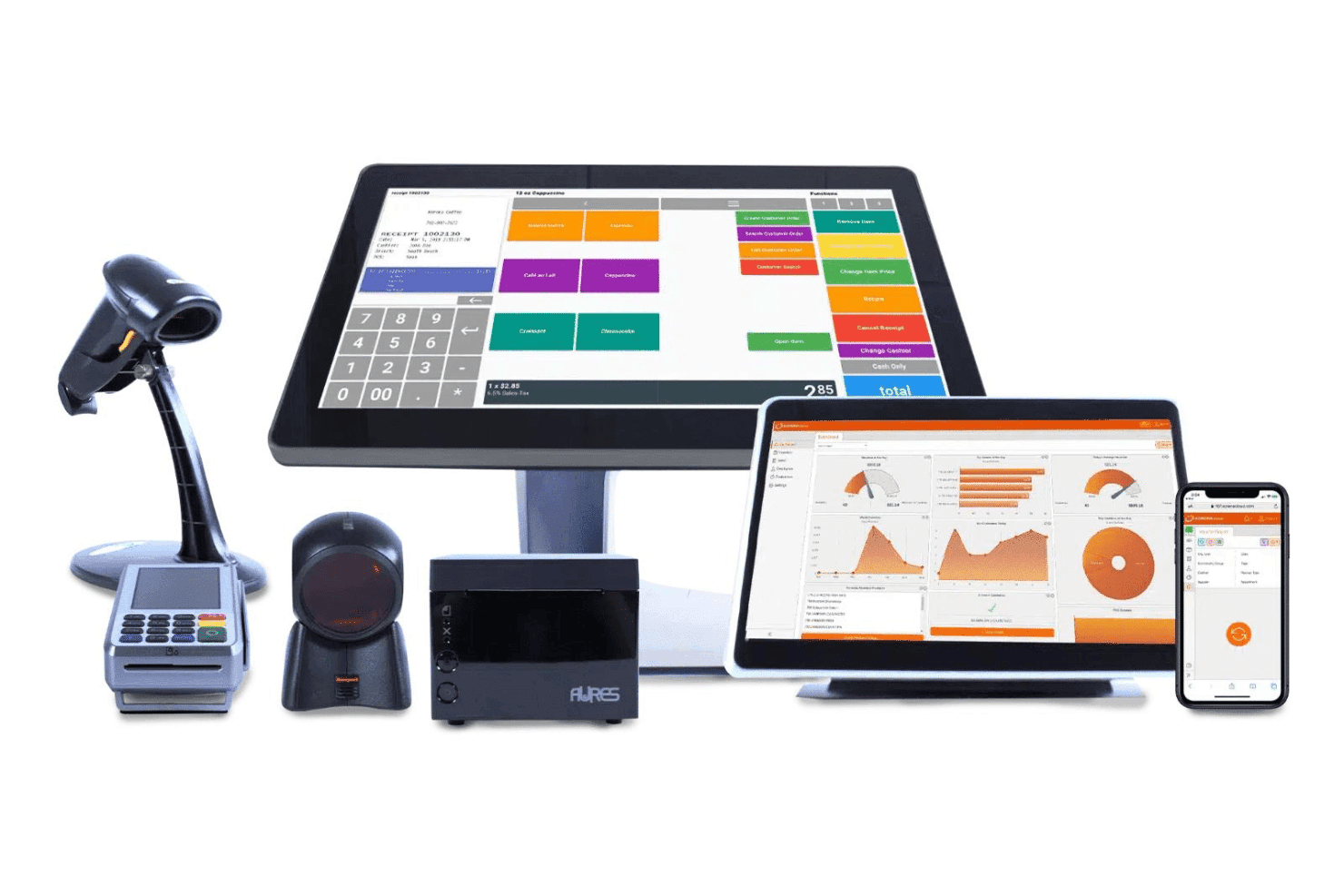
KORONA POS lets you choose your own payment processor and hardware instead of locking you into a proprietary system. This is a major differentiator—and can save you thousands in processing fees over time.
Deep Inventory Intelligence (ABC Analysis & Optimization)
Beyond basic tracking, KORONA offers advanced tools like product grading (ABC analysis), movement reports, and automated reorder optimization. This goes well beyond what most SMB POS systems offer.
Built-In Ticketing and Admission Management
Unlike most retail POS systems, KORONA includes full ticketing capabilities with entry validation and event management. This makes it especially strong for attractions, museums, and hybrid businesses.
Franchise and Royalty Management Tools
KORONA supports franchise operations with features like royalty tracking, centralized control, and location-level reporting. That’s something you rarely see outside of enterprise systems.
Ease of Use
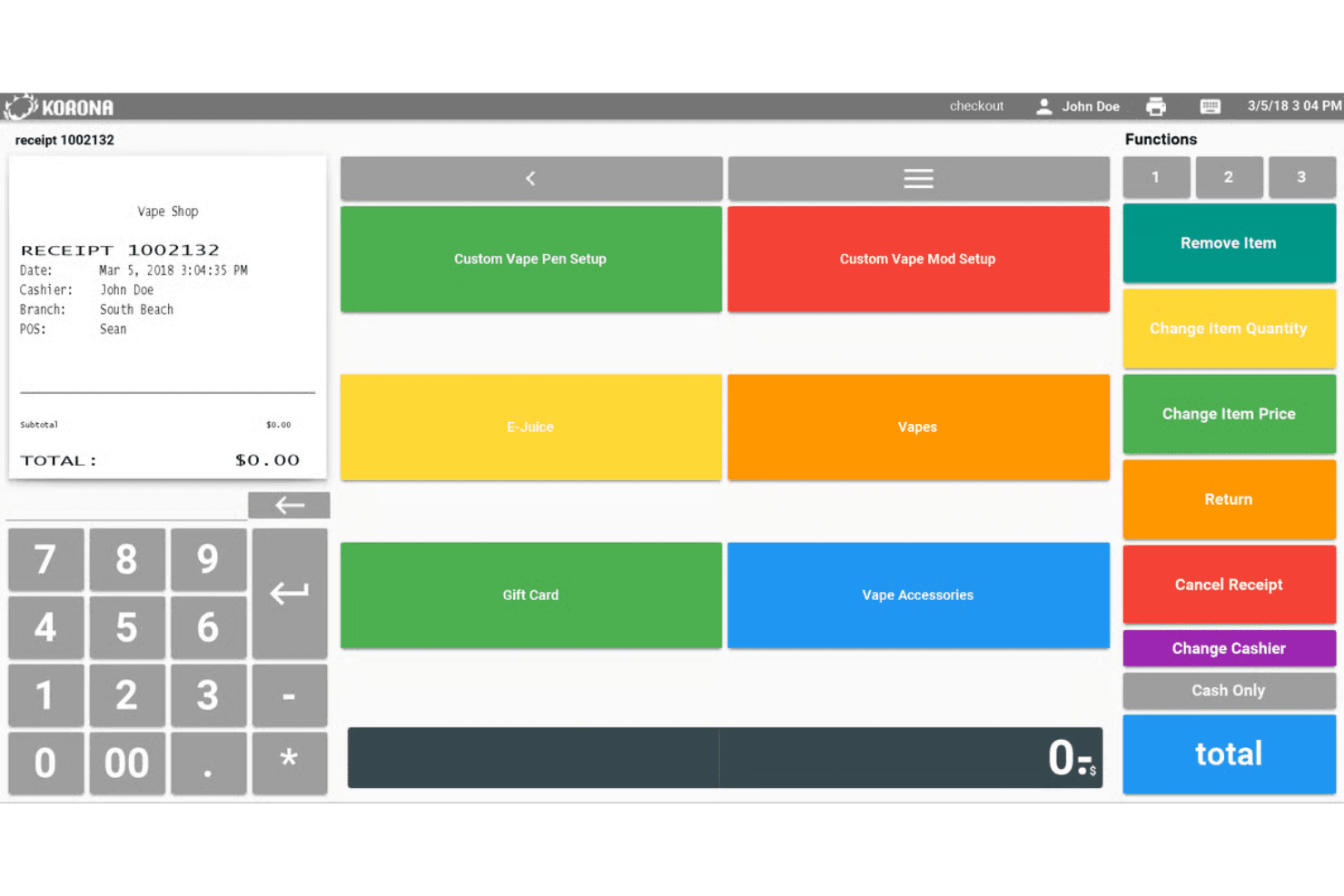
KORONA POS is easy to use at the register, but the overall system comes with a learning curve. I’ve found that while basic checkout tasks are quick to pick up—often within a single shift—the back-office tools and deeper features take more time to fully understand. That said, KORONA does a great job supporting users through guided onboarding, unlimited training sessions, and a detailed help center, which makes the ramp-up much more manageable if you’re willing to invest a bit of time upfront.
Onboarding
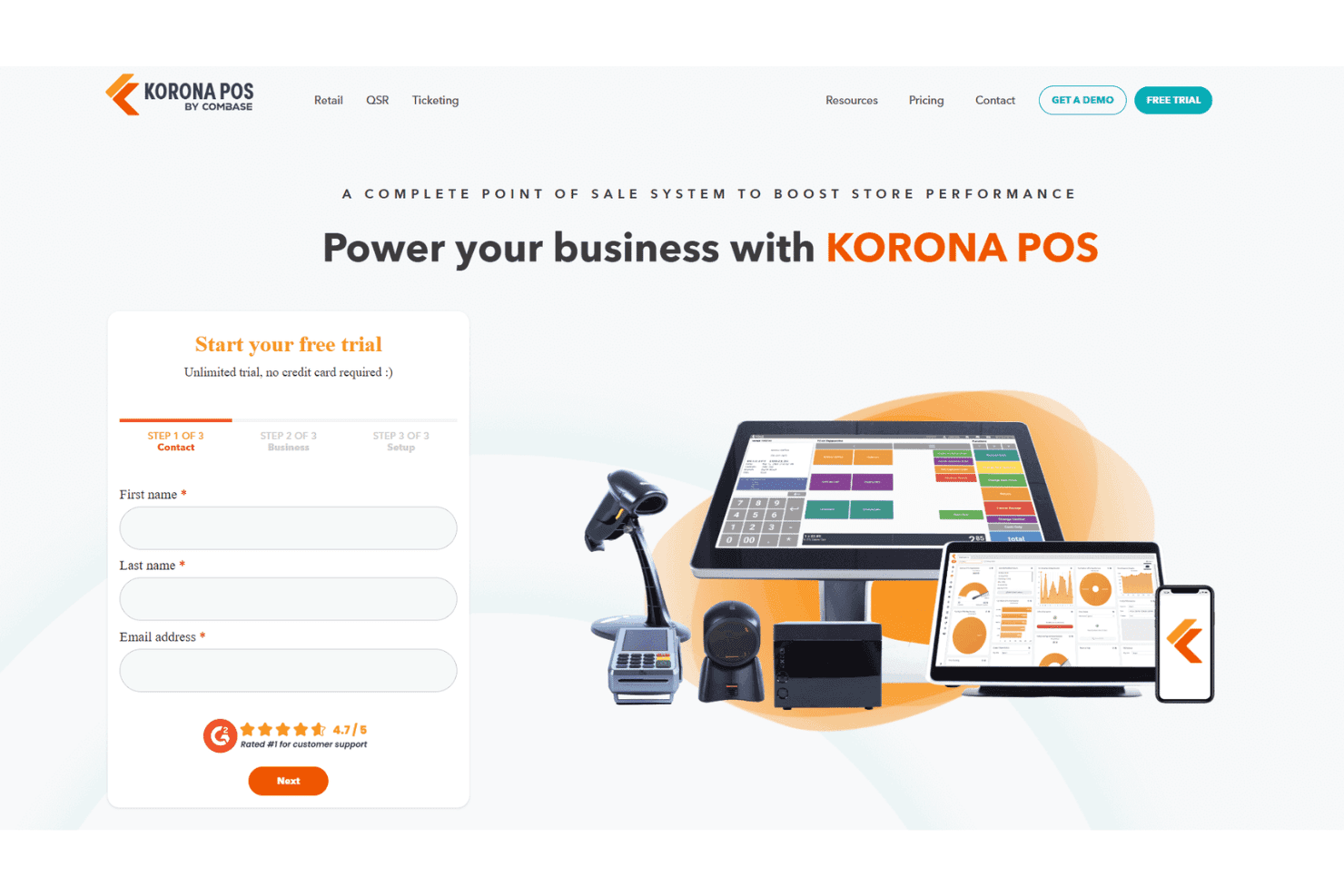
KORONA POS takes a guided approach to onboarding, with hands-on support, live training demos, and help with tasks like inventory imports before you go live. What stands out to me is that onboarding isn’t a one-time event—you get ongoing access to unlimited training sessions, video tutorials, and a detailed manual, which makes it much easier to ramp up even with the system’s deeper feature set.
Customer Support
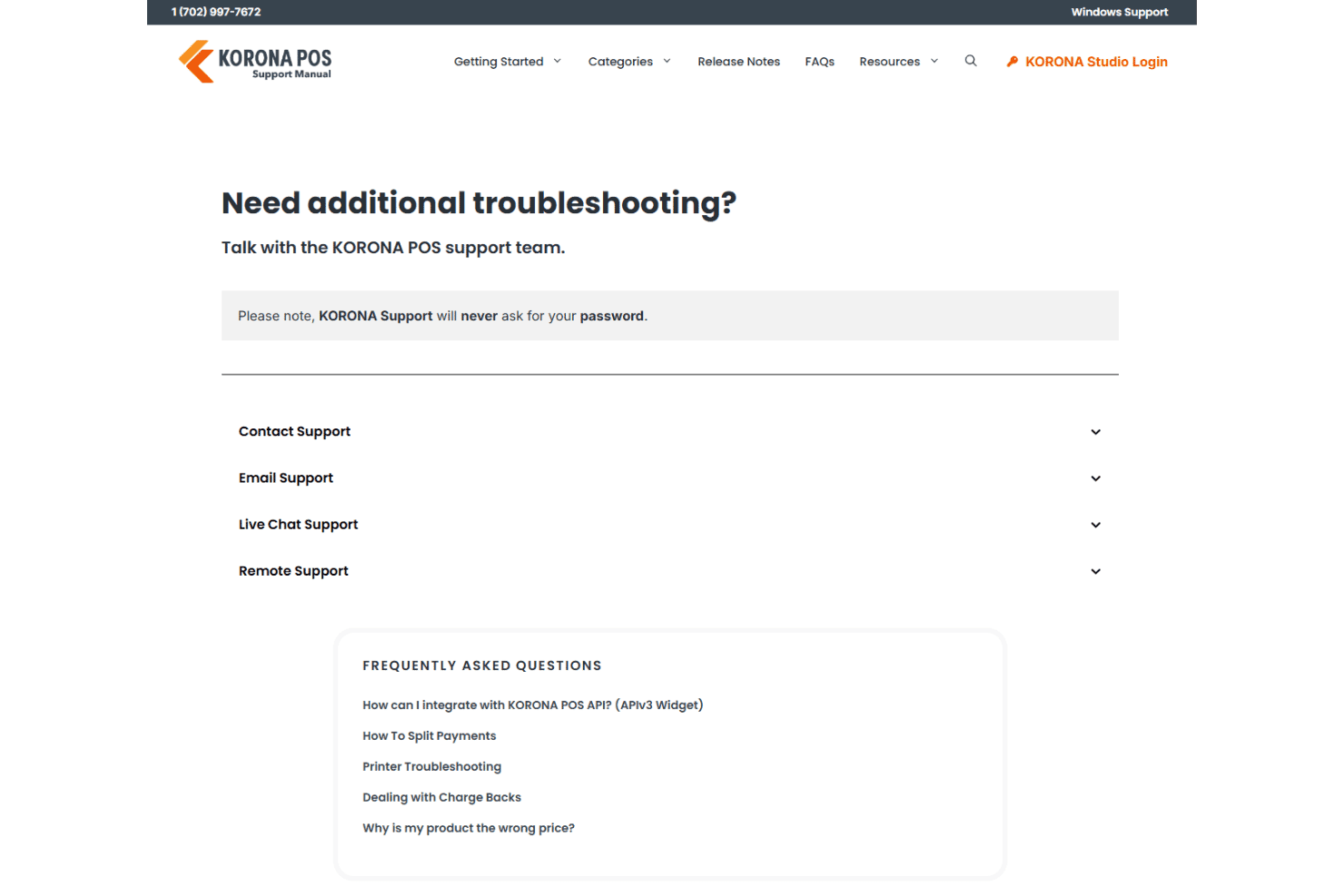
Customer support is one of KORONA POS’s strongest areas. You get in-house support via phone, email, and chat, along with a comprehensive online manual and video resources. I like that support is included at every subscription level and backed by 24/7 availability for critical issues, which makes a big difference for retail stores that can’t afford downtime.
Integrations
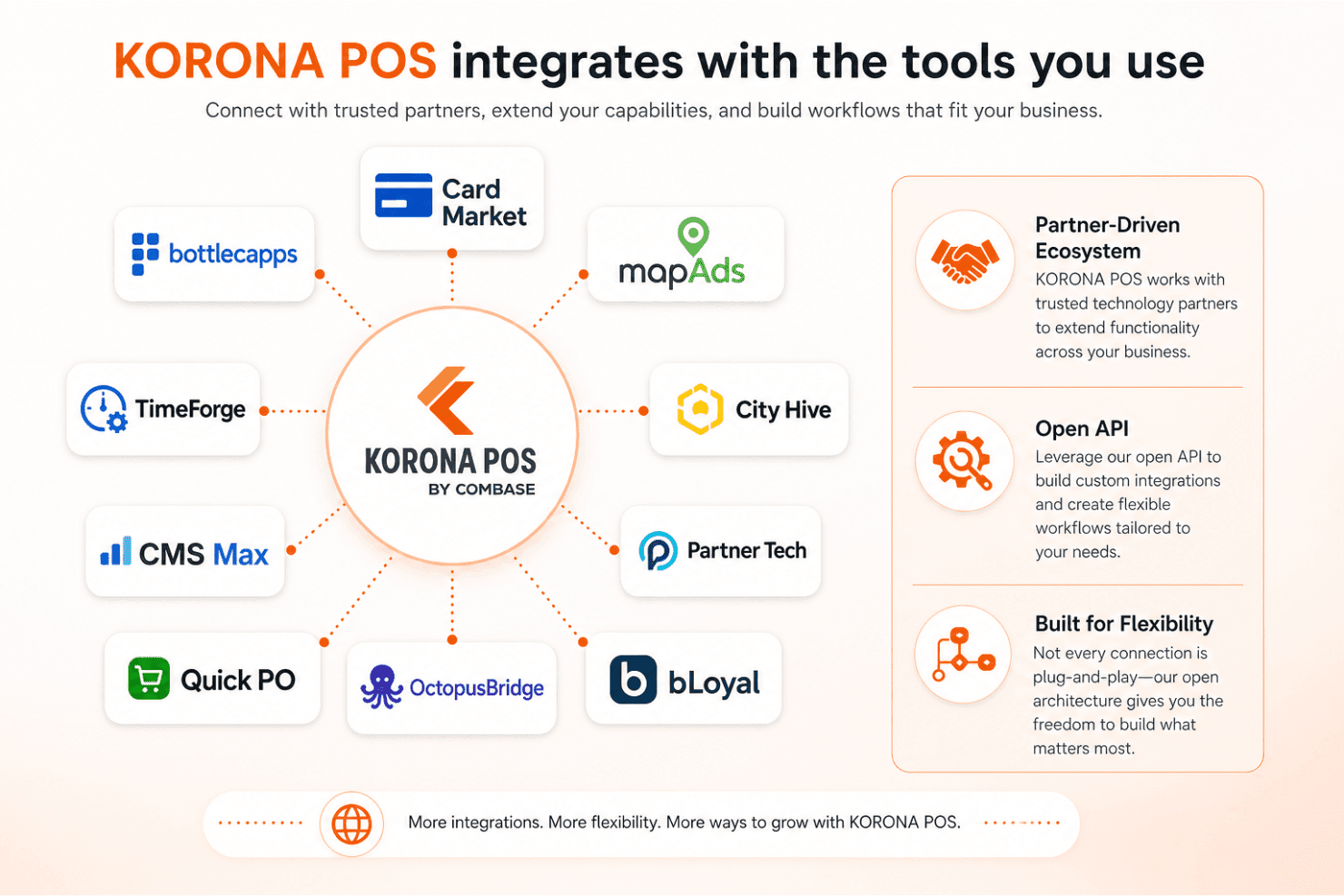
KORONA POS integrates with Card Market, Bottlecapps, mapAds, TimeForge, City Hive, CMS Max, Partner Tech, Quick PO, OctopusBridge, and bLoyal, among others. That said, its integration ecosystem is more partner-driven than marketplace-based, so not every connection is plug-and-play.
Where KORONA really stands out is its open API, which allows for custom integrations and more flexible workflows if you need something beyond the standard connections.
Value for Money
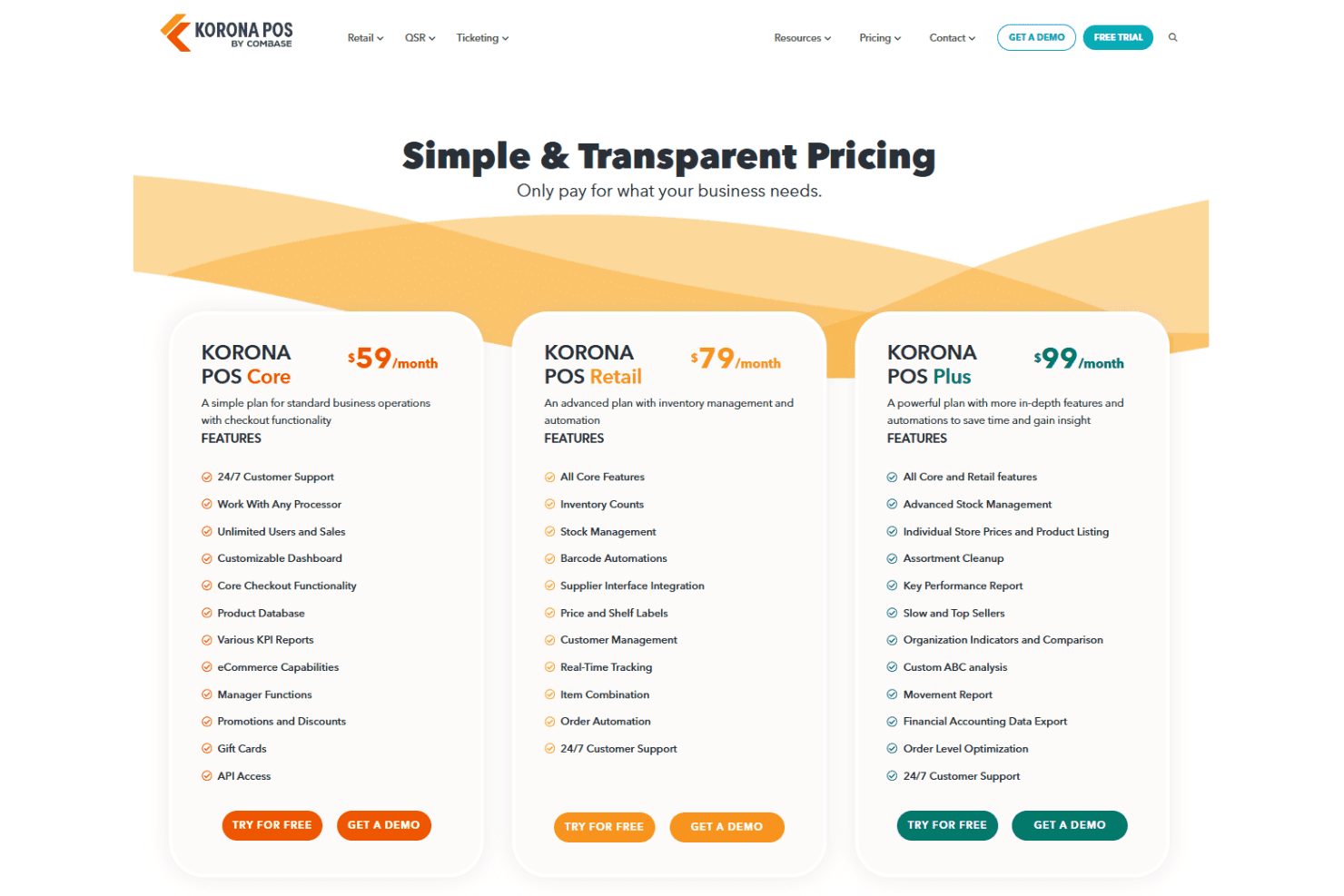
KORONA POS delivers strong value through transparent, month-to-month pricing with no contracts and support included at every tier. Rather than unlocking everything at once, features scale across plans, so you’re paying for the level of functionality your business actually needs. I think where it really stands out is the combination of pricing transparency and processor flexibility—because you’re not locked into a specific payment provider, you can shop around for lower transaction rates, which can save you a meaningful amount over time compared to POS systems that make money by marking up processing fees.
- Core: Basic checkout, reporting, and POS functionality for standard operations.
- Retail: Adds inventory management, automation, and customer management tools.
- Plus: Includes advanced reporting, product analysis, and deeper inventory insights
- Add-Ons: Modules like ticketing, franchise management, food service, and integrations for specialized use cases.
New Product Updates from KORONA POS
 Opens new window
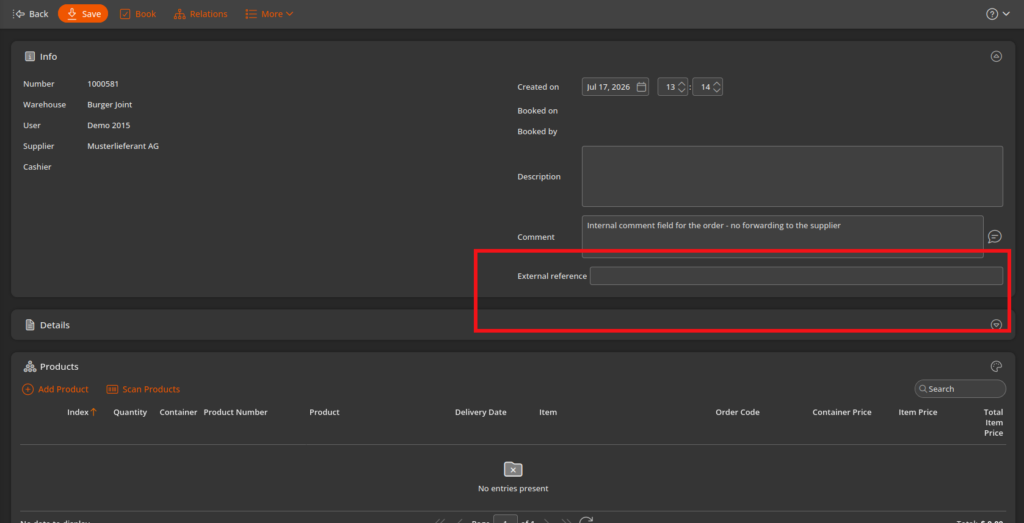
KORONA POS Inventory Updates: CSV Import, Multi-OU, Filters & API
KORONA POS adds CSV and Excel stock receipt imports, multi-location sourcing for stock orders, warehouse stock checks for internal transfers, and external references for stock orders. These updates reduce manual entry, help prevent negative inventory, and improve stock order tracking. Highlights include:
- Stock Receipt Import: Import stock receipts from CSV or Excel files through DataExchange.
- Multi-Location Stock Orders: Create stock orders using inventory from multiple or all Organizational Units.
- Warehouse Stock Verification: Check source warehouse inventory before booking internal stock receipts during inventory transfers.
- External Reference Fields: Add external reference numbers to stock orders, with support through the API.
Visit KORONA POS's official site for more details.
 Opens new window
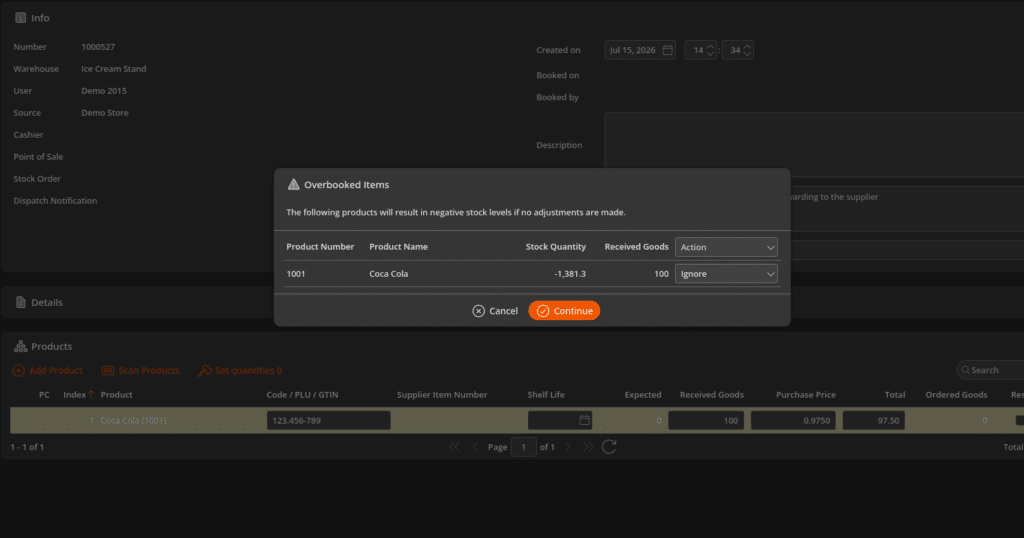
KORONA POS Hides Inactive Stock and Adds Items to Receipts
KORONA POS updates Online Stocks to hide deactivated and sales-locked products, add items directly to receipts, and filter warehouses by dispatch notification. These updates reduce inventory clutter and make stock and warehouse tasks easier to manage. Highlights include:
- Active Inventory Filtering: Hide deactivated and sales-locked products from the Online Stocks view.
- Add Items to Receipts: Add products directly to receipts from the Online Stocks screen.
- Warehouse Dispatch Notification Filters: Filter warehouses by dispatch notification to better manage inventory alerts.
Visit KORONA POS's official site for more details.
 Opens new window
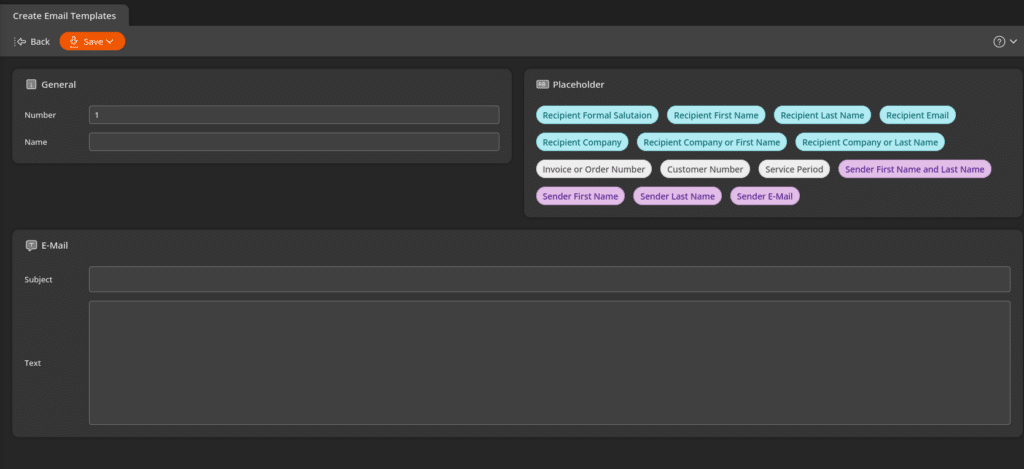
KORONA POS Adds Automatic Reports and Invoice Email Templates
KORONA POS adds new automatic report dispatch options and customizable invoice email templates with dynamic placeholders. These updates make recurring reports easier to schedule and help standardize invoice communications. Highlights include:
- New Automatic Reports: Schedule Stock Order, Discounts, Tax, Sales by Organizational Unit, and Payment Method reports for automatic dispatch.
- Invoice Email Templates: Create multiple invoice email templates with dynamic placeholders for invoice numbers, customer details, greetings, and other information.
- Consistent Customer Communications: Reuse customizable templates to standardize invoice emails across your business.
Visit KORONA POS's official site for more details.
KORONA POS Specs
- 2-Factor Authentication: Yes
- API: Yes
- Barcode Scanning: Yes
- BitCoin: No
- Budgeting: Yes
- Contact Management: Yes
- Custom Reports: Yes
- Customer Management: Yes
- Customer Rewards: Yes
- Dashboard: Yes
- Data Export: Yes
- Data Import: Yes
- Data Visualization: Yes
- External Integrations: Yes
- Forecasting: Yes
- Fraud Detection: Yes
- Inventory Tracking: Yes
- Multi-Currency: Yes
- Multi-User: Yes
- Notifications: Yes
- Offline Access: Yes
- Order Management: Yes
- Payment Processor: Yes
- PayPal: Yes
- Stripe: Yes
- Supplier Management: Yes
- Tax Management: No
- Third-Party Plugins/Add-Ons: Yes
- Workflow Management: No
KORONA POS FAQs
KORONA POS Company Overview & History
KORONA POS is headquartered in North Las Vegas, Nevada, and operates as part of COMBASE USA. The company offers its cloud-based point of sale system for retailers, ticketing venues, and franchises of all sizes. KORONA POS serves thousands of businesses across North America, providing standout inventory tools, reliable support, and no long-term contracts. The company emphasizes transparency, support, and ongoing improvement, though it remains privately held without disclosed financial or client information.
KORONA POS Major Milestones
- 1994: COMBASE AG, the parent company, is founded in Germany.
- 2011: COMBASE USA is incorporated. KORONA POS product launches, offering cloud-based POS solutions.
- 2013 - Present: Over 5,000 installations, and focus on increasing functionality for specialized sectors.
- 2026: Announces KORONA POS Next (headless, cloud-based point-of-sale platform).