

Reseña de Constant Contact: ventajas, desventajas, características y precios
Constant Contact destaca por su interfaz fácil de usar y su sólido servicio de atención al cliente, lo que lo convierte en una opción confiable para el marketing por correo electrónico en el comercio electrónico.

Revisamos las herramientas de forma independiente y las comisiones ayudan a financiar nuestras pruebas. Consulta nuestra política de transparencia, nuestra metodología o sugiere una herramienta.
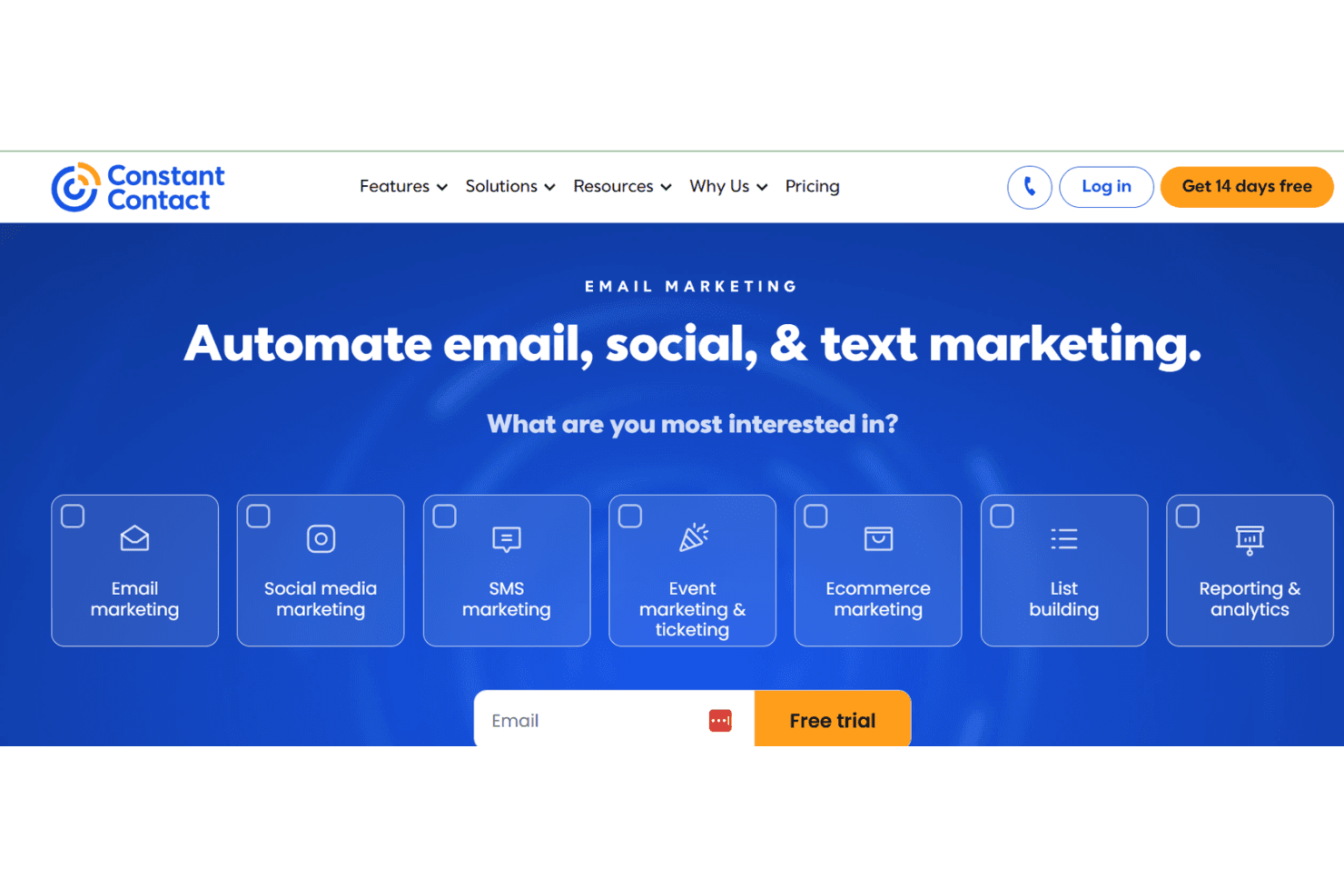
Constant Contact is an ecommerce email marketing software that helps businesses create and manage email campaigns. It's ideal for small to medium-sized retailers, nonprofits, and local service providers seeking easy-to-use tools. Constant Contact offers straightforward email marketing solutions with templates and analytics for effective audience engagement.
Constant Contact addresses email marketing efficiency and engagement issues for marketing teams and small business owners. In this article, I'll cover Constant Contact's features, pros and cons, use cases, pricing, and more, so you can decide if it meets your marketing needs and goals.
Constant Contact Evaluation Summary
4.2/5
- From $12/month
- 14-day free trial + free demo available
Por qué confiar en nuestras recomendaciones de software
6,700+
Reviews
20
Industry experts
16+
Evaluation factors
14
Years
Nuestro equipo lleva probando y evaluando software desde 2012. Como líderes del sector retail, sabemos lo difícil —y lo importante— que es elegir el software adecuado.
Para esta guía, evaluamos las herramientas mediante pruebas prácticas e investigación independiente, puntuando las herramientas según nuestros criterios de selección.
Nuestras reseñas reflejan nuestro criterio independiente, no un discurso de ventas.
Constant Contact Overview
In my opinion, Constant Contact is a solid choice for small to medium-sized businesses looking for straightforward email marketing solutions. It shines with its user-friendly interface and responsive customer support, making it easy for teams to get started. However, its pricing can be a bit steep for those who need advanced features or extensive integrations, which might be a drawback compared to competitors like Mailchimp or SendinBlue. If your team values ease of use and reliable support over complex integrations, Constant Contact could be a good fit.
Pros
- Your team will find the user interface simple and intuitive.
- Customer support is responsive and helpful when you need it.
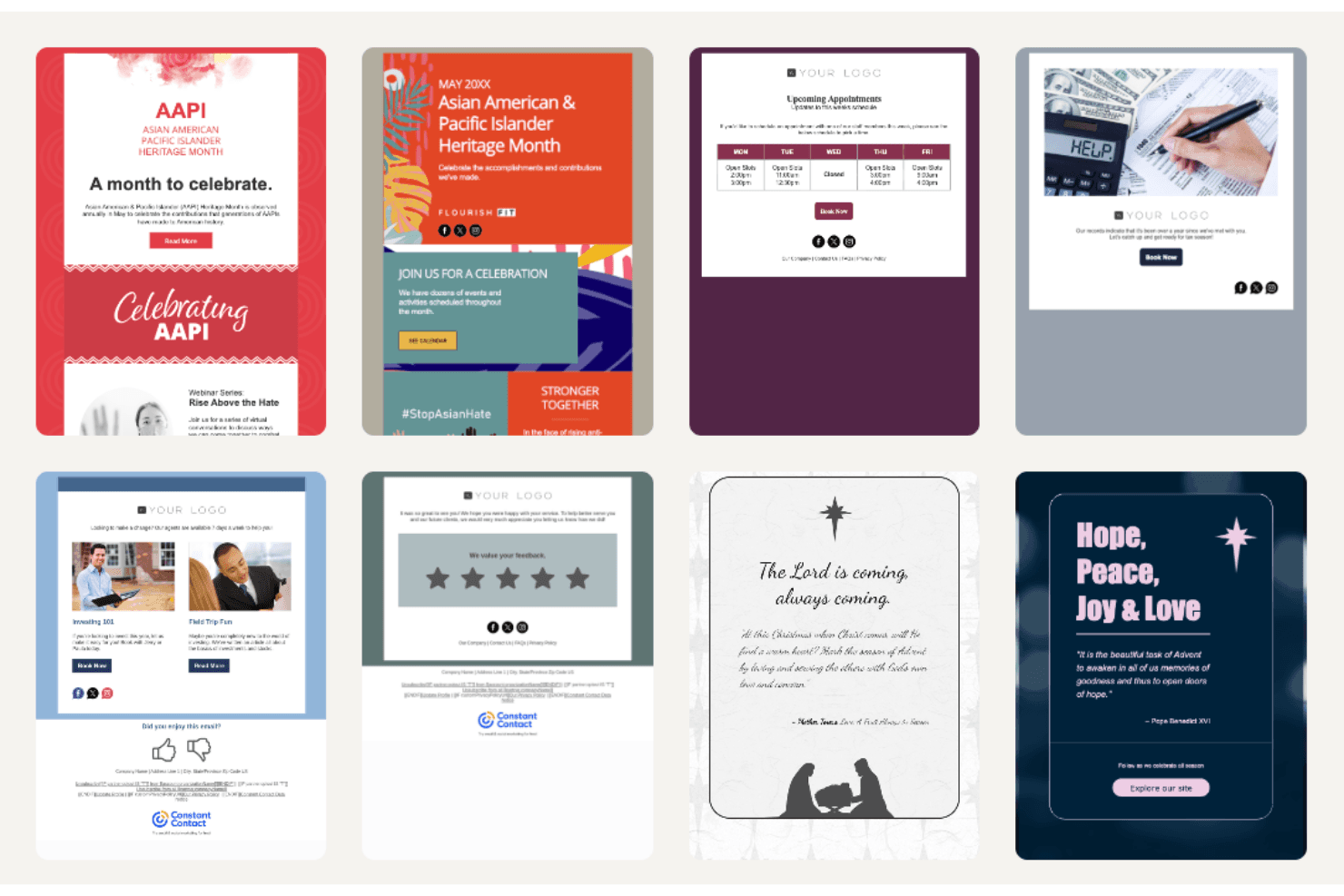
- You'll appreciate the variety of email templates available.
Cons
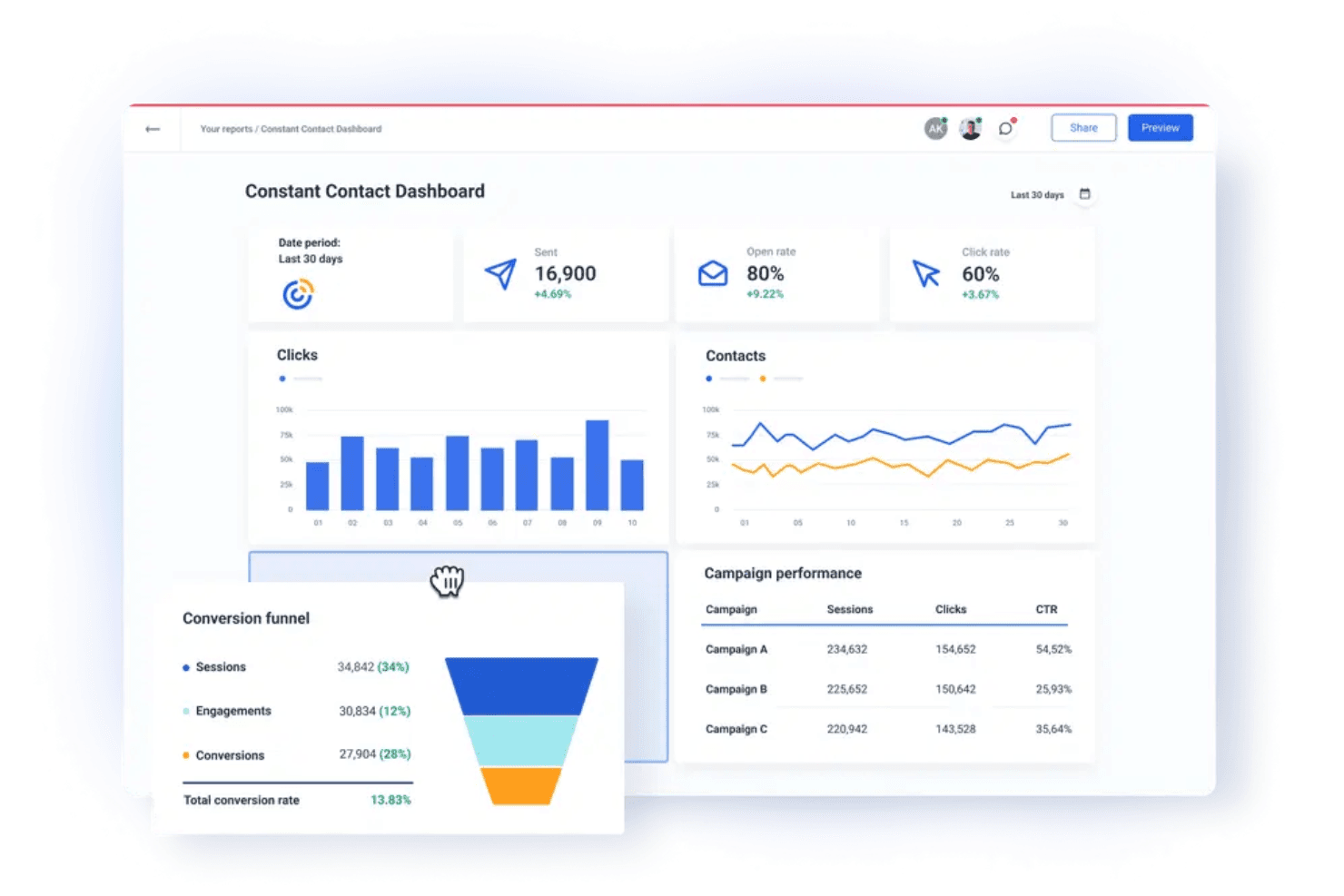
- Your team might find the reporting features limited compared to other tools.
- The editor can be a bit clunky when designing emails.
- You may notice that the automation options are not as advanced.
Is Constant Contact Right For Your Needs?
Who Would be a Good Fit for Constant Contact?
Constant Contact is great for small to medium-sized businesses, nonprofits, and local service providers. If your team values straightforward tools and responsive support, you’ll find it easy to use Constant Contact to manage your email marketing efforts. It's especially useful for businesses that want to quickly create professional-looking emails without fuss. The variety of templates and easy-to-use interface make it ideal for teams with limited tech expertise. You'll find it beneficial if you need reliable customer service to guide you through your email marketing efforts.
- Small RetailersYour team will benefit from easy-to-use email templates that help keep customers engaged.
- NonprofitsYou'll appreciate the support and simple tools for reaching donors effectively.
- Local ServicesYour business can quickly create and send promotional emails to your client base.
- Educational InstitutionsYour team will find the templates handy for sending newsletters and updates to students and parents.
- Event PlannersYou'll enjoy the ease of managing email invitations and RSVPs for event marketing.
- Healthcare ProvidersYour practice can use it to send appointment reminders and health tips to patients efficiently.
Who Would be a Bad Fit for Constant Contact?
Constant Contact may not suit large enterprises or tech-savvy companies needing advanced features and integrations. If your team requires sophisticated automation, in-depth analytics, or extensive customization, this software might fall short. It's not the best choice for businesses that rely heavily on data-driven strategies and complex email campaigns. You might find its reporting and automation features limited compared to other tools like HubSpot or Salesforce Marketing Cloud.
- Large EnterprisesYour team may find the features too basic for complex digital marketing needs.
- Tech CompaniesYou'll likely miss the advanced automation and integrations you require.
- Data-Driven TeamsYour work might suffer from the limited analytics capabilities.
- E-commerce GiantsYour business may need more sophisticated email automation tools for handling large customer bases.
- Digital AgenciesYour team might find the customization options lacking for client-specific marketing strategies.
- Financial InstitutionsYou'll likely need more secure and feature-rich email solutions.
Nuestra Metodología de Revisión
Cómo Probamos y Puntamos Herramientas
Hemos pasado años construyendo, perfeccionando y mejorando nuestro sistema de pruebas y puntuación de software. La rúbrica está diseñada para captar los matices de la selección de software y lo que hace que una herramienta sea eficaz, enfocándose en los aspectos críticos del proceso de toma de decisiones. A continuación, puedes ver exactamente cómo funcionan nuestras pruebas y puntuaciones en siete criterios. Esto nos permite brindar una evaluación imparcial del software según la funcionalidad principal, características destacadas, facilidad de uso, incorporación, soporte al cliente, integraciones, reseñas de usuarios y relación calidad-precio.
Funcionalidad Principal (25% de la puntuación final)
El punto de partida de nuestra evaluación siempre es la funcionalidad principal de la herramienta. ¿Cuenta con las características y funciones básicas que un usuario esperaría ver? ¿Alguna de esas funcionalidades está limitada a planes de precios superiores? En esencia, esperamos que una herramienta se compare favorablemente con las capacidades básicas de sus competidores.
Características Destacadas (25% de la puntuación final)
A continuación, evaluamos las características sobresalientes poco comunes que van más allá de la funcionalidad principal que normalmente se encuentra en herramientas similares. Una alta puntuación refleja funcionalidades especializadas o únicas que hacen que el producto sea más rápido, eficiente o aporte un valor extra al usuario. También evaluamos qué tan fácil es integrar la herramienta con otras comúnmente usadas en el entorno tecnológico para ampliar la funcionalidad y utilidad del software. Las herramientas que ofrecen numerosas integraciones nativas, conexiones de terceros y acceso a API para crear integraciones personalizadas obtienen la mejor puntuación.
Facilidad de Uso (10% de la puntuación final)
Consideramos qué tan rápido y fácil es realizar las tareas definidas en la funcionalidad principal usando la herramienta. El software de alta puntuación está bien diseñado, es intuitivo, ofrece aplicaciones móviles, proporciona plantillas y hace que tareas relativamente complejas parezcan simples.
Incorporación (10% de la puntuación final)
Sabemos lo importante que es que un equipo adopte rápidamente una nueva plataforma, así que evaluamos qué tan fácil es aprender y usar la herramienta con mínima capacitación. Analizamos cuánto tiempo tarda un miembro del equipo en prepararse y comenzar a usar la herramienta sin experiencia previa. Las soluciones con alta puntuación requieren poco o ningún soporte.
Soporte al Cliente (10% de la puntuación final)
Revisamos qué tan rápido y fácil es obtener ayuda por teléfono, chat en vivo o base de conocimientos. Las herramientas y empresas que ofrecen soporte en tiempo real obtienen la mejor puntuación, mientras que los chatbots obtienen la peor.
Reseñas de Clientes (10% de la puntuación final)
Además de nuestras pruebas y evaluaciones, consideramos el puntaje neto de promotores de clientes actuales y pasados. Revisamos la probabilidad de que elijan de nuevo la herramienta para la funcionalidad principal. Un software con alta puntuación refleja un alto NPS de clientes actuales o pasados.
Relación Calidad-Precio (10% de la puntuación final)
Por último, considerando todos los demás criterios, revisamos el precio promedio de los planes de nivel básico frente a las características principales y consideramos el valor de los otros criterios de evaluación. El software que ofrece más por menos, tendrá una puntuación más alta.
Core Features
Email Templates
Constant Contact offers a variety of customizable templates that let your team create professional emails quickly.
List Management
You can easily segment and manage your email lists for targeted campaigns.
Drag-and-Drop Editor
The drag-and-drop email editor makes designing emails simple with its intuitive functionality.
Email Scheduling
Schedule your emails in advance or use simple autoresponders to reach your audience at the perfect time.
Tracking and Reporting
Monitor your campaign performance with basic analytics on opens, clicks, unsubscribes, abandoned cart workflows, and more.
A/B Testing
Test different email versions to see what resonates best with your audience and optimize your campaigns for better performance.
Ease of Use
Constant Contact has a seamless user experience, thanks to its intuitive interface and straightforward design. The drag-and-drop editor simplifies email creation, making it accessible even if you're not tech-savvy. While some users might find the editor a bit clunky, most appreciate the simplicity it offers for quick campaign setup. User reviews often highlight the ease of managing contacts and scheduling emails, which helps you focus on your marketing goals without getting bogged down by complex tools.
Integrations
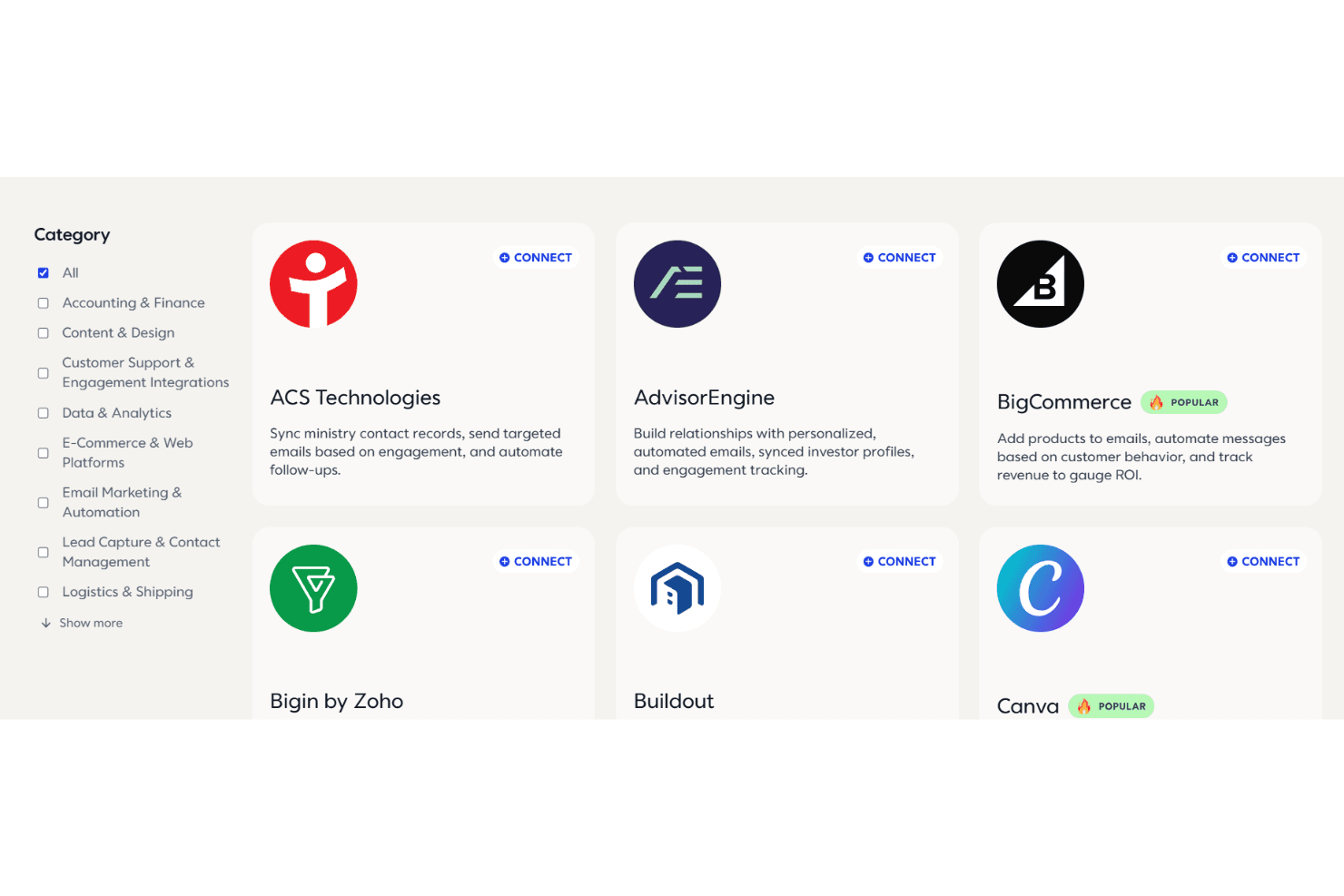
Constant Contact integrates with popular platforms such as Shopify, WooCommerce, Salesforce, Canva, Facebook, Brevo, and Eventbrite to connect email marketing with e-commerce, CRM, and social media tools. These integrations make it easy to sync contacts, track sales, and manage campaigns from one dashboard.
The platform also supports Zapier for connecting with hundreds of additional apps, along with an API for developers who want to build custom integrations.
Constant Contact Specs
- A/B Testing: Yes
- API: Yes
- Audience Targeting: Yes
- Brand Management: Yes
- Calendar Management: No
- Campaign Management: Yes
- Compliance Tracking: No
- Contact Management: Yes
- Contact Sharing: Yes
- Conversion Tracking: No
- CRM Integration: Yes
- Customer Management: Yes
- Dashboard: Yes
- Data Export: Yes
- Data Import: Yes
- Data Visualization: Yes
- Email Integration: Yes
- External Integrations: Yes
- Google Apps Integration: No
- Lead Management: Yes
- Lead Scoring: Yes
- Link Tracking: Yes
- Marketing Automation: Yes
- Multi-User: Yes
- Notifications: Yes
- Scheduling: Yes
- Social-Media Integration: Yes
- Third-Party Plugins/Add-Ons: No


