

Wrike-Bewertung: Vor- und Nachteile, Funktionen und Preise
Wrike überzeugt mit seiner intuitiven Benutzeroberfläche und vielseitigen Projektmanagement-Funktionen und ist damit eine der besten Optionen für E-Commerce-ERP-Lösungen.

Wir bewerten Tools unabhängig und Provisionen helfen, unsere Tests zu finanzieren. Siehe unsere transparente Richtlinie, unsere Methodik oder schlagen Sie ein Tool vor.
Wrike is an ecommerce ERP software for retail and ecommerce teams that need to manage projects, operations, and cross-departmental workflows in one place. I'd consider it if you want more adaptability and a shorter implementation timeline than a traditional ERP like NetSuite, while still getting the centralized visibility that larger or fast-scaling operations need.
Wrike Evaluation Summary
4.3/5
- From $10/user/month (billed annually)
- Free plan + 14-day free trial + free demo available
Warum Sie unseren Software-Empfehlungen vertrauen können
6,700+
Reviews
20
Industry experts
16+
Evaluation factors
14
Years
Unser Team testet und bewertet Software seit 2012. Als Führungskräfte im Einzelhandel selbst wissen wir, wie schwierig – und wichtig – es ist, die richtige Software auszuwählen.
Für diesen Leitfaden haben wir Tools mithilfe von praktischen Tests und unabhängiger Recherche bewertet und dabei die Tools anhand unserer Bewertungskriterien bewertet.
Unsere Bewertungen spiegeln unser unabhängiges Urteilsvermögen wider – keine Verkaufsstrategie.
Wrike Overview
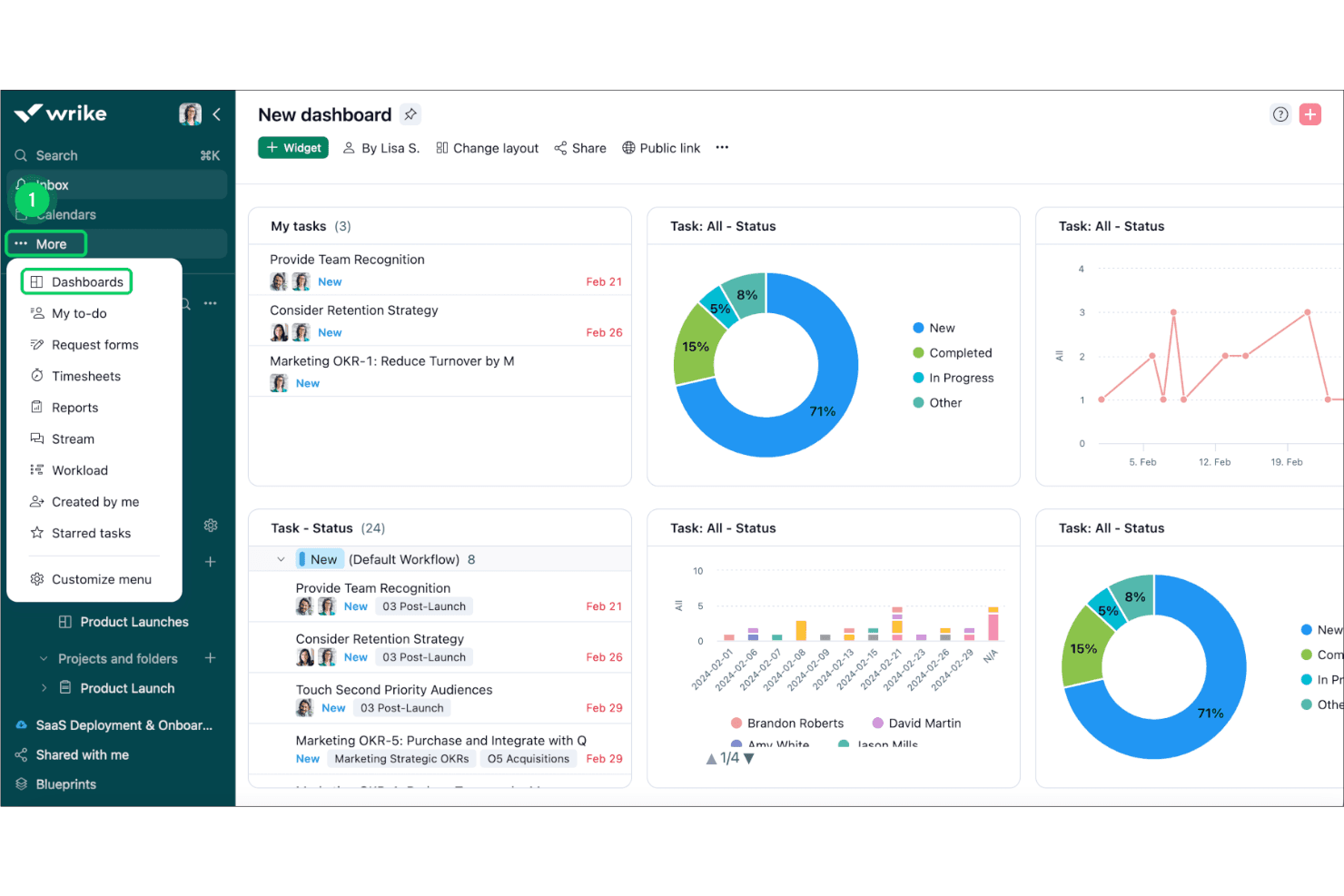
In my opinion, Wrike is a solid choice for teams needing a flexible ecommerce ERP tool. Its standout features like customizable dashboards and strong integration capabilities make it appealing. However, its pricing might be a downside for budget-conscious businesses. Wrike excels in project management for marketing and creative teams, thanks to its robust task management and collaboration features. It might not be the best fit for small businesses with simple needs due to its complexity. When compared to other tools, like Asana, Trello, or Clickup, Wrike's interface and integrations give it an edge, although onboarding can be smoother. Overall, it's a worthy consideration if your team values flexibility and detailed project tracking.
Pros
- You can customize dashboards to fit your team's workflow.
- Task management tools simplify tracking your projects.
- Collaboration features improve team communication.
Cons
- The interface might feel overwhelming at first.
- Learning all features can take time.
- Some users find customer support response times slow.
Is Wrike Right For Your Needs?
Who Would be a Good Fit for Wrike?
Wrike is ideal for marketing teams and creative agencies that need detailed project tracking. Its customizable dashboards and strong task management features help your team stay organized. If you're in a fast-paced environment, Wrike's collaboration tools ensure everyone stays in the loop. For departments handling multiple projects, Wrike's ability to manage tasks and timelines is invaluable. If you need to integrate various workflows, Wrike's flexibility makes it a strong choice.
- Marketing TeamsWrike's task management and collaboration tools keep your campaigns on track and your team aligned.
- Creative AgenciesIts customizable dashboards help you manage multiple client projects efficiently and keep everyone informed.
- Project ManagersWrike simplifies project tracking with its intuitive interface and detailed task management capabilities.
- Large EnterprisesThe software’s robust features and scalability make it suitable for managing complex projects across departments.
- Remote TeamsWrike's collaboration features make communication seamless, ensuring everyone stays connected and productive.
- Product DevelopmentIts detailed project timelines and task management tools help streamline your product launch processes.
Who Would be a Bad Fit for Wrike?
Wrike might not suit small businesses or startups with straightforward project needs. Its robust features can be overwhelming if your team doesn't require complex project management tools. If you have limited resources for training, Wrike's learning curve could be a challenge. For teams that prefer a simple interface and quick setup, Wrike's detailed features may feel excessive. Additionally, if immediate customer support is crucial, you might find Wrike's response times lacking.
- Small StartupsThe complexity of Wrike's features can overwhelm small teams with basic project management needs.
- FreelancersWrike's extensive capabilities might be more than necessary for managing individual projects.
- Non-Technical TeamsIf your team struggles with tech, Wrike's interface could pose a challenge.
- Budget-Conscious CompaniesThe cost of Wrike might not justify its features for those looking to minimize expenses.
- Simple Task ManagementFor managing basic tasks, Wrike's detailed features can feel unnecessary.
- Immediate Support NeedsIf quick customer support is a priority, Wrike's response times might not meet your expectations.
Unsere Bewertungsmethodik
Wie Wir Tools Testen & Bewerten
Wir haben über Jahre hinweg unser System zur Softwarebewertung und -testung entwickelt, verfeinert und verbessert. Die Bewertungsmatrix ist darauf ausgelegt, die Feinheiten der Softwareauswahl und die Effektivität eines Tools einzufangen, wobei der Fokus auf entscheidende Aspekte des Auswahlprozesses liegt. Nachfolgend sehen Sie genau, wie unser Test- und Bewertungssystem anhand von sieben Kriterien funktioniert. Dies ermöglicht uns, eine unvoreingenommene Bewertung der Software basierend auf Kernfunktionen, besonderen Merkmalen, Benutzerfreundlichkeit, Einarbeitung, Kundensupport, Integrationen, Kundenrezensionen und Preis-Leistungs-Verhältnis anzubieten.
Kernfunktionen (25% der Gesamtnote)
Der Ausgangspunkt unserer Bewertung ist immer die Kernfunktionalität des Tools. Verfügt es über die grundlegenden Funktionen, die ein Nutzer erwarten würde? Sind wichtige Kernfunktionen eventuell nur in höherpreisigen Tarifen enthalten? Ein Tool sollte im Kern mindestens mit den Basisfunktionen der Wettbewerber mithalten können.
Besondere Funktionen (25% der Gesamtnote)
Anschließend bewerten wir außergewöhnliche Funktionen, die über die normalen Kernfunktionen vergleichbarer Tools hinausgehen. Ein hoher Score spiegelt spezialisierte oder einzigartige Funktionen wider, die das Produkt schneller, effizienter oder wertvoller für die Nutzer machen. Wir bewerten außerdem, wie einfach sich das Tool mit anderen Programmen, die typischerweise zum Technologie-Stack gehören, integrieren lässt, um dessen Funktionalität und Nutzwert zu erweitern. Tools mit zahlreichen nativen Integrationen, Drittanbieteranbindungen und API-Zugang für eigene Entwicklungen schneiden hier am besten ab.
Benutzerfreundlichkeit (10% der Gesamtnote)
Wir betrachten, wie schnell und einfach es ist, die Kernaufgaben mit dem Tool zu erledigen. Software, die gut gestaltet und intuitiv zu bedienen ist, mobile Apps bietet, Vorlagen zur Verfügung stellt und komplexe Aufgaben einfach erscheinen lässt, erzielt die besten Werte.
Einarbeitung (10% der Gesamtnote)
Wir wissen, wie wichtig die schnelle Einführung eines neuen Tools im Team ist. Daher evaluieren wir, wie einfach es mit minimalem Training ist, das Tool kennenzulernen. Wir ermitteln, wie schnell ein Teammitglied ohne Vorerfahrung startklar ist. Lösungen, die kaum oder gar keine Unterstützung benötigen, erhalten die höchste Punktzahl.
Kundensupport (10% der Gesamtnote)
Wir überprüfen, wie schnell und einfach man Hilfe per Telefon, Live-Chat oder Wissensdatenbank erhält. Tools und Anbieter, die Echtzeit-Support bieten, schneiden am besten ab; Chatbots liegen am unteren Ende.
Kundenrezensionen (10% der Gesamtnote)
Zusätzlich zu unseren eigenen Tests ziehen wir den Net-Promoter-Score bestehender und früherer Kunden heran. Wir überprüfen, wie wahrscheinlich sie das Tool erneut für die Kernfunktionen wählen würden. Ein hoher Score spiegelt einen hohen Net-Promoter-Score wider.
Preis-Leistungs-Verhältnis (10% der Gesamtnote)
Schließlich bewerten wir im Kontext aller anderen Kriterien den Durchschnittspreis von Einstiegsplänen im Verhältnis zu den Kernfunktionen und betrachten den Wert der übrigen Kriterien. Software, die mehr zu geringeren Kosten bietet, schneidet hier besser ab.
Core Features
Task Management
Easily create, assign, and use list or kanban views track tasks to keep your projects organized. Your team can see progress at a glance.
Custom Workflows
Tailor workflows to match your team's specific needs, ensuring everyone follows the right process. This flexibility boosts productivity.
Time Tracking
Monitor how much time your team spends on tasks to better manage resources. It helps identify areas for efficiency improvements.
Collaboration Tools
Share files, communicate within tasks, and receive notifications to keep your team aligned. It reduces email clutter and enhances teamwork.
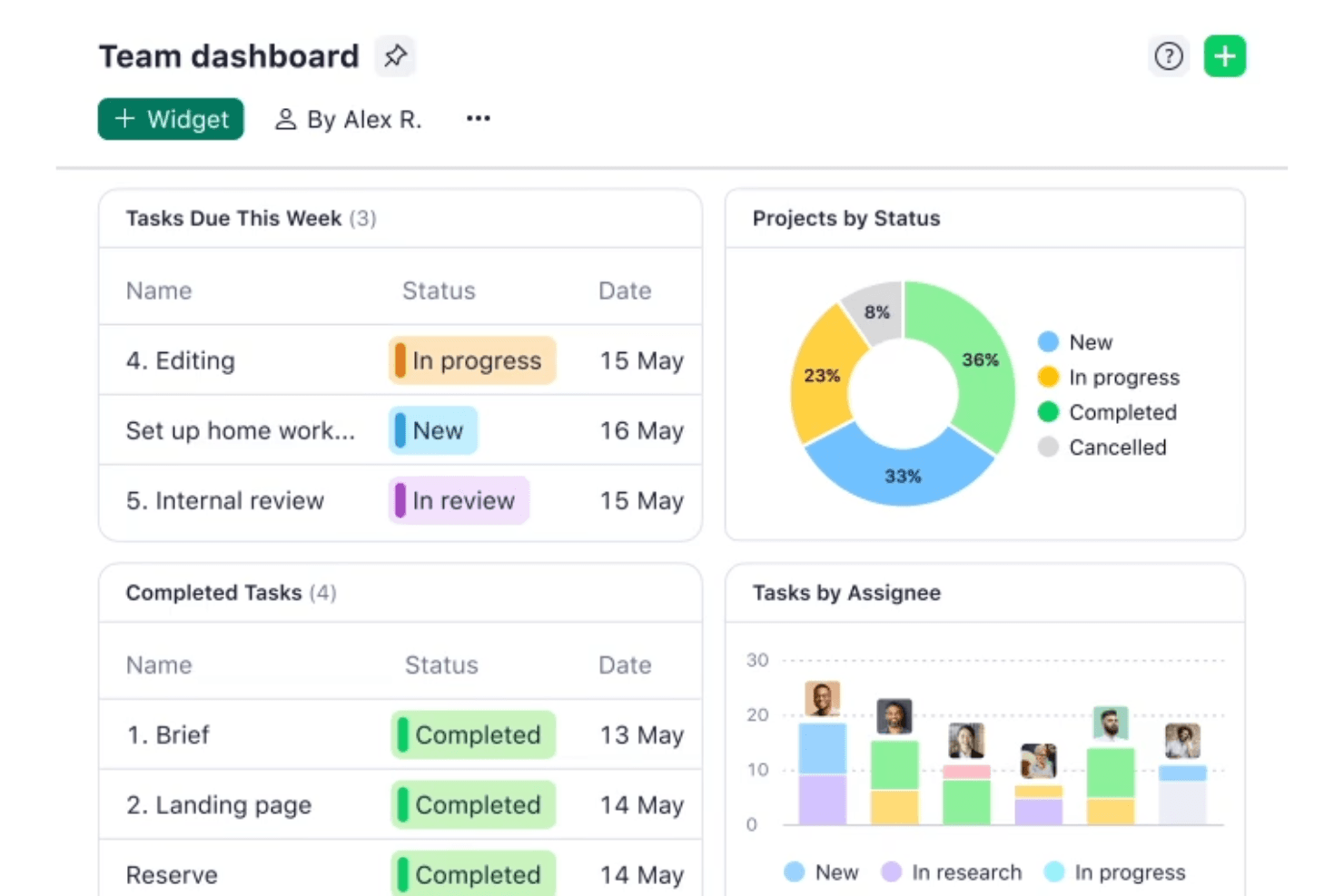
Dashboard Customization
Design dashboards that highlight the most important data for your team. This feature allows you to focus on what matters most.
Reporting and Analytics
Generate real-time reports to understand project performance and make informed decisions. These insights help you improve future projects.
Standout Features
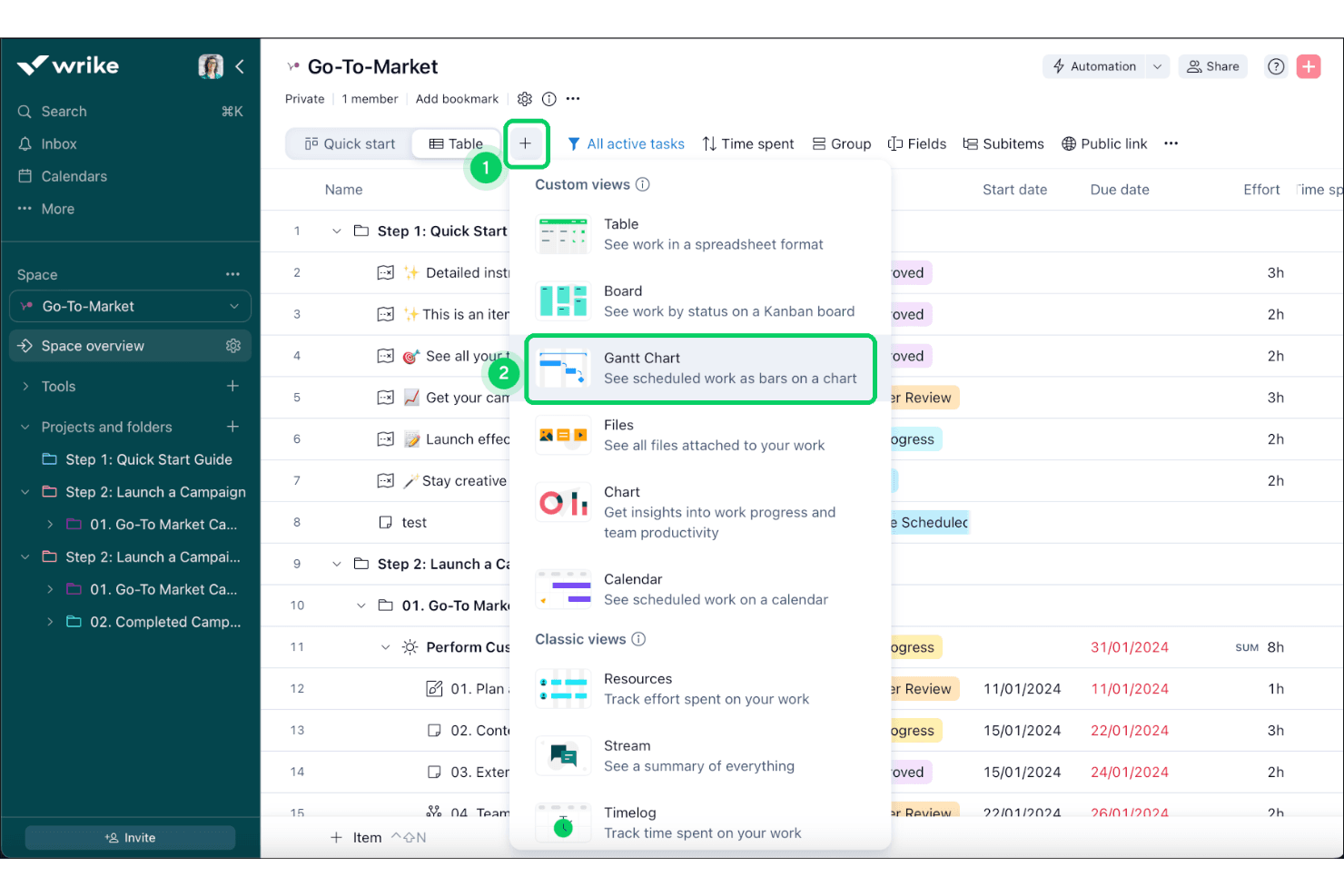
Gantt Charts
Visualize project timelines and dependencies to better manage complex projects. This feature makes planning more intuitive and effective.
Request Forms
Standardize how you receive work requests to ensure all necessary information is captured. It streamlines the intake process and reduces back-and-forth communication.
Ease of Use
Wrike's user interface is intuitive, but it can feel overwhelming for newcomers due to its extensive features. Once you get the hang of it, navigating through tasks and customizing dashboards becomes straightforward. The drag-and-drop functionality in Gantt charts simplifies project planning. However, if your team isn’t tech-savvy, the learning curve might be a hurdle. Overall, Wrike offers a solid balance between functionality and usability, making it a viable option for teams willing to invest time in learning.
Onboarding
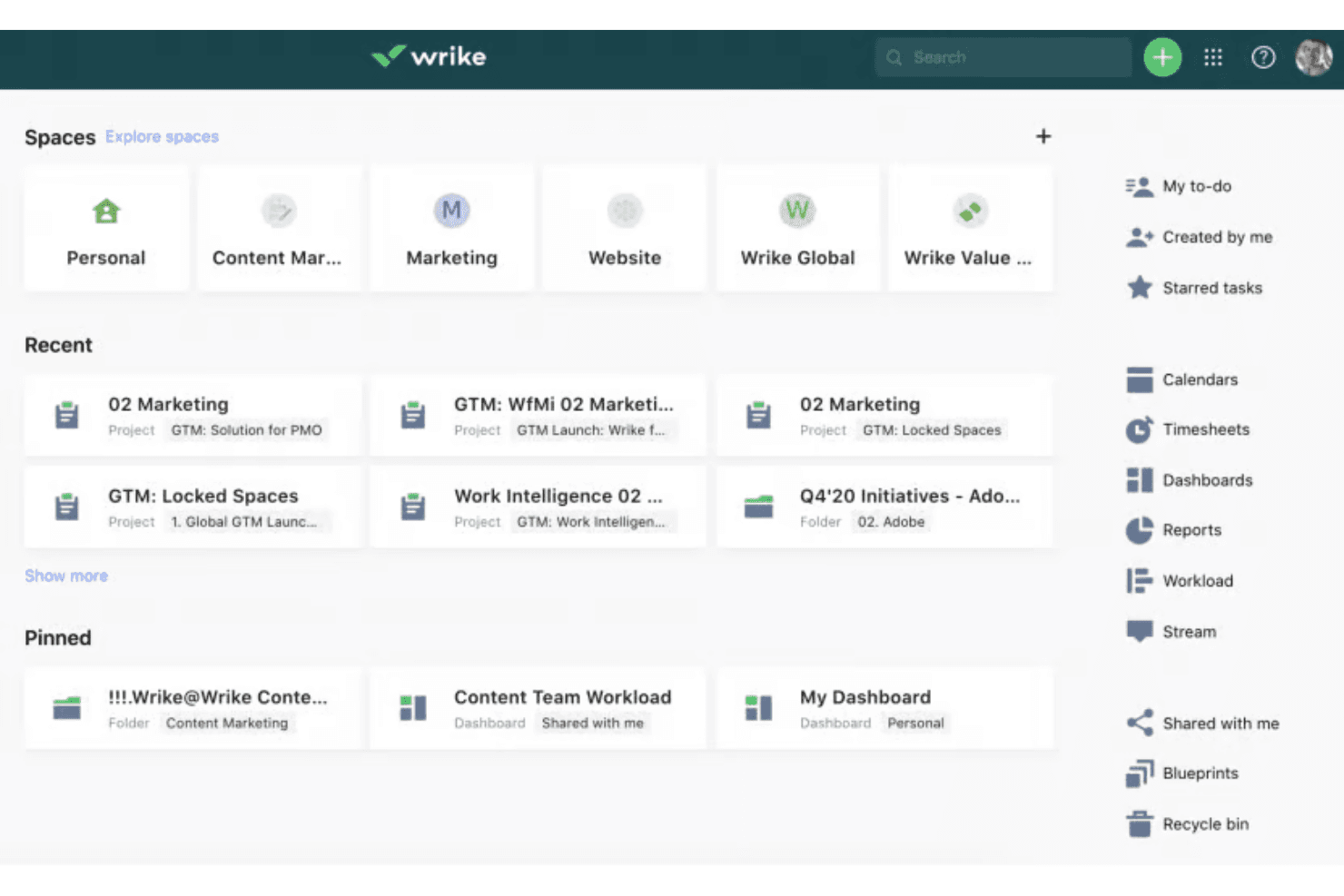
Wrike offers a structured onboarding experience with tutorials and guides to help new users get started. However, the comprehensive feature set can make the onboarding process feel lengthy. The available resources, such as webinars and community forums, are valuable for learning. If your team is new to complex software, expect a learning curve. Despite this, the support provided ensures that you can gradually unlock Wrike's full potential, making it worth the initial effort.
Customer Support
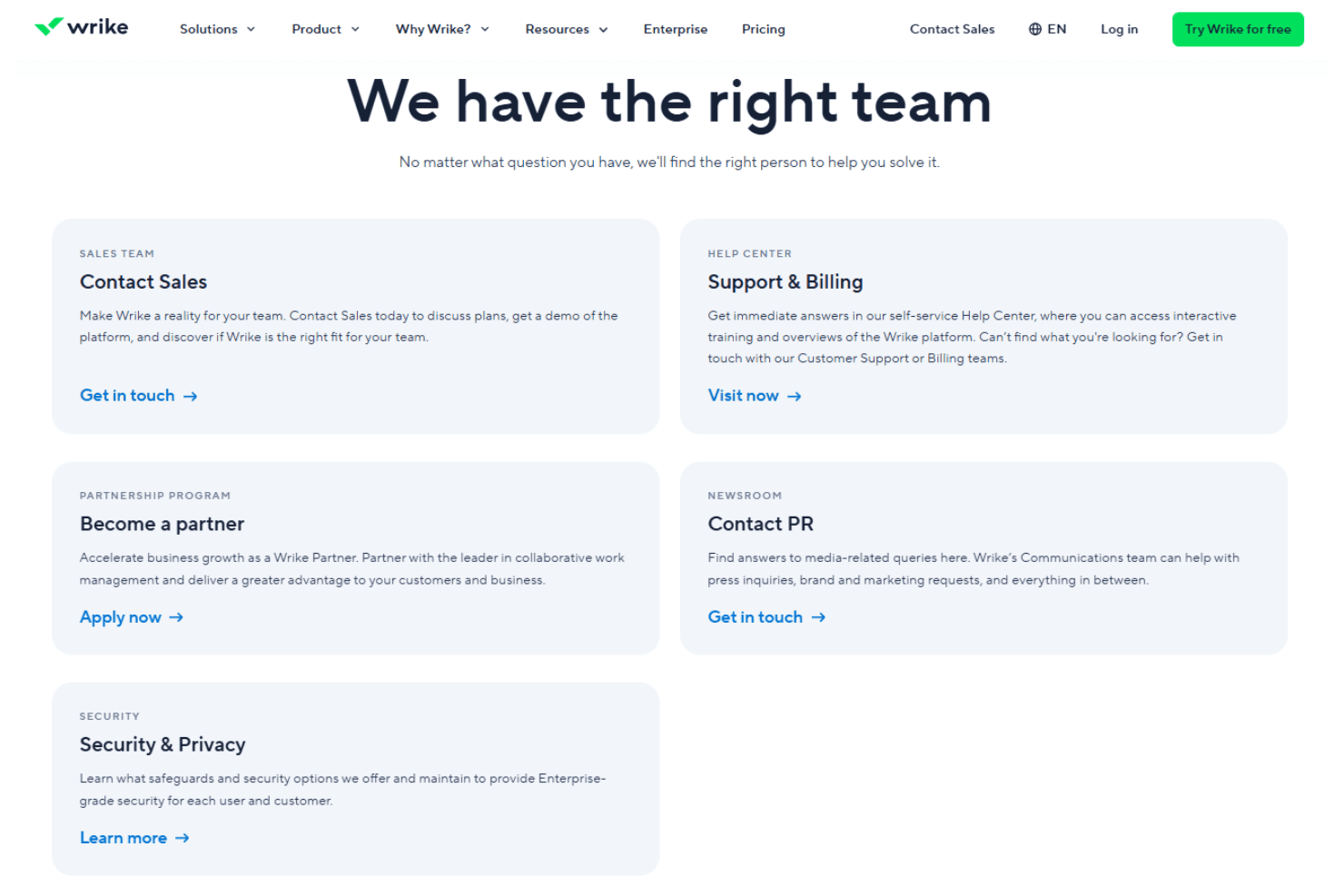
Wrike provides multiple support options, including email and live chat, but some users find response times slower than expected. The help center and community forums offer valuable self-service resources. If your team requires immediate assistance, the delay might be frustrating. However, once connected, the support team is knowledgeable and helpful. Overall, while support is reliable, it could be more prompt to better meet your team's needs.
Integrations
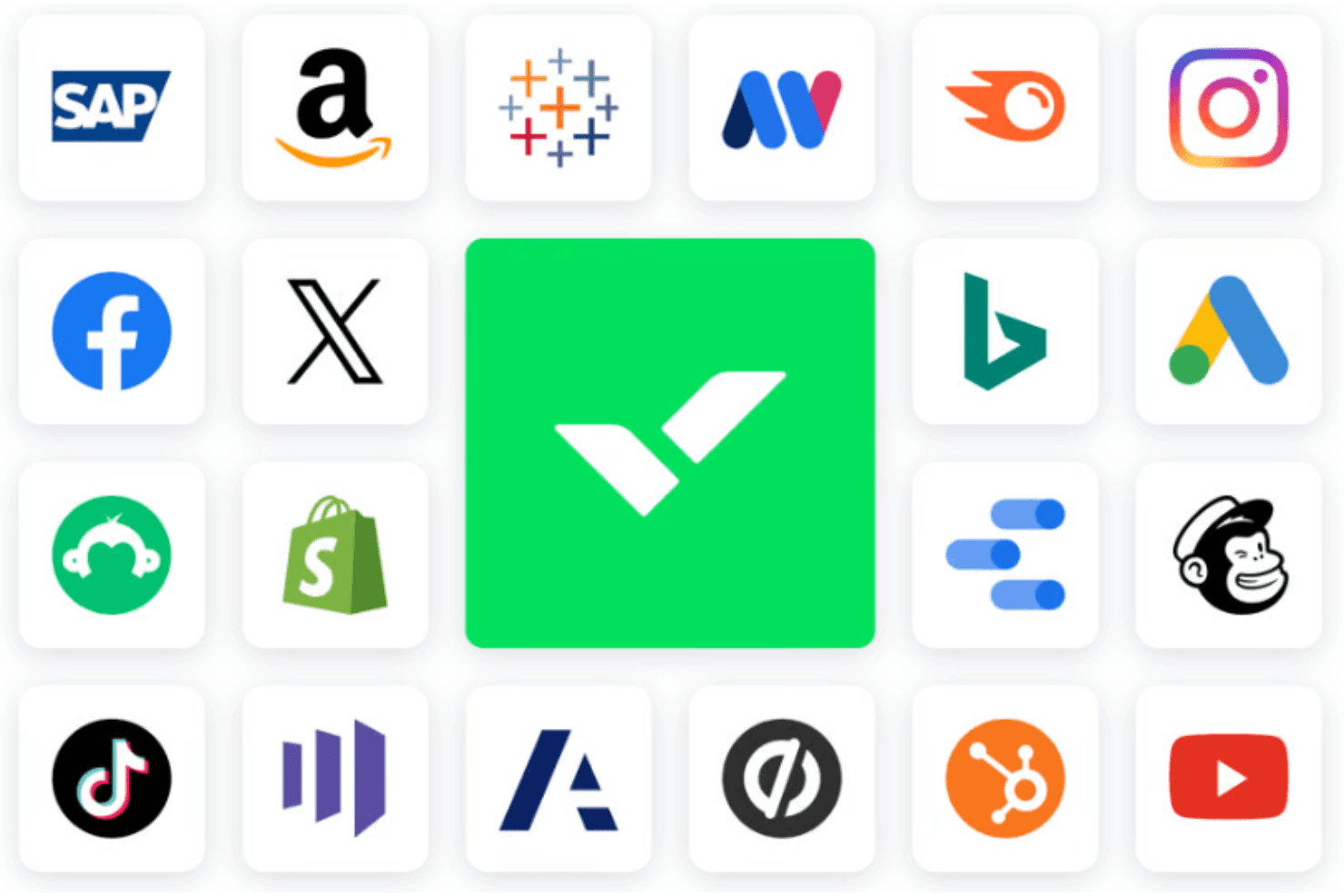
Wrike integrates with Microsoft Teams, Slack, Adobe Creative Cloud, Salesforce, Google Workspace, Dropbox, Microsoft Outlook, HubSpot, Jira, and Zendesk. Wrike also offers an API and connects with third-party integration tools.
Value for Money
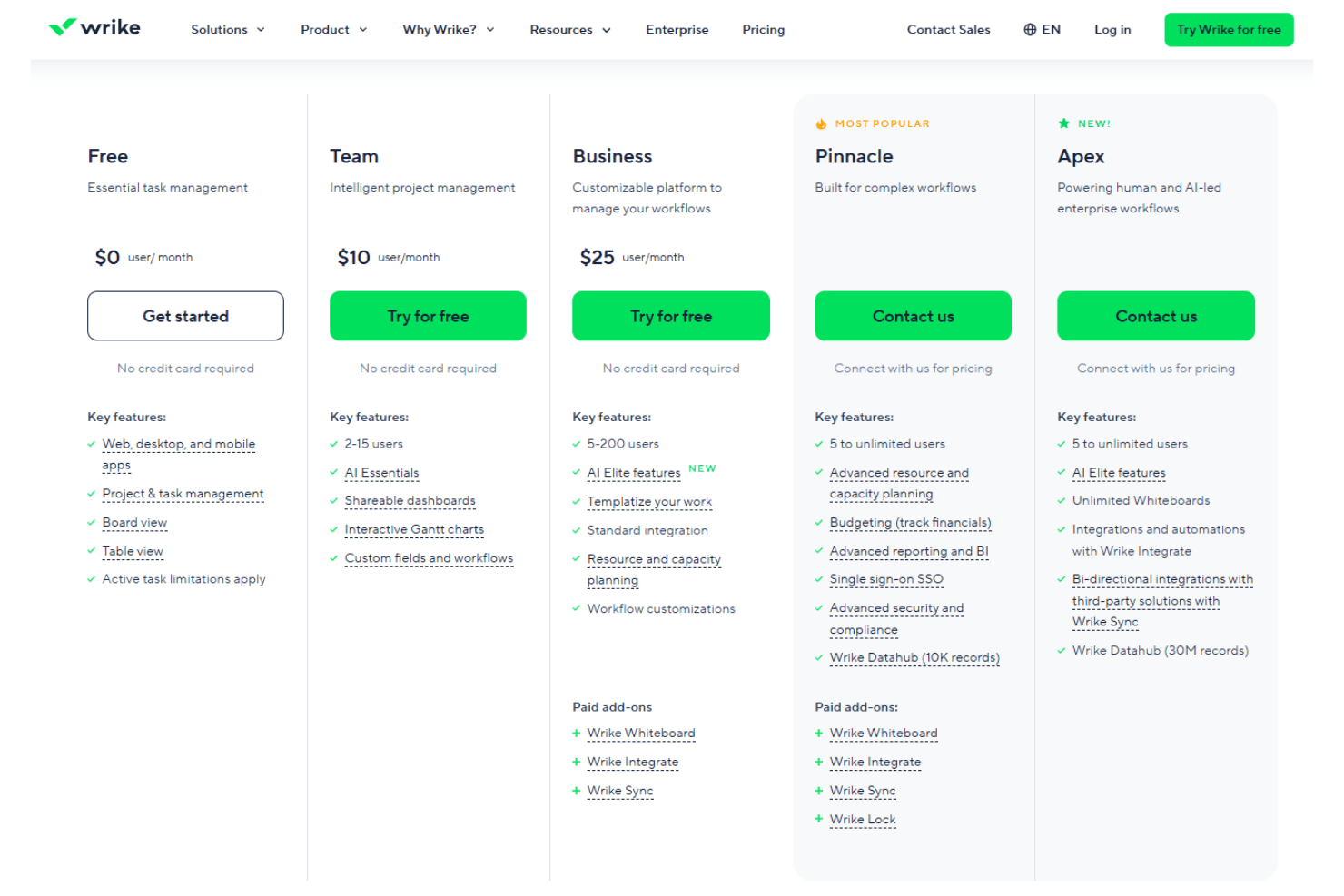
Wrike gives solid work and project management value for teams that need structure, and users often like that you can start with a free plan and a free 14-day trial to test before buying. Wrike’s pricing feel justified as you get more features and automation tailored to your team’s work complexity with each tier, and the newer Apex tier brings advanced workflows and analytics for big teams while pricing stays custom.
- Free: $0 per user/month. Basic task and project tools to start organizing work.
- Team: $10 per user/month. Adds dashboards, Gantt charts, and enhanced project views.
- Business: $25 per user/month. Includes advanced workflows, resource planning, and deeper customization.
- Pinnacle: Contact sales. Adds advanced reporting, BI, and expanded enterprise features.
- Apex: Contact sales. Top-tier plan with enterprise-grade workflows, AI tools, and integrations.
Wrike Specs
- API: Yes
- Batch Permissions & Access: Yes
- Budgeting: Yes
- Calendar Management: Yes
- Collaboration Support: Yes
- Contact Management: Yes
- Contact Sharing: No
- Customer Management: No
- Dashboard: Yes
- Dashboards: Yes
- Data Export: Yes
- Data Import: Yes
- Data Visualization: Yes
- Dependency Tracking: Yes
- Document Sharing: Yes
- Expense Tracking: Yes
- External Integrations: Yes
- File Sharing: Yes
- Gantt Charts: Yes
- Kanban Boards: Yes
- Multi-User: Yes
- Notifications: Yes
- Project Management: Yes
- Resource Management: Yes
- Scheduling: Yes
- Task Scheduling/Tracking: Yes
- Third-Party Plugins/Add-Ons: Yes
- Time Management: Yes
- Travel Management: No
- Workflow Management: Yes
Wrike FAQs
Wrike Company Overview & History
Wrike, Inc. is a project management software company founded in 2006 by Andrew Filev, with its headquarters located in San Jose, California. As of October 2023, Wrike employs around 1,000 people and has offices in various locations, including India, Dallas, and Dublin. Known for its work culture and innovative project management solutions, Wrike serves notable clients across different industries. It was acquired by Citrix Systems in 2021 for $2.25 billion and later transitioned to ownership under Vista Equity Partners and Evergreen Coast Capital in 2022.
Wrike Major Milestones
- 2006: Founded by Andrew Filev.
- 2012: Received $1 million in investment.
- 2013: Secured $10 million in funding.
- 2021: Acquired by Citrix Systems for $2.25 billion.
- 2022: Transitioned to ownership under Vista Equity Partners and Evergreen Coast Capital.