

Fishbowl Rezension: Vorteile, Nachteile, Funktionen und Preise
Fishbowl überzeugt durch eine leistungsstarke Lagerverwaltung, aber ich habe festgestellt, dass die Einarbeitungszeit und die Preisgestaltung es vor allem für wachsende Unternehmen attraktiv machen, die bereit sind, in professionelles Lagerbestandsmanagement zu investieren.

Wir bewerten Tools unabhängig und Provisionen helfen, unsere Tests zu finanzieren. Siehe unsere transparente Richtlinie, unsere Methodik oder schlagen Sie ein Tool vor.
Fishbowl is a stock management software built for small to mid-sized manufacturers and distributors that need warehouse management, work orders, and multi-location tracking in one place. I'd consider it most seriously if your business runs on QuickBooks—Fishbowl's native QuickBooks integration is tighter than what you'll get from alternatives like inFlow Inventory, making it a stronger fit for teams that don't want to migrate their accounting stack but still need a dedicated inventory system.
Fishbowl Evaluation Summary
4/5
- From $229/month (billed annually)
- Free demo available
Warum Sie unseren Software-Empfehlungen vertrauen können
6,700+
Reviews
20
Industry experts
16+
Evaluation factors
14
Years
Unser Team testet und bewertet Software seit 2012. Als Führungskräfte im Einzelhandel selbst wissen wir, wie schwierig – und wichtig – es ist, die richtige Software auszuwählen.
Für diesen Leitfaden haben wir Tools mithilfe von praktischen Tests und unabhängiger Recherche bewertet und dabei die Tools anhand unserer Bewertungskriterien bewertet.
Unsere Bewertungen spiegeln unser unabhängiges Urteilsvermögen wider – keine Verkaufsstrategie.
Fishbowl Overview
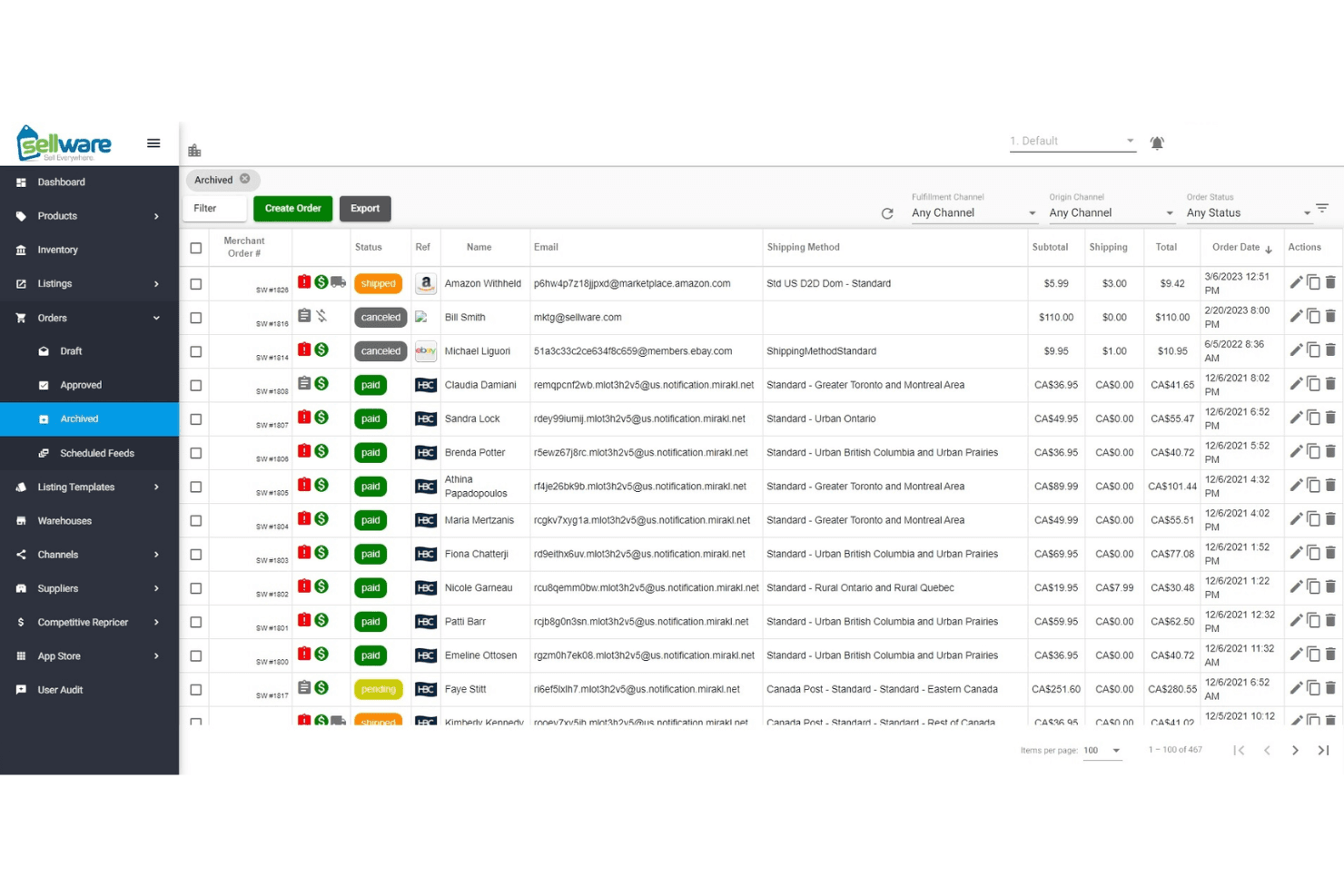
When judging Fishbowl as inventory management software, its advanced automation, barcode scanning, and deep integration with accounting tools set it apart for retailers with complex needs. The interface feels dated, and onboarding takes time, but support is responsive, and features are extensive. Pricing is higher than some, yet you get strong multi-location and manufacturing capabilities.
Fishbowl is best for businesses ready to invest in a scalable solution—especially those juggling multiple warehouses or needing real-time inventory data across channels. If you’re comparing options, Fishbowl stands out for depth, but not for simplicity.
Pros
- Responsive and knowledgeable customer support.
- Strong multi-location and manufacturing tracking.
- Advanced automation for purchase and work orders.
Cons
- Ongoing costs are higher than many alternatives.
- Interface feels dated compared to newer tools.
- Reporting features are limited and lack flexibility.
Is Fishbowl Right For Your Needs?
Who Would be a Good Fit for Fishbowl?
Fishbowl is a strong choice for businesses that need advanced inventory tracking, automation, and manufacturing features. It’s best for teams managing multiple warehouses, complex supply chains, or production workflows. Fishbowl is especially well-suited for industries where inventory accuracy and process automation are essential for growth and compliance.
If your business relies on real-time inventory data, barcode scanning, or deep integration with accounting systems, Fishbowl’s feature set is going to deliver real value.
- Mid-Sized BusinessesScalable features and integrations fit growing companies with expanding needs.
- Food and Beverage ProducersBatch tracking and expiration date management help with compliance.
- Automotive Parts SuppliersBarcode scanning and lot tracking simplify high-SKU environments.
- Retail ChainsCentralized inventory and POS integrations support multi-store operations.
- Wholesale DistributorsMulti-location tracking and automated reorder points help manage large inventories.
- Manufacturing OperationsFishbowl’s work order and bill of materials features support complex production needs.
Who Would be a Bad Fit for Fishbowl?
Fishbowl isn’t ideal for businesses that need simple, low-cost inventory tools or those with minimal inventory complexity. Small businesses, service-based companies, and teams with basic inventory needs may find the investment and feature set more than they require.
If your team wants a modern, intuitive interface or relies on highly customizable reporting, you’ll likely find Fishbowl limiting.
- NonprofitsComplexity and cost outweigh benefits for simple inventory tracking.
- E-commerce-Only BrandsLimited native ecommerce integrations compared to other platforms.
- StartupsHigh upfront and ongoing costs don’t fit tight budgets.
- Service-Based CompaniesLack of service scheduling or project tracking limits usefulness.
- Small Retail ShopsFishbowl’s advanced features and pricing exceed basic inventory needs.
- Teams Needing Custom ReportsReporting tools lack the flexibility for highly tailored analytics.
Unsere Bewertungsmethodik
Wie Wir Tools Testen & Bewerten
Wir haben über Jahre hinweg unser System zur Softwarebewertung und -testung entwickelt, verfeinert und verbessert. Die Bewertungsmatrix ist darauf ausgelegt, die Feinheiten der Softwareauswahl und die Effektivität eines Tools einzufangen, wobei der Fokus auf entscheidende Aspekte des Auswahlprozesses liegt. Nachfolgend sehen Sie genau, wie unser Test- und Bewertungssystem anhand von sieben Kriterien funktioniert. Dies ermöglicht uns, eine unvoreingenommene Bewertung der Software basierend auf Kernfunktionen, besonderen Merkmalen, Benutzerfreundlichkeit, Einarbeitung, Kundensupport, Integrationen, Kundenrezensionen und Preis-Leistungs-Verhältnis anzubieten.
Kernfunktionen (25% der Gesamtnote)
Der Ausgangspunkt unserer Bewertung ist immer die Kernfunktionalität des Tools. Verfügt es über die grundlegenden Funktionen, die ein Nutzer erwarten würde? Sind wichtige Kernfunktionen eventuell nur in höherpreisigen Tarifen enthalten? Ein Tool sollte im Kern mindestens mit den Basisfunktionen der Wettbewerber mithalten können.
Besondere Funktionen (25% der Gesamtnote)
Anschließend bewerten wir außergewöhnliche Funktionen, die über die normalen Kernfunktionen vergleichbarer Tools hinausgehen. Ein hoher Score spiegelt spezialisierte oder einzigartige Funktionen wider, die das Produkt schneller, effizienter oder wertvoller für die Nutzer machen. Wir bewerten außerdem, wie einfach sich das Tool mit anderen Programmen, die typischerweise zum Technologie-Stack gehören, integrieren lässt, um dessen Funktionalität und Nutzwert zu erweitern. Tools mit zahlreichen nativen Integrationen, Drittanbieteranbindungen und API-Zugang für eigene Entwicklungen schneiden hier am besten ab.
Benutzerfreundlichkeit (10% der Gesamtnote)
Wir betrachten, wie schnell und einfach es ist, die Kernaufgaben mit dem Tool zu erledigen. Software, die gut gestaltet und intuitiv zu bedienen ist, mobile Apps bietet, Vorlagen zur Verfügung stellt und komplexe Aufgaben einfach erscheinen lässt, erzielt die besten Werte.
Einarbeitung (10% der Gesamtnote)
Wir wissen, wie wichtig die schnelle Einführung eines neuen Tools im Team ist. Daher evaluieren wir, wie einfach es mit minimalem Training ist, das Tool kennenzulernen. Wir ermitteln, wie schnell ein Teammitglied ohne Vorerfahrung startklar ist. Lösungen, die kaum oder gar keine Unterstützung benötigen, erhalten die höchste Punktzahl.
Kundensupport (10% der Gesamtnote)
Wir überprüfen, wie schnell und einfach man Hilfe per Telefon, Live-Chat oder Wissensdatenbank erhält. Tools und Anbieter, die Echtzeit-Support bieten, schneiden am besten ab; Chatbots liegen am unteren Ende.
Kundenrezensionen (10% der Gesamtnote)
Zusätzlich zu unseren eigenen Tests ziehen wir den Net-Promoter-Score bestehender und früherer Kunden heran. Wir überprüfen, wie wahrscheinlich sie das Tool erneut für die Kernfunktionen wählen würden. Ein hoher Score spiegelt einen hohen Net-Promoter-Score wider.
Preis-Leistungs-Verhältnis (10% der Gesamtnote)
Schließlich bewerten wir im Kontext aller anderen Kriterien den Durchschnittspreis von Einstiegsplänen im Verhältnis zu den Kernfunktionen und betrachten den Wert der übrigen Kriterien. Software, die mehr zu geringeren Kosten bietet, schneidet hier besser ab.
Core Features
AI-Driven Replenishment
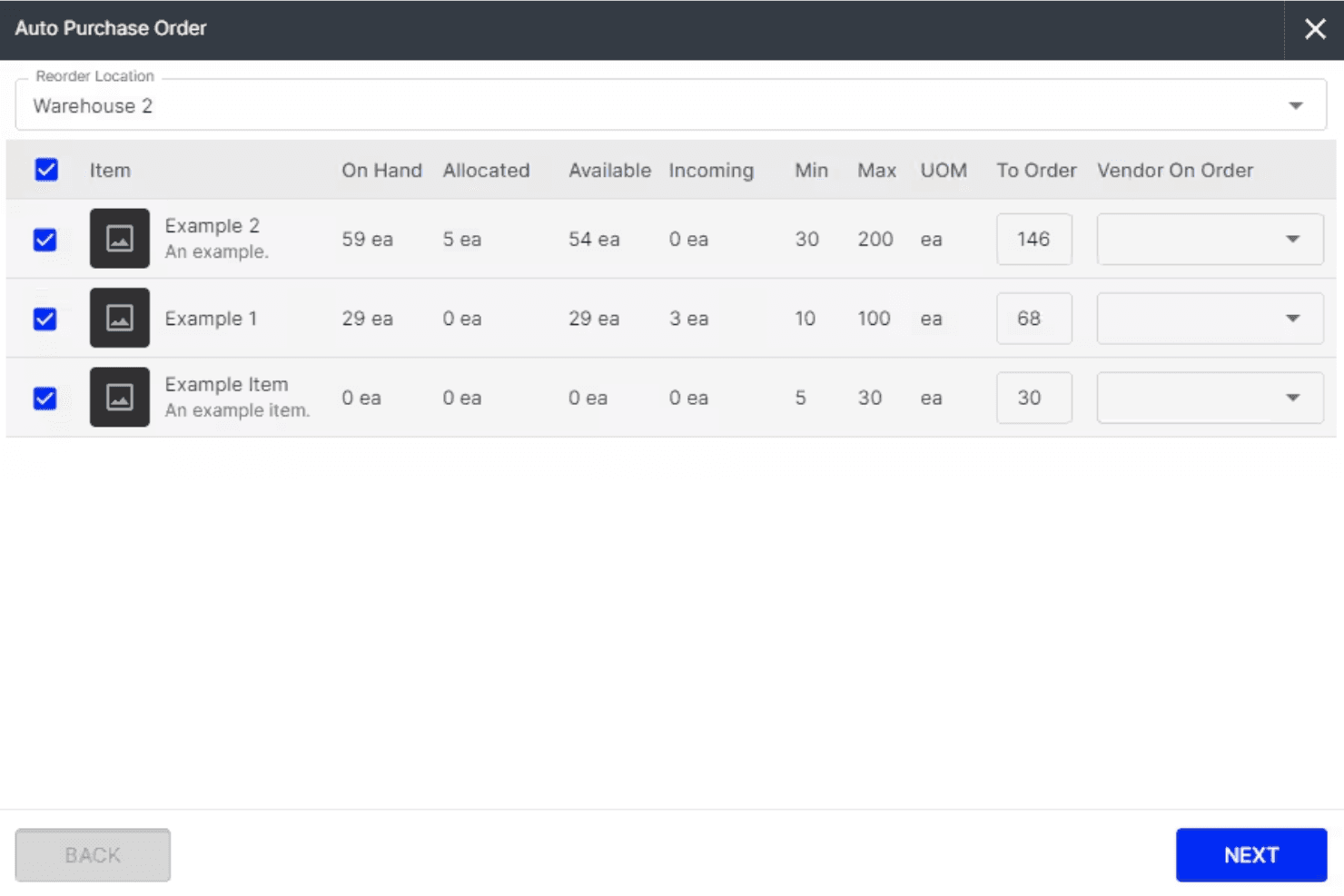
Fishbowl uses AI to forecast demand and automatically generate purchase orders, helping you avoid stockouts and overstock. This keeps inventory levels optimized without manual guesswork.
Multi-Location Inventory Tracking
Track inventory across unlimited warehouses and locations in real time. You get full visibility and control over stock movement, transfers, and counts.
Barcode Scanning
Fishbowl’s mobile app supports barcode scanning for fast receiving, picking, and cycle counts. This reduces errors and speeds up warehouse operations.
Manufacturing Work Orders
Create, edit, and manage work orders and bills of materials directly in Fishbowl. You can update builds mid-production and track labor and materials for accurate costing.
Lot, Serial, and Expiry Tracking
Fishbowl tracks lots, serial numbers, and expiration dates for full traceability. This is essential for regulated industries and quick product recalls.
Automated Workflow Management
Automate routine tasks like purchase order creation, stock transfers, and order fulfillment. Fishbowl’s automation saves time and keeps processes consistent.
Ease of Use
Fishbowl’s interface feels dated and can be overwhelming at first, especially for teams new to advanced inventory systems. Many users mention that setup and onboarding require significant time and training. Experienced inventory managers will adapt quickly, but smaller teams or those seeking simplicity may find the system less intuitive than newer options.
However, once configured, the workflows are logical, and the automation features save time on daily tasks.
Integrations
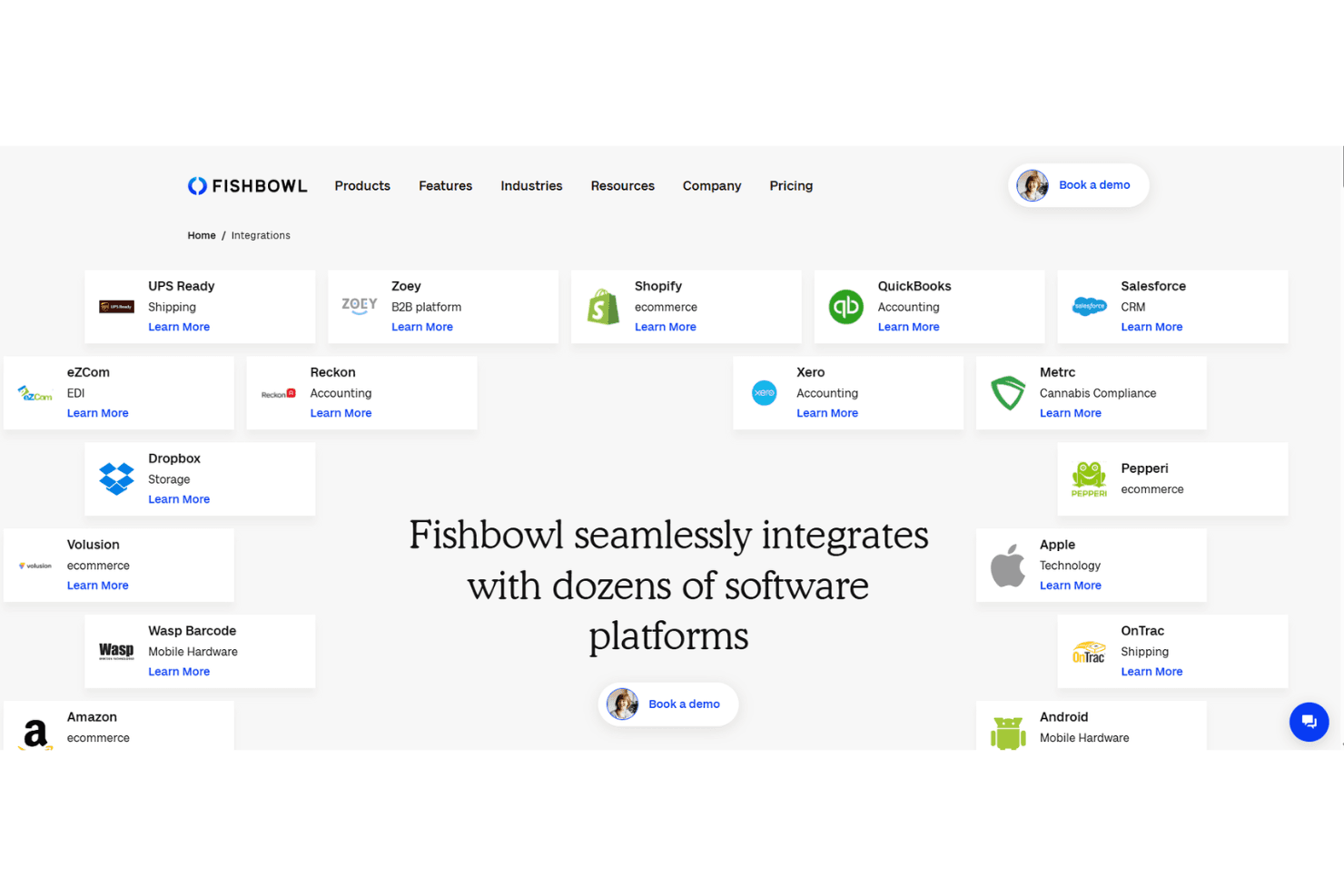
Fishbowl integrates with QuickBooks, Shopify, Salesforce, Xero, Amazon, HubSpot, UPS Ready, eBay, BigCommerce, and ShipStation, among others.
Fishbowl also offers an API and connects with third-party integration tools.
Fishbowl Specs
- API: Yes
- Barcode Scanning: No
- Budgeting: No
- Calendar Management: Yes
- Customer Management: Yes
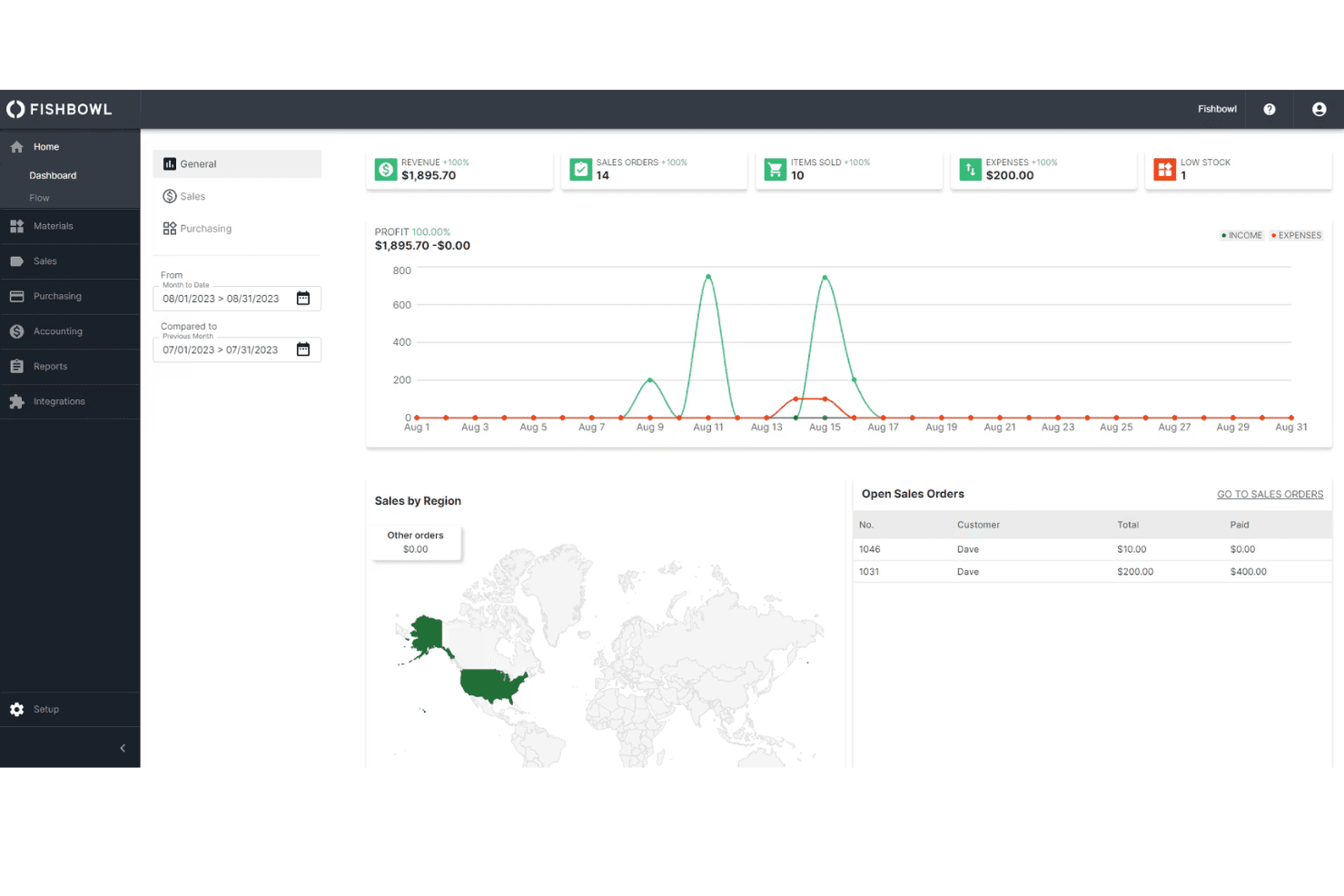
- Dashboard: Yes
- Data Export: Yes
- Data Import: Yes
- Data Visualization: Yes
- External Integrations: Yes
- Forecasting: Yes
- Inventory Tracking: Yes
- Multi-User: Yes
- Notifications: Yes
- Order Management: Yes
- POS Integration: No
- Product Catalog: Yes
- Purchase Orders: No
- Reorder Automation: No
- SAP Integration: No
- Scheduling: Yes
- Shipping Management: Yes
- Status Notifications: No
- Stock Level Monitoring: No
- Supplier Management: Yes
- Third-Party Plugins/Add-Ons: Yes
- Warehouse Management: Yes


