

Constant Contact Testbericht: Vorteile, Nachteile, Funktionen und Preise
Constant Contact überzeugt mit einer benutzerfreundlichen Oberfläche und solidem Kundensupport und ist damit eine zuverlässige Wahl für E-Mail-Marketing im E-Commerce.

Wir bewerten Tools unabhängig und Provisionen helfen, unsere Tests zu finanzieren. Siehe unsere transparente Richtlinie, unsere Methodik oder schlagen Sie ein Tool vor.
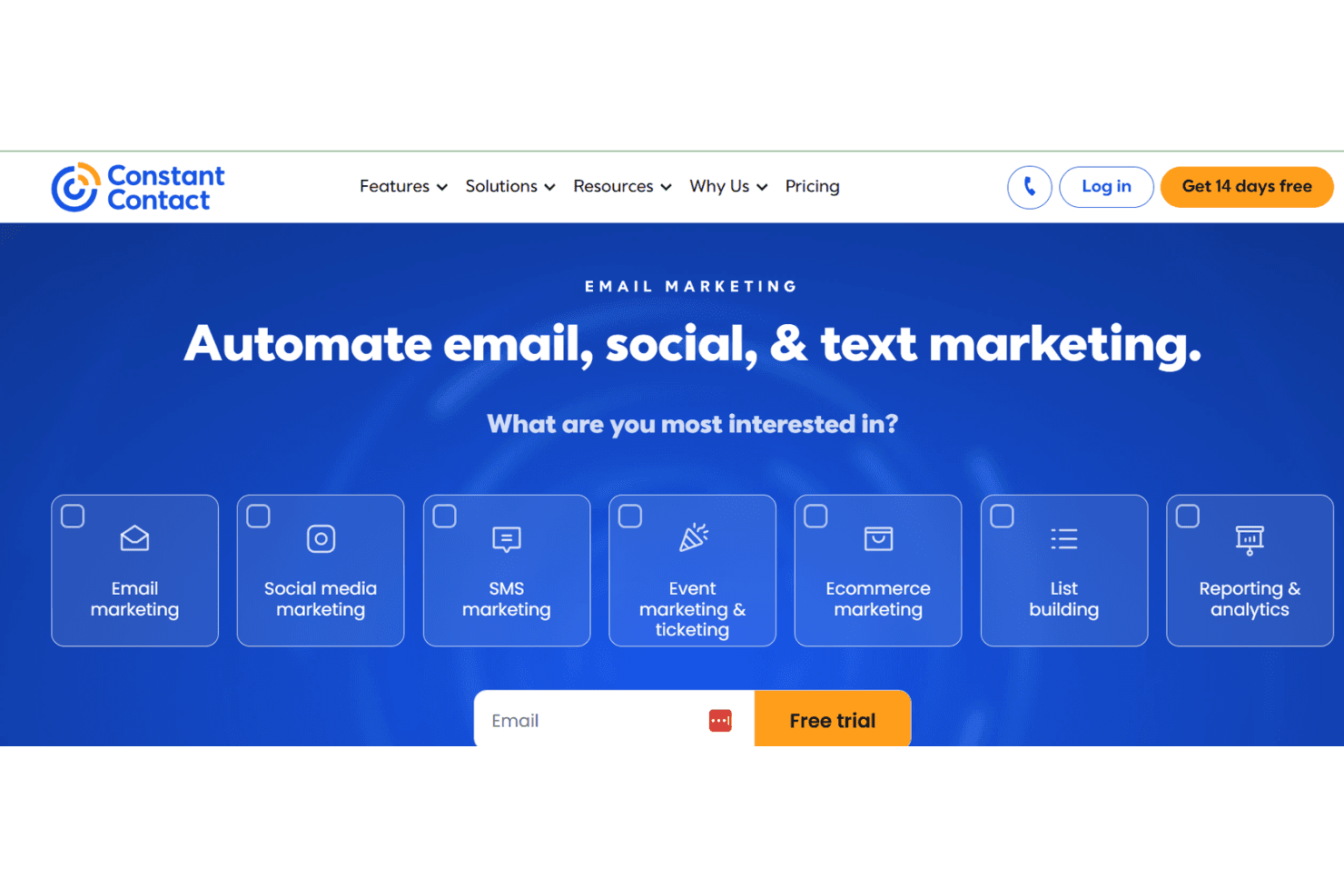
Constant Contact is an ecommerce email marketing software that helps businesses create and manage email campaigns. It's ideal for small to medium-sized retailers, nonprofits, and local service providers seeking easy-to-use tools. Constant Contact offers straightforward email marketing solutions with templates and analytics for effective audience engagement.
Constant Contact addresses email marketing efficiency and engagement issues for marketing teams and small business owners. In this article, I'll cover Constant Contact's features, pros and cons, use cases, pricing, and more, so you can decide if it meets your marketing needs and goals.
Constant Contact Evaluation Summary
4.2/5
- From $12/month
- 14-day free trial + free demo available
Warum Sie unseren Software-Empfehlungen vertrauen können
6,700+
Reviews
20
Industry experts
16+
Evaluation factors
14
Years
Unser Team testet und bewertet Software seit 2012. Als Führungskräfte im Einzelhandel selbst wissen wir, wie schwierig – und wichtig – es ist, die richtige Software auszuwählen.
Für diesen Leitfaden haben wir Tools mithilfe von praktischen Tests und unabhängiger Recherche bewertet und dabei die Tools anhand unserer Bewertungskriterien bewertet.
Unsere Bewertungen spiegeln unser unabhängiges Urteilsvermögen wider – keine Verkaufsstrategie.
Constant Contact Overview
In my opinion, Constant Contact is a solid choice for small to medium-sized businesses looking for straightforward email marketing solutions. It shines with its user-friendly interface and responsive customer support, making it easy for teams to get started. However, its pricing can be a bit steep for those who need advanced features or extensive integrations, which might be a drawback compared to competitors like Mailchimp or SendinBlue. If your team values ease of use and reliable support over complex integrations, Constant Contact could be a good fit.
Pros
- Your team will find the user interface simple and intuitive.
- Customer support is responsive and helpful when you need it.
- You'll appreciate the variety of email templates available.
Cons
- Your team might find the reporting features limited compared to other tools.
- The editor can be a bit clunky when designing emails.
- You may notice that the automation options are not as advanced.
Is Constant Contact Right For Your Needs?
Who Would be a Good Fit for Constant Contact?
Constant Contact is great for small to medium-sized businesses, nonprofits, and local service providers. If your team values straightforward tools and responsive support, you’ll find it easy to use Constant Contact to manage your email marketing efforts. It's especially useful for businesses that want to quickly create professional-looking emails without fuss. The variety of templates and easy-to-use interface make it ideal for teams with limited tech expertise. You'll find it beneficial if you need reliable customer service to guide you through your email marketing efforts.
- Small RetailersYour team will benefit from easy-to-use email templates that help keep customers engaged.
- NonprofitsYou'll appreciate the support and simple tools for reaching donors effectively.
- Local ServicesYour business can quickly create and send promotional emails to your client base.
- Educational InstitutionsYour team will find the templates handy for sending newsletters and updates to students and parents.
- Event PlannersYou'll enjoy the ease of managing email invitations and RSVPs for event marketing.
- Healthcare ProvidersYour practice can use it to send appointment reminders and health tips to patients efficiently.
Who Would be a Bad Fit for Constant Contact?
Constant Contact may not suit large enterprises or tech-savvy companies needing advanced features and integrations. If your team requires sophisticated automation, in-depth analytics, or extensive customization, this software might fall short. It's not the best choice for businesses that rely heavily on data-driven strategies and complex email campaigns. You might find its reporting and automation features limited compared to other tools like HubSpot or Salesforce Marketing Cloud.
- Large EnterprisesYour team may find the features too basic for complex digital marketing needs.
- Tech CompaniesYou'll likely miss the advanced automation and integrations you require.
- Data-Driven TeamsYour work might suffer from the limited analytics capabilities.
- E-commerce GiantsYour business may need more sophisticated email automation tools for handling large customer bases.
- Digital AgenciesYour team might find the customization options lacking for client-specific marketing strategies.
- Financial InstitutionsYou'll likely need more secure and feature-rich email solutions.
Unsere Bewertungsmethodik
Wie Wir Tools Testen & Bewerten
Wir haben über Jahre hinweg unser System zur Softwarebewertung und -testung entwickelt, verfeinert und verbessert. Die Bewertungsmatrix ist darauf ausgelegt, die Feinheiten der Softwareauswahl und die Effektivität eines Tools einzufangen, wobei der Fokus auf entscheidende Aspekte des Auswahlprozesses liegt. Nachfolgend sehen Sie genau, wie unser Test- und Bewertungssystem anhand von sieben Kriterien funktioniert. Dies ermöglicht uns, eine unvoreingenommene Bewertung der Software basierend auf Kernfunktionen, besonderen Merkmalen, Benutzerfreundlichkeit, Einarbeitung, Kundensupport, Integrationen, Kundenrezensionen und Preis-Leistungs-Verhältnis anzubieten.
Kernfunktionen (25% der Gesamtnote)
Der Ausgangspunkt unserer Bewertung ist immer die Kernfunktionalität des Tools. Verfügt es über die grundlegenden Funktionen, die ein Nutzer erwarten würde? Sind wichtige Kernfunktionen eventuell nur in höherpreisigen Tarifen enthalten? Ein Tool sollte im Kern mindestens mit den Basisfunktionen der Wettbewerber mithalten können.
Besondere Funktionen (25% der Gesamtnote)
Anschließend bewerten wir außergewöhnliche Funktionen, die über die normalen Kernfunktionen vergleichbarer Tools hinausgehen. Ein hoher Score spiegelt spezialisierte oder einzigartige Funktionen wider, die das Produkt schneller, effizienter oder wertvoller für die Nutzer machen. Wir bewerten außerdem, wie einfach sich das Tool mit anderen Programmen, die typischerweise zum Technologie-Stack gehören, integrieren lässt, um dessen Funktionalität und Nutzwert zu erweitern. Tools mit zahlreichen nativen Integrationen, Drittanbieteranbindungen und API-Zugang für eigene Entwicklungen schneiden hier am besten ab.
Benutzerfreundlichkeit (10% der Gesamtnote)
Wir betrachten, wie schnell und einfach es ist, die Kernaufgaben mit dem Tool zu erledigen. Software, die gut gestaltet und intuitiv zu bedienen ist, mobile Apps bietet, Vorlagen zur Verfügung stellt und komplexe Aufgaben einfach erscheinen lässt, erzielt die besten Werte.
Einarbeitung (10% der Gesamtnote)
Wir wissen, wie wichtig die schnelle Einführung eines neuen Tools im Team ist. Daher evaluieren wir, wie einfach es mit minimalem Training ist, das Tool kennenzulernen. Wir ermitteln, wie schnell ein Teammitglied ohne Vorerfahrung startklar ist. Lösungen, die kaum oder gar keine Unterstützung benötigen, erhalten die höchste Punktzahl.
Kundensupport (10% der Gesamtnote)
Wir überprüfen, wie schnell und einfach man Hilfe per Telefon, Live-Chat oder Wissensdatenbank erhält. Tools und Anbieter, die Echtzeit-Support bieten, schneiden am besten ab; Chatbots liegen am unteren Ende.
Kundenrezensionen (10% der Gesamtnote)
Zusätzlich zu unseren eigenen Tests ziehen wir den Net-Promoter-Score bestehender und früherer Kunden heran. Wir überprüfen, wie wahrscheinlich sie das Tool erneut für die Kernfunktionen wählen würden. Ein hoher Score spiegelt einen hohen Net-Promoter-Score wider.
Preis-Leistungs-Verhältnis (10% der Gesamtnote)
Schließlich bewerten wir im Kontext aller anderen Kriterien den Durchschnittspreis von Einstiegsplänen im Verhältnis zu den Kernfunktionen und betrachten den Wert der übrigen Kriterien. Software, die mehr zu geringeren Kosten bietet, schneidet hier besser ab.
Core Features
Email Templates
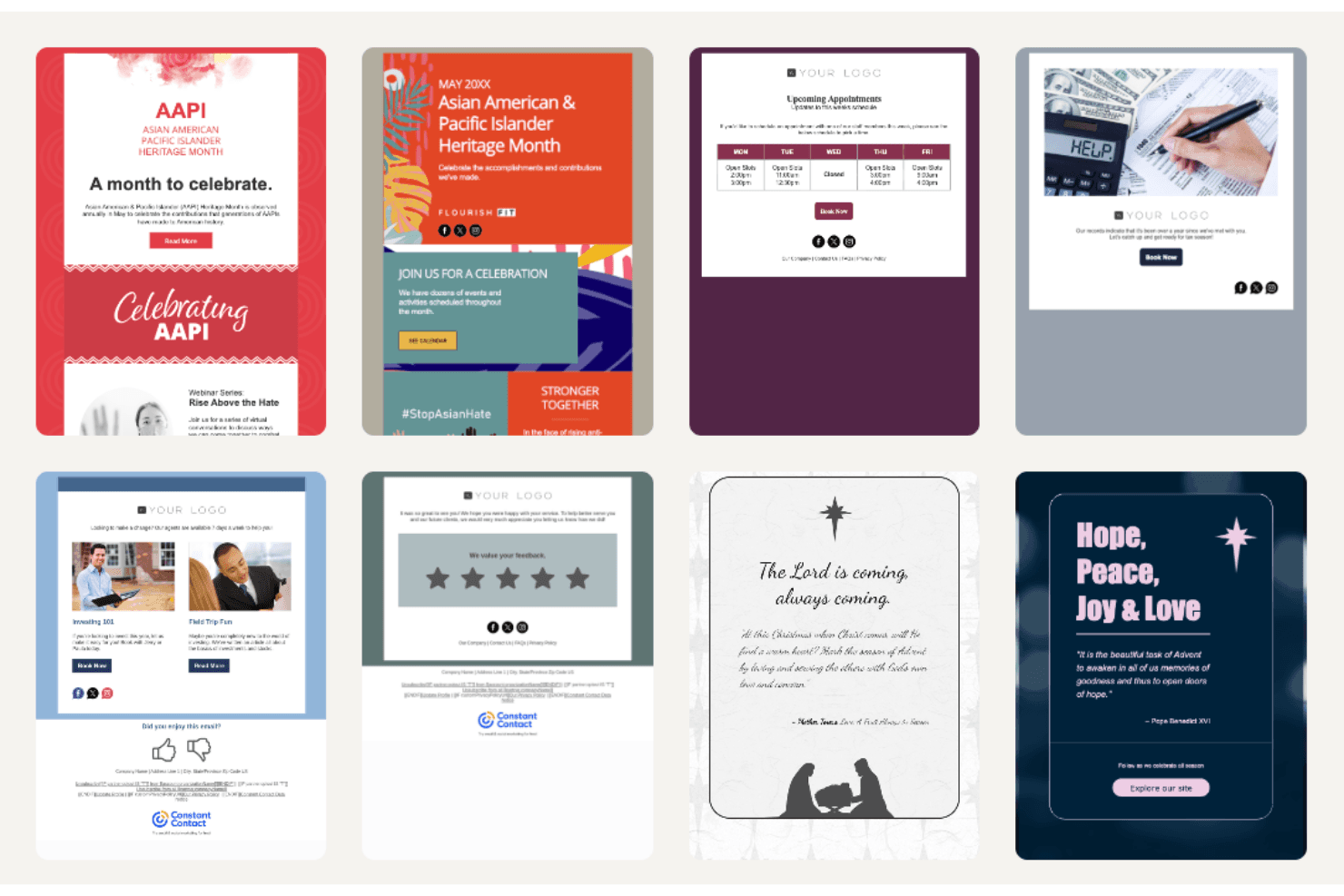
Constant Contact offers a variety of customizable templates that let your team create professional emails quickly.
List Management
You can easily segment and manage your email lists for targeted campaigns.
Drag-and-Drop Editor
The drag-and-drop email editor makes designing emails simple with its intuitive functionality.
Email Scheduling
Schedule your emails in advance or use simple autoresponders to reach your audience at the perfect time.
Tracking and Reporting
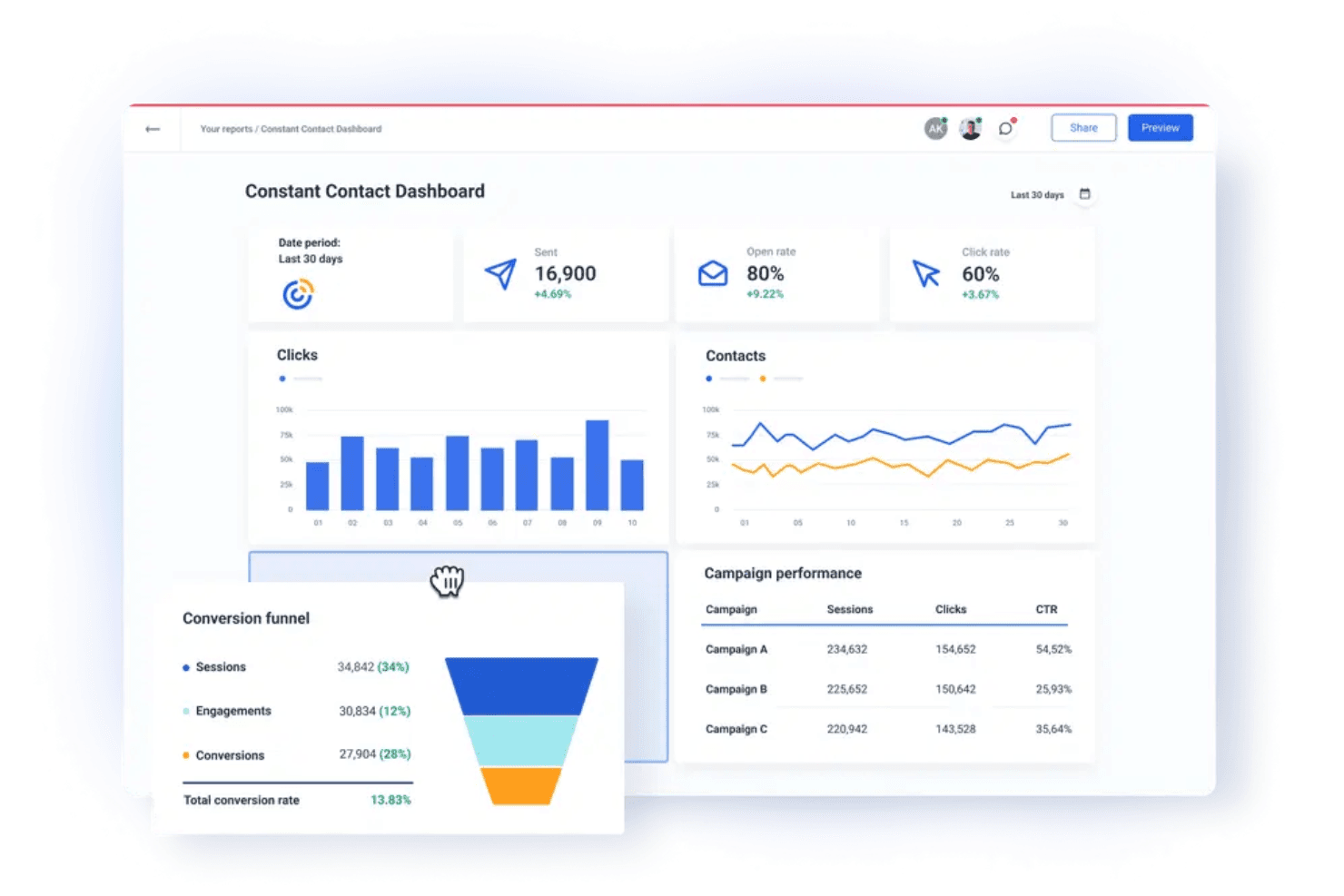
Monitor your campaign performance with basic analytics on opens, clicks, unsubscribes, abandoned cart workflows, and more.
A/B Testing
Test different email versions to see what resonates best with your audience and optimize your campaigns for better performance.
Ease of Use
Constant Contact has a seamless user experience, thanks to its intuitive interface and straightforward design. The drag-and-drop editor simplifies email creation, making it accessible even if you're not tech-savvy. While some users might find the editor a bit clunky, most appreciate the simplicity it offers for quick campaign setup. User reviews often highlight the ease of managing contacts and scheduling emails, which helps you focus on your marketing goals without getting bogged down by complex tools.
Integrations
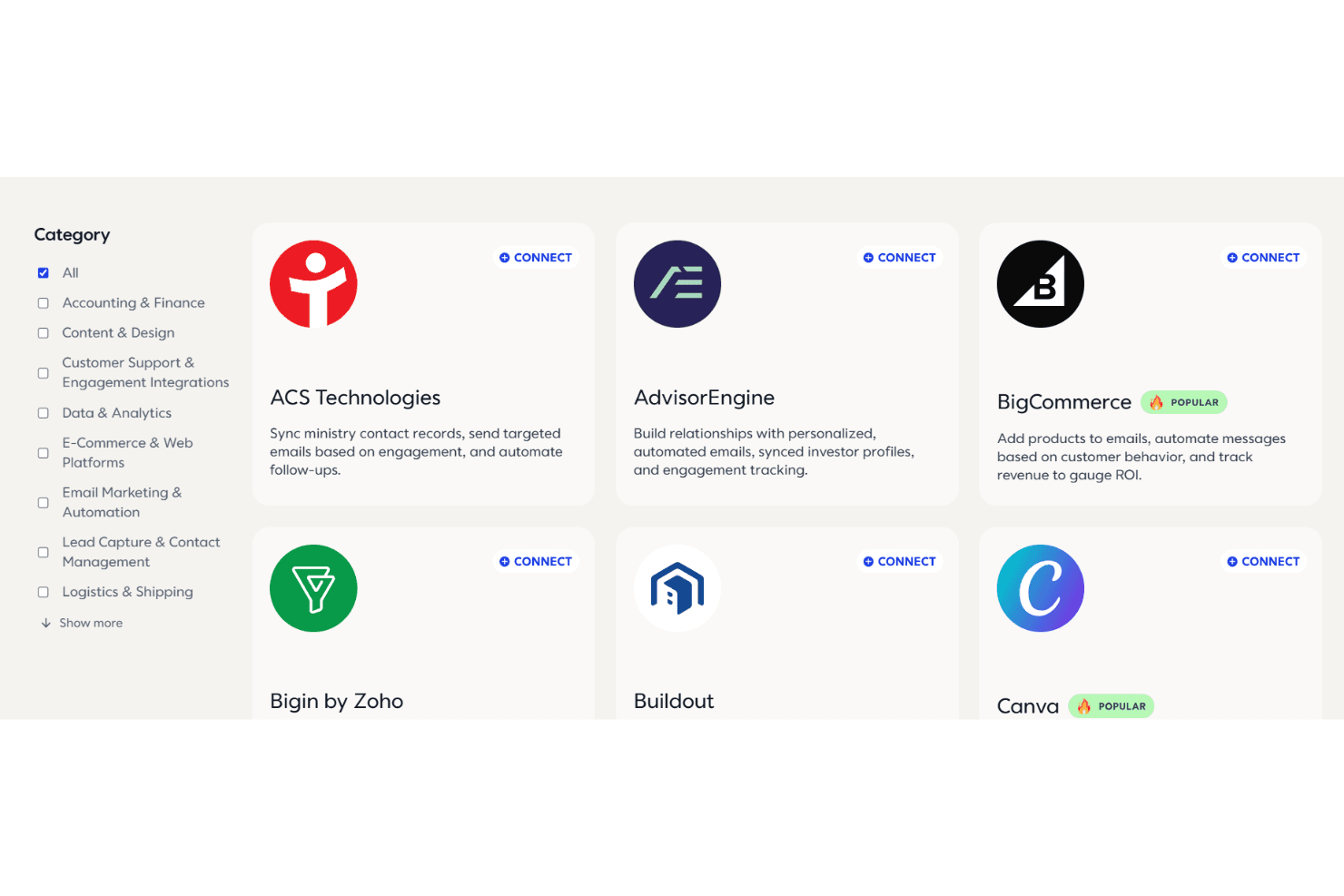
Constant Contact integrates with popular platforms such as Shopify, WooCommerce, Salesforce, Canva, Facebook, Brevo, and Eventbrite to connect email marketing with e-commerce, CRM, and social media tools. These integrations make it easy to sync contacts, track sales, and manage campaigns from one dashboard.
The platform also supports Zapier for connecting with hundreds of additional apps, along with an API for developers who want to build custom integrations.
Constant Contact Specs
- A/B Testing: Yes
- API: Yes
- Audience Targeting: Yes
- Brand Management: Yes
- Calendar Management: No
- Campaign Management: Yes
- Compliance Tracking: No
- Contact Management: Yes
- Contact Sharing: Yes
- Conversion Tracking: No
- CRM Integration: Yes
- Customer Management: Yes
- Dashboard: Yes
- Data Export: Yes
- Data Import: Yes
- Data Visualization: Yes
- Email Integration: Yes
- External Integrations: Yes
- Google Apps Integration: No
- Lead Management: Yes
- Lead Scoring: Yes
- Link Tracking: Yes
- Marketing Automation: Yes
- Multi-User: Yes
- Notifications: Yes
- Scheduling: Yes
- Social-Media Integration: Yes
- Third-Party Plugins/Add-Ons: No


