

Retail LMS software is learning management system technology designed specifically to train, onboard, and upskill retail staff across all your store locations. If you’re looking for the best retail LMS software, you likely face headaches around scaling onboarding, tracking compliance, and tying staff training to real business results like sales and customer service KPIs.
This guide cuts through generic e-learning options and shows you retail LMS platforms picked for how well they address in-store realities: fast-changing products, high turnover, franchise growth, and the need for instant, practical training—never just box-ticking. Here’s how you can find a tool to keep your teams sharp, motivated, and aligned in 2026.
Why Trust Our Software Recommendations
6,700+
Reviews
20
Industry experts
16+
Evaluation factors
14
Years
Our team has been testing and reviewing software since 2012. As retail leaders ourselves, we know how difficult—and important—it is to choose the right software.
For this guide, we evaluated tools using hands-on testing and independent research, scoring tools using our selection criteria.
Our reviews reflect our independent judgment—not a sales pitch.
Retail LMS Software Comparison Table
This comparison table summarizes pricing details for my top retail LMS software selections:
| Tool | Best For | Trial Info | Price | ||
|---|---|---|---|---|---|
| 1 | Best for multi-location onboarding and cert tracking | Free demo + 30-day free trial available | From $3.97/user/month (billed annually) | Website | |
| 2 | Best for managing distinct audiences via portals | Free demo available | Pricing upon request | Website | |
| 3 | Best for retail compliance with 800+ frontline courses | Free demo available | Pricing upon request | Website | |
| 4 | Best for immersive AI and VR retail training | Free demo available | Pricing upon request | Website | |
| 5 | Best for AI-driven in-aisle associate coaching | Free demo available | Pricing upon request | Website | |
| 6 | Best for peer-driven store network training | 30-day free trial + free demo available | From $8/user/month | Website | |
| 7 | Best for standardizing global brand experiences | Free demo available | Pricing upon request | Website | |
| 8 | Best for linking franchise training to business KPIs | Free demo available | Pricing upon request | Website | |
| 9 | Best for tying associate training to sales outcomes | Free demo available | Pricing upon request | Website | |
| 10 | Best for frontline onboarding at multi-store scale | Not available | Pricing upon request | Website |


Retail LMS Software Reviews
Below are my detailed summaries of the best retail LMS software that made it onto my shortlist. My reviews offer a detailed look at the features, best use cases, and integrations of each platform to help you find the best one for you.
 Best for multi-location onboarding and cert tracking
- Free demo + 30-day free trial available
- From $3.97/user/month (billed annually)
Visit WebsiteCustomer Rating:4.6/5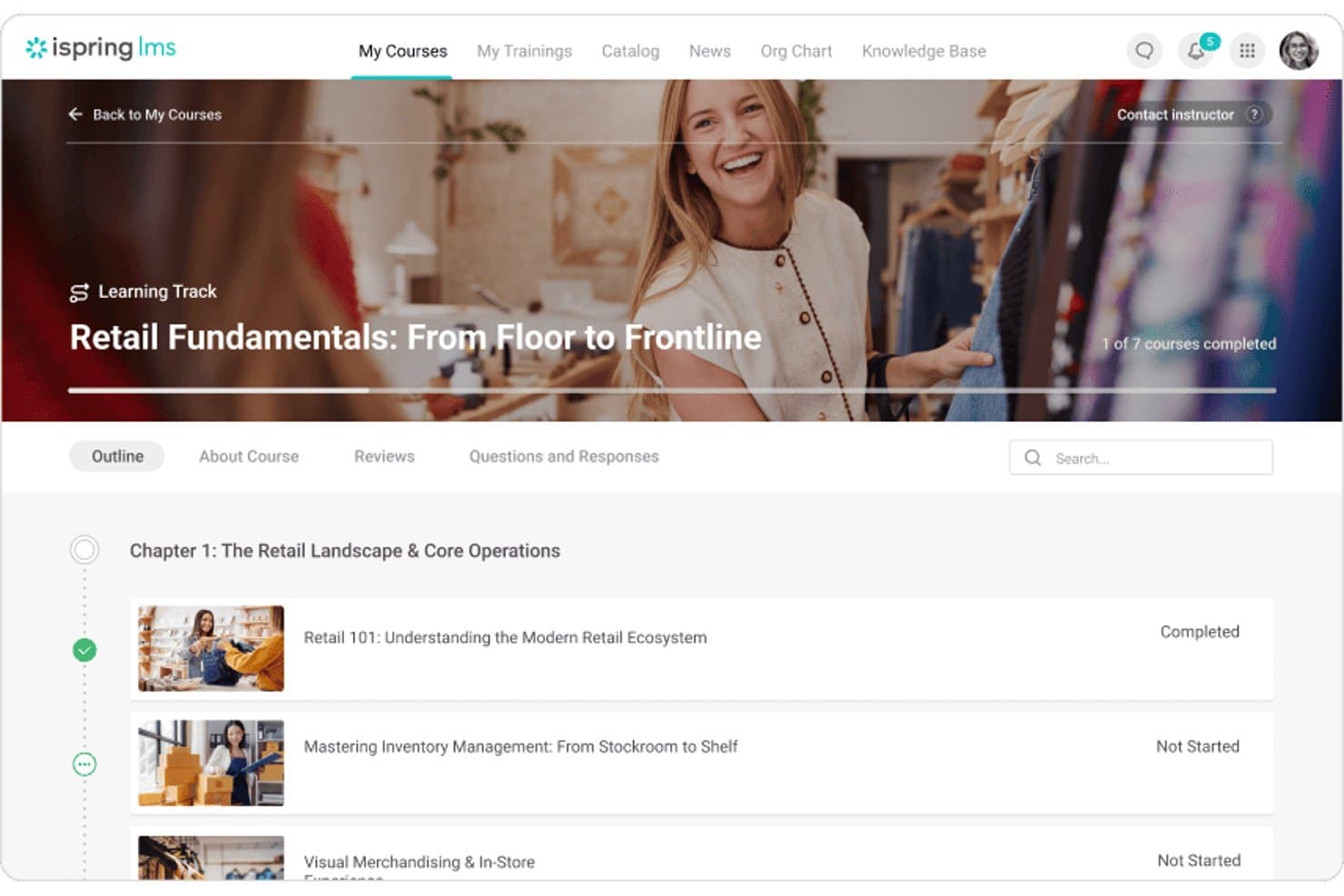
iSpring LMS organizes retail training into structured learning tracks. iSpring LMS is a learning management system built for employee training across distributed teams, offering course creation, role-based learning paths, certification tracking, automated enrollment, and mobile learning with offline access.
Who Is iSpring LMS Best For?
iSpring LMS is a strong fit for retail operations and HR teams managing employee training across multiple store locations.
Why I Picked iSpring LMS
iSpring LMS earns its spot on my shortlist because of how well it handles training across distributed store networks, which is where most retail operations actually struggle. I particularly like the Certificates report, which tracks expiration dates, renewal status, and auto-re-enrollment schedules filtered by department, group, or location, so nothing slips through the cracks during a compliance cycle. Paired with automatic enrollment rules that trigger when new accounts are created, onboarding a new hire at any location takes minutes to set up, not days.
iSpring LMS Key Features
- Role-based learning paths: Assign targeted training sequences to employees based on attributes like job title, team, or department.
- Bulk user import: Add or update multiple employee profiles at once using an XLSX file upload.
- Observation checklists: Create action-based checklists to monitor sales-floor performance and operational standards by role.
- AI content translator: Translate course content into 104 languages while preserving the original course structure and appearance.
iSpring LMS Integrations
iSpring LMS offers native integrations with BambooHR, Shopify, Zoom, Microsoft Teams, Salesforce, and LinkedIn Learning. It also supports REST and SOAP APIs, plus Zapier, for custom integrations.
Pros and Cons
Pros:
- Role-based onboarding includes floor checklists
- Offline lessons support mobile workforces
- Centralizes training across store locations
Cons:
- Sales impact requires separate measurement
- Compliance reports lack documented audit trails
Learn more about iSpring LMS: Best for managing distinct audiences via portals
- Free demo available
- Pricing upon request
Visit WebsiteCustomer Rating:4.6/5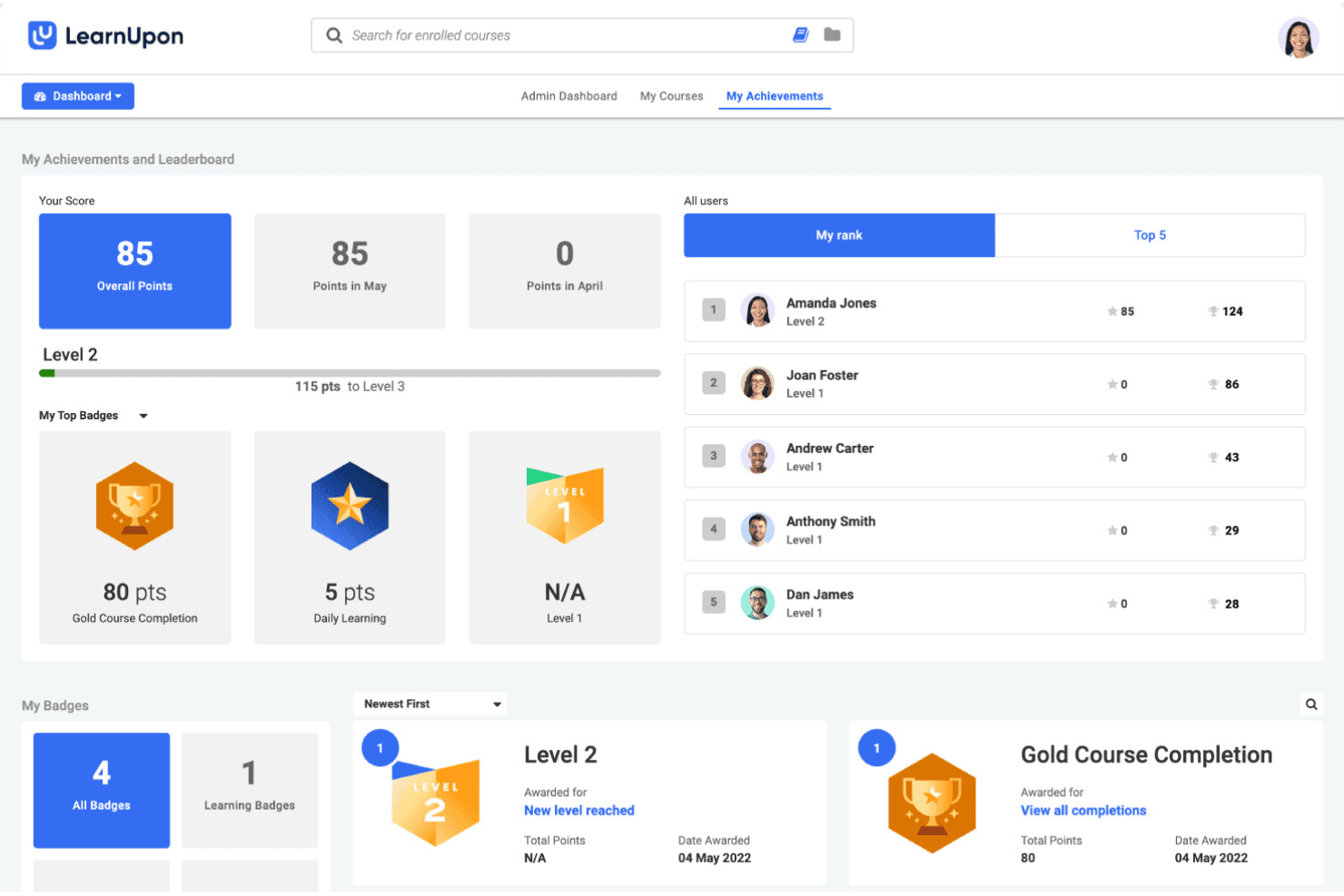
LearnUpon tracks learner achievements, points, and leaderboard rankings. LearnUpon is a cloud-based LMS that supports retail workforce training through AI-powered course authoring, multi-tenant learning portals, mobile offline access, compliance certification tracking, and HRIS integrations.
Who Is LearnUpon Best For?
LearnUpon is a strong fit for multi-brand retailers and franchise operators who need to manage training separately across distinct audiences from a single platform.
Why I Picked LearnUpon
LearnUpon earns its spot on my shortlist because of how well its multi-tenant Learning Portals handle genuinely separate training audiences from one account. I like that each portal gets its own URL, branding, content catalogue, and permissions, so a corporate team and its franchisees never step on each other's training content. The course licensing controls let you decide exactly which portals access which content, which is exactly what you need when managing seasonal hires, regional managers, and brand partners in parallel.
LearnUpon Key Features
- Create+ AI course authoring: Converts PowerPoints, PDFs, and videos into interactive courses with auto-translation into 120+ languages.
- Automated certification and recertification tracking: Issues certifications on completion, triggers recertification workflows, and manages expiry dates with eSignature capture.
- Native mobile app with offline access: iOS and Android apps let frontline associates download and complete training without an active internet connection.
- HRIS integrations: Connects with ADP, SAP SuccessFactors, Dayforce, Workday, and UKG to automate learner provisioning when employees are hired or change roles.
LearnUpon Integrations
LearnUpon offers native integrations with ADP Workforce Now, Workday, UKG, SAP SuccessFactors, Dayforce, Okta, Zoom, Go1, and LinkedIn Learning. It also supports REST API and webhooks for custom integrations, plus Zapier.
Pros and Cons
Pros:
- Mobile apps support offline frontline learning
- AI converts files into interactive courses
- Separate portals for brands or franchises
Cons:
- No shift-based training scheduling integrations
- No native training-to-sales data link
Learn more about LearnUpon: Best for retail compliance with 800+ frontline courses
- Free demo available
- Pricing upon request
Visit WebsiteCustomer Rating:4.5/5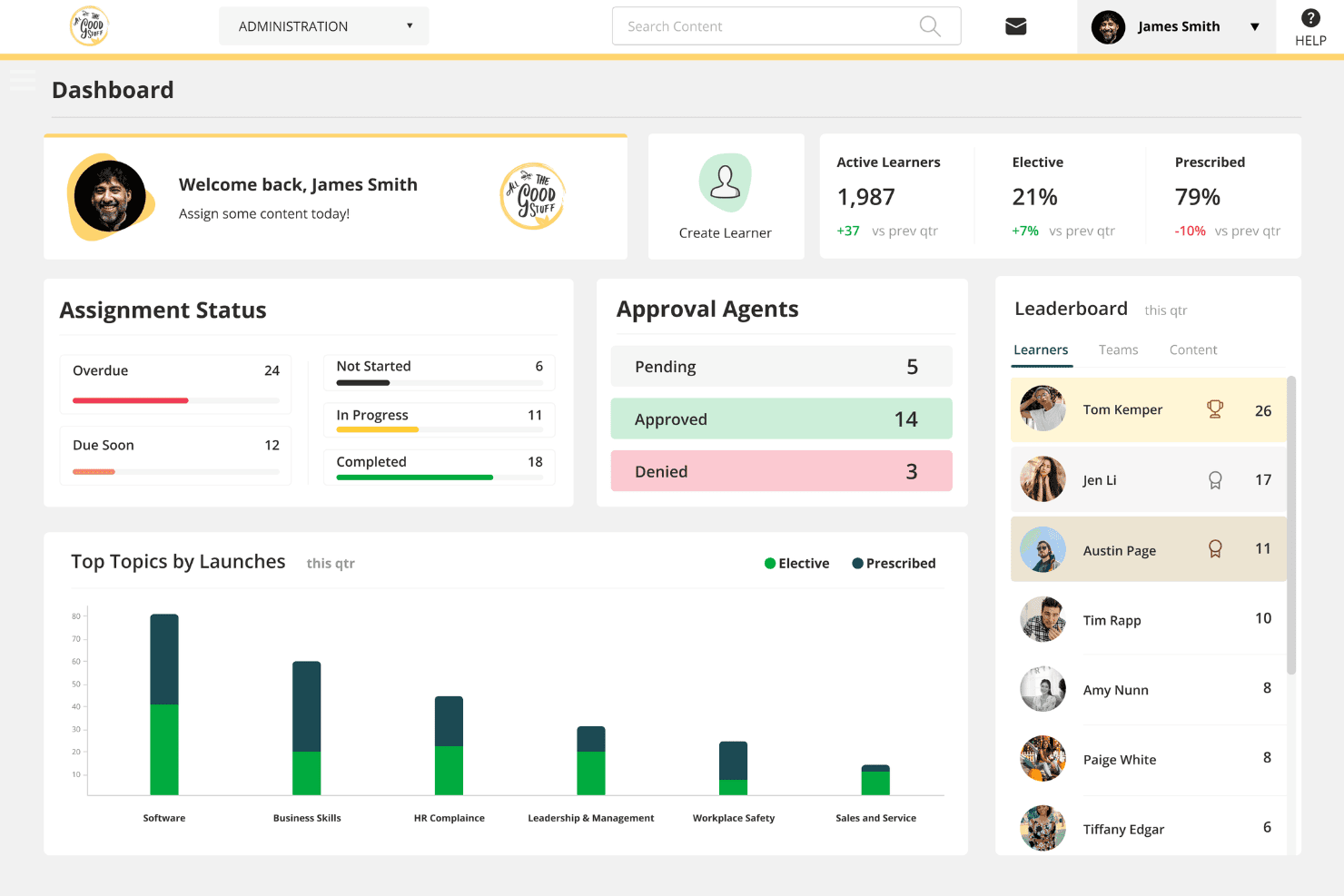
BizLibrary's admin dashboard tracks learner progress and content engagement. BizLibrary is a learning management system built for frontline and retail workforces, combining a 13,800+ course library, AI-powered role-play simulations, compliance tracking, and multi-location training management.
Who Is BizLibrary Best For?
BizLibrary is a strong fit for multi-location retail operators and franchise networks that need to manage compliance training across dozens or hundreds of stores from a single platform.
Why I Picked BizLibrary
I've included BizLibrary in my top picks because its 800+ retail-specific courses cover the scenarios your frontline teams actually face: loss prevention, cash handling, upselling, and state-specific harassment compliance. What I like most is BizReady AI Roleplays, which let associates practice difficult customer conversations and de-escalation before they're on the floor. Add automated recertification workflows and audit-ready reporting, and compliance management across dozens of locations becomes far less manual.
BizLibrary Key Features
- BizConnect integration marketplace: Syncs new hires from 60+ HRIS platforms like ADP, Workday, and BambooHR within one business day, with hourly role and department updates.
- Role-based learning path auto-assignment: Automatically assigns training content based on job function, so cashiers, associates, and store managers each get the right courses from day one.
- Multi-state compliance content updates: Automatically updates state-specific harassment prevention and safety courses across your locations as regulations change.
- BizCreate AI content authoring: Generates course scripts, knowledge checks, and multilingual translations, letting you build custom training content without an instructional designer.
BizLibrary Integrations
BizLibrary offers 60+ marketplace integrations via BizConnect, including ADP, Workday, BambooHR, UKG, Paylocity, and Rippling. It also supports SAML 2.0, SCIM, Microsoft Teams, and open APIs for custom connections.
Pros and Cons
Pros:
- Fast multi-location onboarding without corporate email
- AI-powered roleplays for customer de-escalation
- 800+ retail courses cover real store scenarios
Cons:
- Limited gamification features for engagement
- No native mobile app for offline use
Learn more about BizLibrary: Best for immersive AI and VR retail training
- Free demo available
- Pricing upon request
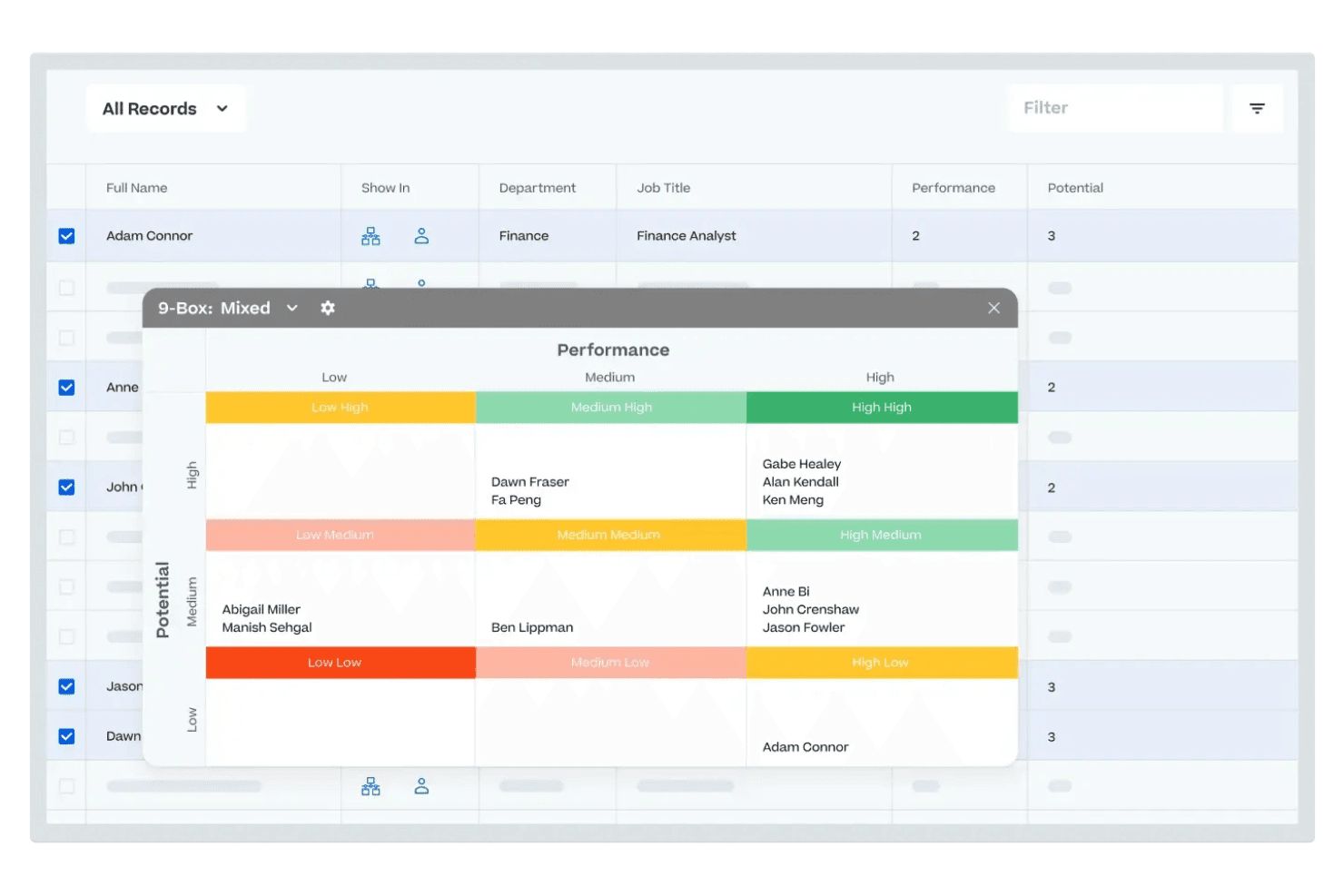
Cornerstone visualizes employee performance and potential in a 9-box grid. Cornerstone is an enterprise learning management system built for large retail organizations, combining AI-powered personalized learning, VR-based immersive training, mobile-first frontline delivery, and multi-location compliance tracking.
Who Is Cornerstone Best For?
Cornerstone is a strong fit for enterprise and mid-market retail chains that need to train large, distributed, or franchise-based workforces at scale.
Why I Picked Cornerstone
I've included Cornerstone in my top picks because it's the only retail LMS I know of that pairs AI-powered personalization with a full VR training suite through Cornerstone Immerse, where no-code authoring lets you build role-play scenarios for customer service and loss prevention without a developer. The Galaxy Mobile App is purpose-built for frontline workers, supporting offline access and biometric login on shared devices, which means a floor associate can complete compliance training between shifts without needing a personal login.
Cornerstone Key Features
- Extended Enterprise module: Lets you manage training for franchise networks and external partner audiences through separate organizational hierarchies and sub-admin permissions.
- 50-language platform support: Delivers training content across multilingual store workforces without requiring third-party localization tools.
- Automated compliance workflows: Assigns, tracks, and logs compliance training with audit-ready records and certification issuance built into the platform.
- Cornerstone People Graph™: A workforce intelligence model that connects employee work, learning, and collaboration data to power role-specific content recommendations.
Cornerstone Integrations
Cornerstone offers native integrations with Workday HCM, Microsoft Teams, and Salesforce, plus marketplace integrations for ADP Workforce Now and UKG Pro Workforce Management. It also supports SCIM, SSO, open APIs, webhooks, and xAPI for custom connectivity.
Pros and Cons
Pros:
- Mobile app built for deskless retail staff
- VR authoring for frontline and compliance training
- AI-driven learning and compliance personalization
Cons:
- Pricing and contract terms only by request
- No native POS system integrations
Learn more about Cornerstone: Best for AI-driven in-aisle associate coaching
- Free demo available
- Pricing upon request
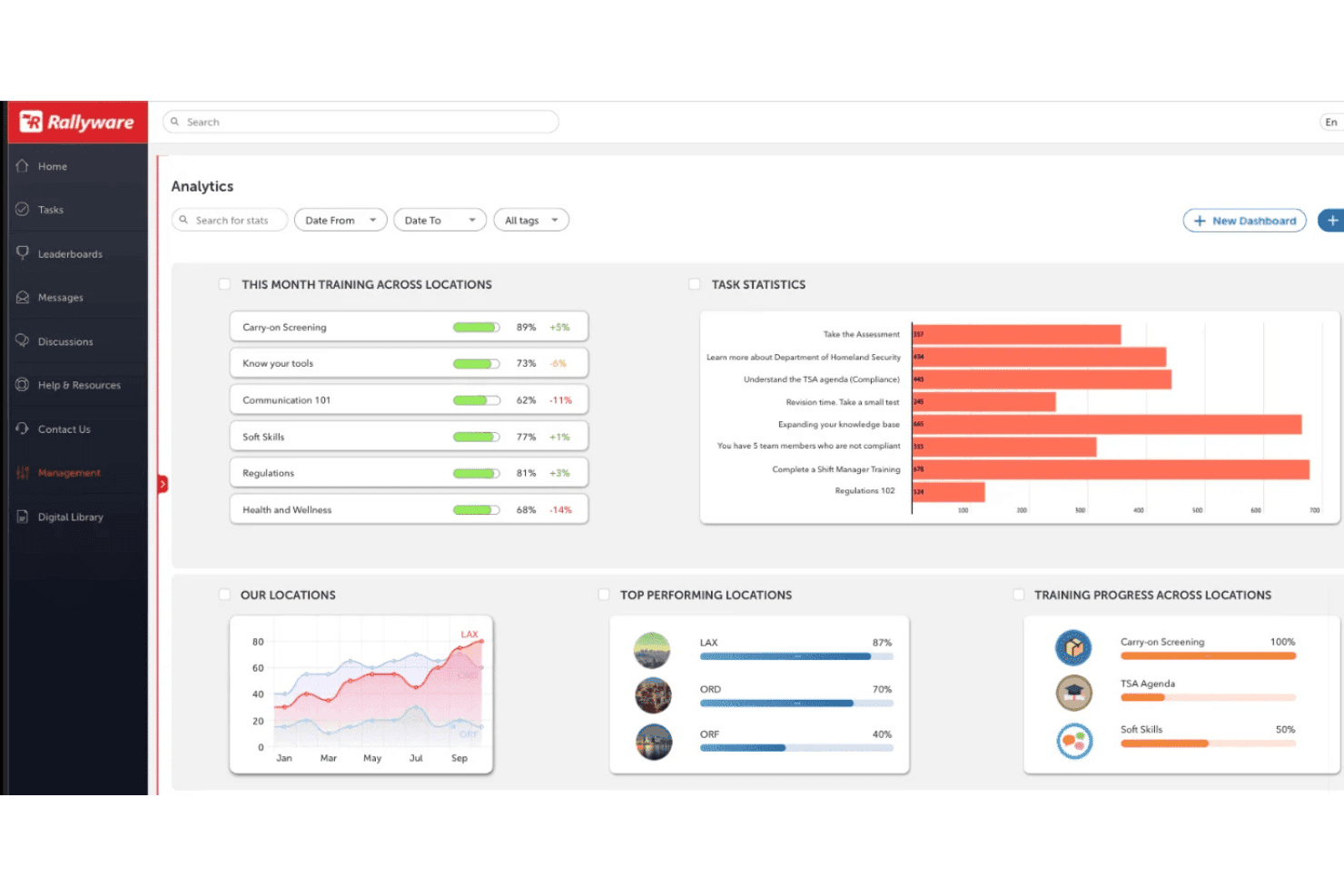
Rallyware's analytics dashboard tracks training progress across locations. Rallyware is an AI-native retail LMS that combines personalized learning paths, in-aisle coaching, gamification, performance tracking, and social learning tools for frontline and field-based teams.
Who Is Rallyware Best For?
Rallyware is a strong fit for enterprise retail and direct selling organizations with large, distributed frontline teams that need AI-driven, mobile-first training tied directly to sales performance.
Why I Picked Rallyware
I picked Rallyware as one of the best because its AI Guided Selling module does something I haven't seen many retail LMS platforms do: it delivers real-time product coaching to associates directly on the floor, triggered by barcode scans during live customer interactions. That means an associate can pull up upsell prompts, product specs, or out-of-stock substitutions mid-conversation without stepping away. Layered on top of that, the AI Orchestration Engine continuously adapts each associate's learning path based on their actual sales behaviour and performance data.
Rallyware Key Features
- Gamification and leaderboards: Points, badges, and leaderboards are built into the platform to drive motivation and recognition among frontline associates.
- Compliance and certification tracking: Automatically tracks certification status, triggers renewal workflows, and generates audit-ready compliance reports by role and location.
- Multi-location content targeting: Role-, location-, and tenure-based rules automatically assign the right content to the right associates across stores, regions, and brands.
- Social and peer learning tools: Activity feeds, community groups, polls, and peer commenting give associates a space to collaborate and share knowledge directly in the platform.
Rallyware Integrations
Native integrations are not clearly documented. Rallyware supports custom integrations through open APIs, including connections to POS, WFM, inventory, HR, and CRM systems.
Pros and Cons
Pros:
- Mobile-first platform for frontline associates
- Sales performance linked to training analytics
- AI-driven in-aisle product coaching
Cons:
- Search functionality can hinder content discovery
- Some mobile features missing vs. desktop
Learn more about Rallyware: Best for peer-driven store network training
- 30-day free trial + free demo available
- From $8/user/month
Visit WebsiteCustomer Rating:4.7/5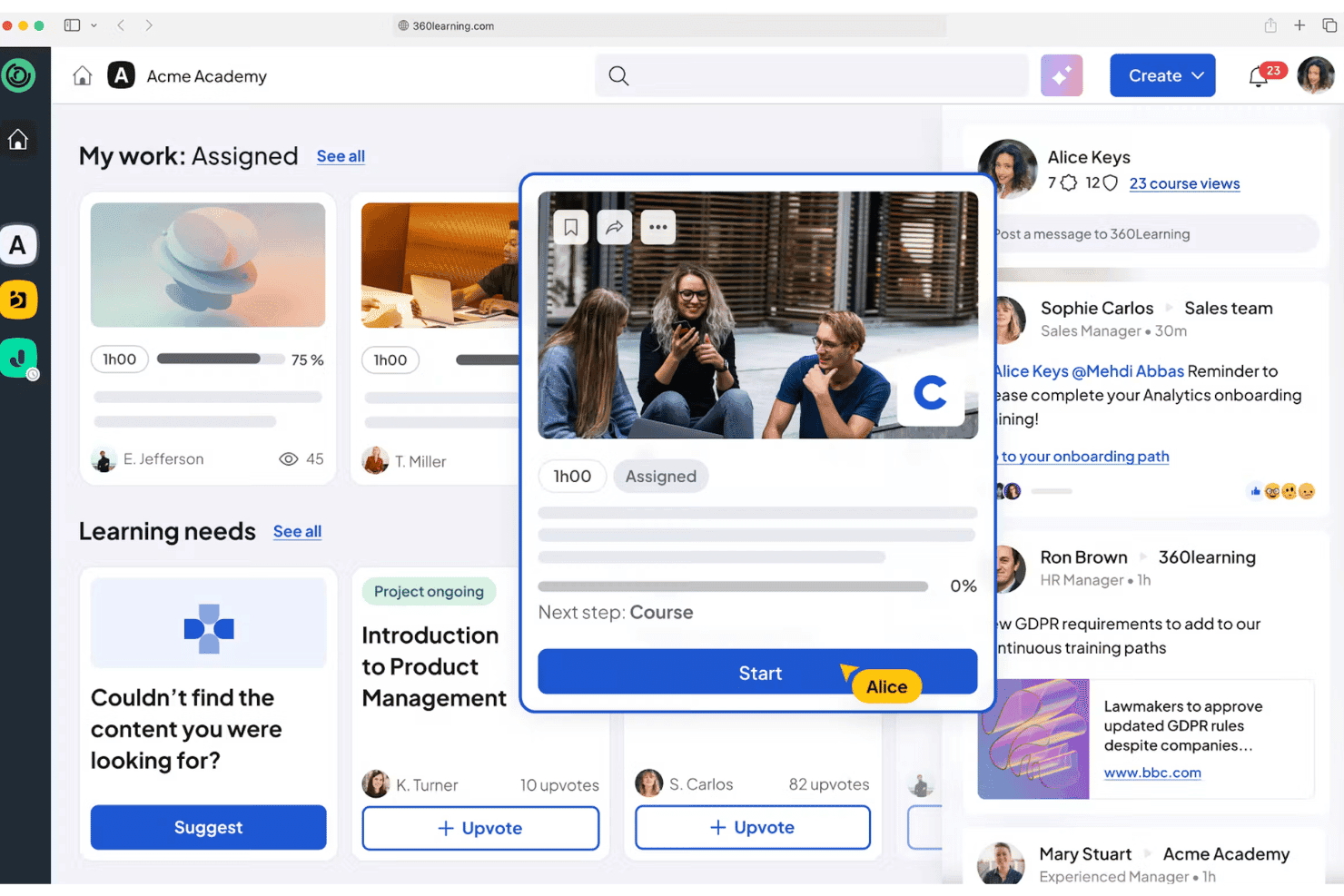
360Learning surfaces assigned courses and peer activity in one dashboard. 360Learning is a collaborative learning management system that combines AI-powered course authoring, peer-driven content creation, mobile learning, and multi-location training management for frontline retail teams.
Who Is 360Learning Best For?
360Learning is a strong fit for multi-location retailers whose store managers and in-house product experts are the real engine behind frontline training content.
Why I Picked 360Learning
I've included 360Learning in my top picks because its collaborative authoring model is genuinely built around how retail training actually works: store managers and product specialists create the content, not just a central L&D team. In practice, that means a flagship store manager can film a product demo, share it through the platform's peer newsfeed, and have it live across every location the same day. I also like the shared device mode, which lets shop-floor tablets track individual learner progress without requiring personal devices or corporate email accounts.
360Learning Key Features
- AI Content Builder: Converts internal documents into structured interactive courses with AI-generated quizzes and multimodal activities—no coding required.
- Automated recertification workflows: Tracks certification expiry dates and sends automated renewal alerts to ensure compliance deadlines aren't missed.
- Dynamic enrollment triggers: Automatically assigns training based on role changes, new hire status, or location—pulling directly from HRIS data.
- Conversational BI: Lets admins query learning analytics in natural language to pull completion rates, scores, and engagement data across locations.
360Learning Integrations
360Learning lists 85+ marketplace integrations, including UKG, Workday, SAP SuccessFactors, BambooHR, Microsoft Teams, Slack, Zoom, and Snowflake. It also offers an open REST API and webhooks for custom integrations.
Pros and Cons
Pros:
- Peer-driven authoring empowers in-store experts
- AI content builder enables rapid course creation
- Shared device mode built for retail floors
Cons:
- Franchisee content controls not clearly defined
- No native POS system integrations available
Learn more about 360Learning: Best for standardizing global brand experiences
- Free demo available
- Pricing upon request
Visit WebsiteCustomer Rating:4.4/5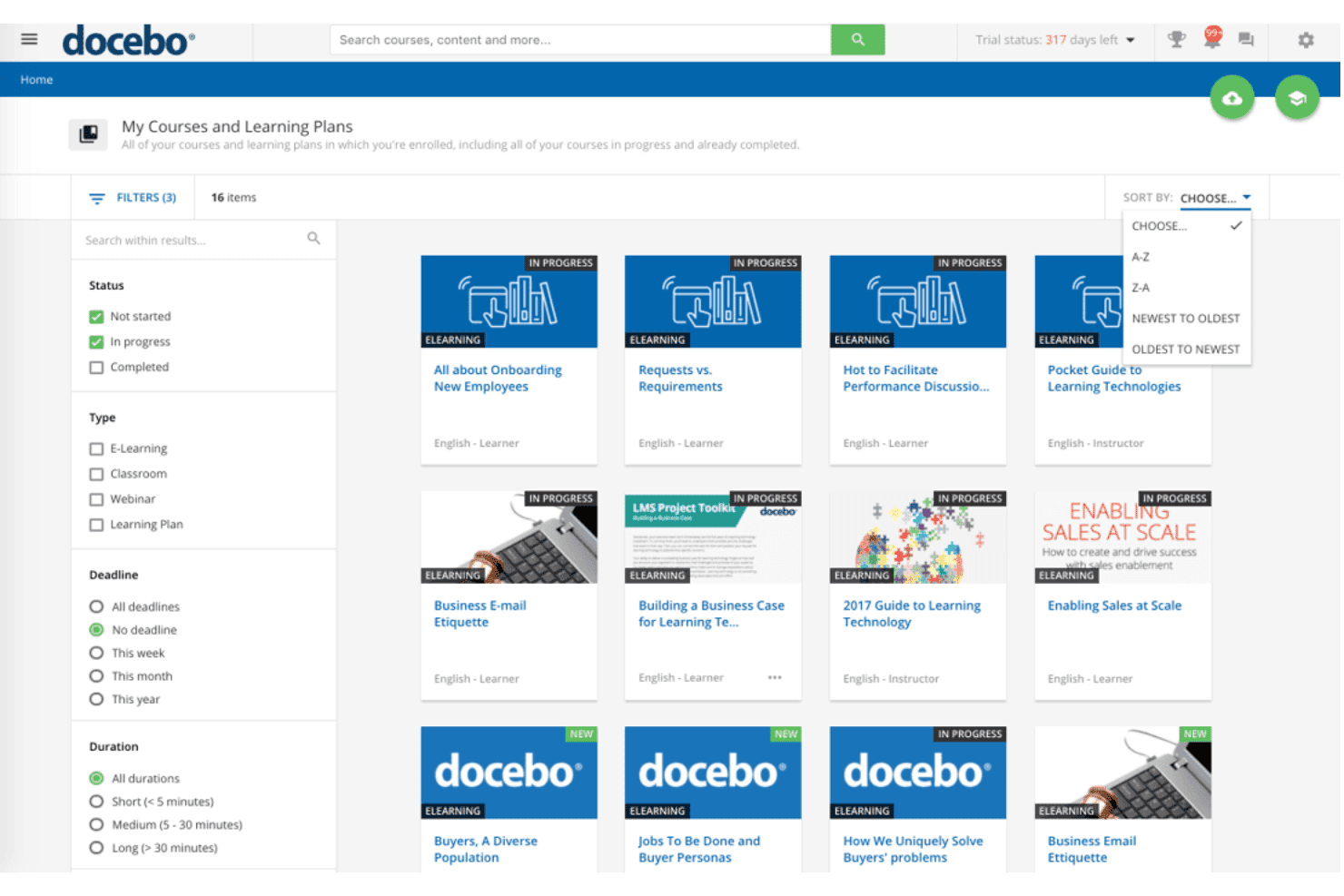
Docebo lets users filter and sort enrolled courses by status and type. Docebo is a retail LMS platform built around mobile-first delivery, AI-powered content authoring, multilingual training, and multi-location management for franchise and store networks.
Who Is Docebo Best For?
Docebo is a strong fit for mid-to-large retail and franchise organizations that need to train multilingual, frontline workforces across dozens or hundreds of locations from a single platform.
Why I Picked Docebo
I picked Docebo as one of the best because of how well its Extended Enterprise feature handles brand consistency across franchise networks. You can stand up to 10 separate, white-labeled learning domains, each with its own sub-admins and content controls, so every region or franchise group trains on a version of the platform that looks and feels like your brand. Paired with auto-translation into 50+ languages, the Go.Learn mobile app delivers that same standardized experience to frontline associates worldwide, whether they're in a flagship store or a remote franchise location.
Docebo Key Features
- Go.Learn mobile app: A native iOS and Android app with offline access, push notifications, biometric login, and gamification built in for frontline retail staff.
- AI Roleplay: A simulation-based coaching add-on that lets associates practice sales and customer service scenarios in an interactive virtual environment.
- Content Marketplace: A library of 30,000+ pre-built courses from 150+ publishers, including food safety and customer service content relevant to retail teams.
- Automated certification renewals: The platform automatically reassigns expiring certifications and sends alerts to learners and managers before deadlines.
Docebo Integrations
Docebo lists 400+ integrations, including ADP Workforce Now, Workday, Dayforce, BambooHR, UKG, Shopify, Power BI, OpenSesame, and Go1. Its open REST API, webhooks, SCIM, and Docebo Connect support custom connectivity.
Pros and Cons
Pros:
- AI-powered content authoring for microlearning
- Multilingual auto-translation supports global franchises
- Branded mobile app with offline access
Cons:
- Key retail features sold as add-ons
- Minimum 250 users required to start
Learn more about Docebo: Best for linking franchise training to business KPIs
- Free demo available
- Pricing upon request
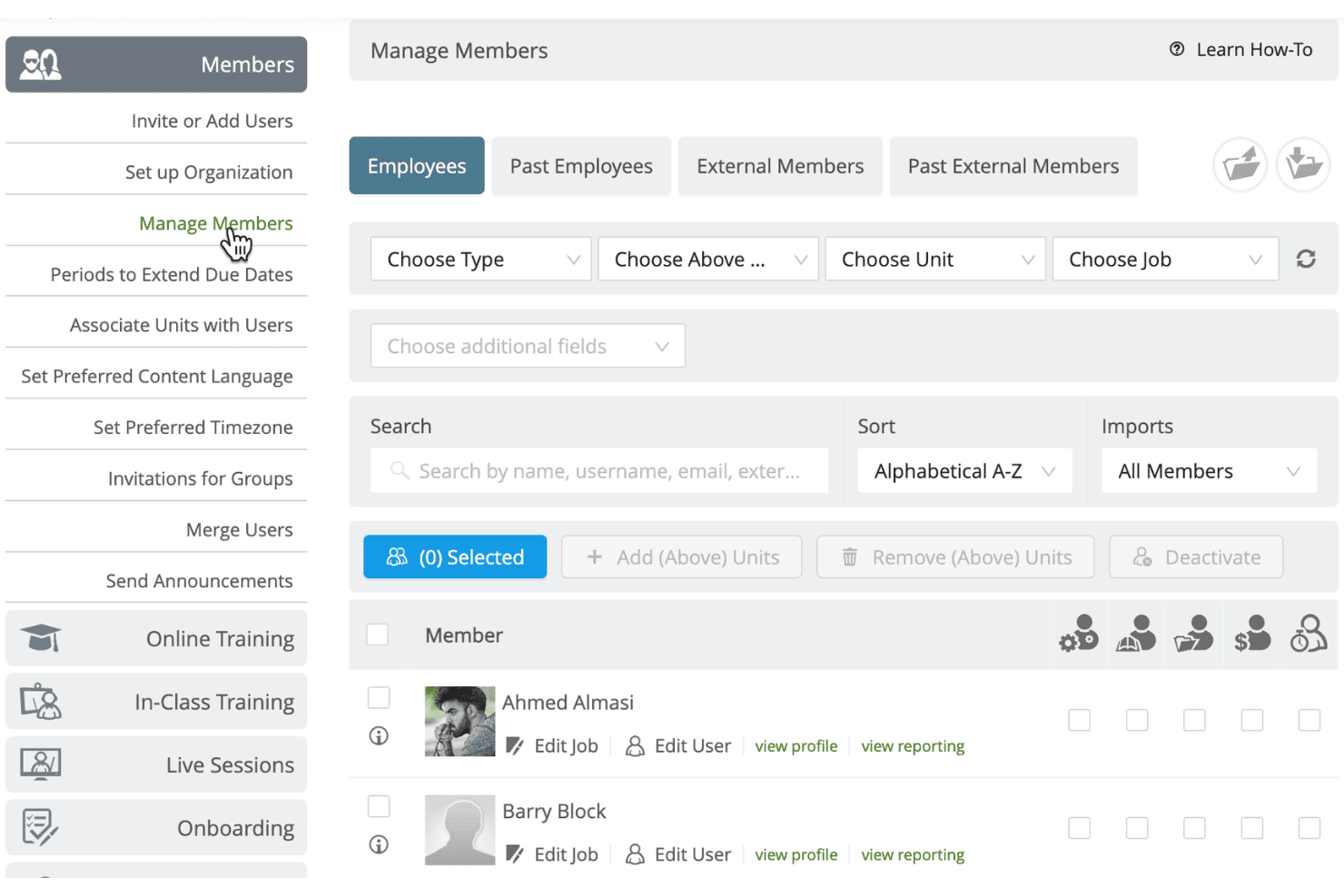
Schoox lets admins manage, filter, and organize employee members. Schoox is a retail LMS built for frontline and franchise workforces, with tools for mobile-first course delivery, multi-location training governance, compliance tracking, content authoring, and business KPI-linked reporting.
Who Is Schoox Best For?
Schoox is a strong fit for franchise and multi-location retail organizations that need to connect training activity directly to business performance metrics.
Why I Picked Schoox
I've included Schoox in my top picks because it's purpose-built for franchise and multi-location retail training, with its Learning Impact Suite directly linking training completion and skills data to business KPIs like sales performance. I love that corporate teams can lock down mandatory content while franchisees at the location level retain authoring flexibility within their own unit. Clients like Biscuitville and Sport Clips have used exactly this structure to cut new-hire time-to-productivity by 57%.
Schoox Key Features
- Native mobile app: iOS and Android app with offline access, push notifications, and QR code attendance tracking for in-person training events.
- Content marketplace: Access to 100,000+ courses from 13 providers, including StateFoodSafety, Traliant, and HSI, licensed separately from the platform.
- Gamification module: Configurable points, badges, and leaderboards tied to course completions, with leaderboard scope adjustable by company or department.
- HRIS integrations: Pre-built connectors to ADP Workforce Now, UKG Pro, UKG Ready, Workday, Oracle, SAP, and Paylocity, with SCIM provisioning and SAML SSO support.
Schoox Integrations
Schoox offers documented integrations with ADP Workforce Now, UKG Pro, UKG Ready, Workday, Oracle, SAP, Paylocity, and Fourth/HotSchedules. It also supports SFTP, RESTful API, and SAML/SCIM for custom HR and identity connections.
Pros and Cons
Pros:
- Mobile app includes offline and QR attendance
- Built for franchises and multi-location retailers
- Correlates training and business KPIs directly
Cons:
- Requires dedicated user onboarding sessions
- No self-serve free trial available
Learn more about Schoox: Best for tying associate training to sales outcomes
- Free demo available
- Pricing upon request
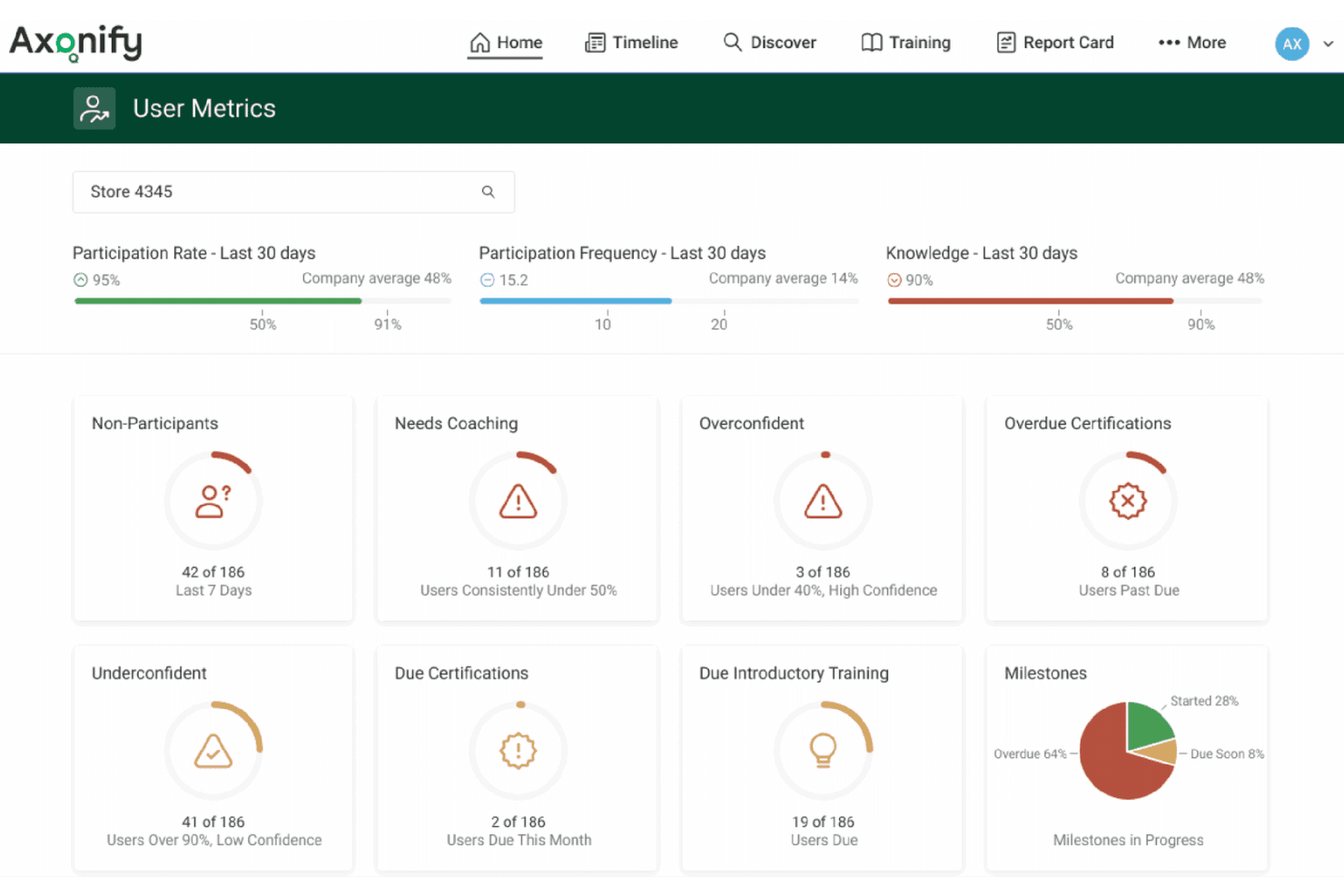
Axonify surfaces coaching needs and training gaps by store location. Axonify is a mobile-first retail LMS built for frontline workforces, delivering adaptive microlearning, AI-powered content authoring, shift-integrated task management, and training analytics tied to business performance metrics.
Who Is Axonify Best For?
Axonify is a strong fit for mid-to-large enterprise retailers with high-turnover frontline workforces spread across dozens or hundreds of locations.
Why I Picked Axonify
I picked Axonify because no other retail LMS I've seen connects training completion directly to sales outcomes the way its Axonify Impact™ framework does, linking knowledge scores to metrics like sales lift and average ticket value. The adaptive microlearning engine personalizes each associate's daily 3–5 minute session, skipping content they've mastered and drilling into gaps, so floor staff are actually retaining product knowledge. Add in Guided Execution for shift-integrated task management, and training stops living in a separate app and starts driving real operational behaviour.
Axonify Key Features
- Co-Creator AI authoring: Converts existing SOPs, policies, and documents into structured training content automatically.
- Max Assistant: An AI agent that answers associate questions on the job in 60+ languages, accessible directly on mobile devices.
- Guided Execution task management: Delivers shift-integrated checklists, audits, and two-way communications alongside daily training sessions.
- BYOD onboarding access: Lets associates enroll and complete training on personal devices without a corporate email address or IT-provisioned hardware.
Axonify Integrations
Axonify offers native integrations with Workday HCM, UKG Dimensions, Microsoft Teams, Zebra Technologies, and OpenSesame, plus integrations with SAP SuccessFactors, ADP, Ceridian, and Cornerstone. It also supports SSO, SCIM, open APIs, and MCP for custom integrations.
Pros and Cons
Pros:
- AI adapts daily content for each user
- Delivers mobile-first microlearning for associates
- Directly links training to sales performance
Cons:
- No native integration with retail POS systems
- Admin interface is complex for new managers
Learn more about Axonify:
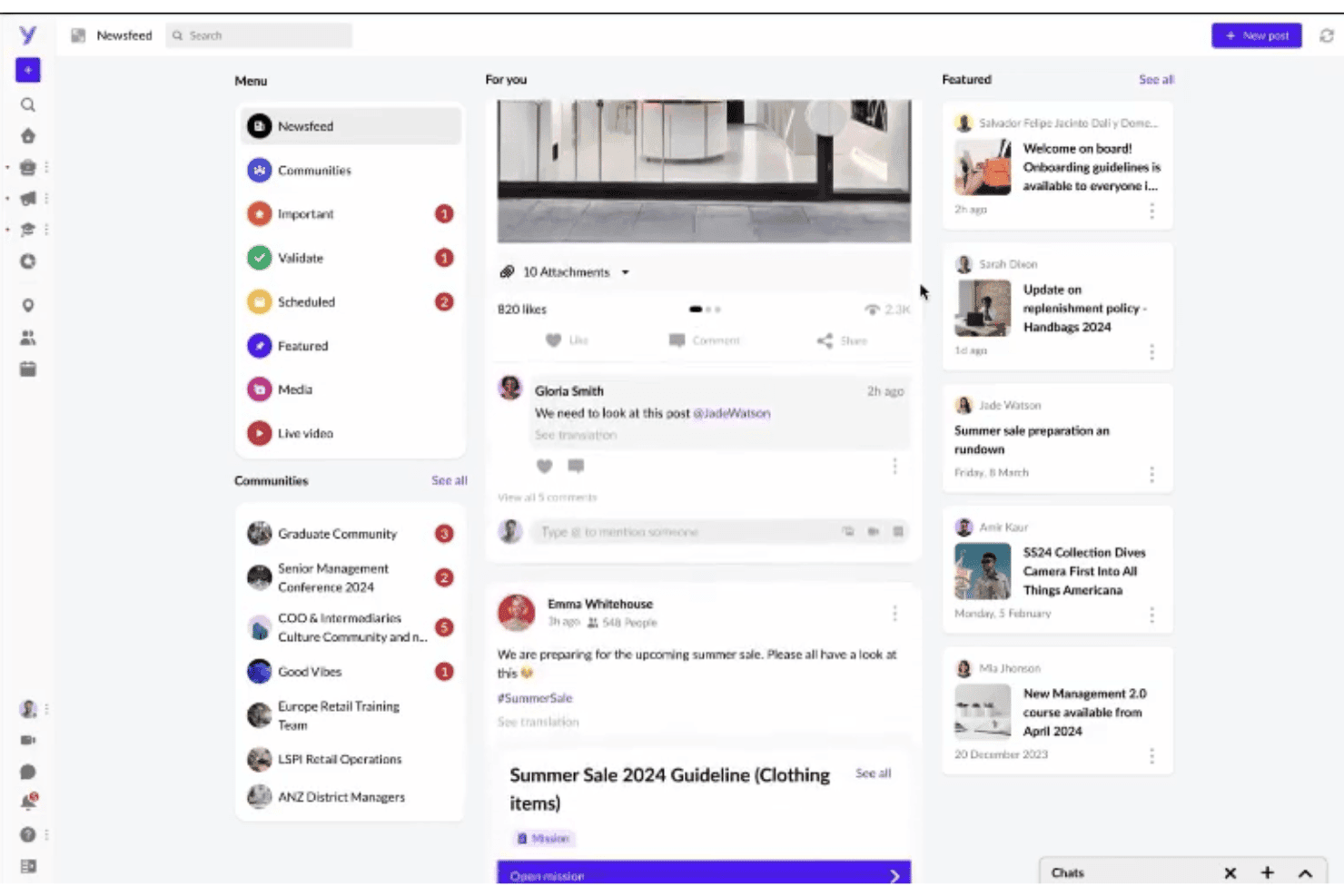
YOOBIC centralizes team updates and content in a social-style newsfeed. YOOBIC is a frontline retail LMS that combines mobile-first microlearning, AI-powered course authoring, task management, and team communications in a single app built for deskless store associates.
Who Is YOOBIC Best For?
YOOBIC is a strong fit for multi-location retailers that need to onboard high volumes of frontline associates quickly and keep training consistent across dozens or hundreds of stores.
Why I Picked YOOBIC
I've included YOOBIC in my top picks because its AI-powered course builder and automated learning path assignment are genuinely built for multi-store onboarding at scale. I like that you can trigger a structured onboarding path the moment a hire date is logged, meaning a new associate in store 47 gets the same first-day experience as one in store 247. The AI course creator transforms SOPs and product specs into deployable microlearning modules, which Longchamp used to cut content creation time by 10 hours per week.
YOOBIC Key Features
- Gamified learning formats: Includes points, badges, leaderboards, and store-vs-store competitions to drive engagement among frontline associates.
- OpenSesame content library: Gives your team access to 25,000 pre-built courses for compliance, safety, and off-the-shelf training topics.
- Social and peer learning feeds: Built-in communities and peer video sharing let associates across locations exchange best practices in real time.
- YOOBIC BI data layer: Exposes a read-only MySQL database so your analytics team can pull YOOBIC data directly into Tableau or Power BI.
YOOBIC Integrations
YOOBIC supports 200+ integrations, including SharePoint, Salesforce, Microsoft Teams, Tableau, OpenSesame, and UKG Marketplace. A public REST API supports custom connections with HR, POS, ERP, CRM, and BI systems.
Pros and Cons
Pros:
- Role-based training automation for multi-store deployment
- AI-powered microlearning content creation tools
- Mobile-first app for frontline associates
Cons:
- Interface can be confusing for some users
- Lacks comprehensive external content syndication
Learn more about YOOBIC:
Other Retail LMS Software
Here are some additional retail LMS software options that didn’t make it onto my shortlist, but are still worth checking out:
- 11Thrive LearningBest for co-created retail content and AI coaching
- 12LitmosBest for AI-driven multi-location store training
- 13AbsorbBest for franchise-scale compliance and onboarding
- 14TalentLMSBest for IT-free LMS setup across store locations
- 15SkyPrepBest for lean L&D teams scaling store training
- 16eloomiBest for AI-translated multilingual store training
- 17LearnWorldsBest for franchise onboarding across locations
- 18CYPHER LearningBest for using AI agents to build retail courses
- 19TovutiBest for AI-authored content across store locations
- 20BridgeBest for franchise and multi-location store networks
How I Evaluate Retail LMS Software
I split my evaluation into two layers: the baseline capabilities a tool must nail—like mobile access, multi-location management, and compliance tracking—and the differentiators that separate genuinely retail-ready platforms from generic e-learning tools dressed up for the floor.
Core Functionality (Table Stakes for This List)
When I'm selecting tools for my list, I rank each one on a scale from 0 (does not offer the functionality) to 5 (excels in this area) for each core functionality listed below. I then calculate the tool's total score as a percentage, using 65% as a benchmark to help assess its overall fit for the list.
- Mobile-first learning: I evaluate whether associates can complete training on their phones during shifts, including offline access and push notifications.
- Microlearning and authoring: Short modules matter in retail, so I look for drag-and-drop builders, quiz tools, and AI-assisted content creation.
- Multi-location management: I check how each platform handles location hierarchies, regional sub-admins, and automated content targeting by store or role.
- Compliance and certification tracking: Automated recertification reminders, audit-ready reports, and expiration alerts are what I look for here.
- Reporting and analytics: Dashboards that break down completion and performance by store, region, and role help leaders spot gaps fast.
- HRIS and POS integrations: I look for native connectors to workforce management and HR systems that auto-provision learners when new hires are added.
Once I have a list of tools that meet the criteria, I consider what sets each platform apart.
Differentiating Factors (What Sets Vendors Apart)
Here's how I compare and contrast different vendors:
Standout Features
I look for sales performance correlation—platforms like Axonify and Rallyware that link quiz scores and course completions to POS data so you can tie training directly to basket size or category sell-through. Gamification with store-vs-store leaderboards keeps associates engaged between product launches. I also evaluate shift-integrated coaching, where managers push micro-lessons during pre-shift huddles based on workforce management data.
Beyond Features
Retail turnover often tops 60%, so I evaluate how quickly each platform gets new hires productive—looking for pre-built onboarding templates, BYOD-friendly access, and self-serve enrollment that doesn't need IT provisioning. I also check franchise governance models, including sub-admin permissions, content-locking, and white-labeling per brand or region. Native connectors to retail-specific systems like UKG, ADP, or Shopify POS matter far more than generic integrations, since auto-assigning training on hire date or role change saves L&D teams real time.
How to Choose a Retail LMS Software
How do you pinpoint a retail LMS that truly fits your store network’s realities and frontline needs instead of more generic e-learning software?
| If your priority is... | Look for... |
|---|---|
| If your priority is...Fast onboarding for new hires | Look for...Mobile-first modules with self-serve enrollment |
| If your priority is...Tying training to sales or performance | Look for...POS or HRIS integrations that surface actionable metrics |
| If your priority is...Store-by-store control | Look for...Sub-admin permissions and content targeting by location |
| If your priority is...Franchise or region-specific compliance | Look for...Automated audit trails and multi-brand content workflows |
| If your priority is...Keeping training relevant and engaging | Look for...AI-assisted microlearning and social peer-content tools |
How to Vet Your Shortlist
- Test mobile usability: Run a 15-minute training on a personal device during a standard store shift—note offline access or lag.
- Validate integration depth: Ask for a demo linking quiz scores to real POS or HR systems, not just a list of possible connectors.
- Review compliance reporting: Request a sample audit report showing recertification, expiration alerts, and role/region targeting.
- Trial onboarding flow: Have a new hire enroll and complete a module without IT involvement—track minutes to completion.
- Tradeoff—agility vs. governance: Weigh flexible, easy-to-edit DIY platforms against stricter tools with stronger franchise or legal controls for compliance.
What Is Retail LMS Software?
Retail LMS software is a learning management system designed for training, onboarding, and upskilling retail staff across multiple store locations. These platforms help you manage employee learning, track compliance, and deliver microlearning modules that support fast-paced retail environments. Retail LMS software addresses challenges like high staff turnover, changing product lines, and the need for practical, on-the-job training tailored to frontline teams.
Features of Retail LMS Software
When selecting retail LMS software, keep an eye out for the following key features:
- Mobile-first learning: Enables store associates to access training modules on their phones or tablets during shifts, with options for offline access and push notifications. This helps training fit into fast-paced retail environments.
- Microlearning and content authoring: Provides tools to create short, interactive learning modules. Drag-and-drop builders, quizzes, and quick updates keep content relevant and easy to launch for new products or procedures.
- Multi-location management: Lets you segment users by store, brand, or region. Supports custom roles and permissions for sub-admins, so each location gets tailored training and reporting.
- Compliance and certification tracking: Automates recurring training, sends expiration alerts, and stores audit-ready reports. Ensures staff stay up to date with regulations and certifications by role or location.
- Reporting and analytics: Breaks down training completion and performance by store, department, and job function. Helps you identify gaps, monitor trends, and connect learning data to business KPIs.
- HRIS and POS integrations: Connects to workforce management, HR, or POS systems to automatically enroll new hires or trigger role-based training. This ensures learning assignments stay current with staff changes.
- Self-serve enrollment: Allows employees to join training and complete onboarding without IT intervention. Supports faster onboarding in high-turnover environments and gives learners control over their progress.
- Automated notifications and reminders: Sends emails or push notifications to alert staff when new training is assigned or deadlines are approaching. Helps drive timely completion and keeps learning top of mind.
- Role-based access controls: Customizes learning paths, dashboards, and permissions so that managers, supervisors, and associates see only what is relevant to them. Simplifies navigation and protects sensitive information.
Common Retail LMS Software AI Features
Beyond the standard retail LMS software features listed above, many of these solutions are incorporating AI with features like:
- AI-authored content creation: Automatically generates training modules, quizzes, and microlearning content based on product updates, compliance needs, or skill gaps. This helps L&D teams keep training fresh without manual authoring.
- AI-driven skills gap analysis: Analyzes employee performance data and learning history to identify knowledge gaps, then recommends targeted training paths for each associate or store location.
- AI-powered adaptive learning paths: Adjusts the sequence and difficulty of training modules in real time based on each learner’s progress, quiz results, and engagement patterns to maximize retention and completion rates.
- AI translation and localization: Instantly translates training content into multiple languages and adapts it for regional or cultural differences, making it easier to deliver consistent training across global store networks.
- AI chatbots for learner support: Provides on-demand, conversational assistance to answer training questions, guide users through modules, and troubleshoot common issues without manager intervention.
- AI-based performance correlation: Links training completion and assessment scores to sales or operational data, surfacing insights on how learning impacts KPIs like basket size, conversion rates, or compliance incidents.
Benefits of Retail LMS Software
Implementing retail LMS software provides several benefits for your team and your business. Here are a few you can look forward to:
- Faster onboarding and new hire productivity: Mobile-first modules and self-serve enrollment help frontline employees complete required onboarding quickly—often without IT involvement.
- Consistent training across locations: Multi-location management and content targeting ensure staff in every store, region, or franchise get the right learning materials and compliance training.
- Real-time performance insights: Built-in reporting and analytics break down training activity by store, role, or region so you can spot gaps and focus coaching.
- Automated compliance tracking: Recertification reminders, expiration alerts, and audit-ready reports help you stay on top of regulatory and brand standards without manual tracking.
- Engaging and relevant learning experiences: Microlearning modules, drag-and-drop authoring, and gamification features keep training fresh, short, and interactive for busy store teams.
- Direct operations with HRIS and POS integrations: Native connectors automatically enroll new hires and tie learning progress to operational data like sales and role changes.
- Localized and accessible learning: AI-driven translation and adaptive paths deliver training in multiple languages and formats, making it easier for diverse and distributed teams to participate.
Costs and Pricing
Selecting retail LMS software requires an understanding of the various pricing models and plans available. Costs vary based on features, team size, add-ons, and more. The table below summarizes common plans, their average prices, and typical features included in retail LMS software solutions:
Plan Comparison Table for Retail LMS Software
| Plan Type | Average Price | Common Features |
|---|---|---|
| Plan TypeFree Plan | Average Price$0 | Common FeaturesBasic course creation, limited user seats, basic reporting, and email support. |
| Plan TypePersonal Plan | Average Price$8–$25/user/month | Common FeaturesUnlimited courses, mobile access, some integrations, standard analytics, and self-serve onboarding. |
| Plan TypeBusiness Plan | Average Price$20–$50/user/month | Common FeaturesMulti-location management, advanced analytics, compliance tracking, role-based permissions, and chat support. |
| Plan TypeEnterprise Plan | Average Price$40–$100/user/month | Common FeaturesCustom integrations, franchise governance, audit-ready reports, AI-powered features, and dedicated account management. |
Retail LMS Software FAQs
Here are some answers to common questions about retail LMS software:
How can you ensure a retail LMS meets frontline employee needs?
Start by testing mobile access for retail employee training on personal devices during a shift on the sales floor. Look for mobile learning platforms supporting offline use and push notifications so teams can review a standard operating procedure on-the-go. Using microlearning here helps busy managers track performance by location and improve employee retention.
What integrations matter most for retail LMS software?
Focus on native HRIS, POS, and single sign-on (SSO) systems like ADP or Shopify POS. These connections enable automated onboarding, letting you assign sales training or customer education based on role. They also track how employee onboarding impacts KPIs. Avoid generic app lists; deep integrations ensure scalability and deliver real business insights.
Can you tailor training by location or brand within a retail LMS?
Yes, leading retail LMS platforms offer multi-location management. You should be able to assign content, track results, and set sub-admin permissions by store, region, or franchise brand. This means you can target updates to certain locations, manage compliance workflows for different regions, and support unique onboarding processes across your store network.
How does AI add value to retail learning platforms?
AI features in retail LMS software can generate new training modules quickly, analyze skills gaps across your teams, and translate content into multiple languages with minimal effort. Some tools even use AI to adapt learning paths or connect quiz results with actual sales data, helping you refine training and measure business impact over time.
What should you watch out for when evaluating retail LMS vendors?
Always validate vendor claims—ask for a live demo showing integrations with real POS or HR systems, request sample compliance reports, and run a fresh-hire through the onboarding flow. Make sure the platform supports both franchise governance and agile content updates, since retail priorities often shift fast and you’ll need a system that can adapt quickly.