

10 Best Age Verification Software in 2026

Best Age Verification Software Shortlist


Age verification software helps your business confirm a user’s date of birth and identity before granting access to age-restricted content, products, or services. These age verification services use methods like online age verification, checks against identity documents, or database validation to ensure compliance with regulatory requirements. Businesses use these tools to control access to areas like adult content or restricted purchases while maintaining a smooth customer experience. In this guide, you’ll find a curated shortlist of top solutions, with details on features, integrations, and what makes each tool unique, so you can confidently choose the right fit for your business in 2026.
Why Trust Our Software Recommendations
Our team has been testing and reviewing software since 2012. As retail leaders ourselves, we know how difficult—and important—it is to choose the right software.
For this guide, we evaluated tools using hands-on testing and independent research, scoring tools using our selection criteria.
Our reviews reflect our independent judgment—not a sales pitch.
Best Age Verification Software Summary
This comparison chart summarizes pricing details for my top age verification software selections to help you find the best one for your budget and business needs.
| Tool | Best For | Trial Info | Price | ||
|---|---|---|---|---|---|
| 1 | Best with multiple verification methods for compliance | Free demo available | Pricing upon request | Website | |
| 2 | Best for customizable onboarding workflows | Free demo available | Pricing upon request | Website | |
| 3 | Best for targeted age-based discount programs | Not available | Pricing upon request | Website | |
| 4 | Best for biometric and liveness detection features | Free demo available | Pricing upon request | Website | |
| 5 | Best for global language and dialect support | Free demo available | Pricing upon request | Website | |
| 6 | Best for global document and data source coverage | Free demo available | Pricing upon request | Website | |
| 7 | Best for privacy-first facial age estimation | Not available | Pricing upon request | Website | |
| 8 | Best for rapid AI-powered age estimation | Free demo available | Pricing upon request | Website | |
| 9 | Best for layered physical and digital identity checks | Free demo available | Pricing upon request | Website | |
| 10 | Best for hardware integration with ID scanners | Free trial + free demo available | From $35/month | Website |
Best Age Verification Software Reviews
Below are my detailed summaries of the age verification software that made it onto my shortlist. My reviews offer a detailed look at the features, integrations, and best use cases of each platform to help you find the best one for you.

Sumsub
Best with multiple verification methods for compliance
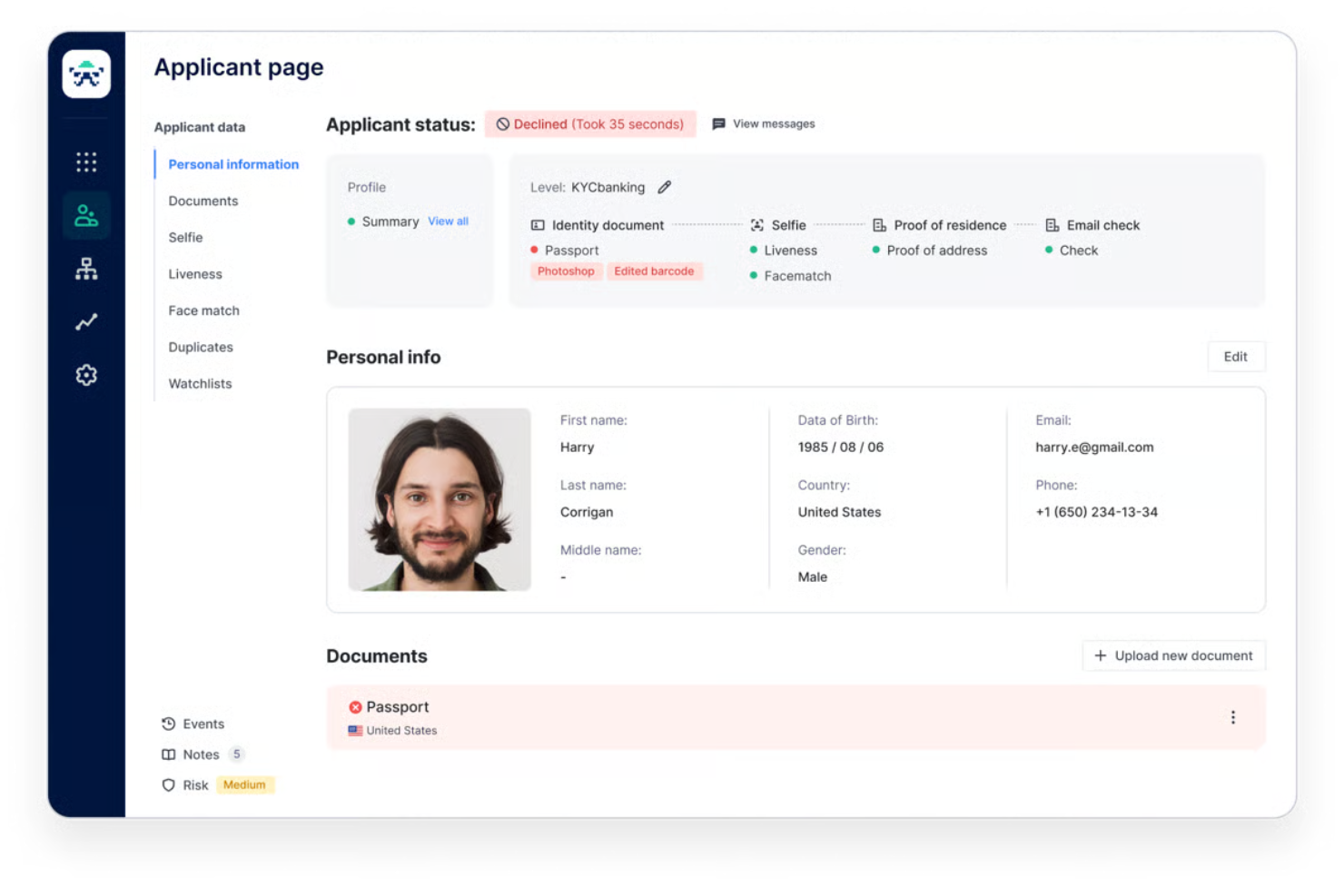
Sumsub is a digital identity verification platform designed for e-commerce, fintech, gaming, and regulated industries that need to verify customer ages quickly and stay compliant with global regulations.
Who Is Sumsub Best For?
Enterprises and regulated businesses needing flexible age checks across multiple regions and compliance requirements.
Why I Picked Sumsub
I picked Sumsub as one of the best because it lets my team combine document checks, biometric analysis, and database lookups for age verification. I like that we can tailor the verification flow to match different compliance rules in each market. In practice, that means we can verify users with passports, driver’s licenses, or even selfies, depending on what’s required.
Sumsub Key Features
- Age estimation AI: Uses facial analysis to estimate user age without requiring documents.
- Customizable user flows: Lets you design verification steps to fit your business process.
- Real-time monitoring dashboard: Tracks verification status and flags suspicious attempts instantly.
- Global language support: Offers verification in multiple languages for international users.
Sumsub Integrations
Sumsub offers a unique Unilink integration, allowing you to add an identity verification link or QR code to your website for instant age checks. An API is also available for custom integrations.
Pros and Cons
Pros:
- Fast verification times for high-volume sites
- Customizable verification flows for compliance needs
- Supports document, biometric, and database checks
Cons:
- Some verification steps require manual review
- Occasional false positives in biometric checks
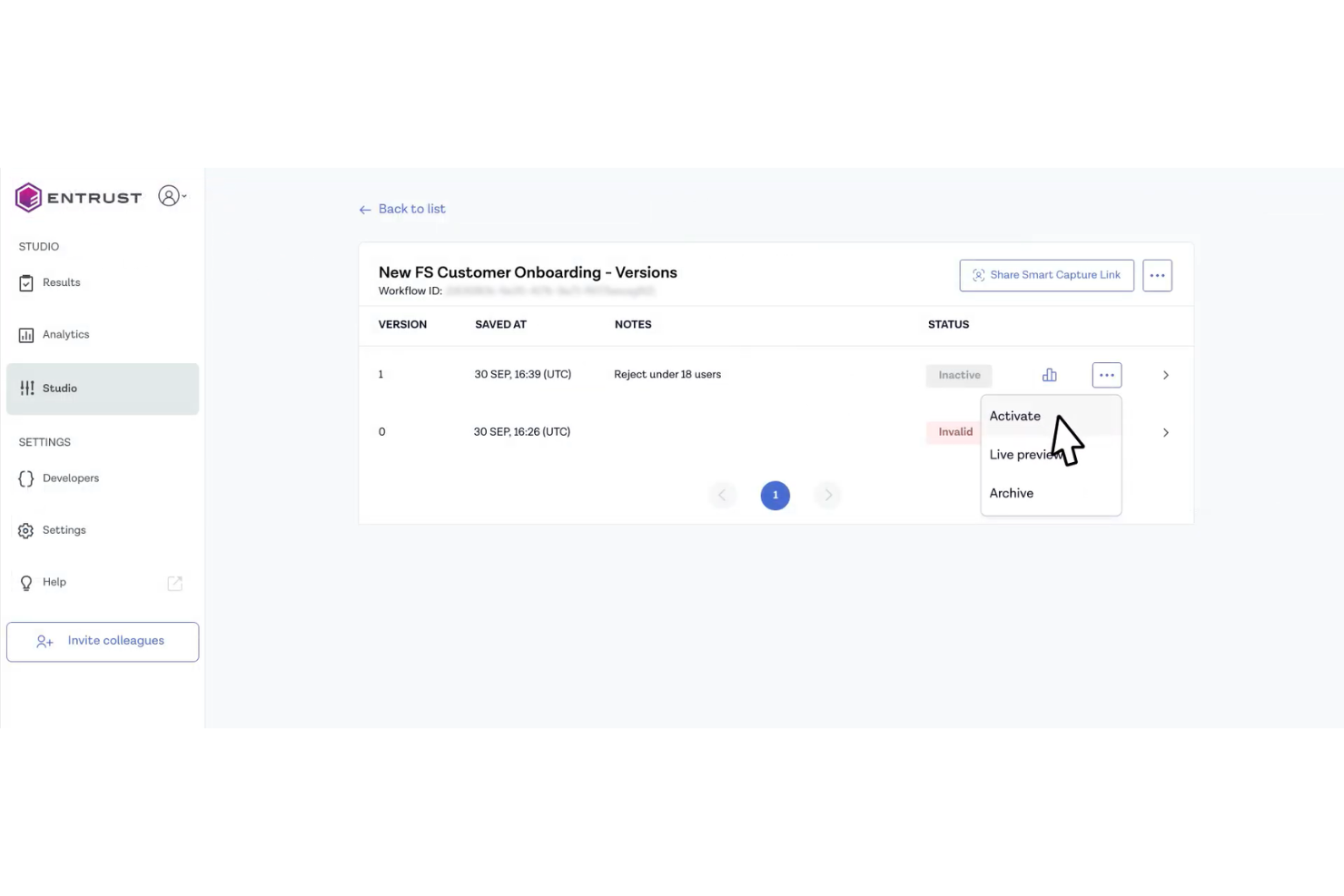
Entrust is an identity verification platform used by banks, fintechs, and retailers to automate age checks and prevent fraud during digital onboarding and customer transactions.
Who Is Entrust Best For?
Entrust is a strong fit for banks, fintechs, and ecommerce businesses that need to verify customer age and identity during digital onboarding.
Why I Picked Entrust
I picked Entrust as one of the best because I can build onboarding workflows that fit my business rules, including custom age checks and document types. I like that I can combine biometric verification with document scanning, so my team can adapt the process for different risk levels or compliance needs. The drag-and-drop workflow builder lets me quickly update steps as regulations or business requirements change.
Entrust Key Features
- Global document coverage: Supports ID verification for passports, driver’s licenses, and national IDs from over 195 countries.
- Face match technology: Compares a selfie to the ID photo for biometric verification.
- Real-time fraud detection: Flags suspicious or altered documents during the verification process.
- Audit trail reporting: Generates detailed logs for compliance and regulatory review.
Entrust Integrations
Native integrations are not currently listed. However, it provides an API for custom integrations.
Pros and Cons
Pros:
- Offers global coverage for ID verification
- Supports biometric and document-based age checks
- Customizable onboarding and verification workflows
Cons:
- No support for in-person hardware scanners
- Can reject low-quality or blurry images
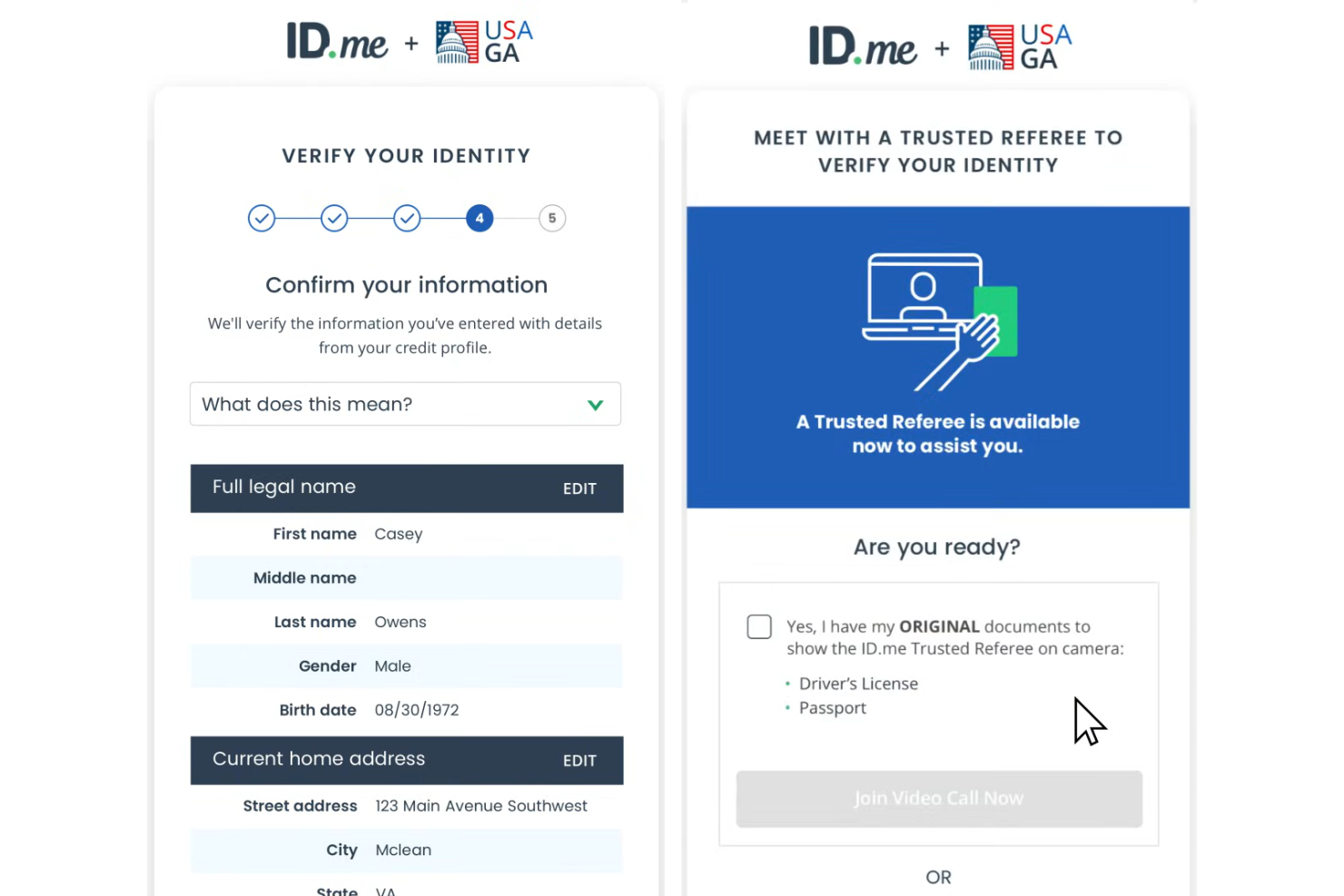
ID.me is an identity verification platform that helps retailers, ecommerce brands, and service providers confirm customer ages and eligibility for exclusive offers or regulated products.
Who Is ID.me Best For?
Retailers and brands running age-based promotions or loyalty programs in the United States.
Why I Picked ID.me
I picked ID.me as one of the best because I can set up targeted age-based discount programs that verify eligibility instantly at checkout. I like that my team can segment offers for students, seniors, or military groups using ID.me’s group verification. In practice, that means we can automate age and group checks for exclusive promotions without manual review.
ID.me Key Features
- Digital identity wallet: Lets users store and manage verified credentials for quick access.
- Multi-factor authentication: Adds extra security to the age verification process.
- Real-time verification API: Enables instant age checks within your checkout or signup flow.
- Compliance reporting dashboard: Provides downloadable reports for audit and regulatory needs.
ID.me Integrations
ID.me offers a smaller set of native integrations, including Shopify, Magento, and Salesforce Commerce Cloud. An API is also available for custom integrations.
Pros and Cons
Pros:
- Enables multi-factor authentication for added security
- Provides compliance-ready audit reporting
- Supports group-based age and identity checks
Cons:
- Requires users to create an ID.me account
- Limited international coverage outside the US

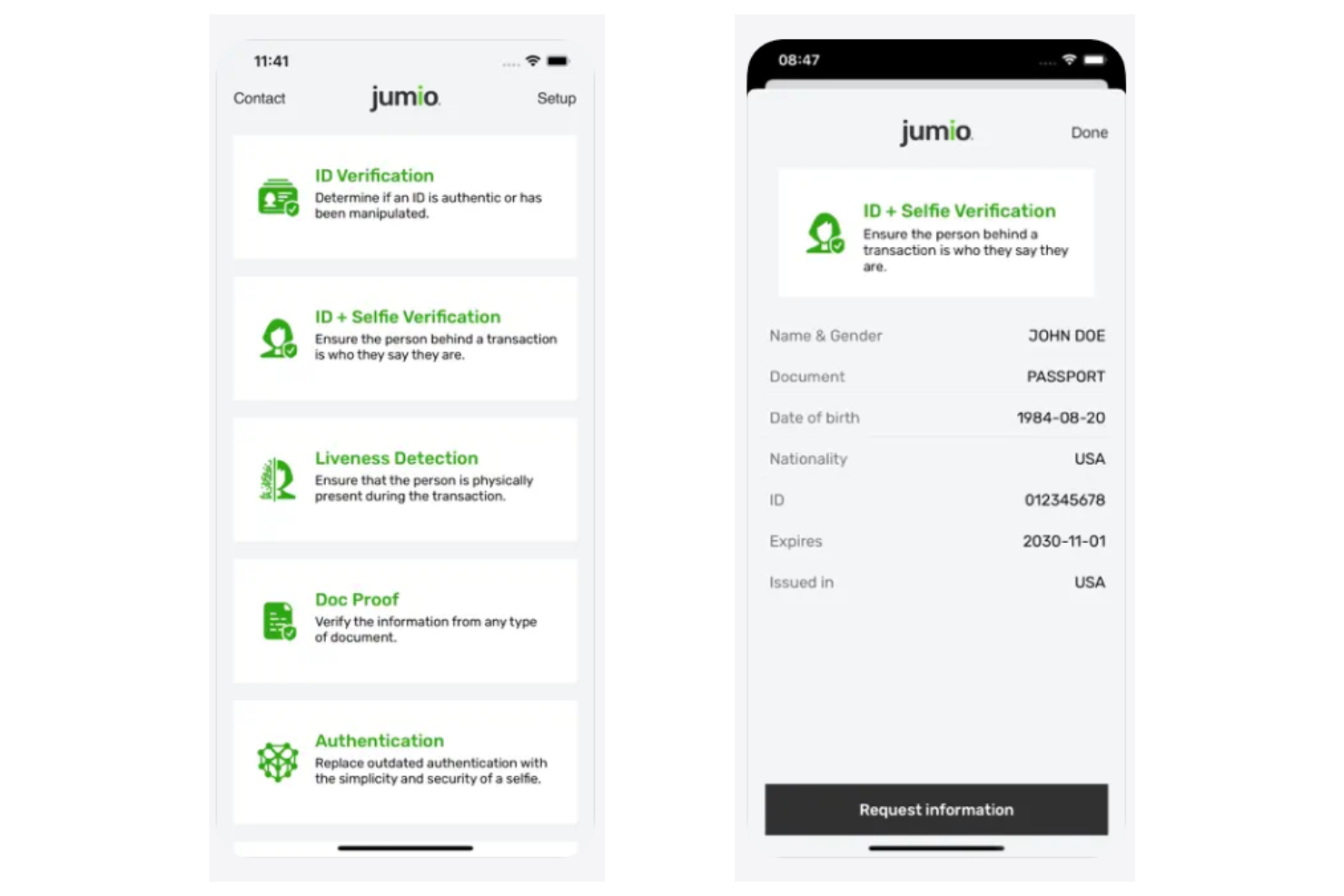
Jumio is an identity and age verification platform used by online retailers, gaming operators, and financial services to prevent underage access and automate compliance with digital onboarding requirements.
Who Is Jumio Best For?
Jumio is a strong fit for global ecommerce, fintech, and online gaming companies that need advanced digital age and identity verification.
Why I Picked Jumio
I picked Jumio as one of the best because I can combine biometric face matching with liveness detection to stop spoofing and fake IDs. My team uses its automated ID document capture and selfie verification to meet strict KYC and age compliance rules. I like that Jumio supports a wide range of global ID types and delivers real-time pass/fail results for digital onboarding.
Jumio Key Features
- Document verification: Scans and authenticates government-issued IDs from over 200 countries.
- Age threshold configuration: Lets you set custom age requirements for different products or regions.
- Audit trail reporting: Tracks every verification attempt for compliance and review.
- Mobile SDKs: Embeds age verification directly into iOS and Android apps.
Jumio Integrations
Jumio offers native integrations with AWS, Microsoft, Azurian, and Oracle and provides an API for custom integrations.
Pros and Cons
Pros:
- Mobile SDKs for in-app age checks
- Supports global ID document types
- Biometric and liveness checks prevent spoofing
Cons:
- Occasional delays during high verification volumes
- Occasional false negatives on poor-quality images

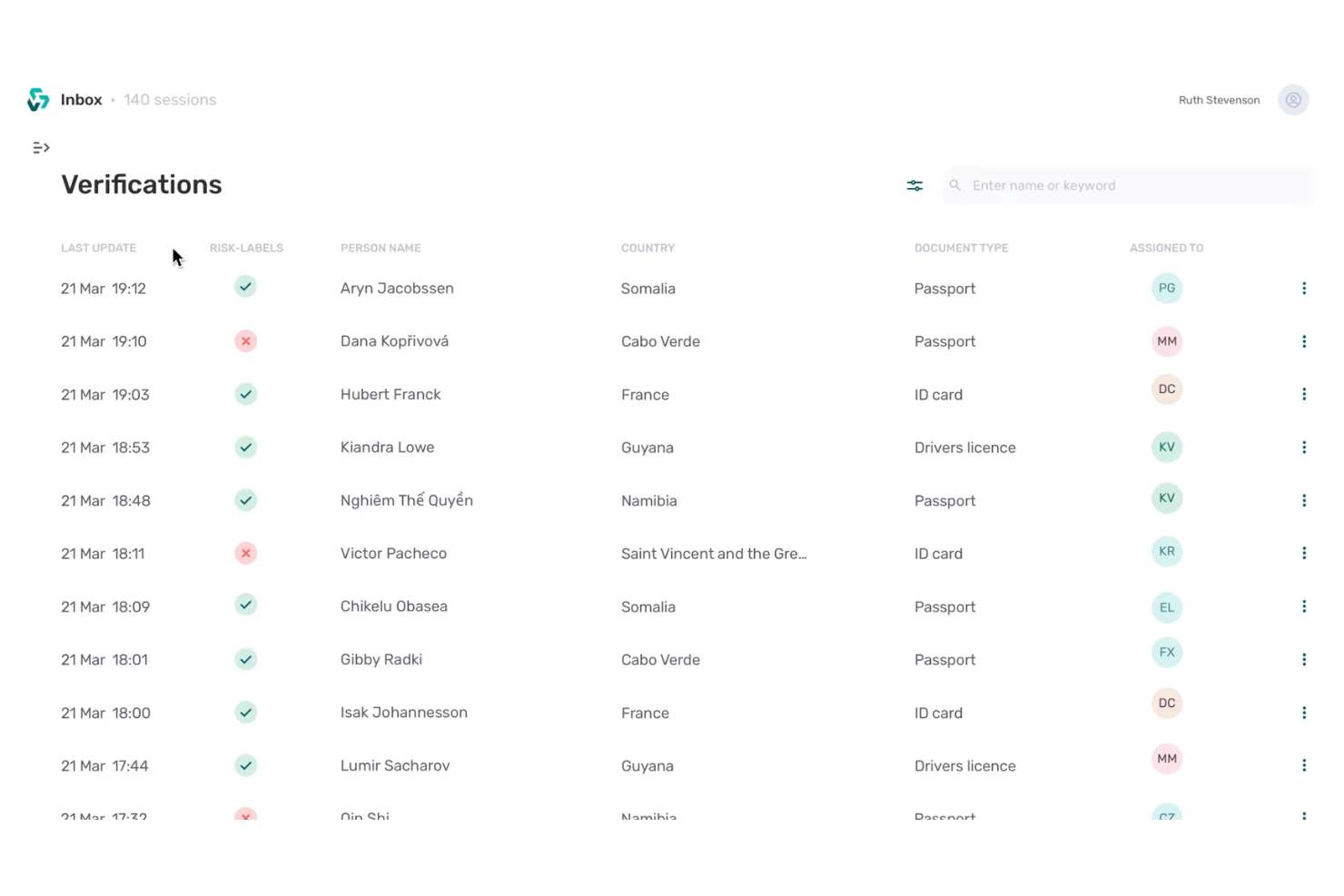
Veriff is an AI-powered age verification platform used by global ecommerce brands, online marketplaces, and digital service providers to quickly confirm customer ages and prevent underage access to restricted products or content.
Who Is Veriff Best For?
International ecommerce and digital service providers needing reliable age checks across multiple languages and regions.
Why I Picked Veriff
I picked Veriff as one of the best because I can verify customer ages in over 45 languages and dialects, which is rare among age verification tools. My team uses Veriff’s AI-powered document and biometric checks to handle global compliance for online sales. I like that we can configure region-specific rules and get real-time results, even for customers in less common language markets.
Veriff Key Features
- Automated decision engine: Instantly approves or rejects age verification attempts based on preset criteria.
- Fraud detection tools: Flag suspicious activity and potential identity fraud during verification.
- Customizable verification flows: Lets you tailor the verification process to your business needs.
- Detailed analytics dashboard: Provides real-time insights into verification rates and outcomes.
Veriff Integrations
Native integrations are not currently listed. However, it connects with Zapier and provides an API for custom integrations.
Pros and Cons
Pros:
- Configurable workflows for different regions
- Offers biometric and document-based verification
- Supports over 45 languages and dialects
Cons:
- Integration setup can require technical resources
- Limited support for offline verification needs

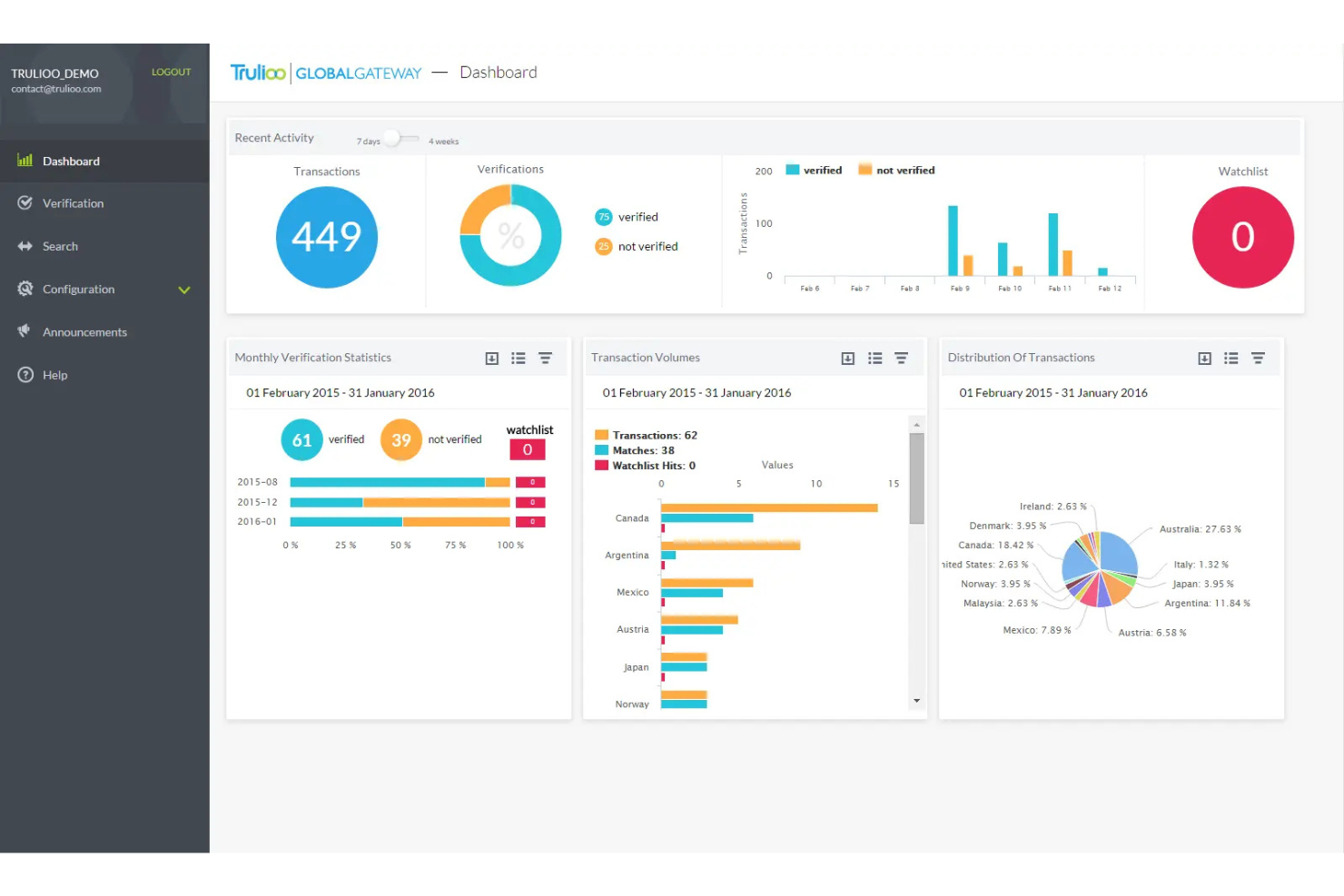
Trulioo is an identity verification platform used by global ecommerce, financial services, and online marketplaces to verify customer age and identity using a wide range of international data sources and document checks.
Who Is Trulioo Best For?
Global banks, fintechs, and online marketplaces needing to verify age and identity across multiple countries and data sources.
Why I Picked Trulioo
I picked Trulioo as one of the best because I can verify age and identity using both government-issued documents and a huge range of international data sources. My team is able to run checks in real time across multiple countries, which is essential for global compliance. I like that Trulioo supports layered verification, letting us combine document scans with database lookups for higher assurance.
Trulioo Key Features
- Watchlist screening: Checks users against global sanctions and PEP lists.
- Consent management: Captures and stores user consent for verification processes.
- Mobile SDKs: Enable age verification directly within mobile apps.
- Detailed audit logs: Tracks every verification attempt for compliance and review.
Trulioo Integrations
Native integrations are not currently listed. However, it provides an API for custom integrations.
Pros and Cons
Pros:
- Enables layered verification for higher assurance
- Includes watchlist and sanctions screening
- Supports verification in over 195 countries
Cons:
- Occasional delays with less common document types
- Higher costs for extensive global coverage

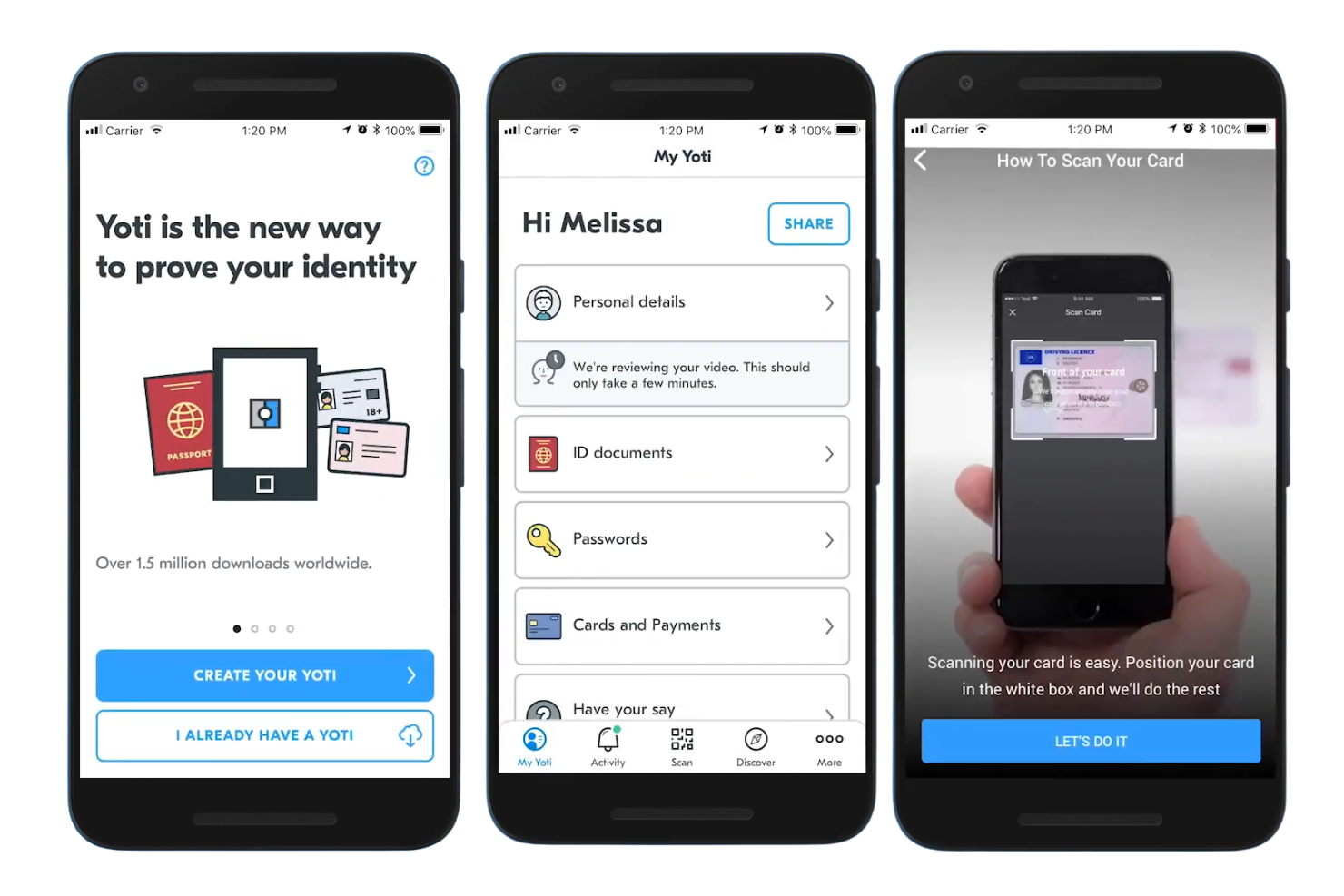
Yoti is a digital age verification platform used by retailers, online marketplaces, and regulated industries to quickly confirm customer ages and prevent underage access to age-restricted goods and services.
Who Is Yoti Best For?
Retailers and online platforms needing fast, privacy-focused age checks for digital transactions.
Why I Picked Yoti
I picked Yoti as one of the best because I can verify customer ages using facial analysis without storing biometric data, which is a big win for privacy. My team uses Yoti’s facial age estimation to meet compliance for online sales without requiring ID uploads. I like that Yoti’s technology works in real time and doesn’t require customers to create an account or share personal details.
Yoti Key Features
- Age verification for physical locations: Lets you verify customer ages in-store using QR codes or kiosks.
- ID document scanning: Supports verification through passports, driving licenses, and national ID cards.
- Detailed audit logs: Tracks every verification attempt for compliance and reporting.
- Customizable user flows: Allows you to tailor the verification process to your business needs.
Yoti Integrations
Yoti offers native integrations with Airtable, BambooHR, Asana, Box, Dropbox, ClickUp, Google Drive, Gusto, HubSpot, Intercom, and more.
Pros and Cons
Pros:
- GDPR and COPPA compliance built in
- No biometric data is stored after checks
- Facial age estimation requires no ID upload
Cons:
- Requires strong lighting for best facial results
- Limited ID document verification outside the UK

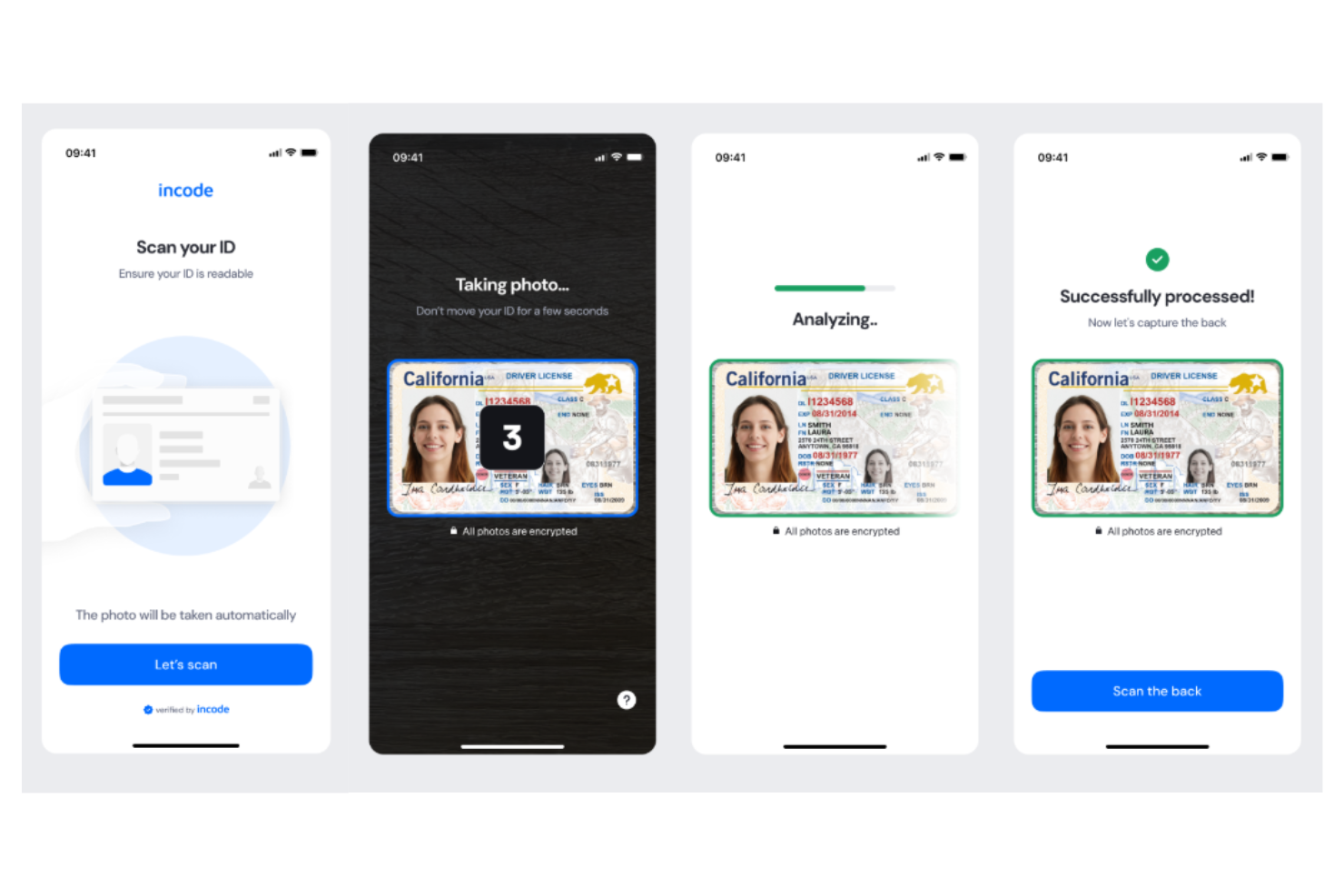
Incode is an identity verification platform used by retailers, gaming operators, and financial services to automate age checks and prevent underage access during digital onboarding and transactions.
Who Is Incode Best For?
Incode is a strong fit for digital-first retailers, online gaming platforms, and fintech companies needing fast, automated age checks.
Why I Picked Incode
I picked Incode as one of the best because I can use its AI-powered facial analysis to estimate age instantly without requiring an ID document. My team relies on its selfie-based age estimation for frictionless customer onboarding, especially in high-volume digital channels. I like that Incode also offers document verification and liveness detection, so I can layer in extra checks when regulations require it.
Incode Key Features
- Omnichannel verification: Supports age checks across web, mobile, and in-person channels.
- Automated watchlist screening: Flags users against global watchlists during verification.
- Customizable workflows: Lets you tailor verification steps to your compliance needs.
- Audit-ready reporting: Generates detailed logs for regulatory and internal audits.
Incode Integrations
Incode offers native integrations with Zendesk and ServiceNow, and provides an API for custom integrations.
Pros and Cons
Pros:
- Offers a frictionless user experience for onboarding
- Liveness detection reduces spoofing risk
- AI estimates age from selfies in seconds
Cons:
- Some regions have limited ID document support
- Limited transparency on AI decision criteria

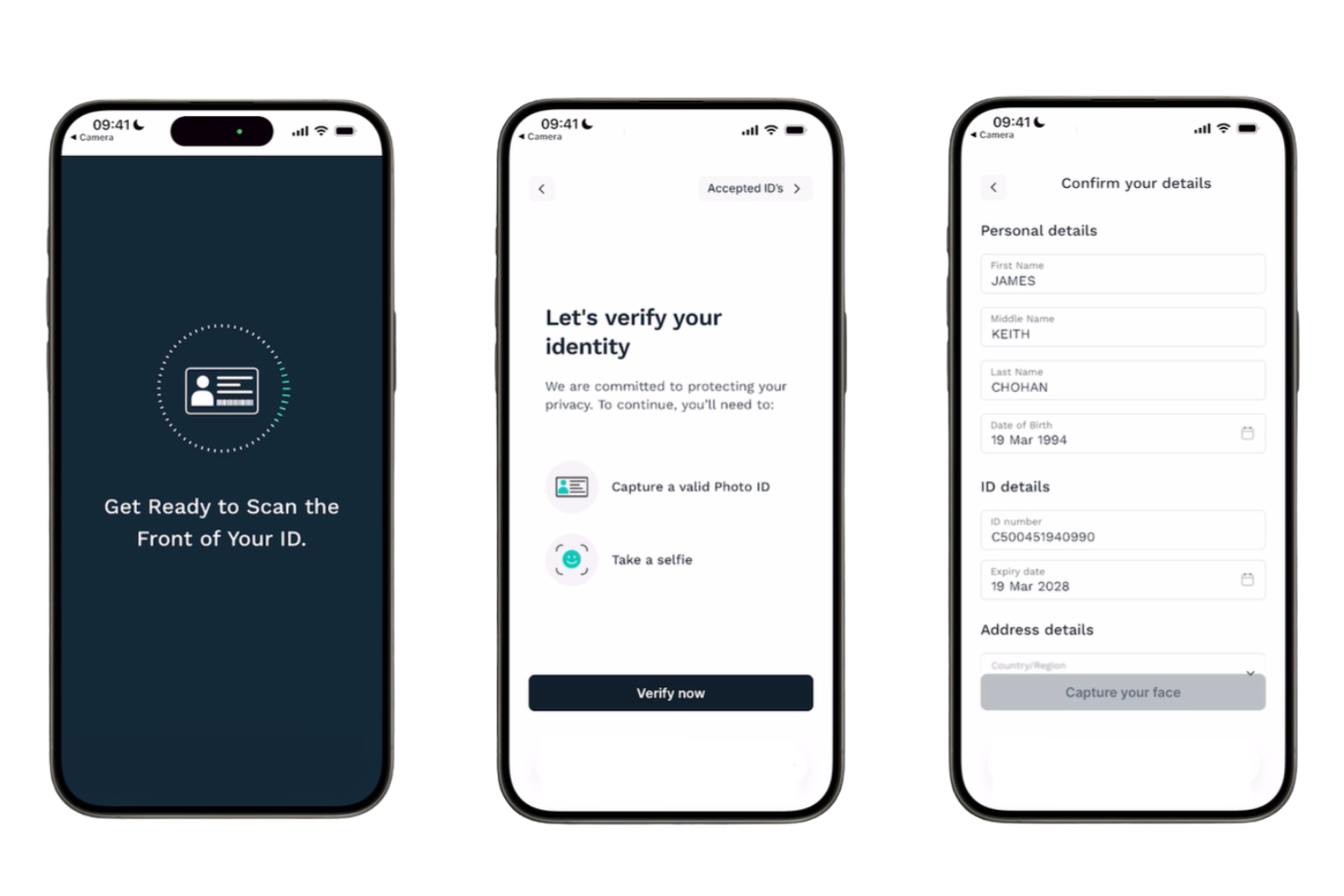
LexisNexis Risk Solutions helps retailers, financial institutions, and online marketplaces verify customer age and identity by combining physical and digital identity checks to reduce fraud and meet compliance requirements.
Who Is LexisNexis Risk Solutions Best For?
Large enterprises and regulated industries needing advanced age and identity verification across both digital and in-person channels.
Why I Picked LexisNexis Risk Solutions
I picked LexisNexis Risk Solutions because I can combine physical document checks with digital identity data for a layered approach to age verification. My team uses their biometric facial recognition and device analytics to catch sophisticated fraud attempts. I like that we can verify identities both online and in-person, which is rare among age verification tools.
LexisNexis Risk Solutions Key Features
- Global data source coverage: Accesses identity data from hundreds of countries and territories.
- Watchlist screening: Checks individuals against global sanctions and PEP lists.
- Consent management tools: Captures and stores user consent for compliance.
- Detailed audit trails: Logs every verification attempt for regulatory review.
LexisNexis Risk Solutions Integrations
Native integrations are not currently listed. However, it provides an API for custom integrations.
Pros and Cons
Pros:
- Offers layered fraud and risk assessment tools
- Accesses extensive proprietary and public data sources
- Covers both digital and physical ID checks
Cons:
- Interface can feel dated for modern teams
- Limited biometric verification compared to peers

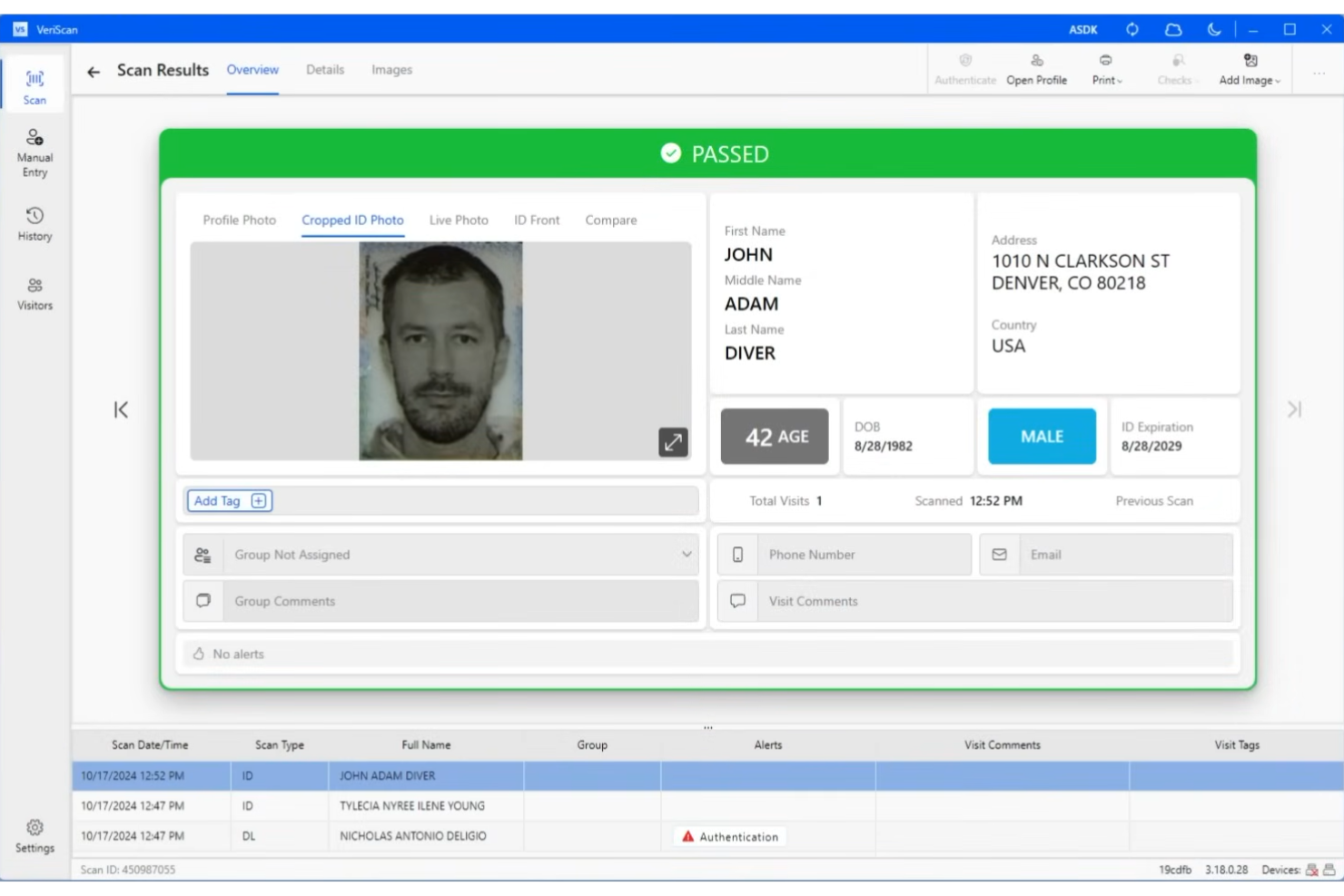
IDScan.net is an age verification platform built for retailers, hospitality venues, and event operators who need to scan physical IDs and automate compliance checks at the point of entry or sale.
Who Is IDScan.net Best For?
IDScan.net is a strong fit for bars, nightclubs, dispensaries, and retailers that require physical ID scanning at entrances or checkout.
Why I Picked IDScan.net
I picked IDScan.net as one of the best because I can connect it directly to physical ID scanners and automate age checks at the door or point of sale. My team uses its hardware integrations to quickly verify IDs from all 50 states and many global passports. I like that it captures barcode and magnetic stripe data for instant compliance checks and recordkeeping.
IDScan.net Key Features
- Watchlist screening: Flags IDs against custom or government watchlists.
- Visitor management dashboard: Tracks and manages check-ins in real time.
- Age-restricted product alerts: Notifies staff when an underage customer attempts a restricted purchase.
- Data export tools: Allow export of scanned ID data for compliance and reporting.
IDScan.net Integrations
IDScan.net offers native integrations with Cloudbeds, Dutchie, and Treez, and provides an API and SDK for custom integrations.
Pros and Cons
Pros:
- Supports both desktop and mobile scanning hardware
- Provides visitor management and reporting tools
- Offers watchlist and banned patron alerts
Cons:
- No biometric or selfie verification options
- Hardware purchase required for full functionality
Other Age Verification Software
Here are some additional age verification software options that didn’t make it onto my shortlist, but are still worth checking out:
- Microblink
For fast ID and credit card scanning
- GBG
For cross-industry fraud intelligence network
- AU10TIX
With automated document forgery detection
- Cognito
For instant phone-based verification
- IDnow
For video-based identity checks


How I Evaluate Age Verification Software
I split my evaluation into core requirements—ID scanning, fraud detection, and POS integration—and the differentiators, like offline mode or biometric matching, that set tools apart.
Core Functionality (Table Stakes For This List)
When I'm selecting tools for my list, I rank each one on a scale from 0 (does not offer the functionality) to 5 (excels in this area) for each core functionality listed below. Then, I calculate the tool's total score into a percentage. Each tool needs to achieve a minimum total score of 65% to be considered for inclusion.
- ID Scanning & Parsing: I check whether a tool reads barcodes, MRZ zones, and OCR text from driver's licenses, passports, and state or national IDs to extract date of birth accurately at checkout speed.
- Fraudulent ID Detection: Beyond expiration checks, I look for template matching, checksum validation, or forensic analysis that catches altered or fake IDs before a cashier completes the sale.
- POS & Checkout Integration: A tool should connect directly with retail POS systems and self-checkout terminals so the transaction is gated until verification clears—no manual workarounds needed.
- Compliance Audit Logging: I evaluate whether each verification event records the timestamp, store location, cashier, and outcome in a centralized log that's ready to present during a regulatory inspection.
- Configurable Age Thresholds: Retailers sell alcohol, tobacco, vape, cannabis, and lottery products under different age rules, so I look for threshold settings by product category, SKU, and jurisdiction.
- Multi-Location Management: For retailers with more than a handful of stores, I check whether the platform supports centralized policy deployment, role-based access, and per-location reporting from a single dashboard.
Once I have a list of tools that meet this criteria, I consider what sets each platform apart.
Differentiating Factors (What Sets Vendors Apart)
Here's how I compare and contrast different vendors:
Standout Features
Offline verification mode matters more than most buyers expect—if your internet drops during a Friday rush, cashiers still need to scan IDs and sync logs once connectivity returns. I also look for real-time compliance alerts that notify store managers the moment a cashier overrides a failed check or an underage attempt is flagged. Age estimation AI is another differentiator worth evaluating, since it can skip the full scan for customers who clearly meet the threshold and reserve the ID check for borderline cases, keeping lines moving.
Beyond Features
Data privacy compliance is a big consideration—tools that handle biometric data or PII need clear retention policies and adherence to standards like GDPR, CCPA, and BIPA. I also evaluate deployment and hardware compatibility, since most retailers already have barcode scanners and POS terminals in place and shouldn't need a full hardware refresh. For multi-store rollouts, I check whether the vendor offers phased implementation support, cashier training materials, and dedicated account management, because rolling age verification across dozens of locations without guided onboarding tends to create more compliance gaps than it solves.
How to Choose Age Verification Software
It’s easy to get bogged down in long feature lists and complex pricing structures. To help you stay focused as you work through your unique software selection process, here’s a checklist of factors to keep in mind:
| Factor | What to Consider |
|---|---|
| Scalability | Will the software handle your current and projected transaction volumes without slowing down or increasing costs? |
| Integrations | Does it connect natively to your ecommerce, POS, CRM, or other core systems, or will you need custom development? |
| Customizability | Can you tailor verification flows, branding, and compliance rules to fit your business and regulatory needs? |
| Ease of use | Will your staff and customers find the interface intuitive, or will it require significant training or support? |
| Implementation and onboarding | How long will it take to deploy, and what resources or expertise will you need to get up and running? |
| Cost | Are pricing tiers transparent, and do they align with your usage patterns and budget constraints? |
| Security safeguards | Does the vendor offer encryption, data minimization, and regular audits to protect sensitive customer information? |
| Compliance requirements | Does the solution support the specific regulations and age thresholds relevant to your industry and regions? |
What Is Age Verification Software?
Age verification software is an age verification system that confirms a user’s legal age before granting access to age-gated products, services, or content. These age verification solutions use methods like ID checks, biometrics, or data points such as a phone number to support age assurance and prevent underage access. Many platforms also support compliance use cases like AML checks and fraud prevention, including detecting risks like deepfake identities. Businesses use these tools across industries such as social media and regulated markets like vaping, helping them streamline verification while meeting legal requirements.
Features of Age Verification Software
When selecting age verification software, keep an eye out for the following key features:
- Document scanning: Captures and reads government-issued IDs to extract and verify age-related data.
- Database checks: Cross-references user information against trusted databases to confirm identity and age.
- Barcode and MRZ reading: Reads barcodes or machine-readable zones on IDs for fast, accurate data extraction.
- Facial matching: Compares a user’s selfie to their ID photo to confirm identity during the verification process.
- Audit trails: Logs every verification attempt and result for compliance and reporting purposes.
- Multi-channel support: Enables age checks across web, mobile, and in-person channels for consistent coverage.
- Customizable workflows: Lets you set up verification steps and rules tailored to your business or regulatory needs.
- Consent management: Captures and stores user consent for data processing, supporting privacy and legal compliance.
- Real-time decisioning: Instantly approves or denies access based on verification results, reducing manual review.
- Integration options: Connects with ecommerce, POS, or CRM systems to automate age checks within your existing workflows.
Common Age Verification Software AI Features
Beyond the standard age verification software features listed above, many of these solutions are incorporating AI with features like:
- Liveness detection: Uses AI to determine if a selfie or video is from a real, present person rather than a photo or recording, helping prevent spoofing and identity fraud.
- Document forgery detection: Analyzes uploaded IDs for subtle signs of tampering or counterfeiting, flagging suspicious documents that might pass manual inspection.
- Age estimation from facial analysis: Applies AI models to estimate a user’s age based on facial characteristics, providing an extra layer of verification when ID documents are unavailable.
- Adaptive risk scoring: Continuously evaluates user behavior and verification data to assign risk scores, allowing businesses to adjust verification steps based on real-time risk.
- Automated data extraction: Uses AI-powered optical character recognition (OCR) to accurately pull relevant information from a wide range of global ID formats, reducing manual entry and errors.
Benefits of Age Verification Software
Implementing age verification software provides several benefits for your team and your business. Here are a few you can look forward to:
- Regulatory compliance: Helps your business meet legal requirements by verifying customer ages and maintaining audit trails for inspections.
- Fraud prevention: Detects fake or altered IDs and uses AI to flag suspicious activity, reducing the risk of underage access and identity fraud.
- Faster customer onboarding: Automates age checks and document verification, allowing legitimate customers to complete purchases or registrations quickly.
- Consistent user experience: Delivers smooth verification across web, mobile, and in-person channels, ensuring every customer faces the same process.
- Reduced manual workload: Automates data extraction, risk scoring, and decision-making, freeing up staff from time-consuming manual reviews.
- Improved data security: Protects sensitive customer information with encryption, consent management, and secure integrations.
- Scalable operations: Handles high transaction volumes and adapts to business growth without sacrificing speed or accuracy.
Costs and Pricing of Age Verification Software
Selecting age verification software requires an understanding of the various pricing models and plans available. Costs vary based on features, team size, add-ons, and more. The table below summarizes common plans, their average prices, and typical features included in age verification software solutions:
Plan Comparison Table for Age Verification Software
| Plan Type | Average Price | Common Features |
|---|---|---|
| Free Plan | $0 | Basic document scanning, limited monthly verifications, email support, and simple audit logs. |
| Personal Plan | $10-$30/user/month | ID verification, barcode reading, basic integrations, and standard compliance reporting. |
| Business Plan | $50-$150/month | Multi-channel support, customizable workflows, advanced audit trails, and priority customer support. |
| Enterprise Plan | $500-$2,000/month | High-volume processing, dedicated account management, advanced security, and custom integrations. |
Age Verification Software FAQs
Here are some answers to common questions about age verification software:
How does age verification software confirm a user’s age?
Age verification software checks a user’s age by analyzing government-issued IDs, cross-referencing databases, or using biometric data like facial recognition. This process helps ensure only eligible users can access age-restricted products or services.
Is age verification software required by law?
Yes, in many industries and regions, age verification software is required to comply with laws regulating the sale of age-restricted goods or content. Requirements vary, so it’s important to check local regulations for your business.
Can age verification software integrate with my ecommerce platform?
Yes, most age verification software offers integrations with popular ecommerce, POS, and CRM systems. This allows you to automate age checks within your existing workflows and reduce manual intervention.
What happens if a customer fails the age verification process?
If a customer fails age verification, the software typically denies access or purchase and may provide instructions for retrying or contacting support. This helps businesses stay compliant and avoid legal risks.
How secure is the data collected by age verification software?
Most solutions use encryption, data minimization, and regular security audits to protect sensitive customer information. Always review a vendor’s security practices and compliance certifications before choosing a solution.
Does age verification software work internationally?
Many age verification tools support multiple countries and ID types, but coverage varies. Check that the software can verify IDs and meet compliance requirements in all regions where you operate.