

O software de reconciliação de pagamentos de comércio eletrónico compara automaticamente as suas transações do Shopify, Stripe e do banco — para que deixe de vasculhar folhas de cálculo à procura de pagamentos em falta.
Alinha vários canais de vendas, moedas e gateways em tempo real, assinala quaisquer discrepâncias e poupa-lhe horas de stress a pensar: “Será que isto foi mesmo liquidado?”.
Já passei por tudo isto — gerir operações de retalho, administrar armazéns e tratar de expedições internacionais — por isso sei que não se trata apenas de trabalho rotineiro; é um risco.
Neste guia, apresento-lhe as principais plataformas para fluxos de trabalho automatizados, relatórios precisos e fechos de fim de mês sem esforço. Prepare o café — vamos pôr o seu fluxo de caixa em ordem.
Why Trust Our Software Recommendations
6,700+
Reviews
20
Industry experts
16+
Evaluation factors
14
Years
Our team has been testing and reviewing software since 2012. As retail leaders ourselves, we know how difficult—and important—it is to choose the right software.
For this guide, we evaluated tools using hands-on testing and independent research, scoring tools using our selection criteria.
Our reviews reflect our independent judgment—not a sales pitch.
Tabela comparativa de software de reconciliação de pagamentos de comércio eletrónico
A tabela abaixo compara os preços e os casos de utilização ideais das minhas principais escolhas de software de reconciliação de pagamentos de comércio eletrónico.
| Tool | Best For | Trial Info | Price | ||
|---|---|---|---|---|---|
| 1 | Best for accounting integrations | 15-day free trial | From $52/month (billed annually) | Website | |
| 2 | Best for financial teams | Free demo available | Pricing upon request | Website | |
| 3 | Best for global payments | Free demo available | From $99/month | Website | |
| 4 | Best for retail solutions | Free demo available | From $100/month | Website | |
| 5 | Best for budget-friendly options | Free demo available | From ₹36,000/360 days | Website | |
| 6 | Best for data accuracy | 14-day free trial | From $19/month | Website | |
| 7 | Best for automation features | Free demo available | Pricing upon request | Website | |
| 8 | Best for compliance tracking | 7-day free trial | Pricing upon request | Website | |
| 9 | Best for scalability | Free trial available | Pricing upon request | Website | |
| 10 | Best for small businesses | Not available | Pricing upon request | Website |


Os 10 melhores softwares de reconciliação de pagamentos de comércio eletrónico, analisados
Já tem uma visão geral — agora vamos aprofundar. Estas análises detalhadas explicam aquilo em que cada plataforma de reconciliação é realmente boa, onde fica aquém e para que tipo de negócio de comércio eletrónico é adequada.
Quer esteja a crescer rapidamente ou simplesmente farto de controlar reembolsos manualmente, encontrará aqui algo que lhe poupará muita preocupação.
 Best for accounting integrations
- 15-day free trial
- From $52/month (billed annually)
Visit WebsiteCustomer Rating:4.7/5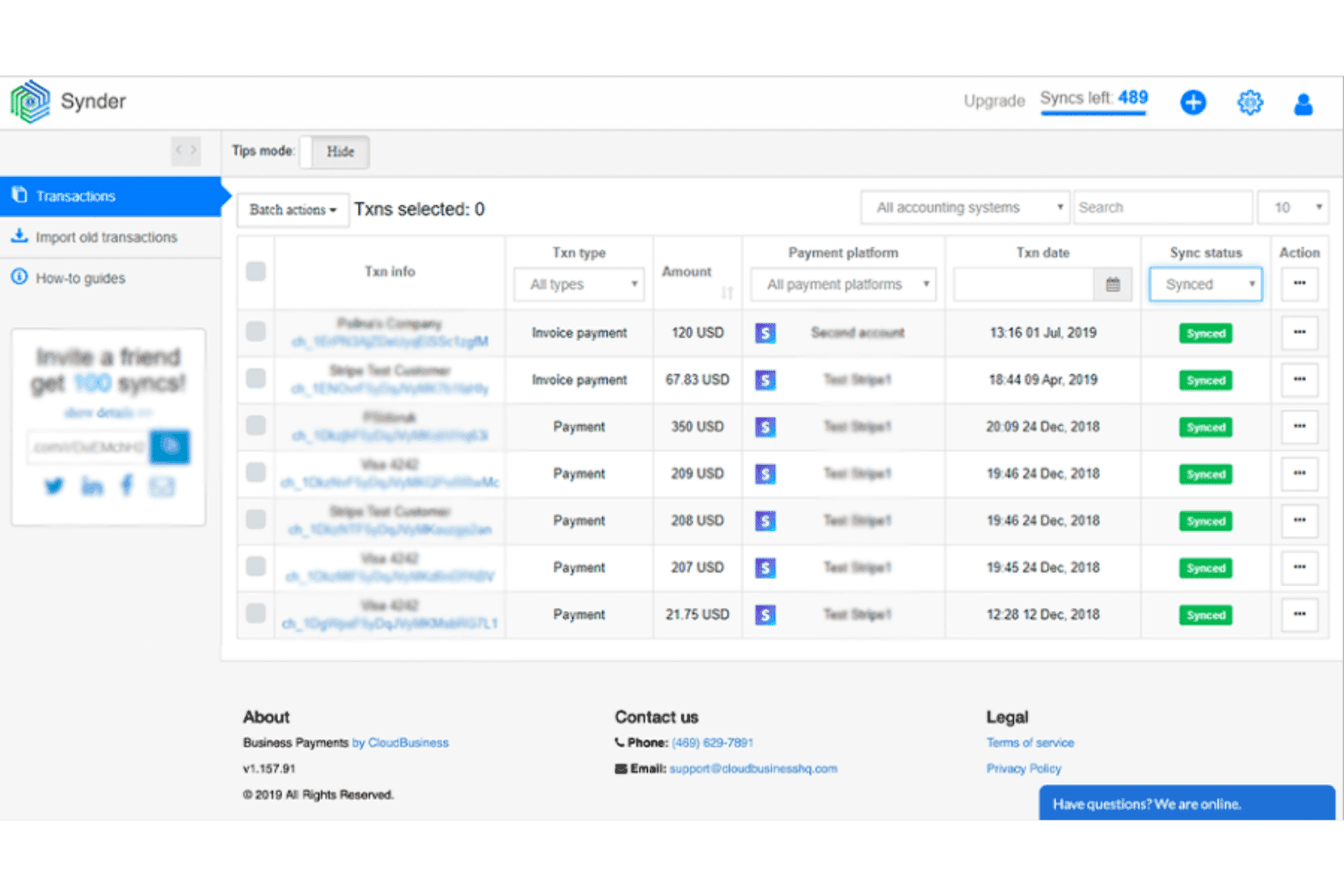
Synder displays synced payment transactions with status and platform details. Synder is an ecommerce payment reconciliation tool that syncs transactions across 30+ payment gateways, marketplaces, and sales channels—automatically matching payouts, fees, refunds, and chargebacks to your accounting or ERP system.
Who Is Synder Best For?
Synder is a strong fit for ecommerce businesses and accounting teams that need to sync transaction data across multiple sales channels into QuickBooks, Xero, or an ERP like NetSuite or Sage Intacct.
Why I Picked Synder
Synder earns its spot on my shortlist because no other tool in this category matches its depth of accounting and ERP connectivity. I love that it covers the full spectrum, from QuickBooks Online and Xero for smaller operations to Sage Intacct, Oracle NetSuite, and Intuit Enterprise Suite for enterprise teams, all with automated journal entries and per-channel clearing accounts. Its Summary Sync mode groups payout data into clean journal entries that post directly to your books, which I've found makes month-end close dramatically faster across multi-channel setups.
Synder Key Features
- Smart Rules engine: Configurable if-then automation rules that categorize transactions by amount, vendor, description, or location without any coding.
- Multi-currency reconciliation: Syncs transactions using actual exchange rates from the payment processor at the time of each transaction, with automated journal entries for currency conversion.
- Per Transaction vs. Summary Sync modes: Lets you choose between granular order-level records or grouped payout journal entries, depending on your reporting needs.
- ASC 606 revenue recognition module: A dedicated RevRec feature for GAAP-compliant revenue recognition, supporting subscription upgrades, cancellations, and prorations across connected ERPs.
Synder Integrations
Synder offers 30+ native integrations, including Stripe, PayPal, Square, Shopify, Amazon, eBay, QuickBooks Online, Xero, Sage Intacct, and NetSuite. Pro Max and Premium plans support custom ERP connectivity, with Excel import and export for manual workflows.
Pros and Cons
Pros:
- Offers both detailed and summary sync options
- Revenue recognition module supports GAAP compliance
- Handles multi-currency reconciliation using actual FX rates
Cons:
- Premium features require higher-priced plan tiers
- Exception management lacks assignment and comments
Learn more about Synder:
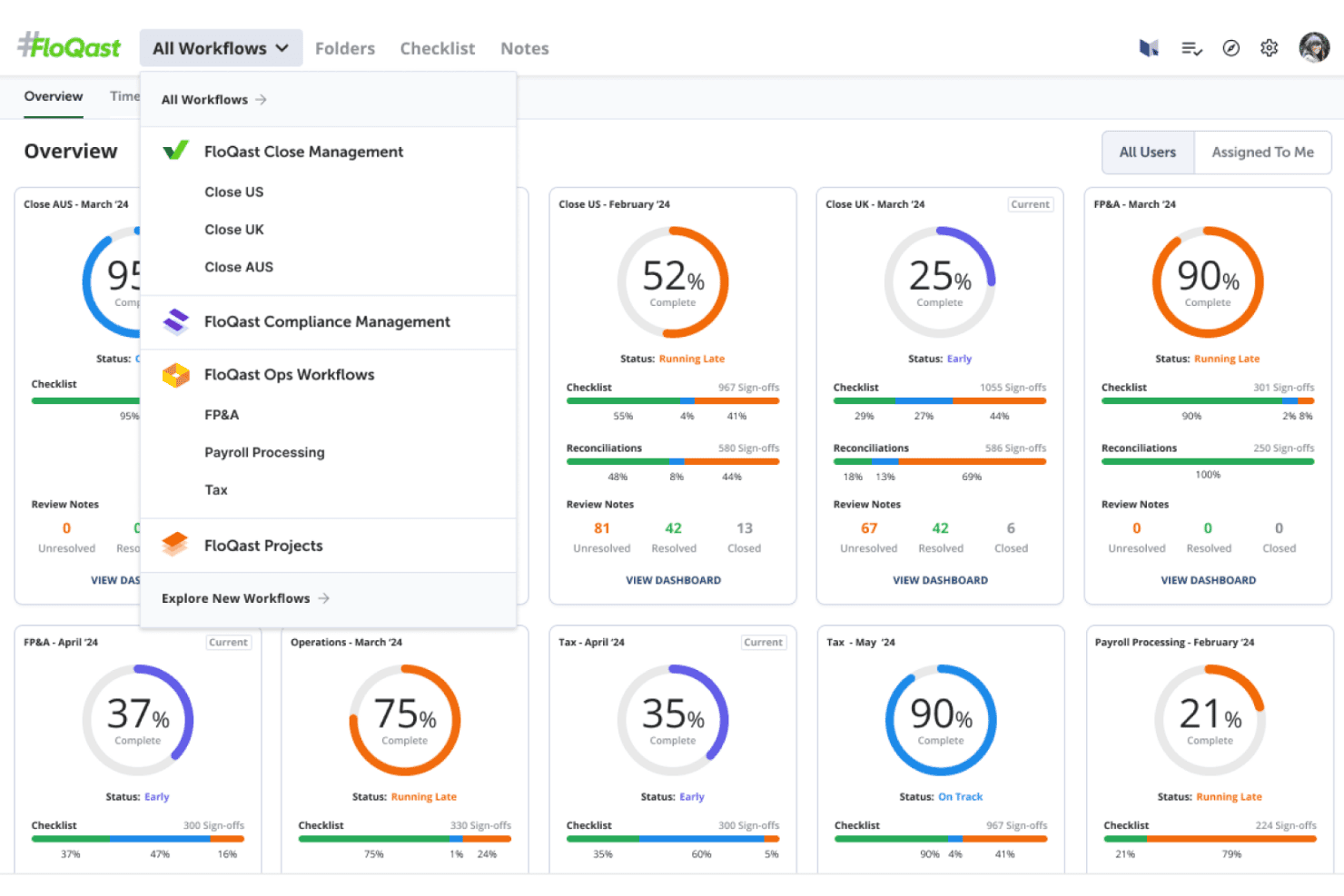
FloQast centralizes workflow progress across close, tax, and FP&A cycles. FloQast is a financial close and reconciliation platform that automates transaction matching, exception management, account reconciliation, and journal entry workflows across connected ERP and banking systems.
Who Is FloQast Best For?
FloQast suits mid-market and enterprise finance teams that need to accelerate month-end close and automate high-volume account reconciliations across complex ERP environments.
Why I Picked FloQast
I picked FloQast as one of the best because it's the tool I'd trust most when a finance team needs to compress month-end close without sacrificing accuracy. Its AI-powered AutoRec matching hits 80–85% auto-match rates on bank reconciliations, and the exception workflow automatically flags unmatched transactions and routes them to the right person for resolution. Native ERP connections to NetSuite, SAP, Workday, and Sage Intacct mean reconciled data lands directly in your books.
FloQast Key Features
- Bank connector: Automatically syncs transactions from hundreds of global banks into FloQast daily, eliminating manual statement uploads.
- Automated sign-off rules: Flags accounts for automatic sign-off when balances tie out within preset thresholds, focusing review effort on higher-risk items.
- Journal entry automation: Drafts and pushes journal entries to connected ERPs continuously, with required human approval before any entry posts.
- Audit trail logging: Captures a full, exportable record of all matching activity and AI decisions to support compliance and governance requirements.
FloQast Integrations
FloQast lists nine native ERP integrations, including NetSuite, SAP, Workday, Microsoft Dynamics, Sage Intacct, Xero, Oracle, Yardi, and QuickBooks, plus a Trovata-powered Bank Connector for hundreds of banks. It has no native ecommerce or marketplace integrations; Stripe is listed as coming soon, with SFTP and open API access for custom connections.
Pros and Cons
Pros:
- ERP sync streamlines monthly close activities
- Exception workflow with audit trail is included
- AI matching automates high-volume reconciliations
Cons:
- Transaction-level detail is not fully accessible
- Not purpose-built for ecommerce reconciliation
Learn more about FloQast:
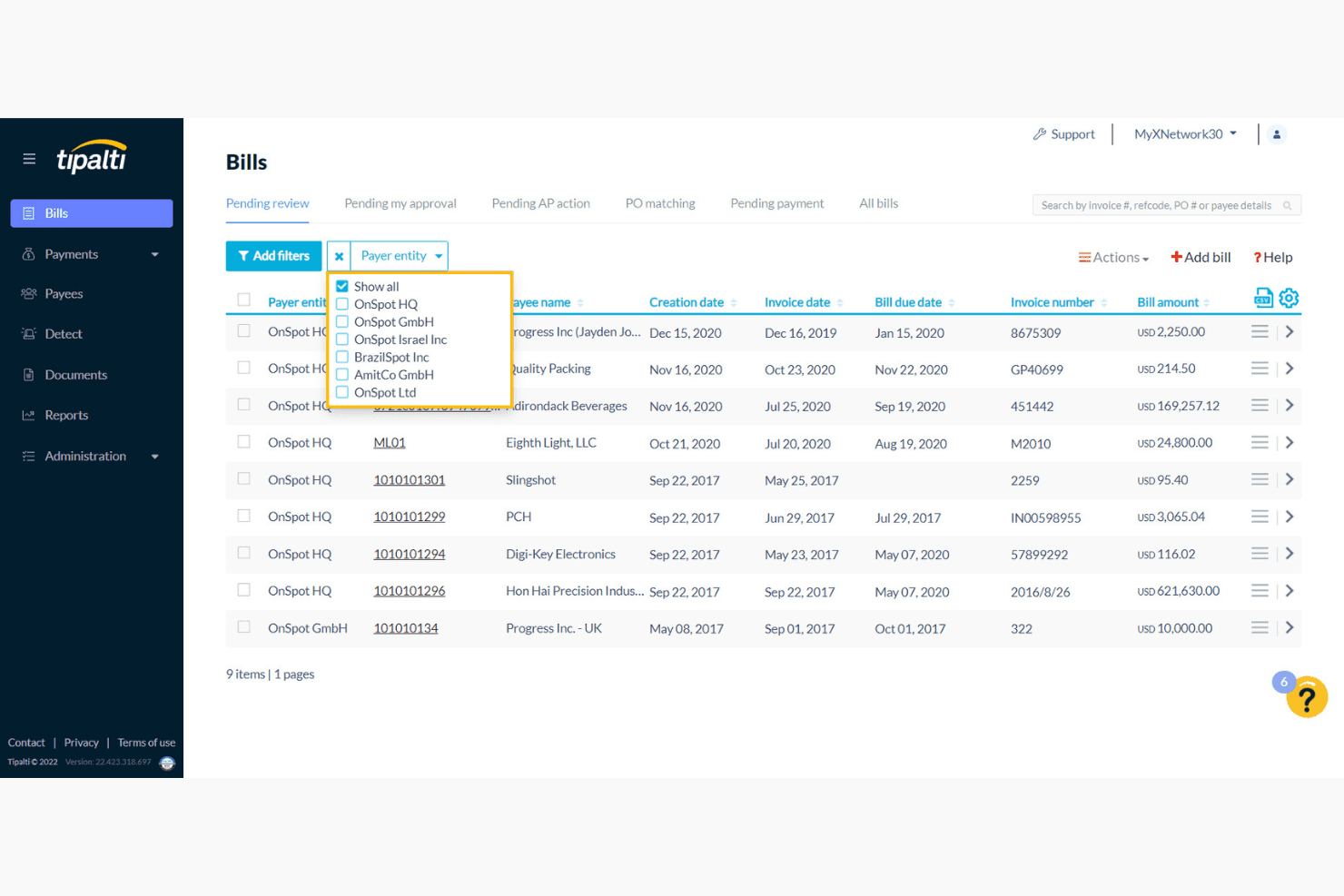
Tipalti lets users filter and review bills by payer entity in one view. Tipalti is an AP automation platform that handles supplier payments, invoice matching, and multi-currency reconciliation across 200+ countries and 50+ payment methods.
Who Is Tipalti Best For?
Tipalti is a strong fit for finance teams at scaling ecommerce businesses that manage high volumes of cross-border supplier payments and need automated AP reconciliation across multiple entities and currencies.
Why I Picked Tipalti
I picked Tipalti as one of the best because no other AP automation tool comes close to its global payment reach, covering 200+ countries, 120+ currencies, and 50+ payment methods in one platform. For ecommerce businesses managing cross-border supplier payouts, that breadth matters: Tipalti handles multi-currency reconciliation with built-in FX rate tracking, so every international payment is matched and accounted for without manual conversion work. Its Mass Payments module also automates bulk disbursements to affiliate and creator networks with real-time payment status tracking.
Tipalti Key Features
- 2-way and 3-way PO matching: Automatically matches purchase orders, receipts, and invoices within a single AP workflow.
- AI-assisted exception management: Flags unmatched or partially matched transactions and routes them for manual review with full audit trails.
- Multi-entity payment consolidation: Rolls up payables across subsidiaries, currencies, and geographies into a single real-time reporting dashboard.
- ERP auto-sync: Pushes reconciled payment data, journal entries, and custom fields to 15+ accounting platforms including NetSuite, Xero, and QuickBooks.
Tipalti Integrations
Tipalti offers 15+ documented ERP and accounting integrations, including NetSuite, QuickBooks, Xero, Sage, Microsoft Dynamics, SAP, Acumatica, Workday, Oracle Fusion, and Odoo. It lacks documented native Shopify, Amazon, or marketplace payout connectors but provides a REST API for custom integrations.
Pros and Cons
Pros:
- Mass payouts module for supplier and creator payments
- Automates AP exceptions with audit trails
- Global multi-currency reconciliation for payables workflows
Cons:
- Lacks native Shopify or Amazon marketplace connectors
- Does not reconcile inbound ecommerce payouts
Learn more about Tipalti:
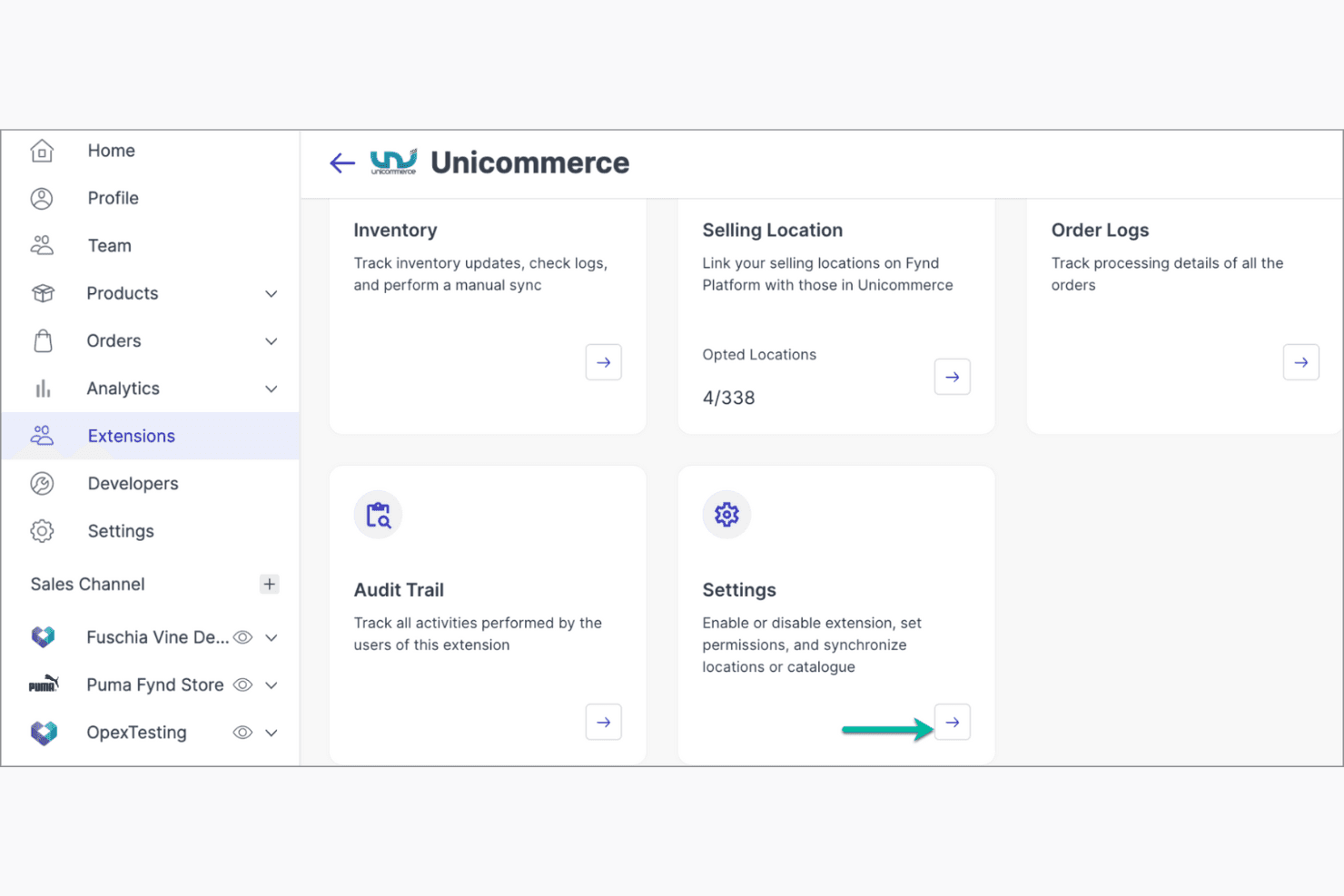
Unicommerce centralizes inventory, locations, and order tracking in one dashboard. Unicommerce is a marketplace-focused payment reconciliation platform that automates settlement matching, detects operational leakages, tracks returns, and manages fee reconciliation at the SKU level across multiple sales channels.
Who Is Unicommerce Best For?
Unicommerce is a strong fit for Indian marketplace sellers on Amazon India, Flipkart, Myntra, or Meesho who need automated fee and returns reconciliation at scale.
Why I Picked Unicommerce
Unicommerce earns its spot on my shortlist because of how purpose-built it is for retail sellers operating across Indian marketplaces. I particularly like the Channel Rate Card system, which reconciles commissions, shipping, pick-pack, and refund fees at the SKU level across Amazon India, Flipkart, Myntra, and Meesho. The operational leakage detection also catches things like shipping overcharges and unreimbursed carrier damages that most sellers never notice until margins erode.
Unicommerce Key Features
- UTR-level audit trail: Tracks a Unique Transaction Reference for every order, giving you a transaction-wise record ready for financial audits.
- Negative cash flow alerts: Sends proactive alerts when the system detects a negative cash position across your marketplace settlements.
- Reconciliation status categorization: Assigns each transaction one of eight status categories—including Partial Payment, Payment Overdue, and Reconciled by Delta—so you can triage issues fast.
- Returns reconciliation tracking: Matches physical returned inventory against system records to flag discrepancies from fraud, theft, or processing errors.
Unicommerce Integrations
UniReco has documented marketplace integrations with Amazon India, Flipkart, Myntra, and Meesho. The broader Unicommerce platform supports 290+ integrations, including Shopify, WooCommerce, SAP, Oracle, TallyPrime, and Xero on Enterprise plans.
Pros and Cons
Pros:
- Reconciles returns with physical inventory checks
- Audit-ready UTR transaction tracking for every order
- Tracks operational leakages at SKU level
Cons:
- Accounting sync restricted to enterprise plan only
- No support for global payment gateways
Learn more about Unicommerce: Best for budget-friendly options
- Free demo available
- From ₹36,000/360 days
Visit WebsiteCustomer Rating:1/5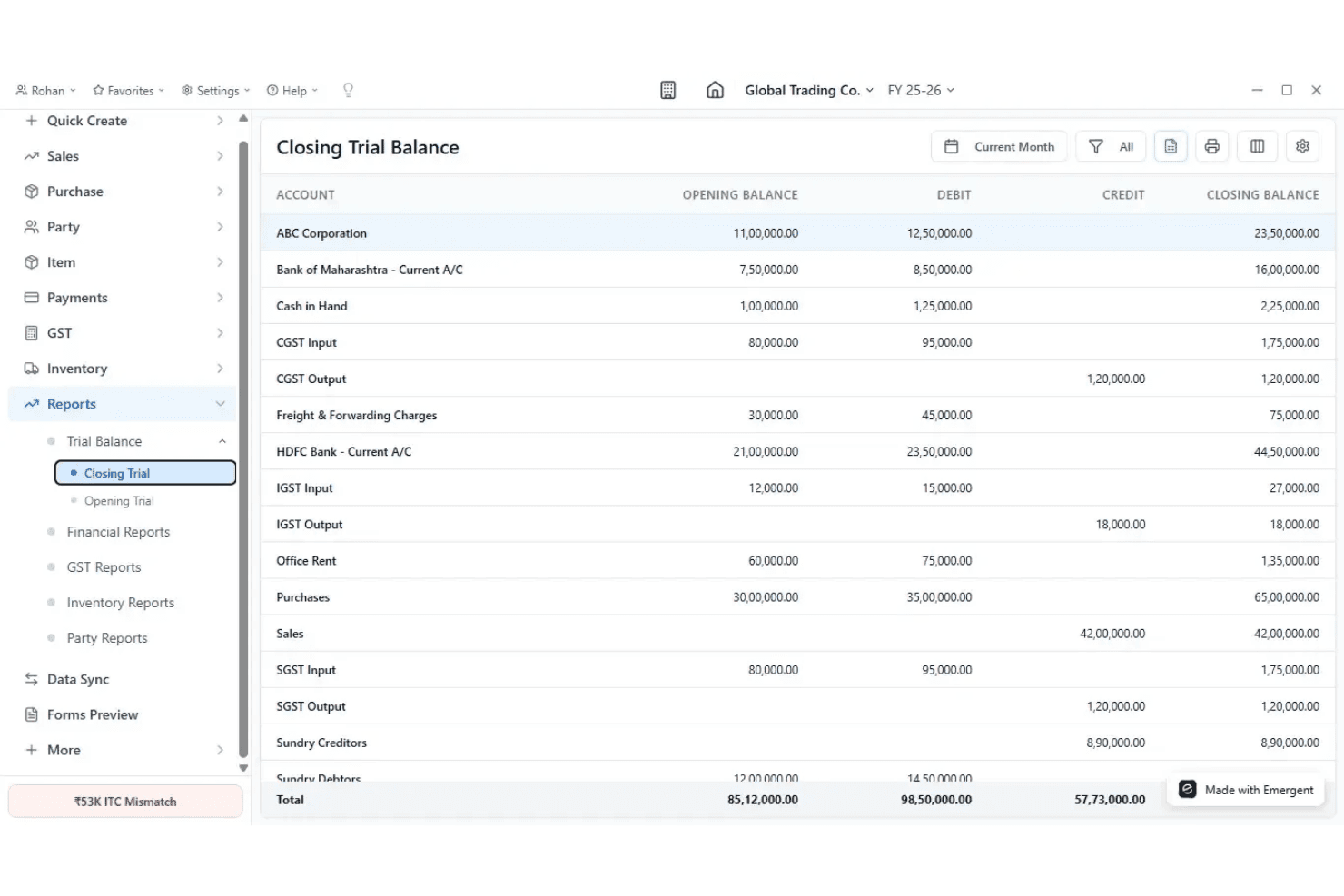
Busy Accounting Software displays a detailed Closing Trial Balance report. BUSY Accounting Software is an accounting and ecommerce reconciliation platform that combines marketplace settlement tracking, automated transaction matching, fee and refund reconciliation, and GST compliance tools for sellers on Amazon, Flipkart, and Shopify.
Who Is BUSY Accounting Software Best For?
BUSY Accounting Software is a strong fit for small and mid-sized Indian marketplace sellers on Amazon, Flipkart, or Shopify who need affordable, GST-compliant reconciliation built into their accounting workflow.
Why I Picked BUSY Accounting Software
BUSY Accounting Software earns its spot on my shortlist because it's the most affordable path to structured marketplace reconciliation for Indian sellers on Amazon, Flipkart, or Shopify. I like that its BUSY Recom add-on automatically downloads settlement data and posts it directly to the accounting ledger with one click, eliminating the manual Excel work that bogs down small teams. It also tracks commissions, courier fees, and GST-compliant credit notes at the order and SKU level, so you can see exactly where margin is slipping across individual products.
BUSY Accounting Software Key Features
- SKU-wise profitability reports: Calculates net profit per SKU after deducting COGS, GST, commissions, and marketplace fees.
- Pending settlement tracking: Maintains a dedicated report showing which orders have payments held by Amazon or Flipkart.
- GST-compliant credit note generation: Automatically creates credit notes for returned orders in line with Indian GST requirements.
- Multi-account management: Manages multiple seller accounts across Amazon and Flipkart within a single BUSY company file.
BUSY Accounting Software Integrations
BUSY Accounting Software has 3 documented native marketplace integrations: Amazon, Flipkart, and Shopify. It doesn’t have native integrations with payment gateways or external accounting platforms such as Stripe, PayPal, QuickBooks, or Xero; reconciled data posts to BUSY’s own ledger.
Pros and Cons
Pros:
- Calculates per-SKU profitability automatically
- Tracks GST-compliant returns and credit notes
- 1-click reconciliation for Amazon and Flipkart sellers
Cons:
- Cannot sync data to other accounting systems
- No support for global marketplaces or payment processors
Learn more about Busy Accounting Software:
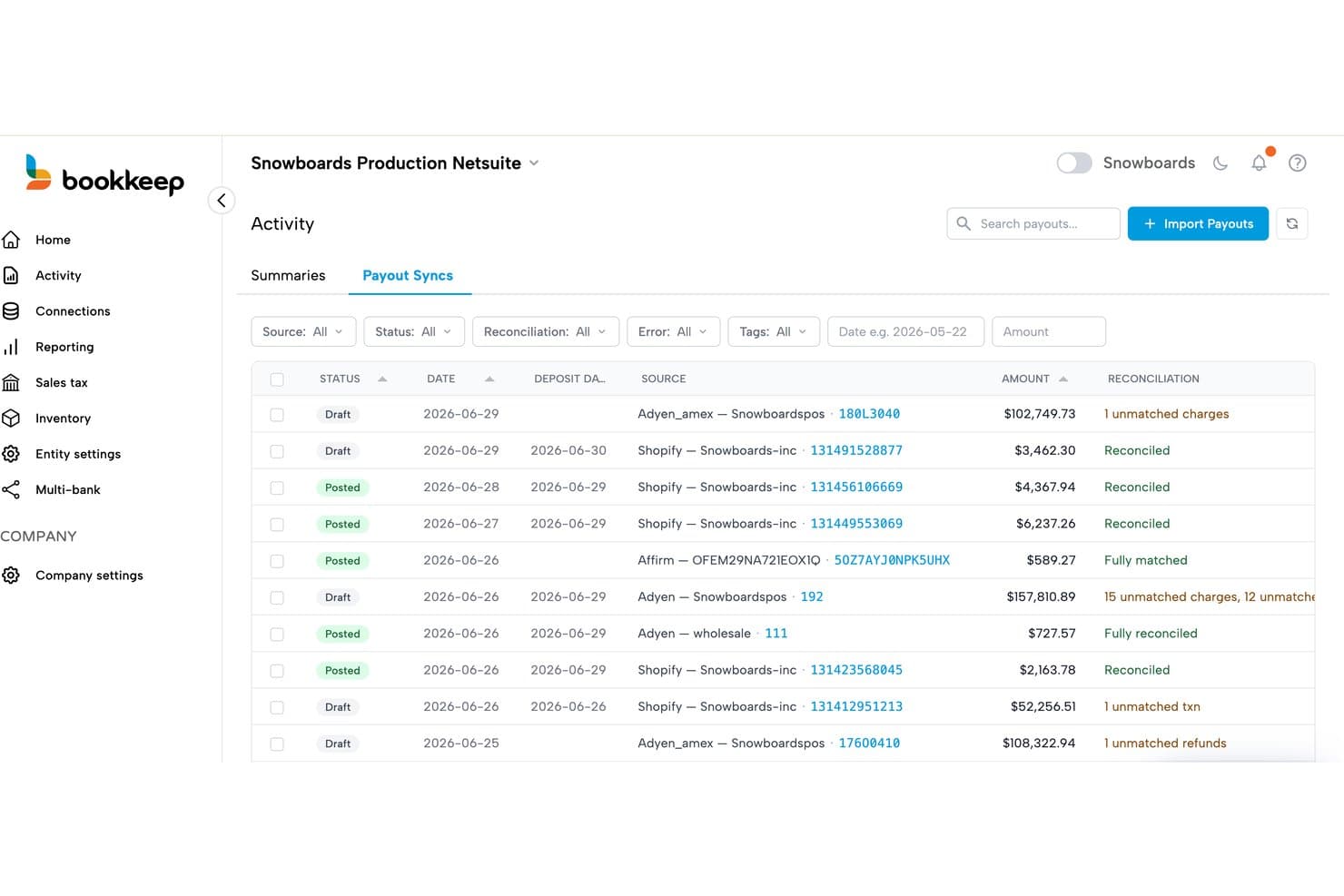
Bookkeep tracks payout sync reconciliation status across multiple payment sources. Bookkeep is an ecommerce accounting automation tool that handles payment reconciliation, journal entry posting, fee and chargeback tracking, and multi-channel payout matching across 20+ sales channels and six accounting systems.
Who Is Bookkeep Best For?
Bookkeep is a strong fit for Shopify-based ecommerce brands and multi-channel retailers whose accounting teams need clean, accrual-based books without manual journal entry work.
Why I Picked Bookkeep
Bookkeep earns its spot on my shortlist because its three-step reconciliation methodology (sales, clearing, then bank deposit matching) is the most methodologically rigorous approach I've seen for ecommerce payout complexity. I particularly like how it recognizes revenue based on fulfillment status rather than payment date, which keeps accrual books accurate without manual adjustments. It also automatically separates chargebacks, loan repayments, and marketplace tax withholding as distinct line items, so your reconciliation reflects what actually happened at the payout level.
Bookkeep Key Features
- Multi-channel payout splitting: Automatically distributes Shopify payouts across multiple bank accounts by store, location, or franchisee.
- Fulfillment-based revenue recognition: Records revenue when an order is fulfilled, not when payment is collected, keeping accrual books accurate.
- Weighted average cost (WAC) COGS tracking: Calculates cost of goods sold using WAC methodology across your Shopify inventory.
- Managed sales tax filing service: A dedicated tax team handles multi-state registrations, calculations, and filings across all connected sales channels.
Bookkeep Integrations
Bookkeep offers 20+ native integrations, including Shopify, Amazon, eBay, Walmart, Stripe, PayPal, QuickBooks Online, NetSuite, Sage Intacct, and Xero. An open API supports custom integrations.
Pros and Cons
Pros:
- Multi-bank payout splitting covers franchise needs
- Fulfillment-based revenue recognition boosts accrual accuracy
- Three-step reconciliation ensures accurate payouts
Cons:
- Deepest features focused on Shopify merchants
- No dedicated exceptions management dashboard
Learn more about Bookkeep:
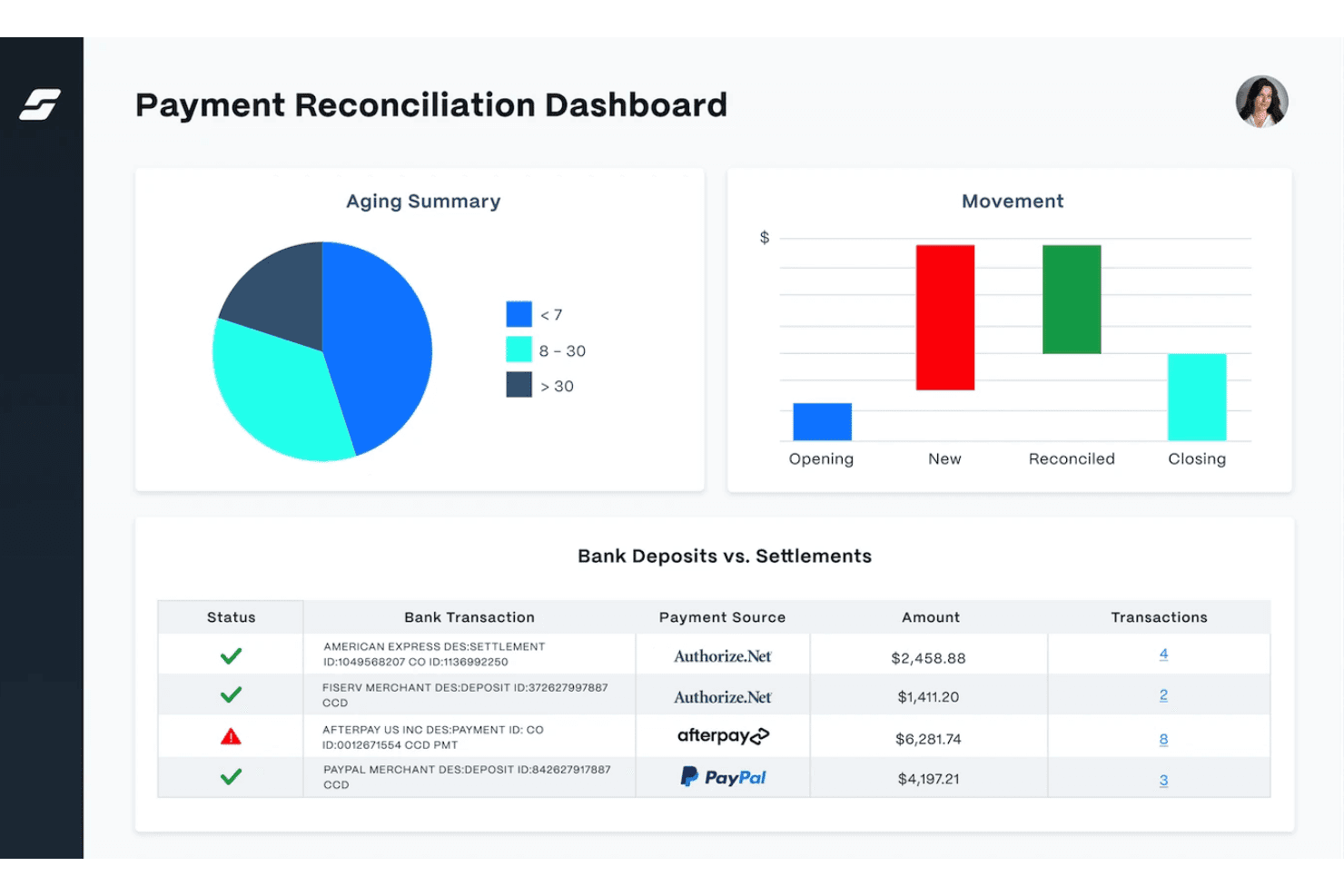
SolveXia automates payment reconciliation with deposits vs. settlements tracking. SolveXia is a no-code reconciliation automation platform that handles multi-PSP payment matching, exception management, and ERP sync across high transaction volumes.
Who Is SolveXia Best For?
SolveXia is a strong fit for enterprise finance teams at large-scale retailers managing high transaction volumes across many PSPs.
Why I Picked SolveXia
SolveXia earns its spot on my shortlist because its AI-powered matching engine is genuinely best-in-class for high-volume payment reconciliation. I love how it handles one-to-many and many-to-many matching scenarios, netting fees, chargebacks, and refunds automatically across 30+ PSPs, as the Emma Sleep case study shows with 100,000 transactions per day. Its exception management auto-clears minor variances based on configurable tolerance thresholds, surfacing only real mismatches for review.
SolveXia Key Features
- Multi-level payment matching: Reconciles gross transactions against PSP settlement batches and then against net bank deposits in a single automated workflow.
- Configurable tolerance thresholds: Lets finance teams set variance limits so minor differences auto-clear without manual review.
- No-code workflow builder: A drag-and-drop visual designer lets finance teams build and deploy reconciliation processes without IT support.
- ERP and accounting sync: Pushes reconciled data to SAP, Oracle, NetSuite, QuickBooks, and Xero via native connectors, REST API, or automation tools like Zapier.
SolveXia Integrations
Native connectors are documented for SAP and Oracle; other integrations include NetSuite, QuickBooks, Xero, Stripe, PayPal, Adyen, Klarna, and Square. SolveXia also supports REST API, ODBC, FTP, Zapier, and Workato.
Pros and Cons
Pros:
- No-code workflow builder empowers finance teams
- Exception management reduces manual investigation
- Handles high-volume multi-PSP reconciliation
Cons:
- Custom setup needed for channel-level data
- No pre-built ecommerce marketplace connectors
Learn more about SolveXia:
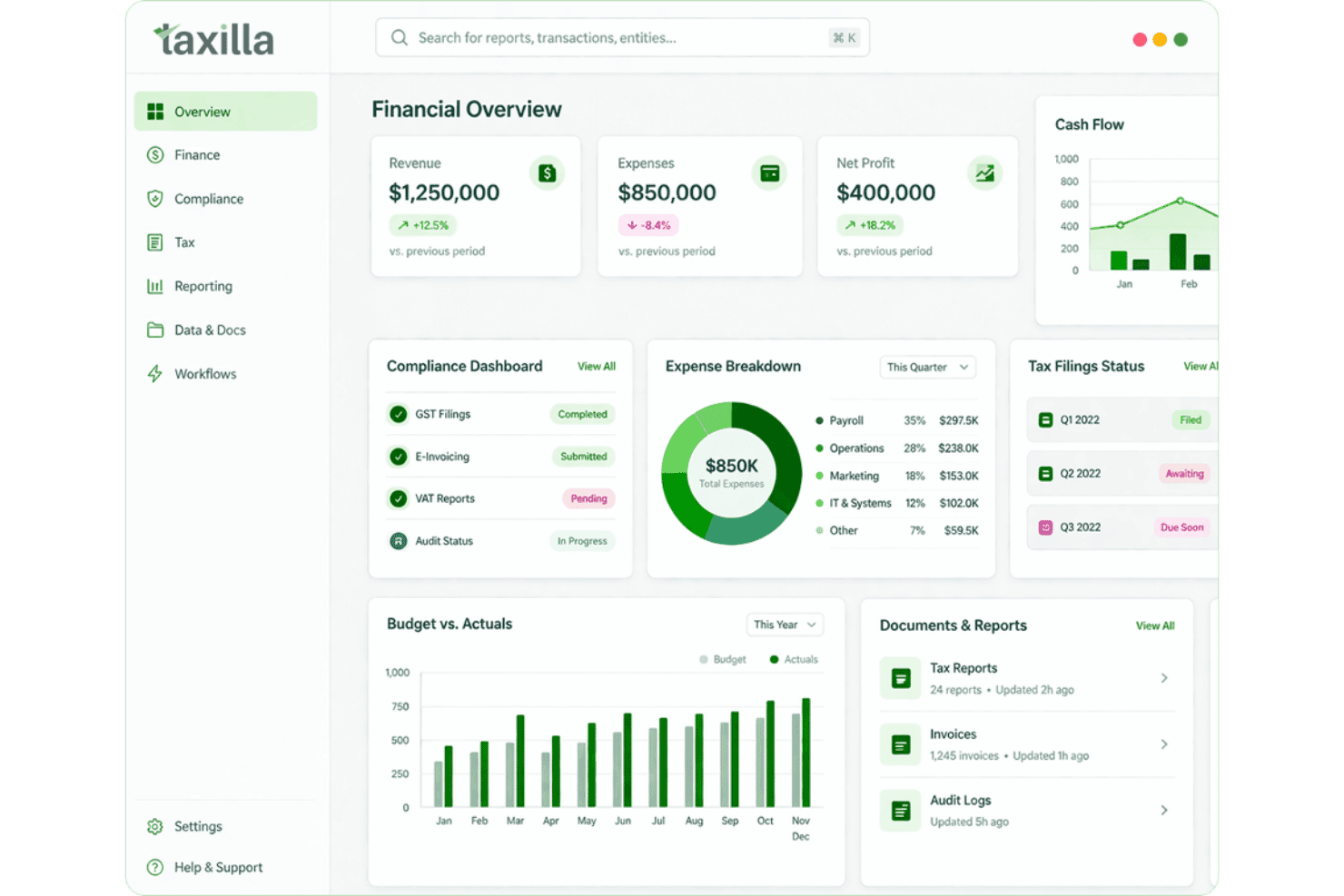
Taxilla centralizes financial, compliance, and tax data in one dashboard. Taxilla is an enterprise ecommerce reconciliation platform that automates order-to-cash matching across marketplaces, settlement reports, and bank deposits, with built-in compliance tracking, rate card validation, and direct ERP GL posting.
Who Is Taxilla Best For?
Taxilla is a strong fit for enterprise finance teams that sell across multiple marketplaces and need audit-ready compliance documentation alongside automated reconciliation.
Why I Picked Taxilla
I picked Taxilla as one of the best because its compliance tracking depth is genuinely hard to replicate: every reconciliation action is logged to an immutable audit trail, producing reports that hold up to tax authority and financial auditor scrutiny without any manual assembly. I also love its rate card validation feature, which compares actual marketplace-charged fees against your contracted rates to surface overcharges automatically. That, combined with full order-to-cash matching across settlements, returns, and bank deposits, makes it a credible pick for enterprise finance teams with real compliance obligations.
Taxilla Key Features
- AI-powered transaction matching: An automated engine matches orders, invoices, settlements, and bank deposits across channels with a claimed 95%+ accuracy rate.
- Multi-currency reconciliation: Tracks cross-border payouts and FX rates across international marketplaces within a single reconciliation workflow.
- Shipment reconciliation: Compares shipping data against orders in real time and flags discrepancies in logistics fees automatically.
- CFO-level dashboards: Configurable dashboards display real-time payout status, fee breakdowns, and channel-level financial visibility for finance leadership.
Taxilla Integrations
Taxilla lists six marketplace integrations: Amazon (FBA and FBM), Flipkart, Shopify, Myntra, Meesho, and Jiomart. It also supports API connectors, SFTP, and file uploads for custom data connections.
Pros and Cons
Pros:
- Audit-ready reports simplify tax preparation
- AI-driven matching handles massive transaction volumes
- Compliance features exceed most alternatives
Cons:
- No user reviews available on major platforms
- Western marketplaces and gateways less supported
Learn more about Taxilla:
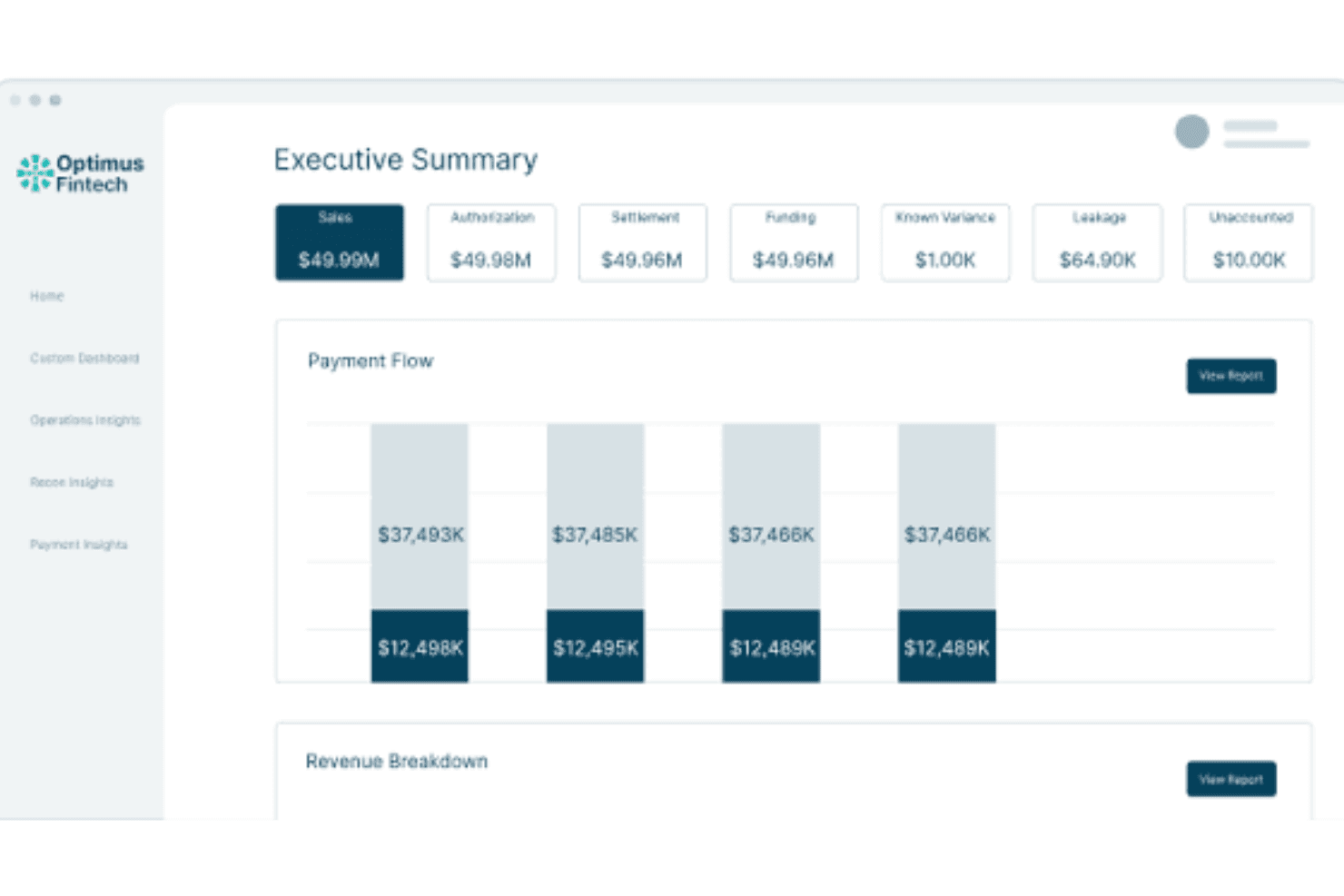
Optimus Fintech centralizes payment flow and revenue data in one executive dashboard. Optimus Fintech is an AI-driven payment reconciliation platform that automates transaction matching, exception management, fee validation, chargeback tracking, and financial close across payment gateways, ERPs, and accounting systems.
Who Is Optimus Fintech Best For?
Optimus Fintech is a strong fit for enterprise finance teams managing high transaction volumes across multiple payment processors and ERP systems.
Why I Picked Optimus Fintech
Optimus Fintech earns its spot on my shortlist because no other tool I've evaluated handles transaction volume at this scale without buckling. I'm talking about 576 million transactions per day with a 99.98% auto-match rate, which matters when you're running high-volume ecommerce across multiple payment processors. The N-way fuzzy matching handles one-to-many and many-to-many scenarios that would bury a manual team, and the NLP Fee Validator catches processor overcharges at the transaction level before they compound.
Optimus Fintech Key Features
- AI CoPilot: A natural-language interface that lets finance teams query payment data, settlement status, and fee breakdowns without writing reports manually.
- NLP Fee Validator: Automatically benchmarks processor fees against contracted rates at the transaction level and flags overcharges for review.
- No-code workflow builder: A drag-and-drop canvas for building custom data ingestion, normalization, and reconciliation workflows without IT involvement.
- Financial close module: Tracks close readiness, unreconciled balances, and account certification with full transaction-to-GL lineage for audit evidence.
Optimus Fintech Integrations
Optimus Fintech lists 150+ pre-built connectors, including Stripe, Adyen, PayPal, Braintree, NetSuite, SAP, Oracle, QuickBooks, and Xero. It also supports REST APIs, SFTP, secure file uploads, and custom sources through its no-code Data Preparation canvas.
Pros and Cons
Pros:
- No-code workflow builder for custom automation
- Exception management surfaces only high-priority issues
- Processes up to 576 million transactions daily
Cons:
- Feature depth best suited to enterprise-scale teams
- No native marketplace platform connectors confirmed
Learn more about Optimus Fintech:
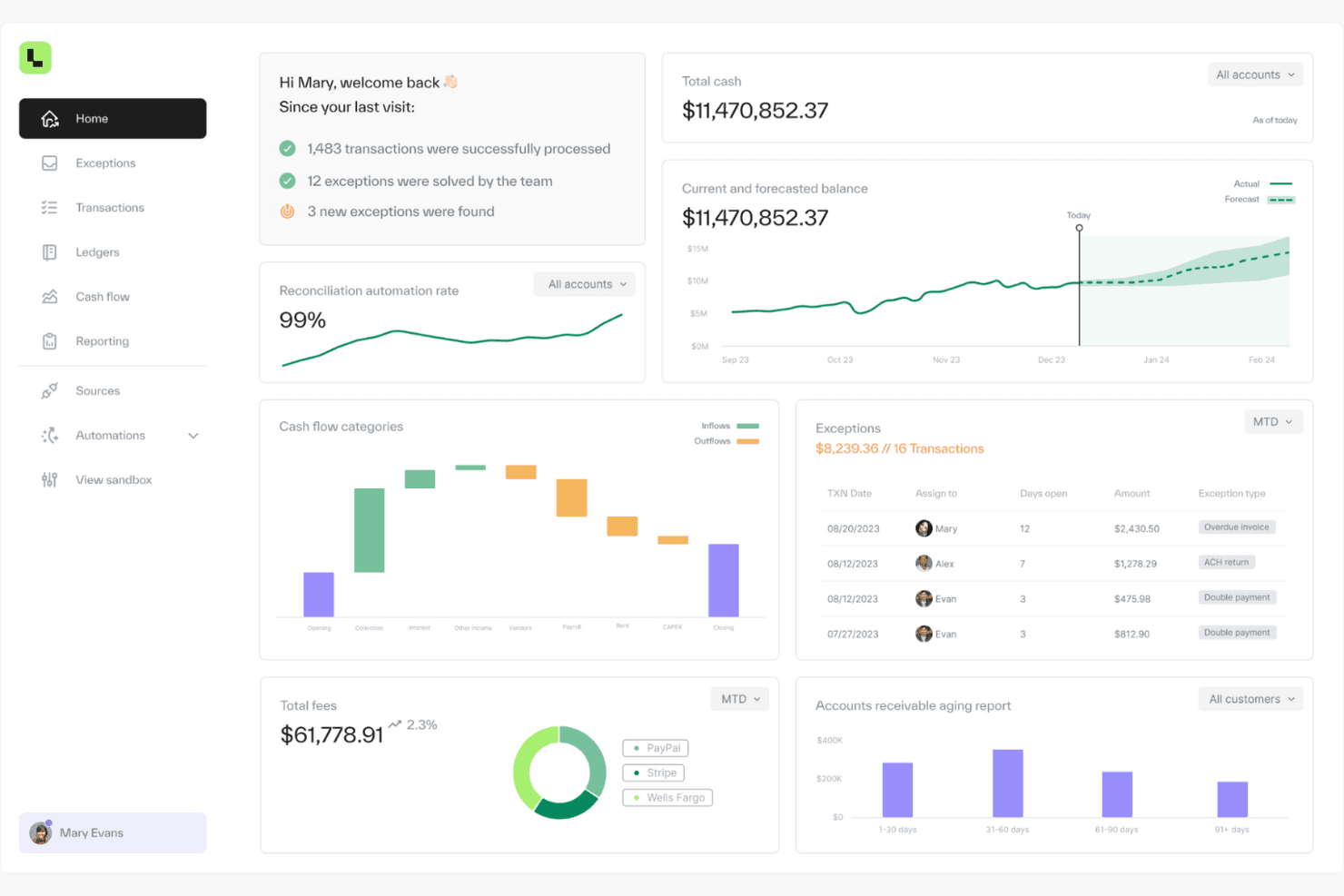
Ledge centralizes cash flow, exceptions, and reconciliation in one dashboard. Ledge is an AI-native ecommerce payment reconciliation platform that automates transaction matching, exception management, fee and chargeback tracking, and journal entry preparation across payment processors, banks, and ERP systems.
Who Is Ledge Best For?
Ledge fits finance teams at growing ecommerce brands that run on Shopify and NetSuite and need AI-driven reconciliation without leaning on IT.
Why I Picked Ledge
I picked Ledge as one of the best because its AI reconciliation engine handles the kind of matching complexity that trips up smaller finance teams: one-to-many, many-to-many, partial payments, chargebacks, and multi-currency settlements, all resolved automatically. I especially like how its Shopify integration pulls order-level payout data and maps it directly to GL accounts, so a small finance team isn't manually untangling gross sales from refunds and processing fees each month-end.
Ledge Key Features
- Multi-currency reconciliation: Automatically accounts for exchange rate differences, processor fees, and settlement timing across currencies so your team only reviews true exceptions.
- AI-drafted journal entries: AI agents prepare journal entries and hold them for human approval before posting to your connected ERP.
- Real-time close visibility dashboard: A live dashboard tracks reconciliation progress by account, entity, and owner, surfacing at-risk transactions before close.
- Immutable audit trail: Every transaction is logged and retained in a tamper-proof record, supporting SOC 1 and SOC 2 compliance across all plans.
Ledge Integrations
Ledge offers 150+ native integrations, including Shopify, Stripe, Adyen, PayPal, NetSuite, and 11,000+ banks. It also supports API connections, CSV uploads, Excel, Google Sheets, SFTP, Snowflake, Google Cloud, and AWS.
Pros and Cons
Pros:
- Immutable audit trails support strict compliance
- Transaction-level breakdown captures every fee and refund
- AI reconciliation saves significant monthly time
Cons:
- Marketplace support limited outside Shopify
- No free trial or instant signup
Learn more about Ledge:
Outro software de reconciliação de pagamentos de comércio eletrónico
Eis algumas opções adicionais de software de reconciliação de pagamentos de comércio eletrónico que não entraram na minha lista, mas que ainda vale a pena conhecer:
- 11ReconcifyBest for direct-to-consumer
- 12WebgilityBest for inventory management
- 13StripeBest for subscription billing
- 14EasyEcom Best for multichannel sellers
- 15QuickBooksBest for small retail businesses
- 16FinaloopBest for real-time bookkeeping
- 17Link My BooksBest for Amazon sellers
- 18VinculumBest for omnichannel retail
- 19MyWorksBest for WooCommerce users
- 20eShopboxBest for inventory reconciliation
- 21eVanikBest for Indian marketplaces
- 22SpringbordBest for data management services
How I Evaluate ecommerce Payment Reconciliation Software
I look at these tools in two layers: core requirements—things like multi-channel payout ingestion, automated matching, and GL sync—and the differentiators that separate a good fit from a poor one.
Core Functionality (Table Stakes For This List)
When I'm selecting tools for my list, I rank each one on a scale from 0 (does not offer the functionality) to 5 (excels in this area) for each core functionality listed below. Then, I calculate the tool's total score into a percentage. Each tool needs to achieve a minimum total score of 65% to be considered for inclusion.
- Multi-Channel Transaction Ingestion: I check how many ecommerce platforms, processors, and marketplaces each tool connects to natively—think Shopify, Amazon, Stripe, and PayPal pulling in automatically.
- Automated Payout Matching: Matching aggregated Stripe or Adyen payouts back to individual orders is where these tools earn their keep, so I evaluate matching logic and exception handling.
- Fee & Discrepancy Detection: I look for the tool's ability to flag processor fees, FX charges, and settlement shortfalls—especially mismatches between expected and actual deposit amounts.
- Refund & Chargeback Reconciliation: Every return and dispute needs to trace back to the original order, so I evaluate how each tool links refunds and chargebacks to source transactions.
- Accounting System Integration: I look at native integrations with systems like QuickBooks, Xero, NetSuite, and Sage, and whether reconciled data flows into the GL without manual journal entries.
- Reporting & Audit Trail: Clean reconciliation reports and a transaction-level audit trail matter at month-end close and during audits, so I evaluate export options and drill-down capability.
Once I have a list of tools that meet this criteria, I consider what sets each platform apart.
Differentiating Factors (What Sets Vendors Apart)
Here's how I compare and contrast different vendors:
Standout Features
Marketplace fee auditing is a big one—I look for tools that validate commission and referral fee deductions from Amazon, eBay, and Walmart against your contracted rates, since overcharges happen more often than most sellers expect. Custom reconciliation rules also matter when your DTC storefront and marketplace channels have completely different payout structures and fee logic. I evaluate whether a platform offers anomaly detection AI that flags unusual settlement delays or fee spikes before they become month-end surprises.
Beyond Features
Transaction volume scalability is something I evaluate closely—if your brand runs flash sales or handles holiday surges, you need a platform that won't choke on millions of orders during peak periods. I also check how pricing scales, since volume-based tiers make more sense for high-growth ecommerce than per-seat models. Implementation and time-to-value matter too; I look for guided onboarding that includes historical data backfills so your team isn't reconciling months of catch-up manually. Compliance certifications like SOC 2 Type II and PCI DSS round out the picture for handling sensitive payment data.
Como escolher software de reconciliação de pagamentos de comércio eletrónico
Escolher software de reconciliação de comércio eletrónico significa perceber o que se adequa aos seus fluxos de trabalho, e não apenas à sua lista de desejos. Quer faça a reconciliação entre dois gateways de pagamento ou vinte, estes são os fatores que distinguem uma solução útil de uma verdadeira dor de cabeça.
| Fator | O que deve considerar |
|---|---|
| FatorEscalabilidade | O que deve considerarConsegue processar o seu volume de transações durante a época alta, e não apenas numa terça-feira de julho? Procure planos flexíveis e uma infraestrutura que não ceda perante o crescimento em vários canais. |
| FatorIntegrações | O que deve considerarIntegra-se com o seu conjunto de ferramentas de comércio eletrónico — Shopify, Amazon, o seu ERP e o seu sistema de contabilidade? Pontos extra se abranger mercados online especializados sem exigir trabalho de desenvolvimento personalizado. |
| FatorPersonalização | O que deve considerarPode adaptar relatórios, painéis e fluxos de trabalho? Vai querer flexibilidade sem precisar de um consultor sempre que a sua política de reembolsos mudar. |
| FatorFacilidade de utilização | O que deve considerarA sua equipa vai realmente utilizá-lo? Dê prioridade a interfaces limpas, predefinições inteligentes e ferramentas que não escondam funcionalidades básicas a cinco cliques de distância. |
| FatorImplementação e integração inicial | O que deve considerarQuanto tempo demora a começar a utilizá-lo? Procure modelos pré-configurados, uma configuração orientada e uma equipa de apoio que não desapareça depois de a fatura ser paga. |
| FatorCusto | O que deve considerarQual é o custo total de propriedade — incluindo integrações, níveis de utilização e “extras” inesperados? Certifique-se de que os preços estão alinhados com a realidade das suas margens. |
| FatorMedidas de segurança | O que deve considerarCumpre as normas do setor — encriptação, registos de auditoria e controlos de acesso? Está a reconciliar dinheiro, não a gerir uma conversa de grupo. |
| FatorDisponibilidade do apoio | O que deve considerarQuando algo avaria (e vai acontecer), a quem pode ligar? Verifique se existe chat em direto, tempos de resposta rápidos por e-mail e documentação decente que não pareça ter sido escrita como uma declaração legal. |
O que é o software de reconciliação de pagamentos de comércio eletrónico?
O software de reconciliação de pagamentos de comércio eletrónico é uma ferramenta que alinha automaticamente cada venda, reembolso, comissão e custo cambial das suas plataformas com os depósitos bancários.
Recolhe dados do Shopify, Stripe, PayPal e de outros gateways num único painel — para detetar pagamentos divididos, comissões inesperadas das plataformas e diferenças cambiais antes de atrasarem o fecho das contas.
Criado para profissionais que gerem vários marketplaces e moedas, assinala discrepâncias em tempo real, consolida comissões para P&Ls mais claros e fornece um registo preparado para auditorias, sem mais uma cadeia de emails.
Considere-o a sua equipa financeira nos bastidores — a analisar problemas para que se possa concentrar no crescimento.
Funcionalidades do software de reconciliação de pagamentos de comércio eletrónico
Olhe para além das palavras da moda. As melhores plataformas de reconciliação resolvem problemas reais do retalho — discrepâncias, atrasos e trabalho manual repetitivo. Estas são as funcionalidades importantes quando tenta reconciliar um grande volume de transações sem perder a cabeça (ou as margens):
- Correspondência automática de transações. Faz corresponder pagamentos, encomendas e comissões entre canais de vendas e processadores de pagamentos sem esforço manual. Adeus, limbo das folhas de cálculo.
- Painéis em tempo real. Veja o desempenho financeiro, o fluxo de caixa e as discrepâncias à medida que acontecem — não três dias depois.
- Suporte para várias moedas e canais. Processa pagamentos em diferentes moedas provenientes de plataformas como a Amazon, o eBay e o Shopify, tudo numa única vista.
- Registos de auditoria e demonstrações financeiras. Regista todas as alterações para fins de conformidade e gera demonstrações prontas para exportação que resistem a um escrutínio rigoroso.
- Sincronização de inventário e encomendas. Integra-se com a sua plataforma de comércio eletrónico ou ERP para evitar vendas excessivas e acompanhar devoluções, reembolsos e o estado das encomendas.
- Fluxos de trabalho personalizáveis. Ajuste as regras de reconciliação para corresponderem aos seus processos contabilísticos reais — e não o contrário.
- Detalhes sobre impostos sobre vendas e comissões. Automatiza os cálculos para a conformidade fiscal e proporciona uma visão clara sobre estornos, cobranças excessivas e comissões de processamento.
- Integrações com contas bancárias e gateways de pagamento. Importa dados de transações diretamente de processadores como o Stripe e o PayPal, bem como do seu software de contabilidade (QuickBooks, Xero, etc.).
- Deteção de anomalias e erros. Assinala discrepâncias, pagamentos em falta e outras irregularidades financeiras antes de se transformarem em pedidos de suporte.
- Arquitetura escalável. Criada para acompanhar o crescimento da empresa e o aumento do número de SKUs, reembolsos e fontes de pagamento.
Vantagens do software de reconciliação de pagamentos de comércio eletrónico
A maioria das ferramentas de contabilidade não foi criada para a complexidade do comércio eletrónico moderno — várias plataformas, processadores de pagamentos, moedas e tipos de reembolso. O software de reconciliação assume o controlo quando o seu ERP ou sistema de contabilidade já não consegue dar resposta. Eis o que obtém quando tudo é feito corretamente:
- Menos erros, melhores registos. A reconciliação automatizada elimina pagamentos não detetados, reembolsos classificados incorretamente e erros de introdução de dados.
- Poupança de tempo em toda a equipa. Reduz horas de trabalho manual na semana da sua equipa financeira — especialmente durante o fecho mensal ou o fecho da época alta.
- Visibilidade financeira em tempo real. Painéis e informações sobre o fluxo de caixa que permitem identificar problemas (e oportunidades) antes de afetarem os seus P&L.
- Maior conformidade. Automatiza os cálculos fiscais e os registos de auditoria, tornando os seus relatórios financeiros claros, consistentes e prontos para inspeção.
- Maior clareza sobre o inventário e as encomendas. Sincroniza-se com a sua plataforma de comércio eletrónico e o ERP para que os seus dados financeiros correspondam às vendas, devoluções e movimentações de stock reais.
- Melhores decisões. Dados limpos significam que não terá de adivinhar onde está a perder receitas — ou onde estão escondidas as suas margens.
- Menos atrito com o seu conjunto de ferramentas contabilísticas. Integra-se com o QuickBooks, o Xero e outras ferramentas essenciais para simplificar a reconciliação e os relatórios.
- Escalabilidade para o crescimento. Quer esteja a adicionar canais de vendas, gateways de pagamento ou SKUs, o seu processo de reconciliação não entrará em colapso sob esse peso.
Custos e preços do software de reconciliação de pagamentos de comércio eletrónico
Os preços do software de reconciliação variam bastante — alguns cobram por utilizador, outros pelo volume de transações e alguns obrigam-no a falar com a equipa comercial apenas para obter um valor.
Eis o que pode esperar de cada escalão de preços, bem como o que está normalmente incluído.
Não se esqueça: algumas plataformas também acrescentam taxas por integrações, implementação ou fontes de pagamento adicionais. Se tiver várias lojas ou canais, pergunte pelos preços por entidade antes de assinar.
| Tipo de plano | Preço médio | Funcionalidades comuns | Ideal para |
|---|---|---|---|
| Tipo de planoPlano gratuito | Preço médio$0 | Funcionalidades comunsCorrespondência básica de transações, relatórios de nível inicial, integrações limitadas | Ideal paraPequenas lojas com baixo volume |
| Tipo de planoPlano pessoal | Preço médio$5–$25/utilizador/mês | Funcionalidades comunsReconciliação automatizada, relatórios em tempo real, algum suporte para várias moedas | Ideal paraProfissionais independentes e equipas em fase inicial |
| Tipo de planoPlano empresarial | Preço médio$30–$75/utilizador/mês | Funcionalidades comunsAnálises avançadas, integrações mais abrangentes, fluxos de trabalho personalizados, suporte multicanal | Ideal paraEmpresas de comércio eletrónico em crescimento |
| Tipo de planoPlano empresarial de grande dimensão | Preço médio$100+/utilizador/mês | Funcionalidades comunsFuncionalidades completas de conformidade, suporte para várias entidades, integração inicial e suporte dedicados | Ideal paraOperações de elevado volume e em várias regiões |
Nota: Algumas plataformas cobram uma taxa por localização ou por canal. Se estiver a gerir várias lojas ou plataformas de comércio eletrónico, tenha esse custo em conta nas suas projeções de custos.
Perguntas frequentes sobre software de reconciliação de pagamentos de comércio eletrónico
Eis algumas respostas a perguntas frequentes sobre software de reconciliação de pagamentos de comércio eletrónico:
Isto pode substituir o meu software de contabilidade, como o QuickBooks ou o Xero?
Não — e não deve tentar fazê-lo. O software de reconciliação funciona com o seu sistema de contabilidade, não em vez dele. Introduz dados de transações limpos e correspondentes na sua contabilidade, para que o seu contabilista não tenha de tentar perceber por que motivo esse pagamento da Stripe foi recebido com menos $58.
Como lidam estas ferramentas com vendas em plataformas de comércio eletrónico como a Amazon ou o eBay?
As boas ferramentas importam diretamente das plataformas de comércio eletrónico os dados de encomendas, taxas e pagamentos e fazem a correspondência com os seus extratos bancários. Procure plataformas com integrações nativas, não soluções alternativas — quer menos CSV e mais tranquilidade.
O que acontece se eu vender em várias moedas?
O suporte para várias moedas é essencial para vendedores globais. Estas ferramentas podem normalizar os pagamentos em diferentes moedas e associá-los novamente aos dados de vendas originais — assim, não ficará a tentar reconstruir as taxas de câmbio no final do mês.
Isto é excessivo se eu vender apenas através da Shopify e da Stripe?
Se estiver a lidar com um elevado volume de transações, reembolsos ou estornos — mesmo numa única plataforma — vale a pena. A reconciliação manual não é escalável e essas diferenças de $2 acumulam-se rapidamente.
Posso acompanhar separadamente as taxas, os impostos e os estornos?
Sim, e deve fazê-lo. A maioria das ferramentas discrimina as taxas do gateway de pagamentos, o imposto sobre vendas cobrado e os estornos, para que não tenha de juntar tudo numa única linha de “ajuste” confusa.
Com que frequência são atualizados os dados? Posso ver as transações em tempo real?
A maioria das plataformas disponibiliza uma sincronização em tempo real ou quase em tempo real com as suas plataformas de vendas e pagamentos. Se o seu painel de fluxo de caixa ainda depende de exportações diárias, está na altura de fazer uma atualização.