

Stripe-beoordeling: voordelen, nadelen, functies en prijzen

We review tools independently, and commissions help fund our testing. See our transparency policy, our methodology, or suggest a tool.
Stripe is an ecommerce payment processing platform built for businesses that need precise control over how payments are accepted, embedded, and managed across digital channels. I'd mainly consider it if your team has developer resources and wants to build a fully custom checkout experience rather than working within someone else's template. Compared to PayPal, Stripe gives you far more flexibility to design your payment flow and integrate with your existing tech stack—without sacrificing global reach or multi-currency support.
Stripe Evaluation Summary
4.6/5
- From $620/month
- Not available
Waarom u onze softwareaanbevelingen kunt vertrouwen
6,700+
Reviews
20
Industry experts
16+
Evaluation factors
14
Years
Ons team test en beoordeelt software sinds 2012. Als retailleiders weten we zelf hoe moeilijk — en belangrijk — het is om de juiste software te kiezen.
Voor deze gids hebben we tools geëvalueerd met behulp van praktijktests en onafhankelijk onderzoek, waarbij we tools beoordeelden aan de hand van onze selectiecriteria.
Onze reviews weerspiegelen ons onafhankelijke oordeel — geen verkooppraatje.
Stripe Overview
If you’re judging payment processing software on flexibility and developer control, Stripe is hard to beat. Its API-first approach, wide integration options, and global currency support make it a top pick for businesses with custom needs or international ambitions. Pricing is transparent, and the interface is modern, but onboarding can feel technical for non-developers.
Stripe is best for teams who want to tailor payments to their workflow—like ecommerce brands building custom checkouts or retailers expanding across borders. If you want plug-and-play simplicity, you might find Stripe’s setup more involved than some alternatives.
Pros
- Supports 135+ currencies and global payment methods.
- Clear and detailed billing statements for easy expense tracking.
- Flexible APIs for custom checkout and billing flows.
Cons
- Customer support can be slow or unhelpful.
- Requires technical expertise for advanced setup.
- Higher transaction fees for some international payments.
Is Stripe Right For Your Needs?
Who Would be a Good Fit for Stripe?
Stripe is a strong choice for businesses that need global reach, custom payment flows, or recurring billing. Its flexible APIs, support for 135+ currencies, and advanced fraud protection make it ideal for tech-forward teams, ecommerce brands, and companies scaling internationally.
If your team values developer control and wants to build unique checkout experiences or manage complex subscriptions, Stripe’s feature set is going to fit well.
- SaaS StartupsStripe’s subscription billing and API tools support rapid product iteration.
- Global EcommerceMulti-currency support and local payment methods help reach international customers.
- Marketplaces StripeConnect enables split payments and onboarding for multiple sellers.
- Digital AgenciesCustomizable payment flows and invoicing fit client-specific needs.
- NonprofitsDonation tools and recurring giving options are built in.
- Mobile App DevelopersStripe’s SDKs make in-app payments and subscriptions easy to implement.
Who Would be a Bad Fit for Stripe?
Stripe isn’t the best fit for businesses that want plug-and-play simplicity, have limited technical resources, or operate in high-risk industries. Its advanced features often require developer involvement, and some industries face higher fees or more restrictions.
If you need fast onboarding, in-person hardware, or industry-specific compliance, you may find Stripe limiting.
- Small Brick-and-MortarStripe’s in-person POS options are limited compared to others.
- RestaurantsLacks restaurant-specific features like table management or tip pooling.
- High-Risk IndustriesStripe restricts or declines accounts in certain regulated sectors.
- MicrobusinessesSetup and customization can be overkill for very small teams.
- Field Service ProvidersNo built-in tools for scheduling, dispatch, or job tracking.
- Healthcare PracticesDoes not offer HIPAA-compliant payment processing or patient billing tools.
Our Review Methodology
How We Test & Score Tools
We’ve spent years building, refining, and improving our software testing and scoring system. The rubric is designed to capture the nuances of software selection and what makes a tool effective, focusing on critical aspects of the decision-making process.
Below, you can see exactly how our testing and scoring works across seven criteria. It allows us to provide an unbiased evaluation of the software based on core functionality, standout features, ease of use, onboarding, customer support, integrations, customer reviews, and value for money.
Core Functionality (25% of final scoring)
The starting point of our evaluation is always the core functionality of the tool. Does it have the basic features and functions that a user would expect to see? Are any of those core features locked to higher-tiered pricing plans? At its core, we expect a tool to stand up against the baseline capabilities of its competitors.
Standout Features (25% of final scoring)
Next, we evaluate uncommon standout features that go above and beyond the core functionality typically found in tools of its kind. A high score reflects specialized or unique features that make the product faster, more efficient, or offer additional value to the user.
We also evaluate how easy it is to integrate with other tools typically found in the tech stack to expand the functionality and utility of the software. Tools offering plentiful native integrations, 3rd party connections, and API access to build custom integrations score best.
Ease of Use (10% of final scoring)
We consider how quick and easy it is to execute the tasks defined in the core functionality using the tool. High scoring software is well designed, intuitive to use, offers mobile apps, provides templates, and makes relatively complex tasks seem simple.
Onboarding (10% of final scoring)
We know how important rapid team adoption is for a new platform, so we evaluate how easy it is to learn and use a tool with minimal training. We evaluate how quickly a team member can get set up and start using the tool with no experience. High scoring solutions indicate little or no support is required.
Customer Support (10% of final scoring)
We review how quick and easy it is to get unstuck and find help by phone, live chat, or knowledge base. Tools and companies that provide real-time support score best, while chatbots score worst.
Customer Reviews (10% of final scoring)
Beyond our own testing and evaluation, we consider the net promoter score from current and past customers. We review their likelihood, given the option, to choose the tool again for the core functionality. A high scoring software reflects a high net promoter score from current or past customers.
Value for Money (10% of final scoring)
Lastly, in consideration of all the other criteria, we review the average price of entry level plans against the core features and consider the value of the other evaluation criteria. Software that delivers more, for less, will score higher.
Core Features
Customizable Checkout
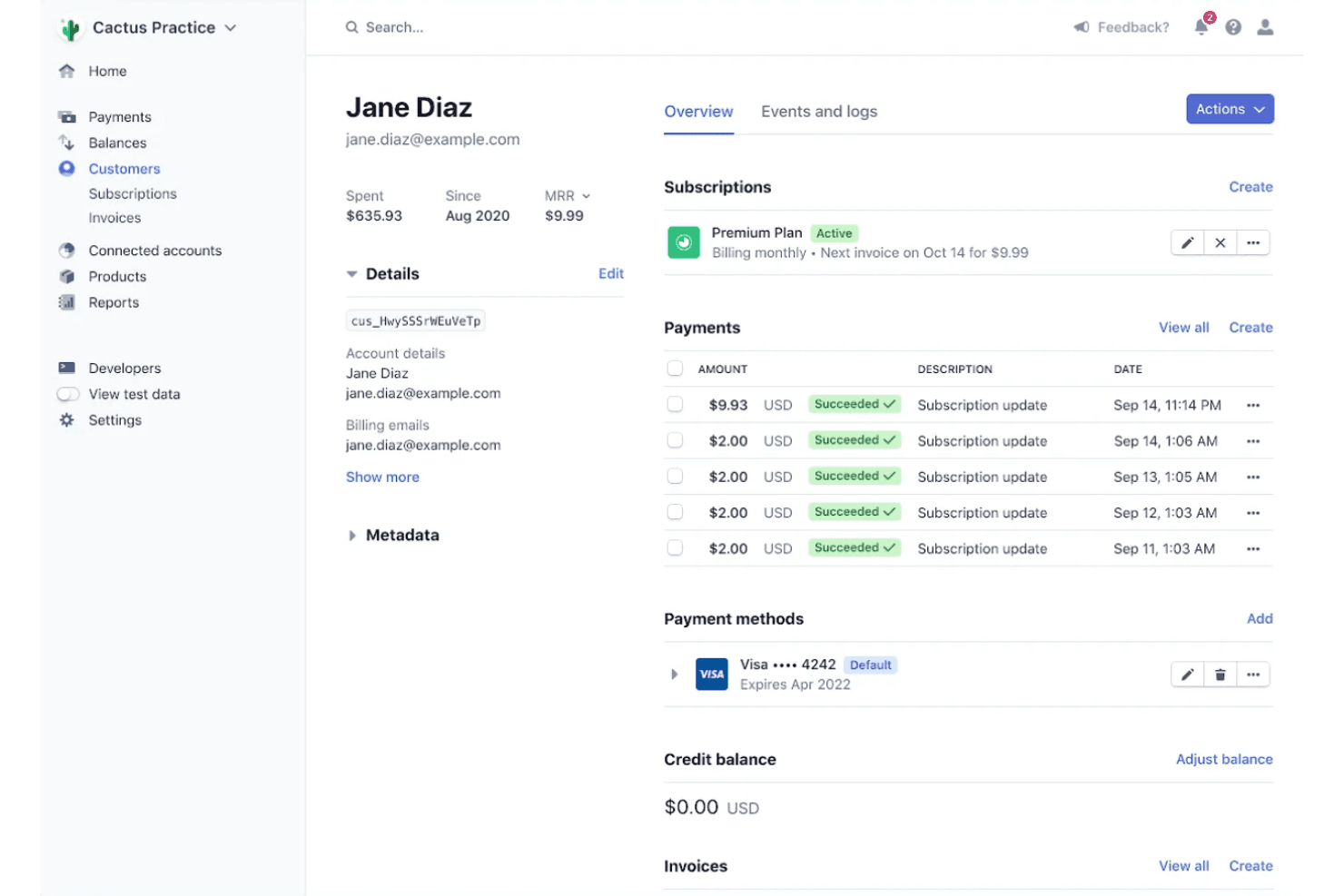
Design branded checkout pages with support for multiple payment methods. You can optimize for mobile and localize for different countries.
Subscription Billing
Automate recurring payments, manage trials, and handle upgrades or downgrades. Stripe Billing supports complex pricing models and invoicing.
Mobile Payments
Stripe supports mobile payment options like Apple Pay and Google Pay, allowing customers to pay quickly and securely using their smartphones.
Global Payments
Accept payments in 135+ currencies and dozens of local payment methods. This helps you reach customers worldwide without extra setup.
Instant Payouts
Move funds to your bank account in minutes, not days. This is especially useful for marketplaces or businesses needing fast cash flow.
Invoicing
Create, send, and manage professional invoices with customizable templates and automated reminders, streamlining your billing process directly through Stripe.
Ease of Use
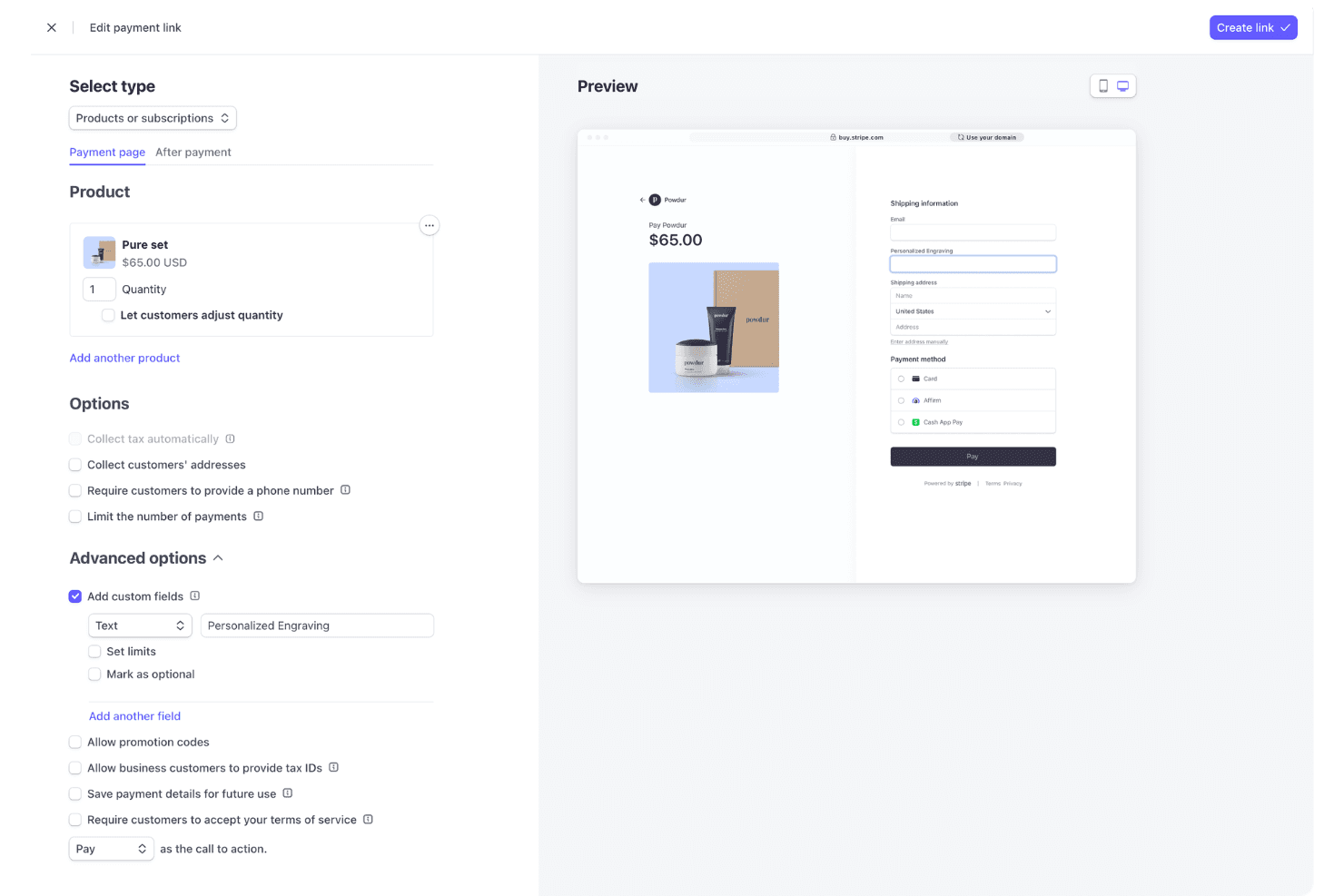
Stripe’s dashboard is clean and intuitive, making basic tasks like issuing refunds or viewing payouts straightforward for most users. However, setting up advanced features—like custom billing logic or marketplace payments—often requires developer support and API knowledge. Many users appreciate the clear documentation and guided onboarding, but non-technical teams may find the initial setup daunting.
Overall, Stripe is user-friendly for day-to-day operations but leans technical for deeper customization.
Integrations
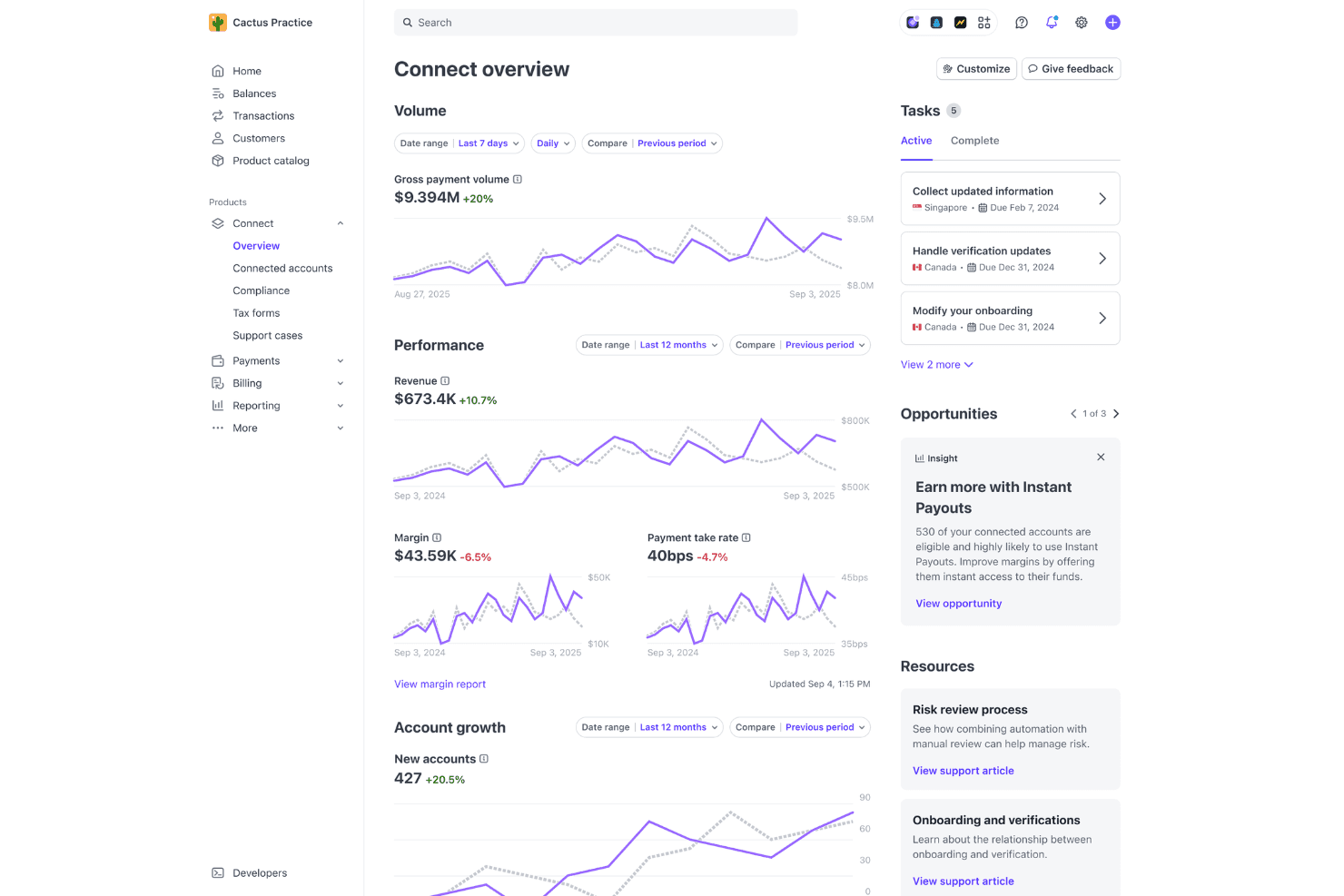
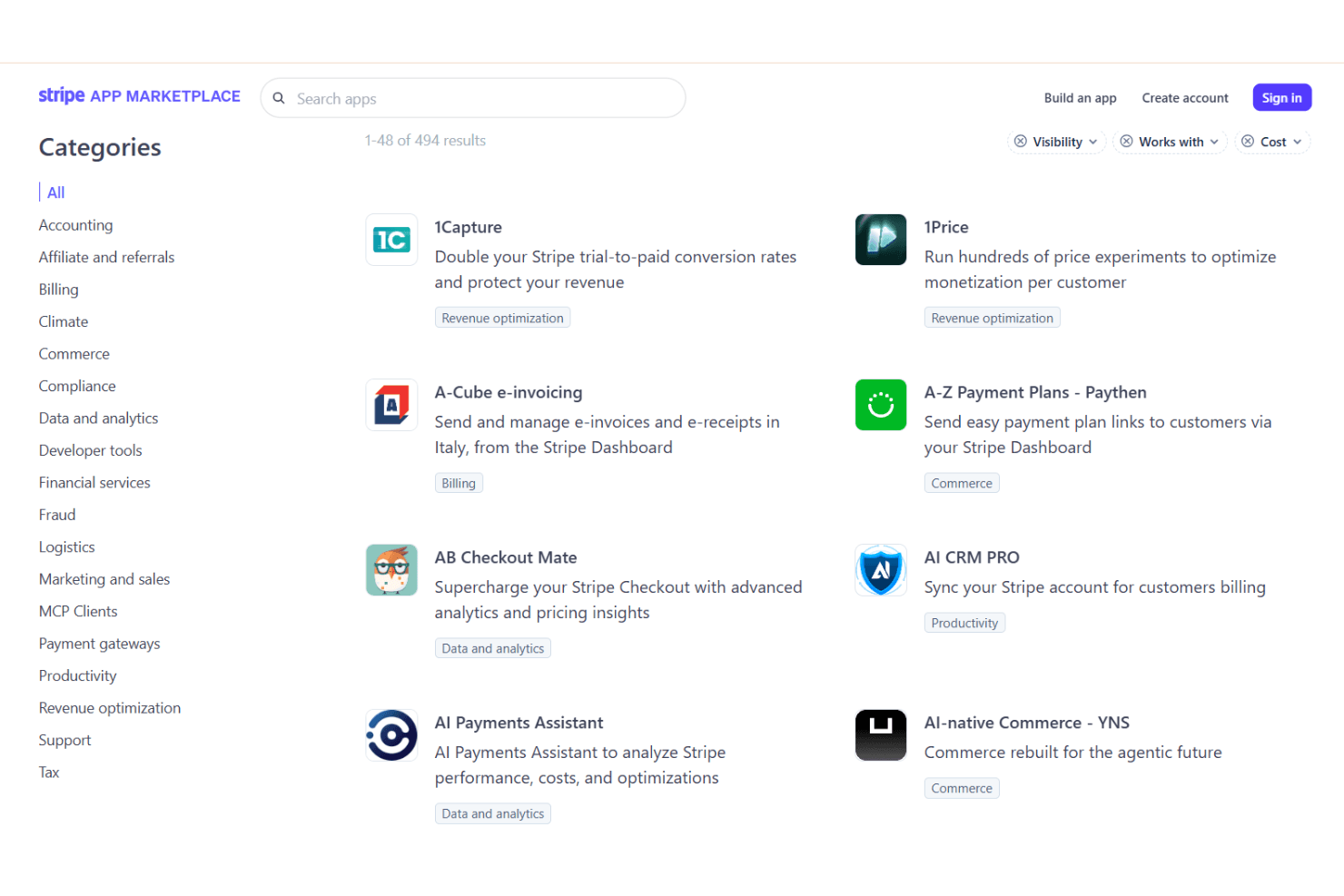
Stripe integrates with WooCommerce, Shopify, Xero, QuickBooks, HubSpot, NetSuite, Adobe Commerce (Magento), PrestaShop, WHMCS, and Chargebee, among others.
Stripe also offers a robust API and connects with third-party integration tools for custom workflows and automation.
Stripe Specs
- 2-Factor Authentication: Yes
- Accounts Receivable: No
- API: Yes
- Balance Sheet: No
- Billing/Invoicing: Yes
- BitCoin: No
- Budgeting: No
- Calendar Management: No
- Contact Management: Yes
- CRM Integration: Yes
- Customer Management: Yes
- Dashboard: Yes
- Data Export: Yes
- Data Import: Yes
- Data Visualization: Yes
- Expense Tracking: No
- External Integrations: Yes
- Forecasting: No
- Inventory Tracking: No
- Multi-Currency: Yes
- Multi-User: Yes
- Notifications: Yes
- P&L: No
- Payment Gateway Integration: Yes
- Payment Processor: Yes
- PayPal: No
- Payroll: No
- SAP Integration: No
- Scheduling: No
- Stripe: No
- Supplier Management: No
- Tax Management: Yes


