
Recensione di Unbounce: vantaggi, svantaggi, funzionalità e prezzi
Unbounce eccelle nelle pagine di destinazione personalizzabili, offrendo funzionalità uniche di test A/B per potenziare le attività di marketing del tuo team.

Recensiamo gli strumenti in modo indipendente, e le commissioni aiutano a finanziare i nostri test. Consulta la nostra politica sulla trasparenza, la nostra metodologia o suggerisci uno strumento.
Unbounce is a landing page builder built for marketers who need to create, test, and optimize conversion-focused pages without leaning on developers. It's worth a close look if you want more than Leadpages gives you—particularly if AI-powered traffic routing and built-in A/B testing matter to your campaigns. Unbounce's Smart Traffic feature automatically sends visitors to the variant most likely to convert, which makes it a stronger tool when you're serious about squeezing more from paid traffic.
Unbounce Evaluation Summary
4.4/5
- From $22/month (billed annually)
- 14-day free trial
Perché fidarsi dei nostri consigli sui software
6,700+
Reviews
20
Industry experts
16+
Evaluation factors
14
Years
Il nostro team testa e recensisce software dal 2012. In quanto leader del retail noi stessi, sappiamo quanto sia difficile — e importante — scegliere il software giusto.
Per questa guida, abbiamo valutato gli strumenti attraverso test pratici e ricerche indipendenti, assegnando un punteggio agli strumenti in base ai nostri criteri di selezione.
Le nostre recensioni riflettono il nostro giudizio indipendente, non un discorso di vendita.
Unbounce Overview
In my opinion, Unbounce is a solid choice for creating landing pages, particularly for marketing teams and digital agencies. It stands out with customizable templates and A/B testing, but its pricing might be high for small businesses. Compared to other landing page tools like Instapage and Leadpages, it excels in user interface, core functionality, and support, though onboarding could be more intuitive. If you're determining the best tool for fast-paced marketing environments, Unbounce's features and support make it a worthy contender. However, if budget constraints are a concern, you might want to consider alternatives.
Pros
- You can easily customize landing pages with its intuitive drag-and-drop builder.
- A/B testing helps your team optimize campaigns for better conversion rates.
- It offers a wide range of templates that fit different business needs.
Cons
- The learning curve can be steep for beginners.
- Your team might find the mobile editor less intuitive than the desktop version.
- It lacks some advanced design features found in other builders.
Is Unbounce Right For Your Needs?
Who Would be a Good Fit for Unbounce?
Unbounce is a great fit for marketing teams and digital agencies focused on creating high-converting landing pages. If your team needs to quickly launch campaigns with customizable templates and A/B testing, Unbounce delivers. Its intuitive drag-and-drop builder allows you to make changes without a developer. E-commerce businesses benefit from its ability to optimize pages for better sales, while agencies can manage multiple clients with ease. If your work involves frequent campaign adjustments, Unbounce's flexibility is invaluable.
- E-commerce BusinessesUnbounce helps boost sales by allowing you to test and optimize landing pages for higher conversion rates.
- Digital AgenciesManage multiple client campaigns efficiently with Unbounce's customizable templates and client management features.
- Marketing TeamsQuickly launch and test campaigns using Unbounce's A/B testing and drag-and-drop editor to enhance your marketing efforts.
- StartupsUnbounce enables rapid landing page creation, essential for startups looking to make a quick impact.
- Freelance MarketersFreelancers can easily handle diverse client needs with Unbounce's wide range of templates and intuitive interface.
- Event PlannersCreate eye-catching event landing pages quickly with Unbounce's easy-to-use design tools and templates.
Who Would be a Bad Fit for Unbounce?
Unbounce may not suit small businesses or solo entrepreneurs with limited budgets, as its pricing can be steep. If your team needs advanced design capabilities or complex integrations, Unbounce's features might not meet your expectations. Organizations that require intricate backend customization or those heavily reliant on mobile editing might find Unbounce's tools lacking. If your work involves intricate design projects, you could find its capabilities restrictive.
- Small BusinessesUnbounce's pricing might strain your budget, especially if you have limited marketing funds.
- Advanced DesignersIf you need intricate design features, Unbounce might fall short in providing the advanced tools you require.
- Mobile-First TeamsTeams focused on mobile design might find Unbounce's mobile editor less intuitive compared to desktop.
- Large EnterprisesIf you need extensive backend customization, Unbounce might not offer the flexibility your organization requires.
- Non-ProfitsBudget-conscious non-profits might find Unbounce's costs prohibitive for their limited resources.
- Tech-Heavy IndustriesIndustries needing complex integrations might find Unbounce's capabilities insufficient for their technical needs.
La Nostra Metodologia di Recensione
Come Testiamo e Valutiamo gli Strumenti
Abbiamo trascorso anni a costruire, perfezionare e migliorare il nostro sistema di test e valutazione dei software. Il nostro schema di valutazione è progettato per cogliere le sfumature della selezione dei software e per comprendere cosa rende uno strumento efficace, concentrandosi su aspetti critici del processo decisionale. Qui sotto puoi vedere esattamente come funzionano i nostri test e valutazioni attraverso sette criteri. Questo ci permette di fornire una valutazione imparziale del software basata su funzionalità principali, caratteristiche distintive, facilità d’uso, onboarding, supporto clienti, integrazioni, recensioni dei clienti e rapporto qualità-prezzo.
Funzionalità di base (25% della valutazione finale)
Il punto di partenza della nostra valutazione è sempre la funzionalità principale dello strumento. Ha le funzioni e le caratteristiche di base che un utente si aspetterebbe? Alcune di queste funzionalità sono bloccate a piani tariffari di livello superiore? Alla base, ci aspettiamo che uno strumento regga il confronto con le capacità minime dei suoi concorrenti.
Caratteristiche distintive (25% della valutazione finale)
Successivamente valutiamo caratteristiche distintive e non comuni che vadano oltre la normale funzionalità presente in strumenti simili. Un punteggio alto riflette funzionalità specializzate o uniche che rendono il prodotto più veloce, efficiente o che offrano valore aggiunto all’utente. Valutiamo anche quanto sia facile integrare il software con altri strumenti della consueta infrastruttura tecnologica per espanderne la funzionalità e l’utilità. Gli strumenti che offrono molte integrazioni native, connessioni di terze parti e accesso API per costruire integrazioni personalizzate ottengono il punteggio più alto.
Facilità d’uso (10% della valutazione finale)
Consideriamo quanto sia rapido e semplice eseguire le attività definite nelle funzionalità di base utilizzando lo strumento. I software che ottengono un punteggio alto sono ben progettati, intuitivi, offrono app mobili, modelli pronti e rendono compiti complessi relativamente semplici.
Onboarding (10% della valutazione finale)
Sappiamo quanto sia importante una rapida adozione da parte del team per una nuova piattaforma, quindi valutiamo quanto sia facile imparare a usare uno strumento con una formazione minima. Esaminiamo quanto tempo impiega un membro del team a configurarsi e iniziare a utilizzare lo strumento senza esperienza. Le soluzioni con punteggi elevati richiedono poco o nessun supporto.
Supporto clienti (10% della valutazione finale)
Valutiamo quanto sia rapido e facile ricevere assistenza e trovare aiuto tramite telefono, live chat o base di conoscenza. Gli strumenti e le aziende che forniscono un supporto in tempo reale ottengono i punteggi migliori, mentre i chatbot hanno i punteggi più bassi.
Recensioni dei clienti (10% della valutazione finale)
Oltre ai nostri test e valutazioni, consideriamo il net promoter score dei clienti attuali e passati. Esaminiamo la loro propensione, data la possibilità, a scegliere nuovamente lo strumento per le sue funzionalità di base. Un punteggio elevato riflette un alto net promoter score da clienti attuali o passati.
Rapporto qualità-prezzo (10% della valutazione finale)
Infine, considerando tutti gli altri criteri, valutiamo il prezzo medio dei piani base rispetto alle funzionalità fondamentali e teniamo in considerazione il valore degli altri criteri di valutazione. Il software che offre di più, a meno, ottiene punteggi più alti.
Core Features
Drag-and-Drop Builder
You can easily create landing pages without coding by dragging elements to where you want them on the page. This tool helps your team quickly build pages that match your brand's look.
A/B Testing
Test two versions of a page to see which performs better. This feature helps your team make data-driven decisions to boost conversion rates.
Customizable Templates
Choose from a wide range of templates tailored for different industries. These templates allow you to start with a design that fits your specific needs.
Mobile Responsiveness
Ensure your pages look great on any device. This feature automatically adjusts your design to fit different screen sizes.
Form Builder
Easily add and customize forms to capture leads directly on your landing pages. This tool supports your lead generation efforts by making it simple to gather essential customer information.
Ease of Use
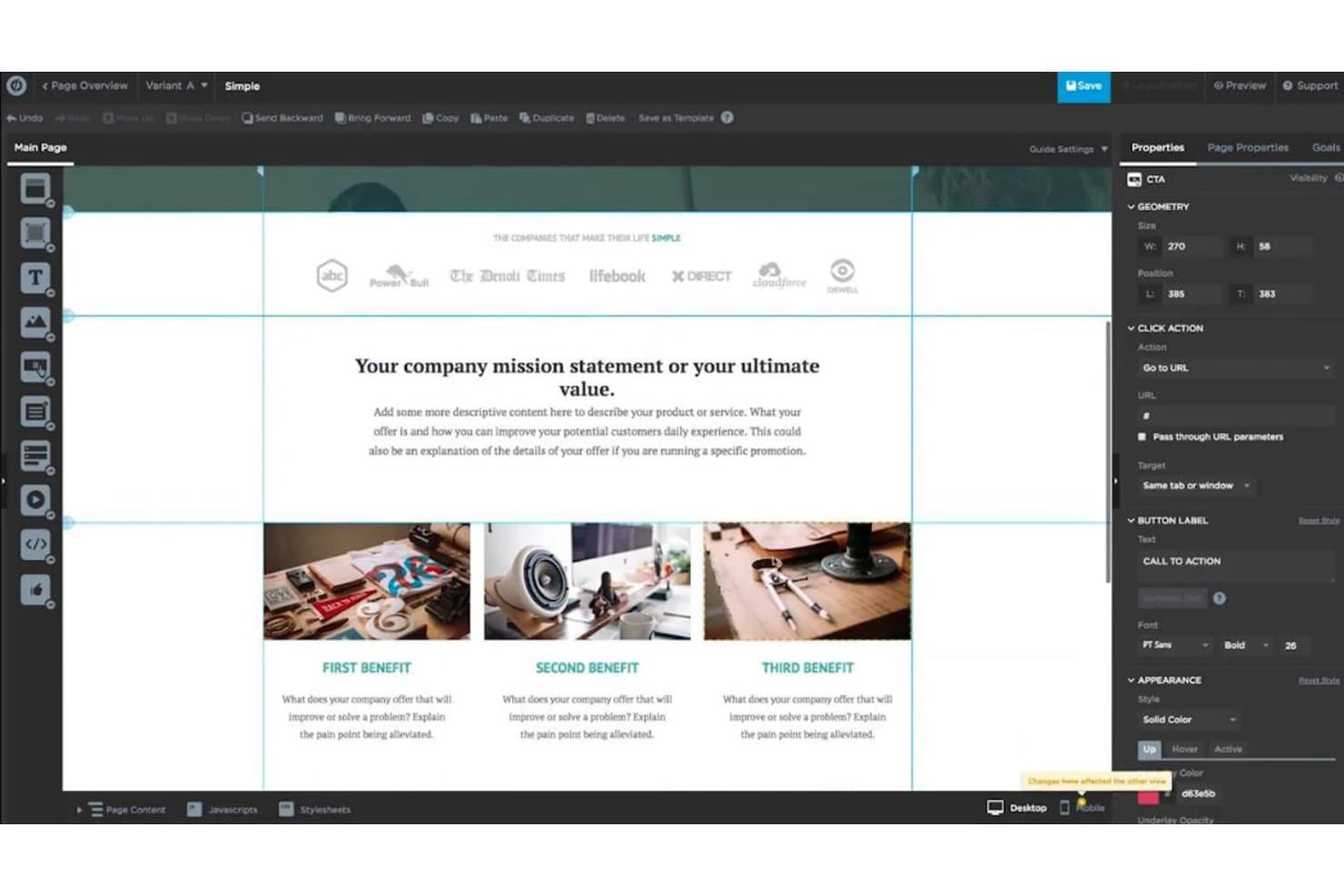
Unbounce offers a user-friendly experience with its intuitive drag-and-drop builder, making it accessible for most users. However, some beginners might find the initial learning curve a bit steep. Once you get the hang of it, creating and testing landing pages becomes straightforward. The real-time editing feature is a plus, allowing your team to see changes instantly. While mobile editing could be more intuitive, the overall usability is solid for those focused on desktop design.
Integrations
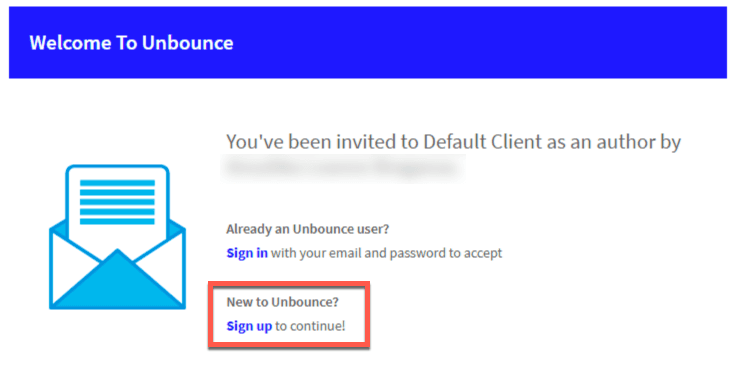
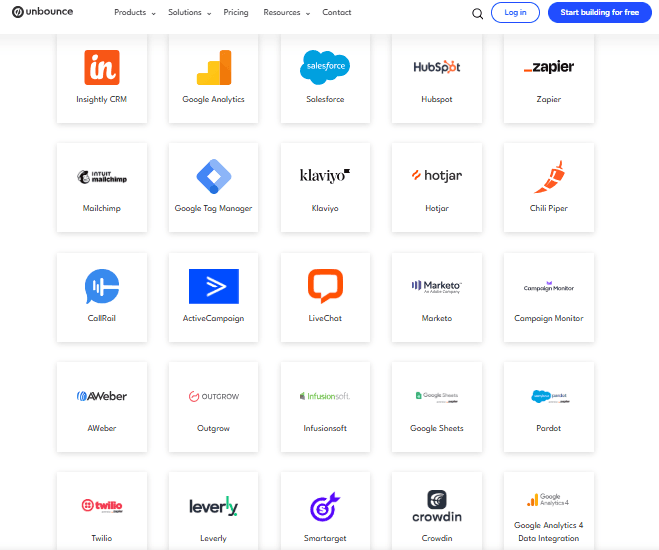
Unbounce integrates with Salesforce, Mailchimp, HubSpot, Google Analytics, Zapier, Marketo, Campaign Monitor, AWeber, Twilio, and Hotjar.
Unbounce also offers an API and connects with third-party integration tools like Zapier and WebHooks.
Unbounce Specs
- A/B Testing: Yes
- AI Integration: Yes
- Analytics: Yes
- API: Yes
- Automated Testing: No
- Bug Tracking: No
- Campaign Management: Yes
- Conversion Tracking: Yes
- Custom Reports: Yes
- Dashboards: No
- Data Export: Yes
- Data Import: No
- Data Visualization: Yes
- Design Templates: Yes
- External Integrations: Yes
- Feedback Management: No
- Form Builder: Yes
- History/Version Control: No
- Multi-Site: Yes
- Multi-User: Yes
- Notifications: No
- Performance Testing: No
- Referral Tracking: No
- Regression Testing: No
- Release Management: No
- Reports: No
- Scenario Planning: No
- SEO: Yes
- Test Management: No
- Visualization: No
- Workflow Management: Yes


