
Recensione di NetSuite Commerce: vantaggi, svantaggi, funzionalità e prezzi
NetSuite Commerce riunisce il commercio elettronico e le operazioni aziendali in un'unica piattaforma, dalla gestione del negozio online e dell'elaborazione degli ordini all'inventario, ai dati dei clienti e all'integrazione con il sistema ERP.

Recensiamo gli strumenti in modo indipendente, e le commissioni aiutano a finanziare i nostri test. Consulta la nostra politica sulla trasparenza, la nostra metodologia o suggerisci uno strumento.
NetSuite Commerce is an ecommerce software built for businesses that run on Oracle NetSuite's ERP and want their storefront, inventory, order management, and financials connected in one system. I'd consider it most seriously if you're scaling a B2B or B2C operation and need back-office integration without relying on third-party middleware. Compared to Shopify Plus, NetSuite Commerce gives you a tighter link between your ecommerce data and your financials—so you're not stitching systems together just to get a complete view of your business.
NetSuite Commerce Evaluation Summary
4.2/5
- Pricing upon request
- Free demo available
Perché fidarsi dei nostri consigli sui software
6,700+
Reviews
20
Industry experts
16+
Evaluation factors
14
Years
Il nostro team testa e recensisce software dal 2012. In quanto leader del retail noi stessi, sappiamo quanto sia difficile — e importante — scegliere il software giusto.
Per questa guida, abbiamo valutato gli strumenti attraverso test pratici e ricerche indipendenti, assegnando un punteggio agli strumenti in base ai nostri criteri di selezione.
Le nostre recensioni riflettono il nostro giudizio indipendente, non un discorso di vendita.
NetSuite Commerce Overview
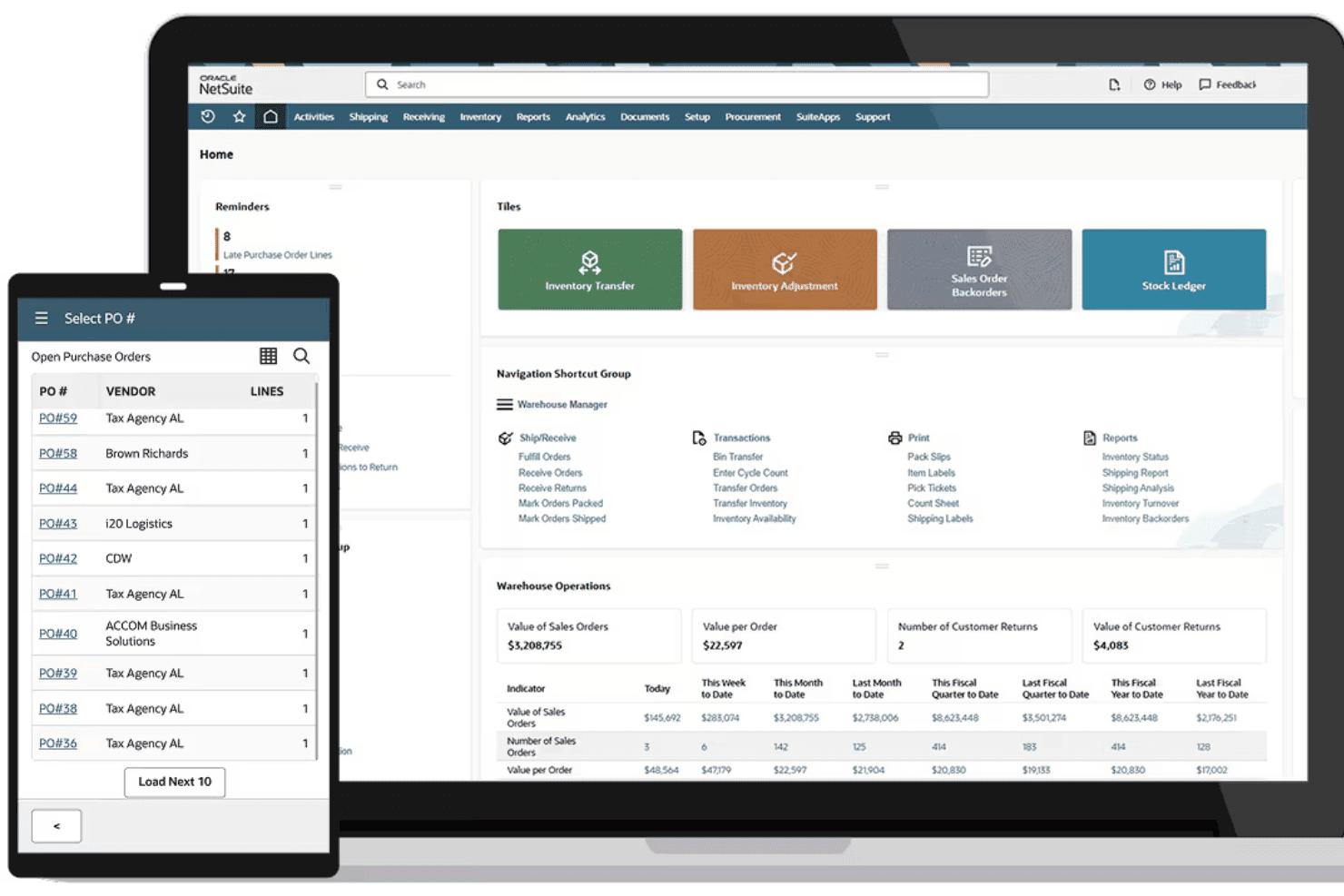
If you’re judging ecommerce software on end-to-end integration, NetSuite Commerce sets itself apart with unified inventory, strong built-in analytics, and native ERP features. I think its pricing and onboarding make more sense for established retailers or fast-growing brands, as it isn’t the fastest to set up and requires more upfront investment.
Compared to others, you get deeper operational control and flexibility, but you’ll trade away ease of use and simple plug-and-play integrations. It’s especially smart for those who want a single source of truth and advanced configuration, not just a storefront.
Pros
- Connects ecommerce sales to inventory and finance in real time
- Extensive multi-location and multi-channel management features included
- Highly configurable workflows for complex retail environments
Cons
- High upfront cost compared to many ecommerce competitors
- Initial implementation can be lengthy and resource-intensive
- User interface feels dated and less intuitive for new users
Is NetSuite Commerce Right For Your Needs?
Who Would be a Good Fit for NetSuite Commerce?
Mid to large-sized retail and wholesale businesses benefit most from NetSuite Commerce due to its robust customization and real-time analytics. If your work involves managing multiple sales channels, this platform helps streamline operations by unifying them in one place.
Teams in industries that rely on data-driven decision-making will appreciate its analytics capabilities, allowing you to make informed choices quickly.
- Retail ChainsNetSuite Commerce supports complex inventory management and multi-channel sales, perfect for expansive retail operations.
- Wholesale DistributorsYour team can manage bulk orders efficiently with its integrated order processing and inventory tracking.
- B2B CompaniesIt offers personalized customer experiences and pricing, ideal for businesses focusing on B2B sales.
- Ecommerce TeamsYou can manage all online sales channels from a single platform, simplifying your ecommerce operations.
- IT DepartmentsCustomization and scalability make it easy for IT teams to tailor the platform to specific business needs.
- Marketing TeamsReal-time data analytics help your team make informed marketing decisions quickly.
Who Would be a Bad Fit for NetSuite Commerce?
Small businesses or startups with limited resources might find NetSuite Commerce overwhelming due to its complexity and cost. If your team lacks the technical expertise to handle its robust features, the platform could be more of a burden than a benefit. Industries that don’t require advanced customization or real-time analytics may not fully leverage its capabilities, making it an inefficient choice.
- Small StartupsYour team might struggle with its complexity and high cost, which aren’t ideal for limited budgets.
- Local BoutiquesSimpler ecommerce solutions would suit your needs better than NetSuite’s advanced features.
- FreelancersThe platform’s extensive functionalities are unnecessary for single-person operations.
- Non-Tech TeamsWithout IT support, managing NetSuite’s customization and updates can be challenging for your team.
- Basic Ecommerce NeedsIf your operations are straightforward, you won’t need the advanced capabilities NetSuite offers.
- Low-Volume SellersThe platform’s robust features may be excessive for your smaller sales volume.
La Nostra Metodologia di Recensione
Come Testiamo e Valutiamo gli Strumenti
Abbiamo trascorso anni a costruire, perfezionare e migliorare il nostro sistema di test e valutazione dei software. Il nostro schema di valutazione è progettato per cogliere le sfumature della selezione dei software e per comprendere cosa rende uno strumento efficace, concentrandosi su aspetti critici del processo decisionale. Qui sotto puoi vedere esattamente come funzionano i nostri test e valutazioni attraverso sette criteri. Questo ci permette di fornire una valutazione imparziale del software basata su funzionalità principali, caratteristiche distintive, facilità d’uso, onboarding, supporto clienti, integrazioni, recensioni dei clienti e rapporto qualità-prezzo.
Funzionalità di base (25% della valutazione finale)
Il punto di partenza della nostra valutazione è sempre la funzionalità principale dello strumento. Ha le funzioni e le caratteristiche di base che un utente si aspetterebbe? Alcune di queste funzionalità sono bloccate a piani tariffari di livello superiore? Alla base, ci aspettiamo che uno strumento regga il confronto con le capacità minime dei suoi concorrenti.
Caratteristiche distintive (25% della valutazione finale)
Successivamente valutiamo caratteristiche distintive e non comuni che vadano oltre la normale funzionalità presente in strumenti simili. Un punteggio alto riflette funzionalità specializzate o uniche che rendono il prodotto più veloce, efficiente o che offrano valore aggiunto all’utente. Valutiamo anche quanto sia facile integrare il software con altri strumenti della consueta infrastruttura tecnologica per espanderne la funzionalità e l’utilità. Gli strumenti che offrono molte integrazioni native, connessioni di terze parti e accesso API per costruire integrazioni personalizzate ottengono il punteggio più alto.
Facilità d’uso (10% della valutazione finale)
Consideriamo quanto sia rapido e semplice eseguire le attività definite nelle funzionalità di base utilizzando lo strumento. I software che ottengono un punteggio alto sono ben progettati, intuitivi, offrono app mobili, modelli pronti e rendono compiti complessi relativamente semplici.
Onboarding (10% della valutazione finale)
Sappiamo quanto sia importante una rapida adozione da parte del team per una nuova piattaforma, quindi valutiamo quanto sia facile imparare a usare uno strumento con una formazione minima. Esaminiamo quanto tempo impiega un membro del team a configurarsi e iniziare a utilizzare lo strumento senza esperienza. Le soluzioni con punteggi elevati richiedono poco o nessun supporto.
Supporto clienti (10% della valutazione finale)
Valutiamo quanto sia rapido e facile ricevere assistenza e trovare aiuto tramite telefono, live chat o base di conoscenza. Gli strumenti e le aziende che forniscono un supporto in tempo reale ottengono i punteggi migliori, mentre i chatbot hanno i punteggi più bassi.
Recensioni dei clienti (10% della valutazione finale)
Oltre ai nostri test e valutazioni, consideriamo il net promoter score dei clienti attuali e passati. Esaminiamo la loro propensione, data la possibilità, a scegliere nuovamente lo strumento per le sue funzionalità di base. Un punteggio elevato riflette un alto net promoter score da clienti attuali o passati.
Rapporto qualità-prezzo (10% della valutazione finale)
Infine, considerando tutti gli altri criteri, valutiamo il prezzo medio dei piani base rispetto alle funzionalità fondamentali e teniamo in considerazione il valore degli altri criteri di valutazione. Il software che offre di più, a meno, ottiene punteggi più alti.
Core Features
Unified Commerce Management
NetSuite Commerce unifies product catalogs, inventory, and order data across all sales channels. You can oversee online, in-store, and phone orders from a single dashboard.
Real-Time Inventory Visibility
Inventory counts update instantly when a sale is made or stock arrives. This helps prevent overselling and supports accurate demand planning.
B2B and B2C Storefronts
Launch customer-facing webstores for direct consumers and dedicated portals for wholesale buyers. Both experiences support pricing tiers, quote management, and personalized catalogs.
Order Management Automation
Automate order processing, fulfillment, and returns regardless of where the sale happens. Customizable rules route orders to the best warehouse or location for fast delivery.
Promotions and Dynamic Pricing
Build and schedule discount campaigns with flexible rules and segmentation. Pricing can change based on customer groups, order value, or sales channel.
Integrated Customer Account Management
Customers manage their profiles, view order histories, and reorder from their own dashboard. Business buyers can assign roles and purchase limits for their teams.
Ease of Use
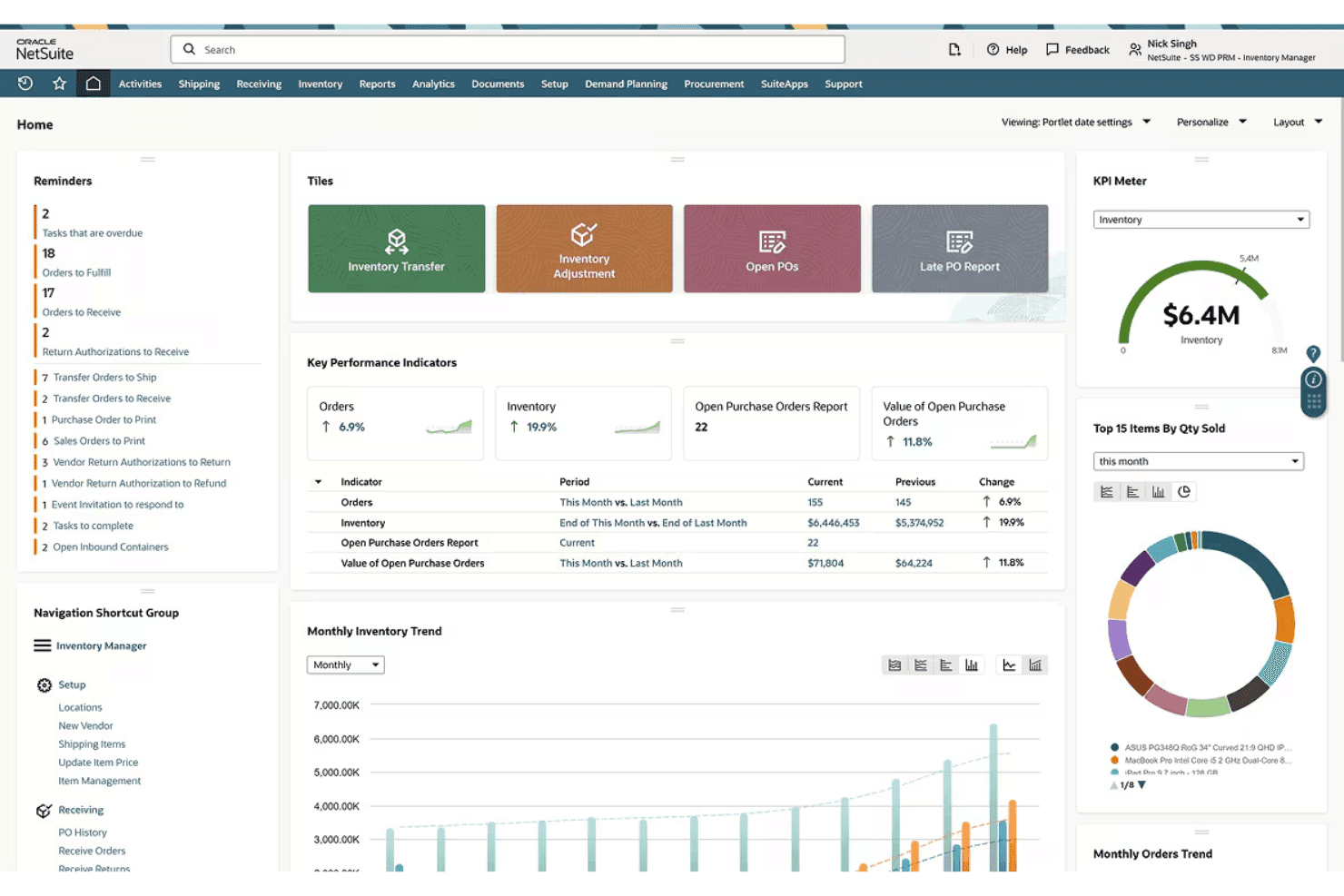
NetSuite Commerce isn’t the most intuitive ecommerce software for beginners, but experienced users value its depth and customization. You’ll find navigation menus and settings overwhelming at first, especially given its enterprise roots. However, core tasks—like product updates and order tracking—feel logical once workflows are configured to match your business.
Integrations
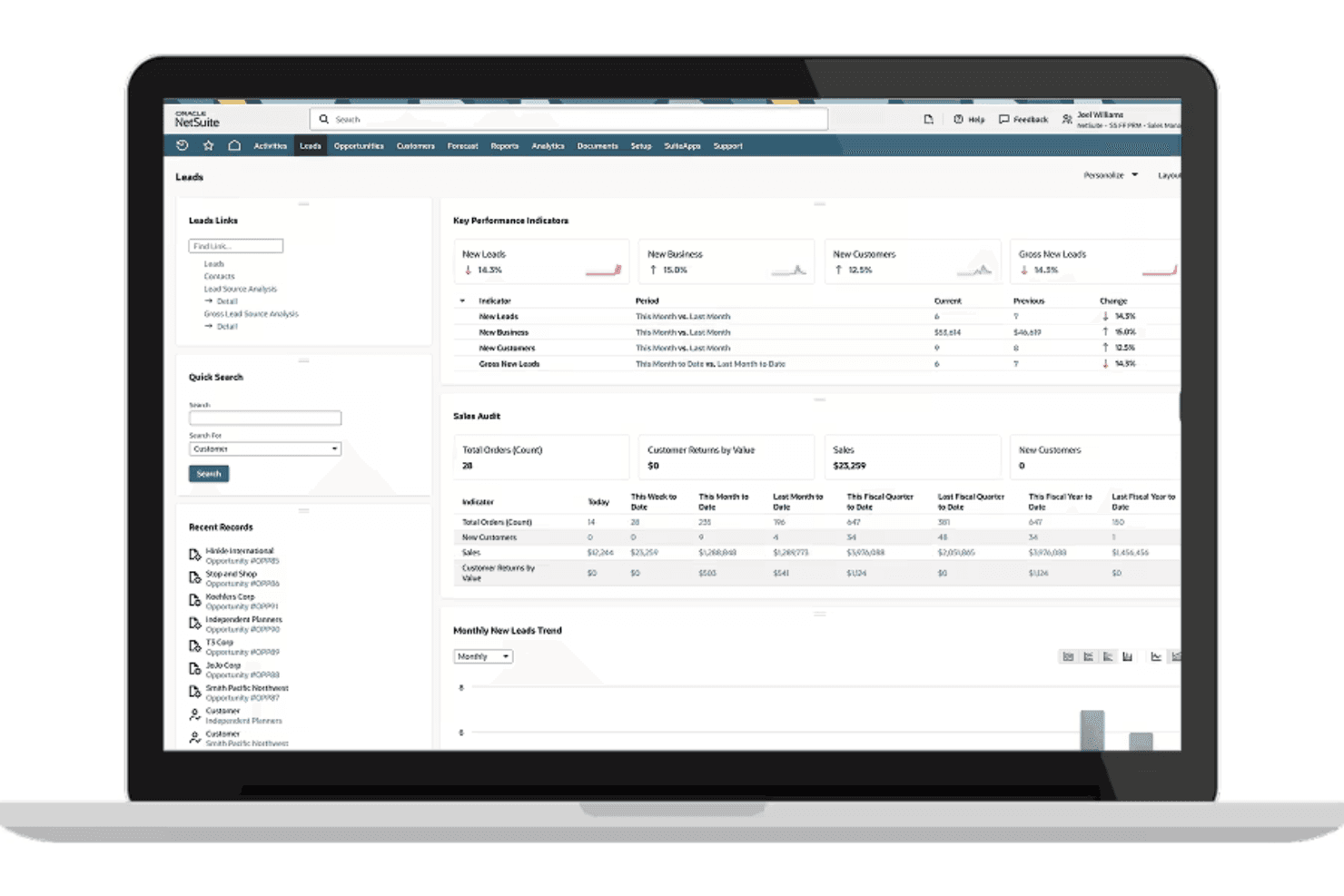
NetSuite Commerce integrates with NetSuite ERP, NetSuite CRM, SuiteTax, Advanced Order Management, NetSuite Inventory Management, SuitePromotions, SuiteBilling, SuitePeople HR, SuiteAnalytics, and NetSuite Point of Sale, among others.
NetSuite Commerce also has an open API and connects with third-party integration tools.
NetSuite Commerce Specs
- 2-Factor Authentication: Yes
- A/B Testing: No
- Analytics: Yes
- API: Yes
- BitCoin: No
- Conversion Tracking: Yes
- Dashboard: Yes
- Data Export: Yes
- Data Import: Yes
- Data Visualization: Yes
- Design Templates: Yes
- External Integrations: Yes
- Inventory Tracking: Yes
- Keyword Tracking: No
- Marketing Automation: Yes
- Multi-User: Yes
- Notifications: Yes
- Order Management: Yes
- Payment Gateway Integration: Yes
- Payment Processor: Yes
- PayPal: Yes
- Product Catalog: Yes
- Review Monitoring: No
- SAP Integration: No
- Scheduling: No
- Stripe: No
- Third-Party Plugins/Add-Ons: Yes


