

Recensione di Hotjar: pro, contro, funzionalità e prezzi
Hotjar eccelle grazie alla sua interfaccia intuitiva e alle funzionalità delle mappe di calore, risultando una scelta eccellente per i team alla ricerca di informazioni intuitive sull'e-commerce.

Recensiamo gli strumenti in modo indipendente, e le commissioni aiutano a finanziare i nostri test. Consulta la nostra politica sulla trasparenza, la nostra metodologia o suggerisci uno strumento.
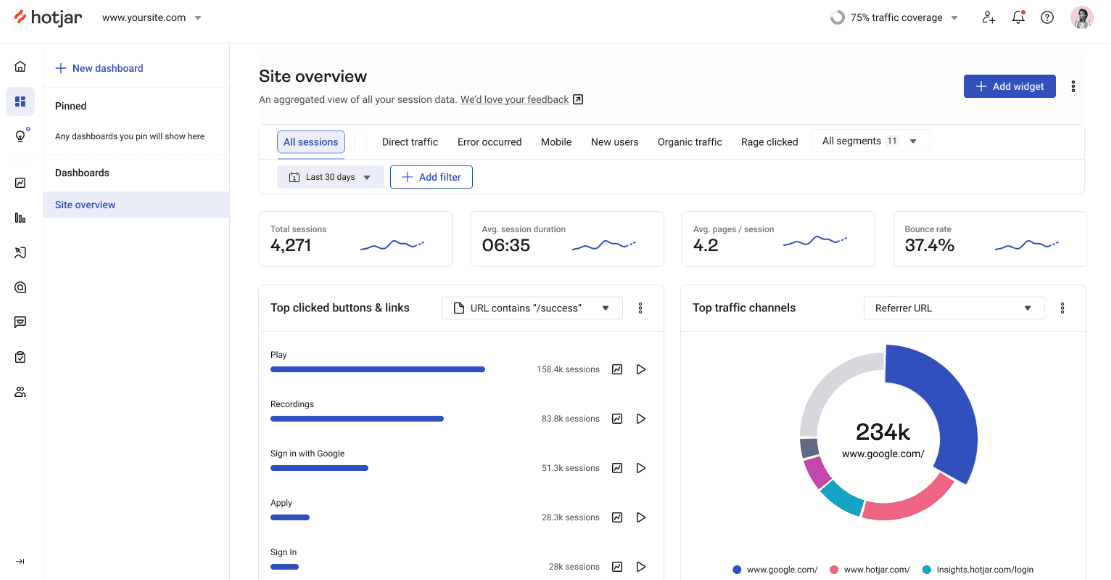
Hotjar is an ecommerce analytics software built around behavioral data—heatmaps, session recordings, and on-site surveys that show how shoppers move through your site. I'd consider it if you need to understand why visitors aren't converting, not just track that they aren't. Google Analytics tells you traffic is dropping; Hotjar shows you where shoppers are getting stuck and leaving.
Hotjar (by Contentsquare) Evaluation Summary
4.5/5
- From $39/month (billed annually)
- Free plan available
Perché fidarsi dei nostri consigli sui software
6,700+
Reviews
20
Industry experts
16+
Evaluation factors
14
Years
Il nostro team testa e recensisce software dal 2012. In quanto leader del retail noi stessi, sappiamo quanto sia difficile — e importante — scegliere il software giusto.
Per questa guida, abbiamo valutato gli strumenti attraverso test pratici e ricerche indipendenti, assegnando un punteggio agli strumenti in base ai nostri criteri di selezione.
Le nostre recensioni riflettono il nostro giudizio indipendente, non un discorso di vendita.
Hotjar (by Contentsquare) Overview
In my opinion, Hotjar is a solid choice for those looking to understand user behavior in ecommerce settings. Its heatmaps and session recordings stand out, offering valuable insights into how users interact with your site. Compared to other tools like Fullstory and Crazy Egg, it’s user-friendly and priced reasonably, though it may lack some advanced features. I think Hotjar is best suited for small to medium-sized businesses and teams focused on improving UX and conversion. If you want a tool that’s easy to adopt and provides immediate value, Hotjar is worth considering.
Pros
- Heatmaps provide clear insights into user interactions on your site.
- Session recordings help you understand your users' navigation patterns.
- Feedback polls and surveys allow your team to gather user input easily.
Cons
- Advanced analytics features are limited compared to some competitors.
- Some users find the data reporting tools less detailed.
- Real-time data processing can be slower than expected.
Is Hotjar (by Contentsquare) Right For Your Needs?
Who Would be a Good Fit for Hotjar (by Contentsquare)?
Hotjar is a great fit for small to medium-sized businesses, especially in retail and SaaS industries. If your team is focused on improving user experience or conversion rates, Hotjar's heatmaps and session recordings are invaluable. Marketing teams and UX designers will find its feedback tools helpful for gathering user input. The intuitive interface means your team can quickly adopt and start getting insights without much hassle.
- Retail TeamsHotjar's visual insights help you understand how customers interact with your online store.
- SaaS CompaniesSession recordings show how users navigate your software, aiding in UX improvements.
- Marketing DepartmentsFeedback polls and surveys gather user opinions to fine-tune your digital marketing strategies.
- UX DesignersHeatmaps and A/B testing provide visual data on user interactions, essential for designing better interfaces.
- Product ManagersUser recordings help you see real-world usage, informing product development.
- Small BusinessesThe easy setup and user-friendly tools make it accessible without needing a big budget.
Who Would be a Bad Fit for Hotjar (by Contentsquare)?
Hotjar might not suit large enterprises with complex data needs or advanced analytics demands. If your team requires real-time data processing and intricate reporting features, Hotjar's capabilities may fall short. Enterprises looking for deep integrations and custom analytics may find it limiting. Teams in highly regulated industries might also struggle with compliance and data privacy concerns due to Hotjar's data collection methods.
- Large EnterprisesHotjar lacks the advanced analytics and reporting tools big companies often need.
- Financial ServicesData privacy concerns may not align with the strict compliance requirements in this industry.
- Healthcare IndustryThe software's data collection might not meet healthcare's stringent privacy regulations.
- Advanced Analytics TeamsHotjar's basic analytics might not satisfy teams needing complex data insights.
- Real-Time Data NeedsIf your work requires immediate data processing, Hotjar's slower updates can be a drawback.
- Highly Regulated IndustriesThe data handling methods may not comply with strict industry standards.
La Nostra Metodologia di Recensione
Come Testiamo e Valutiamo gli Strumenti
Abbiamo trascorso anni a costruire, perfezionare e migliorare il nostro sistema di test e valutazione dei software. Il nostro schema di valutazione è progettato per cogliere le sfumature della selezione dei software e per comprendere cosa rende uno strumento efficace, concentrandosi su aspetti critici del processo decisionale. Qui sotto puoi vedere esattamente come funzionano i nostri test e valutazioni attraverso sette criteri. Questo ci permette di fornire una valutazione imparziale del software basata su funzionalità principali, caratteristiche distintive, facilità d’uso, onboarding, supporto clienti, integrazioni, recensioni dei clienti e rapporto qualità-prezzo.
Funzionalità di base (25% della valutazione finale)
Il punto di partenza della nostra valutazione è sempre la funzionalità principale dello strumento. Ha le funzioni e le caratteristiche di base che un utente si aspetterebbe? Alcune di queste funzionalità sono bloccate a piani tariffari di livello superiore? Alla base, ci aspettiamo che uno strumento regga il confronto con le capacità minime dei suoi concorrenti.
Caratteristiche distintive (25% della valutazione finale)
Successivamente valutiamo caratteristiche distintive e non comuni che vadano oltre la normale funzionalità presente in strumenti simili. Un punteggio alto riflette funzionalità specializzate o uniche che rendono il prodotto più veloce, efficiente o che offrano valore aggiunto all’utente. Valutiamo anche quanto sia facile integrare il software con altri strumenti della consueta infrastruttura tecnologica per espanderne la funzionalità e l’utilità. Gli strumenti che offrono molte integrazioni native, connessioni di terze parti e accesso API per costruire integrazioni personalizzate ottengono il punteggio più alto.
Facilità d’uso (10% della valutazione finale)
Consideriamo quanto sia rapido e semplice eseguire le attività definite nelle funzionalità di base utilizzando lo strumento. I software che ottengono un punteggio alto sono ben progettati, intuitivi, offrono app mobili, modelli pronti e rendono compiti complessi relativamente semplici.
Onboarding (10% della valutazione finale)
Sappiamo quanto sia importante una rapida adozione da parte del team per una nuova piattaforma, quindi valutiamo quanto sia facile imparare a usare uno strumento con una formazione minima. Esaminiamo quanto tempo impiega un membro del team a configurarsi e iniziare a utilizzare lo strumento senza esperienza. Le soluzioni con punteggi elevati richiedono poco o nessun supporto.
Supporto clienti (10% della valutazione finale)
Valutiamo quanto sia rapido e facile ricevere assistenza e trovare aiuto tramite telefono, live chat o base di conoscenza. Gli strumenti e le aziende che forniscono un supporto in tempo reale ottengono i punteggi migliori, mentre i chatbot hanno i punteggi più bassi.
Recensioni dei clienti (10% della valutazione finale)
Oltre ai nostri test e valutazioni, consideriamo il net promoter score dei clienti attuali e passati. Esaminiamo la loro propensione, data la possibilità, a scegliere nuovamente lo strumento per le sue funzionalità di base. Un punteggio elevato riflette un alto net promoter score da clienti attuali o passati.
Rapporto qualità-prezzo (10% della valutazione finale)
Infine, considerando tutti gli altri criteri, valutiamo il prezzo medio dei piani base rispetto alle funzionalità fondamentali e teniamo in considerazione il valore degli altri criteri di valutazione. Il software che offre di più, a meno, ottiene punteggi più alti.
Core Features
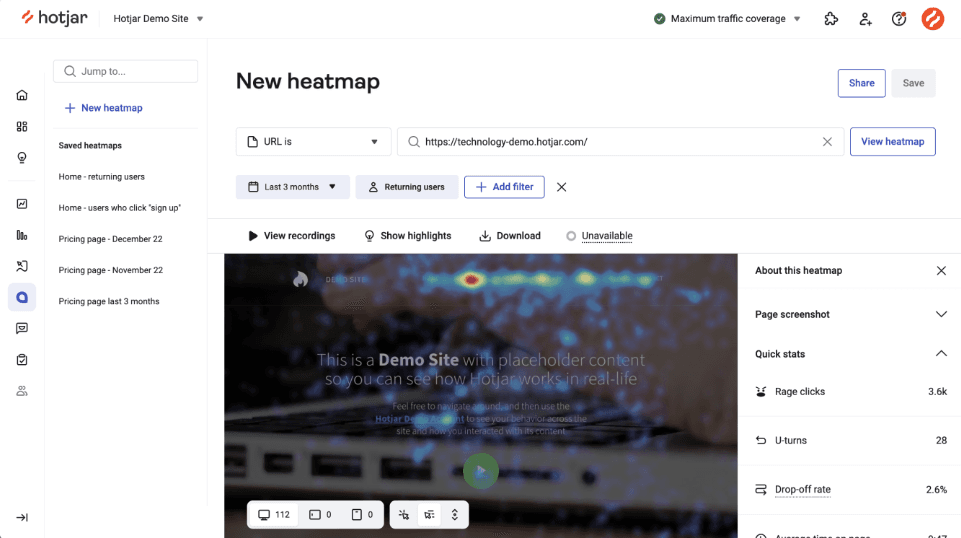
Heatmaps: Heatmaps give you a visual representation of user actions, including where they click, scroll, and general mouse movements on your site. This helps your team understand user behavior and optimize page layouts.
Session Recordings: Recordings let you watch individual user sessions to see how visitors navigate your site. This provides insight into user journeys and potential pain points.
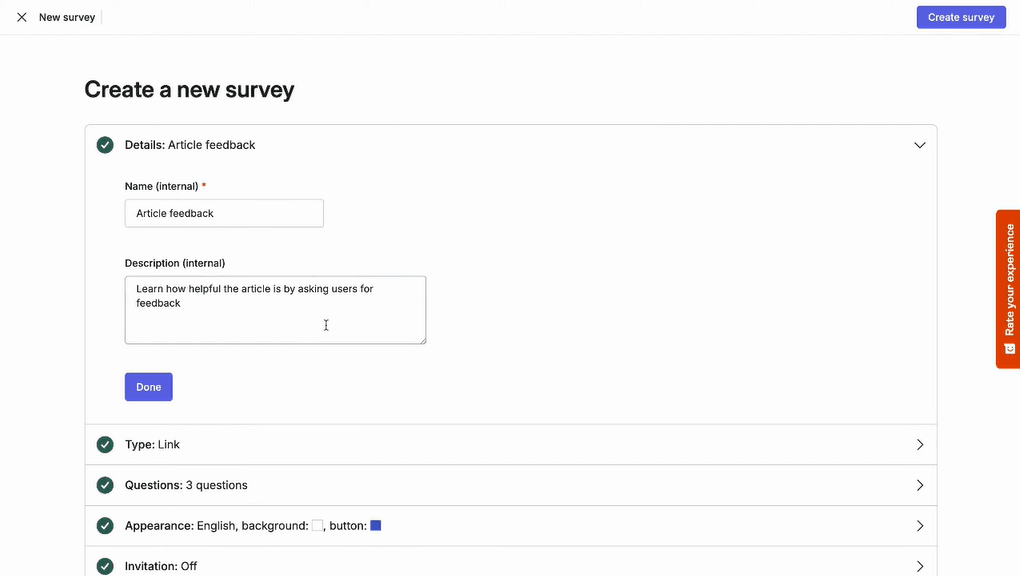
Surveys: Deploy on-site surveys to capture real user feedback and experiences. This aids in collecting qualitative data for in-depth decision-making.
Conversion Funnels: Identify where users drop off in your sales process with conversion funnels. This helps you target areas for improvement to boost conversions.
Trends: Trends let you track user behavior metrics over time, making it easier to spot patterns and measure UX improvements.
User Interviews: User Interviews let you recruit participants and conduct qualitative interviews to understand user needs, motivations, and pain points beyond behavioral data.
Ease of Use
Hotjar is intuitive and user-friendly, making it easy for your team to start analyzing user behavior quickly. The clean interface and straightforward setup mean you won't spend hours figuring things out. Compared to other tools, it’s simple to navigate, and you can easily access features like heatmaps and session recordings. This usability makes it accessible even for beginner users who aren’t tech-savvy, allowing you to focus more on analyzing data rather than learning the software.
Integrations
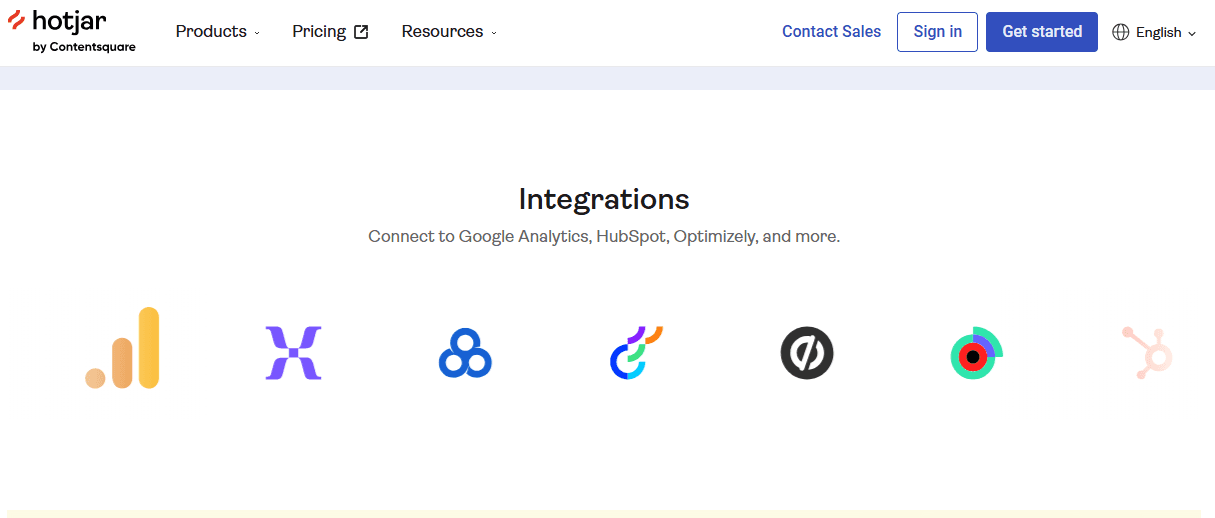
Hotjar integrates with Google Analytics, HubSpot, Slack, Segment, Optimizely, and Unbounce. It also offers an API and supports third-party connections through tools like Zapier and webhooks to extend functionality.
Hotjar (by Contentsquare) Specs
- A/B Testing: Yes
- AI Integration: Yes
- Analytics: Yes
- API: Yes
- Big Data: Yes
- Campaign Management: Yes
- Conversion Tracking: Yes
- Custom Reports: Yes
- Dashboard: Yes
- Data Export: Yes
- Data Import: Yes
- Data Visualization: Yes
- External Integrations: Yes
- Feedback Management: Yes
- Keyword Tracking: Yes
- Landing Pages: Yes
- Link Tracking: Yes
- Multi-User: Yes
- Notifications: Yes
- Process Reporting: Yes
- Referral Tracking: Yes
- Sentiment Analysis: Yes
- SEO: Yes
- Workflow Management: Yes


