

Évaluation de Payoneer : avantages, inconvénients, fonctionnalités et tarifs
Payoneer se distingue par sa portée mondiale et ses tarifs abordables, offrant à votre entreprise une solution de traitement des paiements fiable et polyvalente.

Nous évaluons les outils de façon indépendante, et les commissions contribuent à financer nos tests. Consultez notre politique de transparence, notre méthodologie, ou suggérez un outil.
Payoneer is an ecommerce payment processing platform built for sellers and businesses that need to receive payments across borders and multiple marketplaces. It's worth a close look if you're selling on Amazon, Etsy, or Walmart internationally, or managing payouts to a global supplier network. Compared to PayPal, Payoneer gives you dedicated multi-currency receiving accounts and lower conversion fees on cross-border transactions—making it the stronger fit when international volume is central to how your business operates.
Payoneer Evaluation Summary
3.2/5
- From $19/user/month
- Free demo available
Pourquoi faire confiance à nos recommandations de logiciels
6,700+
Reviews
20
Industry experts
16+
Evaluation factors
14
Years
Notre équipe teste et évalue des logiciels depuis 2012. En tant que dirigeants du commerce de détail nous-mêmes, nous savons à quel point il est difficile — et important — de choisir le bon logiciel.
Pour ce guide, nous avons évalué les outils grâce à des tests pratiques et une recherche indépendante, en notant les outils selon nos critères de sélection.
Nos avis reflètent notre jugement indépendant — et non un argumentaire de vente.
Payoneer Overview
In my opinion, Payoneer is a solid payment processing software with strong global transaction capabilities. It excels in providing affordable cross-border payment solutions, making it ideal for freelancers and small businesses that deal with international clients. Its interface is user-friendly, though onboarding could be smoother compared to competitors like PayPal. While customer support is reliable, some users might find the lack of advanced features a drawback. However, Payoneer stands out with its competitive pricing and extensive currency options, making it a great choice for businesses seeking cost-effective international payment solutions.
Pros
- You can handle international payments with ease.
- Your team can access funds in multiple currencies.
- You get reliable customer support for payment issues.
Cons
- You might find onboarding a bit lengthy.
- Your team may miss some advanced features.
- You could experience occasional account verification delays.
Is Payoneer Right For Your Needs?
Who Would be a Good Fit for Payoneer?
Payoneer is a great choice for freelancers and small businesses that need to handle international payments. You’ll appreciate the ability to transact in multiple currencies, making it easier to work with clients across the globe. E-commerce companies and online marketplaces benefit from Payoneer's global reach and affordability, allowing seamless transactions with international customers. If your team values reliable customer support and straightforward payment handling, Payoneer can meet those needs effectively.
- FreelancersYou can easily manage receiving money from international clients in various currencies with Payoneer's flexible accounts.
- E-commerce BusinessesYour online store can expand globally with Payoneer's efficient cross-border payment solutions.
- Online MarketplacesYou can manage multiple sellers and buyers worldwide using Payoneer's robust payment infrastructure.
- Small BusinessesYour team can save on transaction fees while handling international payments with ease.
- Digital AgenciesYou can streamline payments from international clients and contractors efficiently with Payoneer.
- Remote TeamsYou can support your global workforce with seamless salary payments in their preferred currencies using Payoneer.
Who Would be a Bad Fit for Payoneer?
Payoneer might not suit large enterprises needing complex payment solutions or advanced features. Your team may find the onboarding process too lengthy, and the lack of advanced reporting or analytics could hinder your financial operations. If your business requires highly customizable solutions or extensive integrations with other software, Payoneer may fall short. Companies prioritizing real-time support and highly detailed transaction insights might need to look for alternatives with more robust options.
- Large EnterprisesYour company might need more advanced features and integrations than Payoneer offers.
- Financial InstitutionsYour team would require more sophisticated analytics and reporting capabilities.
- High-Volume RetailersYou might find Payoneer's transaction handling capacity insufficient for large-scale operations.
- Tech StartupsYou could need more customizable solutions and integrations than Payoneer provides.
- Customer Service TeamsYou might require more immediate and comprehensive support than Payoneer offers.
- Data-Driven BusinessesYour work would benefit from advanced data insights and analytics, which Payoneer lacks.
Notre méthodologie d'évaluation
Comment nous testons et notons les outils
Nous avons passé des années à construire, affiner et améliorer notre système de test et de notation des logiciels. Notre grille d’évaluation est conçue pour prendre en compte toutes les subtilités du choix d’un logiciel et identifier ce qui rend un outil efficace, en se concentrant sur les aspects essentiels du processus de décision. Vous pouvez voir ci-dessous comment fonctionne notre système de test et de notation selon sept critères. Il nous permet de fournir une évaluation impartiale des logiciels selon leur fonctionnalité principale, leurs caractéristiques remarquables, la facilité d’utilisation, l’intégration, l’onboarding, le service client, les avis clients et le rapport qualité-prix.
Fonctionnalité principale (25% de la note finale)
Le point de départ de notre évaluation est toujours la fonctionnalité de base de l’outil. Possède-t-il les fonctions et caractéristiques attendues par un utilisateur ? Certaines de ces fonctionnalités essentielles sont-elles réservées à des plans tarifaires supérieurs ? Nous attendons d’un outil qu’il se mesure aux capacités minimales proposées par ses concurrents.
Caractéristiques remarquables (25% de la note finale)
Ensuite, nous évaluons les caractéristiques remarquables et uniques qui vont au-delà des fonctionnalités de base normalement attendues d’un outil similaire. Une note élevée reflète des fonctionnalités spécialisées qui rendent le produit plus rapide, plus efficace, ou apportent une valeur ajoutée pour l’utilisateur. Nous évaluons également la facilité d’intégration avec d’autres outils généralement présents dans l’écosystème technique afin d’étendre la fonctionnalité et l’utilité du logiciel. Les outils qui proposent de nombreuses intégrations natives, des connexions avec des solutions tierces, et un accès API pour des intégrations personnalisées obtiennent la meilleure note.
Facilité d’utilisation (10% de la note finale)
Nous analysons la rapidité et la simplicité d’exécution des tâches affectées aux fonctionnalités principales via l’outil. Les logiciels les mieux notés sont bien conçus, intuitifs, offrent des applications mobiles, incluent des modèles prêts à l’emploi et simplifient les opérations complexes.
Onboarding (10% de la note finale)
Nous savons à quel point l’adoption rapide d’une nouvelle plateforme est cruciale pour une équipe. Nous évaluons donc la facilité d’apprentissage et de prise en main d’un outil avec un minimum de formation. Nous examinons la rapidité à laquelle un membre d’équipe peut s’installer et commencer à utiliser l’outil sans expérience préalable. Les solutions les mieux notées montrent qu’elles nécessitent peu ou pas d’assistance.
Service client (10% de la note finale)
Nous évaluons la vitesse et la simplicité pour obtenir de l’aide ou se débloquer par téléphone, chat en direct, ou base de connaissances. Les outils et sociétés qui offrent une assistance en temps réel obtiennent la meilleure note, tandis que les chatbots sont moins bien évalués.
Avis clients (10% de la note finale)
Au-delà de nos propres tests et évaluations, nous tenons compte du score de recommandation (NPS) des clients actuels et passés. Nous examinons leur probabilité de choisir à nouveau l’outil pour sa fonctionnalité principale. Un logiciel bien noté reflète un NPS élevé de la part des clients actuels ou passés.
Rapport qualité-prix (10% de la note finale)
Enfin, au regard de tous les autres critères, nous évaluons le prix moyen des offres de départ au regard des fonctionnalités clés, et tenons compte de la valeur ajoutée selon les autres critères. Les logiciels qui offrent plus pour moins obtiennent une meilleure note.
Core Features
Multi-Currency Accounts
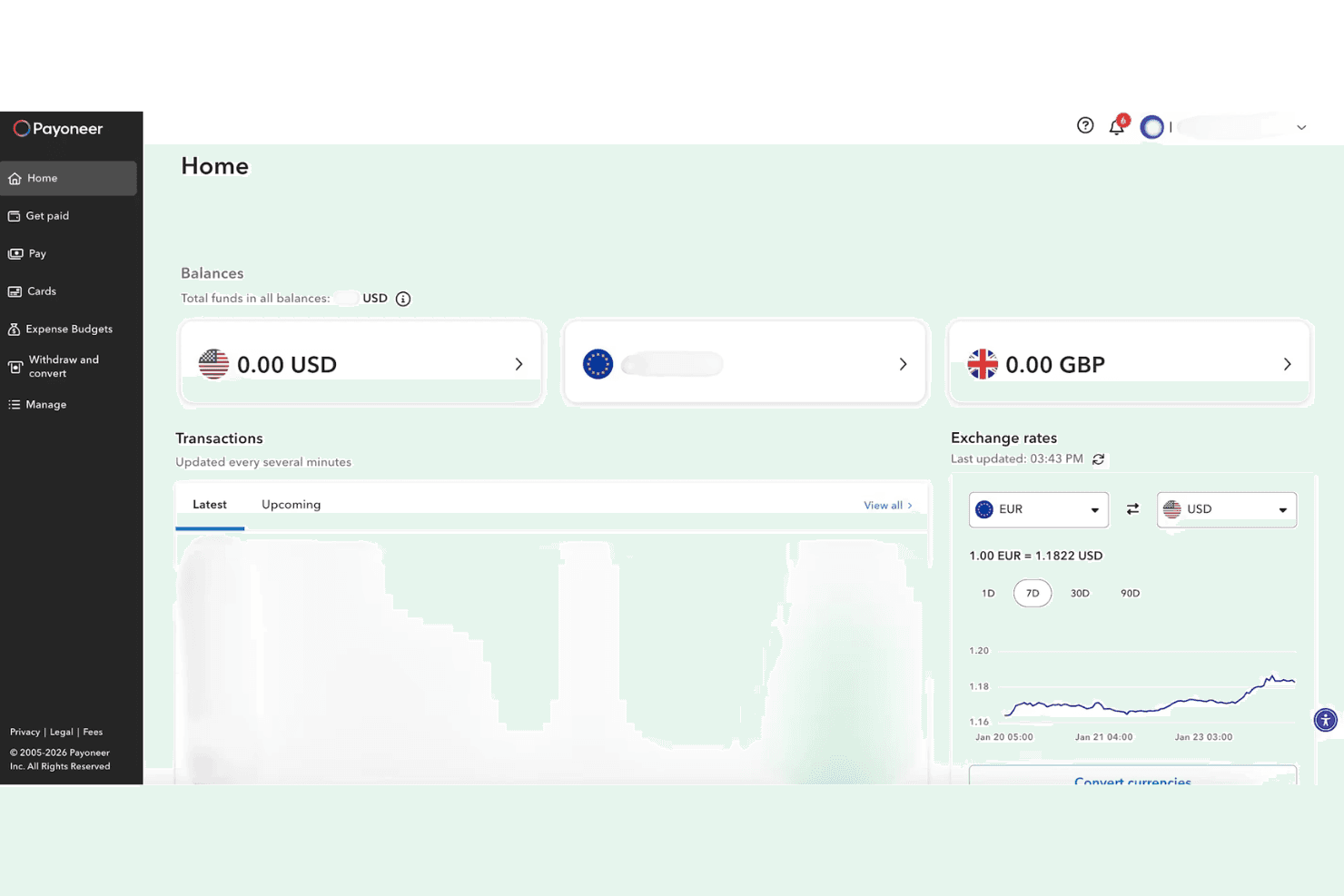
You can hold and manage funds in multiple currencies, making international transactions easier for your team. This feature allows you to avoid conversion fees when receiving payments from different countries.
Global Payment Service
Your team can receive payments from companies worldwide as if you had local bank accounts. This simplifies the process of receiving international payments for your work.
Mass Payouts
You can send payments to multiple recipients at once, saving time and reducing transaction costs. This is particularly useful for businesses managing a large network of freelancers or contractors.
Prepaid Mastercard
You get access to a prepaid credit card that lets you withdraw funds at ATMs or use them for purchases. This gives you flexibility in accessing your money instantly.
Request a Payment
You can request payments from clients quickly and efficiently, streamlining your invoicing process. This feature helps you get paid faster and keep cash flow steady.
Bank Withdrawals
Your team can withdraw funds directly to local bank accounts in various currencies. It provides convenience and reduces the hassle of managing international bank transfers.
Ease of Use
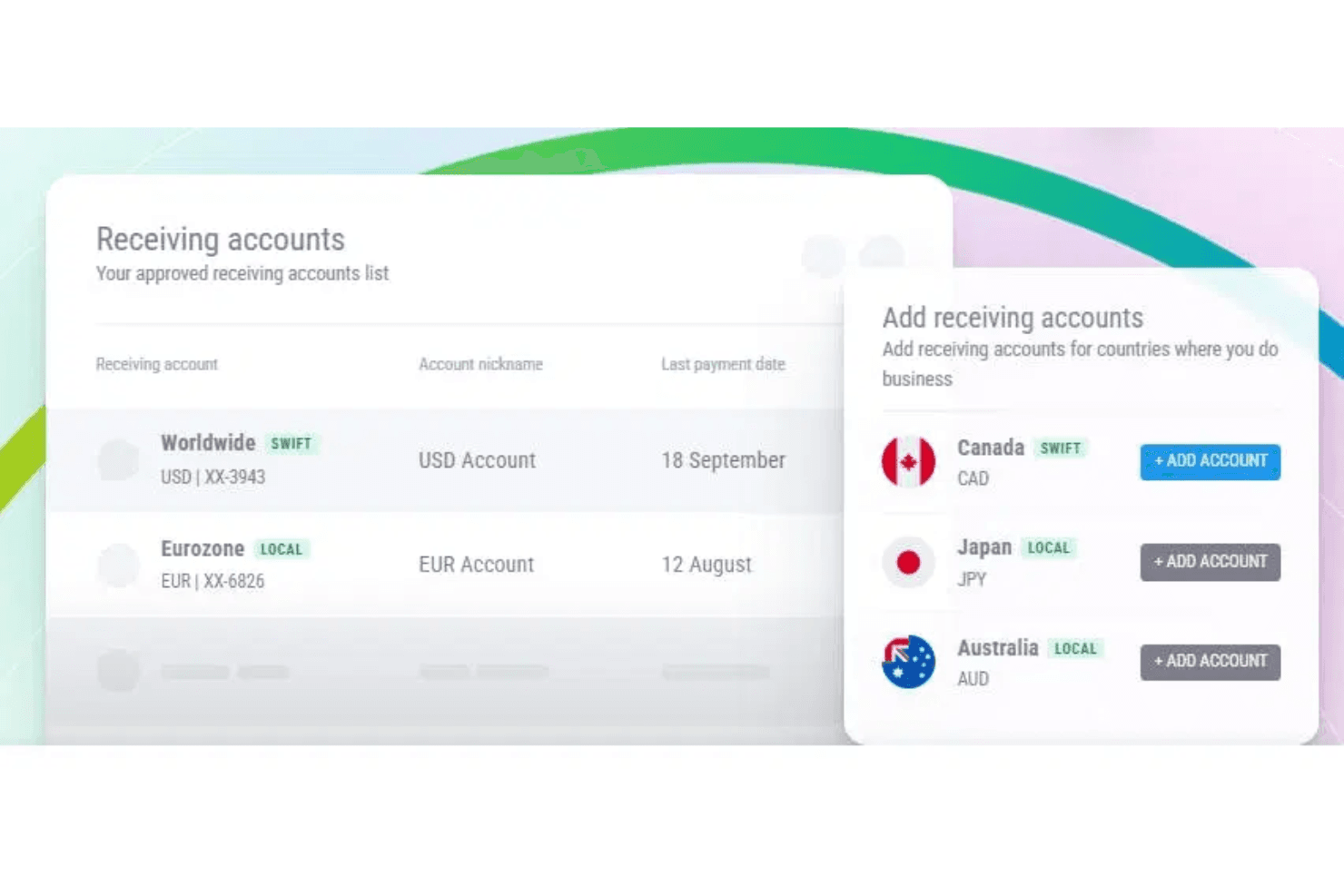
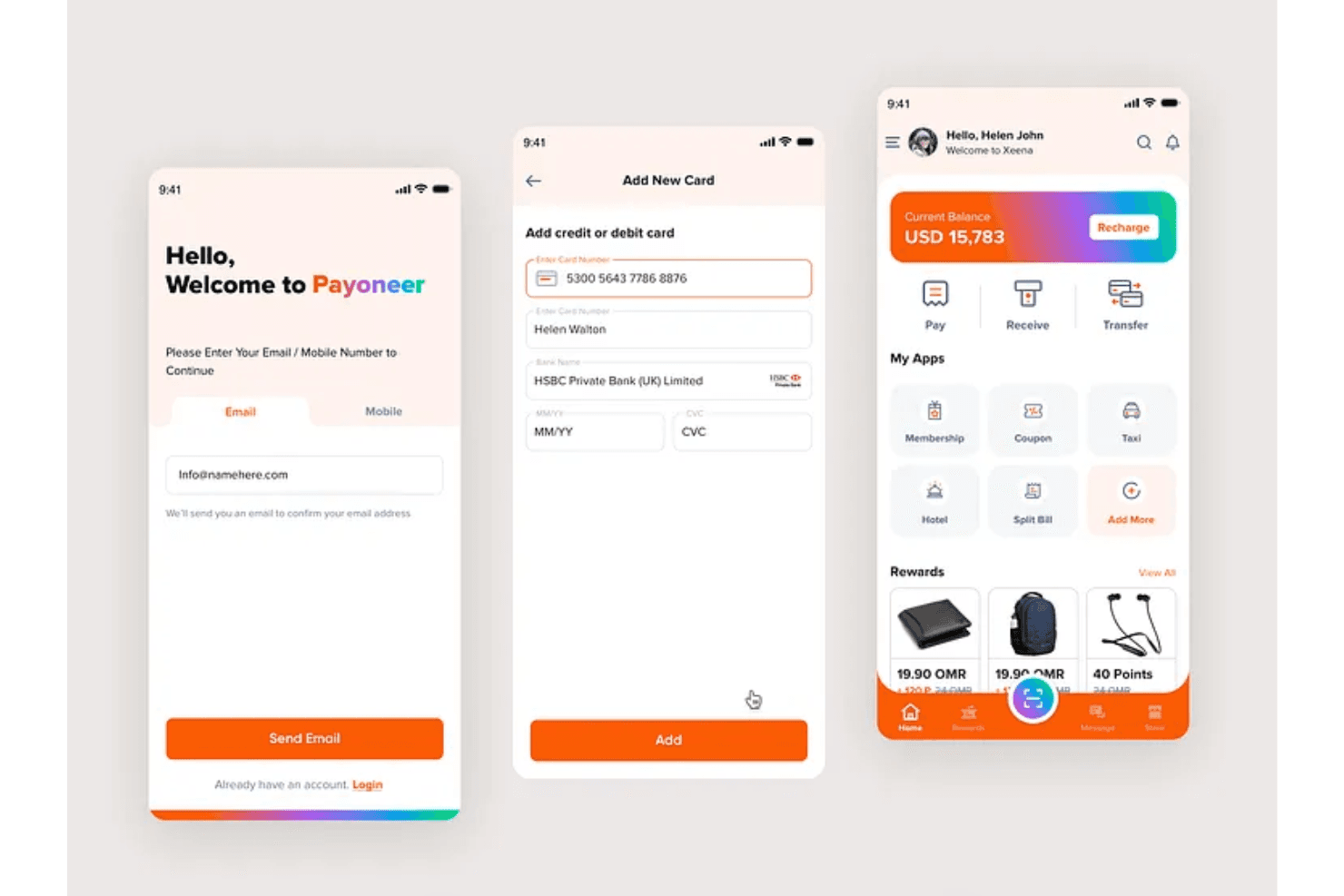
Payoneer is user-friendly, making it easy for you to navigate and manage payments. The interface is intuitive, and the mobile app allows your team to quickly access essential features like multi-currency accounts and mass payouts on the go. While onboarding might be a bit longer, once set up, you’ll find daily tasks straightforward. You can easily request payments and withdraw funds to local banks, which simplifies your financial operations. Overall, Payoneer’s design supports efficient workflows for international transactions.
Integrations
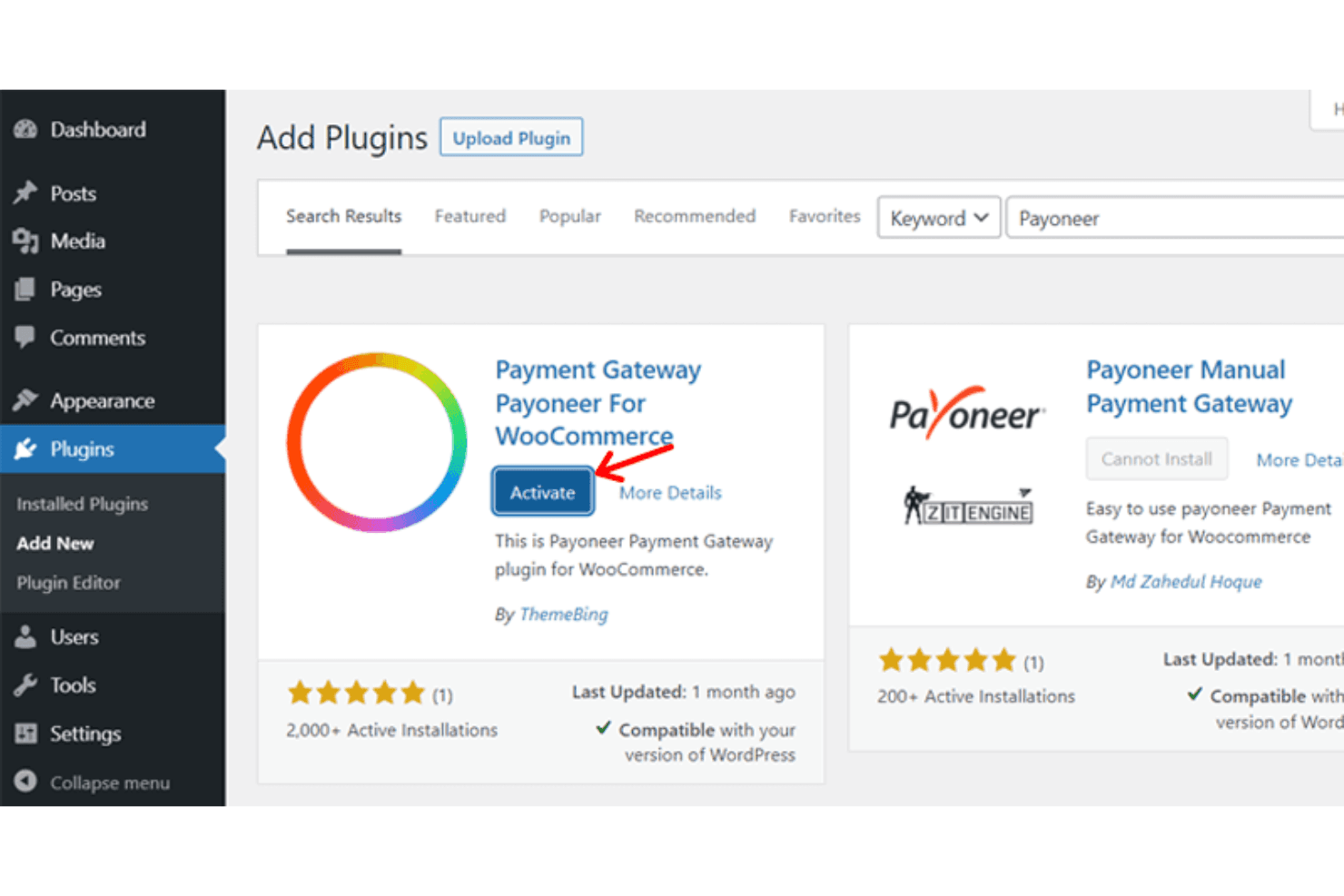
Payoneer integrates with Amazon, Airbnb, Google, Upwork, Fiverr, eBay, Walmart, Wish, and Lazada.
Payoneer provides APIs for seamless integration with various platforms, allowing for easy payment collection and management.
Payoneer Specs
- 2-Factor Authentication: Yes
- 360 Degree Feedback: Yes
- API: Yes
- Application Tracking: Yes
- Attendance Tracking: Yes
- Batch Permissions & Access: Yes
- Compliance Tracking: Yes
- Dashboard: Yes
- Data Export: Yes
- Data Import: Yes
- Data Visualization: Yes
- Employee Database: Yes
- Employee Engagement: Yes
- Employee Incentive Management: Yes
- Employee Onboarding: Yes
- Employee Training: Yes
- Expense Tracking: Yes
- External Integrations: Yes
- Feedback Management: Yes
- Multi-User: Yes
- Notifications: Yes
- Payroll: Yes
- Performance Appraisal: Yes
- Scheduling: Yes
- Time Management: Yes
- Timesheets: Yes
- Travel Management: Yes
- Vacation & Absence Calendar: Yes


