

Avis sur Odoo : avantages, inconvénients, fonctionnalités et tarifs
Odoo se distingue en proposant une solution modulaire et économique pour les opérations de vente au détail, offrant une flexibilité et une intégration qui la démarquent.

Nous évaluons les outils de façon indépendante, et les commissions contribuent à financer nos tests. Consultez notre politique de transparence, notre méthodologie, ou suggérez un outil.
Odoo is a retail ops software built around a modular suite that connects inventory, purchasing, point of sale, and ecommerce in one platform. It's worth a close look if your team needs cross-functional visibility without locking into a rigid enterprise system. Compared to something like NetSuite, Odoo gives you more control over which modules you deploy and how the system grows with your operation—without the overhead of a full enterprise rollout.
Odoo Evaluation Summary
4.2/5
- From $8.95/user/month (billed annually)
- Free plan available
Pourquoi faire confiance à nos recommandations de logiciels
6,700+
Reviews
20
Industry experts
16+
Evaluation factors
14
Years
Notre équipe teste et évalue des logiciels depuis 2012. En tant que dirigeants du commerce de détail nous-mêmes, nous savons à quel point il est difficile — et important — de choisir le bon logiciel.
Pour ce guide, nous avons évalué les outils grâce à des tests pratiques et une recherche indépendante, en notant les outils selon nos critères de sélection.
Nos avis reflètent notre jugement indépendant — et non un argumentaire de vente.
Odoo Overview
In my opinion, Odoo shines as a retail operations software with its modular design and cost-effectiveness. It’s great for small to medium-sized businesses that want an integrated approach without breaking the bank. While it excels in flexibility and customizability, onboarding can be a bit challenging without dedicated support. Compared to other software, Odoo offers a wider range of features at a competitive price, though its interface may not be as intuitive as some alternatives. It’s perfect for businesses looking to integrate multiple departments like sales, inventory, and accounting under one platform, helping streamline and centralize core business operations in a single system. If you’re deciding whether to choose Odoo, consider its strong value for money, advanced features, and extensive functionalities that can adapt to your growing needs.
Pros
- You can customize modules to fit your specific needs.
- It offers a wide range of features for different business functions.
- Your team can benefit from its flexibility and adaptability.
Cons
- The interface can be less intuitive compared to other software.
- Onboarding can take time without dedicated support.
- You may find customer support response times slower than expected.
Is Odoo Right For Your Needs?
Who Would be a Good Fit for Odoo?
Odoo suits small to medium-sized businesses in retail, manufacturing, and e-commerce sectors. Your team can benefit from its flexibility and modular design, allowing you to customize the software to fit specific needs. For example, a boutique shop can manage inventory and sales seamlessly, while an online retailer can integrate various business functions under one platform. Odoo’s extensive feature set makes it ideal for businesses looking to consolidate operations without high costs.
- Boutique ShopsOdoo helps you manage inventory and sales with its customizable modules.
- Online RetailersYour team can integrate multiple business functions like sales and accounting.
- Manufacturing SMEsYou can streamline production and inventory processes with Odoo’s flexible features.
- E-commerce StartupsYour startup benefits from cost-effective, modular solutions to manage growth.
- Sales DepartmentsUse Odoo to track sales and customer interactions efficiently.
- Accounting TeamsOdoo offers tools to manage financial transactions and reporting in one place.
Who Would be a Bad Fit for Odoo?
Odoo might not suit large enterprises with complex, highly customized processes. If your team relies on specialized software with unique integrations, Odoo’s interface and onboarding challenges could slow you down. For example, a corporation with extensive legacy systems may find the transition to Odoo cumbersome. Additionally, businesses needing rapid customer support might struggle with Odoo’s slower response times, affecting your workflow efficiency.
- Large EnterprisesYour complex processes might not align with Odoo’s modular approach.
- Highly Regulated IndustriesOdoo may lack the specific compliance features you need.
- Specialized Software UsersIf you need unique integrations, Odoo might not fit your requirements.
- Rapid Support NeedsOdoo’s slower customer support could hinder your team’s efficiency.
- Legacy System UsersTransitioning from extensive legacy systems could be cumbersome with Odoo.
- Highly Customized WorkflowsYour unique processes might not mesh well with Odoo’s structure.
Notre méthodologie d'évaluation
Comment nous testons et notons les outils
Nous avons passé des années à construire, affiner et améliorer notre système de test et de notation des logiciels. Notre grille d’évaluation est conçue pour prendre en compte toutes les subtilités du choix d’un logiciel et identifier ce qui rend un outil efficace, en se concentrant sur les aspects essentiels du processus de décision. Vous pouvez voir ci-dessous comment fonctionne notre système de test et de notation selon sept critères. Il nous permet de fournir une évaluation impartiale des logiciels selon leur fonctionnalité principale, leurs caractéristiques remarquables, la facilité d’utilisation, l’intégration, l’onboarding, le service client, les avis clients et le rapport qualité-prix.
Fonctionnalité principale (25% de la note finale)
Le point de départ de notre évaluation est toujours la fonctionnalité de base de l’outil. Possède-t-il les fonctions et caractéristiques attendues par un utilisateur ? Certaines de ces fonctionnalités essentielles sont-elles réservées à des plans tarifaires supérieurs ? Nous attendons d’un outil qu’il se mesure aux capacités minimales proposées par ses concurrents.
Caractéristiques remarquables (25% de la note finale)
Ensuite, nous évaluons les caractéristiques remarquables et uniques qui vont au-delà des fonctionnalités de base normalement attendues d’un outil similaire. Une note élevée reflète des fonctionnalités spécialisées qui rendent le produit plus rapide, plus efficace, ou apportent une valeur ajoutée pour l’utilisateur. Nous évaluons également la facilité d’intégration avec d’autres outils généralement présents dans l’écosystème technique afin d’étendre la fonctionnalité et l’utilité du logiciel. Les outils qui proposent de nombreuses intégrations natives, des connexions avec des solutions tierces, et un accès API pour des intégrations personnalisées obtiennent la meilleure note.
Facilité d’utilisation (10% de la note finale)
Nous analysons la rapidité et la simplicité d’exécution des tâches affectées aux fonctionnalités principales via l’outil. Les logiciels les mieux notés sont bien conçus, intuitifs, offrent des applications mobiles, incluent des modèles prêts à l’emploi et simplifient les opérations complexes.
Onboarding (10% de la note finale)
Nous savons à quel point l’adoption rapide d’une nouvelle plateforme est cruciale pour une équipe. Nous évaluons donc la facilité d’apprentissage et de prise en main d’un outil avec un minimum de formation. Nous examinons la rapidité à laquelle un membre d’équipe peut s’installer et commencer à utiliser l’outil sans expérience préalable. Les solutions les mieux notées montrent qu’elles nécessitent peu ou pas d’assistance.
Service client (10% de la note finale)
Nous évaluons la vitesse et la simplicité pour obtenir de l’aide ou se débloquer par téléphone, chat en direct, ou base de connaissances. Les outils et sociétés qui offrent une assistance en temps réel obtiennent la meilleure note, tandis que les chatbots sont moins bien évalués.
Avis clients (10% de la note finale)
Au-delà de nos propres tests et évaluations, nous tenons compte du score de recommandation (NPS) des clients actuels et passés. Nous examinons leur probabilité de choisir à nouveau l’outil pour sa fonctionnalité principale. Un logiciel bien noté reflète un NPS élevé de la part des clients actuels ou passés.
Rapport qualité-prix (10% de la note finale)
Enfin, au regard de tous les autres critères, nous évaluons le prix moyen des offres de départ au regard des fonctionnalités clés, et tenons compte de la valeur ajoutée selon les autres critères. Les logiciels qui offrent plus pour moins obtiennent une meilleure note.
Core Features
Inventory Management
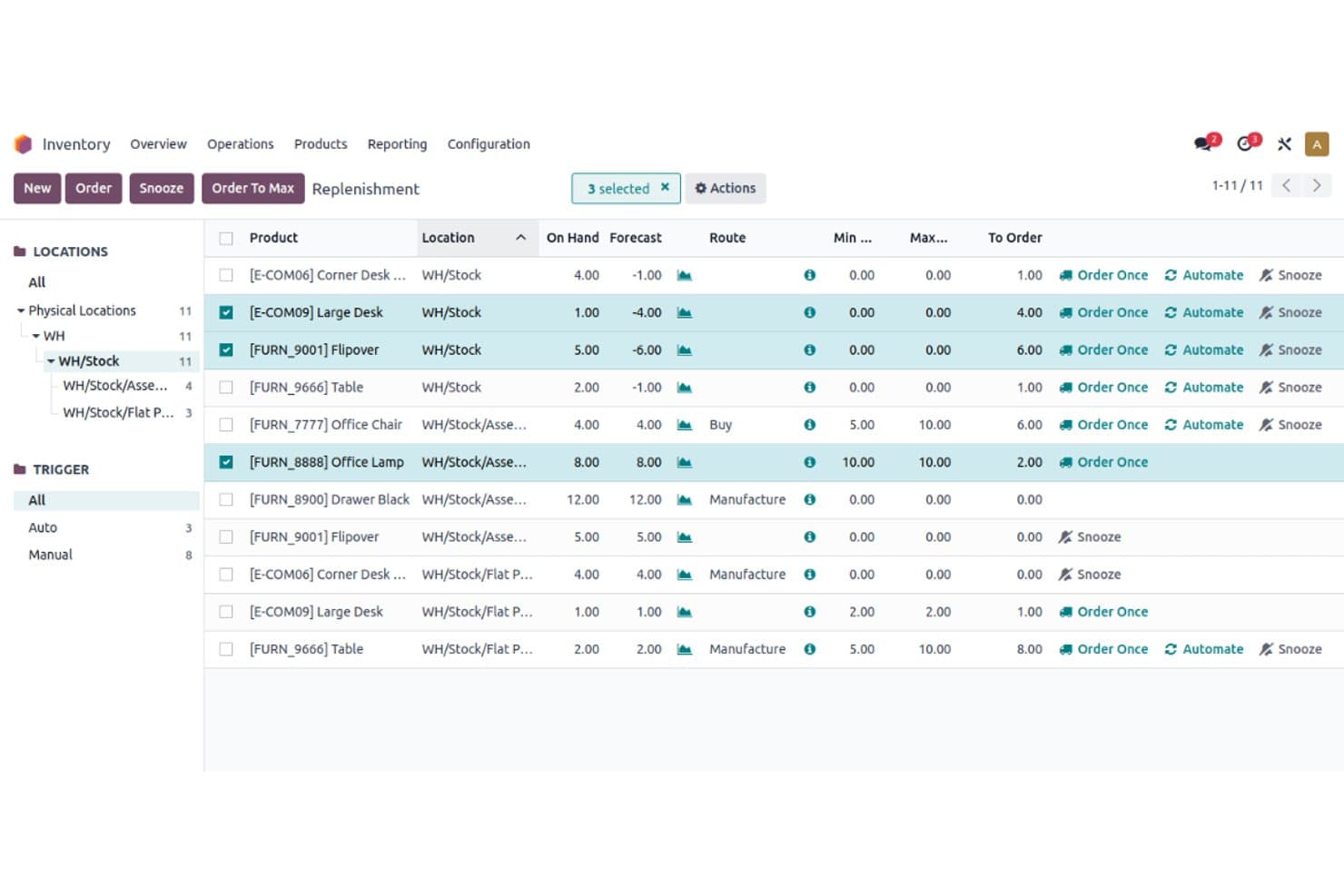
Odoo helps you track stock levels, manage reordering, and handle multiple warehouses. Its real-time updates keep your inventory accurate and efficient.
Sales Management
You can manage sales orders, invoices, follow-ups, and customer relationships in one place. The feature streamlines your sales process and improves customer interactions.
Purchase Management
Your team can automate procurement processes and manage supply chain information easily. It simplifies purchasing decisions with clear insights.
Point of Sale (POS)
Odoo’s POS system works online and offline, letting you handle transactions without interruptions. It’s perfect for retail settings with fluctuating internet access.
Accounting
You can manage financial transactions, invoicing, and reporting in one integrated system. This feature keeps your financial data organized and accessible.
Reporting and Analytics
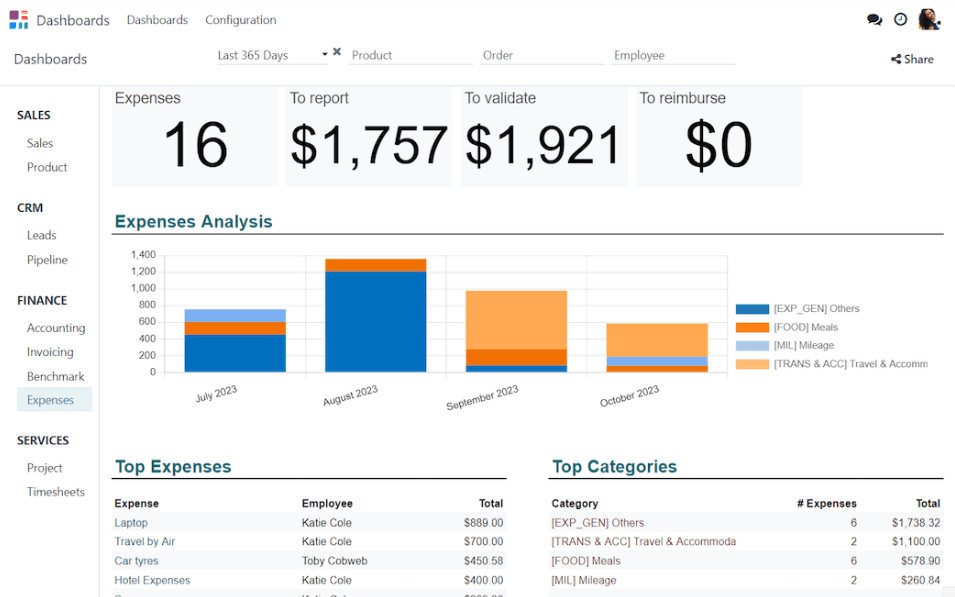
Odoo offers customizable reports and dashboards to help you analyze business performance. It empowers your team with actionable insights.
Ease of Use
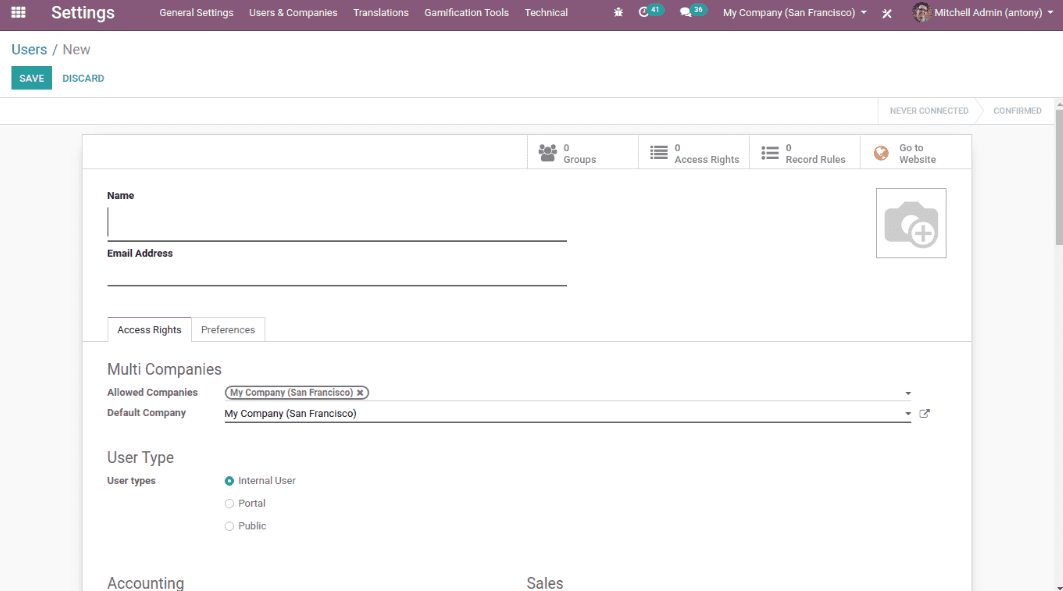
Odoo's user interface can feel less intuitive, especially if you're used to more straightforward software. While its modular design offers flexibility, it may require a learning curve for your team to navigate the various features effectively. Users often mention that onboarding could be smoother, but once you get the hang of it, the customization options make it a powerful tool. If you're willing to invest time in learning, Odoo can become an invaluable asset to your operations.
Integrations
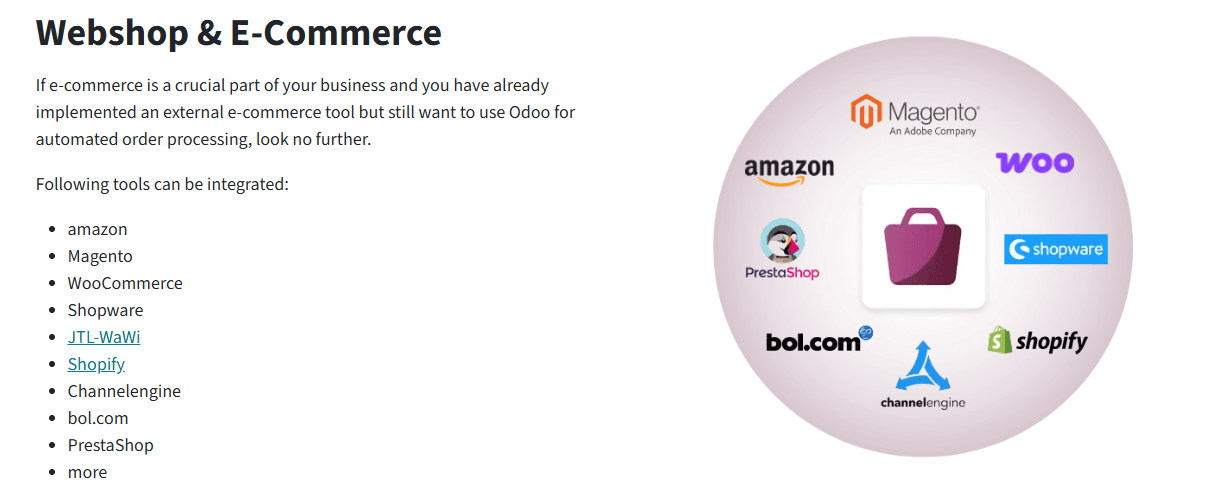
Odoo integrates with ecommerce platforms such as Shopify, WooCommerce, Amazon, Magento, and PrestaShop through official and third-party connectors available in the Odoo Apps marketplace. It also supports integrations with tools like QuickBooks and HubSpot via partner-built modules.
Odoo provides robust APIs for custom integrations and connects with external systems through third-party integration tools and connectors.
Odoo Specs
- 360 Degree Feedback: Yes
- API: Yes
- Attendance Tracking: Yes
- Batch Permissions & Access: Yes
- Budgeting: Yes
- Calendar Management: Yes
- Dashboard: Yes
- Data Export: Yes
- Data Import: Yes
- Data Visualization: Yes
- Employee Database: Yes
- Employee Engagement: Yes
- Employee Incentive Management: Yes
- Employee Onboarding: Yes
- Expense Tracking: Yes
- External Integrations: Yes
- Feedback Management: Yes
- Forecasting: Yes
- Multi-Currency: Yes
- Multi-User: Yes
- Notifications: Yes
- Scheduling: Yes
- Timesheets: Yes
- Travel Management: Yes
- Vacation & Absence Calendar: Yes

