

Weebly-arvostelu: hyvät ja huonot puolet, ominaisuudet ja hinnoittelu selitettynä
Weebly erottuu edukseen aloittelijaystävällisellä suunnittelullaan ja monipuolisilla ilmaisilla verkkokauppatyökaluillaan, mutta se saattaa rajoittaa edistyneempiä myyjiä, jotka tarvitsevat enemmän skaalautuvuutta.

We review tools independently, and commissions help fund our testing. See our transparency policy, our methodology, or suggest a tool.
Weebly is a free ecommerce website builder for small businesses and entrepreneurs who want to launch an online store without paying upfront. It's worth considering if you want something simpler to set up than Wix, with a cleaner drag-and-drop editor and built-in ecommerce tools that don't require as many third-party integrations to get a basic store running.
Weebly Evaluation Summary
4.3/5
- From $13/month (billed annually)
- Free plan available
Miksi luottaa ohjelmistosuosituksiimme
6,700+
Reviews
20
Industry experts
16+
Evaluation factors
14
Years
Tiimimme on testannut ja arvioinut ohjelmistoja vuodesta 2012 lähtien. Julkaisijoina ja mediatoimijoina tiedämme itse, kuinka vaikeaa — ja tärkeää — oikean ohjelmiston valitseminen on.
Tätä opasta varten arvioimme työkaluja käytännön testauksen ja itsenäisen tutkimuksen avulla, pisteyttäen työkalut valintakriteeriemme perusteella.
Arvostelumme perustuvat inhimilliseen toimitukselliseen harkintaamme, eivät myyntipuheeseen.
Weebly Overview
Weebly is a free ecommerce website builder designed for retailers and small businesses who need a simple way to launch an online store without upfront costs. For operators balancing tight budgets, limited technical resources, and the need for a professional online presence, free ecommerce website builders like Weebly offer a practical starting point. This review covers Weebly’s features, best and worst use cases, pros and cons, and pricing—helping you decide if it fits your business needs as you compare options in a crowded market.
Pros
- Free plan includes ecommerce features for small stores
- Built-in SSL security for all sites
- Fast setup with drag-and-drop product listings
Cons
- Product options and variants are limited
- Transaction fees apply on the free plan
- Template designs feel outdated compared to competitors
Is Weebly Right For Your Needs?
Who Would be a Good Fit for Weebly?
Weebly is best suited for individuals and small teams who need a simple, low-cost way to launch an online store without technical expertise. Its free plan, fast setup, and built-in ecommerce tools make it ideal for businesses with straightforward product catalogs and limited customization needs. If you’re in a creative, service-based, or local retail industry, or you’re a solo entrepreneur or small nonprofit, Weebly’s ease of use and no upfront cost can help you get online quickly and manage sales with minimal hassle.
- Local Retail ShopsWeebly’s free plan and simple product management work well for small, local stores with limited inventory.
- Artists and CreatorsVisual templates and easy product uploads suit artists selling prints or crafts.
- Food TrucksQuick setup and mobile-friendly design help food trucks list menus and accept orders.
- NonprofitsNo-cost entry and donation features support nonprofits needing a basic online presence.
- Personal BrandsSolo entrepreneurs can launch branded stores without technical skills or upfront costs.
- Community GroupsCommunity organizations can use Weebly to sell event tickets or merchandise with minimal setup.
Who Would be a Bad Fit for Weebly?
Weebly is less suitable for larger businesses, complex operations, or teams needing advanced ecommerce features and integrations. Its limited product options, dated templates, and transaction fees on the free plan can restrict growth for high-volume sellers or those needing deep customization. If your business relies on advanced inventory management, multi-channel sales, or extensive design control, Weebly’s feature set may not keep up with your needs.
- Large Retail ChainsWeebly’s limited inventory and product variant options can’t support complex catalogs.
- B2B WholesalersLack of advanced pricing, bulk ordering, and account management features limits B2B use.
- Fashion BrandsOutdated templates and limited product options don’t meet fashion industry standards.
- Marketing TeamsLimited SEO and analytics tools restrict marketing-driven ecommerce strategies.
- Tech StartupsStartups needing custom integrations or scalable infrastructure will outgrow Weebly quickly.
- International SellersWeebly’s limited multi-currency and localization features hinder global ecommerce expansion.
Our Review Methodology
How We Test & Score Tools
We’ve spent years building, refining, and improving our software testing and scoring system. The rubric is designed to capture the nuances of software selection and what makes a tool effective, focusing on critical aspects of the decision-making process.
Below, you can see exactly how our testing and scoring works across seven criteria. It allows us to provide an unbiased evaluation of the software based on core functionality, standout features, ease of use, onboarding, customer support, integrations, customer reviews, and value for money.
Core Functionality (25% of final scoring)
The starting point of our evaluation is always the core functionality of the tool. Does it have the basic features and functions that a user would expect to see? Are any of those core features locked to higher-tiered pricing plans? At its core, we expect a tool to stand up against the baseline capabilities of its competitors.
Standout Features (25% of final scoring)
Next, we evaluate uncommon standout features that go above and beyond the core functionality typically found in tools of its kind. A high score reflects specialized or unique features that make the product faster, more efficient, or offer additional value to the user.
We also evaluate how easy it is to integrate with other tools typically found in the tech stack to expand the functionality and utility of the software. Tools offering plentiful native integrations, 3rd party connections, and API access to build custom integrations score best.
Ease of Use (10% of final scoring)
We consider how quick and easy it is to execute the tasks defined in the core functionality using the tool. High scoring software is well designed, intuitive to use, offers mobile apps, provides templates, and makes relatively complex tasks seem simple.
Onboarding (10% of final scoring)
We know how important rapid team adoption is for a new platform, so we evaluate how easy it is to learn and use a tool with minimal training. We evaluate how quickly a team member can get set up and start using the tool with no experience. High scoring solutions indicate little or no support is required.
Customer Support (10% of final scoring)
We review how quick and easy it is to get unstuck and find help by phone, live chat, or knowledge base. Tools and companies that provide real-time support score best, while chatbots score worst.
Customer Reviews (10% of final scoring)
Beyond our own testing and evaluation, we consider the net promoter score from current and past customers. We review their likelihood, given the option, to choose the tool again for the core functionality. A high scoring software reflects a high net promoter score from current or past customers.
Value for Money (10% of final scoring)
Lastly, in consideration of all the other criteria, we review the average price of entry level plans against the core features and consider the value of the other evaluation criteria. Software that delivers more, for less, will score higher.
Core Features
Drag-and-Drop Editor
Build your site visually by moving elements and products into place without coding. This lets you quickly create and update pages to match your brand, with flexible customization options.
Product Listings
Add unlimited products with images, descriptions, and pricing on the free plan. Organize items into categories for easy browsing.
Shopping Cart
Customers can add multiple items and check out in one transaction. The cart is built-in and works on both desktop and mobile.
Order Management
Track orders, view customer details, and update fulfillment status from a single dashboard. This helps you stay organized as sales come in.
SSL Security
All Weebly sites include SSL encryption at no extra cost. This protects customer data and builds trust at checkout.
Mobile-Responsive Templates
Choose from templates that automatically adjust to any device. Your store looks professional on phones, tablets, and desktops.
Ease of Use
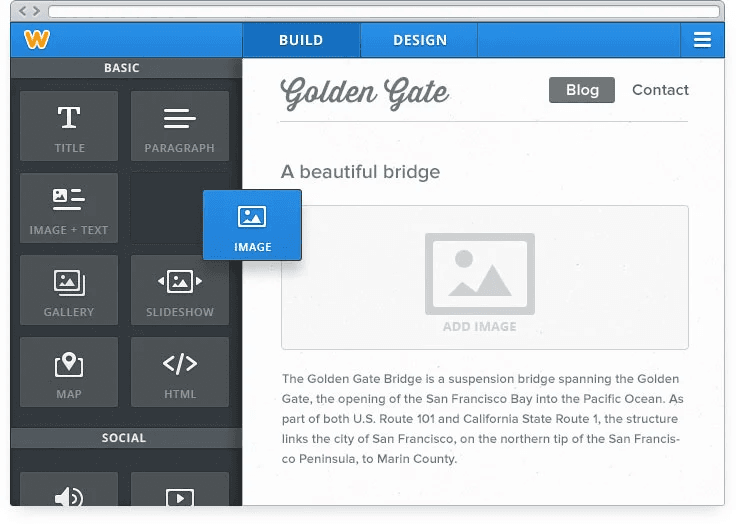
Ease of use is one of Weebly's strongest advantages. The platform removes many of the technical barriers involved in web design, allowing users to focus on content and products.
With the visual editor, beginners can rearrange elements, adjust font styles, and customize layouts without coding. Simple tools for adding redirects. managing SEO settings, and updating pages make Weebly accessible for non-technical users.
Compared with complex platforms like WordPress or Shopify, Weebly prioritizes clarity and simplicity.
Integrations
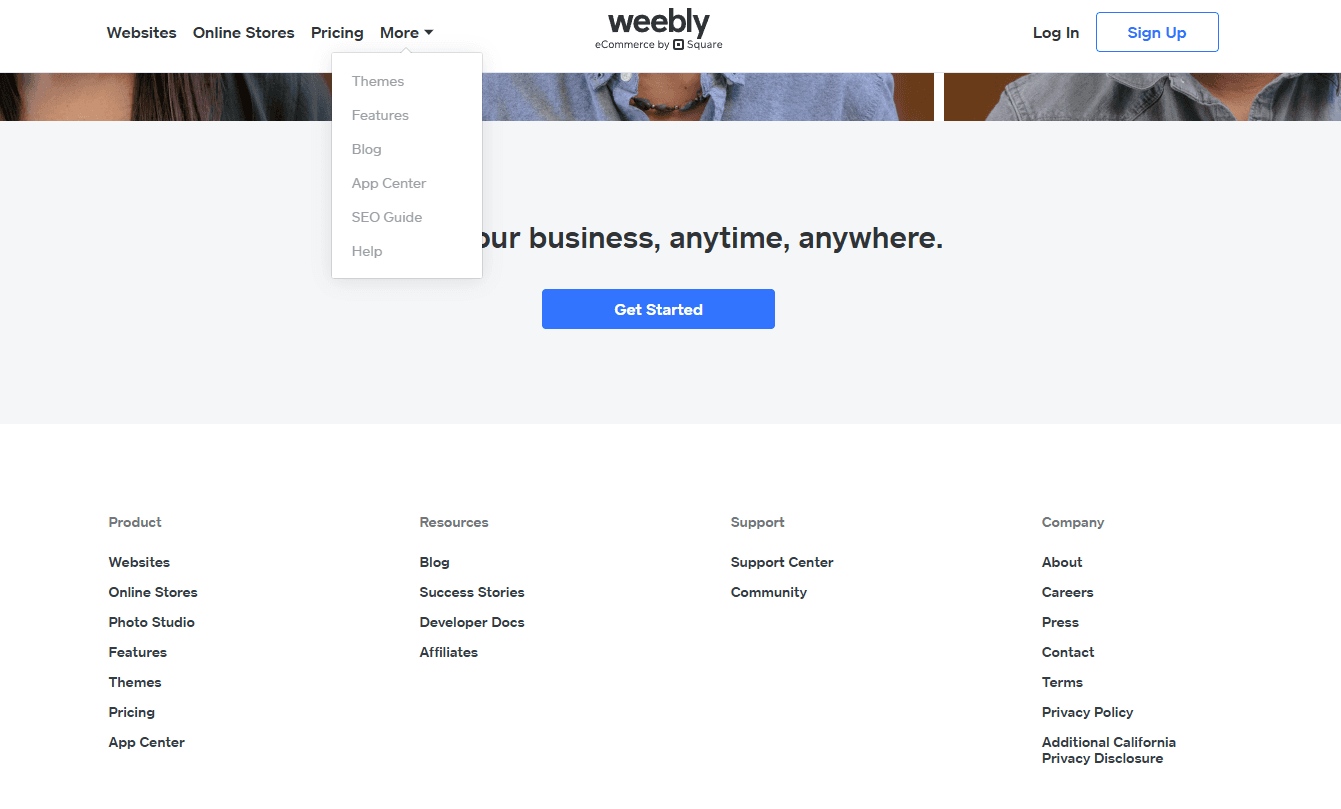
Weebly integrates with PayPal, Mailchimp, Google Sheets, QuickBooks, Xero, Facebook Lead Ads, Gmail, ActiveCampaign, HubSpot, and Salesforce, among others.
Weebly also offers an API and connects with third-party integration tools for expanded functionality.
Weebly Specs
- A/B Testing: No
- API: Yes
- Data Export: Yes
- Data Import: Yes
- External Integrations: Yes
- Landing Pages: Yes
- Multi-User: Yes
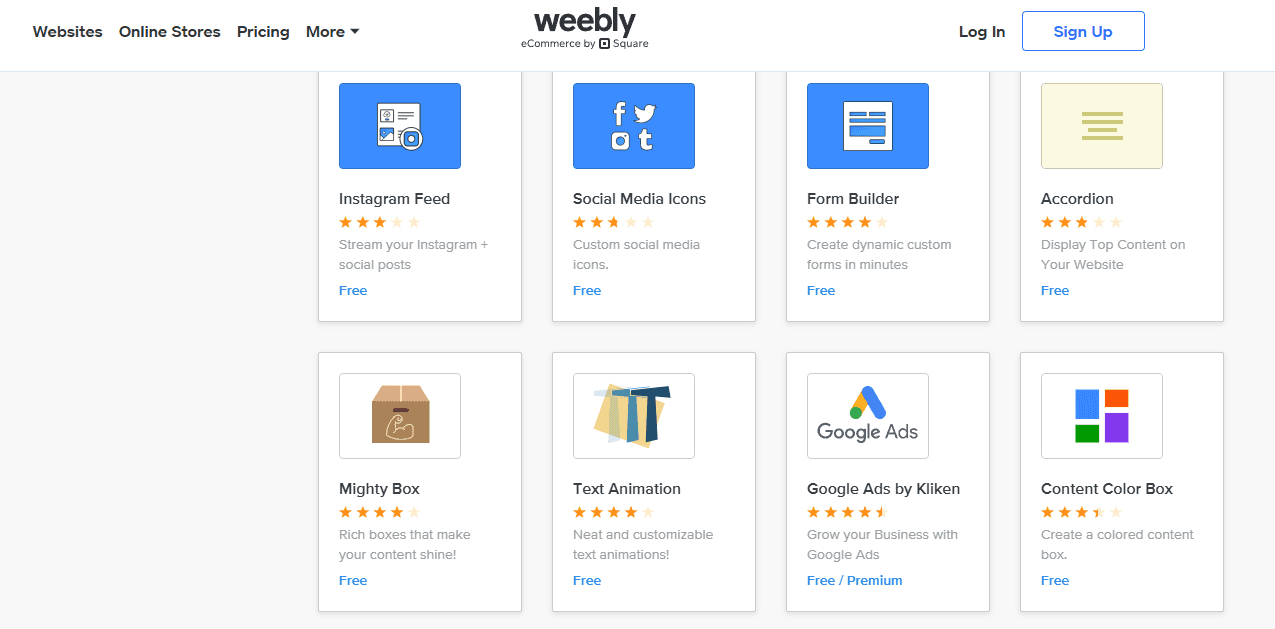
- Third-Party Plugins/Add-Ons: Yes


