
Shipstation-arvostelu: hyvät ja huonot puolet, ominaisuudet & hinnoittelu
Shipstation on pienyrityksille ja verkkokauppiaille suunniteltu toimitusohjelmisto. Se integroituu Amazoniin, Shopifyhin ja markkinapaikkoihin tehostaakseen tilausten käsittelyä – säästäen aikaa ja vähentäen toimituskuluja.

We review tools independently, and commissions help fund our testing. See our transparency policy, our methodology, or suggest a tool.
Shipstation is an ecommerce shipping software built for operators who know the grind of packing slips, mismatched shipping rates, and customer emails asking “where’s my order?”
It’s designed to help small businesses and ecommerce teams tame the chaos of multichannel fulfillment—whether you’re juggling Shopify, Amazon, eBay, or your own checkout.
The real value is time. Instead of manually printing labels, reconciling USPS vs FedEx rates, or trying to make sense of scattered workflows, you use Shipstation to centralize and automate.
In this review, I’ll cover Shipstation’s features, pricing, pros and cons, and where it fits best (and worst) in a retail operation.
ShipStation Evaluation Summary
4.6/5
- From $14.99/month
- 30-day free trial
Miksi luottaa ohjelmistosuosituksiimme
6,700+
Reviews
20
Industry experts
16+
Evaluation factors
14
Years
Tiimimme on testannut ja arvioinut ohjelmistoja vuodesta 2012 lähtien. Julkaisijoina ja mediatoimijoina tiedämme itse, kuinka vaikeaa — ja tärkeää — oikean ohjelmiston valitseminen on.
Tätä opasta varten arvioimme työkaluja käytännön testauksen ja itsenäisen tutkimuksen avulla, pisteyttäen työkalut valintakriteeriemme perusteella.
Arvostelumme perustuvat inhimilliseen toimitukselliseen harkintaamme, eivät myyntipuheeseen.
ShipStation Overview
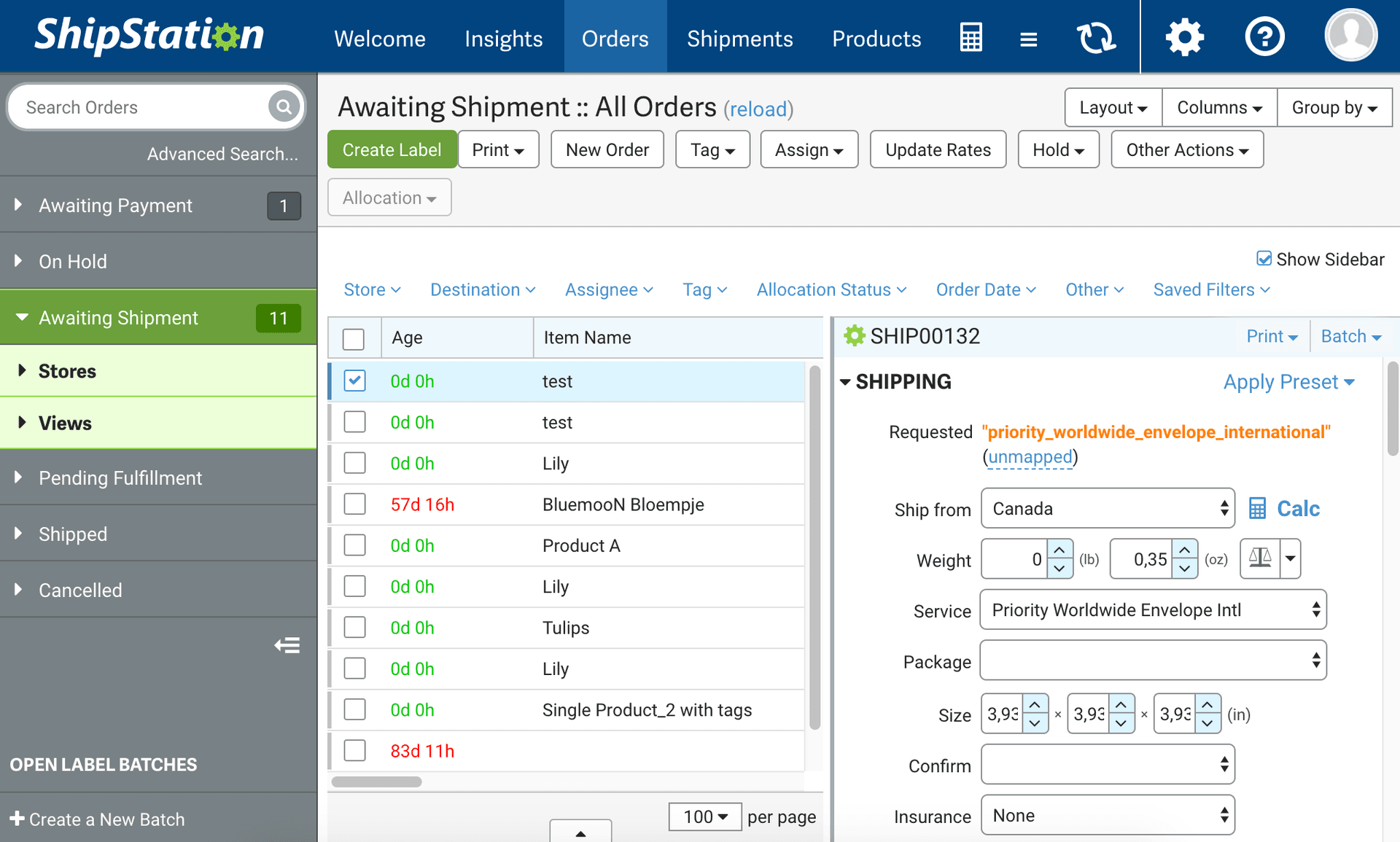
In my opinion, Shipstation is one of those tools that quietly does the heavy lifting for ecommerce operators without much fanfare.
It’s not the flashiest shipping software on the market, but it integrates with just about every sales channel that matters—Shopify, Amazon, eBay, Etsy, WooCommerce—and gives small businesses the ability to ship orders at scale without hiring an army.
Pros
- Smooth integrations. Works seamlessly with platforms like Shopify, Amazon, eBay, and Etsy so you can manage all orders in one place.
- Time-saving automation. Cuts down repetitive shipping tasks, letting you focus on fulfillment instead of button-clicking.
- Solid tracking and reporting. Gives you visibility into shipments and performance without pulling manual spreadsheets.
Cons
- Clunky interface. The navigation isn’t intuitive, which can slow down teams until they get comfortable.
- Slow onboarding. Setup and training take longer than they should, especially for less technical users.
- Inconsistent support. Help is available, but responses can be delayed when you’re under pressure.


Is ShipStation Right For Your Needs?
Who Would be a Good Fit for ShipStation?
Small to medium-sized ecommerce businesses—fashion, electronics, home goods—will get the most value from Shipstation.
If you’re processing daily orders across multiple sales channels like Shopify, Amazon, or eBay, the automation and reporting features cut down the grunt work.
Teams that need to streamline workflows and appreciate plug-and-play integrations will find it especially useful.
- Small retailersManage fulfillment without needing a large back-office team.
- Online boutiquesTrack and report on shipments to keep customers informed.
- Electronics storesHandle high-volume orders thanks to strong platform integrations.
- Home goods sellersStreamline complex product ranges with comprehensive shipping tools.
- Logistics teamsAutomate repetitive tasks so staff can focus on higher-value work.
- Customer service departmentsShare accurate shipping updates to improve the customer experience.
Who Would be a Bad Fit for ShipStation?
Large enterprises with complex shipping requirements will likely outgrow Shipstation. If you need heavy customization, advanced analytics, or a highly intuitive interface with fast onboarding, this isn’t the tool.
High-volume international shippers may also run into limitations, since Shipstation isn’t built to cover every nuance of global logistics.
- Large enterprisesThe platform struggles with enterprise-level complexity and volume.
- Highly customized shippingStandard features won’t cover unusual or tailored workflows.
- Advanced analytics teamsReporting tools lack the depth power users expect.
- Tech-savvy teamsThe interface and features feel basic compared to cutting-edge tools.
- Fast-paced startupsThe learning curve slows down teams that need instant onboarding.
- Heavy international shippersGlobal options are limited for businesses shipping worldwide at scale.
Our Review Methodology
How We Test & Score Tools
We’ve spent years building, refining, and improving our software testing and scoring system. The rubric is designed to capture the nuances of software selection and what makes a tool effective, focusing on critical aspects of the decision-making process.
Below, you can see exactly how our testing and scoring works across seven criteria. It allows us to provide an unbiased evaluation of the software based on core functionality, standout features, ease of use, onboarding, customer support, integrations, customer reviews, and value for money.
Core Functionality (25% of final scoring)
The starting point of our evaluation is always the core functionality of the tool. Does it have the basic features and functions that a user would expect to see? Are any of those core features locked to higher-tiered pricing plans? At its core, we expect a tool to stand up against the baseline capabilities of its competitors.
Standout Features (25% of final scoring)
Next, we evaluate uncommon standout features that go above and beyond the core functionality typically found in tools of its kind. A high score reflects specialized or unique features that make the product faster, more efficient, or offer additional value to the user.
We also evaluate how easy it is to integrate with other tools typically found in the tech stack to expand the functionality and utility of the software. Tools offering plentiful native integrations, 3rd party connections, and API access to build custom integrations score best.
Ease of Use (10% of final scoring)
We consider how quick and easy it is to execute the tasks defined in the core functionality using the tool. High scoring software is well designed, intuitive to use, offers mobile apps, provides templates, and makes relatively complex tasks seem simple.
Onboarding (10% of final scoring)
We know how important rapid team adoption is for a new platform, so we evaluate how easy it is to learn and use a tool with minimal training. We evaluate how quickly a team member can get set up and start using the tool with no experience. High scoring solutions indicate little or no support is required.
Customer Support (10% of final scoring)
We review how quick and easy it is to get unstuck and find help by phone, live chat, or knowledge base. Tools and companies that provide real-time support score best, while chatbots score worst.
Customer Reviews (10% of final scoring)
Beyond our own testing and evaluation, we consider the net promoter score from current and past customers. We review their likelihood, given the option, to choose the tool again for the core functionality. A high scoring software reflects a high net promoter score from current or past customers.
Value for Money (10% of final scoring)
Lastly, in consideration of all the other criteria, we review the average price of entry level plans against the core features and consider the value of the other evaluation criteria. Software that delivers more, for less, will score higher.
Core Features
Order management
Consolidates orders from multiple sales channels—Shopify, Amazon, eBay, WooCommerce, and Etsy—into one dashboard. This streamlines your workflow and simplifies order fulfillment.
Shipping labels
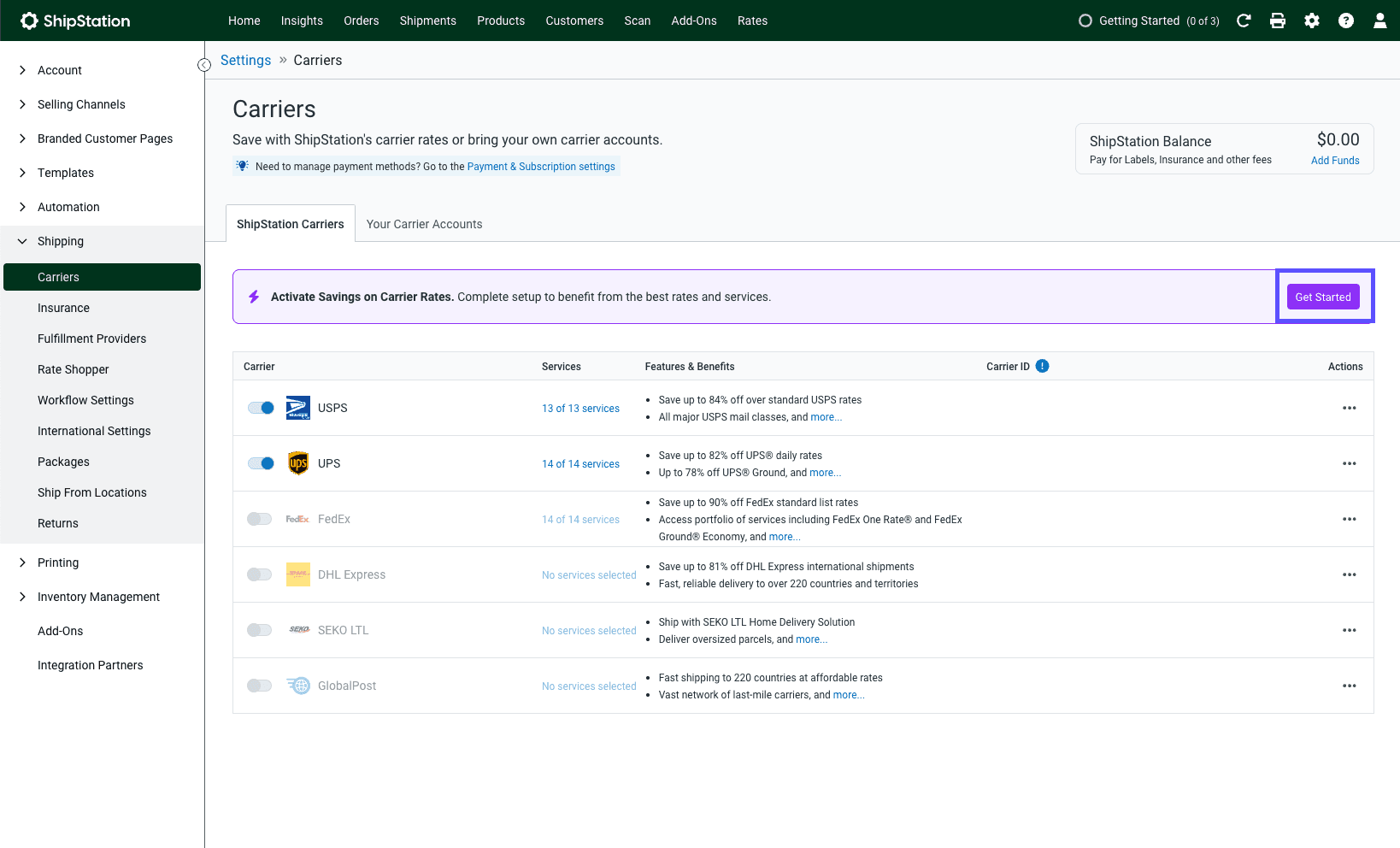
Create and print labels for USPS, FedEx, DHL, and other carriers directly in Shipstation. Fewer errors, faster processing, and less wasted time at checkout.
Automation rules
Use Shipstation’s automation to assign carriers, apply shipping services, or notify customers without manual steps. It’s a huge time-saving win for small businesses.
Reporting tools
Track shipping costs, carrier performance, and delivery times. These reports help optimize your shipping management strategy and reduce unnecessary spend.
Return management
Generate return labels and packing slips with minimal effort. This keeps returns painless for both customers and your customer service team.
Batch processing
Process hundreds of orders and print labels at once. Perfect for ecommerce operators who need to ship products quickly without bogging down workflows.
Ease of Use
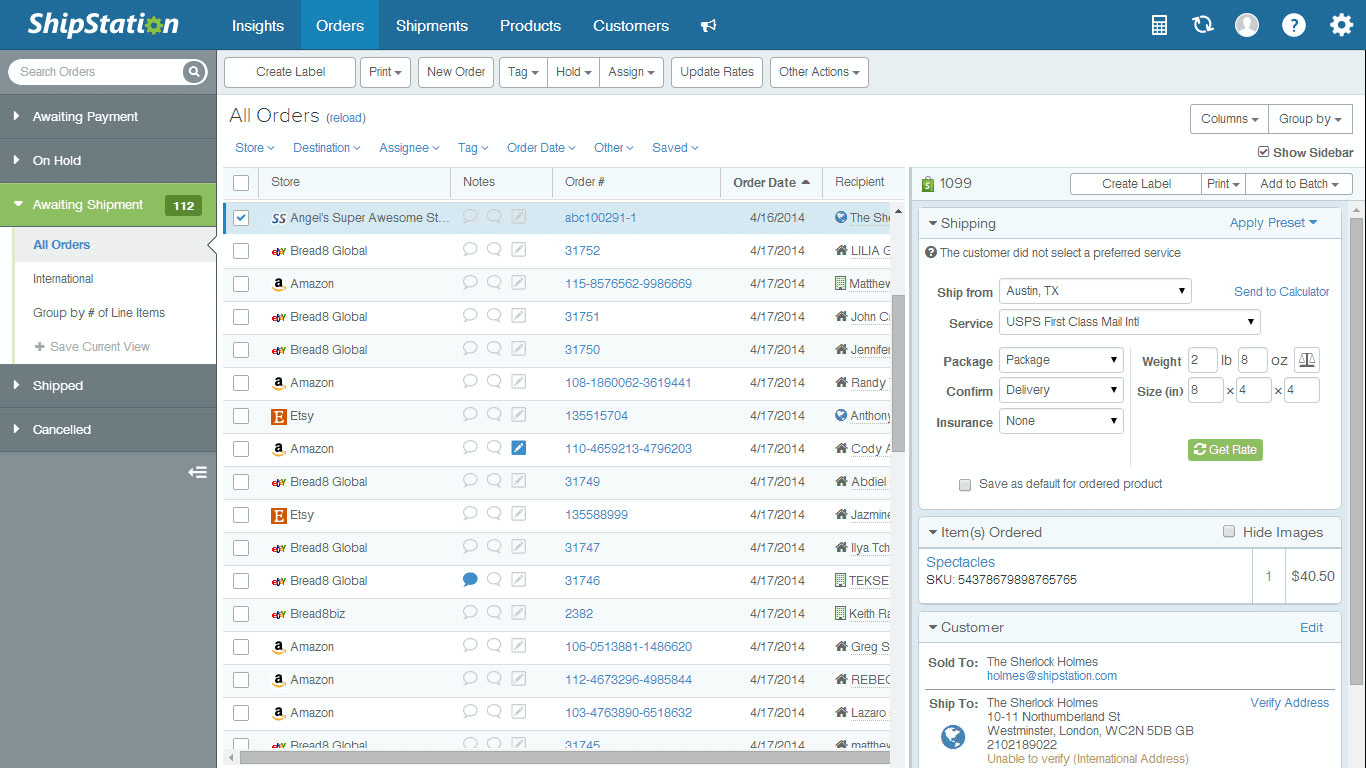
Shipstation isn’t the most user-friendly shipping software out of the gate. The interface feels dated and navigating between workflows takes some trial and error, especially for small businesses new to shipping management.
Onboarding can be a bit of a slog, which isn’t ideal for fast-paced dropshipping teams that need to ship products quickly.
That said, once you’ve invested the time in setup and optimization, the automation rules, batch processing, and label printing features save hours each week.
For ecommerce operators running Shopify, Amazon, or eBay stores, the time-saving payoff eventually outweighs the initial learning curve.
ShipStation Specs
- 2-Factor Authentication: No
- A/B Testing: Yes
- Analytics: No
- API: Yes
- BitCoin: No
- Conversion Tracking: Yes
- Dashboard: Yes
- Data Export: Yes
- Data Import: Yes
- Data Visualization: Yes
- Design Templates: No
- External Integrations: Yes
- Inventory Tracking: Yes
- Keyword Tracking: No
- Marketing Automation: Yes
- Multi-User: Yes
- Notifications: Yes
- Order Management: Yes
- Payment Gateway Integration: No
- Payment Processor: No
- PayPal: Yes
- Product Catalog: Yes
- Review Monitoring: No
- SAP Integration: No
- Scheduling: Yes
- Stripe: Yes
- Third-Party Plugins/Add-Ons: Yes
Alternatives to ShipStation


ShipStation FAQs
Mitä seuraavaksi?
Vähittäiskauppa ei koskaan pysähdy – etkä sinäkään saisi. Tilaa uutiskirjeemme saadaksesi uusimmat näkemykset, strategiat ja uraresurssit alan johtavilta vähittäiskaupan asiantuntijoilta, jotka muovaavat toimialan tulevaisuutta.