

Reseña de Hotjar: ventajas, desventajas, funciones y precios
Hotjar destaca por su interfaz fácil de usar y sus funciones de mapas de calor, lo que lo convierte en una opción excelente para equipos que buscan información intuitiva sobre el comercio electrónico.

Revisamos las herramientas de forma independiente y las comisiones ayudan a financiar nuestras pruebas. Consulta nuestra política de transparencia, nuestra metodología o sugiere una herramienta.
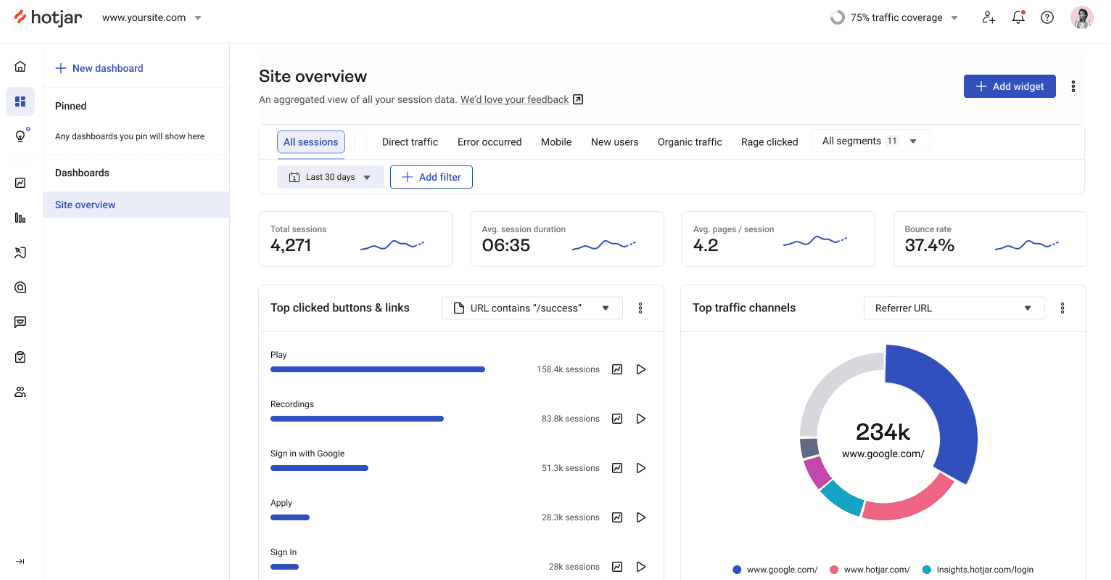
Hotjar is an ecommerce analytics software built around behavioral data—heatmaps, session recordings, and on-site surveys that show how shoppers move through your site. I'd consider it if you need to understand why visitors aren't converting, not just track that they aren't. Google Analytics tells you traffic is dropping; Hotjar shows you where shoppers are getting stuck and leaving.
Hotjar (by Contentsquare) Evaluation Summary
4.5/5
- From $39/month (billed annually)
- Free plan available
Por qué confiar en nuestras recomendaciones de software
6,700+
Reviews
20
Industry experts
16+
Evaluation factors
14
Years
Nuestro equipo lleva probando y evaluando software desde 2012. Como líderes del sector retail, sabemos lo difícil —y lo importante— que es elegir el software adecuado.
Para esta guía, evaluamos las herramientas mediante pruebas prácticas e investigación independiente, puntuando las herramientas según nuestros criterios de selección.
Nuestras reseñas reflejan nuestro criterio independiente, no un discurso de ventas.
Hotjar (by Contentsquare) Overview
In my opinion, Hotjar is a solid choice for those looking to understand user behavior in ecommerce settings. Its heatmaps and session recordings stand out, offering valuable insights into how users interact with your site. Compared to other tools like Fullstory and Crazy Egg, it’s user-friendly and priced reasonably, though it may lack some advanced features. I think Hotjar is best suited for small to medium-sized businesses and teams focused on improving UX and conversion. If you want a tool that’s easy to adopt and provides immediate value, Hotjar is worth considering.
Pros
- Heatmaps provide clear insights into user interactions on your site.
- Session recordings help you understand your users' navigation patterns.
- Feedback polls and surveys allow your team to gather user input easily.
Cons
- Advanced analytics features are limited compared to some competitors.
- Some users find the data reporting tools less detailed.
- Real-time data processing can be slower than expected.
Is Hotjar (by Contentsquare) Right For Your Needs?
Who Would be a Good Fit for Hotjar (by Contentsquare)?
Hotjar is a great fit for small to medium-sized businesses, especially in retail and SaaS industries. If your team is focused on improving user experience or conversion rates, Hotjar's heatmaps and session recordings are invaluable. Marketing teams and UX designers will find its feedback tools helpful for gathering user input. The intuitive interface means your team can quickly adopt and start getting insights without much hassle.
- Retail TeamsHotjar's visual insights help you understand how customers interact with your online store.
- SaaS CompaniesSession recordings show how users navigate your software, aiding in UX improvements.
- Marketing DepartmentsFeedback polls and surveys gather user opinions to fine-tune your digital marketing strategies.
- UX DesignersHeatmaps and A/B testing provide visual data on user interactions, essential for designing better interfaces.
- Product ManagersUser recordings help you see real-world usage, informing product development.
- Small BusinessesThe easy setup and user-friendly tools make it accessible without needing a big budget.
Who Would be a Bad Fit for Hotjar (by Contentsquare)?
Hotjar might not suit large enterprises with complex data needs or advanced analytics demands. If your team requires real-time data processing and intricate reporting features, Hotjar's capabilities may fall short. Enterprises looking for deep integrations and custom analytics may find it limiting. Teams in highly regulated industries might also struggle with compliance and data privacy concerns due to Hotjar's data collection methods.
- Large EnterprisesHotjar lacks the advanced analytics and reporting tools big companies often need.
- Financial ServicesData privacy concerns may not align with the strict compliance requirements in this industry.
- Healthcare IndustryThe software's data collection might not meet healthcare's stringent privacy regulations.
- Advanced Analytics TeamsHotjar's basic analytics might not satisfy teams needing complex data insights.
- Real-Time Data NeedsIf your work requires immediate data processing, Hotjar's slower updates can be a drawback.
- Highly Regulated IndustriesThe data handling methods may not comply with strict industry standards.
Nuestra Metodología de Revisión
Cómo Probamos y Puntamos Herramientas
Hemos pasado años construyendo, perfeccionando y mejorando nuestro sistema de pruebas y puntuación de software. La rúbrica está diseñada para captar los matices de la selección de software y lo que hace que una herramienta sea eficaz, enfocándose en los aspectos críticos del proceso de toma de decisiones. A continuación, puedes ver exactamente cómo funcionan nuestras pruebas y puntuaciones en siete criterios. Esto nos permite brindar una evaluación imparcial del software según la funcionalidad principal, características destacadas, facilidad de uso, incorporación, soporte al cliente, integraciones, reseñas de usuarios y relación calidad-precio.
Funcionalidad Principal (25% de la puntuación final)
El punto de partida de nuestra evaluación siempre es la funcionalidad principal de la herramienta. ¿Cuenta con las características y funciones básicas que un usuario esperaría ver? ¿Alguna de esas funcionalidades está limitada a planes de precios superiores? En esencia, esperamos que una herramienta se compare favorablemente con las capacidades básicas de sus competidores.
Características Destacadas (25% de la puntuación final)
A continuación, evaluamos las características sobresalientes poco comunes que van más allá de la funcionalidad principal que normalmente se encuentra en herramientas similares. Una alta puntuación refleja funcionalidades especializadas o únicas que hacen que el producto sea más rápido, eficiente o aporte un valor extra al usuario. También evaluamos qué tan fácil es integrar la herramienta con otras comúnmente usadas en el entorno tecnológico para ampliar la funcionalidad y utilidad del software. Las herramientas que ofrecen numerosas integraciones nativas, conexiones de terceros y acceso a API para crear integraciones personalizadas obtienen la mejor puntuación.
Facilidad de Uso (10% de la puntuación final)
Consideramos qué tan rápido y fácil es realizar las tareas definidas en la funcionalidad principal usando la herramienta. El software de alta puntuación está bien diseñado, es intuitivo, ofrece aplicaciones móviles, proporciona plantillas y hace que tareas relativamente complejas parezcan simples.
Incorporación (10% de la puntuación final)
Sabemos lo importante que es que un equipo adopte rápidamente una nueva plataforma, así que evaluamos qué tan fácil es aprender y usar la herramienta con mínima capacitación. Analizamos cuánto tiempo tarda un miembro del equipo en prepararse y comenzar a usar la herramienta sin experiencia previa. Las soluciones con alta puntuación requieren poco o ningún soporte.
Soporte al Cliente (10% de la puntuación final)
Revisamos qué tan rápido y fácil es obtener ayuda por teléfono, chat en vivo o base de conocimientos. Las herramientas y empresas que ofrecen soporte en tiempo real obtienen la mejor puntuación, mientras que los chatbots obtienen la peor.
Reseñas de Clientes (10% de la puntuación final)
Además de nuestras pruebas y evaluaciones, consideramos el puntaje neto de promotores de clientes actuales y pasados. Revisamos la probabilidad de que elijan de nuevo la herramienta para la funcionalidad principal. Un software con alta puntuación refleja un alto NPS de clientes actuales o pasados.
Relación Calidad-Precio (10% de la puntuación final)
Por último, considerando todos los demás criterios, revisamos el precio promedio de los planes de nivel básico frente a las características principales y consideramos el valor de los otros criterios de evaluación. El software que ofrece más por menos, tendrá una puntuación más alta.
Core Features
Heatmaps: Heatmaps give you a visual representation of user actions, including where they click, scroll, and general mouse movements on your site. This helps your team understand user behavior and optimize page layouts.
Session Recordings: Recordings let you watch individual user sessions to see how visitors navigate your site. This provides insight into user journeys and potential pain points.
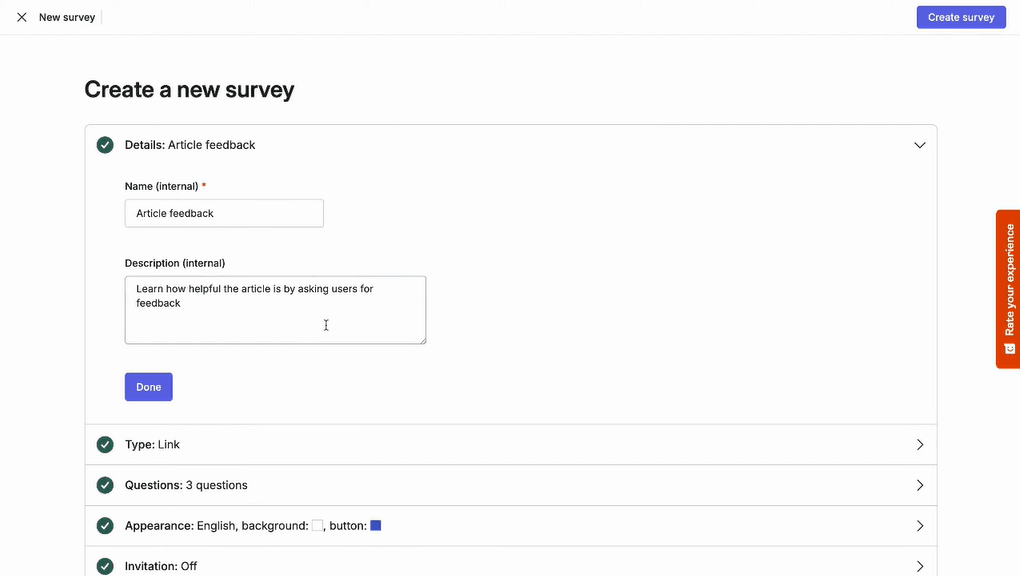
Surveys: Deploy on-site surveys to capture real user feedback and experiences. This aids in collecting qualitative data for in-depth decision-making.
Conversion Funnels: Identify where users drop off in your sales process with conversion funnels. This helps you target areas for improvement to boost conversions.
Trends: Trends let you track user behavior metrics over time, making it easier to spot patterns and measure UX improvements.
User Interviews: User Interviews let you recruit participants and conduct qualitative interviews to understand user needs, motivations, and pain points beyond behavioral data.
Ease of Use
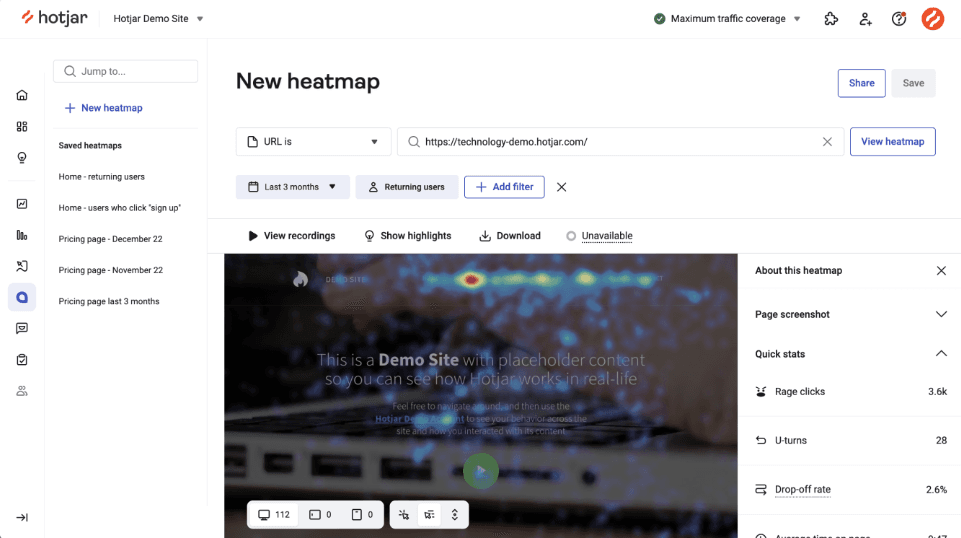
Hotjar is intuitive and user-friendly, making it easy for your team to start analyzing user behavior quickly. The clean interface and straightforward setup mean you won't spend hours figuring things out. Compared to other tools, it’s simple to navigate, and you can easily access features like heatmaps and session recordings. This usability makes it accessible even for beginner users who aren’t tech-savvy, allowing you to focus more on analyzing data rather than learning the software.
Integrations
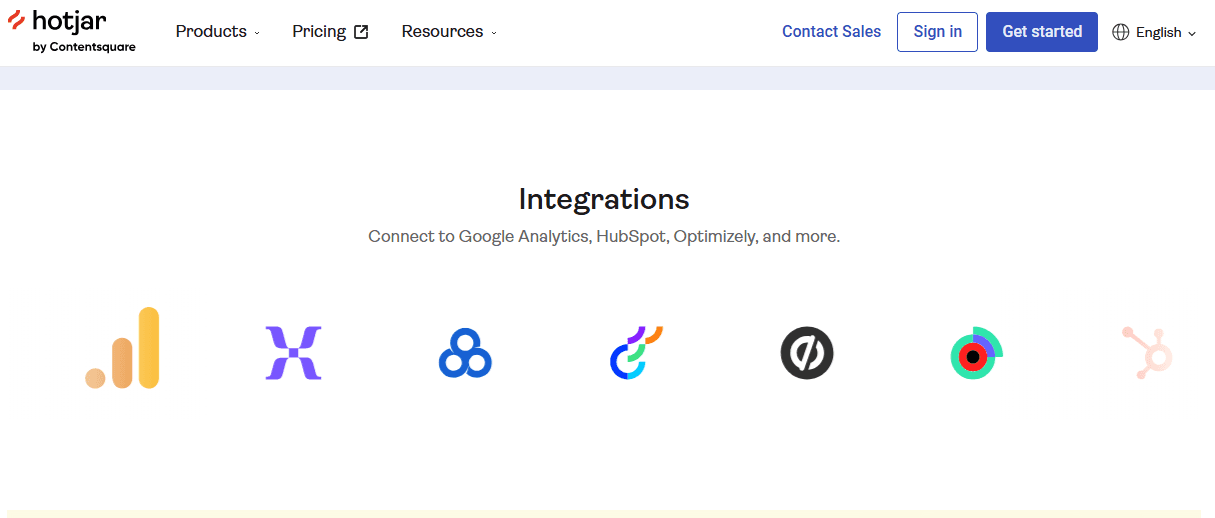
Hotjar integrates with Google Analytics, HubSpot, Slack, Segment, Optimizely, and Unbounce. It also offers an API and supports third-party connections through tools like Zapier and webhooks to extend functionality.
Hotjar (by Contentsquare) Specs
- A/B Testing: Yes
- AI Integration: Yes
- Analytics: Yes
- API: Yes
- Big Data: Yes
- Campaign Management: Yes
- Conversion Tracking: Yes
- Custom Reports: Yes
- Dashboard: Yes
- Data Export: Yes
- Data Import: Yes
- Data Visualization: Yes
- External Integrations: Yes
- Feedback Management: Yes
- Keyword Tracking: Yes
- Landing Pages: Yes
- Link Tracking: Yes
- Multi-User: Yes
- Notifications: Yes
- Process Reporting: Yes
- Referral Tracking: Yes
- Sentiment Analysis: Yes
- SEO: Yes
- Workflow Management: Yes


